



في هذه المقالة
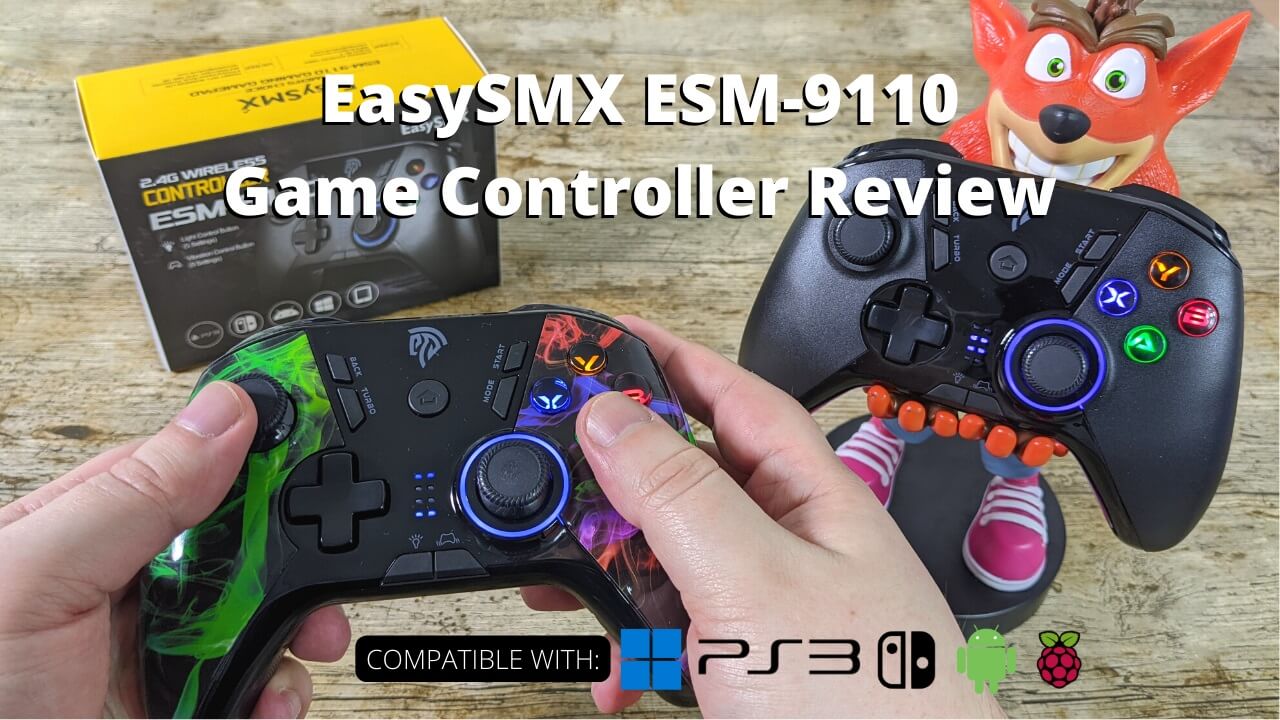
Today we are checking out the EasySMX ESM-9110 game controller. We will be unboxing it, taking an overview of the features and playing a brief game or two to show it in action.
EasySMX ESM-9110 Review Video
Unboxing the EasySMX ESM-9110
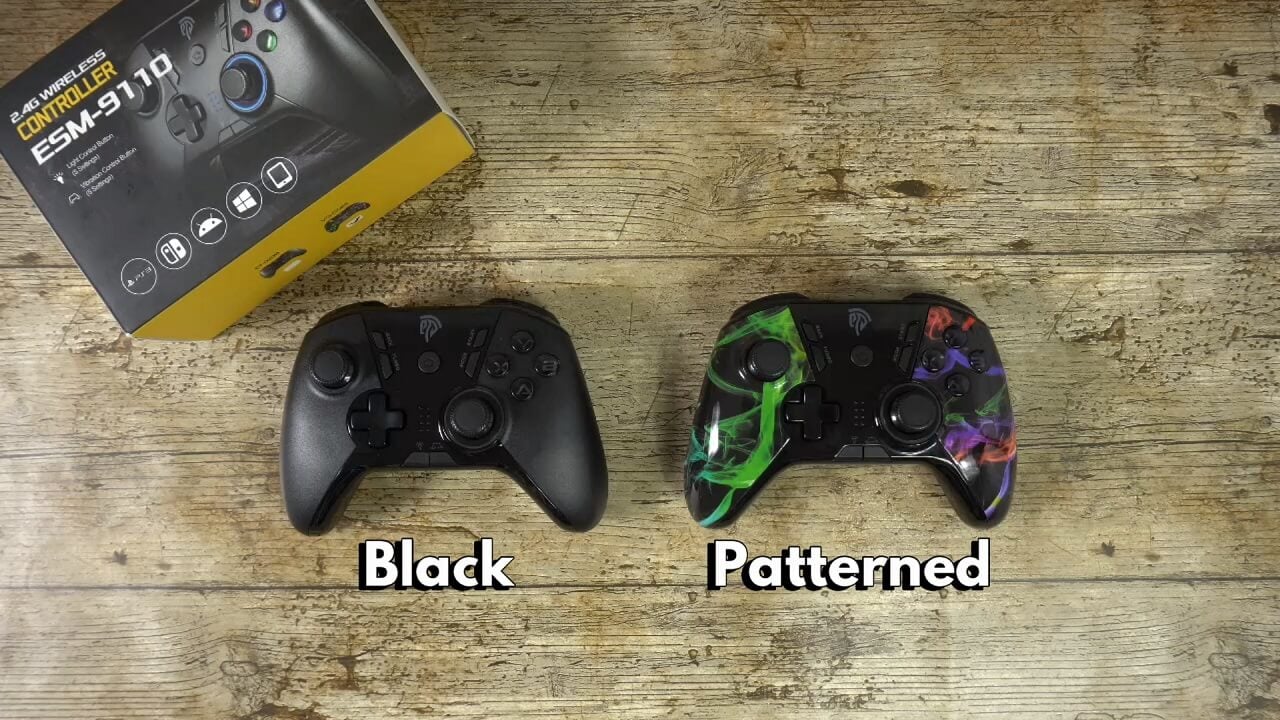
First we have the EasySMX ESM-9110 gamepad itself which is available in two colours, we will show them in more detail shortly. This is the black colour.
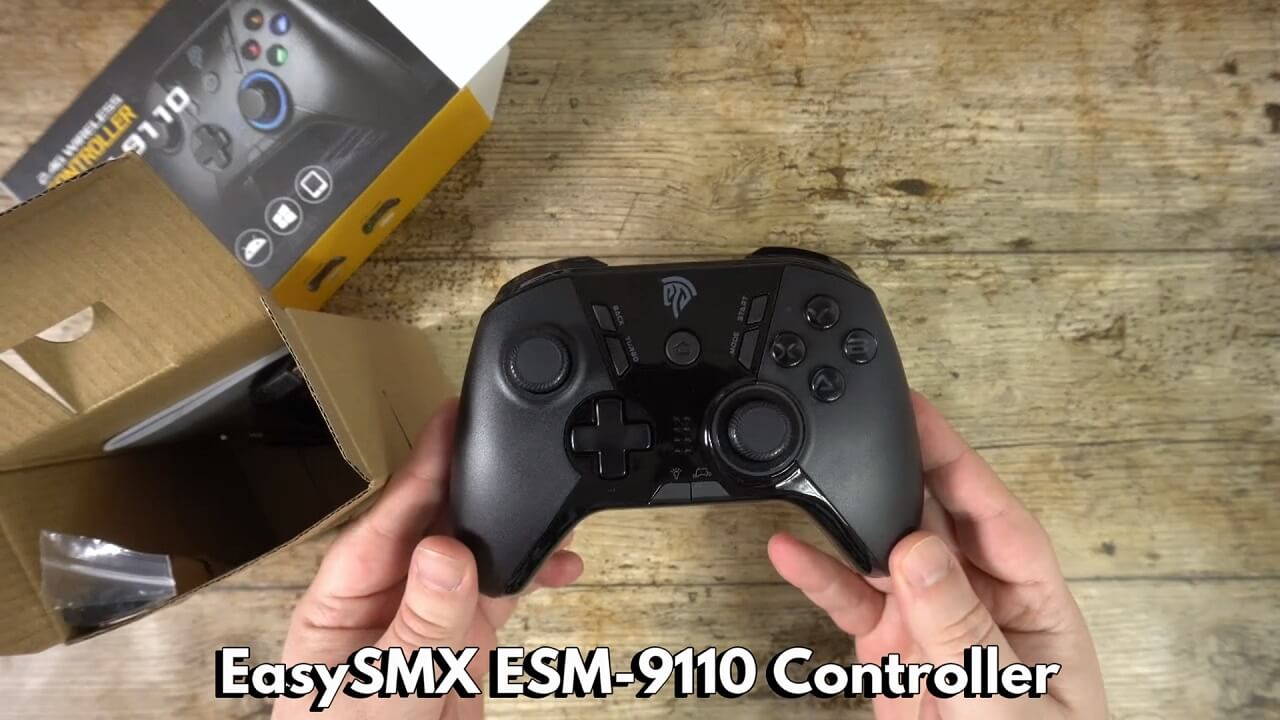
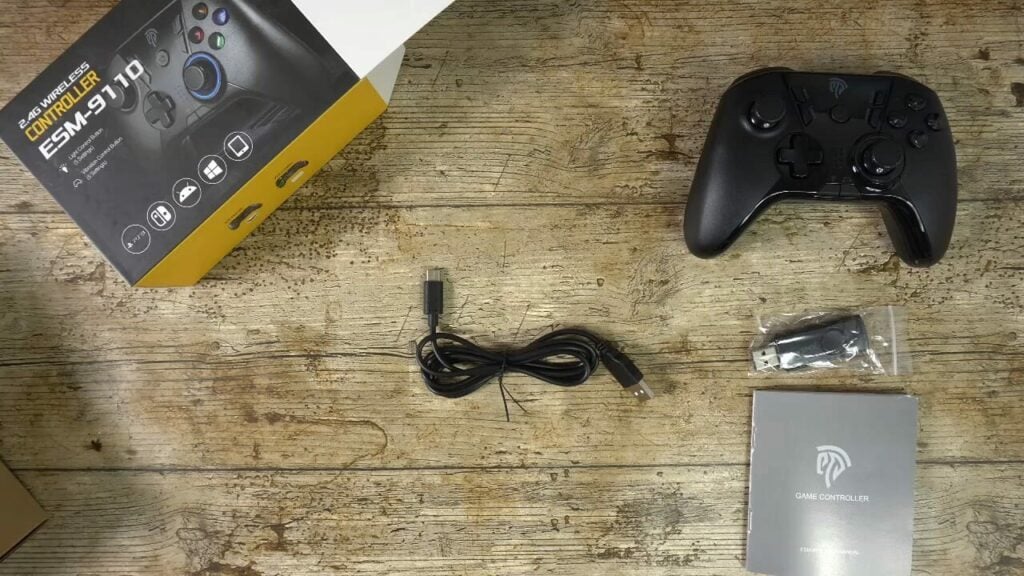
Inside you can find a 2.4G wireless dongle which plugs into your device’s USB port. There is a user manual which covers all the features and functions and is in multiple languages including English, German, Italian and Spanish. And last but not least, there is a USB Type-C cable for charging the controller. It takes around 2 hours to fully recharge it.
Overview of the ESM-9110
The EasySMX ESM-9110 gamepad is available in two colour designs; Black and Patterned.
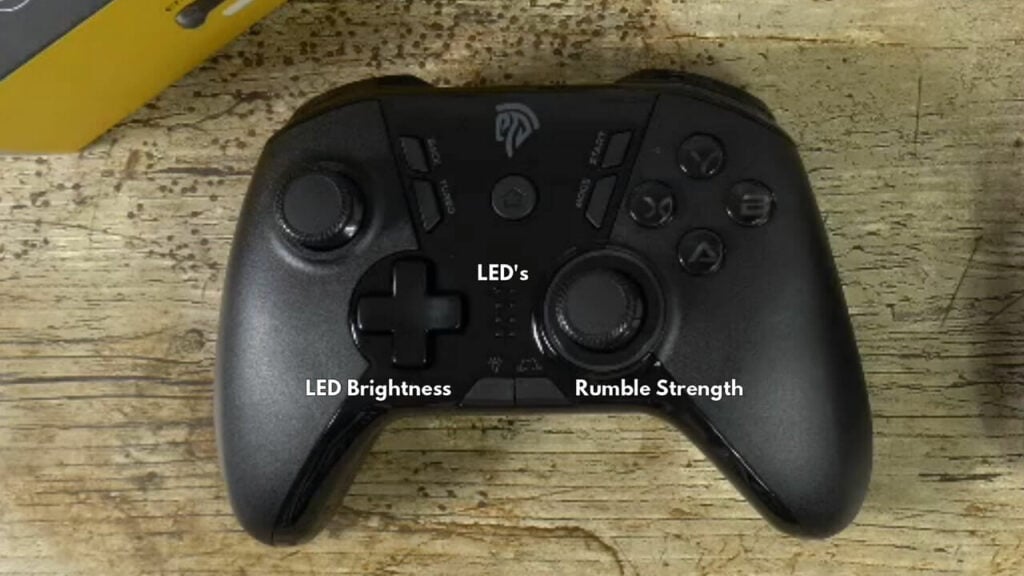
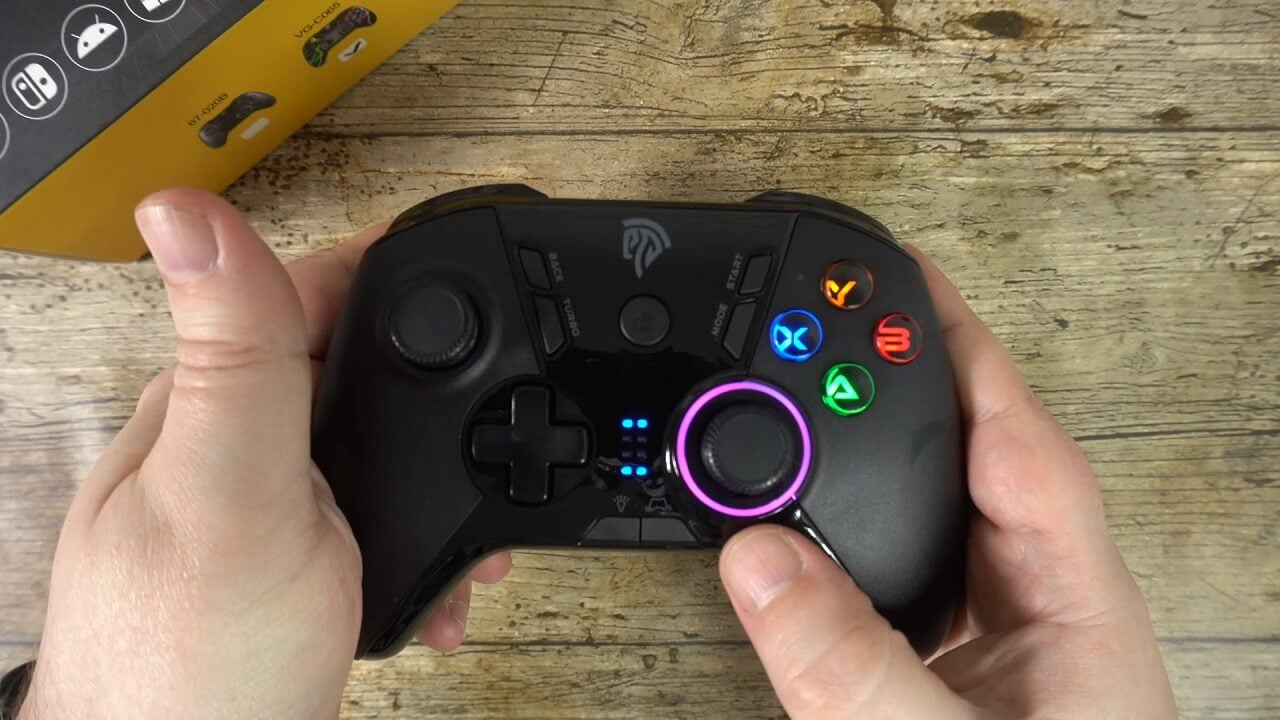
On the front are your clickable dual analogue sticks and classic D-Pad. There are four gaming buttons. In the middle area there are with Back, START, Turbo, Mode, and the HOME button.
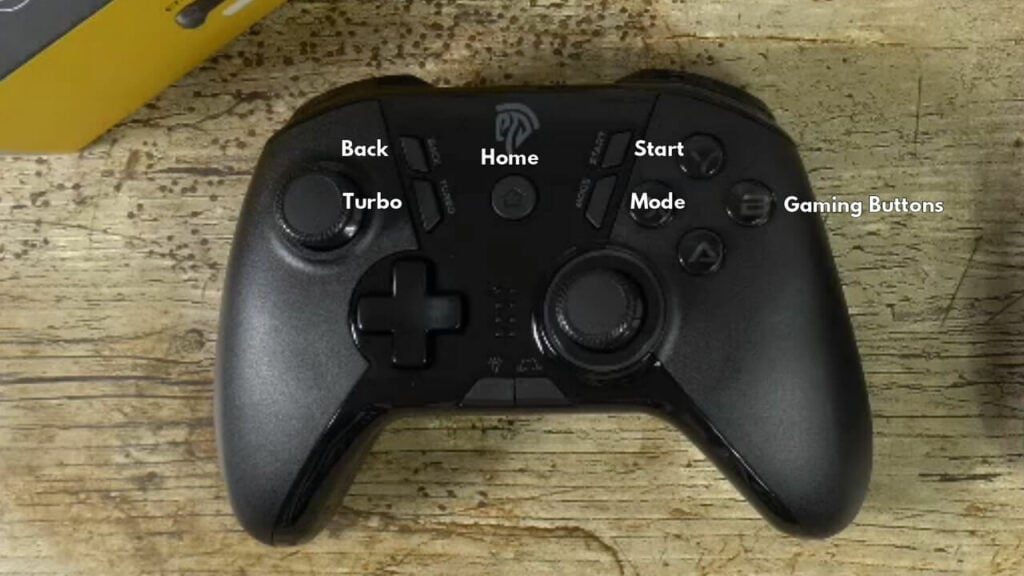
On the bottom are LED indicators with LED brightness and Rumble strength buttons.
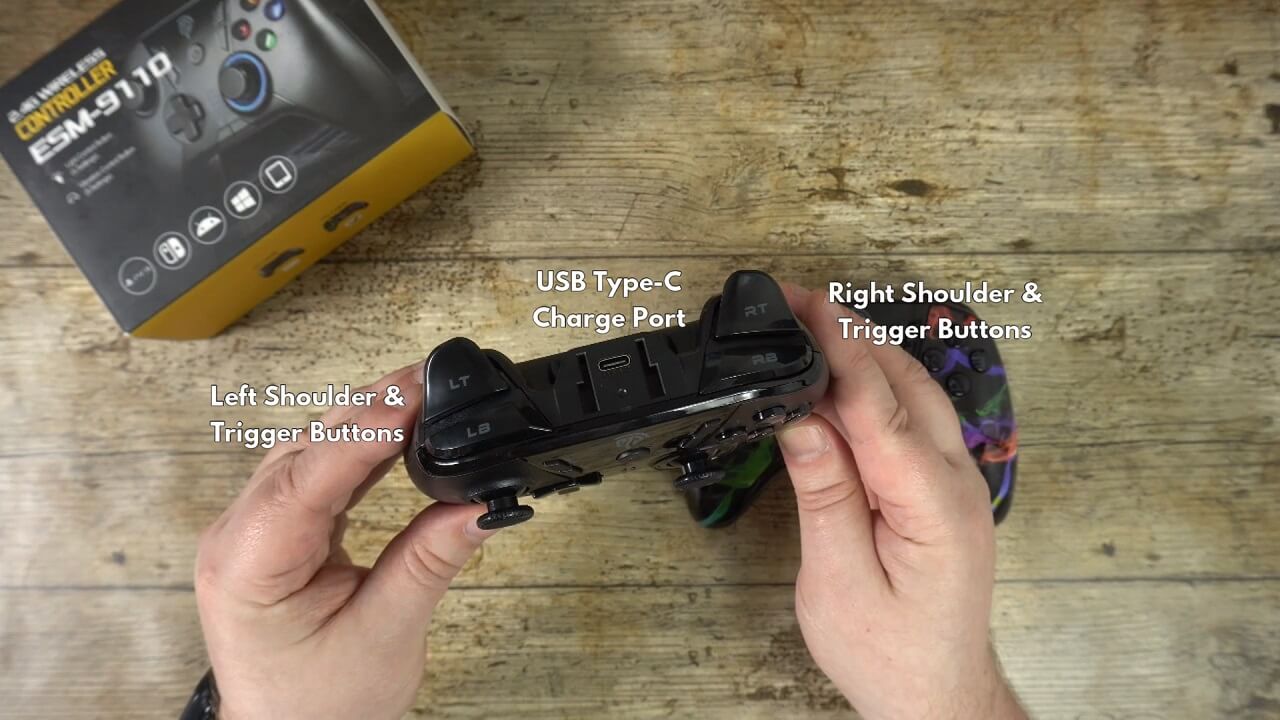
On the top are your Left & Right Shoulder & Trigger buttons. USB Type-C charge port and LED indicator. The controller is powered by a 600mah battery which lasts for around 8 hours.
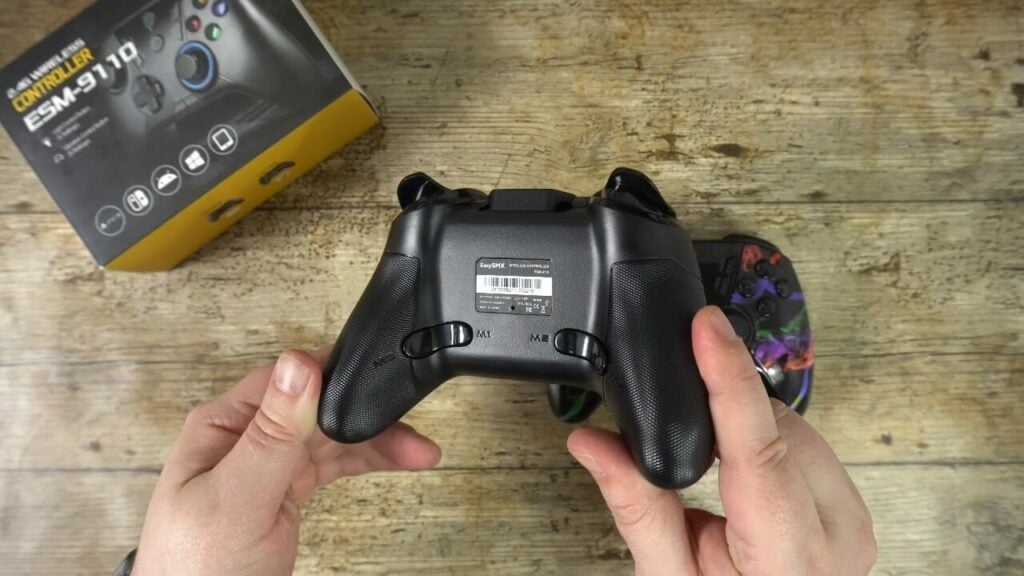
On the back are four custom Macro buttons these can be redefined very easily.
Features of the EasySMX Game Controller
Pressing the Home button will switch on the EasySMX ESM-9110 controller and it will connect to the wireless dongle near instantly.
The gamepad can be used on Windows PC, PlayStation 3, Switch / Switch Lite, Android devices and Raspberry Pi. You can switch between controller modes for these devices by holding the Mode button for six seconds and the LED status will change. You can refer to the manual for each mode and which is best for your device.
The LED brightness can be changed via the button, it has five brightness strengths including off. The rumble button controls the strength of vibration on supported games, it also has five strengths including Off.
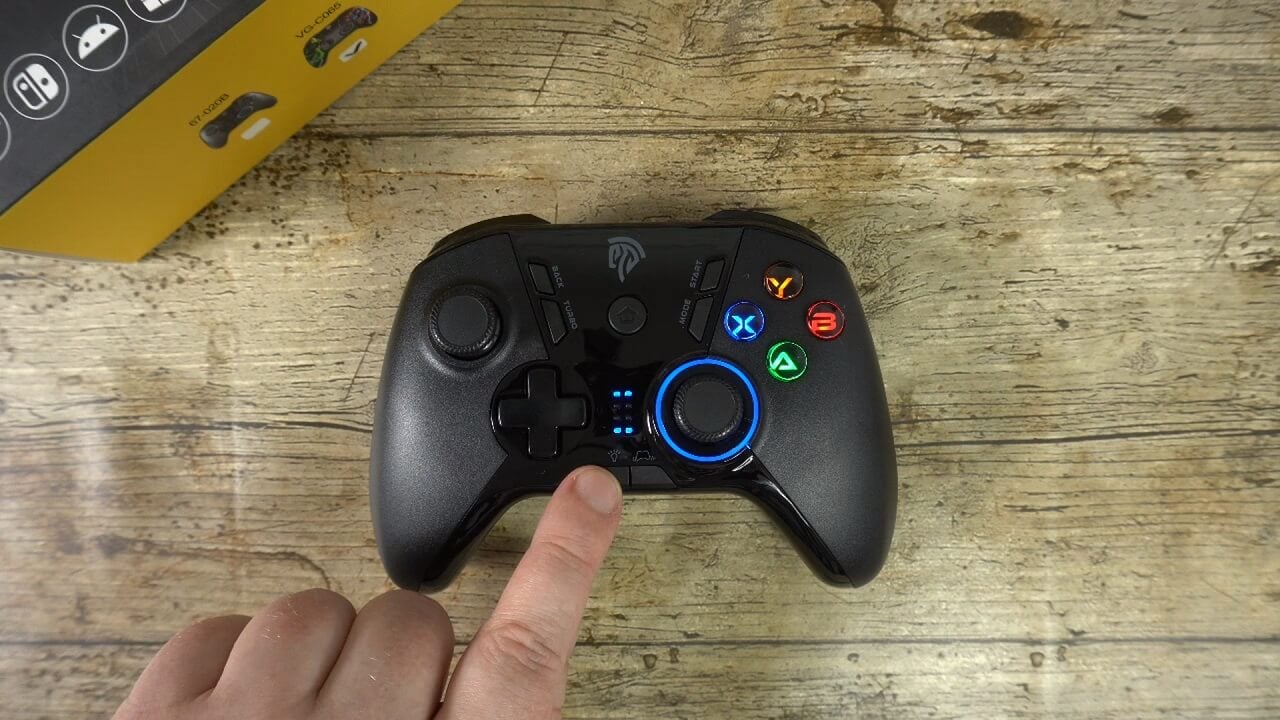
The turbo button can be set up for turbo functions mapped to one button at a time. Simply hold the button to wish to use, and then press the Turbo button. The LED will turn red to indicate that it has been set and you can now use the button in turbo mode. If you wish to cancel the turbo, simply press the button and turbo again.
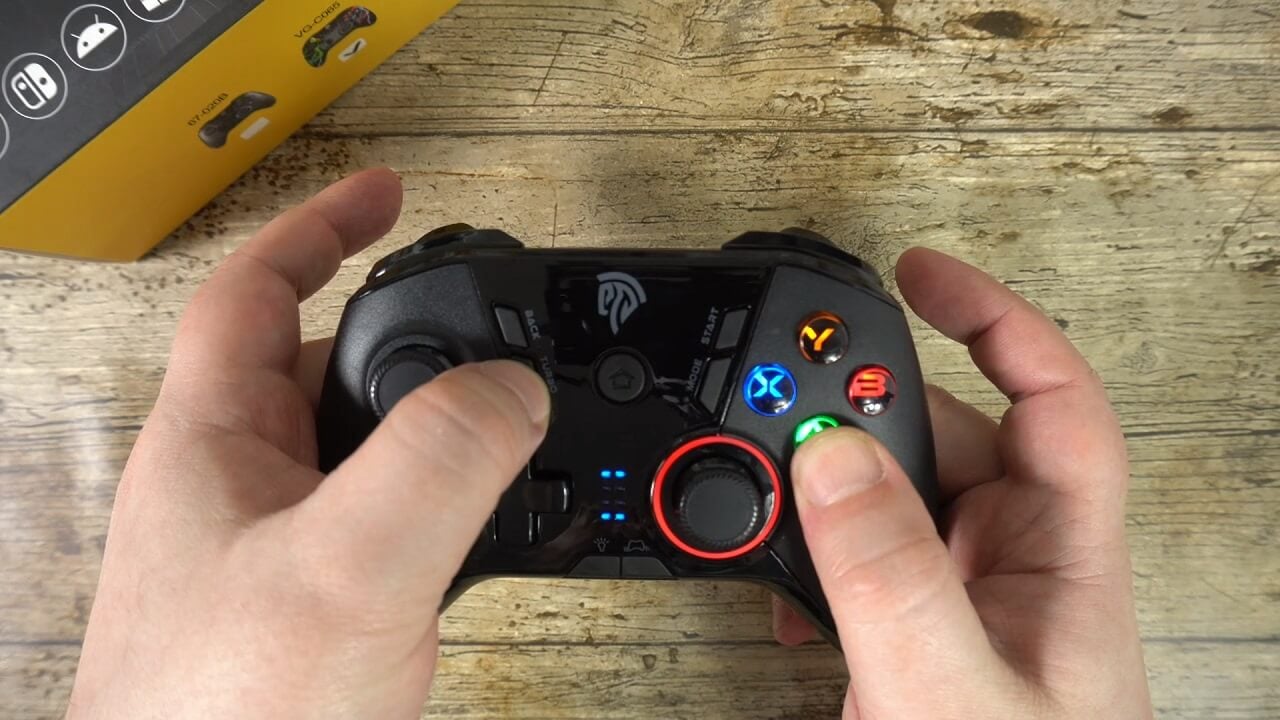
The macro buttons on the back of the pad can be easily configured for multiple button presses. Simply hold one of the Macro buttons, then press BACK and the LED will turn purple to indicate it is ready for the button presses. Press and hold any buttons and the LED will turn blue, and then press the Macro button again.
Final Thoughts
The EasySMX ESM-9110 gaming controller feels very comfortable in the hand. While testing the controller during a six hour gaming session, I did not feel any hand cramp or fatigue. The analogues also feel very responsive and accurate to the movement used.
The controls and buttons also feel very responsive and I did not feel like there was any lag due to wireless signal which works up to 10 meters clear sight away.
Battery life, on paper, is around 8 hours. I found that with my own testing, from a full charge I got around 15 hours. This was likely due to playing sitting at the PC desk with the wireless dongle being an arms length away. Your usage may vary, but up to 8 hours is the given length.
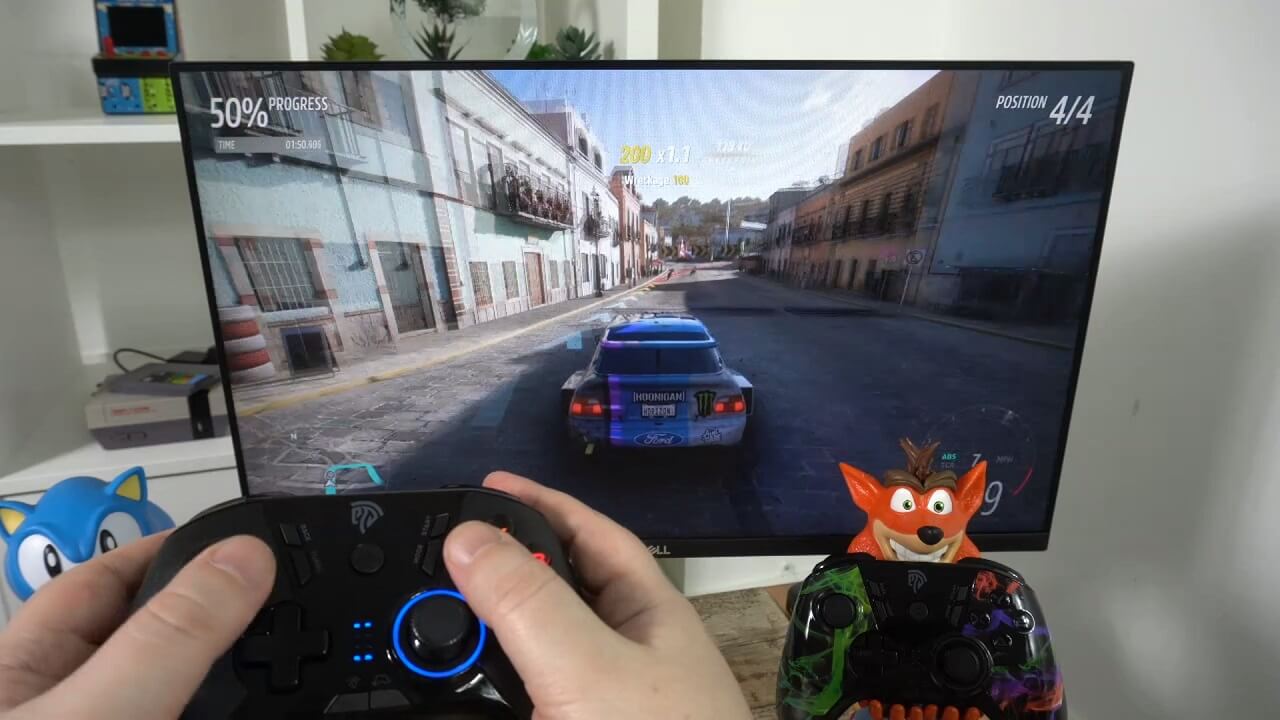
I can highly recommend the EasySMX ESM-9110 game controller! Over the period of time I used it, I had no issues at all. It has now replaced my old pad which was nowhere near as good as this.
Where to buy the EasySMX ESM-9110?
You can learn more and buy your EasySMX ESM-9110 here. Or browse our range of EasySMX controllers here
[azp_custom_product id=”33″]
Review
I can highly recommend the EasySMX ESM-9110 game controller! It supports PC. PS3, Switch, Android and Raspberry Pi. Over the period of time I used it, I had no issues at all. It has now replaced my old game controller.
ما أعجبنا
- Compatible with Windows PC, PlayStation 3, Switch / Switch Lite, Android devices and Raspberry Pi
- Great battery life
- Fast to recharge
- Comfortable to hold for extended gaming sessions
- Excellent wireless range, up to 10 meters

Bringer of videos, text and images! AKA the social media guy at DROIX. Massive retro gaming fan and collector, with a far too large collection of consoles and computers from 1970's to modern. Contact me at [email protected]
الأسئلة والتعليقات
25
تحصل كل سؤال على إجابة. اسأل قبل الشراء — DaveC والفريق يرد في غضون يوم عمل واحد، والإجابات تبقى عامة لمساعدة القارئ التالي.

Re
Re
Re
asd
asd
asd
Another Test Reply
Another Test Reply
 Cristian
فريق DROIX
Cristian
فريق DROIX
This is now a sticked reply.
Another Test Reply
Cristian
فريق DROIX
This is now a sticked reply.
Cristian
فريق DROIX
This is now a sticked reply.
Cristian
فريق DROIX
This is now a sticked reply.
Cristian
فريق DROIX
This is now a sticked reply.
Another Test Reply
Another Test Reply
Another Test Reply
Test Reply
Test Reply
Test Reply
First comment!
First comment!
First comment!
First comment!
First comment!