

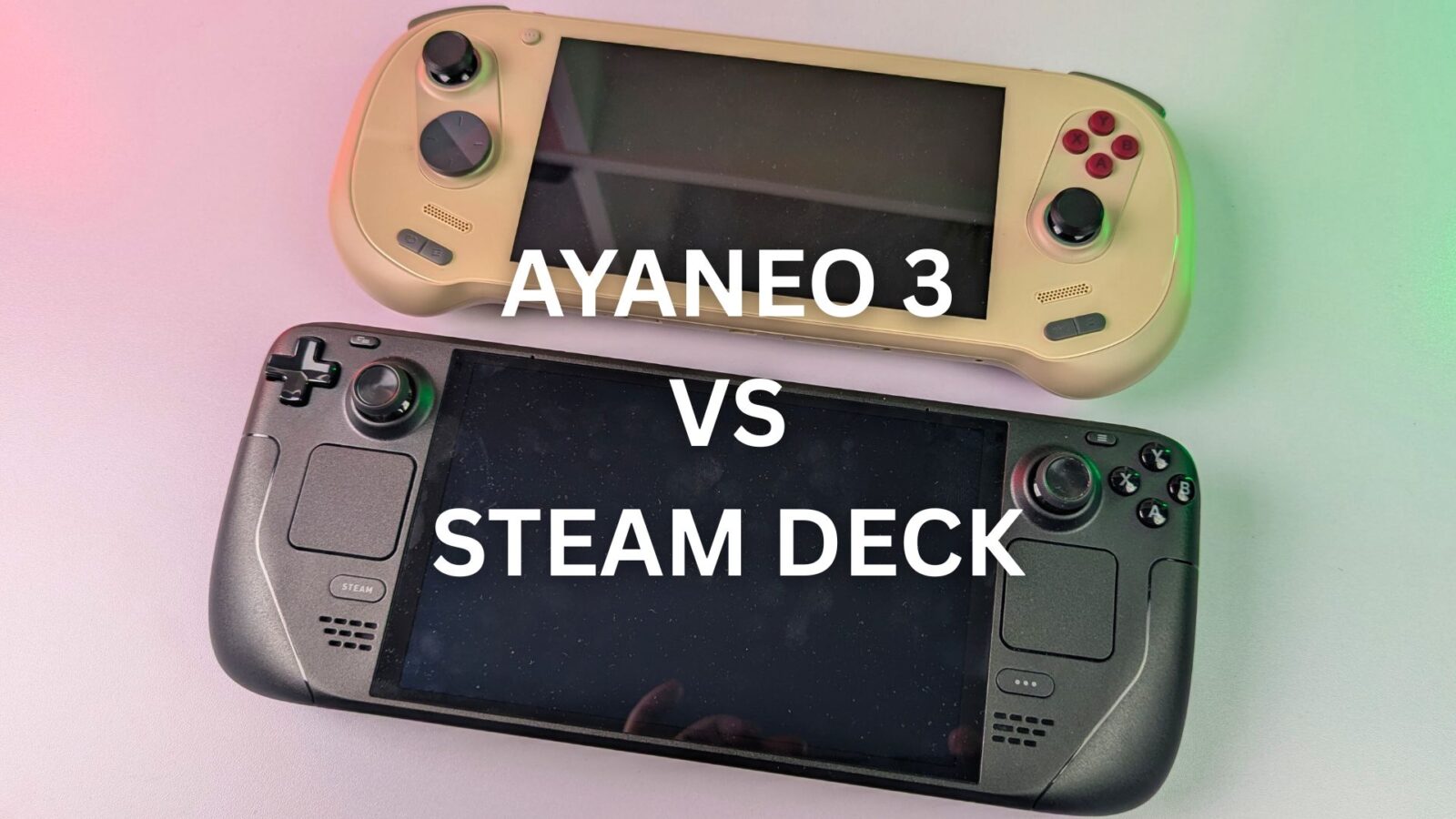
Two Titans of the Handheld Revolution
The market for the handheld gaming PC has exploded from a niche enthusiast corner into a mainstream phenomenon, largely catalysed by the arrival of Valve’s Steam Deck. This device single-handedly redefined expectations for price, performance, and software integration in a portable form factor. Yet, in this burgeoning landscape, a second philosophy thrives—one of premium, boundary-pushing innovation, championed by companies like AYANEO. The release of the AYANEO 3 represents the pinnacle of this alternative vision, a device brimming with cutting-edge technology and ambitious features. This sets the stage for a monumental confrontation, a true clash of titans that defines the choices available to consumers today.
This article provides an exhaustive analysis of the AYANEO 3 vs Steam Deck, dissecting every facet of these two pivotal devices. We will move beyond surface-level specifications to explore the core design philosophies that drive them. Is the raw power, modular freedom, and high-resolution display of the AYANEO 3 worth its substantial price premium? Or does the Steam Deck’s masterfully optimised ecosystem, unparalleled comfort, and disruptive value proposition present a more compelling package for the majority of gamers? This is the central question as we compare these two distinct visions for the future of the portable gaming PC. For those seeking to navigate the complex world of the mobile gaming PC, this comprehensive comparison will serve as the definitive guide.
Specifications and Core Philosophies
At the heart of the AYANEO 3 vs Steam Deck debate lie two fundamentally different approaches to hardware design. A simple glance at the specifications reveals not just a generational gap in technology, but a chasm in product philosophy.
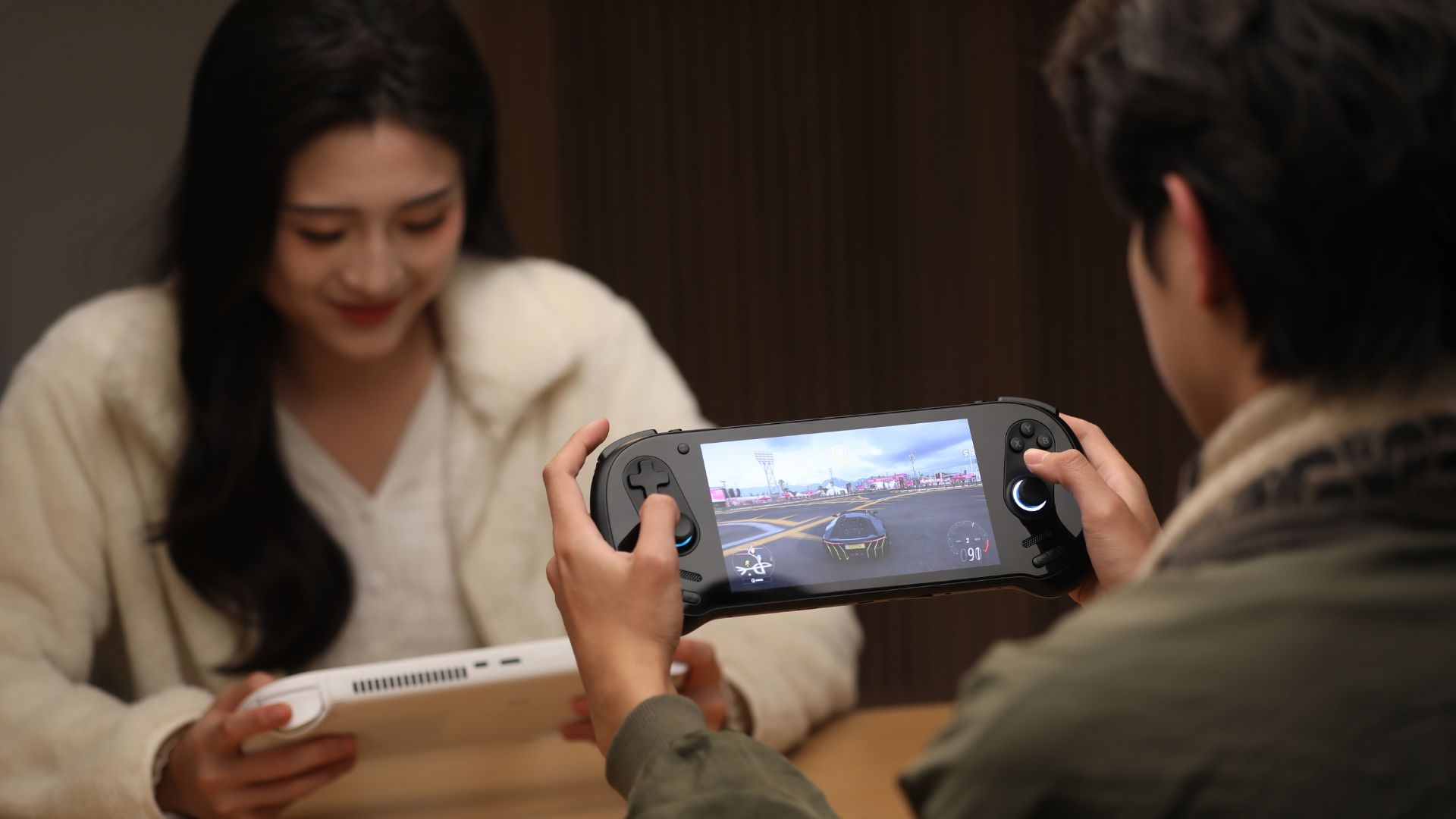
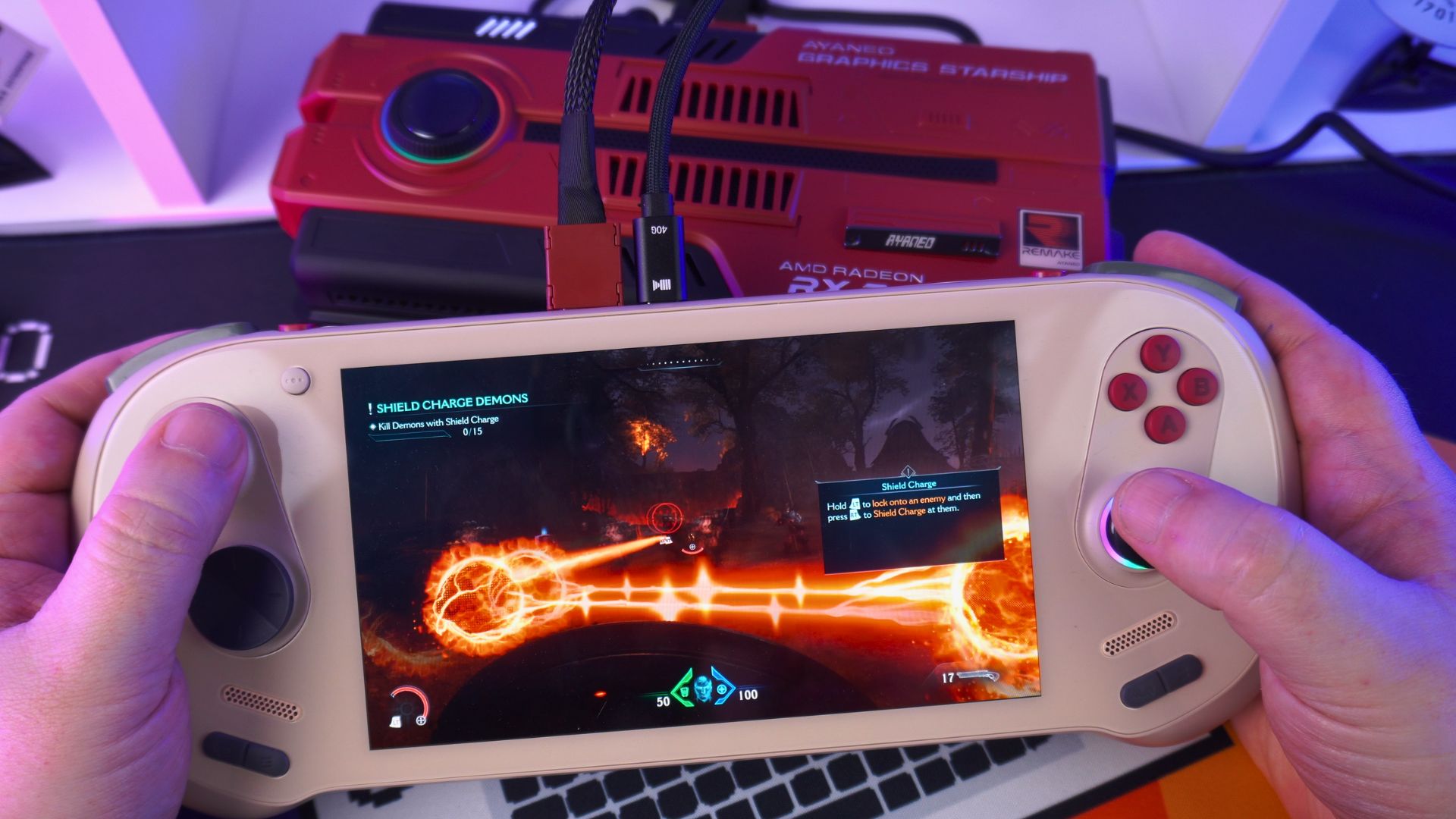
AYANEO’s approach with the AYANEO 3 is one of maximalism and user choice. The company caters directly to the bleeding-edge enthusiast, offering a dizzying array of configurations that span multiple tiers of CPU and GPU power, display technologies, and vast RAM and storage options. This strategy empowers the user to build a device that precisely matches their desire for performance, from a capable modern handheld to a machine that pushes the absolute limits of the form factor. This “pro-user” ethos is further underscored by the inclusion of cutting-edge I/O, such as two high-speed USB4 ports and a dedicated OCuLink port for connecting external GPUs such as the AYANEO AG01 (read our AYANEO AG01 review here), features that speak to a user who sees their handheld as the potential center of a much larger gaming ecosystem.
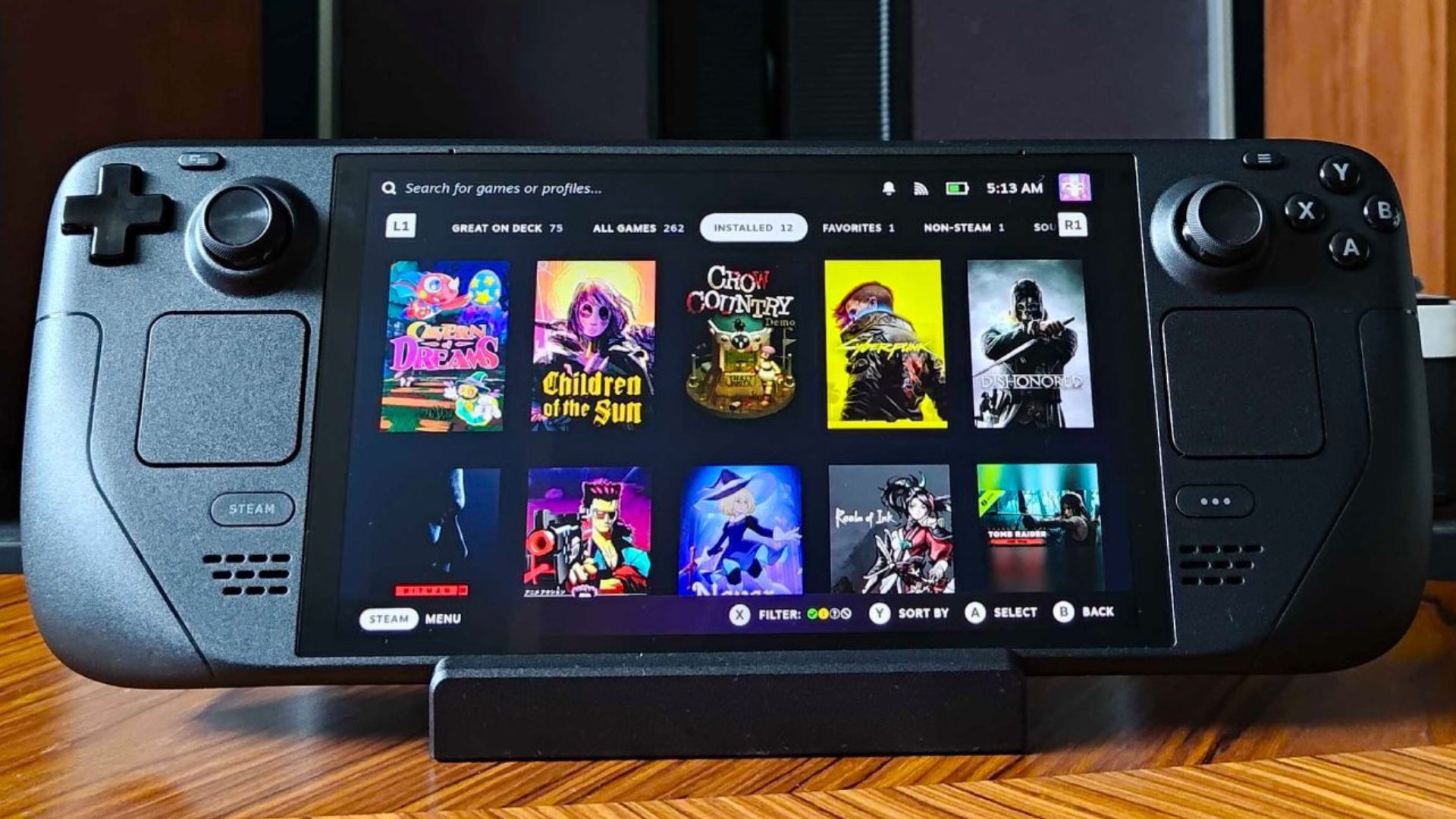
In stark contrast, Valve’s philosophy with the Steam Deck is one of focused optimisation and accessible value. Instead of offering a menu of components, Valve provides a single, custom-designed AMD APU. While its underlying Zen 2 and RDNA 2 architectures are older, they are masterfully tuned for the device’s specific 4-15W power envelope and 1280×800 display resolution. This hardware standardisation is Valve’s masterstroke; it creates a stable, consistent target for game developers and allows Valve to polish its SteamOS software to a mirror sheen, prioritising a seamless user experience over a spec-sheet war. The Steam Deck is not designed to be the most powerful handheld in a vacuum; it is designed to be the most cohesive and reliable handheld gaming computer for its price point.
Design, Ergonomics, and Portability
The physical experience of holding and using a handheld is paramount, and it is here that the divergent design philosophies of AYANEO and Valve become tangible. The choice between them extends beyond mere dimensions into a qualitative assessment of comfort, build quality, and the practicalities of portable play. See our related article on handheld gaming ergonomics here.
AYANEO 3: The Premium, Sleek Innovator
The AYANEO 3 immediately communicates a sense of luxury. Across multiple reviews, it is consistently described as feeling more premium than its competitors, including the Steam Deck. This is achieved through the use of high-quality, soft-touch plastics and a design that prioritises a sleek, dense, and modern aesthetic. Physically, its most striking feature is its relative slimness. At just 22.4 mm thick, it is less than half the thickness of the Steam Deck’s 49 mm, making it feel more like a modern tablet or an oversized smartphone than a traditional gaming console.
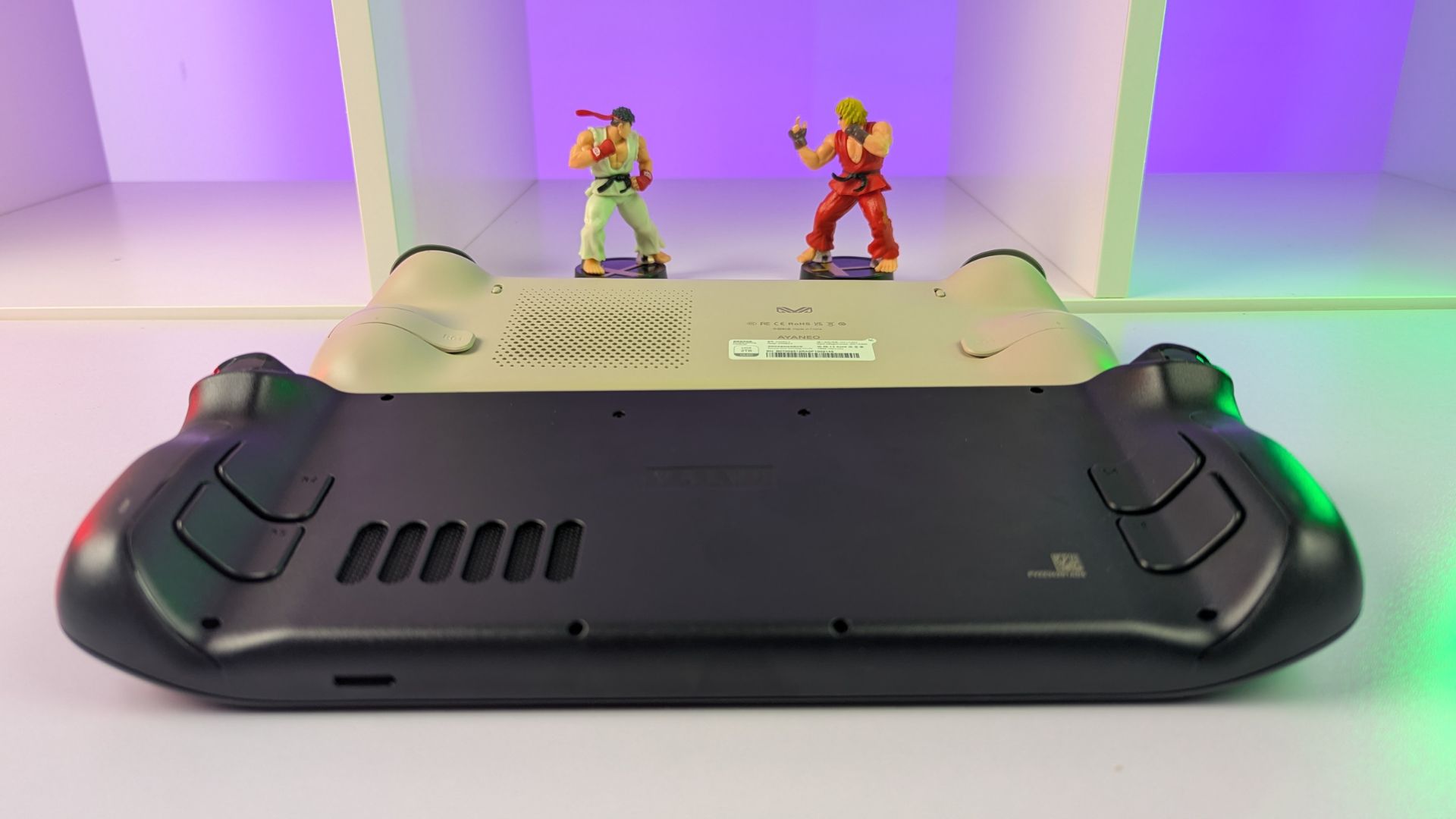
This pursuit of a sleeker profile informs its ergonomic design. Rather than adopting the large, all-encompassing grips common to other handhelds, the AYANEO 3 features two pronounced, sculpted “humps” on its rear. This design choice is deliberate, aiming to replicate the feel of a standard, modern gamepad like an Xbox controller. For players accustomed to that specific grip style, the AYANEO 3 can feel exceptionally natural in the hands. The result is a device that feels both technologically advanced and ergonomically considered, a luxury item that is as pleasing to behold as it is to hold. However, at 690g, it is heavier than both Steam Deck models, a factor that could impact long-term comfort for some users.
Steam Deck: The Unapologetic Comfort King
Where the AYANEO 3 pursues sleekness, the Steam Deck champions pure, unadulterated comfort. It has been described as “bulky,” “massive,” and even “comically large,” and these descriptions are not inaccurate. It is thicker, wider, and has a much larger physical footprint than the AYANEO 3. Yet, this size is not a flaw; it is its greatest ergonomic strength.
Valve has leveraged this extra real estate to create a device that is almost universally praised for its exceptional comfort during long gaming sessions. The wide spacing between controls and the large, deeply contoured grips are designed to fit adult-sized hands perfectly, providing a secure and fatigue-free hold that many find superior to more compact designs. While the LCD model is technically lighter than the AYANEO 3 at 669g, the newer OLED model is the lightest of the three at a mere 640g, further enhancing its comfort. Reviewers note that the weight is extremely well-balanced, preventing the device from feeling unwieldy despite its size.

The physical designs of these two devices directly reflect their intended user. The AYANEO 3’s premium materials and slimmer profile appeal to an enthusiast who values a high-end, gadget-like object that looks sophisticated on a desk. The Steam Deck’s “function over form” bulkiness, by contrast, appeals to a user who prioritises the practical reality of ergonomic comfort over hours of gameplay. It is a critical trade-off: the AYANEO 3 may be the more elegant object, but the Steam Deck may be the more comfortable gaming appliance for a marathon session.
The Display Showdown: Pixels, Speed, and Vibrancy
The screen is the window to the gaming world, and in the AYANEO 3 vs Steam Deck matchup, the displays represent one of the most significant points of differentiation. Each device makes a compelling case, but they do so by prioritising different aspects of visual fidelity, creating a clear choice between raw specifications and holistic experience.
AYANEO 3: The Pursuit of Resolution and Refresh Rate
The AYANEO 3’s primary advantage on paper is its display’s raw technical prowess. It features a 7-inch, 1920×1080 resolution screen, available in either an IPS LCD or a vibrant OLED variant. This higher resolution immediately provides a sharper image than the Steam Deck, rendering text more clearly and revealing finer details in game worlds.
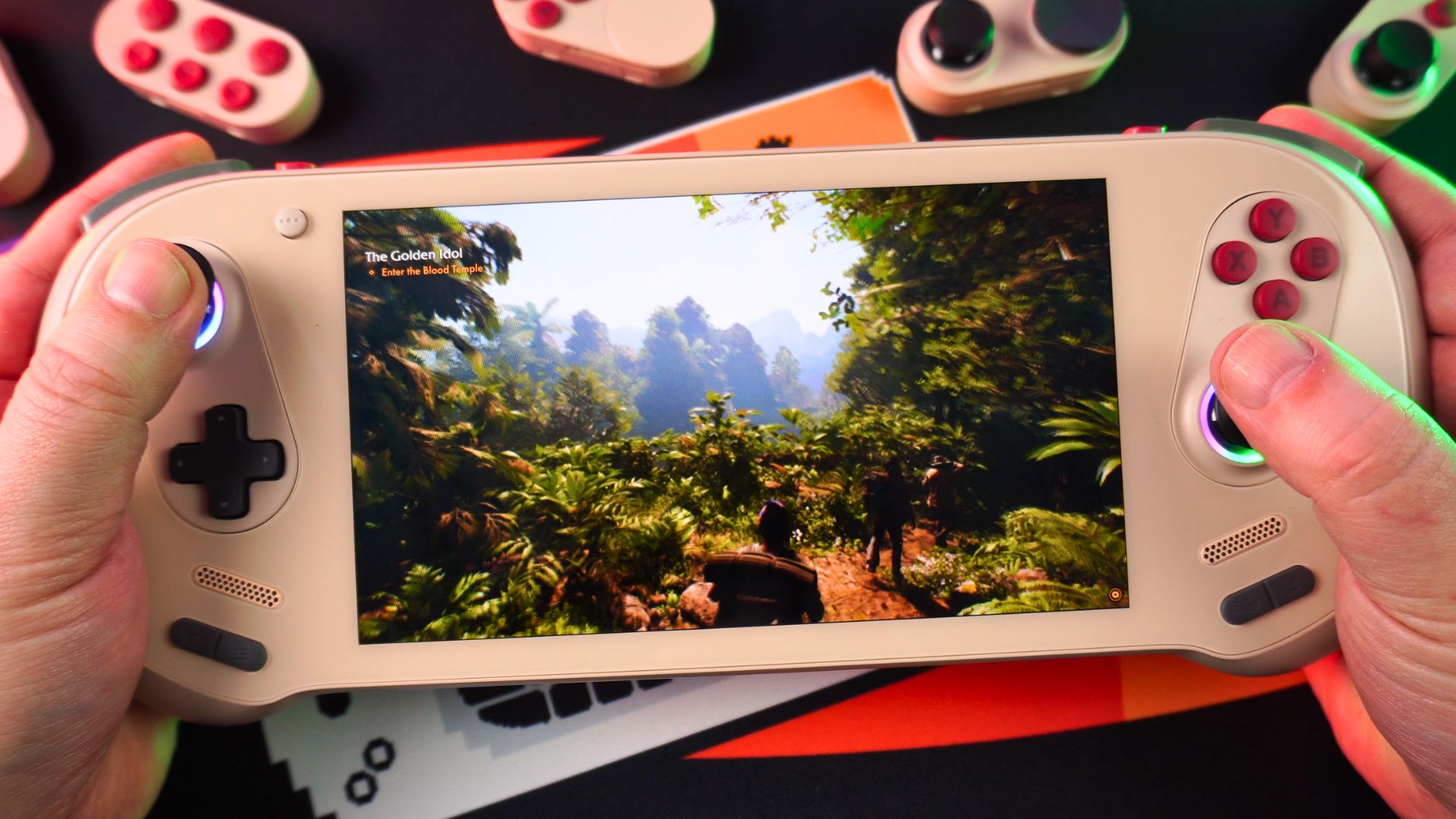
Beyond resolution, the AYANEO 3’s screens are built for speed. The LCD model boasts a 120Hz refresh rate with the crucial inclusion of Variable Refresh Rate (VRR), which smooths out performance fluctuations. The OLED model pushes the envelope even further with a blistering 144Hz refresh rate. This offers the potential for exceptionally fluid motion, provided the hardware can generate the necessary frames. The OLED panel is also a color powerhouse, specified with 150% sRGB color gamut volume and a high peak brightness of 800 nits, promising a rich and punchy visual experience. For gamers who prioritise pixel density and the smoothest possible motion, the AYANEO 3’s display specifications are, without question, top-tier.
Steam Deck: The Mastery of Size, HDR, and Practicality
The Steam Deck, particularly the OLED model, takes a different but equally compelling approach. It features a physically larger 7.4-inch display with a lower 1280×800 resolution. While some may scoff at the sub-1080p pixel count, this is a deliberate and intelligent design choice. The 800p resolution is perfectly matched to the capabilities of its custom APU, allowing a vast library of games to run smoothly at the screen’s native resolution without the significant performance hit that 1080p would demand. This ensures that the image is almost always perfectly sharp, avoiding the softness that can come from downscaling.
The Steam Deck OLED’s trump card is its spectacular HDR implementation. With a peak brightness of 1,000 nits and the infinite contrast ratio inherent to OLED technology, it delivers breathtaking highlights and true, inky blacks that the AYANEO 3’s non-HDR panel cannot match. This, combined with its larger physical size and a smooth 90Hz refresh rate, creates an immersive and visually stunning experience that often feels more impactful than simply having more pixels.

This leads to the core of the display debate: potential versus practicality. The AYANEO 3’s 1080p/144Hz screen offers the potential for a technically superior image. However, in demanding AAA titles, its mobile APU is often unable to consistently drive that resolution and frame rate, forcing users to lower the in-game resolution to 900p or 800p and rely heavily on upscaling technologies like FSR. In these common scenarios, the on-paper advantage vanishes. The Steam Deck OLED’s screen, conversely, is a more practical and balanced solution. Its capabilities are perfectly aligned with the hardware’s output, guaranteeing a consistent, high-quality experience that leverages the transformative power of HDR. The choice for the buyer becomes whether they prefer a downscaled 1080p image or a native 800p HDR image. For many, the vibrancy, contrast, and immersion of the latter prove to be the more pleasing visual experience.
The Heart of the Machine: Performance, Power, and Benchmarks
The engine of any portable gaming PC is its Application Processing Unit (APU), and the generational and architectural differences between the silicon powering the AYANEO 3 and the Steam Deck create the largest performance gap between the two devices. This is not simply a matter of one being “faster,” but a more nuanced story of power, efficiency, and performance-per-watt.
The APU Generational Divide
The Steam Deck is built around a custom AMD APU, codenamed “Aerith” or “Van Gogh,” which combines a 4-core, 8-thread Zen 2 CPU with an 8-Compute Unit (CU) RDNA 2 GPU. This is older technology, but it is highly efficient and designed to operate optimally within a tight 4-15W Thermal Design Power (TDP) envelope.
The AYANEO 3, true to its maximalist philosophy, offers two far more modern and powerful APU options. The base model features the AMD Ryzen 7 8840U, an 8-core, 16-thread Zen 4 CPU paired with a 12-CU RDNA 3 GPU. This chip is on par with the powerful silicon found in other high-end handhelds like the ASUS ROG Ally. The flagship option, however, is the AMD Ryzen AI 9 HX 370. This beast of a chip represents a true generational leap, boasting a 12-core, 24-thread CPU based on the latest Zen 5 architecture and a 16-CU RDNA 3.5 GPU. To feed these powerful chips, the AYANEO 3 can be pushed to a much higher TDP, capable of sustaining 35W of power when performance is paramount.
Performance Analysis: High vs. Low Power
This massive disparity in raw power and thermal headroom leads to two very different performance stories.
When pushed to high TDPs (28W-35W), the AYANEO 3, especially the HX 370 model, is in a completely different league than the Steam Deck. It can comfortably run modern, demanding AAA titles at its native 1080p resolution with medium to high settings, achieving playable frame rates of 30-60 FPS. In some cases, with the aid of frame generation, it can even push past 90 FPS in games like Cyberpunk 2077. This is performance that the Steam Deck simply cannot match. Games cited as being largely unplayable on the Deck, such as Dragon’s Dogma 2, become perfectly viable on the AYANEO 3, showcasing the raw power of its newer APU.
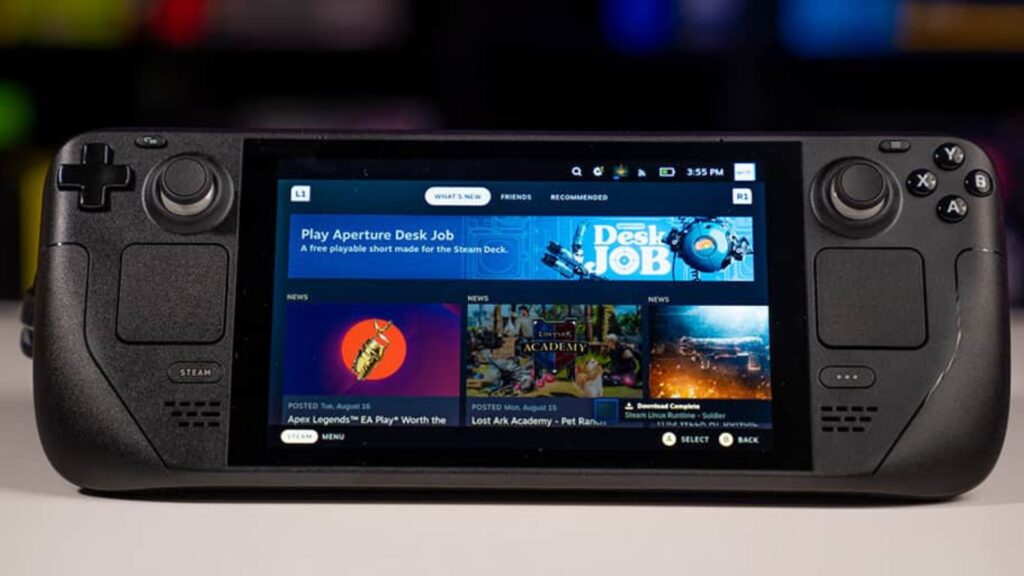
However, the narrative shifts dramatically at lower, more battery-conscious TDPs. The Steam Deck’s entire ecosystem—from its APU to its operating system—is meticulously optimised for the 15W power envelope. At this level, its performance-per-watt is exceptional. While the AYANEO 3’s newer chips are titans at high power, they are less efficient at these lower wattages. Consequently, the performance gap narrows significantly. In some tests, the Steam Deck has been shown to match or even outperform more powerful chips when both are locked to a 15W TDP, all while drawing less power from the wall to do so. This makes the Steam Deck a far more efficient machine for playing the vast library of indie games and older titles where maximum power is unnecessary.
Battery Life: The Price of Power
This performance-per-watt discrepancy has profound implications for battery life. The AYANEO 3 is equipped with a 49Wh battery, which is smaller than the Steam Deck OLED’s 50Wh battery. When the AYANEO 3 is running a demanding game at a high TDP, its battery life can be brutally short, often lasting well under an hour. In contrast, the Steam Deck OLED’s larger battery and superior efficiency grant it a significant longevity advantage, with Valve estimating 3-12 hours of gameplay depending on the load. Real-world comparisons confirm this, with the Deck consistently outlasting the AYANEO 3. AYANEO acknowledges this reality by including a crucial “Bypass Charging” feature, allowing the device to run directly from wall power without degrading the battery, effectively positioning it as a semi-tethered device when chasing peak performance. Our guide to Handheld Gaming Battery Life Optimisation can help to optimise your Windows handheld.
The Control Philosophy: Modular Freedom vs. Integrated Versatility
Beyond raw performance, the methods by which players interact with their games are a defining characteristic of modern handhelds. Here, the AYANEO 3 vs Steam Deck comparison reveals another fundamental split in design philosophy, pitting a revolutionary hardware-based solution against an ingenious software-driven one.
AYANEO 3’s “Magic Modules”: The Power of Hardware Customisation
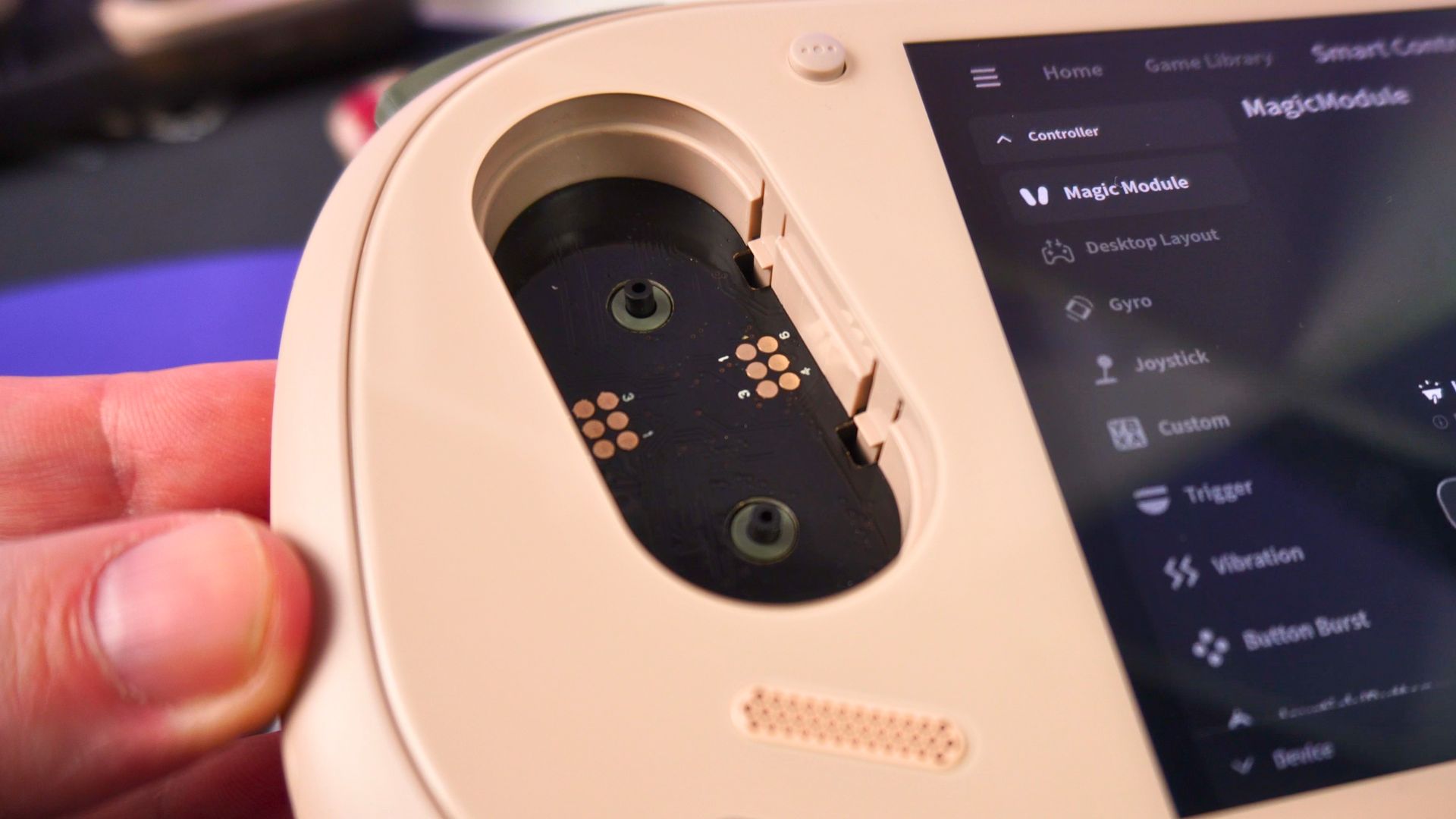
The AYANEO 3’s most audacious and innovative feature is its “Magic Module” system, a first for the compact gaming PC market. This system allows users to physically detach and swap the primary control modules on either side of the screen. In a touch of premium flair, this process is not merely mechanical; the modules are ejected via a sophisticated motorised mechanism, which can be activated through the AYASpace software or by a long-press of a physical button on the device’s underside.
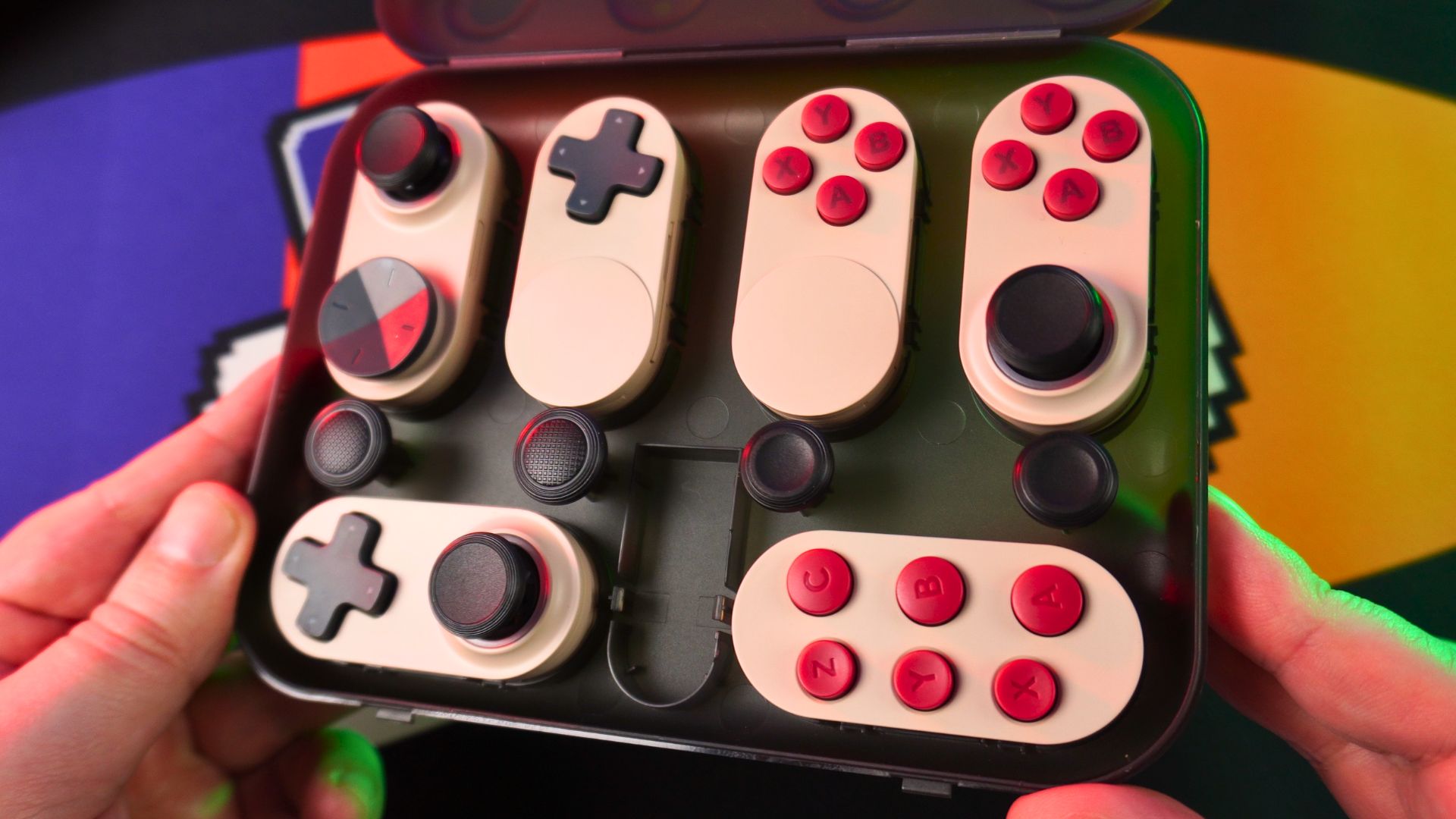
This modularity unlocks an unprecedented level of hardware customisation. The optional module kit (sold separately) includes a variety of replacements for the standard Xbox-style layout. Users can swap in clickable touchpad modules that mimic the Steam Deck’s signature inputs, an eight-way circular D-pad ideal for precise diagonal inputs, or a six-button face layout tailor-made for fighting games and emulating classic consoles like the Sega Saturn. Furthering the customisation, most modules can be rotated 180 degrees, allowing users to switch between an asymmetrical (Xbox-style) and symmetrical (PlayStation-style) analog stick layout at will. This is all built upon a foundation of high-quality Hall Effect joysticks and triggers, which are immune to drift and feature adjustable trigger travel for switching between rapid-fire and precise analog control.
Steam Deck’s Trackpads: The Genius of Software Versatility
The Steam Deck’s answer to advanced control is not in swappable hardware, but in its deeply integrated and profoundly versatile dual haptic trackpads. Inherited and refined from the experimental Steam Controller, these touch-sensitive surfaces are far more than simple mouse replacements.
The true power of the trackpads is unlocked by Valve’s Steam Input software. This powerful configuration layer allows the trackpads to become almost anything the user can imagine. They can be mapped as highly customisable radial menus for quick weapon or item selection, touch menus with custom icons for complex commands, or even a virtual scroll wheel for navigating long web pages. For first-person shooters, when combined with gyro aiming, they offer a level of speed and precision that many users feel is superior to traditional analog sticks. Most importantly, they are indispensable for playing entire genres of PC games that lack native controller support. Strategy games, classic point-and-click adventures, and complex management sims become not just playable, but genuinely enjoyable on the Steam Deck thanks to the trackpads. For a significant portion of the community, the trackpads are a non-negotiable feature, and they refuse to consider a handheld PC without them.
This leads to a classic hardware versus software debate. AYANEO provides a physical, hardware-based solution to suit different game genres; if you want to play a fighting game, you can install a physical fight pad. Valve provides a unified, software-based solution; its single hardware configuration can be digitally molded through Steam Input to suit any genre.
AYANEO’s approach is undeniably impressive and offers the tactile satisfaction of a purpose-built controller. However, it comes with significant caveats. The Magic Module kit is an additional expense, costing between $99 and $139. The entire system is dependent on AYANEO’s proprietary AYASpace software to function, creating a potential point of failure if the software is buggy or support is dropped. Furthermore, the complex motorised eject mechanism, while novel, introduces another mechanical component that could fail over time.
The Steam Deck’s software-based approach is integrated at the core OS level, making it incredibly reliable and free of additional cost. Its main drawback is a steeper learning curve; some users find the trackpads unintuitive and never fully adapt to them. The choice, therefore, rests on the user’s priorities. Do they prefer the ultimate physical layout for a specific game, accepting the associated cost and complexity? Or do they prefer a single, endlessly versatile layout that can adapt to any game through software tinkering? It is a fundamental difference in how each company defines “customisation.”
The Soul of the System: SteamOS vs. Windows 11
While hardware specifications and physical design are crucial, the operating system is arguably the single most important factor in the AYANEO 3 vs Steam Deck decision. The OS dictates the day-to-day user experience, impacts performance and battery life, and defines the boundaries of your game library. The choice between Valve’s bespoke SteamOS and Microsoft’s ubiquitous Windows 11 is a choice between a curated garden and an untamed wilderness.
SteamOS (Steam Deck): The Curated, Console-Like Experience
SteamOS is the Steam Deck’s soul. It is a custom version of Arch Linux, meticulously crafted by Valve with a singular purpose: to provide the best possible experience for a handheld gaming computer. Its primary interface is not a desktop but a clean, fast, and completely controller-friendly UI that feels more like a PlayStation or Xbox than a PC.
Its most lauded feature, and one that Windows handhelds have consistently failed to replicate, is its instant and reliable suspend/resume functionality. The ability to tap the power button, put the device to sleep in the middle of any game, and wake it up seconds or even days later to resume exactly where you left off is a game-changer for portable play. Furthermore, SteamOS is highly optimised. It is a lightweight OS with far less background bloat than Windows, which translates directly to better performance-per-watt and longer battery life on identical hardware. The system’s ability to pre-cache game shaders before launch also significantly reduces the in-game stuttering that can plague Windows-based systems. It is a free, open-source-based, and less intrusive operating system designed purely for gaming.

The primary and significant drawback of SteamOS is game compatibility. While Valve’s Proton compatibility layer is a technical marvel that allows a massive portion of the Windows-based Steam library to run seamlessly on Linux, it is not infallible. The biggest hurdle is for multiplayer games that utilise aggressive, kernel-level anti-cheat software. Hugely popular titles like Call of Duty, Destiny 2, and Fortnite remain unplayable on SteamOS. Additionally, accessing other game launchers and subscription services, most notably PC Game Pass, is not natively supported and requires user tinkering and workarounds.
Windows 11 (AYANEO 3): The Universal Compatibility Machine
The AYANEO 3 runs a standard version of Windows 11, and its greatest strength is summed up in one word: compatibility. As a full-fledged Windows PC, it can run virtually any piece of PC software out of the box. This includes every major game launcher—Steam, the Xbox App for PC Game Pass, the Epic Games Store, GOG, Battle.net—as well as the entire universe of emulators, mods, and productivity applications. For a user who wants a single portable device to access their entire, fragmented PC library without compromise or workarounds, Windows is the only answer. It makes the AYANEO 3 a true, no-asterisks portable gaming PC.
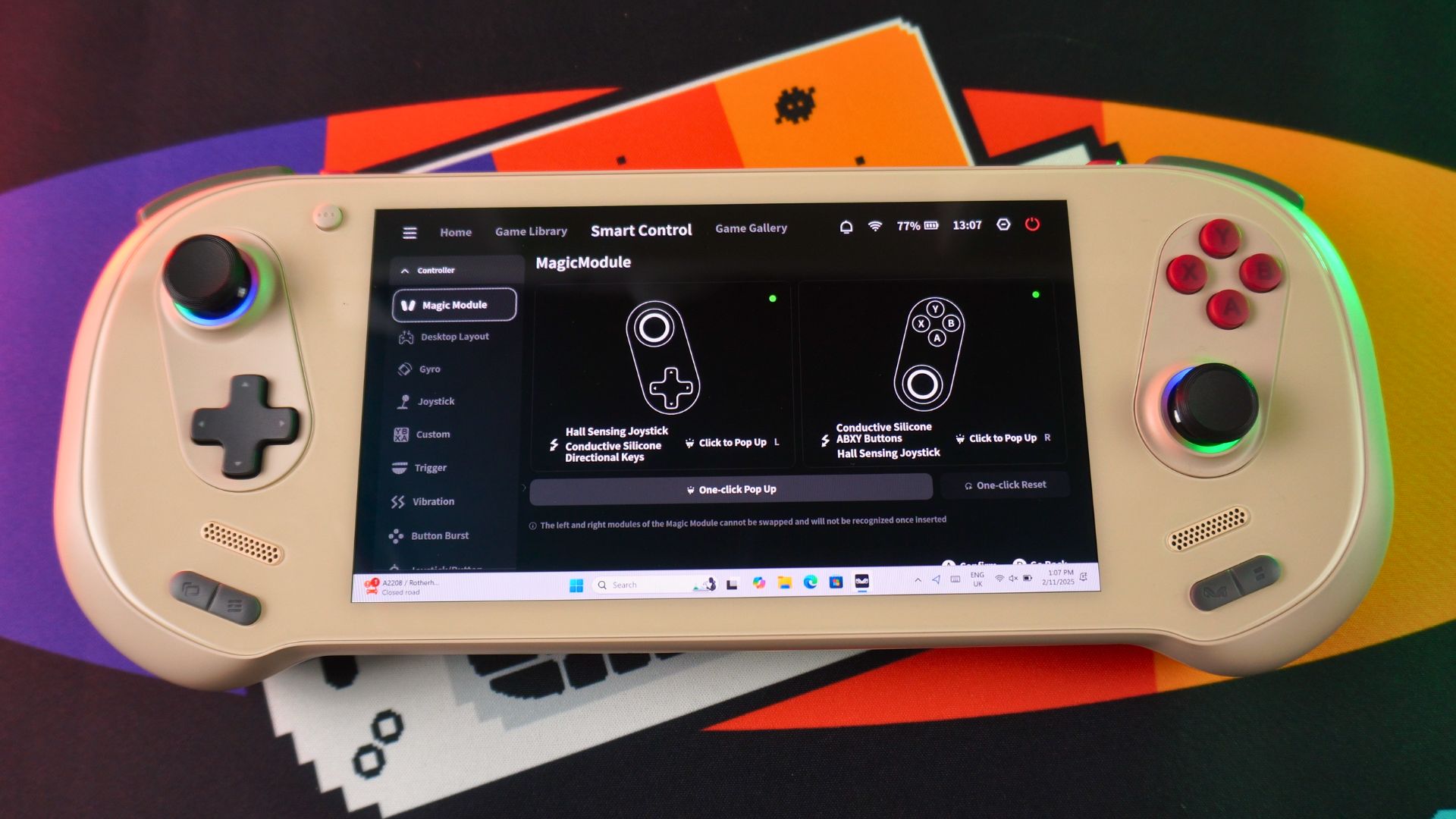
This universal compatibility, however, comes at a steep cost to the user experience. Windows 11 was not designed for a 7-inch touchscreen and gamepad navigation, and it shows. The experience is frequently described by reviewers as “clunky,” “frustrating,” and a “hassle”. Users must contend with the full, unvarnished Windows experience: system pop-ups, intrusive notifications, unpredictable forced updates, and a desktop that is difficult to navigate without a mouse and keyboard. The lack of a reliable, system-level sleep function is a particularly sharp pain point for a portable device. AYANEO attempts to paper over these issues with its proprietary AYASpace software, a launcher and quick-settings overlay. While it has improved over time, it is often described as a “slapdash” and sometimes buggy layer that cannot fully mask the underlying frustrations of using Windows on a handheld.
Ultimately, the choice of OS forces the user to decide what they value more. With the Steam Deck and SteamOS, you prioritise a seamless, polished, and reliable handheld experience, but you must accept that some popular games will be off-limits. With the AYANEO 3 and Windows, you prioritise universal game compatibility, but you must accept a day-to-day user experience that is often frustrating and antithetical to the pick-up-and-play nature of a portable device. This is perhaps the most critical trade-off in the entire comparison.
Price, Configurations, and the Ultimate Value Proposition
In the competitive market for handheld gaming PCs, performance and features must ultimately be weighed against cost. It is in this final, crucial analysis of price and value that the philosophical divide between the AYANEO 3 and the Steam Deck becomes its most stark.
Pricing Structure: Premium vs. Disruptive
The AYANEO 3 is positioned unapologetically as a premium, high-end device, and its price tag reflects that. The product line is complex, with numerous configurations, but the financial commitment is significant across the board. Early-bird pricing for the entry-level model, featuring the AMD Ryzen 7 8840U, 16GB of RAM, and a 512GB SSD, starts at $699, with a full retail price of $899. To access the more powerful Ryzen AI 9 HX 370 APU, the price of entry jumps to $1,299. A fully maxed-out AYANEO 3, equipped with the HX 370, 64GB of RAM, and a 4TB SSD, commands a staggering retail price of $2,099. Furthermore, the innovative Magic Module controller kit, a key selling point, is an additional purchase, costing between $99 and $139 depending on the purchasing phase.
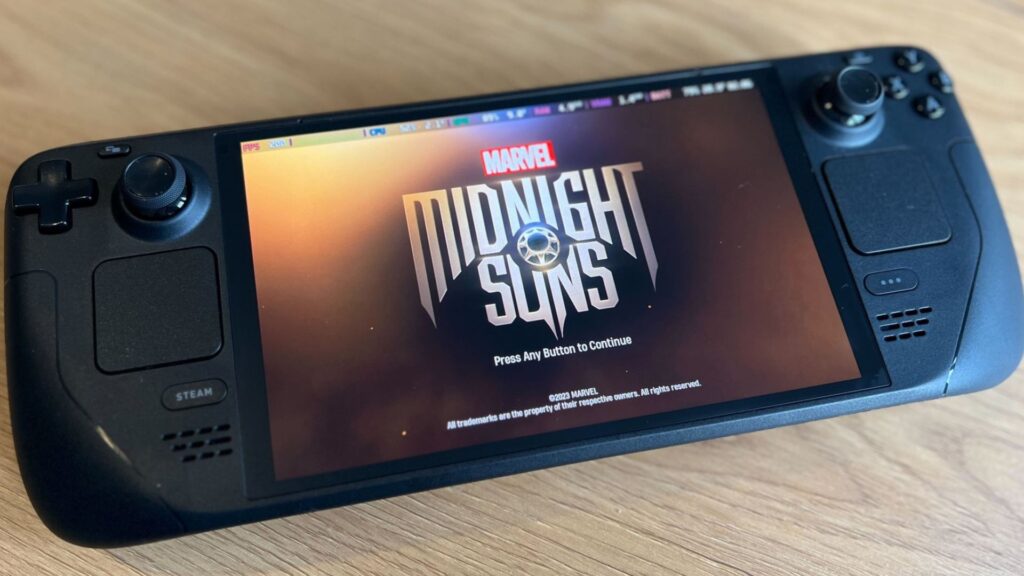
The Steam Deck, by contrast, is the undisputed value leader in the space. Since the launch of the OLED model, Valve has strategically discounted the original LCD versions, making the entry point to its ecosystem more accessible than ever. A 256GB LCD model can be had for just $399. The superior Steam Deck OLED, with its brilliant HDR screen and other refinements, starts at $549 for a 512GB model and tops out at $649 for the 1TB version. This pricing is not just competitive; it’s disruptive. The most expensive, top-of-the-line Steam Deck OLED is still cheaper than the least expensive early-bird offering for the AYANEO 3.
The Value Proposition: What Does the Extra Money Buy?
The core of the AYANEO 3 vs Steam Deck value debate is whether the tangible benefits of the AYANEO 3—its superior peak performance, higher-resolution screen, and modular controls—justify a price that is, at minimum, double and, at maximum, nearly four times that of the Steam Deck.
For the price of a single mid-tier AYANEO 3 (around $1,300), a consumer could purchase the top-tier 1TB Steam Deck OLED and still have enough money left over for a capable mid-range gaming laptop or a solid entry-level desktop PC. This stark reality forces a difficult value calculation. The performance uplift of the AYANEO 3 is undeniable, but it is not an order-of-magnitude leap. It allows for higher settings and resolutions, but the fundamental gaming experience is often similar.
The value proposition of the entry-level AYANEO 3, equipped with the 8840U chip, is particularly challenging. Its performance is largely comparable to other Windows handhelds like the ASUS ROG Ally, which are often available at a lower price point, making the AYANEO 3’s premium difficult to justify unless the modular controls are a must-have feature.
For those who have weighed these factors and decided that the unique features and peak performance of the AYANEO 3 align with their needs and budget, the best course of action is to purchase directly from the source. To ensure authenticity and access to official support, enthusiasts should look to buy official AYANEO products at ayaneo.co.
Final Verdict: Which Handheld Reigns Supreme for You?
After an exhaustive deep dive into specifications, design, performance, controls, software, and price, the AYANEO 3 vs Steam Deck showdown concludes not with a single victor, but with a clear delineation of two exceptional devices built for two different types of users. The choice is not about which compact gaming PC is objectively “better,” but which is the right tool for your specific gaming habits, budget, and tolerance for tinkering.
Summary of Findings
The AYANEO 3 stands as the undisputed king of performance and innovation in the handheld space. Its flagship Ryzen AI 9 HX 370 APU delivers a level of power that opens the door to playing the latest AAA games at higher resolutions and settings than any competitor. Its “Magic Module” system is a genuine, groundbreaking innovation, offering unparalleled hardware customisation. This is complemented by a beautiful, high-resolution, high-refresh-rate OLED display and a premium, sleek build quality. However, this power and innovation come at a tremendous cost. Its price is prohibitive for many, its reliance on the clunky Windows 11 operating system creates a user experience fraught with friction, and its battery life is severely limited when its performance potential is unleashed.

The Steam Deck (OLED) is the champion of value, user experience, and holistic design. It offers a polished, seamless, and reliable software experience with SteamOS that feels purpose-built for handheld gaming, highlighted by its flawless suspend/resume feature. Its ergonomics are widely considered best-in-class, ensuring comfort over long play sessions. The HDR OLED screen is stunning, and its performance-per-watt is exceptional, leading to excellent battery life. Its weaknesses are a direct consequence of its strengths: its lower raw power ceiling means it cannot match the AYANEO 3’s peak performance, and its Linux-based OS creates insurmountable compatibility barriers for certain major games and launchers, most notably PC Game Pass and popular anti-cheat titles.
Tailored Recommendations
The final decision rests on identifying which of these profiles best describes you:
You should buy the AYANEO 3 if:
- You are a Power User for whom budget is a secondary concern to peak performance.
- You demand the ability to play the very latest AAA games at 1080p and are willing to push the TDP to its limits, even if it means being tethered to a power source.
- The massive graphics performance increases with an optional eGPU.
- You are a hardware enthusiast who is genuinely excited by the prospect of swapping physical controls for different game genres, like using a six-button layout for fighting games.
- Your gaming library is heavily reliant on platforms incompatible with SteamOS, such as PC Game Pass, or includes anti-cheat-protected multiplayer games that you must play on the go.
- You are willing to navigate the quirks and frustrations of the Windows 11 interface on a small screen in exchange for universal software compatibility.
You should buy the Steam Deck OLED if:
- You are a Value-Conscious Gamer seeking the absolute best and most complete handheld experience for your money.
- You prioritise a seamless, frictionless, pick-up-and-play experience that mirrors the ease of use of a dedicated console like the Nintendo Switch.
- Your game library is primarily housed on Steam, and you are comfortable with the vast but not-quite-total compatibility offered by Proton.
- You value long battery life and superior ergonomic comfort for extended, truly portable gaming sessions.
The battle between these two handhelds is best understood through an analogy. The AYANEO 3 is a precision-engineered, high-strung supercar: incredibly fast on the track, packed with the latest technology, and a thrill to command, but expensive, demanding, and not always practical for a daily drive. The Steam Deck OLED is a masterfully engineered grand tourer: supremely comfortable, reliable, and more than powerful enough for an exhilarating journey, all at a fraction of the cost. The best car depends entirely on the driver and the road they intend to travel.
Now that you’ve seen the deep-dive comparison, the choice is yours. Which of these handheld titans wins you over? Are you team AYANEO 3 with its modular power, or team Steam Deck with its refined ecosystem? Let us know your pick in the comments below!




