





EPOMAKER RT75 and TH26 Review
The EPOMAKER RT75 is a retro 75% mechanical keyboard with a detachable 1.54-inch screen, and the TH26 is a wireless numpad with five macro keys and a rotary knob. Both are hot-swappable and connect via Bluetooth, 2.4GHz or USB-C.
Kas mums patika
- The RT75's screen can be replaced with four keys.
- Both products offer wired, Bluetooth and 2.4GHz connectivity.
- The RT75 supports hot-swappable mechanical switches.
- The TH26 adds five macro keys and a rotary knob.
- The TH26 can be configured through VIA or EPOMAKER Hub.
Varētu būt labāks
- The RT75 has a fixed typing angle.
Šajā rakstā
What is the EPOMAKER RT75 and TH26?
The EPOMAKER RT75 is a retro-styled 75% tri-mode mechanical keyboard with a detachable 1.54-inch screen that can be swapped for four keys. The EPOMAKER TH26 is a 26-key wireless numpad with five dedicated macro keys and a rotary knob. This EPOMAKER RT75 and TH26 review covers each device and how well they work together.
This EPOMAKER RT75 and TH26 review looks at each device on its own, then asks whether the TH26 makes a useful partner for the RT75. Both are tri-mode, hot-swappable mechanical products with a retro-influenced, custom-keyboard look.
If you want a compact main keyboard but still need number entry and programmable shortcuts, the pair could give you a more flexible desktop setup. Below is how each one handles typing, customisation and everyday use, and whether the combination earns its desk space.
What is the EPOMAKER RT75?
The EPOMAKER RT75 is an 83-key, 75% mechanical keyboard with a detachable display in the top-right corner. Keep the 1.54-inch TFT screen fitted to show custom images, GIFs or information, or remove it and install four replacement keys. That modular idea gives the board a distinctive look while letting you choose between a screen and a more conventional cluster of extra keys.
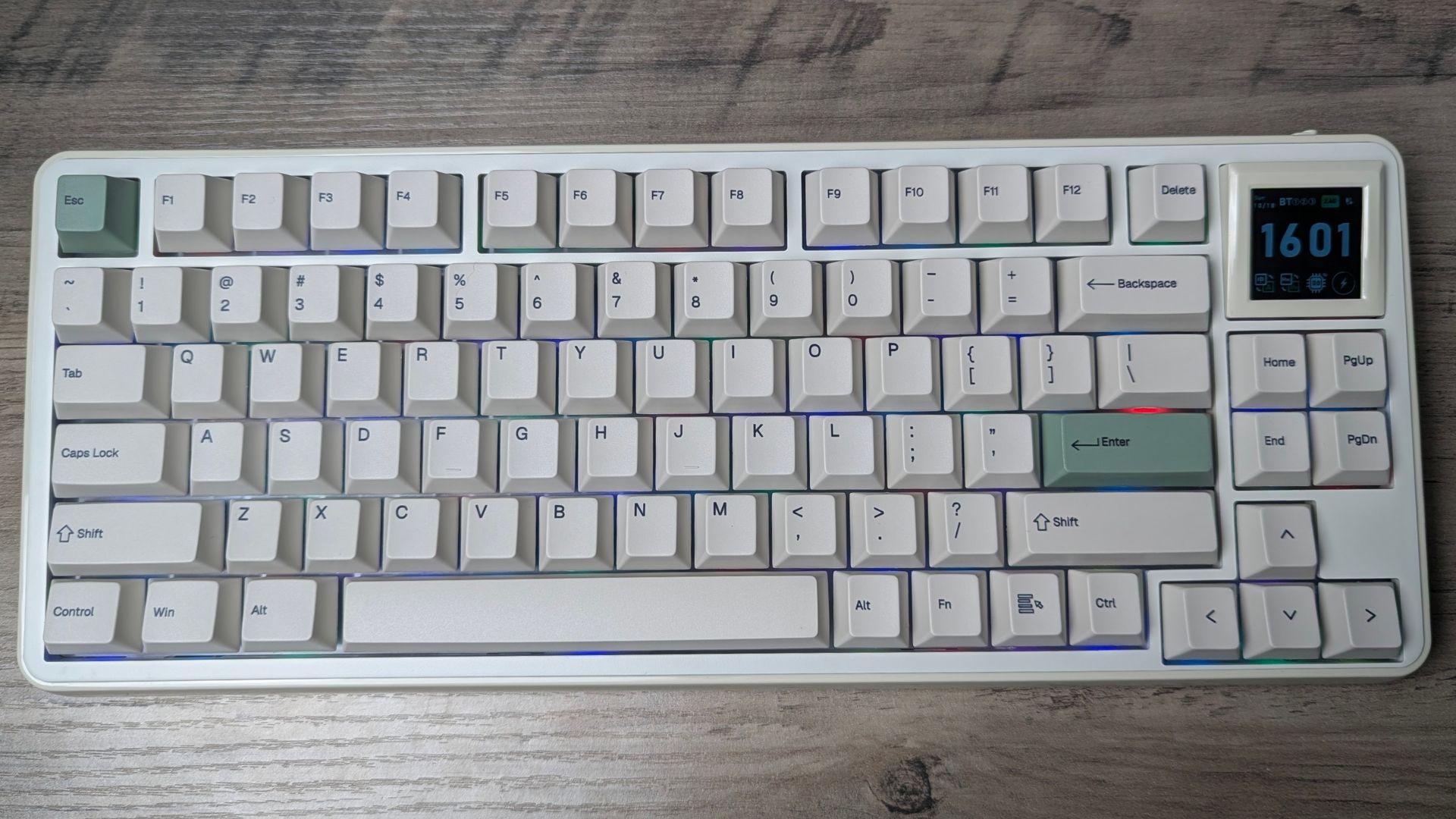
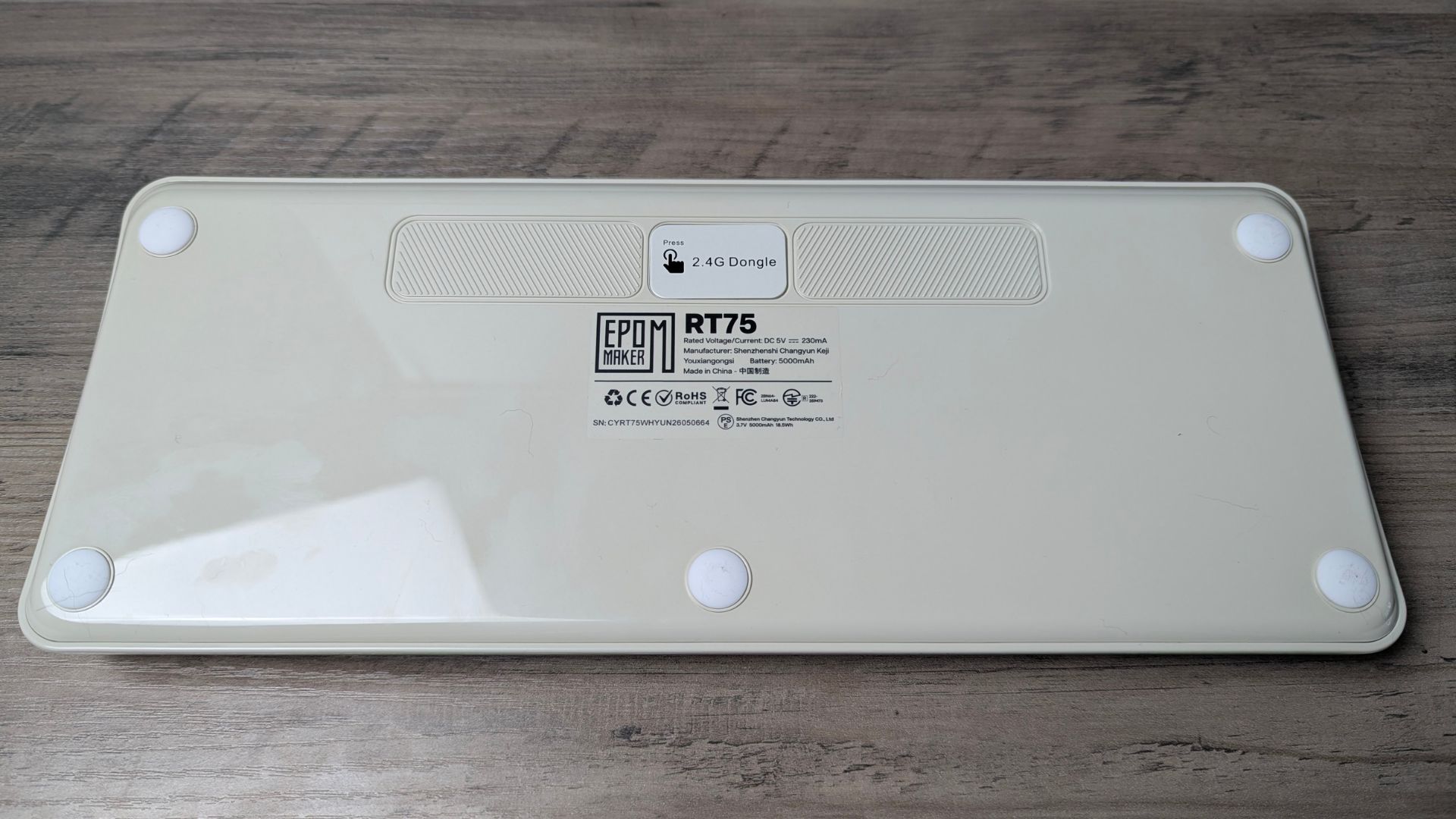
It supports wired USB-C, Bluetooth and 2.4GHz wireless connections. EPOMAKER lists a 5,000mAh battery, a gasket-mounted structure, hot-swappable mechanical switches, PBT dye-sublimated Cherry-profile keycaps and a six-layer sound-dampening system. The EPOMAKER RT75is available with EPOMAKER Creamy Jade linear switches or Crystal silent tactile switches.
EPOMAKER RT75 overview
At 352 × 142 × 45mm and approximately 1,165g, the EPOMAKER RT75 is a substantial keyboard for a 75% layout. Its compact format keeps the main typing area and a useful set of navigation keys while taking up less space than a full-size board. It has an ABS case, a PC plate and a fixed 5.8° typing angle, so there is no adjustable kickstand if you prefer a steeper or flatter position.
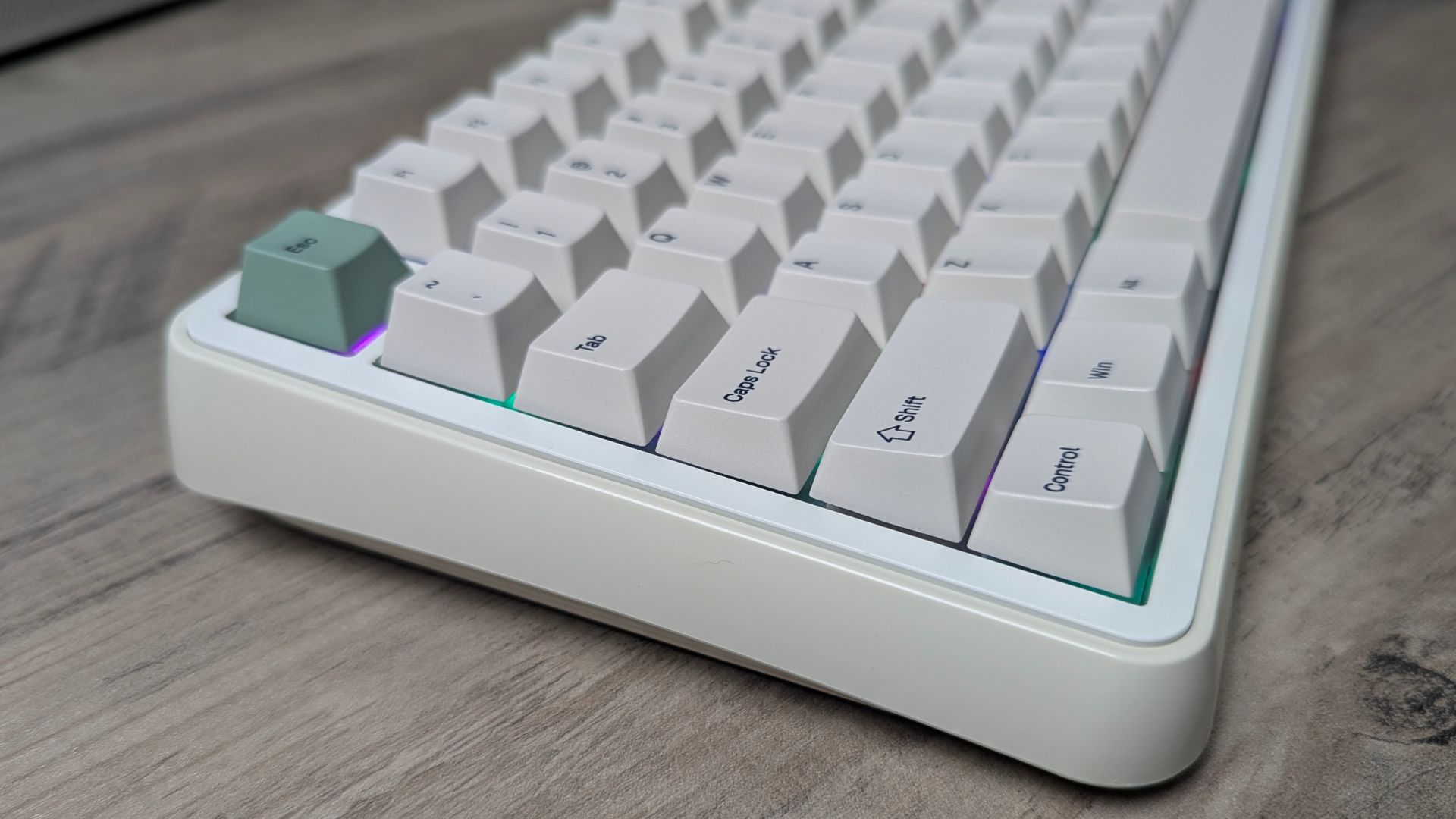
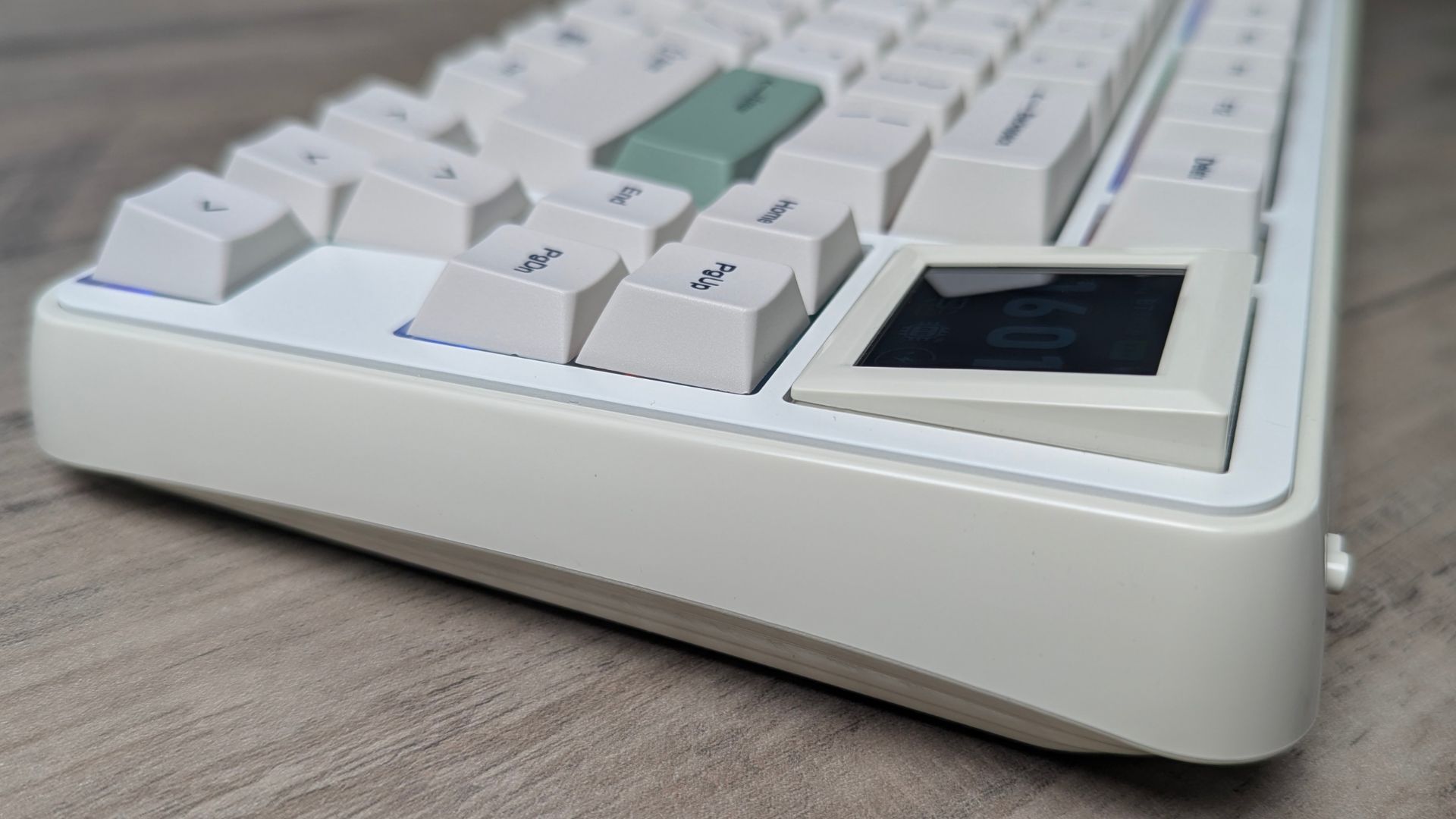
The screen is the obvious talking point, but its removable design is arguably the more practical part. A display can add personality or show information at a glance, while the four-key alternative gives you physical keys in the same space. That makes the RT75 less dependent on whether you find a small screen useful day to day.
The board’s gasket mount and six-layer internal dampening are intended to soften the typing feel and control case noise. The factory-lubed switches and plate-mounted stabilisers should help it feel ready to use without immediate modifications. Hot-swap support also lets enthusiasts try compatible 3-pin or 5-pin mechanical switches later.
EPOMAKER RT75 specifications
| Specification | EPOMAKER RT75 |
|---|---|
| Layout | 75%, ANSI |
| Keys | 83; detachable screen can be replaced with four keys |
| Display | 1.54-inch detachable TFT LCD |
| Connectivity | USB-C wired, Bluetooth and 2.4GHz wireless |
| Battery | 5,000mAh |
| Case / plate | Glossy ABS plastic / PC |
| Mounting | Gasket mount |
| Sound treatment | Six layers: PORON noise-cancelling foam, two switch socket pads, sound-enhancement PET, acoustic foam and bottom silicone |
| Switch options | EPOMAKER Creamy Jade (linear) or EPOMAKER Crystal (silent tactile) |
| Hot-swap support | Yes; compatible 3-pin and 5-pin mechanical switches |
| Keycaps | Cherry-profile PBT, dye-sublimated |
| Lighting | South-facing RGB |
| Typing angle | Fixed 5.8° |
| Polling rate | 1,000Hz wired/2.4GHz; 125Hz Bluetooth |
| Latency (manufacturer-listed) | 4ms wired; 8ms 2.4GHz; 16ms Bluetooth |
| Dimensions | 352 × 142 × 45mm |
| Weight | Approximately 1,165g |
| Software | EPOMAKER Driver 3.0 for Windows and macOS |
Typing, sound and everyday use
The EPOMAKER RT75 mechanical switches give it a more traditional typing experience than a magnetic or Hall Effect gaming keyboard. The two switch options let buyers choose between a linear feel and a silent tactile option. The gasket mount and layered dampening are designed to make the board feel and sound more considered than a basic plastic keyboard.
The Cherry-profile PBT keycaps and fixed 5.8° angle should feel familiar to many users, although ergonomics are personal. The lack of adjustable feet is worth noting if you regularly change your typing angle. The compact layout also frees up desk space, but anyone who relies on a dedicated number pad will need an external one, which is where the TH26 comes in.
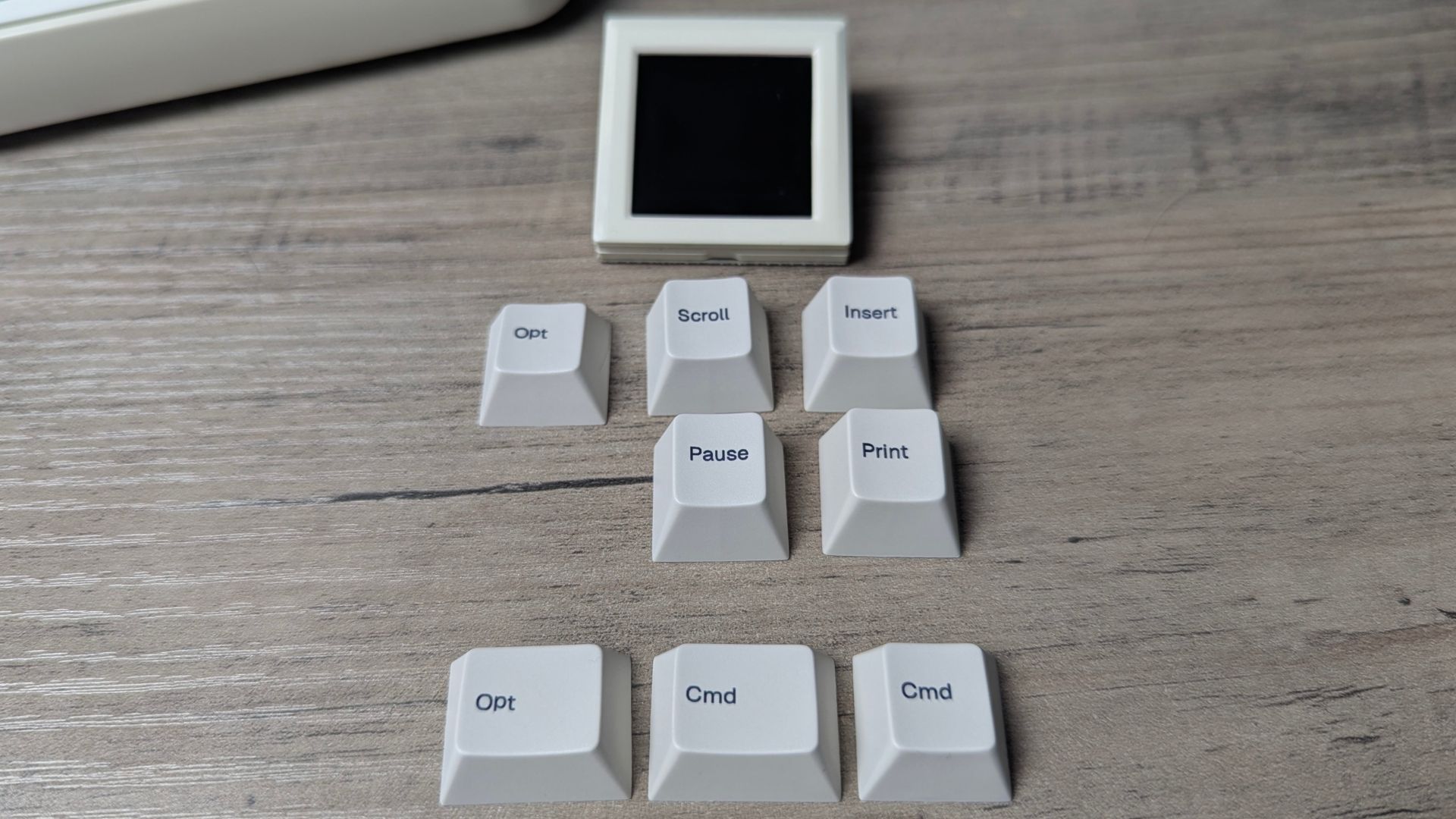
Inside the box are two additional keys that let you switch between Windows and Mac use. The screen makes the RT75 visually different from many 75% keyboards, but it is not essential to the core typing experience.
A closer look at the modular display and keys
The biggest selling point of the EPOMAKER RT75 is the swappable 1.54-inch display and keys. The display comes fitted by default and can be removed simply by pulling it out gently.
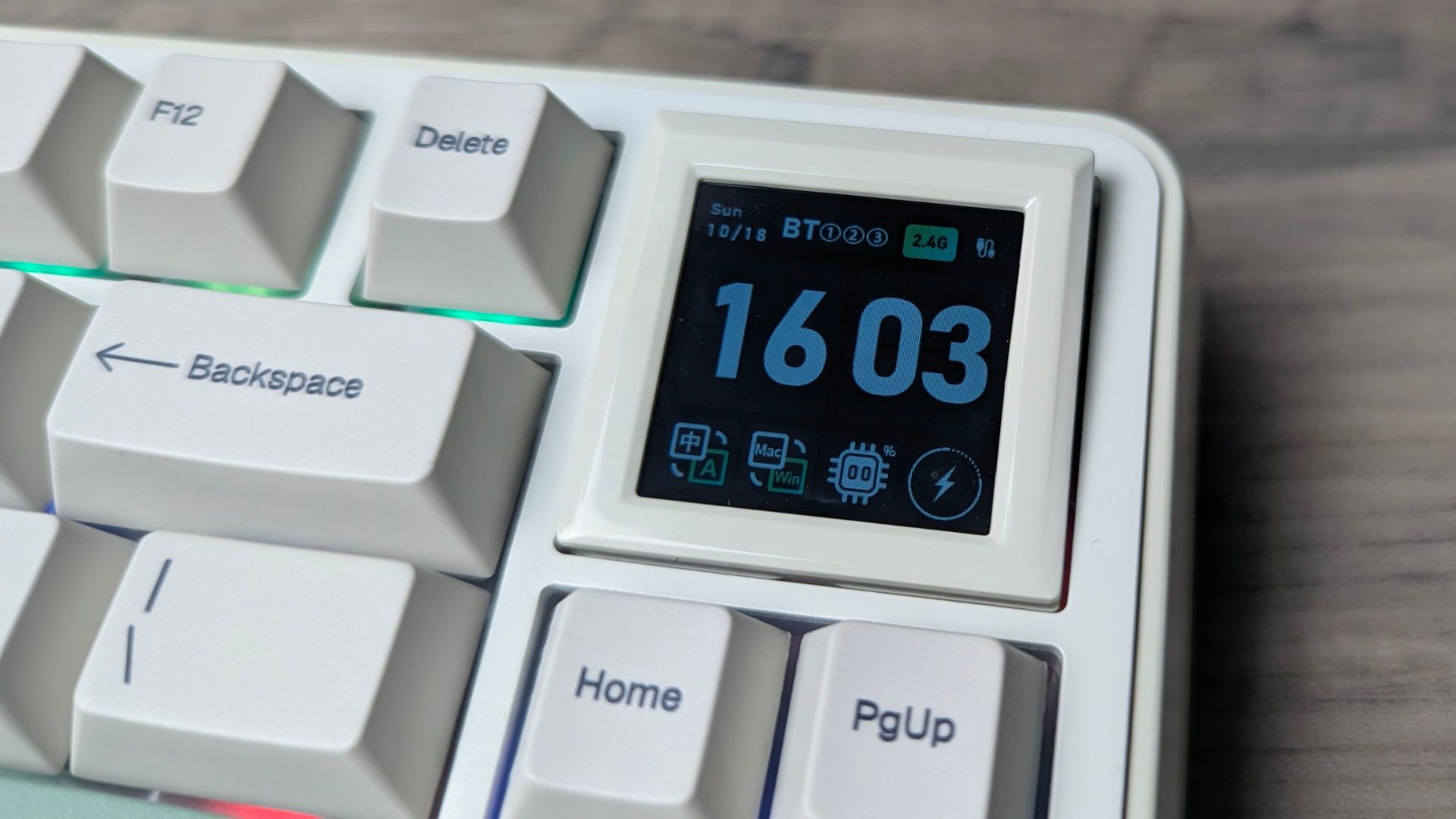
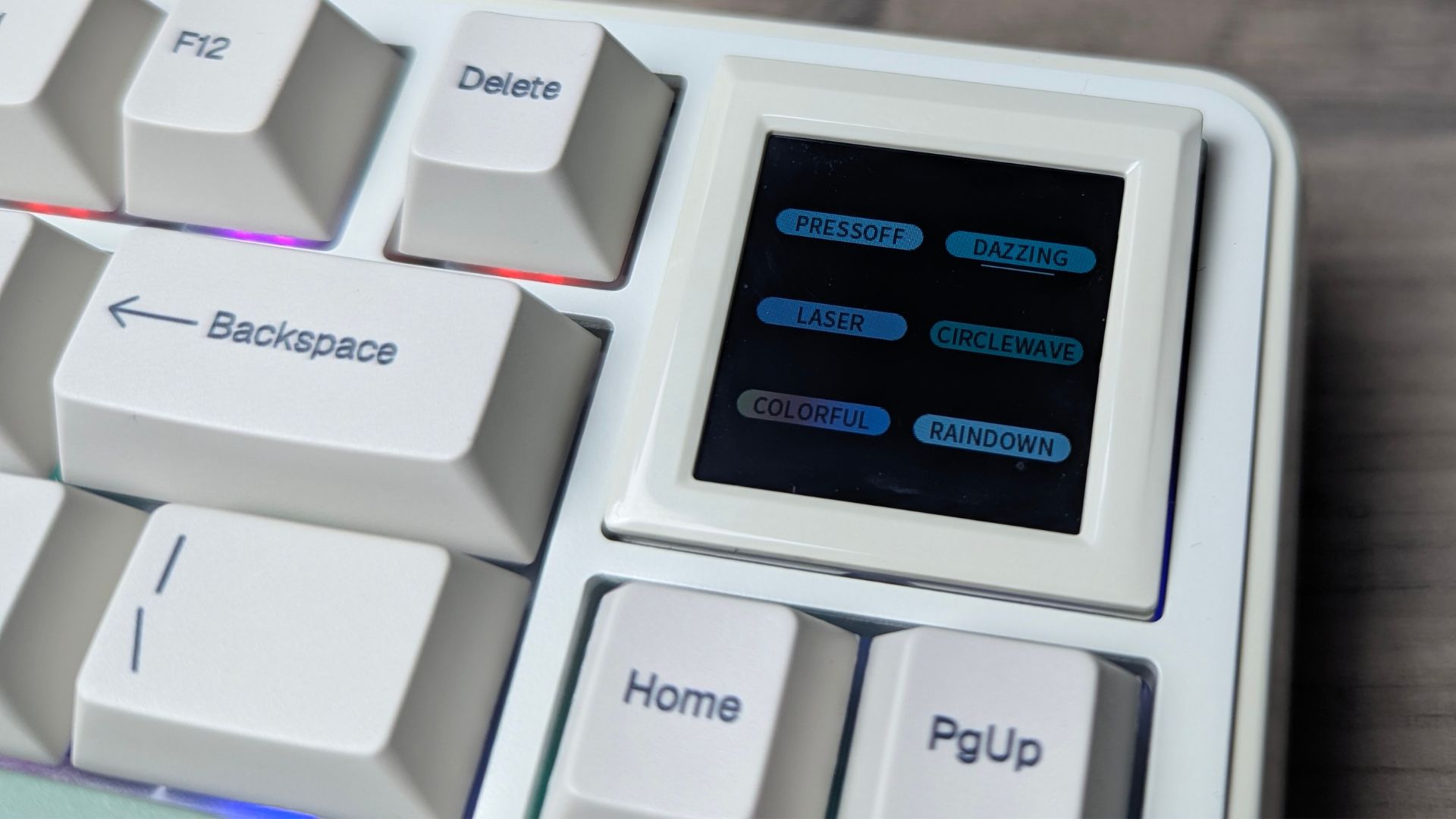
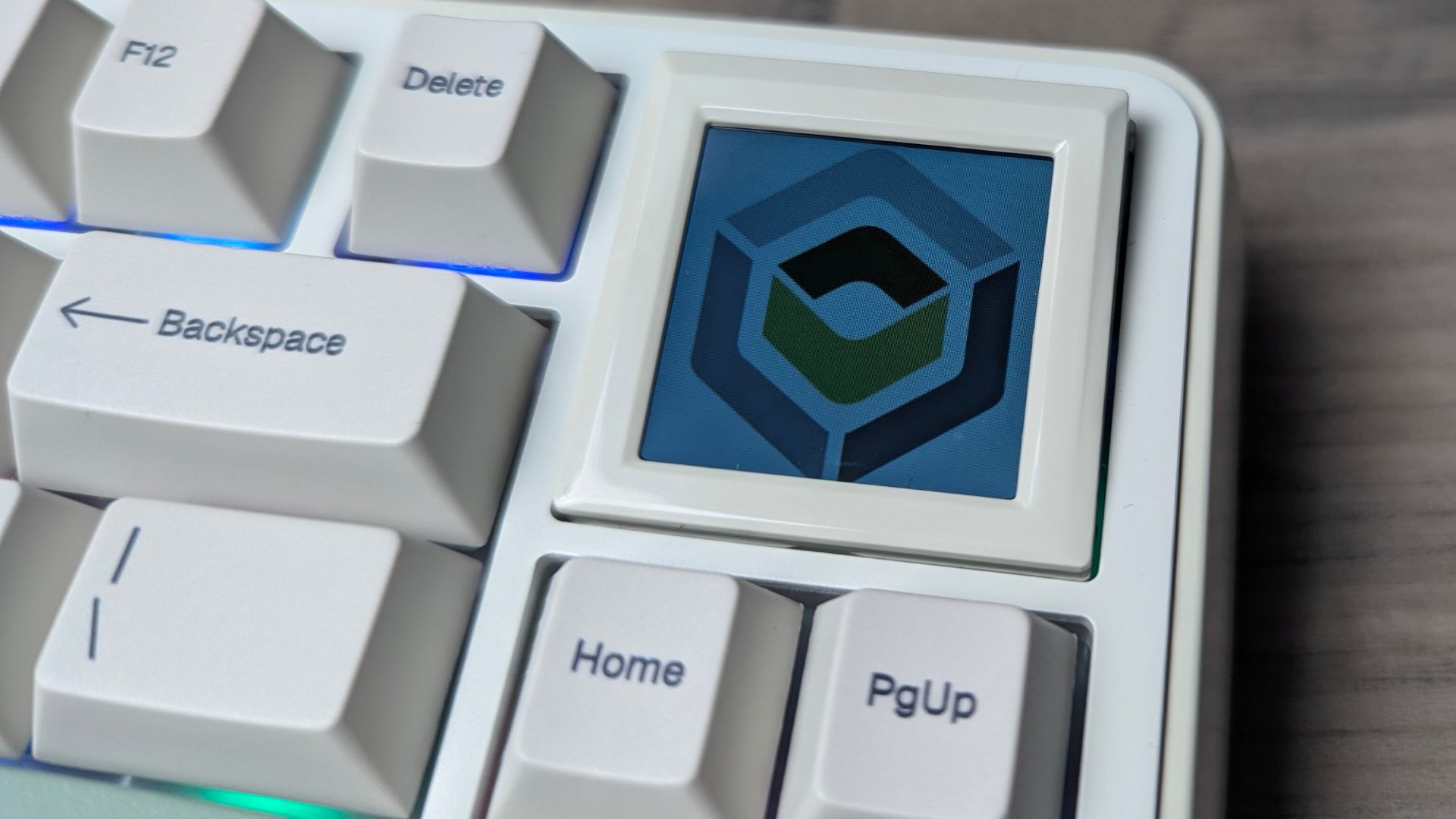
You can navigate the display with Function plus Page Up/Page Down and Home/End. That lets you browse screens such as a status display and keyboard settings, including RGB patterns, brightness, switching between Windows and Mac keyboard layouts and showing custom images.
You can create or download images and animations within the EPOMAKER software. There are some cool designs created by other members, and the software lets you easily add your own from images and GIFs, or draw directly in the software.
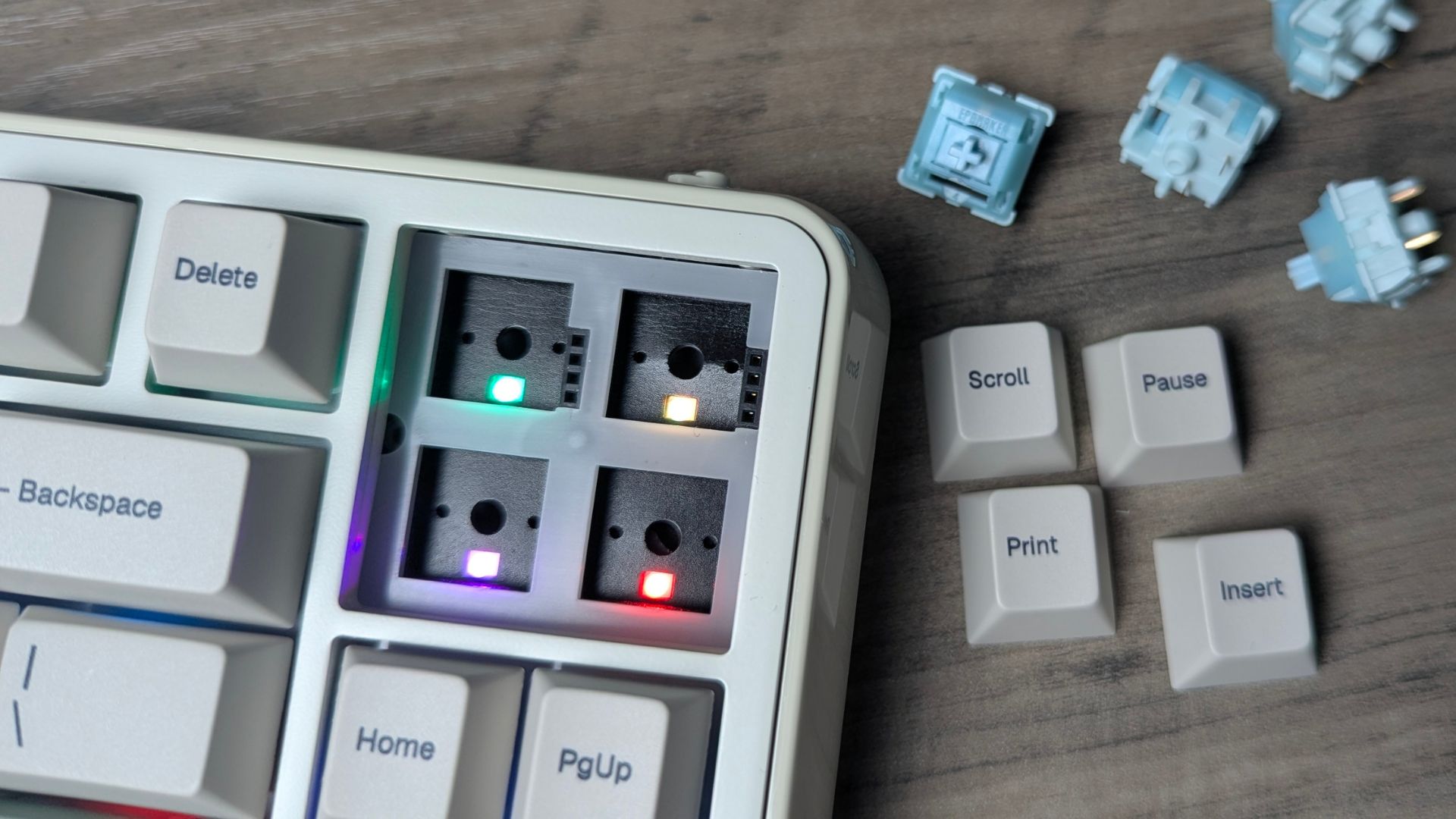
If you would rather have keys, the display can be replaced with four. The box includes extra keys for Print, Scroll, Pause, Insert, Cmd and Opt, which you simply install. Don’t forget to define them in the software afterwards.
Populārs tieši tagad
Ko cilvēki pērk šomēnes
Cenas, kā norādītas katrā veikalā


GPD WIN 5 (AI Max HX 385 – 32GB_RAM/1TB_NVME) (Raven Black)



 15 veikalos

MANGMI Pocket Max (Snapdragon 865 – 8GB_RAM/128GB_STORAGE) (Retro GB)
 14 veikalos

What is the EPOMAKER TH26?
The EPOMAKER TH26 is a 26-key, 20% mechanical numpad designed for number entry and shortcut control. Alongside the main numeric keys, it has five dedicated macro keys and a rotary knob, giving it a broader role than a conventional number pad. EPOMAKER positions it for workflows such as spreadsheets, creative applications, gaming and repetitive tasks.
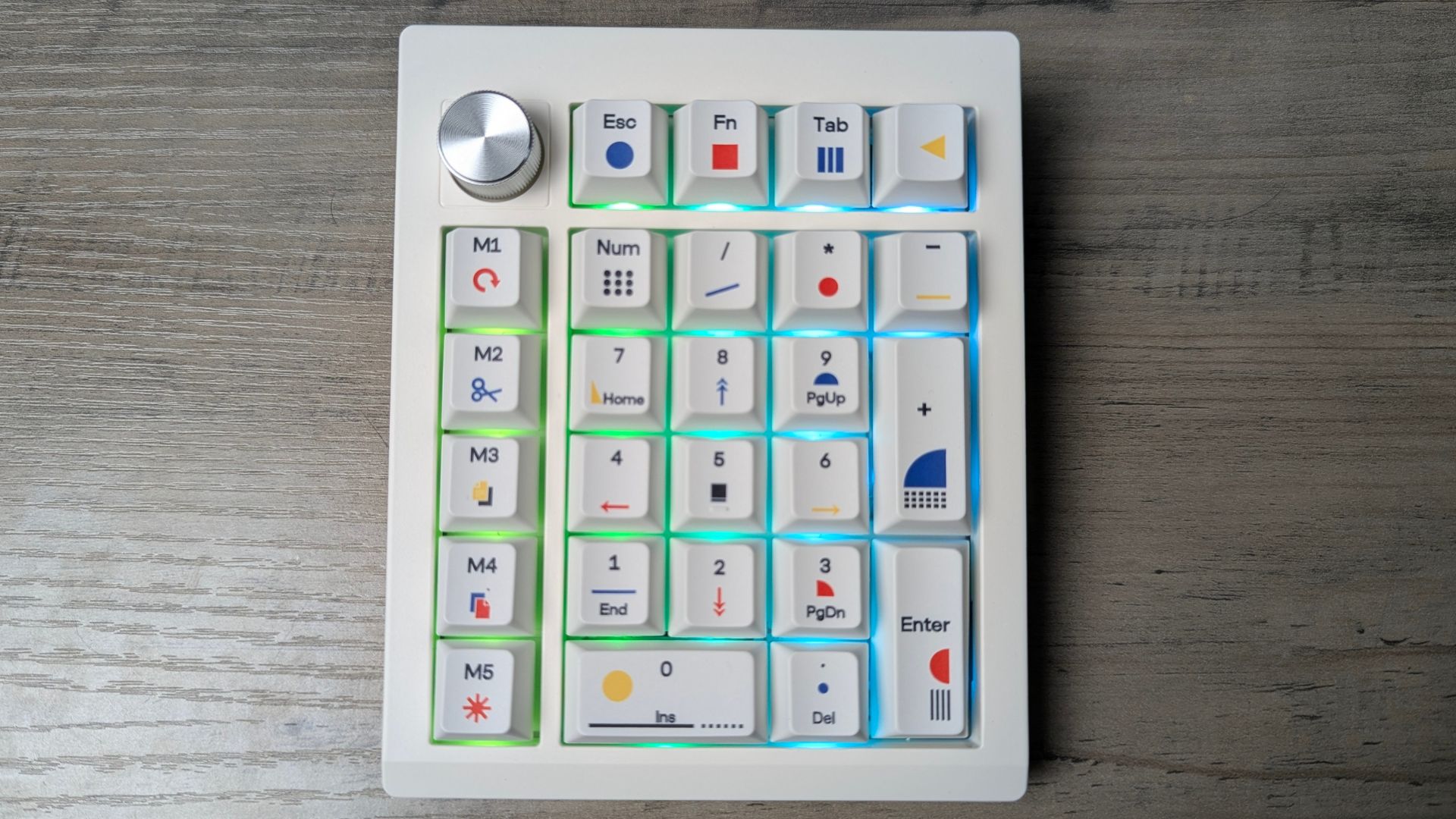
It supports Bluetooth, 2.4GHz wireless and USB-C wired use, selected with a dedicated three-position mode switch. Its product page lists a 2,000mAh battery, gasket mounting, four layers of acoustic treatment and hot-swappable switches. The supplied EPOMAKER Creamy Jade switches are linear and pre-lubed.
EPOMAKER TH26 overview
The EPOMAKER TH26 measures approximately 121 × 147 × 46mm and weighs around 450g. Its ABS case and PC plate keep the unit relatively compact, while the 7° typing angle gives it a fixed incline. It has south-facing RGB lighting and distinctive Theory-themed Cherry-profile PBT keycaps with single-sided dye-sublimated legends.
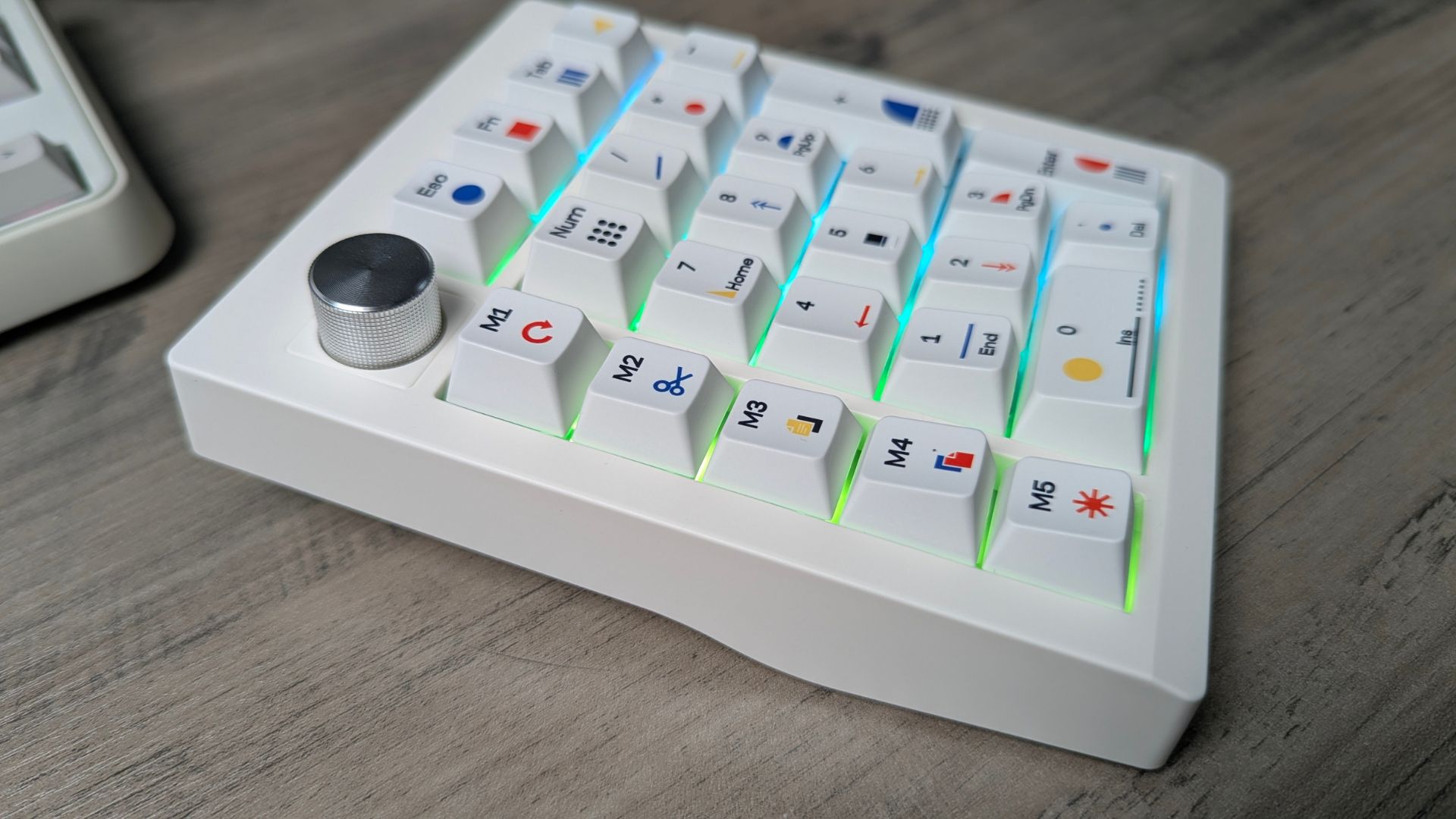
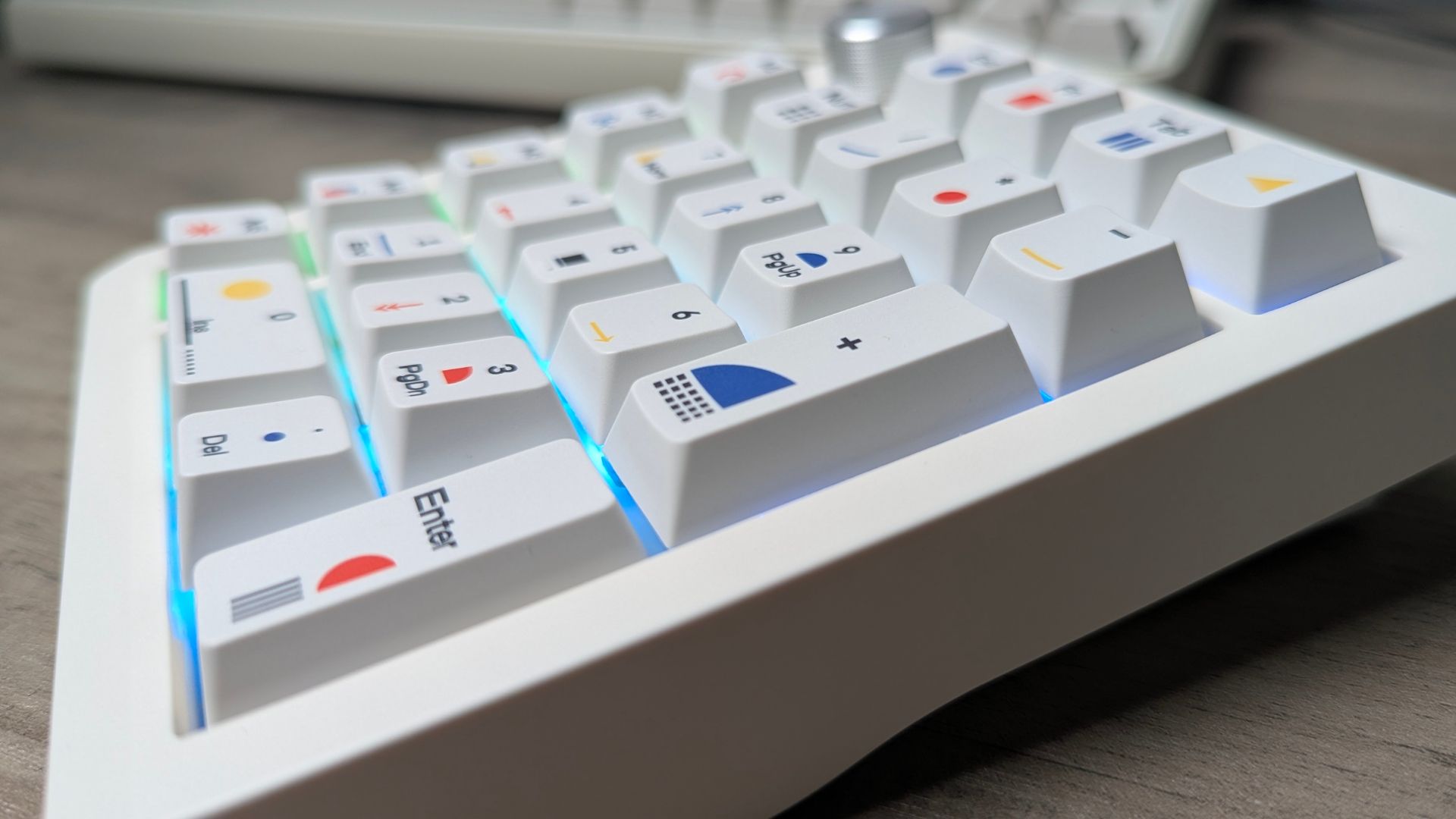
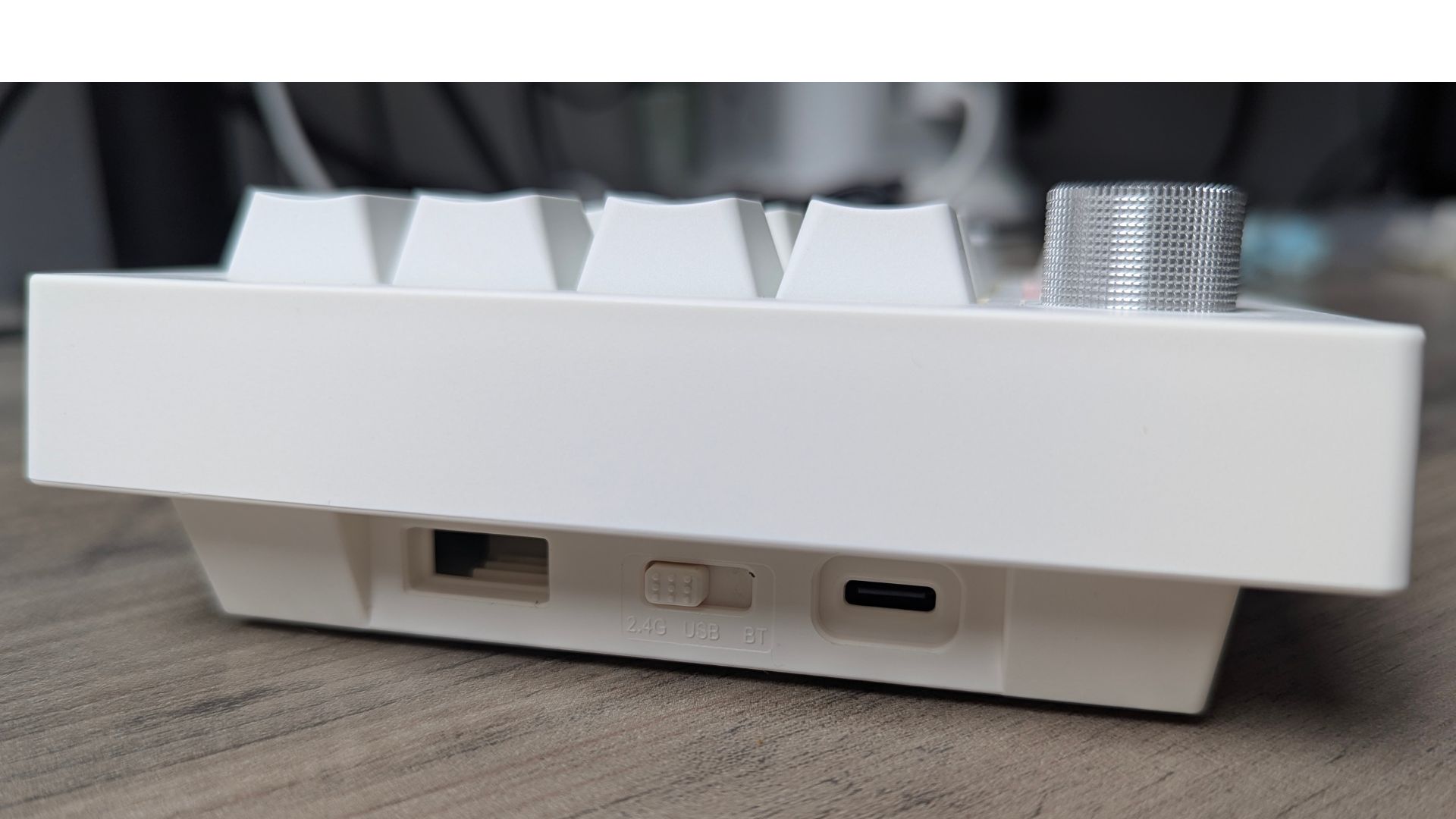
The five macro keys are the main reason to choose the TH26 over a basic numpad. They can be assigned to frequently used commands or shortcuts, while the rotary knob adds another physical control. The TH26 supports VIA-based remapping and macros after importing the appropriate JSON file, as well as EPOMAKER Hub, which can be used without importing that file.
The EPOMAKER TH26 is not simply a small keypad added to the desk for occasional number entry. Its macro keys and knob make it a compact control surface, though the benefit depends on whether you take the time to configure them for your own applications.
EPOMAKER TH26 specifications
| Specification | EPOMAKER TH26 |
|---|---|
| Layout | 20% mechanical numpad |
| Number of keys | 26 |
| Macro keys | Five dedicated macro keys |
| Rotary knob | Yes |
| Connectivity | Bluetooth, 2.4GHz wireless and USB-C wired |
| Mode control | Dedicated three-position switch |
| Battery | 2,000mAh |
| Case / plate | ABS plastic / PC |
| Mounting | Gasket mount |
| Sound treatment | Sandwich latex foam, IXPE switch pad, PET sound-enhancement pad and PCB bottom adhesive foam |
| Switch | EPOMAKER Creamy Jade linear, pre-lubed |
| Hot-swap support | Yes |
| Keycaps | Theory-themed, Cherry-profile PBT, single-sided dye-sublimated |
| Lighting | South-facing RGB |
| Typing angle | 7° |
| Polling rate | 1,000Hz wired/2.4GHz; 125Hz Bluetooth |
| Latency (manufacturer-listed) | 3ms wired; 5ms 2.4GHz; 15ms Bluetooth |
| Dimensions | Approximately 121 × 147 × 46mm |
| Weight | Approximately 450g |
| Customisation | VIA-based configuration and EPOMAKER Hub |
Typing and customisation
The EPOMAKER TH26 uses the same EPOMAKER Creamy Jade name as one of the RT75’s switch options. Its product page specifies a linear switch with 2.0 ± 0.4mm pre-travel and 3.6 ± 0.4mm total travel. The typing feel is smooth, and the four-layer acoustic system is a way to reduce hollow resonance.
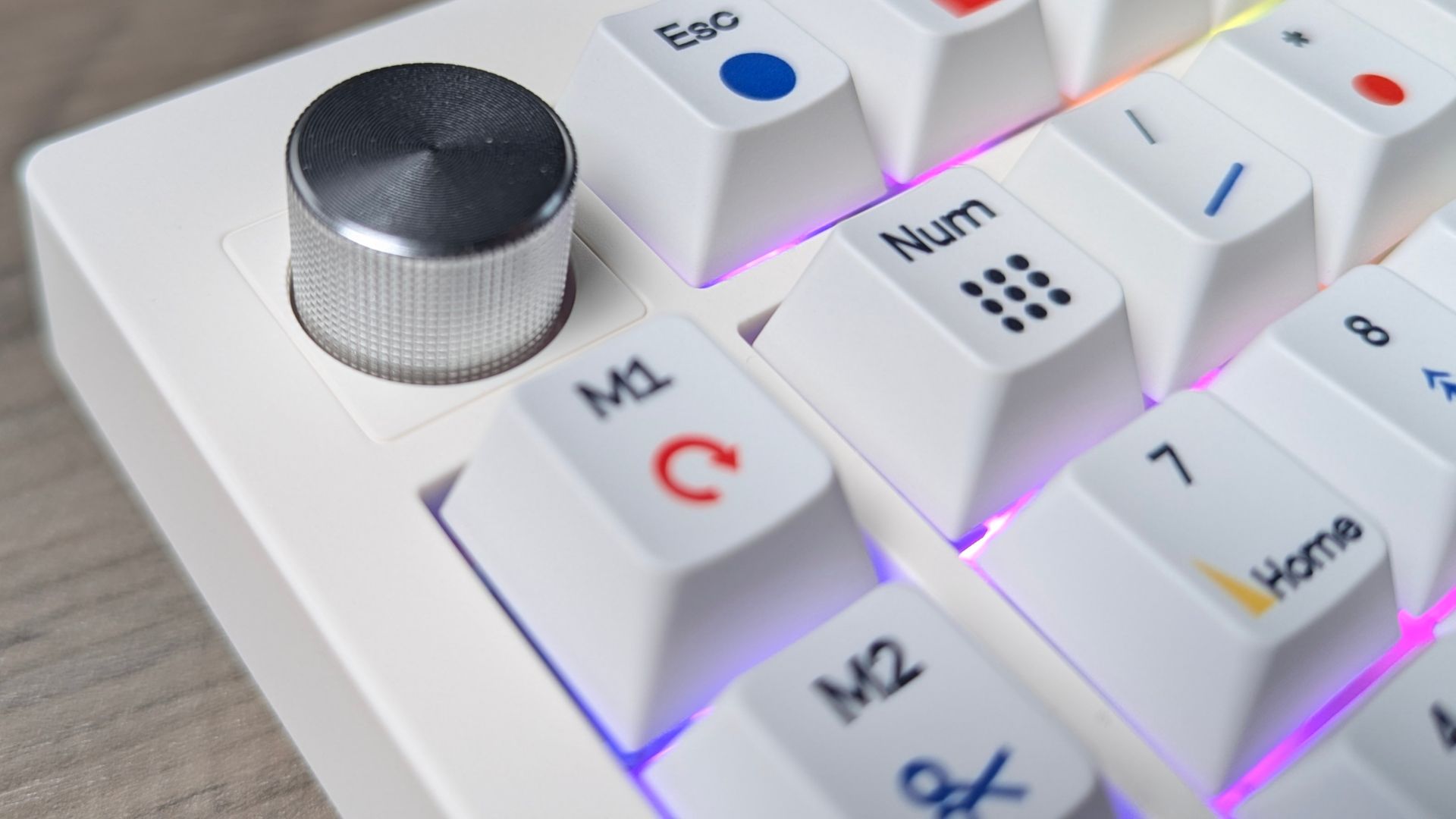
For a numpad, typing sound and feel are only part of the story. The macro keys and knob are what make the TH26 more interesting, because they put common shortcuts, commands or controls within easy reach. They also do it without taking up the space of another full keyboard.
The trade-off is setup time. To get the most from it, you’ll need to configure the keys for your own workflow, and VIA users will need to import the relevant JSON file.
Using the RT75 and TH26 together
In this EPOMAKER RT75 and TH26 review, the pairing is where the two products make most sense: together, the RT75 and TH26 cover two different needs. The RT75 handles everyday typing in a compact layout, while the EPOMAKER TH26 adds dedicated number entry, five macro keys and a knob. The numpad can sit beside the keyboard when you need it and be moved aside when you want more room, rather than forcing a full-size layout onto your desk.
That arrangement could work particularly well for spreadsheets, data entry and creative applications where a number pad or programmable controls are useful. It also gives the TH26 a second job: configure its macro keys for application shortcuts or gaming controls when you are not using it for numbers. If you are building out a desk, there are more options in the DROIX accessories range.
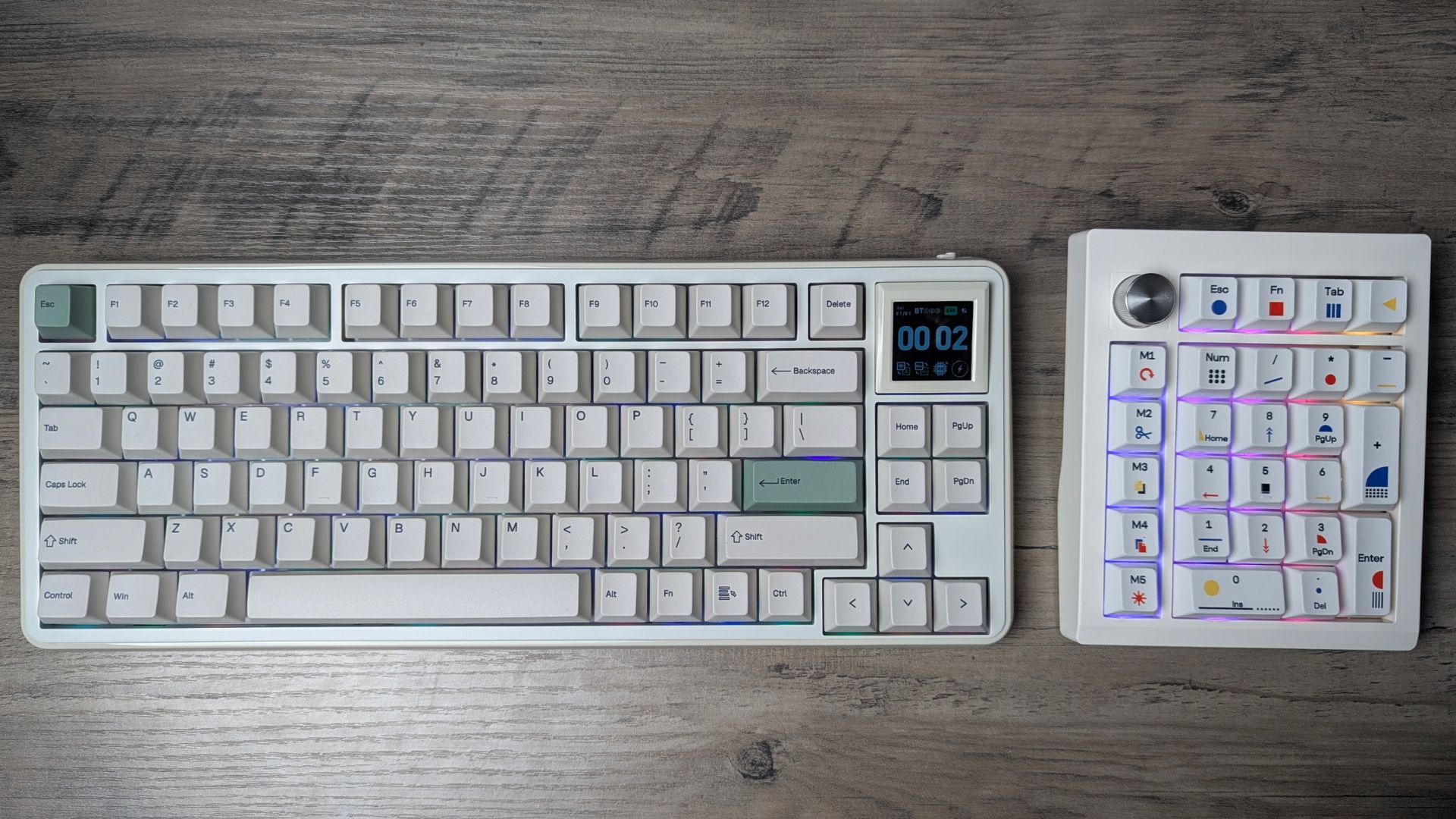
There are a few practical considerations. The EPOMAKER RT75 and TH26 both support wired, Bluetooth and 2.4GHz connections, so each can be used independently in different setups. They are still separate devices, though, so expect to select and manage their connections individually rather than treating them as one combined keyboard.
The two products share a retro-influenced, custom-keyboard look, but a matching appearance is not guaranteed. If you are buying them as a coordinated set, check the specific colourways and product photos before ordering.
Verdict
Our EPOMAKER RT75 and TH26 review conclusion starts with the keyboard: the EPOMAKER RT75 is a compact mechanical keyboard with a distinctive feature: its detachable screen can be replaced with four keys. That modularity, tri-mode connectivity, hot-swap support and gasket-mounted construction give it broader appeal than the display alone. Its fixed typing angle and substantial weight are worth considering, and the screen’s usefulness depends on whether you want a custom display on your keyboard.
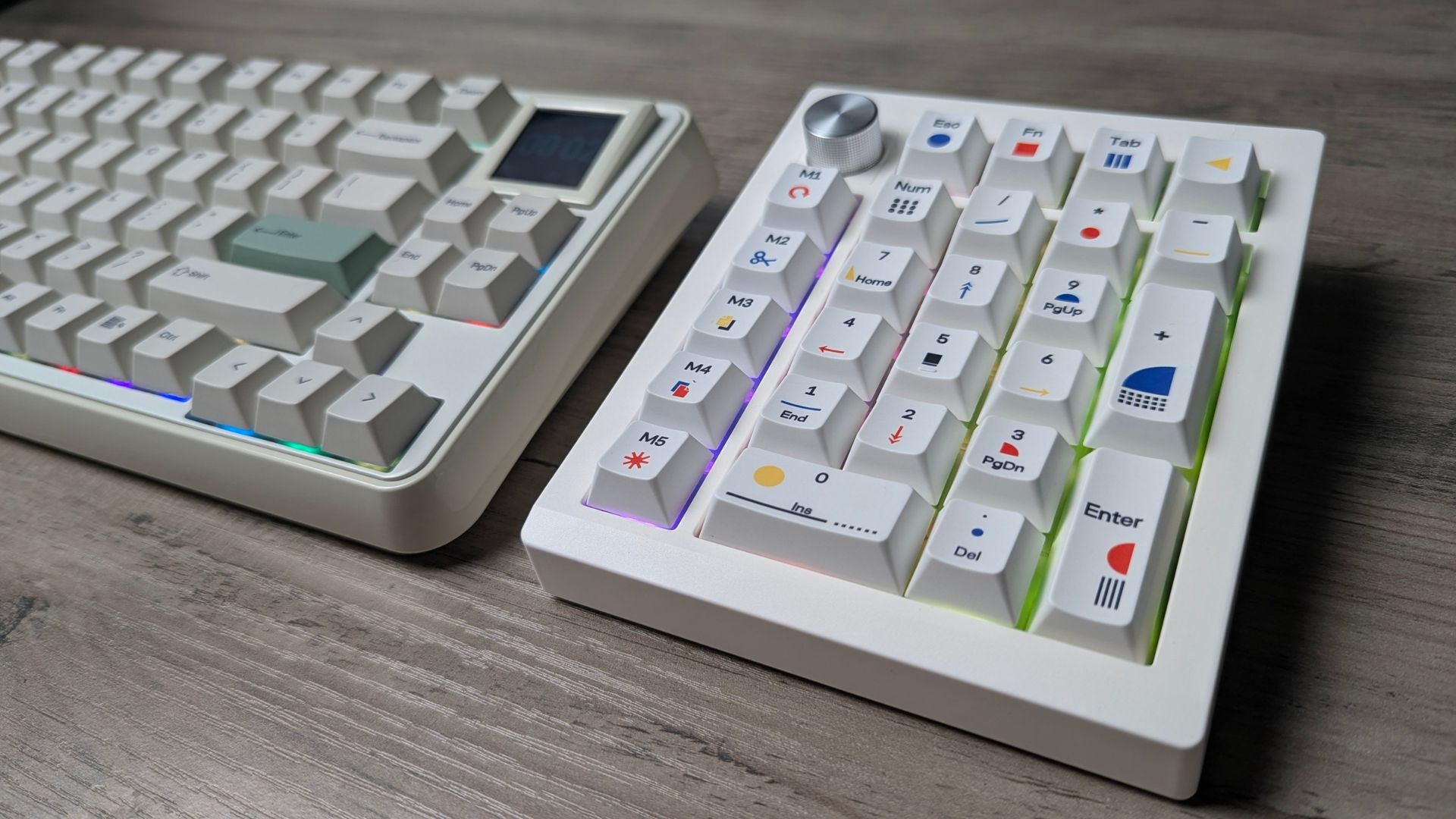
The EPOMAKER TH26 is more than a basic wireless numpad. Its five macro keys, rotary knob, VIA and EPOMAKER Hub customisation, and tri-mode connectivity make it a flexible add-on for productivity and creative setups. It is most compelling for people who will map those extra controls to tasks they perform regularly.
As a pair, the RT75 and TH26 make sense for anyone who wants a compact main keyboard without giving up number entry or programmable desktop controls. The EPOMAKER RT75 provides the main typing experience, and the TH26 fills in the functions a 75% layout leaves out. If you do not need a numpad or extra macros, the TH26 is a separate purchase that may add more clutter than value.
Our verdict – Are the EPOMAKER RT75 and TH26 worth buying together?
- Short answer: Yes, if you want a compact keyboard plus a configurable numpad; the EPOMAKER RT75 stands on its own, but the EPOMAKER TH26 is worth adding only if you will use its macros, knob or number entry.
- Best for: Spreadsheet, data-entry and creative users who want a compact 75% keyboard, a physical shortcut layer and multi-device wireless connectivity
- Not ideal for: Anyone who wants an adjustable typing angle on the keyboard, has no use for a screen, or only needs occasional number entry
- Current status: Both are current EPOMAKER products with Bluetooth, 2.4GHz and USB-C wired connectivity
FAQ
Is the EPOMAKER RT75 worth buying?
The EPOMAKER RT75 is worth considering if you want a compact mechanical keyboard with tri-mode connectivity, hot-swap support and a screen that can be replaced by physical keys. The display is a matter of taste, so the strongest reason to buy it should be the keyboard as a whole, not just the screen.
Is the EPOMAKER TH26 worth buying?
The EPOMAKER TH26 is a good fit if you need a separate numpad and expect to use its five macro keys or rotary knob. If you only want occasional number entry, a simpler numpad may be enough.
Do the EPOMAKER RT75 and TH26 work well together?
Yes, they complement one another: the EPOMAKER RT75 keeps the main keyboard compact, and the EPOMAKER TH26 adds dedicated number entry and configurable controls. They remain independent devices, so you connect and configure each one separately.
Can the EPOMAKER RT75 screen be removed?
Yes, the RT75’s 1.54-inch display can be pulled out gently and replaced with four keys. Any replacement keys you fit need to be defined in the EPOMAKER software before they do anything.
How do you customise the EPOMAKER TH26?
You customise the TH26 through VIA or the EPOMAKER Hub web driver. VIA users need to import the relevant JSON file first, while EPOMAKER Hub works without importing one.


Jautājumi un komentāri
0
Katrs jautājums saņem atbildi. Jautājiet pirms pirkuma — DaveC un komanda atbild vienas darba dienas laikā, un atbildes paliek publiskas, lai palīdzētu arī nākamajam lasītājam.


