





EPOMAKER HE65 V2 TMR Review
The EPOMAKER HE65 V2 TMR is a compact 65% gaming keyboard with TMR magnetic switches, Rapid Trigger, up to 8,000Hz wired and 2.4GHz polling, tri-mode connectivity, hybrid hot-swap support and a 4,000mAh battery.
What we liked
- Compact layout that still keeps dedicated arrow keys and a knob.
- TMR-sensed magnetic switches with adjustable actuation and Rapid Trigger.
- Hybrid hot-swap support for compatible magnetic and standard mechanical switches.
- Wired and 2.4GHz modes with an advertised 8,000Hz polling ceiling.
- Gasket mount, layered dampening and adjustable typing angles.
Could be better
- The rotary knob cannot be replaced with keys.
In this article
What is the EPOMAKER HE65 V2 TMR?
The EPOMAKER HE65 V2 TMR is a 65% gaming keyboard with 66 keys, a rotary knob and magnetic switches read by Tunnel Magnetoresistance (TMR) sensors. It supports adjustable actuation, Rapid Trigger, wired USB-C, 2.4GHz wireless and Bluetooth. Its hybrid hot-swap PCB also accepts compatible magnetic switches and standard 3- or 5-pin mechanical switches.
The buying question in this EPOMAKER HE65 V2 TMR review is whether its compact layout and switch flexibility outweigh the compromises of an ABS case and shorter battery life at maximum wireless polling. EPOMAKER lists up to 8,000Hz polling over USB and 2.4GHz, plus a 4,000mAh battery; those specifications make the board interesting to gamers who also want a keyboard for daily work.
At a listed US price of $99.99 on EPOMAKER’s HE-series page, it packs unusual versatility into a small footprint.
Design, layout and typing feel
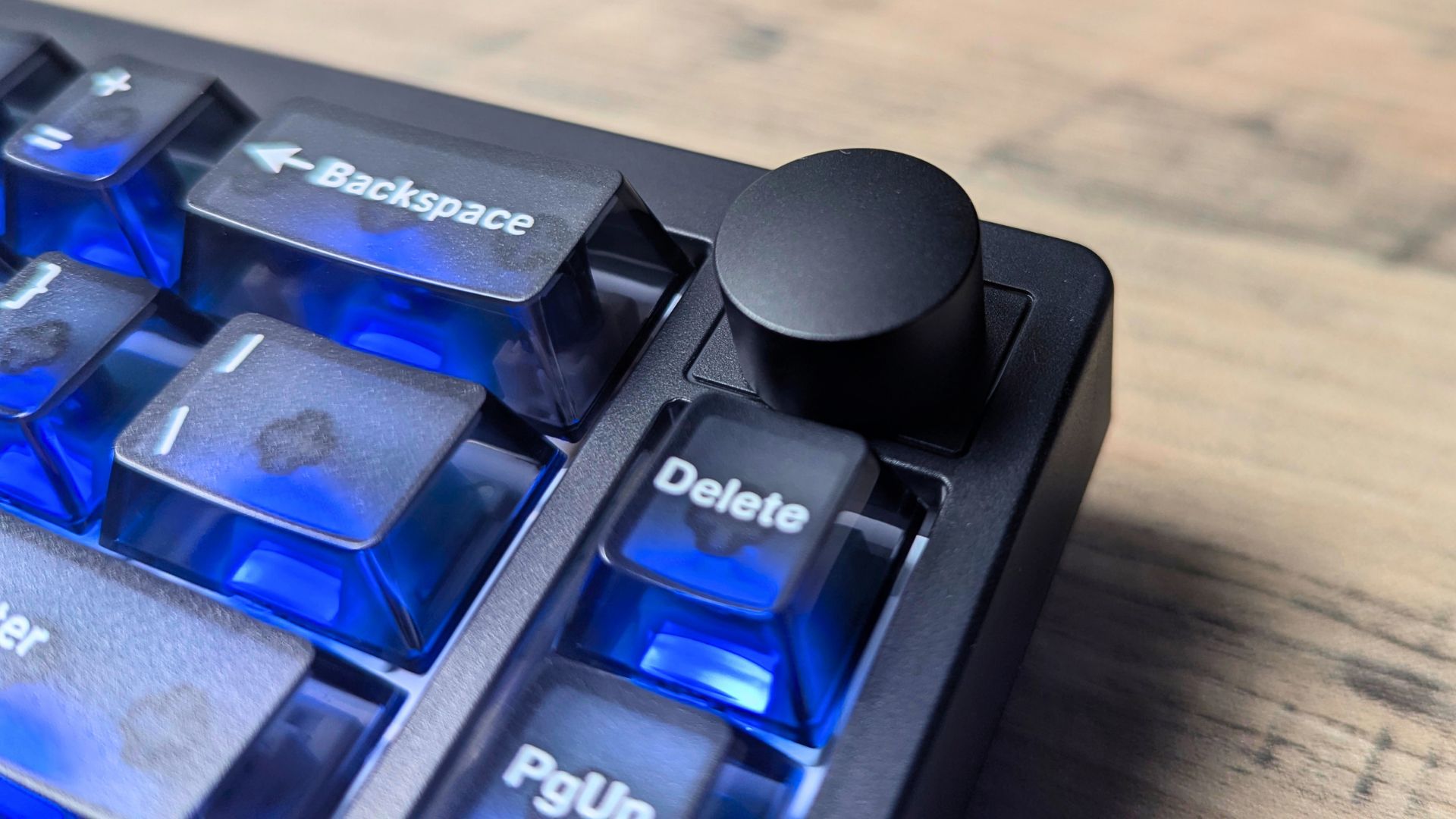
The 65% ANSI layout preserves the arrow keys and a small navigation cluster while removing the function row and number pad. That leaves more room for mouse movement than a full-size board, but spreadsheet users may miss dedicated keys. The rotary knob handles volume and can be reassigned in software; unlike the knob on some larger boards, it cannot be swapped for extra keys.
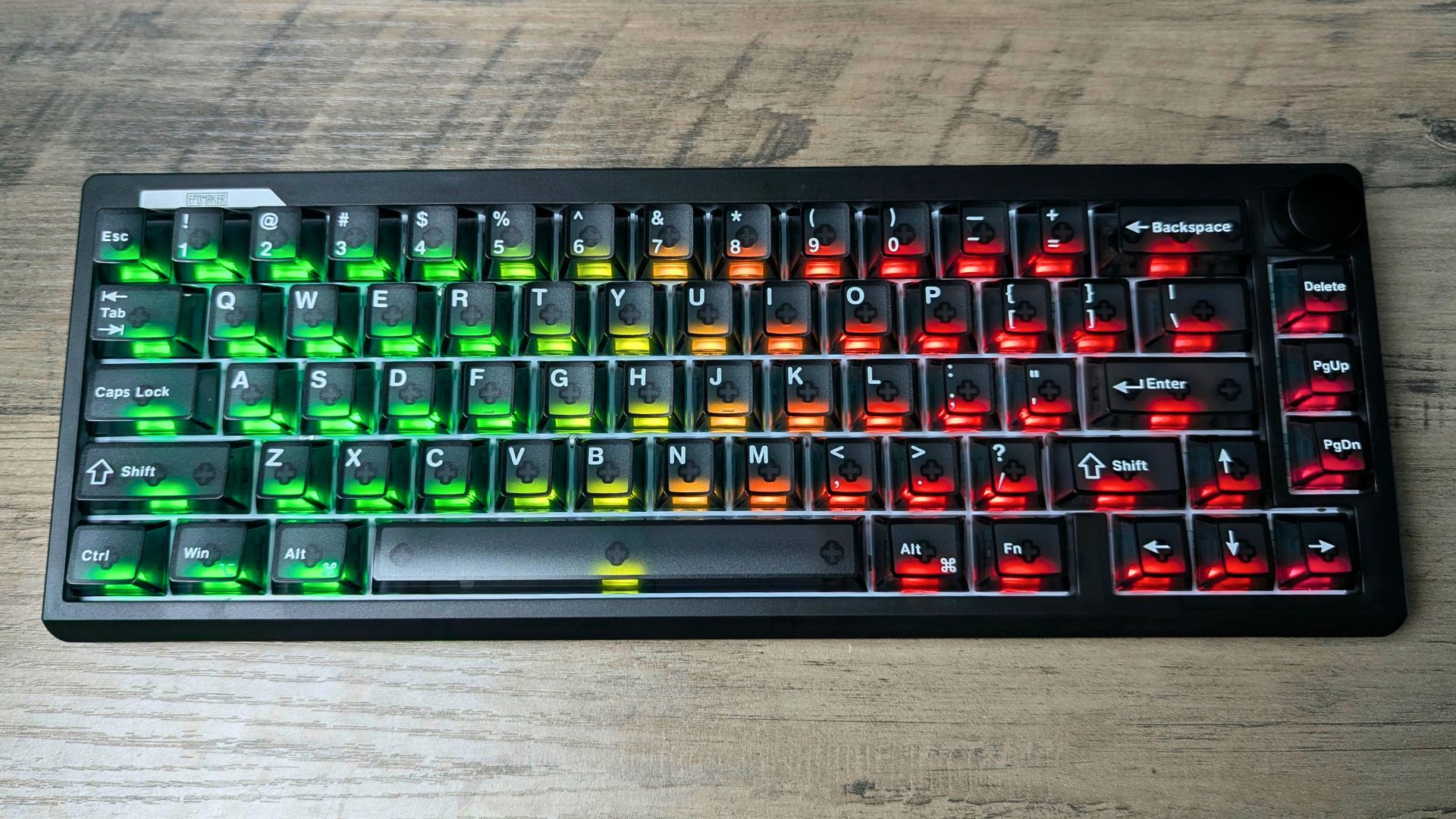
The ABS shell and 745g weight keep the EPOMAKER HE65 V2 TMR relatively light. EPOMAKER combines a gasket-mounted FR4 plate with four layers of sound treatment, including latex, IXPE, EPDM and silicone. This construction is designed to soften bottom-out and reduce case resonance, but the actual sound and flex will depend on the desk surface, switches and keycaps.
The two-stage feet offer three typing angles: 6°, 9.5° and 13.5°. A flatter setting may be more comfortable for longer sessions, while the steepest setting will suit those who prefer a raised board. There is no included wrist rest.
EPOMAKER’s Creamy Jade magnetic switches are factory-lubed. The translucent, Cherry-profile PC keycaps let the south-facing RGB show through, though users who prefer thicker, opaque PBT keycaps may want to replace them. Keycaps, switch choice and desk mat can all change the final sound; a damped construction alone does not guarantee a particular acoustic result.
Specifications at a glance
| Feature | EPOMAKER HE65 V2 TMR |
|---|---|
| Layout | 65% ANSI US; 66 keys and a non-swappable rotary knob |
| Supplied switches | Factory-lubed EPOMAKER Creamy Jade magnetic switches |
| Hot-swap support | Compatible magnetic switches and standard 3-/5-pin mechanical switches |
| Magnetic actuation | Adjustable from 0.1mm to 3.3mm in 0.01mm steps, according to EPOMAKER |
| Connections | USB-C wired, 2.4GHz dongle and Bluetooth |
| Advertised polling | Up to 8,000Hz via USB or 2.4GHz; 125Hz via Bluetooth |
| Advertised scan rate | 64kHz |
| Battery | 4,000mAh total, comprising two 2,000mAh cells |
| Construction | ABS case, FR4 plate, gasket mount |
| Dampening | Latex sandwich foam, IXPE switch pad, EPDM foam and bottom silicone |
| Keycaps and lighting | Cherry-profile translucent PC; south-facing per-key RGB and front lighting |
| Typing angles | 6°, 9.5° and 13.5° |
| Dimensions and weight | 324 × 117 × 43mm; approximately 745g |
| Listed compatibility | Windows, macOS and Android |
TMR switches, adjustable actuation and Rapid Trigger
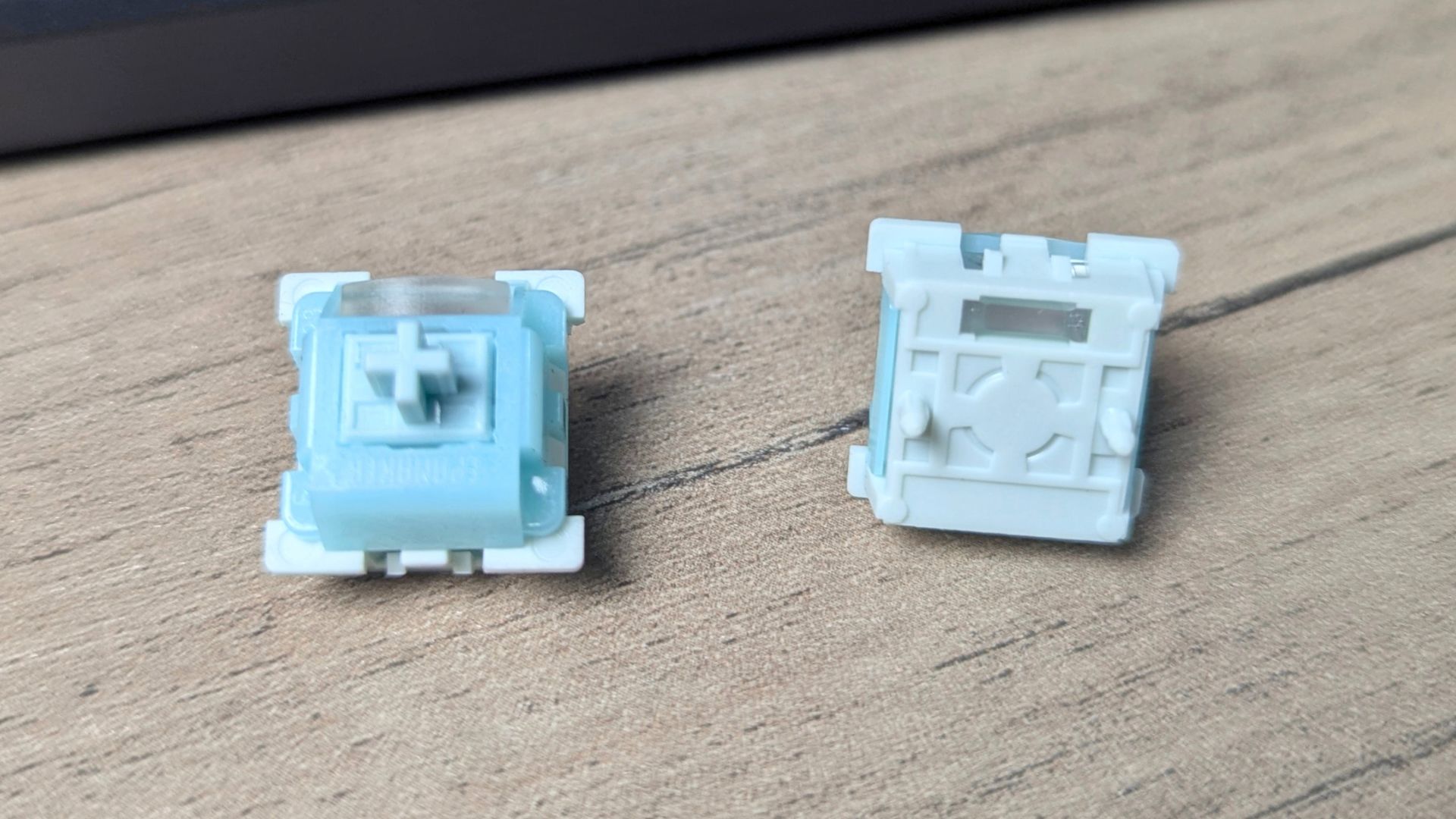
TMR sensors track changes associated with a magnet’s position rather than waiting for conventional electrical switch contacts to close. This gives the keyboard positional input for features such as adjustable actuation and Rapid Trigger. Magnetic switch technology in accessories is often grouped under the Hall Effect category, but TMR describes the sensing method used by this board.
EPOMAKER lists a 0.1–3.3mm actuation range in 0.01mm steps for its supplied magnetic switches. Shallow actuation can make a movement key register earlier; a deeper setting can help reduce accidental presses while typing. Rapid Trigger changes the reset behaviour as the key moves back up, so repeated input need not wait for a fixed conventional reset point.
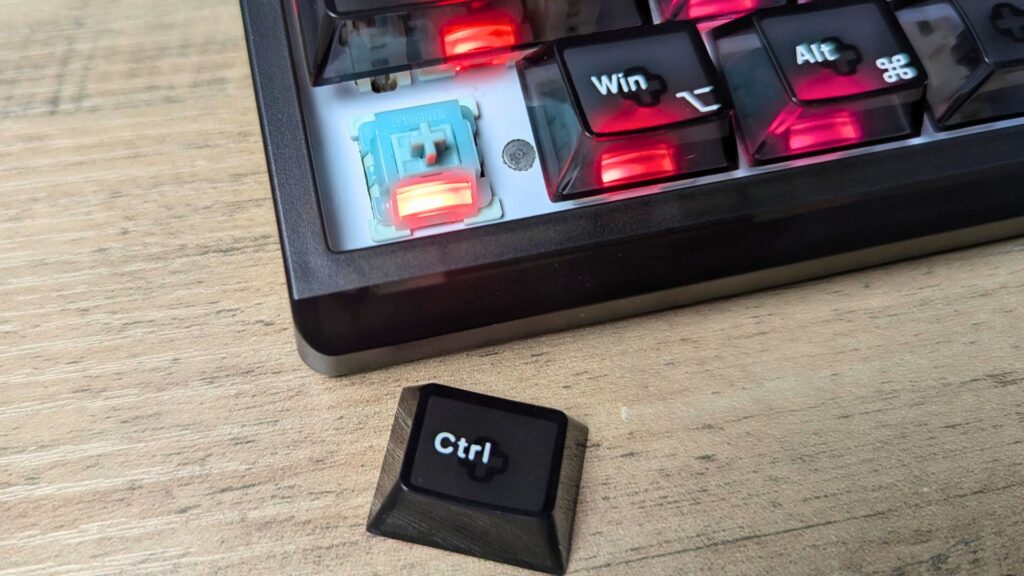
The hybrid socket is the most useful distinction from many magnetic-only gaming keyboards. You can fit standard 3- or 5-pin mechanical switches if you want a different linear or tactile feel. Those mechanical switches do not gain magnetic actuation, Rapid Trigger or other position-based functions simply by being installed in this PCB. Check compatibility before buying replacement magnetic switches, too.
The software also exposes features such as dynamic keystrokes and SOCD-related input handling. Some games restrict conflicting-direction or automation-style features, so check the current game and tournament rules before enabling them.
Gaming performance: what does 8K polling change?
EPOMAKER advertises an 8,000Hz polling ceiling in both wired and 2.4GHz modes, alongside a 64kHz scan rate. Bluetooth is specified at 125Hz and is a better fit for general work or secondary devices than competitive play.
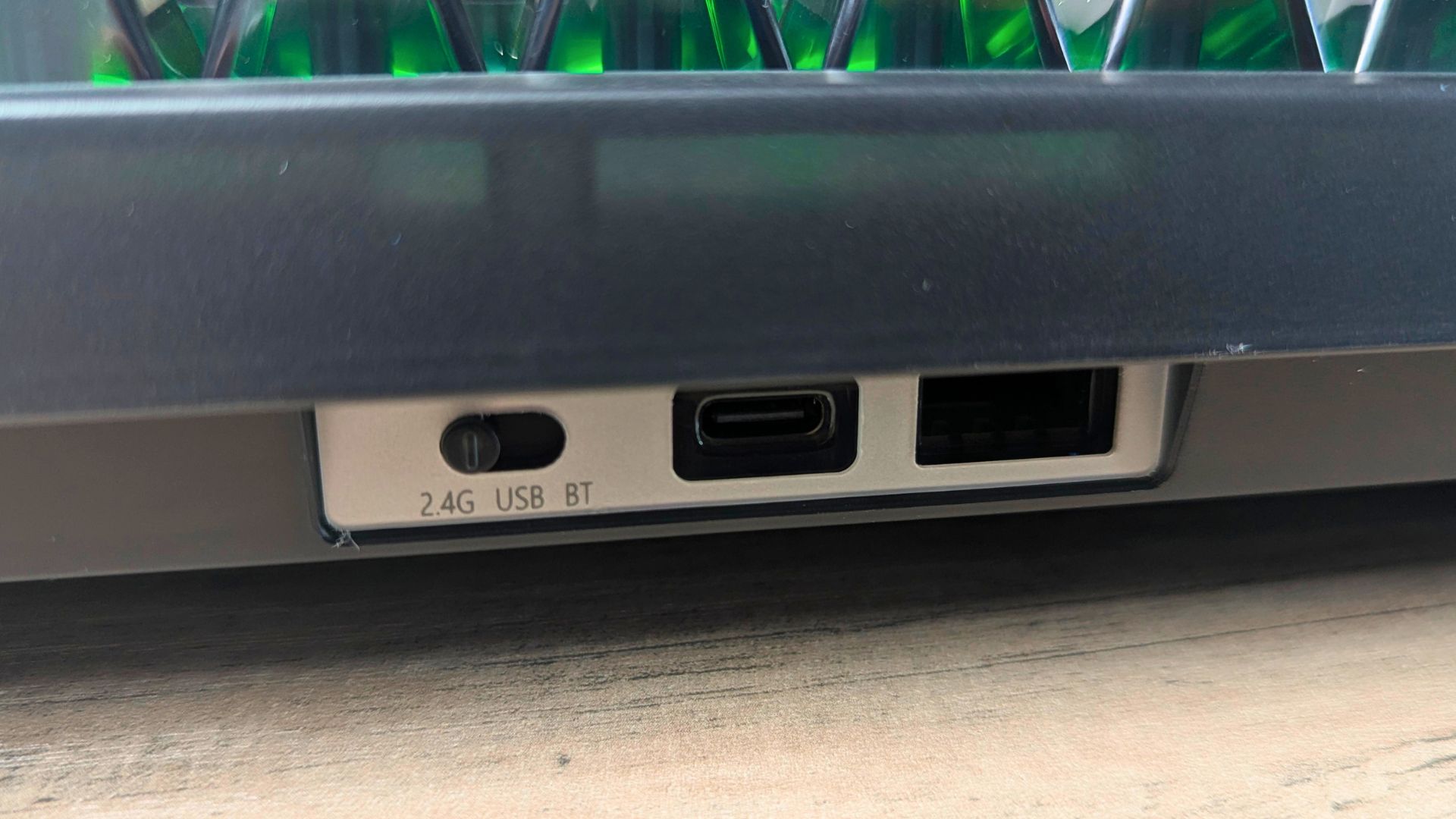
A higher polling setting increases how often the keyboard can report its state to the host. It does not, by itself, prove a faster end-to-end reaction in a game. Switch configuration, firmware, wireless conditions, PC load, frame rate and display refresh all influence the experience; this review does not include instrumented latency or game-performance measurements.
Popular right now
What people are buying this month
Prices as listed on each store


GPD WIN 5 (AI Max HX 385 – 32GB_RAM/1TB_NVME) (Raven Black)



 on 15 stores

MANGMI Pocket Max (Snapdragon 865 – 8GB_RAM/128GB_STORAGE) (Retro GB)
 on 14 stores

For a competitive shooter, adjustable actuation and Rapid Trigger may matter more than the difference between 1,000Hz and 8,000Hz polling. You could use a shallow movement-key setting for quick changes of direction and a deeper setting elsewhere to avoid misfires. The right setting is personal: the most sensitive configuration is not automatically the most accurate one.
Wireless options and battery-life trade-offs
The EPOMAKER HE65 V2 TMR connects by USB-C, its included 2.4GHz receiver or Bluetooth. Use wired mode when charging or when you want a consistent desk setup; choose 2.4GHz for wireless gaming and Bluetooth for multi-device convenience. EPOMAKER lists the battery as two 2,000mAh cells, giving 4,000mAh in total.
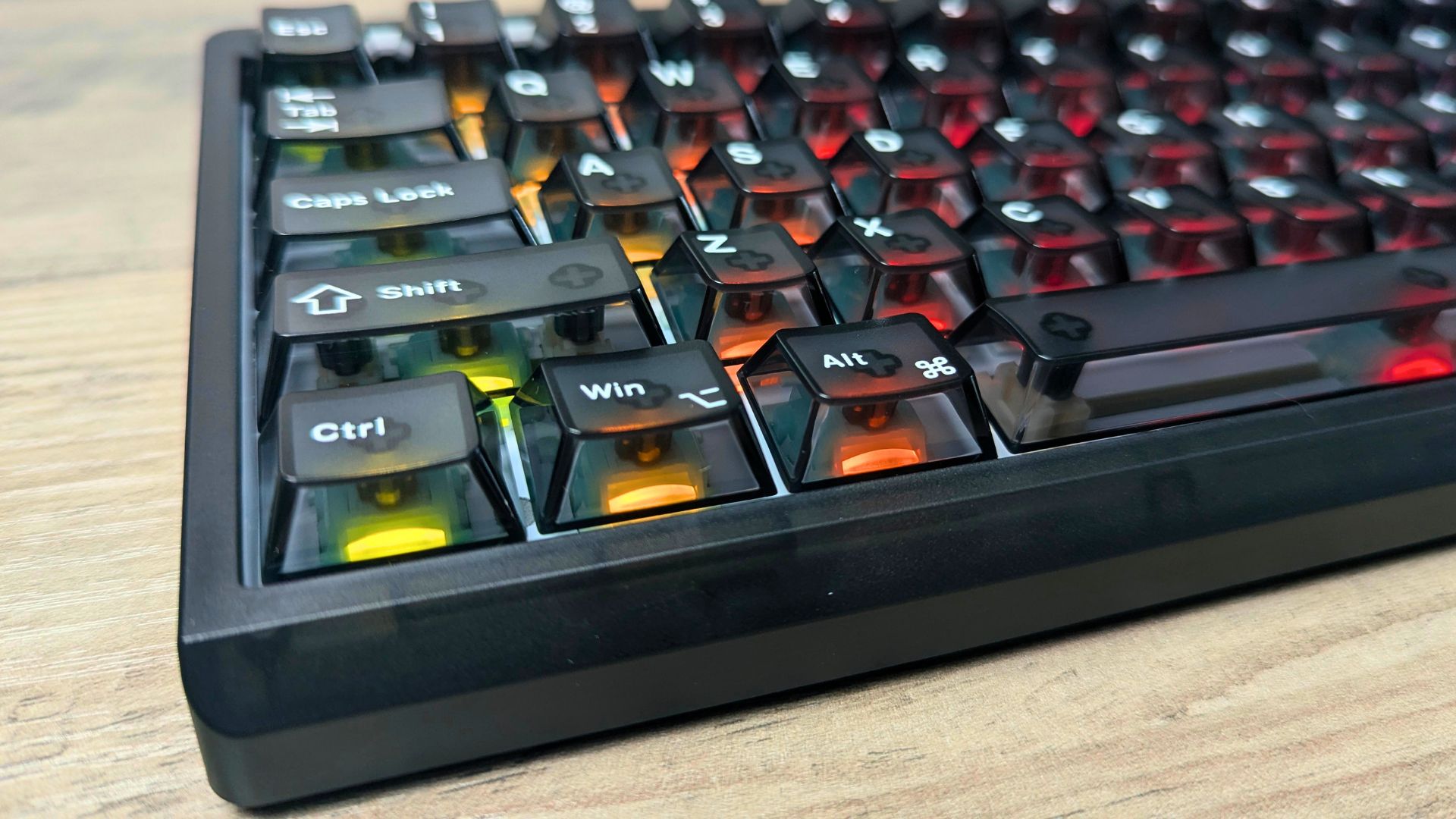
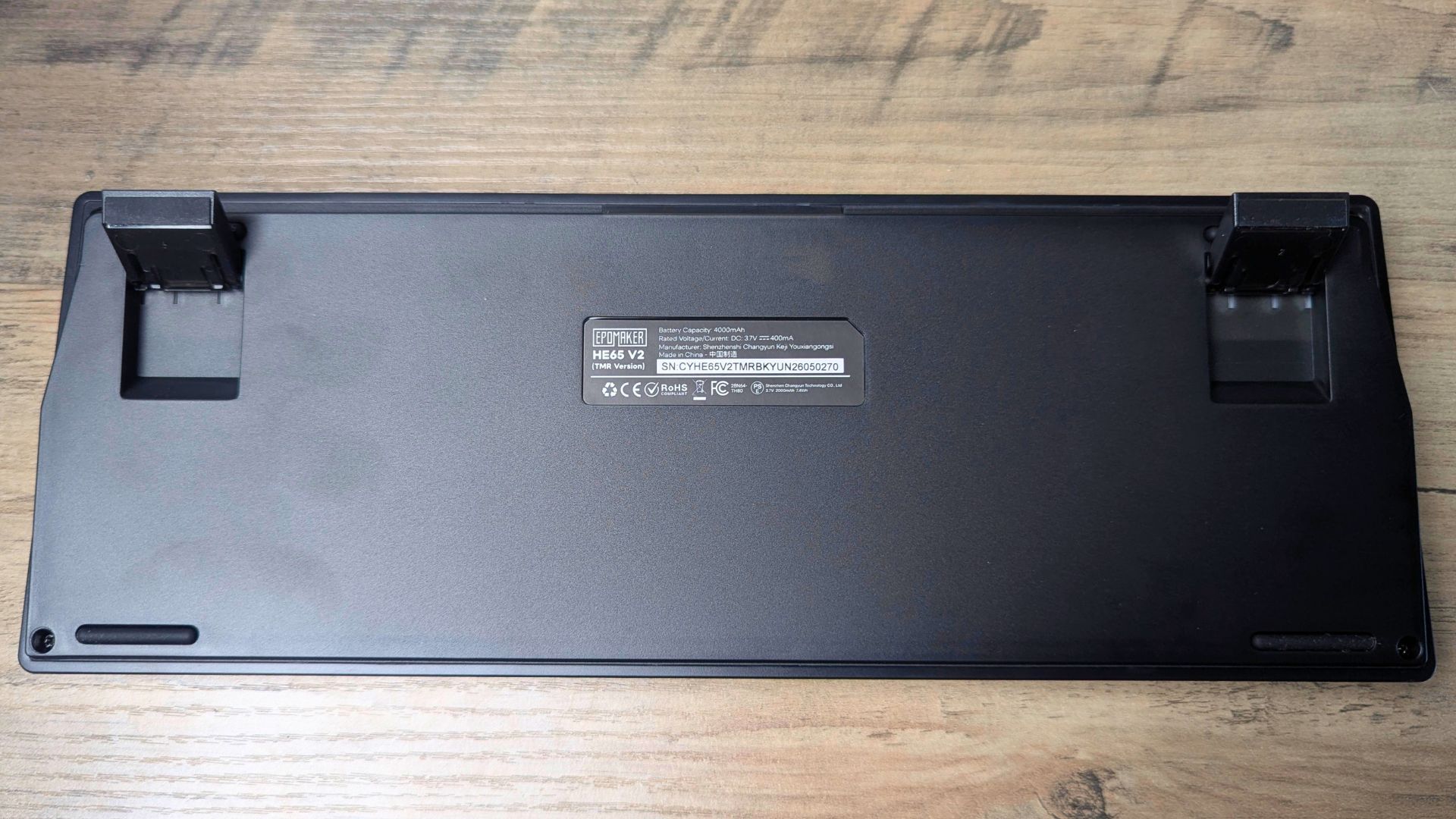
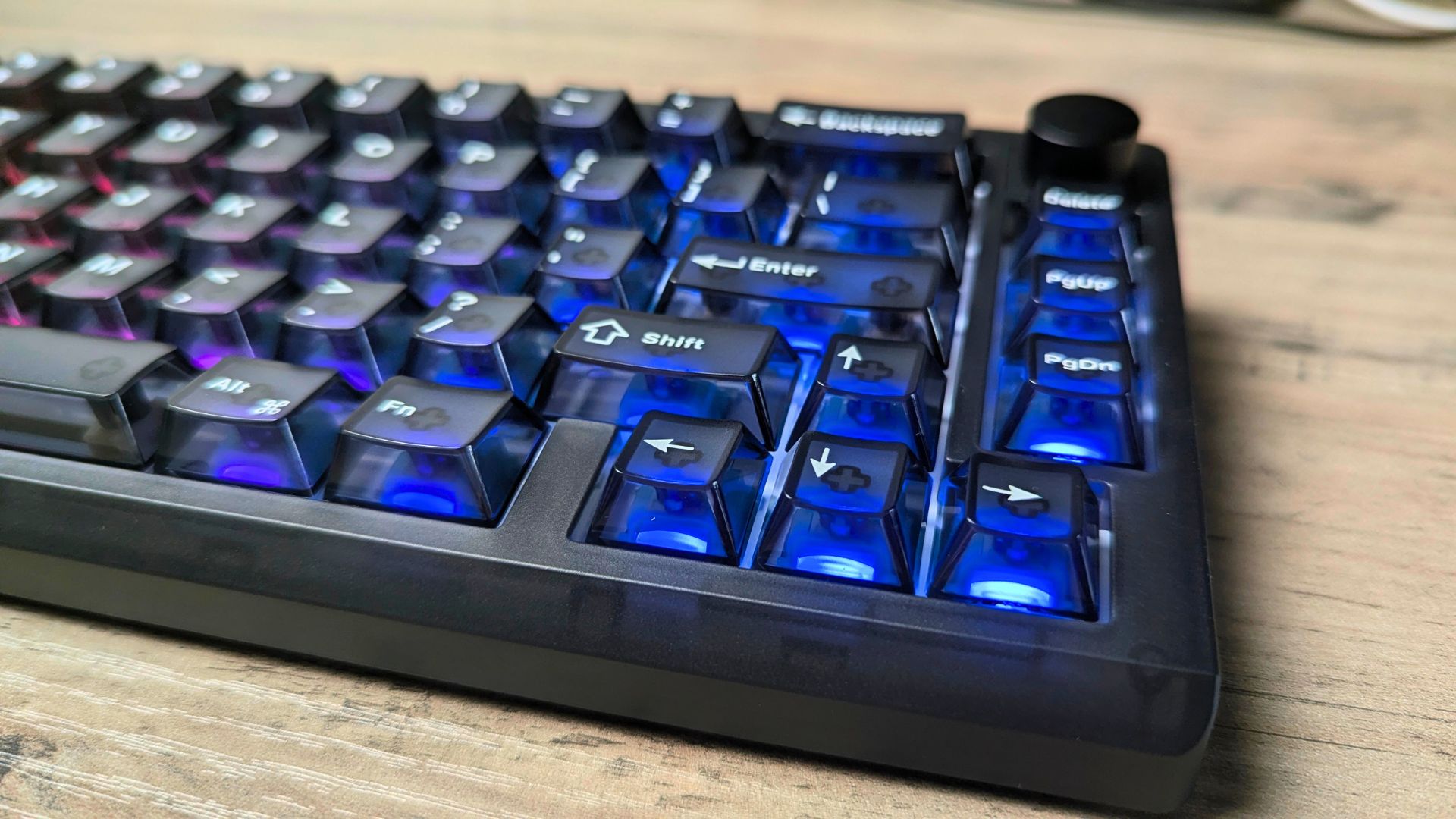
The keyboard ran for about 30 hours with RGB enabled at 1,000Hz and about five hours at 8,000Hz on battery. That large gap makes 8K wireless a mode to use deliberately rather than a default for every workday. If cable-free endurance is the priority, lower the polling rate and reduce the RGB brightness. If maximum advertised polling is the priority, be prepared to charge more often or use the cable.
| Connection | Listed polling ceiling | Best suited to | Main trade-off |
|---|---|---|---|
| USB-C | 8,000Hz | Fixed gaming desk and charging | Cable on the desk |
| 2.4GHz | 8,000Hz | Wireless gaming | High polling reduces battery runtime |
| Bluetooth | 125Hz | Everyday use and device switching | Lower polling than USB or 2.4GHz |
Software and lighting
Basic setup can be handled through onboard key combinations, and the manual explains each option in reasonable detail. There are a lot of shortcuts to memorise, though, so the EPOMAKER software is the easier route for more advanced configuration.

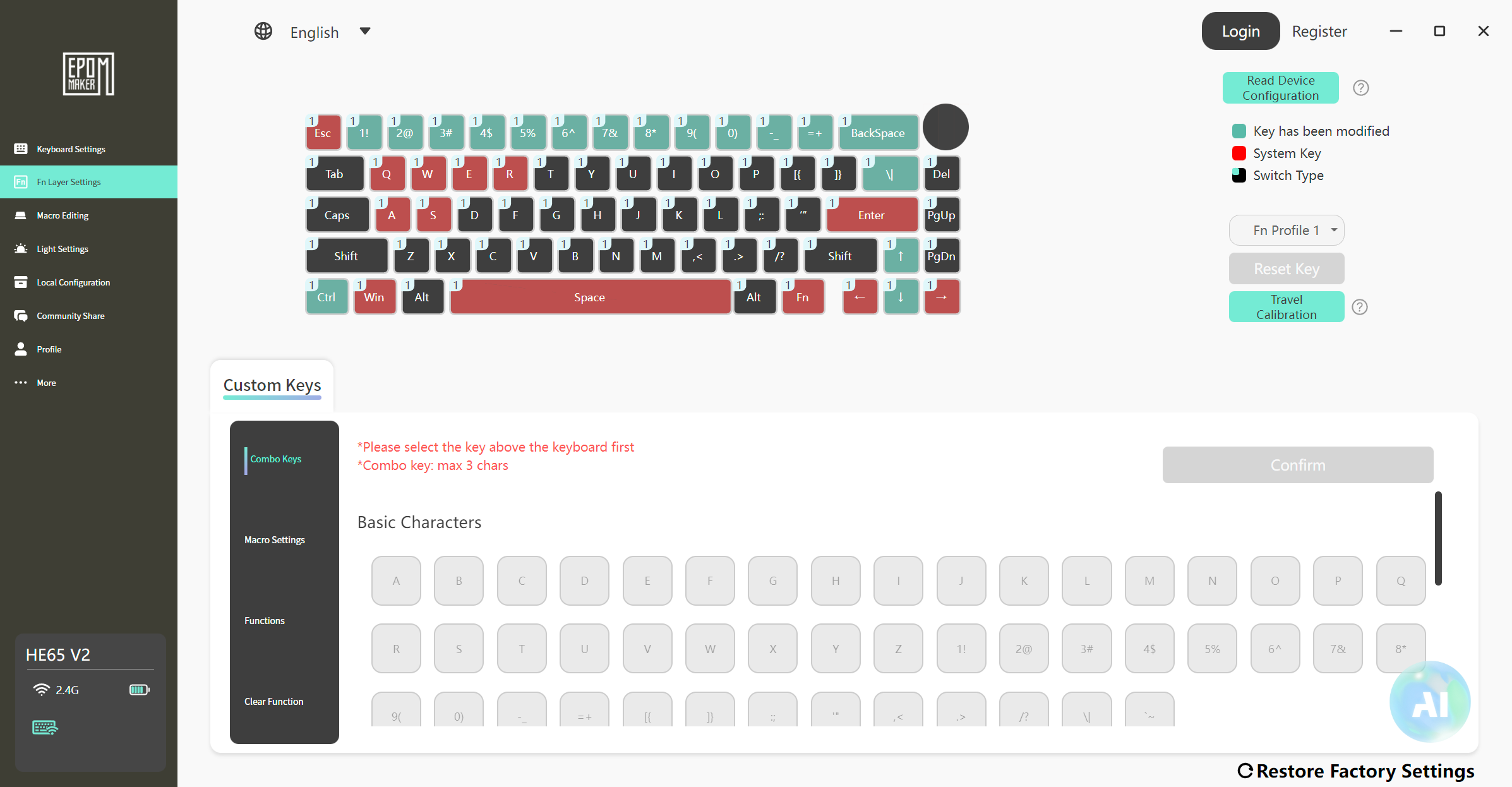
The same software covers EPOMAKER’s wider range of keyboards and mice, including the EPOMAKER HE75 V2 keyboard we reviewed previously. Managing several peripherals is simpler as a result, because each device doesn’t need its own separate application. You can pick and configure any compatible EPOMAKER product from within the one program.
The main keyboard menus cover the primary and function keys. From there, you can adjust Hall Effect actuation and key travel, build custom function-key combinations, and change settings such as the sleep timeout for 2.4GHz and Bluetooth connections.
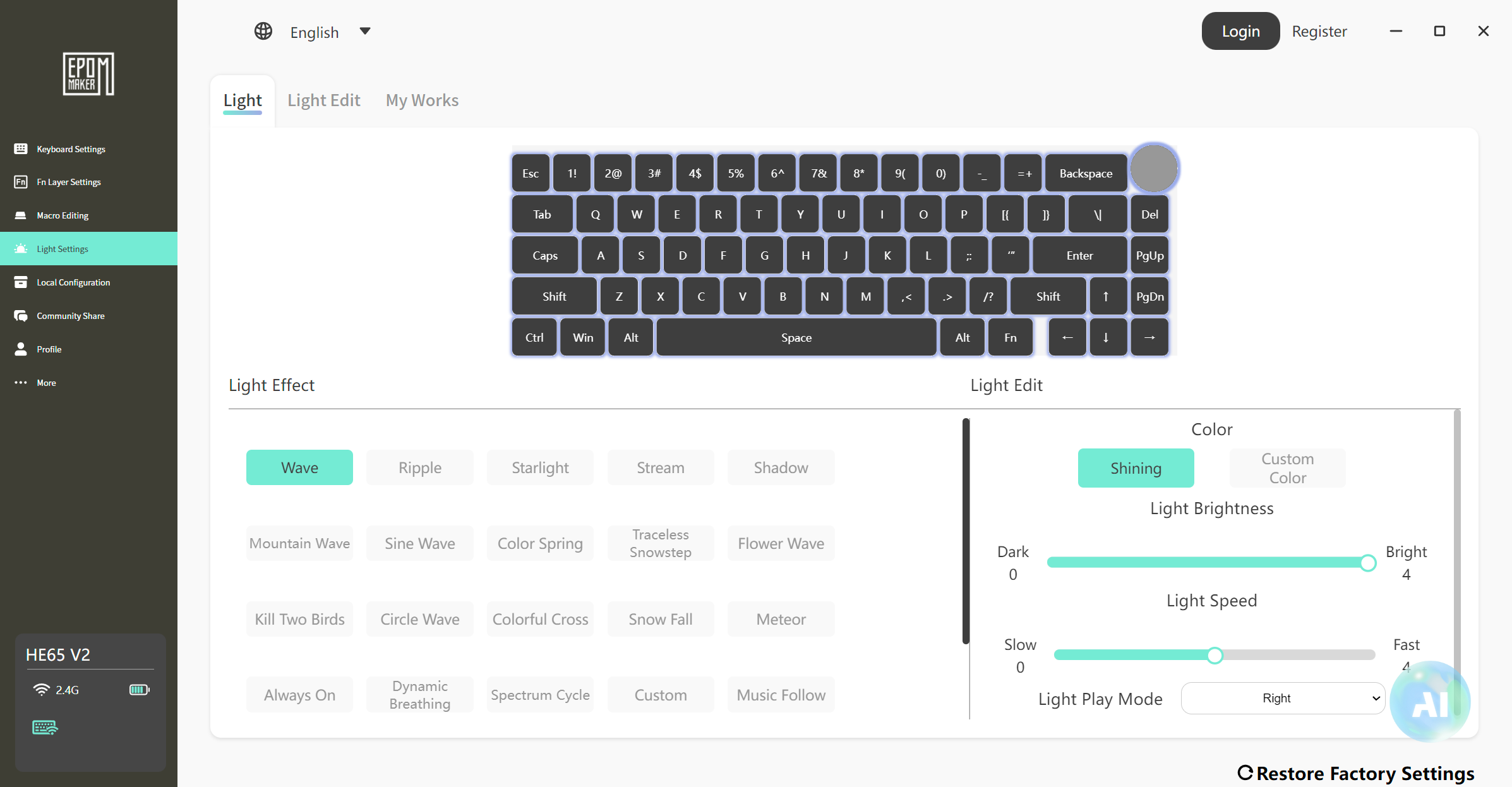
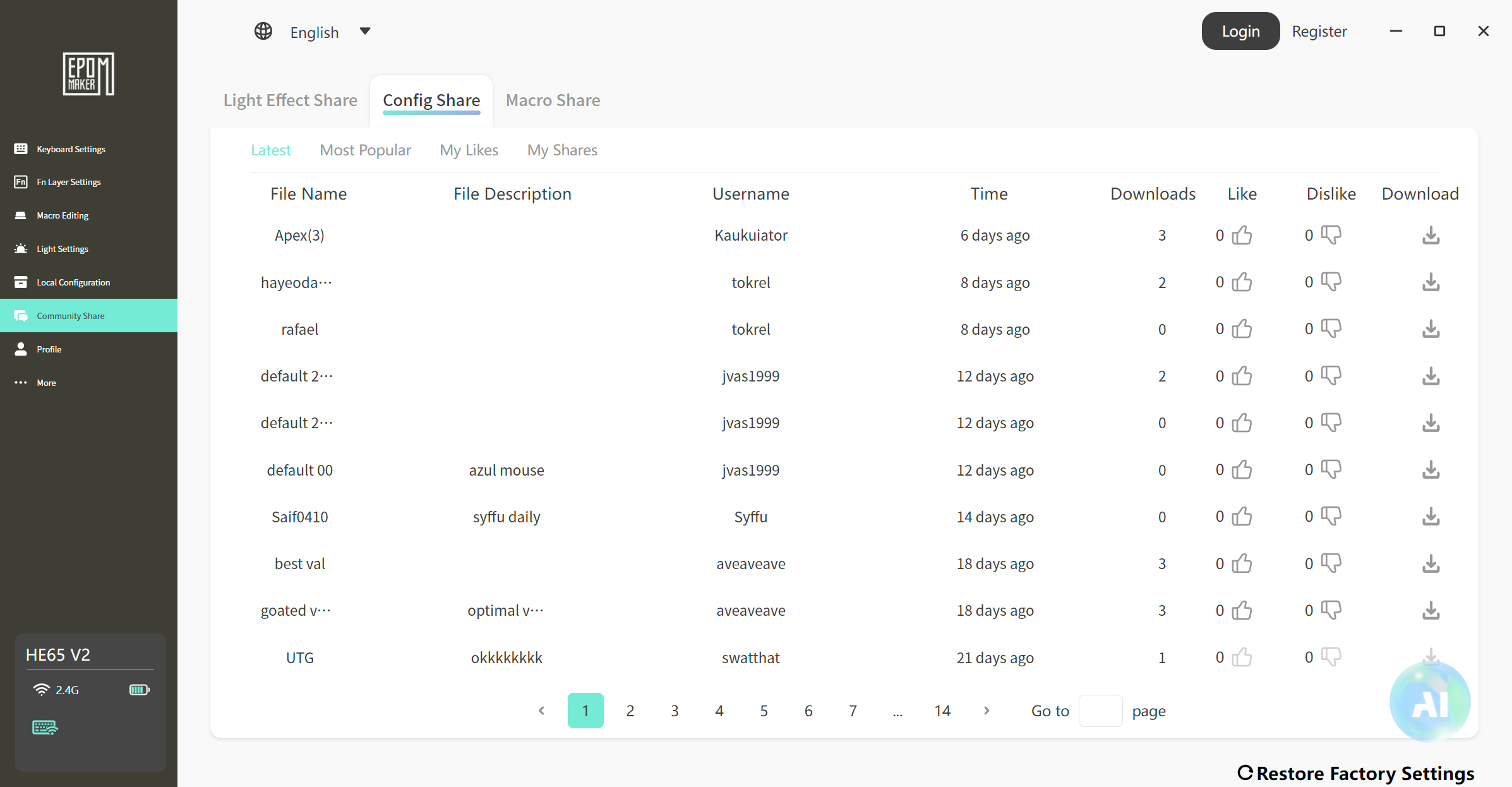
The software also offers a broad set of RGB controls. You can use the preset lighting effects as they are, customise them, or create your own from scratch. The Macro section is another handy addition, with community-created profiles for software and games. You can share your own profiles or download from the hundreds already available.
How does it compare with other EPOMAKER layouts?
If you need a function row, the EPOMAKER HE75 V2 review covers a larger 75% Hall Effect model. If you need a number pad as well, see the EPOMAKER HE108 review for the full-size alternative. They are useful layout comparisons, not interchangeable switch or battery specifications.

The EPOMAKER HE65 V2 TMR makes most sense when arrow keys matter but desk space matters more than a dedicated function row. Its ability to use mechanical switches also appeals to users who want to experiment with feel without replacing the entire keyboard.
Our verdict — Is the EPOMAKER HE65 V2 TMR worth buying?
Short answer: Yes, if you want a compact, highly configurable magnetic gaming keyboard and are happy to use a lower polling rate for longer wireless sessions.
Best for: Players who value adjustable actuation and Rapid Trigger, plus keyboard enthusiasts who want to try both magnetic and conventional mechanical switches.
Not ideal for: Users who need a function row or number pad, want an aluminium case, or expect long battery life at 8,000Hz wireless.
Current status: Listed by EPOMAKER at $99.99 on its US HE-series page at the time of review; pricing and availability can change.
Rating: 8.5/10 — editorial assessment carried over from the supplied review, based on the stated feature set and trade-offs, not a DROIX instrumented test.
The EPOMAKER HE65 V2 TMR’s selling point is not just 8K polling. It is the combination of a compact 65% layout, positional magnetic input, three connection methods and genuine mechanical-switch flexibility. The main buying decision is whether those options justify the shorter wireless endurance at maximum polling and the absence of larger-layout keys.
EPOMAKER HE65 V2 TMR FAQ
Can the EPOMAKER HE65 V2 TMR use ordinary mechanical switches?
Yes. EPOMAKER says its hybrid hot-swap PCB accepts standard 3- and 5-pin mechanical switches as well as compatible magnetic switches. Conventional mechanical switches do not support the keyboard’s magnetic actuation or Rapid Trigger functions.
Does the EPOMAKER HE65 V2 TMR support 8,000Hz polling wirelessly?
Yes. EPOMAKER lists up to 8,000Hz over its 2.4GHz connection as well as USB. Bluetooth is listed at 125Hz; the higher wireless polling setting can drain the battery much faster.
How long does the HE65 V2 TMR battery last at 8K?
About five hours at 8,000Hz, versus about 30 hours with RGB enabled at 1,000Hz. These figures describe that publication’s test, not a guaranteed battery-life specification.
Is this 65% keyboard suitable for everyday work?
Yes, if you can live without dedicated function and number-pad keys. It retains arrows, offers three connection types and supports standard mechanical switches if you prefer conventional typing feel.
Should I choose the HE65 V2 TMR or a larger EPOMAKER keyboard?
Choose the EPOMAKER HE65 V2 TMR for a smaller footprint and hybrid switch support; consider a 75% board if you need a function row or a full-size board if you need a number pad. Check each model’s switch compatibility and battery specifications separately rather than assuming they match.


Questions & comments
0
Every question gets an answer. Ask before you buy — DaveC and the team reply within one working day, and answers stay public so they help the next reader too.


