

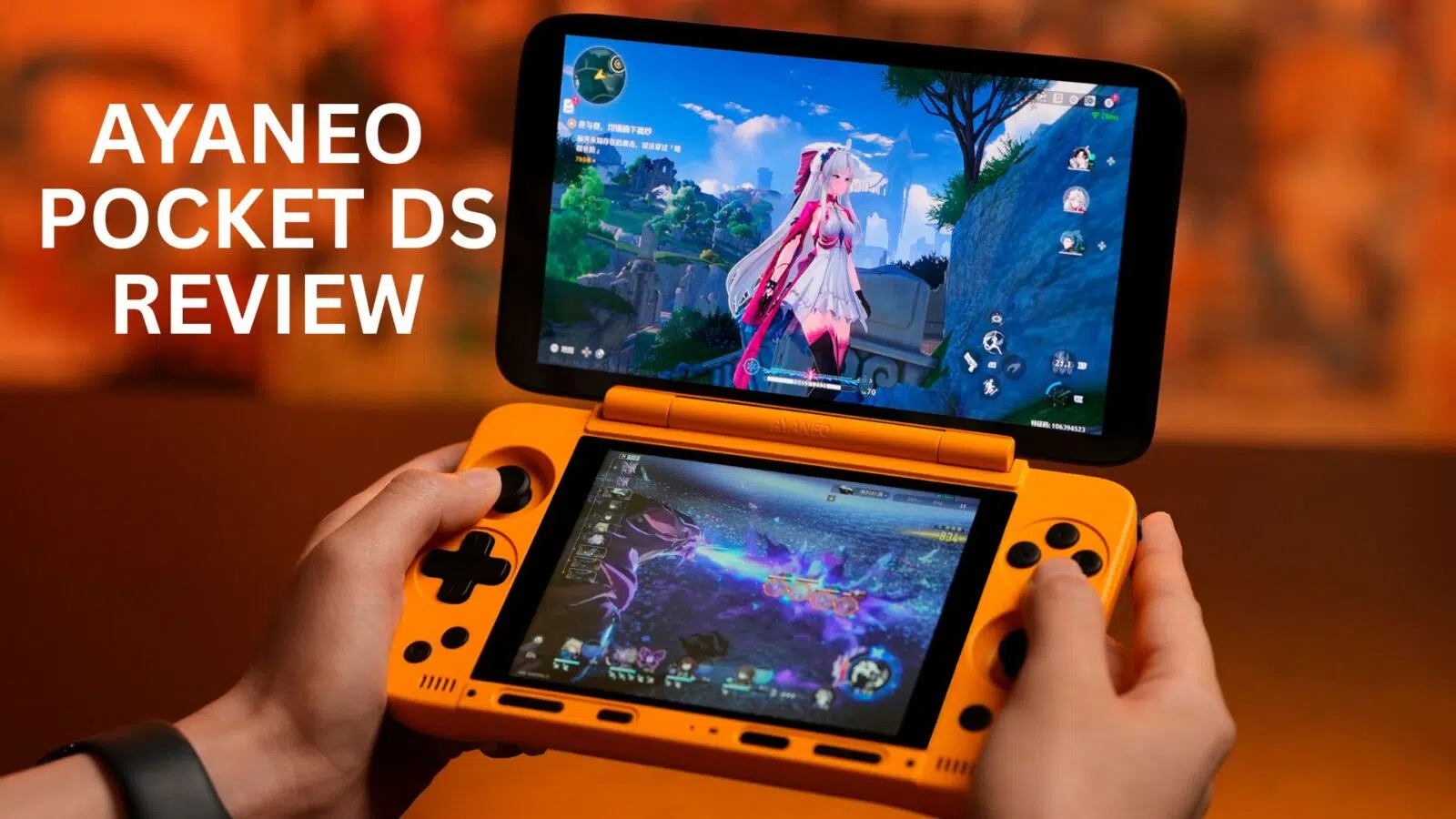
AYANEO Pocket DS Review
-
Design
(4.5)
-
Build Quality
(5)
-
Display
(5)
-
Performance
(5)
-
Features
(4.5)
-
Software
(4)
Summary
The AYANEO Pocket DS is a powerful dual-screen Android handheld highlighting a 7-inch 165Hz OLED main display and a 5-inch secondary LCD, all powered by the Snapdragon G3x Gen 2 chip and a massive 8,000 mAh battery.
Overall
4.7User Review
( votes)Pros
- 7-inch 165Hz OLED Main Screen
- 5-inch Secondary Screen
- Excellent Thermal Performance
- TMR Sticks compared with Hall sticks on the AYN Thor
Cons
- Mix of OLED and LCD compared to dual OLED on the AYN Thor
- Not as pocketable as the AYN Thor
The dual screen Android gaming handheld scene has been very popular lately with AYANEO and AYN’s offerings, as well as Anbernics recently announced handheld. Following this trend, in our AYANEO Pocket DS review, we will be taking a closer look at what makes it stand apart from AYN’s.
AYANEO Pocket DS Review Video
AYANEO Pocket DS Overview
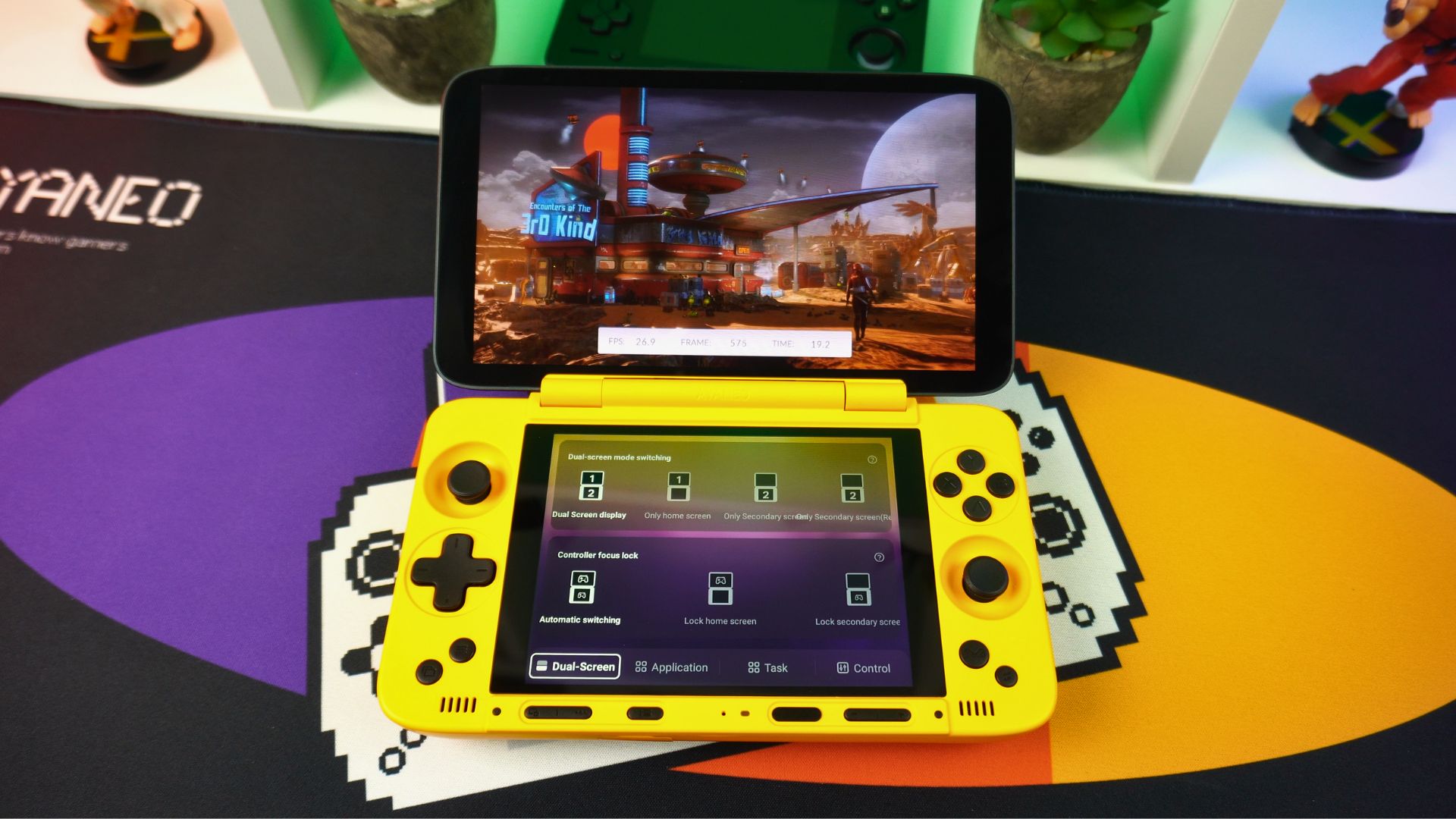
Lets get the AYANEO Pocket DS review underway with a close inspection of it. The AYANEO Pocket DS Android gaming device measures around 7.07 x 4.0 x 0.98 inches (17.98 x 10.18 x 2.5 cm) and weighs around 540g (1.19 lbs). Furthermore, it comes in three colours: Shadow Black, Retro Gray, and Starry Yellow shown here.
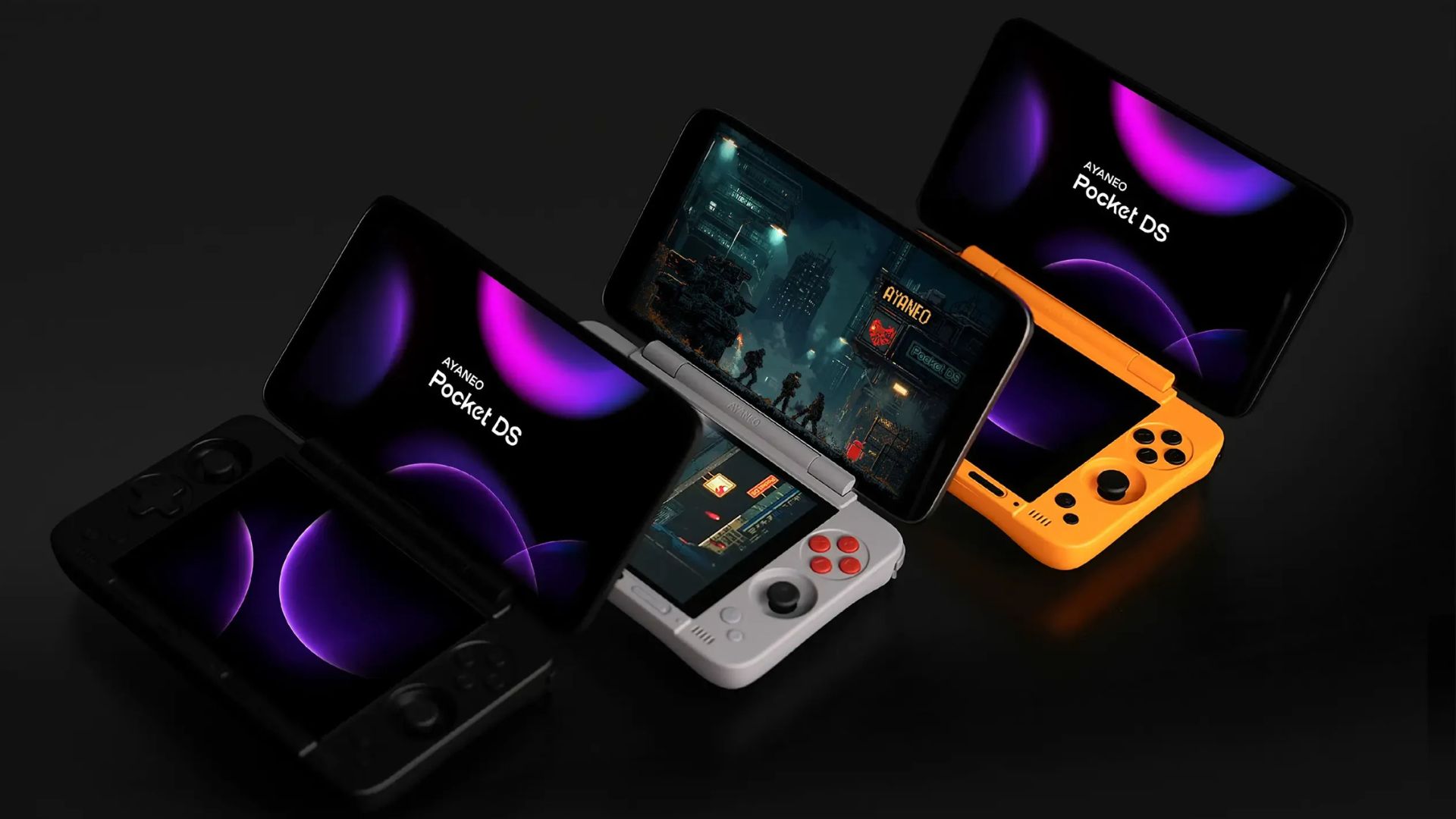
In terms of construction, the hinge mechanism is quite stiff and allows you to adjust the angle to whatever you like up to 180 degrees. It feels very sturdy and, consequently, won’t move while playing.
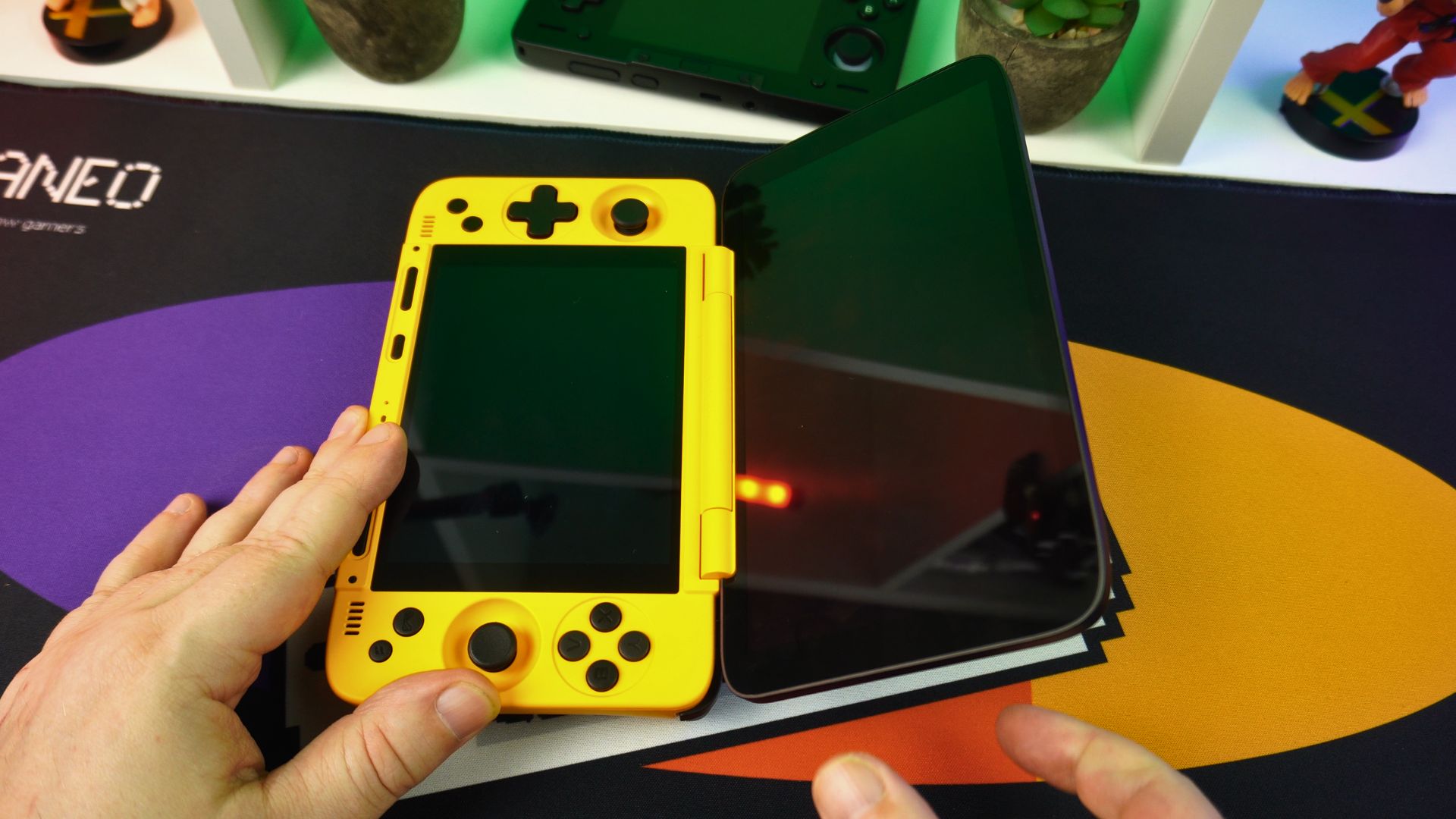
Opening the lid reveals the top display, which is a 7” OLED touchscreen with a 1920×1080 resolution supporting 60, 90, 120, 144, and 165Hz. Below that, on the bottom, we have a 5” LCD with a 1024×767 resolution supporting 60Hz.
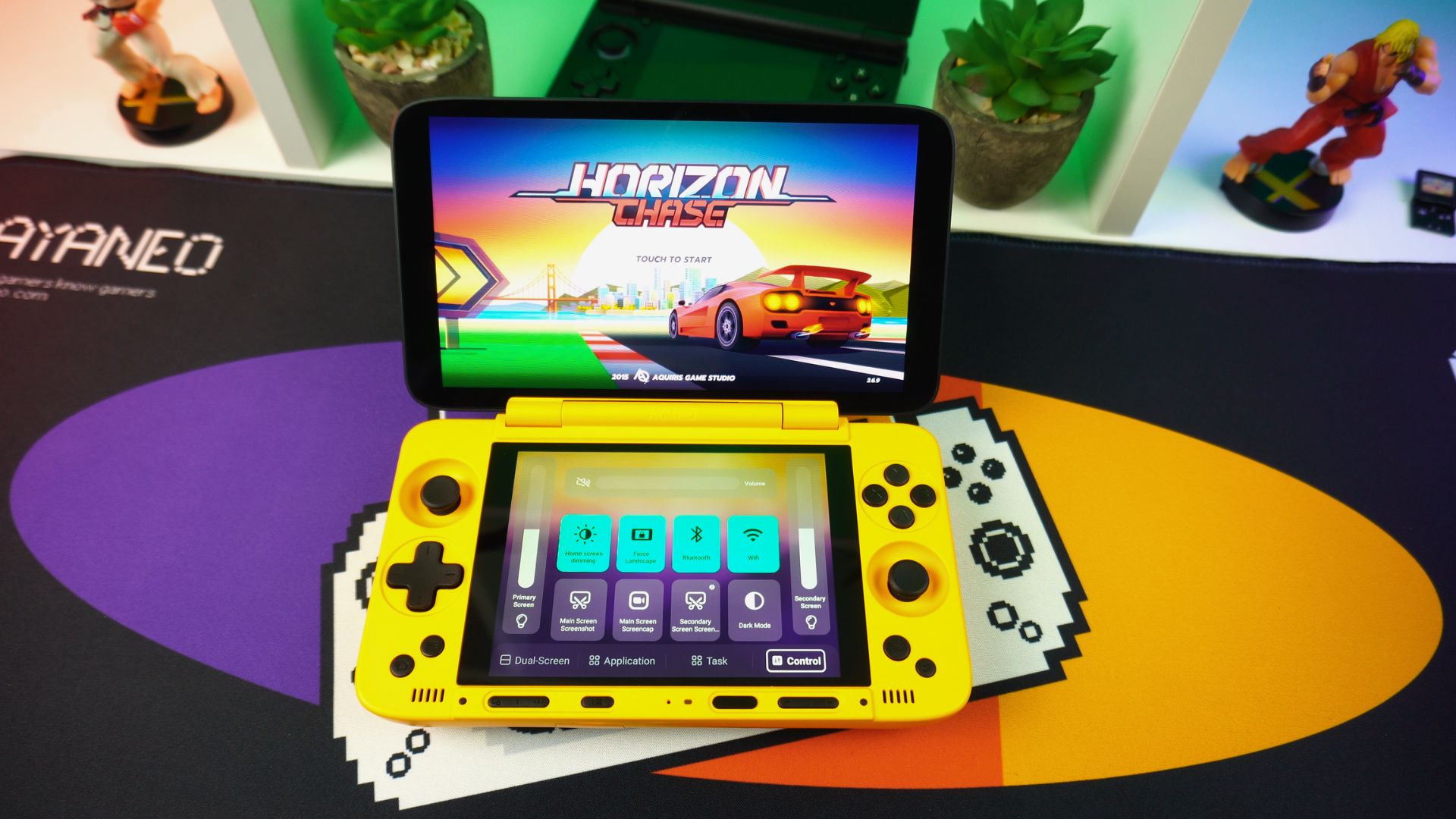
On either side of the bottom display, we have TMR dual analogue sticks, a D-Pad, and the usual gaming buttons. Additionally, there are buttons below for SELECT & START, the AYA overlay, and return to desktop.
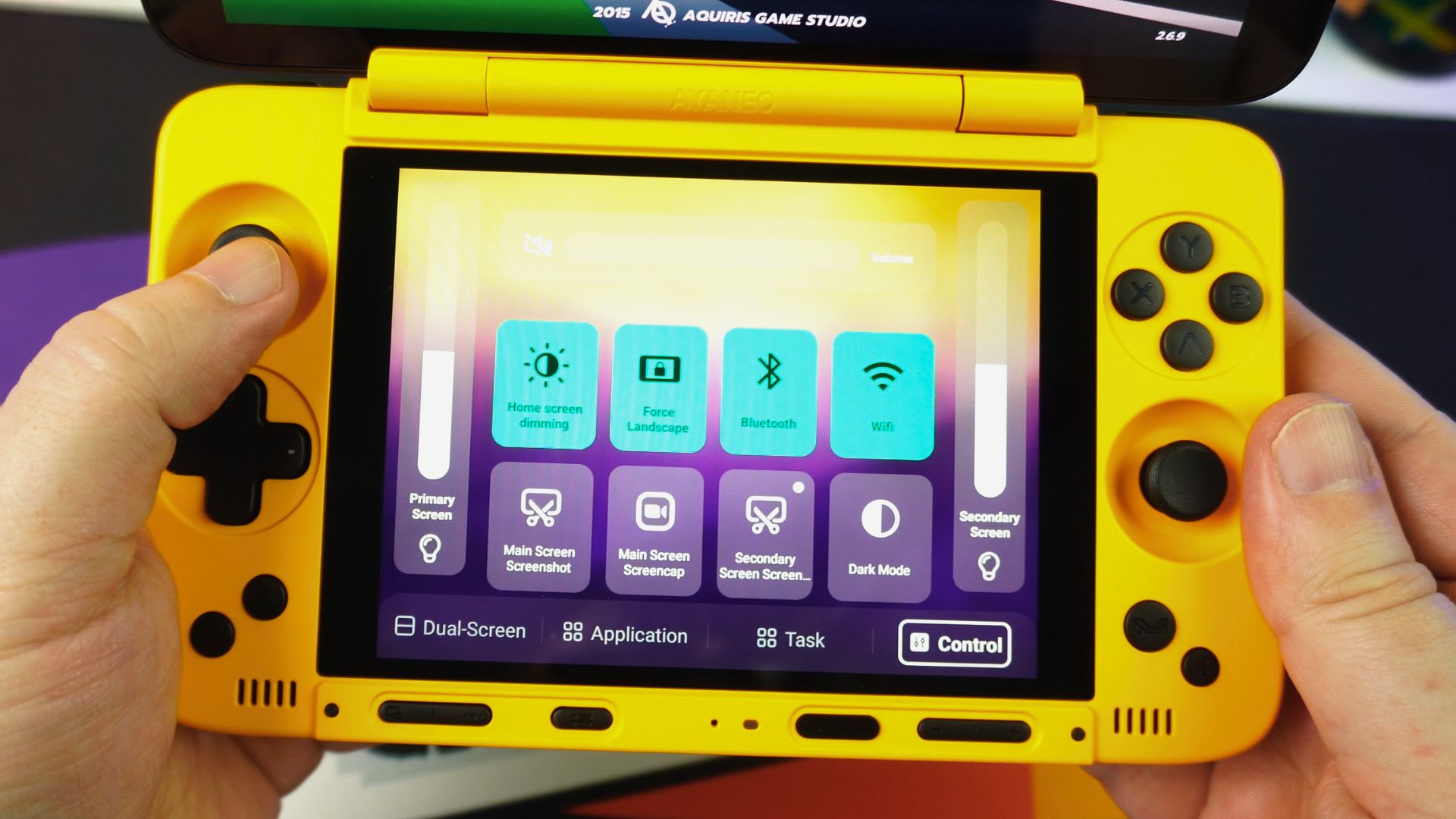
Below the display, there is yet another row of buttons, including those for bringing up the dual screen controls, performance mode switching, power, and volume controls. Moving to the exterior, the bottom of the handheld has a covered micro SD card reader.
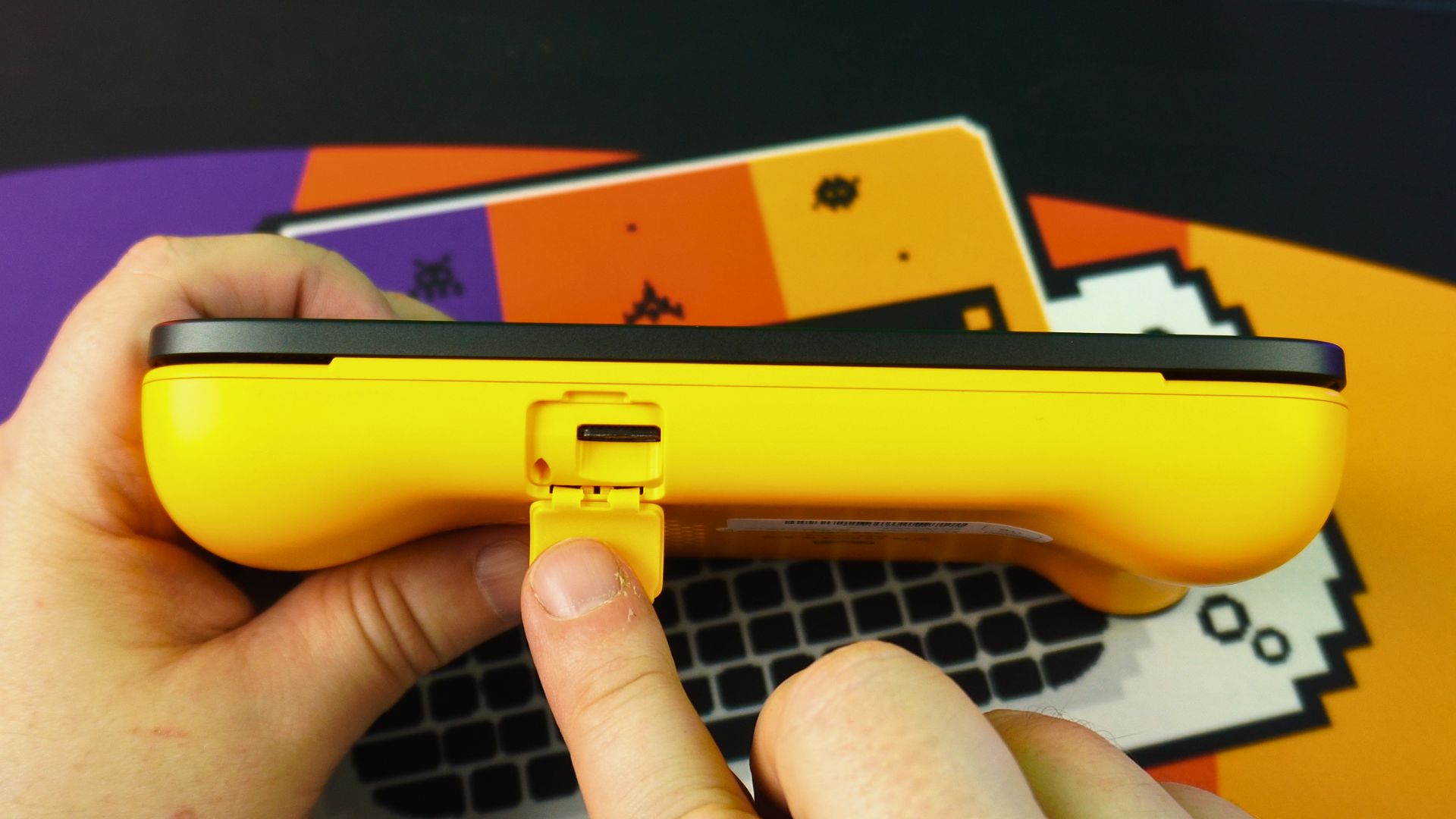
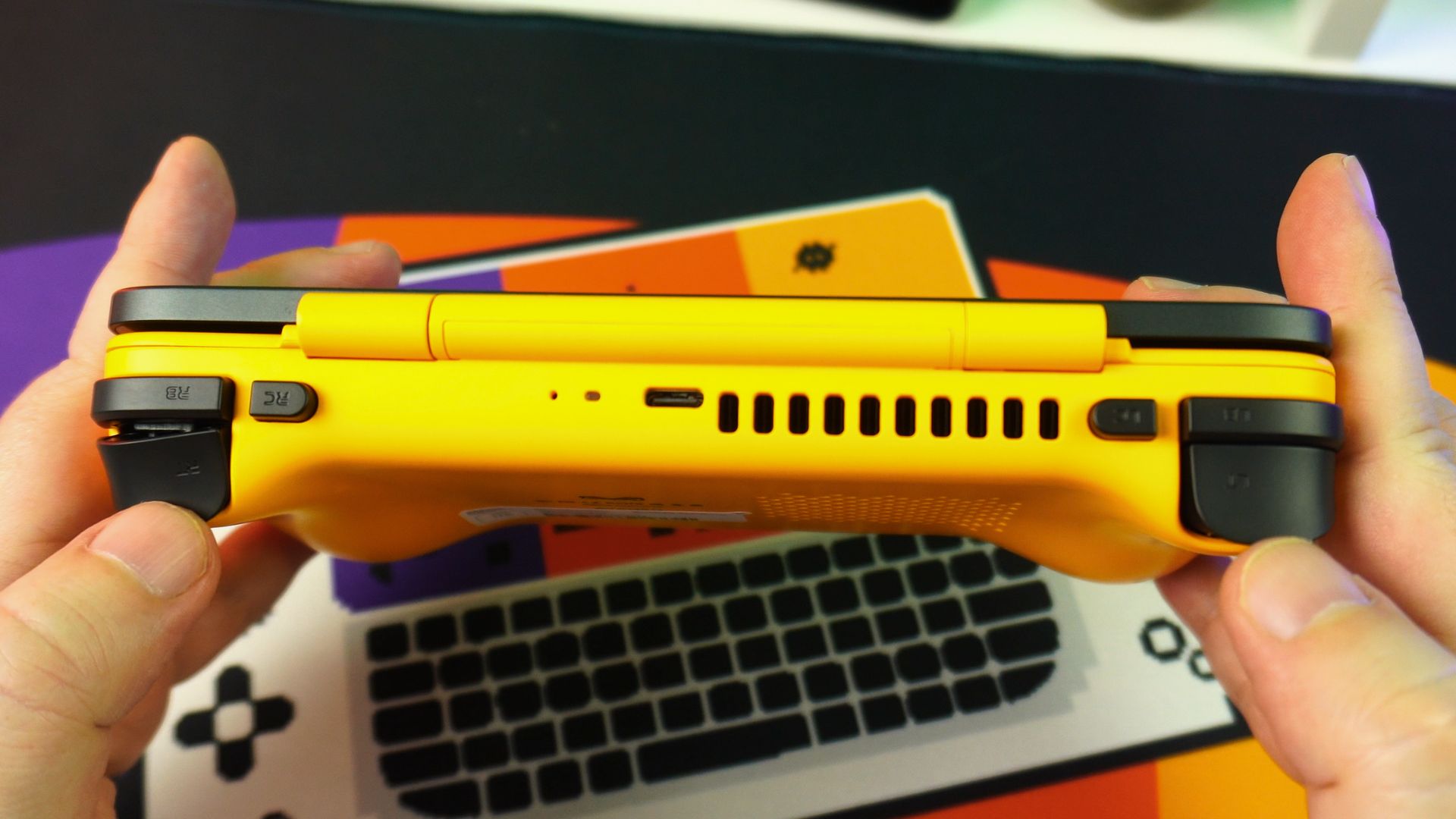
Finally, the top has dual shoulder buttons and linear hall effect triggers, redefineable macro buttons, and a USB 3.2 Gen 2 Type-C port for data and charging.
AYANEO Pocket DS Look & Feel
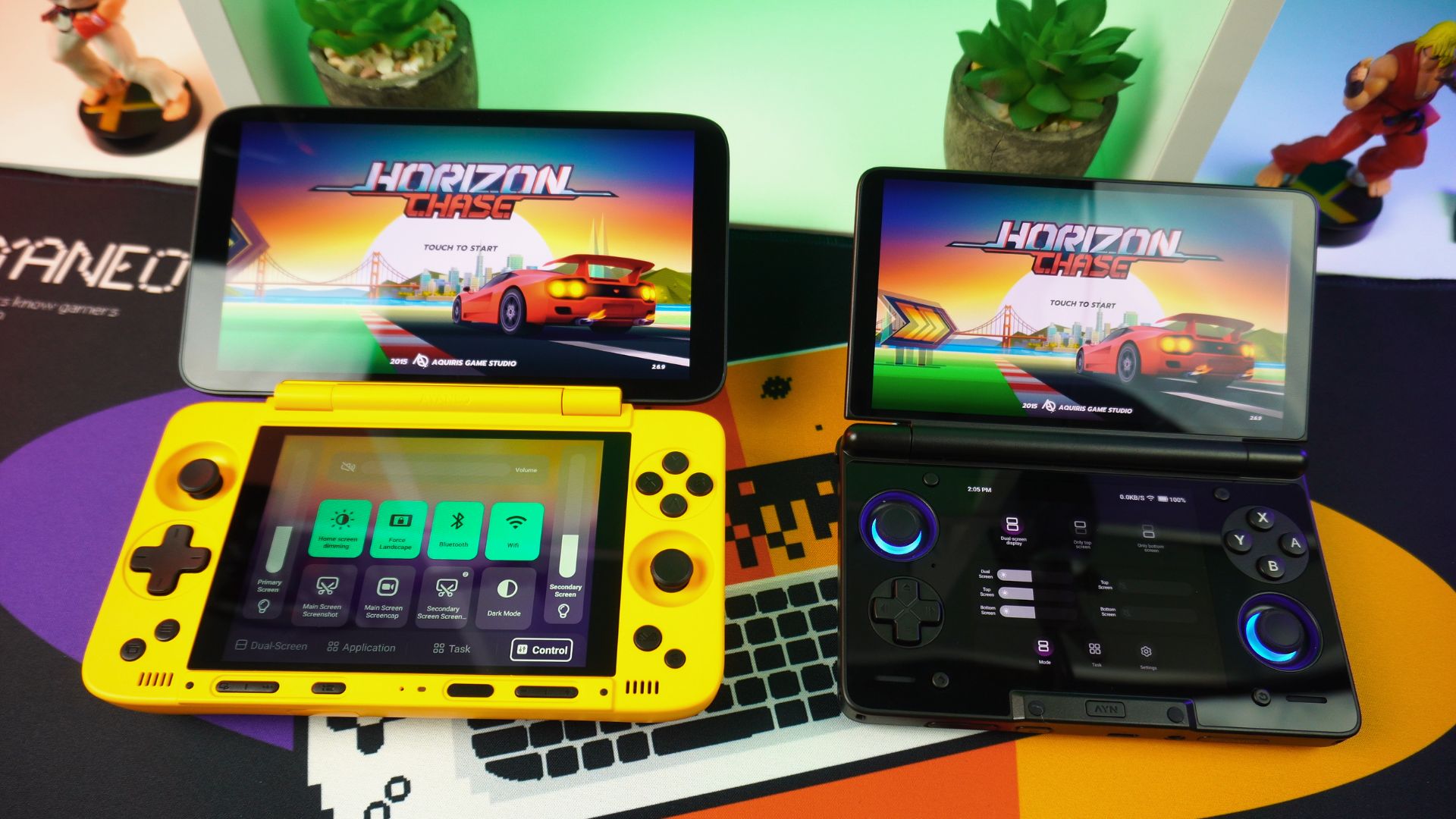
The Pocket DS is relatively comfortable to hold for a gaming Android handheld. However, I have noticed that the tops of the analogue sticks are quite small. Having tried this after the AYN Thor, which has larger tops, it does feel strange. In fact, it’s also quite a bit larger and heavier than the Thor, making it more suited for a larger jacket pocket or bag rather than jeans pockets with the Thor.
AYANEO Pocket DS Review Technical Specifications
As part of our AYANEO Pocket DS review we cover the technical specifications as well as our own battery life, fan noise and temperature tests.
| MAIN DISPLAY | 7″ 1080P OLED vibrant high refresh-rate display Full-angle adjustable hinge Max opening angle: 180° Resolution: 1920 x 1080 Supports HDR 150% sRGB color gamut volume 800 nits peak brightness 90% DCI-P3 color gamut Five refresh rate options: 165Hz / 144Hz / 120Hz / 90Hz / 60Hz |
| SECONDARY DISPLAY | 5″ LCD screen with 1024 x 768 resolution 4:3 aspect ratio 256PPI 100% sRGB color gamut volume 550 nits peak brightness |
| CPU/GPU | Snapdragon G3x Gen 2 Gaming Platform, Up to 15W Qualcomm Adreno A32 |
| RAM/STORAGE | 8GB+128GB (LPDDR5X 8533Mbps/UFS 3.1) 12GB+256GB (LPDDR5X 8533Mbps/UFS 4.0) 16GB+512GB (LPDDR5X 8533Mbps/UFS 4.0) 16GB+1TB (LPDDR5X 8533Mbps/UFS 4.0) |
| I/O | 1 x Full Function USB 3.2 Gen 2 Type-C丨10Gbps 1 x Micro SD card slot丨100MB/s |
| BATTERY | 8,000mAh, 40W PD charging |
| COLOURS | ShadowDance Black / Starry Yellow / Retro Gray |
| SIZE | 7.05 x 3.98 x 0.98 inches (17.9 x 10.1 x 2.5 cm) |
| WEIGHT | 540g (1.19lbs) |
| OS | Android 13 |
Powering it all is an 8,000 mAh battery. We conducted our usual max settings battery life test, running Antutu on a loop, full brightness on both displays, MAX Performance setting with fans at full speed. Ultimately, we got a battery life of 2 hours 17 mins. This is a key finding in our AYANEO Pocket DS review. Average usage will, of course, depend on what you are playing, but you can expect around 6 to 8 hours.
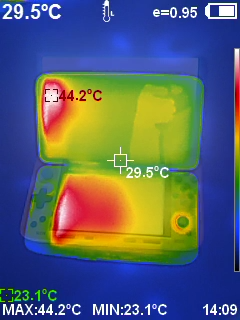
As for our fan noise and temperature tests, we got a highest fan noise of 68db, an average of 43db, and barely audible on Low. Furthermore, for temperatures, it ran extremely cool overall, only getting around 45°C on the display areas.
AYANEO Pocket DS Review System Benchmarks
For our benchmarks in this AYANEO Pocket DS review, we will be testing with the bottom display switched on and off to see differences in performance. We will also be comparing it to the AYN Thor, which has a different processor, and the AYANEO Pocket ACE and DMG, which have the same.
Geekbench 6
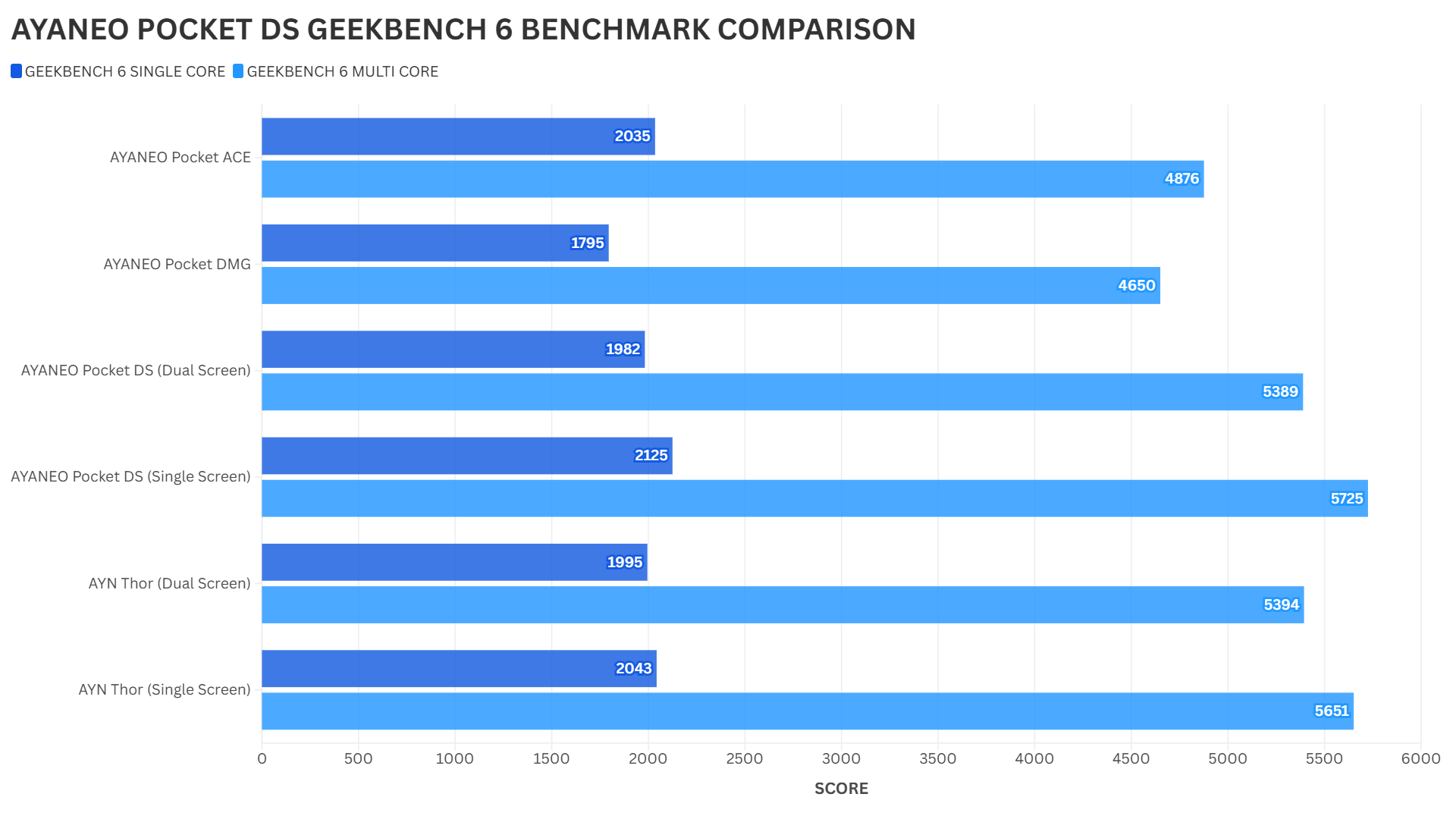
Geekbench 6 tests the single and multi-core performance of the processor. Looking at the results, the single-core scores, with both displays on, show good scores. Interestingly, we see a larger difference in multi-core over the Pocket ACE and DMG, but similar scores to the Thor.
Antutu
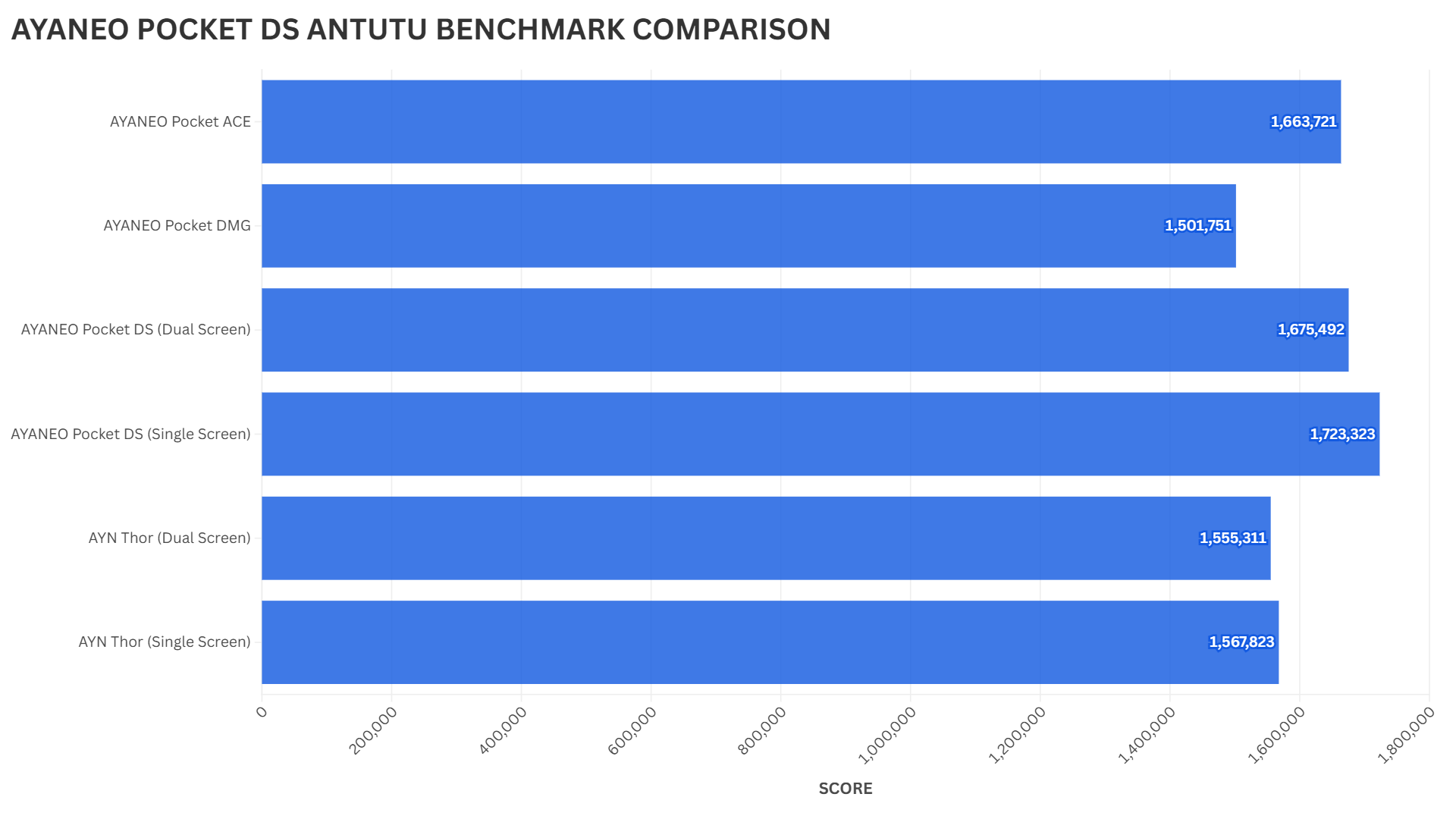
Antutu tests the overall performance of Android gaming handhelds. Here, we see excellent results in both Dual and Single screen scores, taking first place over the same CPU Pocket ACE & AYANEO Pocket DMG. Truly impressive!
3DMARK
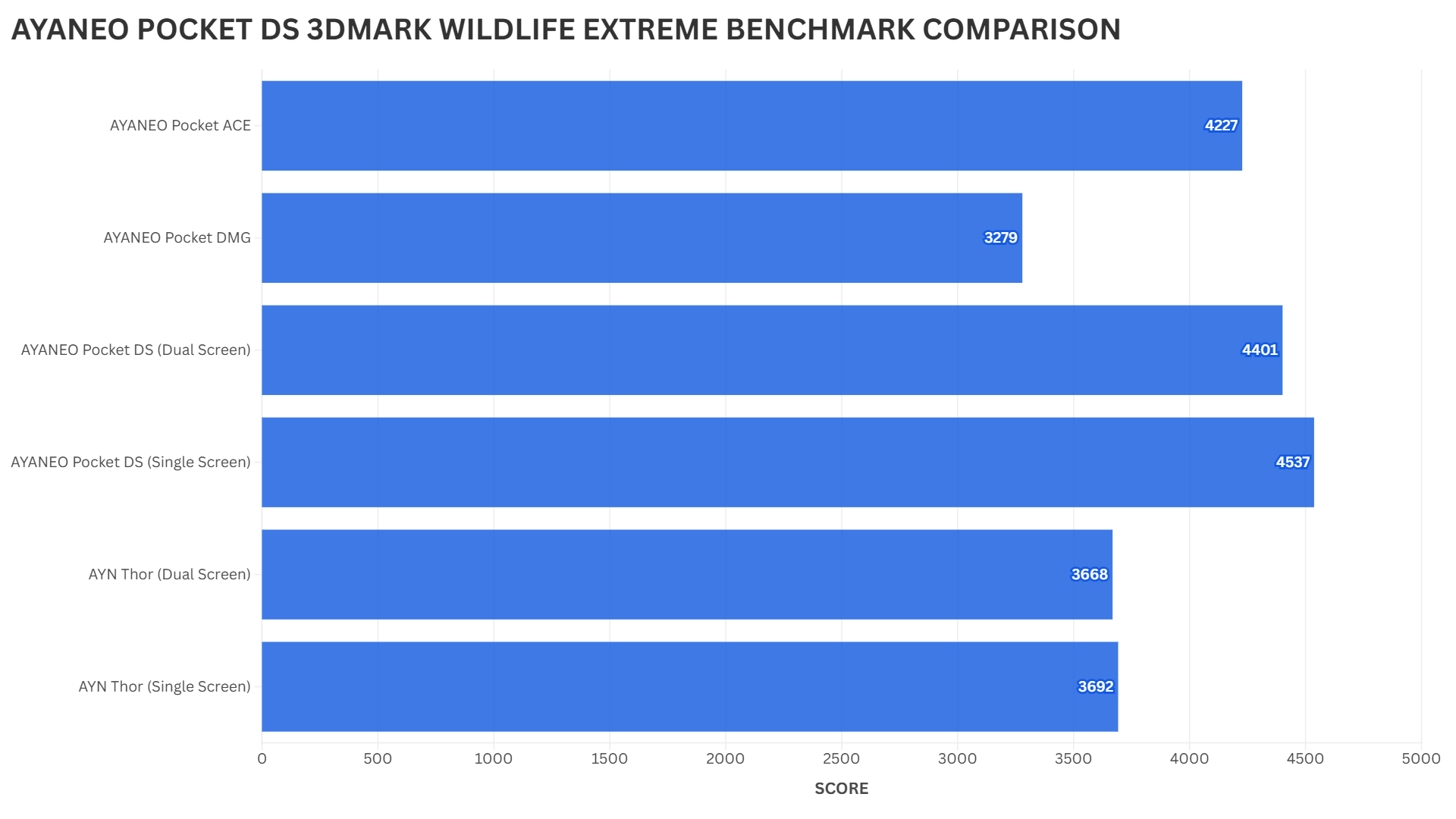
For the 3DMARK Wildlife Extreme benchmark, we again see very impressive results. Specifically, there is a decent increase in performance over the Pocket ACE & DMG with both displays switched on, and with just one display, it has a very comfortable lead over them.
AYANEO Pocket DS Software
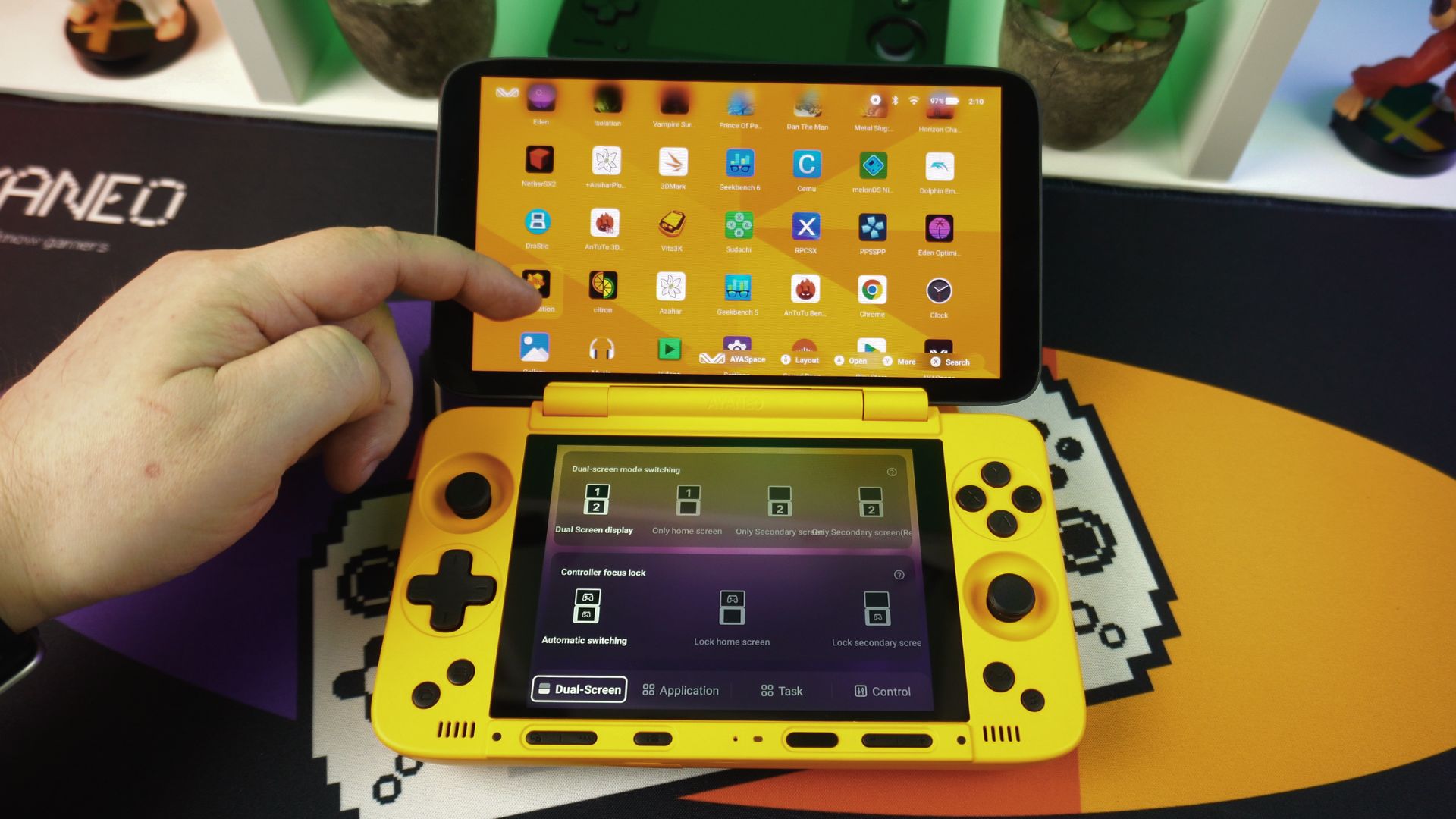
As part of this AYANEO Pocket DS review we also take a look at the OS and software that comes with it. The AYANEO Pocket DS runs Android 13 and has its own home screen software, making it a versatile Android gaming console. This home screen has shortcuts at the top for regularly used apps, and the others are shown below.
In addition, their game launcher, AYA Space, hasn’t really changed much over time. You can add your game and ROM collection here and it will list them. However, we would love to see a built-in game scraping feature to really complete this AYANEO software.
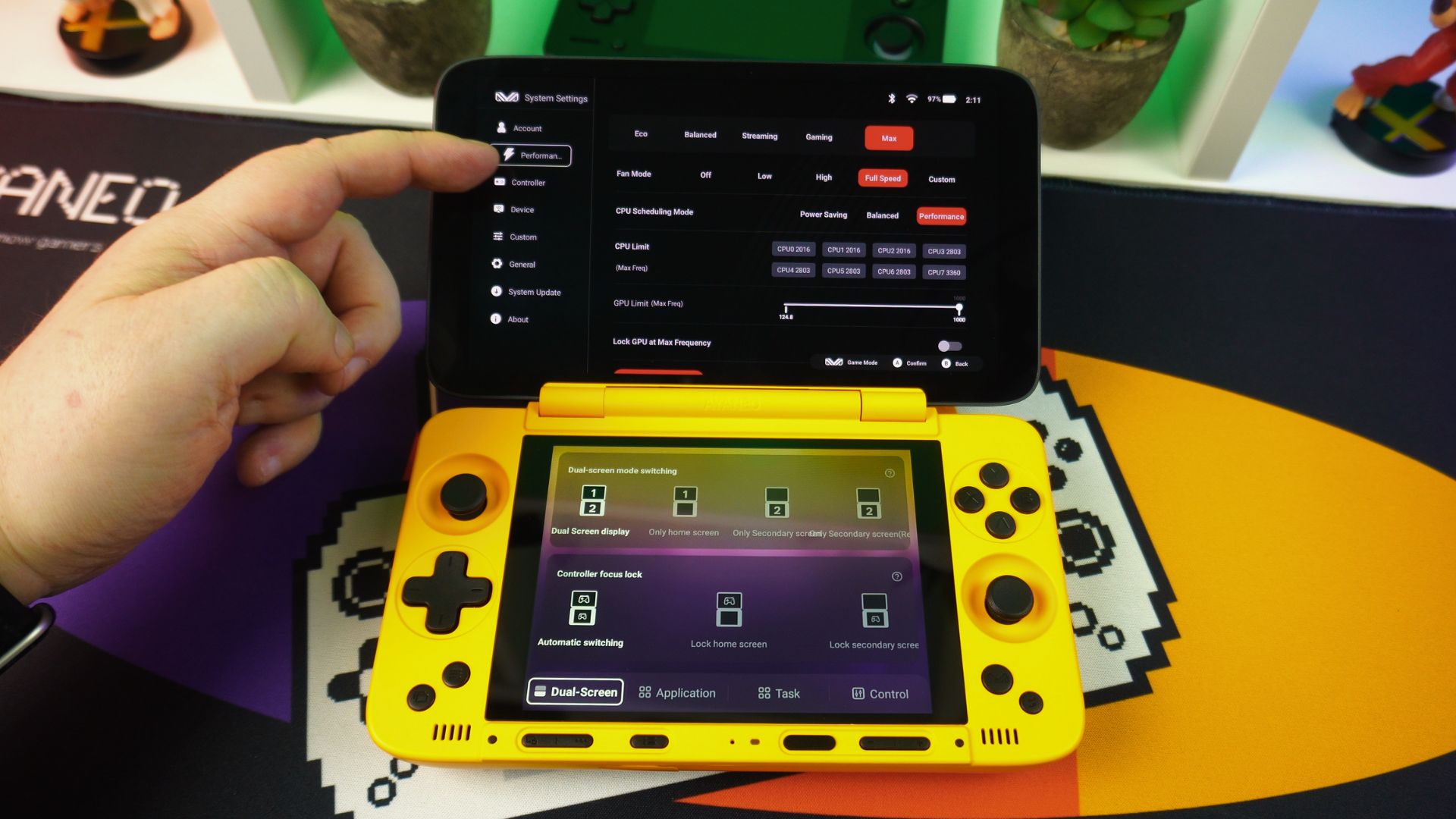
The AYA Settings software gives you control over the device with performance tweaking, controller, and device settings, including device spoofing to unlock enhanced game graphics in games. You can also update the AYA software and firmware from here.
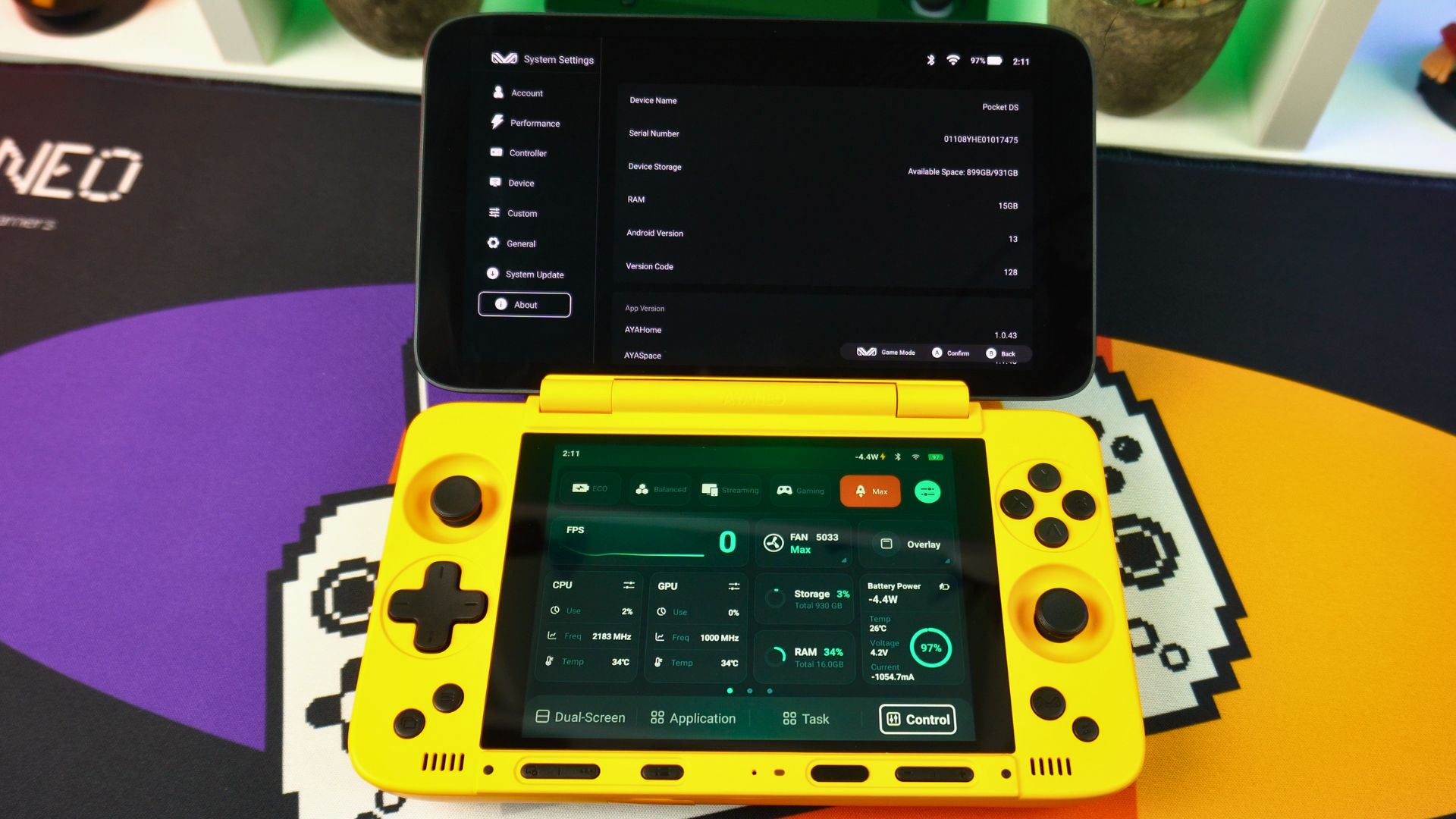
Crucially, to take advantage of the dual screens, there is an easy-to-access menu with Dual-screen controls to switch off/on & lock the controller focus to individual displays. Furthermore, the Application option will launch the select app in the bottom instead of the top display, and ‘Control’ configures the individual brightness, volumes, and other common functions.
Android Gaming
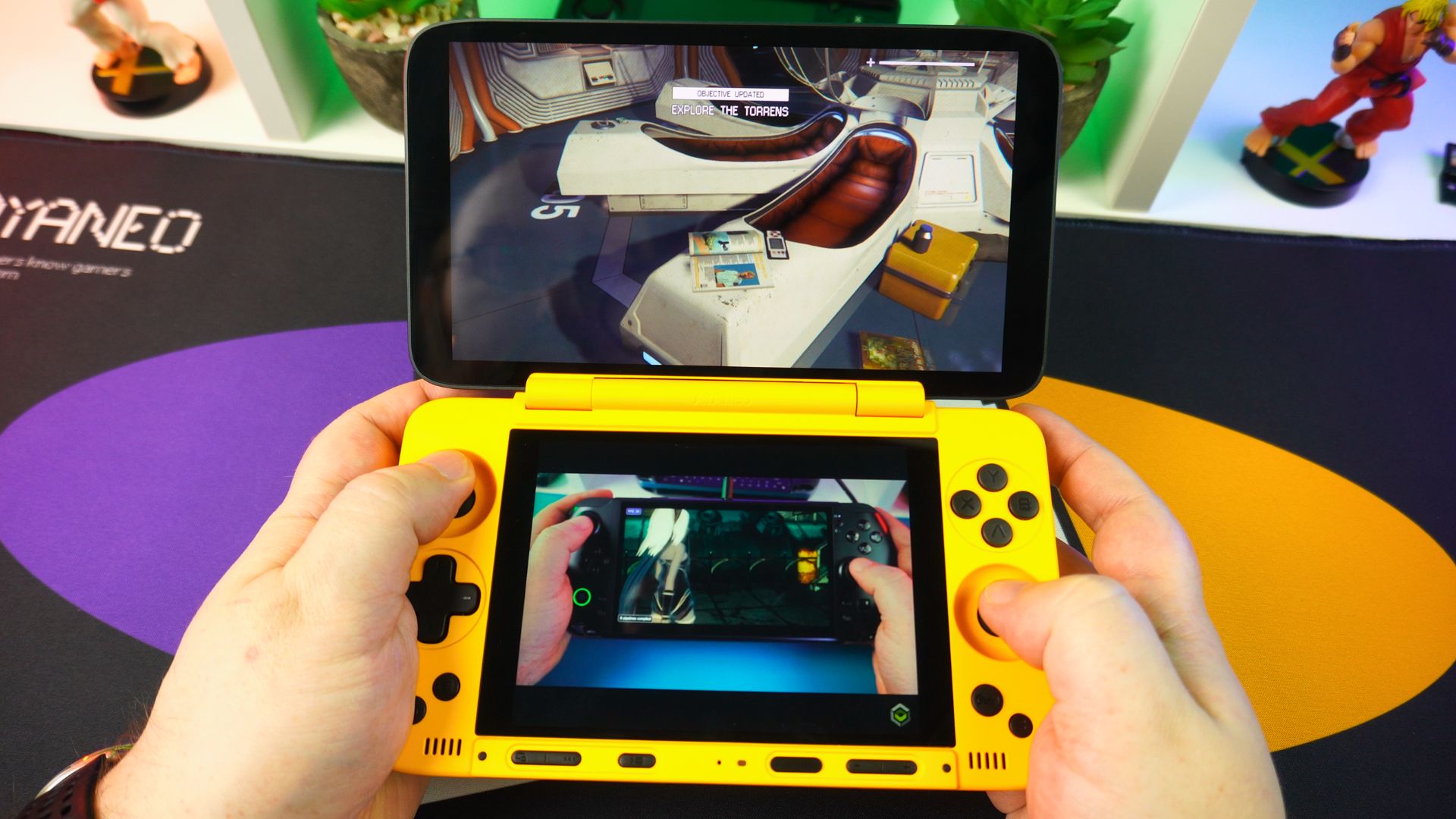
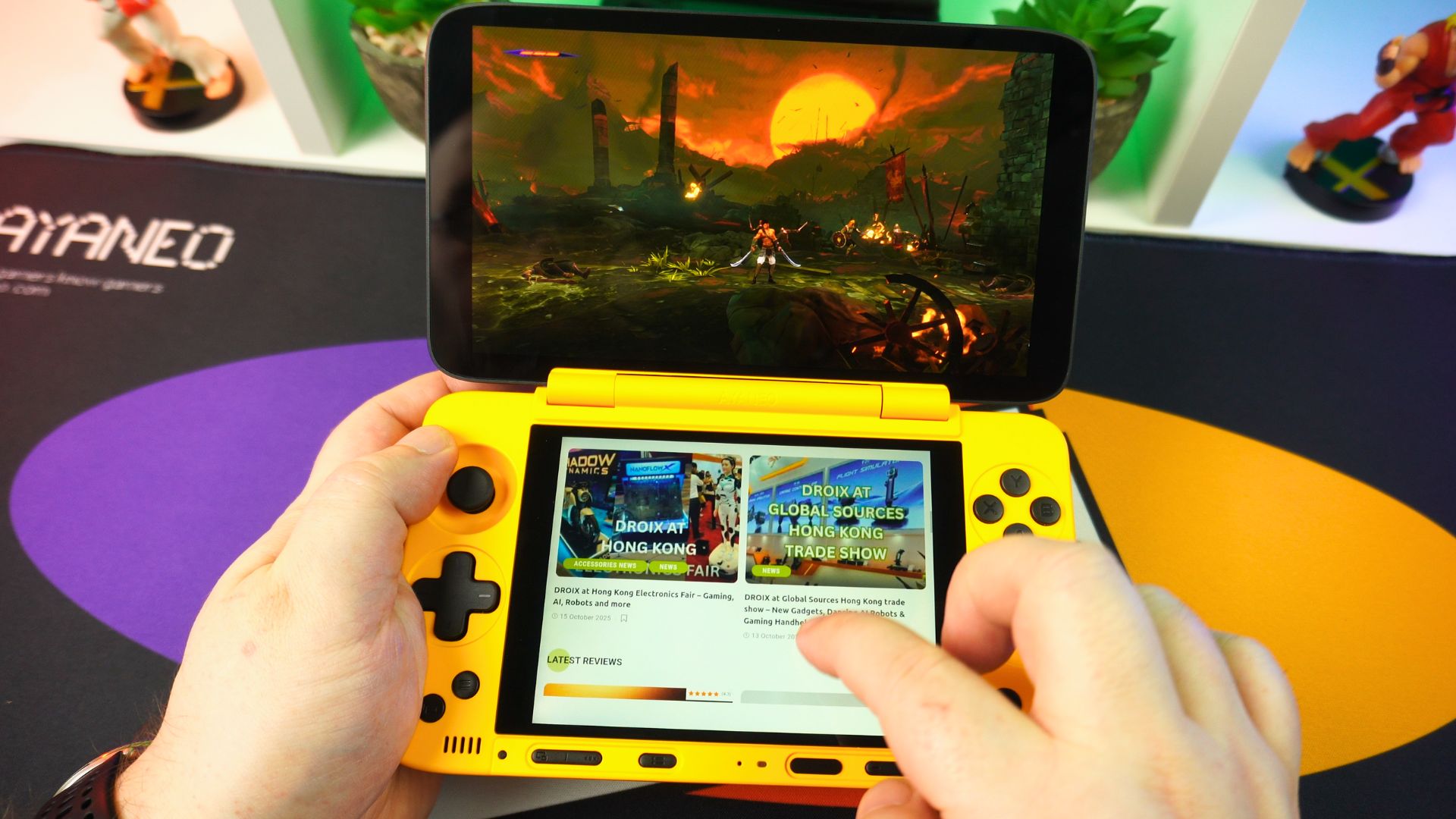
No AYANEO Pocket DS review would be complete without some Android gaming tests. We know from similar Android gaming handhelds that playing AAA games will be no problem. For instance, we tried our usual bunch of games including Alien Isolation, Prince of Persia, Horizon Chase, and Dungeon Hunter. All ran fine without any slowdowns.
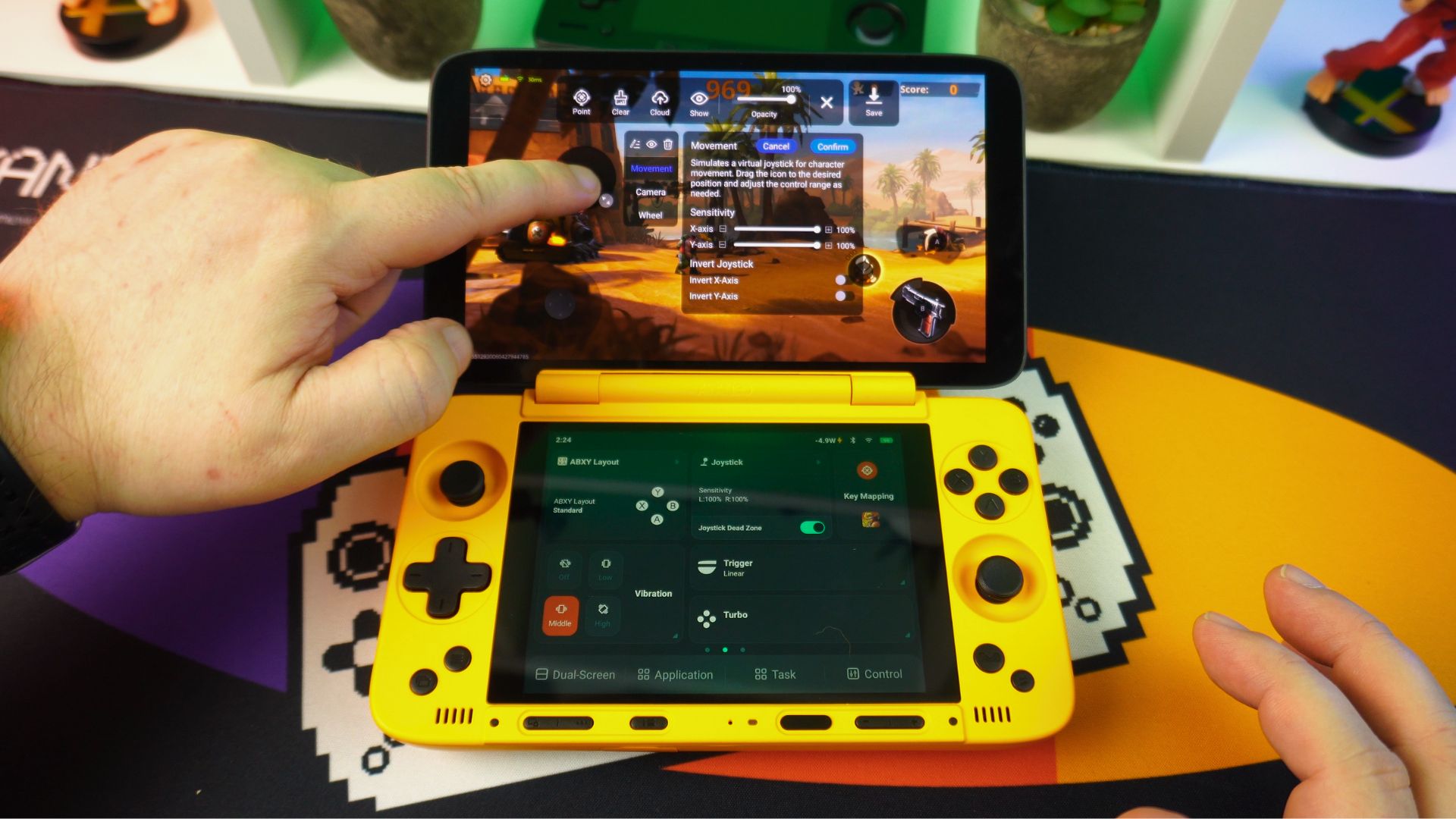
Of course, for games that do not have native joystick support, you do have the built-in screen mapping software. It is very easy to set up and use with a variety of games. Simply drag and drop the respective control to the screen area and you are good to go.
Emulation
The Snapdragon series are great for emulation, and consequently, it will run just about everything up to the PlayStation 2 era without breaking a sweat. In most cases, you can increase the rendering resolution for improved visuals, add graphics tweaks, etc. Moreover, the Turnip graphics drivers have improved a great deal in the past year, and we are seeing improvements in higher-end emulators especially. Let’s take a look at a few:
DraStic
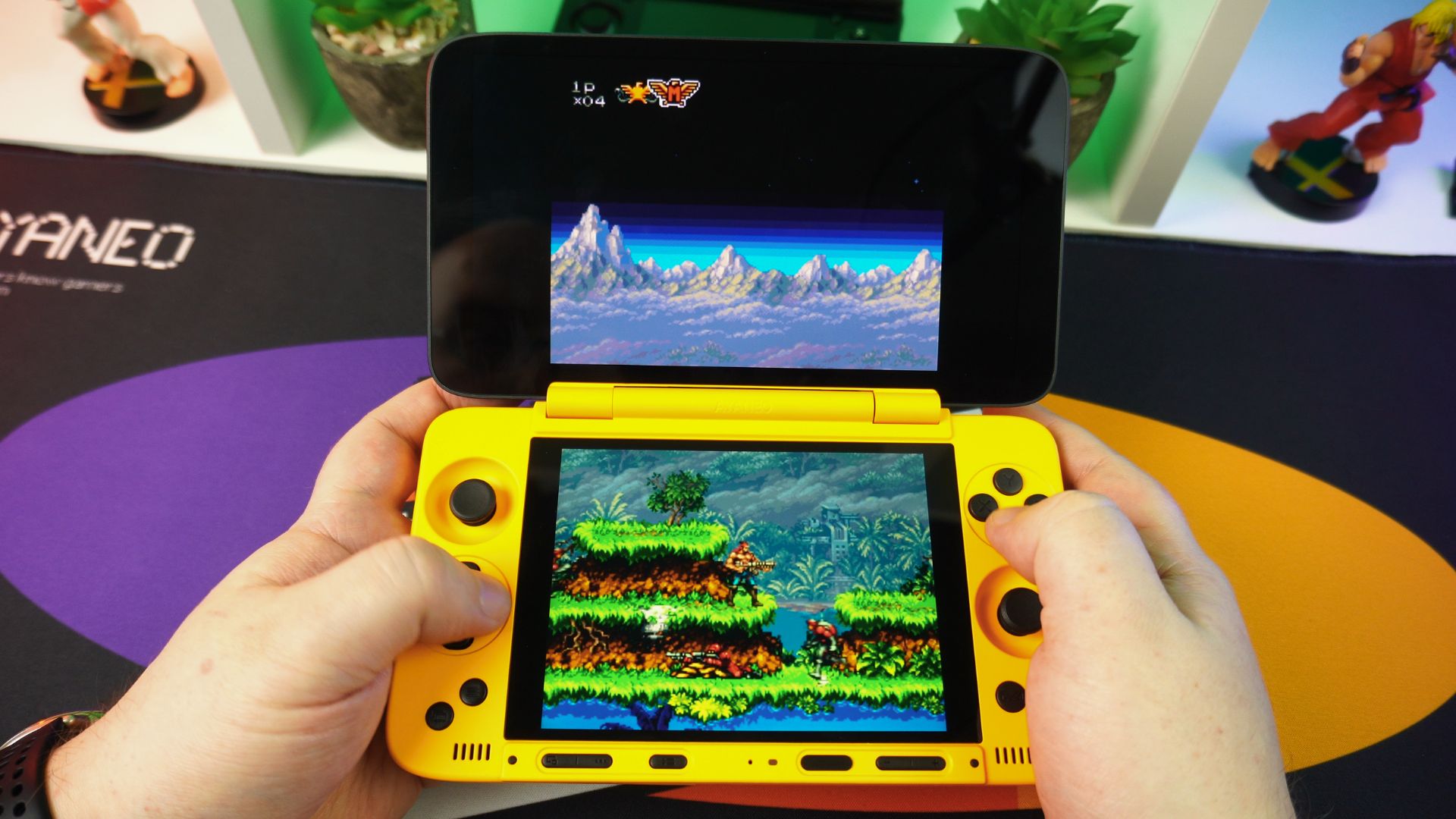
For getting the dual screen emulators working on both screens, you need to run the app from the bottom screen and do some settings changes to display correctly. Once you are up and running, for example, you will have no issues running the DraStic emulator. You can even lower the performance settings, etc., for longer battery life.
Azahar
Similarly, the 3D dual screen emulator Azahar runs great. Again, you will need to do a little setting up for display on both screens. Once configured, all compatible games run great, and you can increase the rendering resolution to 1080P.
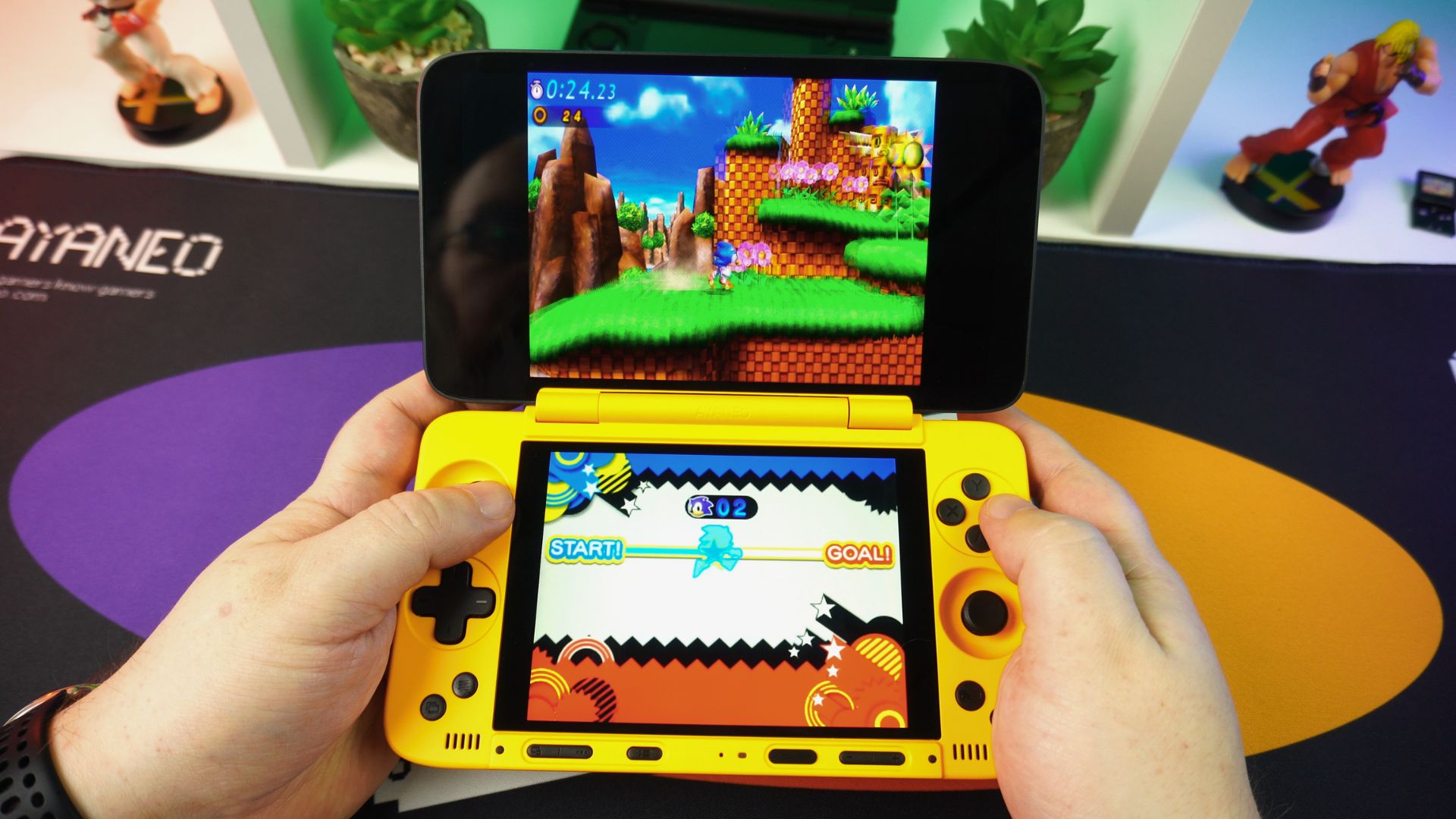
Cemu
The Cemu emulator is in fairly early stages of development, so it’s not massively compatible. You will need to use a forked Cemu version of this emulator for dual screen support. However, there are not many games that use the two displays, so for now, you are not missing much.
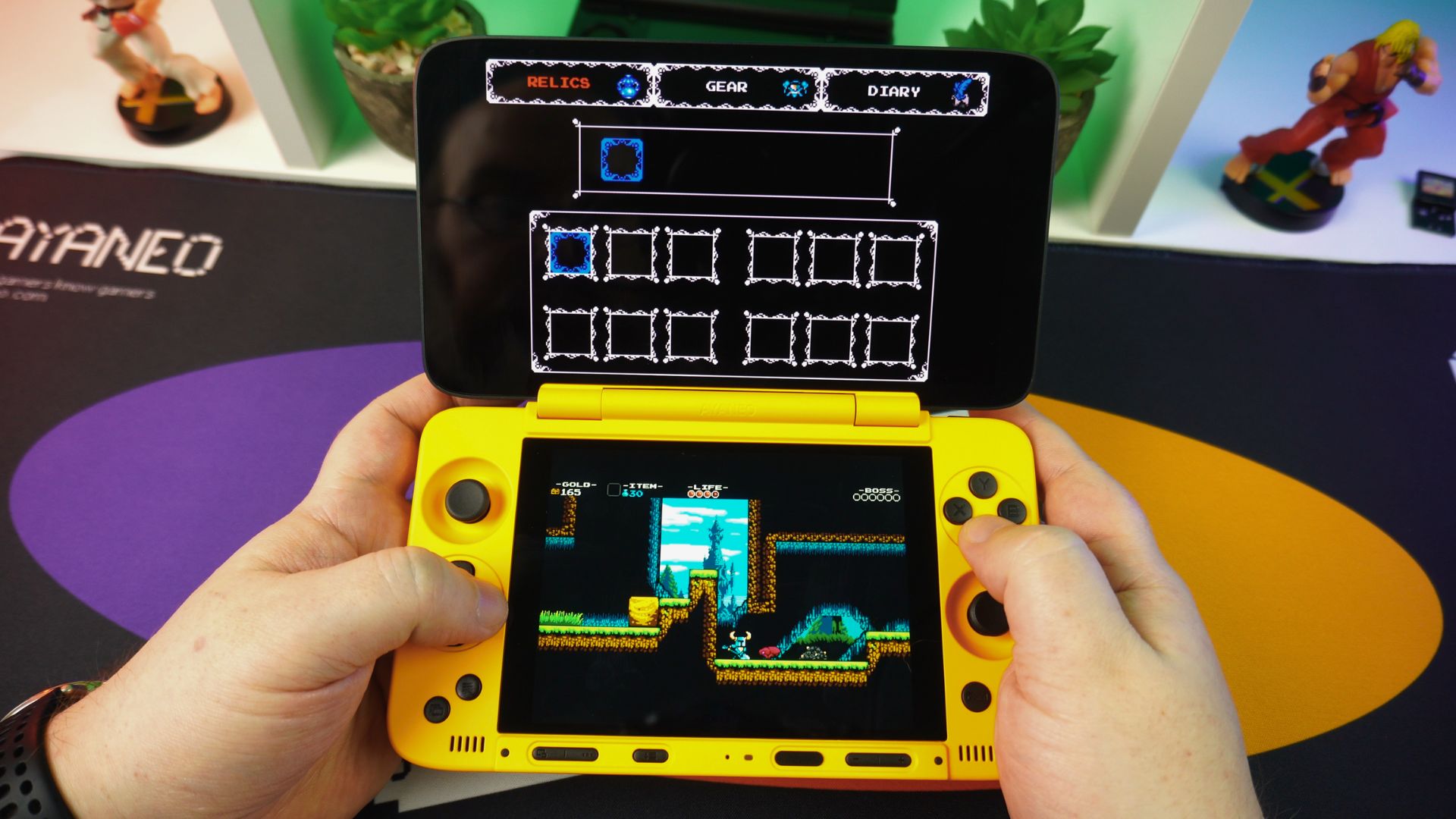
Vita3K
The Vita3K emulator, of course, runs very well. Depending on the game and compatibility, you can set it to 2 or 3x rendering resolution for improved visuals. As a result, the games look great on this screen.
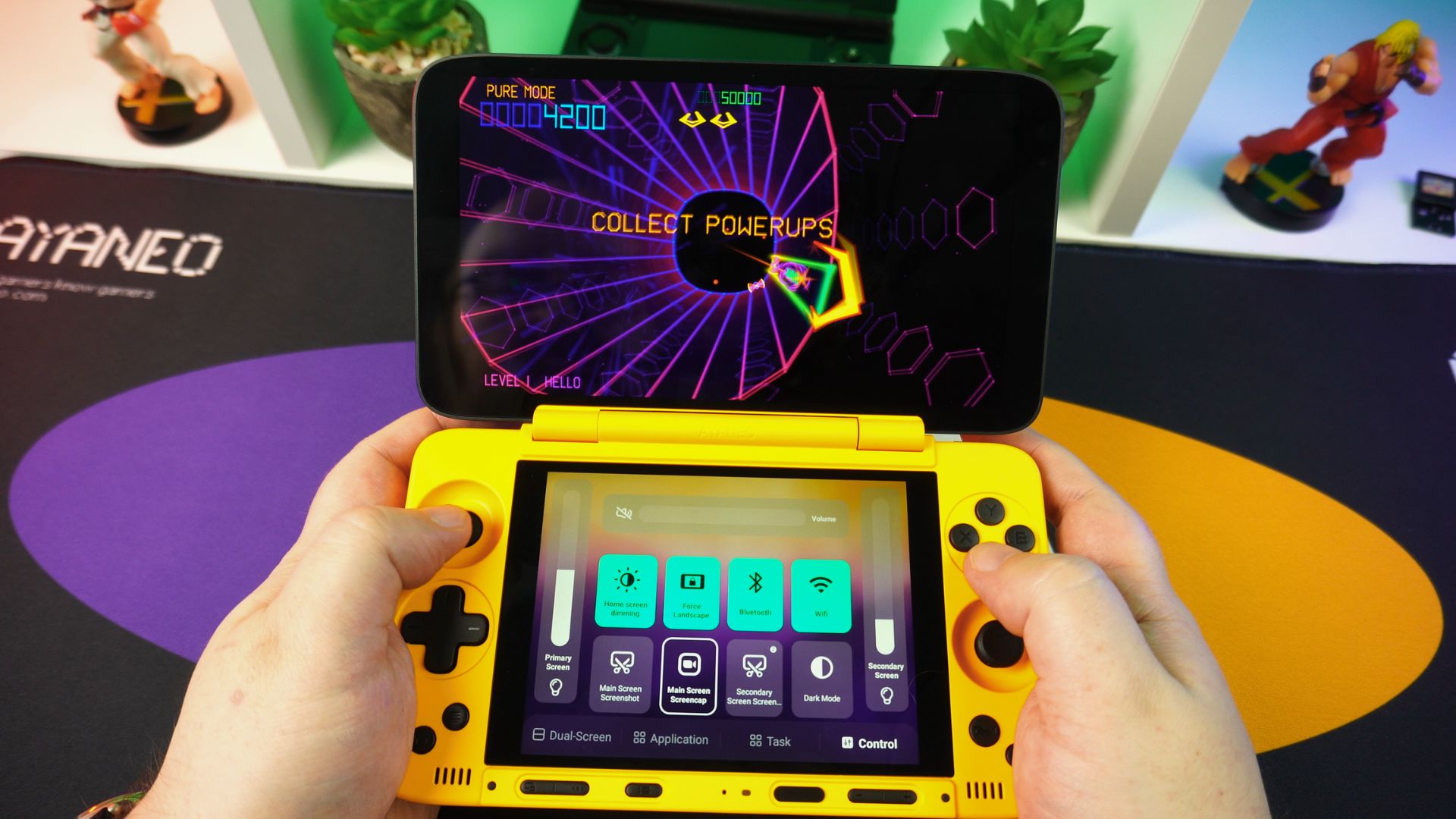
Eden
Finally, the Eden emulator runs great with Turnip drivers installed. You will be able to run many games at full speed in docked mode. For the first-party games we can’t mention, they run quite well, with many definitely at playable speeds. Indeed, the overall emulation performance is a definite highlight of this AYANEO Pocket DS review.
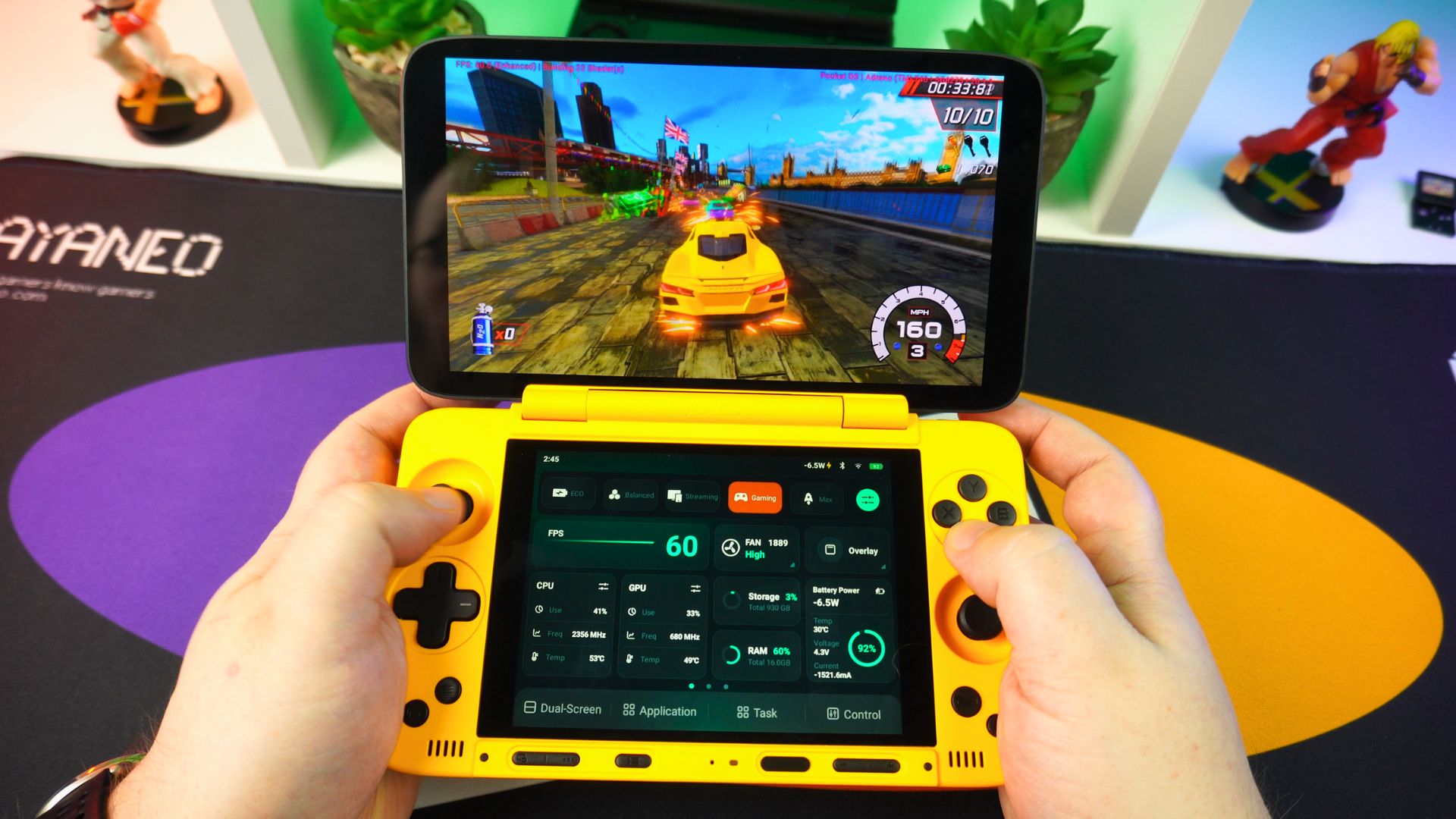
AYANEO Pocket DS Review Final Thoughts
Lets sum up our AYANEO Pocket DS review with our final thoughts. Overall, the AYANEO Pocket DS is a fantastic Android gaming handheld. In our benchmark tests, for instance, we saw some top results against the same CPU devices. I reckon the physically larger device and its cooling has helped there.
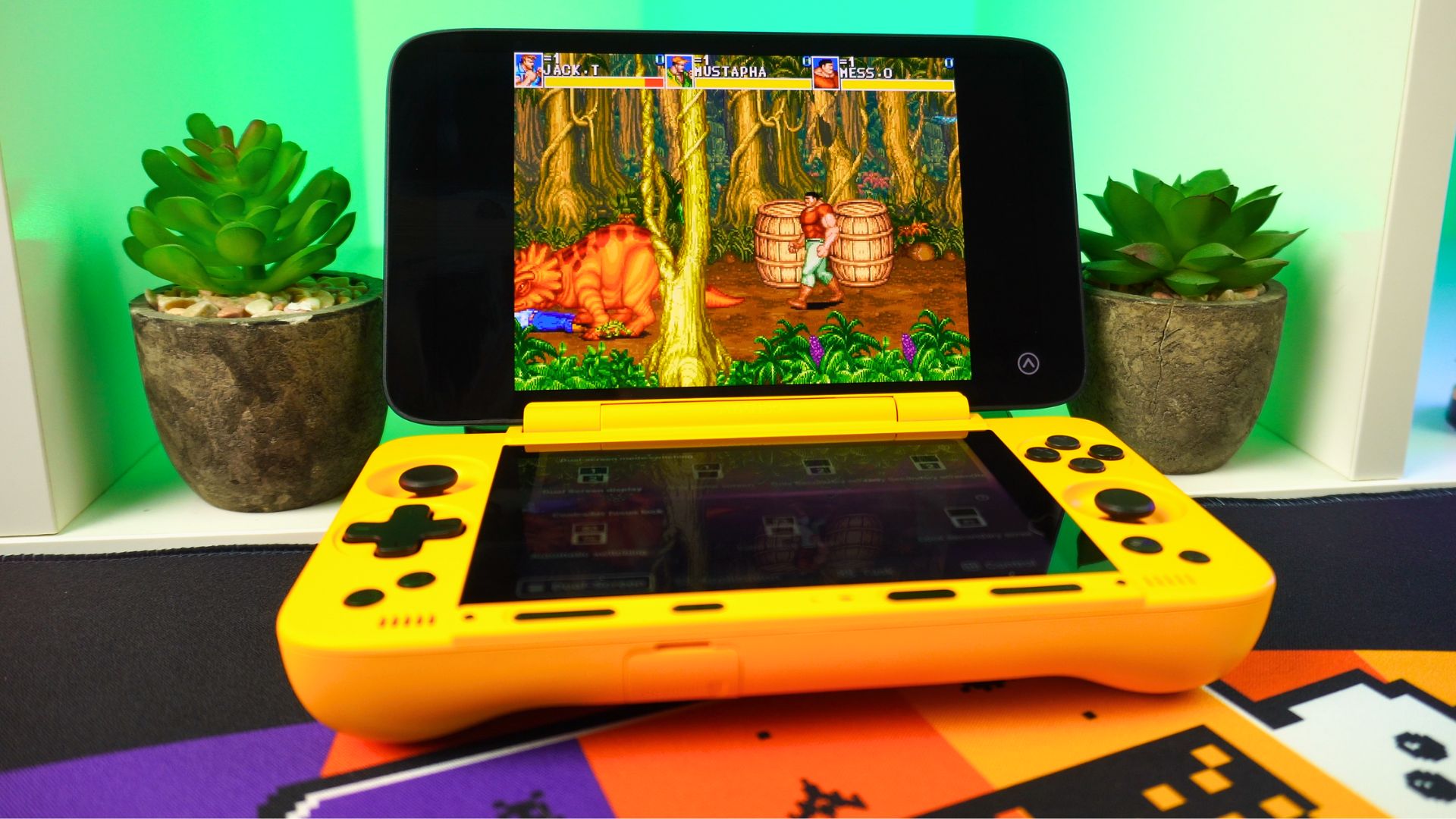
The two large displays really stand out against the AYN Thor, for example. It really is nice to play on the larger displays, making this feel like a premium Android gaming console. But, of course, with the larger displays comes an overall larger handheld. The Pocket DS is a fair bit larger than the Thor, and consequently, it doesn’t have that pocket portability, but rather is suited for a large jacket pocket or bag.
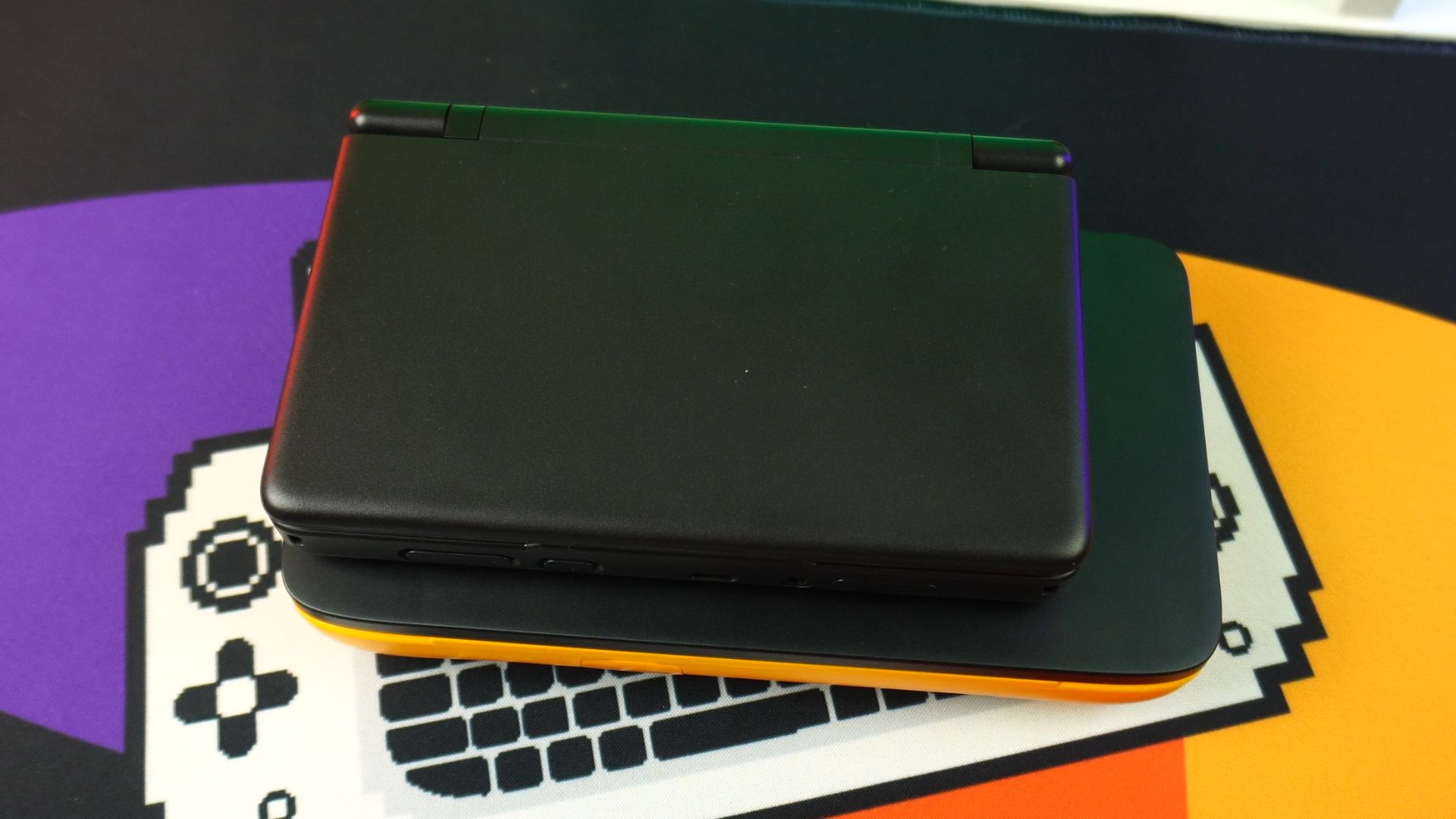
So, as to which you should decide on between the two, both have their advantages and disadvantages in terms of performance, design, size, portability, etc. We recently had a popular discussion on Reddit, and there is no clear winner decided there in the comments. Ultimately, it is a bit of a personal preference for this type of gaming Android handheld.
Which would you choose? The AYANEO Pocket DS or AYN Thor? Let us know in the comments!




