

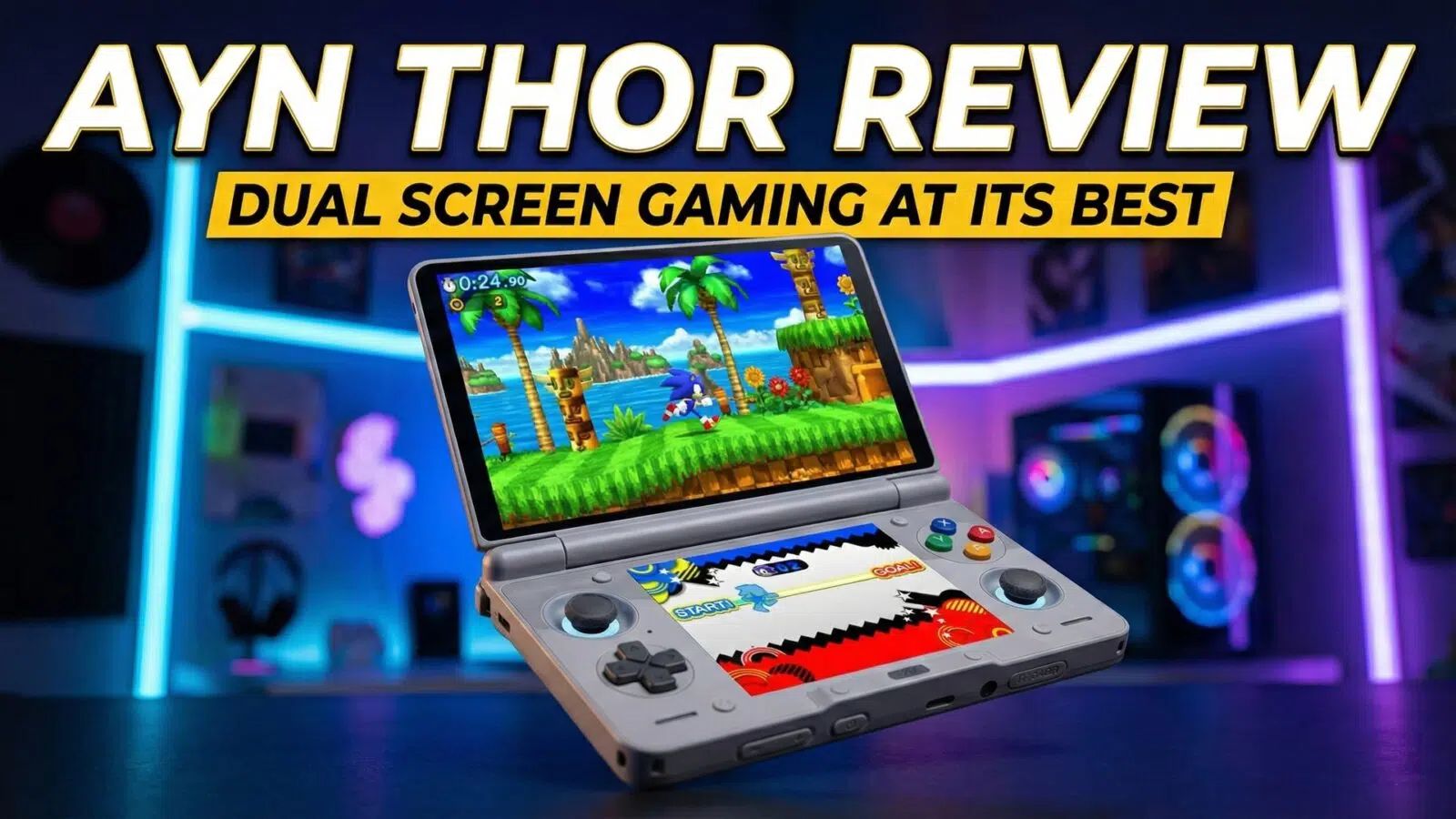
AYN Thor Review
-
Design
(4.7)
-
Build Quality
(4.5)
-
Display
(4.8)
-
Performance
(4.5)
-
Features
(4.5)
-
Software
(4.5)
Summary
The AYN Thor is a highly portable, dual-screen Android handheld that excels at retro emulation with its premium AMOLED displays, powerful performance, and user-friendly software.
Overall
4.6User Review
( votes)Pros
- Powerful & Efficient Snapdragon 8 Gen 2 Performance
- Superior AMOLED Dual-Screens
- Excellent Portability & Ergonomics
- Simple, Uncluttered Software
Cons
- All glass front is a bit of a fingerprint magnet
There’s something about this dual screen Android gaming handheld that has made it one of the most anticipated of 2025 and continuing into 2026. Consequently, let’s take a closer look in our AYN Thor review. We will find out if it has truly been worth the wait.
AYN Thor Review Video
AYN Thor Overview
We will start our AYN Thor review with a brief overview. The AYN Thor measures around 5.9 x 3.7 x 1 inch (15.0 x 9.4 x 2.56 cm). Additionally, it weighs around 380g (0.837).
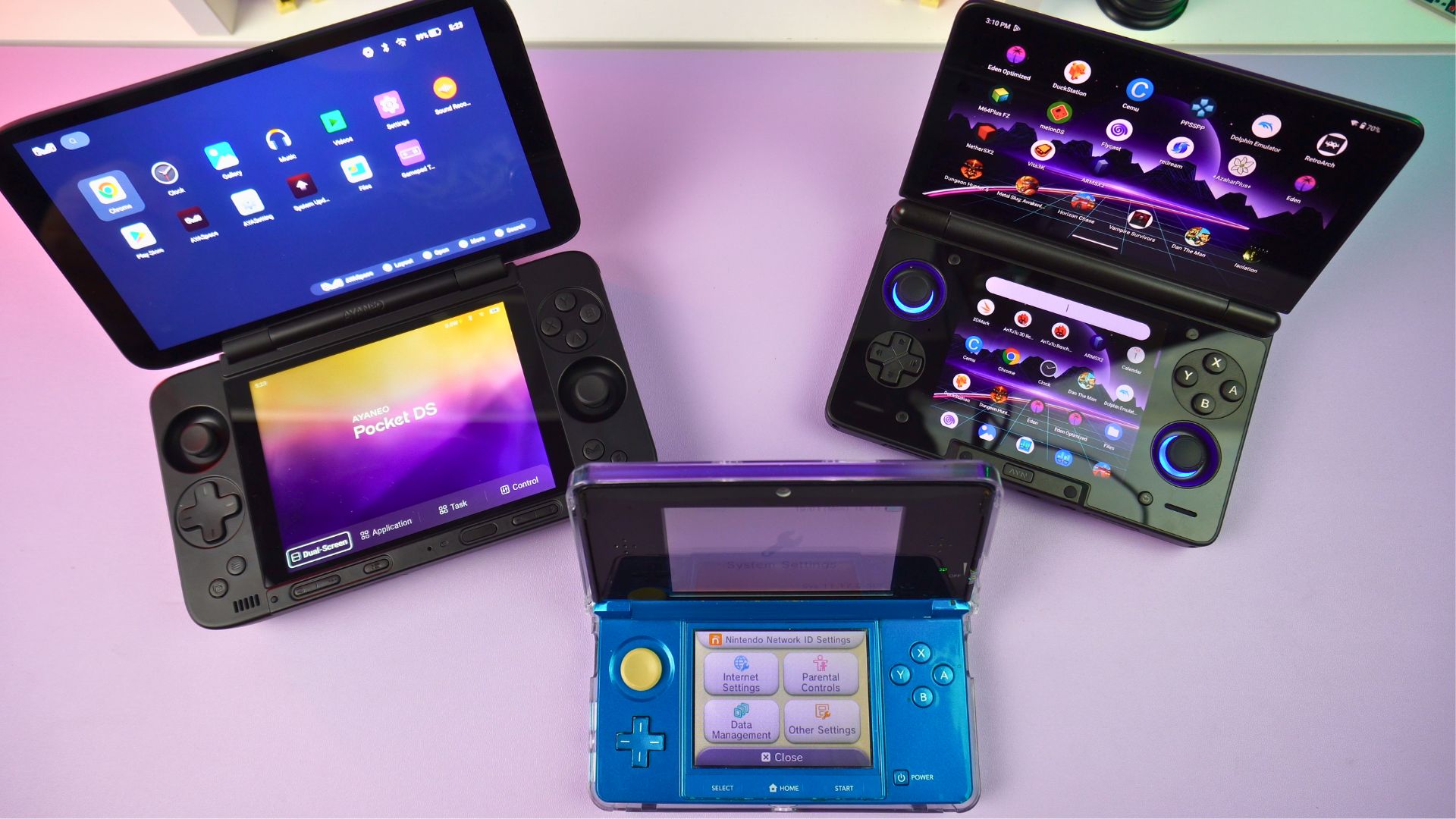
This makes it smaller than a 3DS, yet slightly larger than a standard 3DS.
The lid initially opens up quite loosely. It stops at the first position, while the second is a little further back. Finally, the third position is a 180-degree stop. These positions feel quite sturdy. Time, of course, will tell if the hinges remain trouble-free. This has previously been an issue for other dual display handheld gaming consoles.
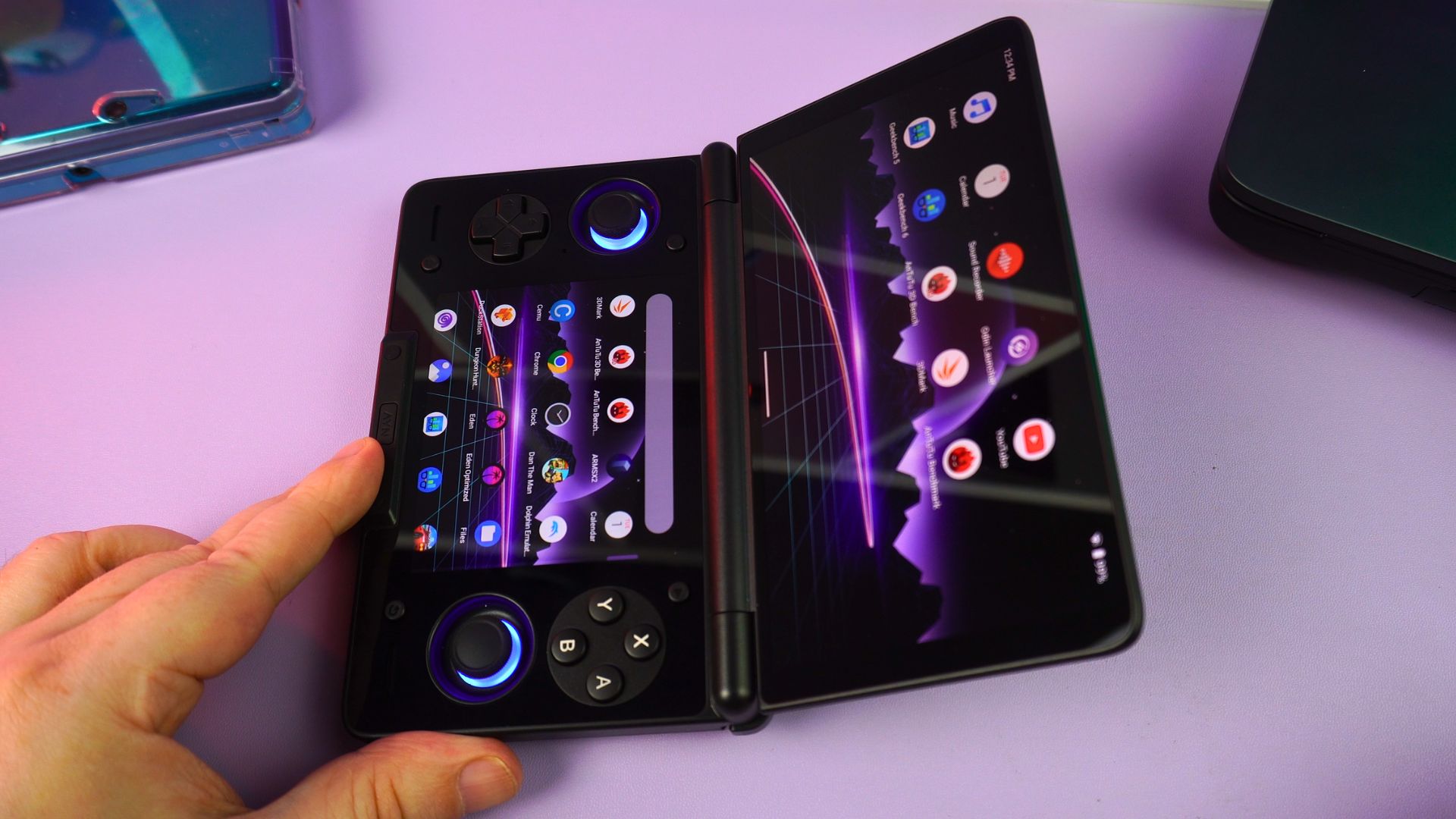
Opening the device reveals the great-looking 6″ AMOLED screen. It features a 1080×1920 resolution, supporting both 60 and 120Hz. Furthermore, it fits the lid quite nicely, despite some larger bezels on the sides.
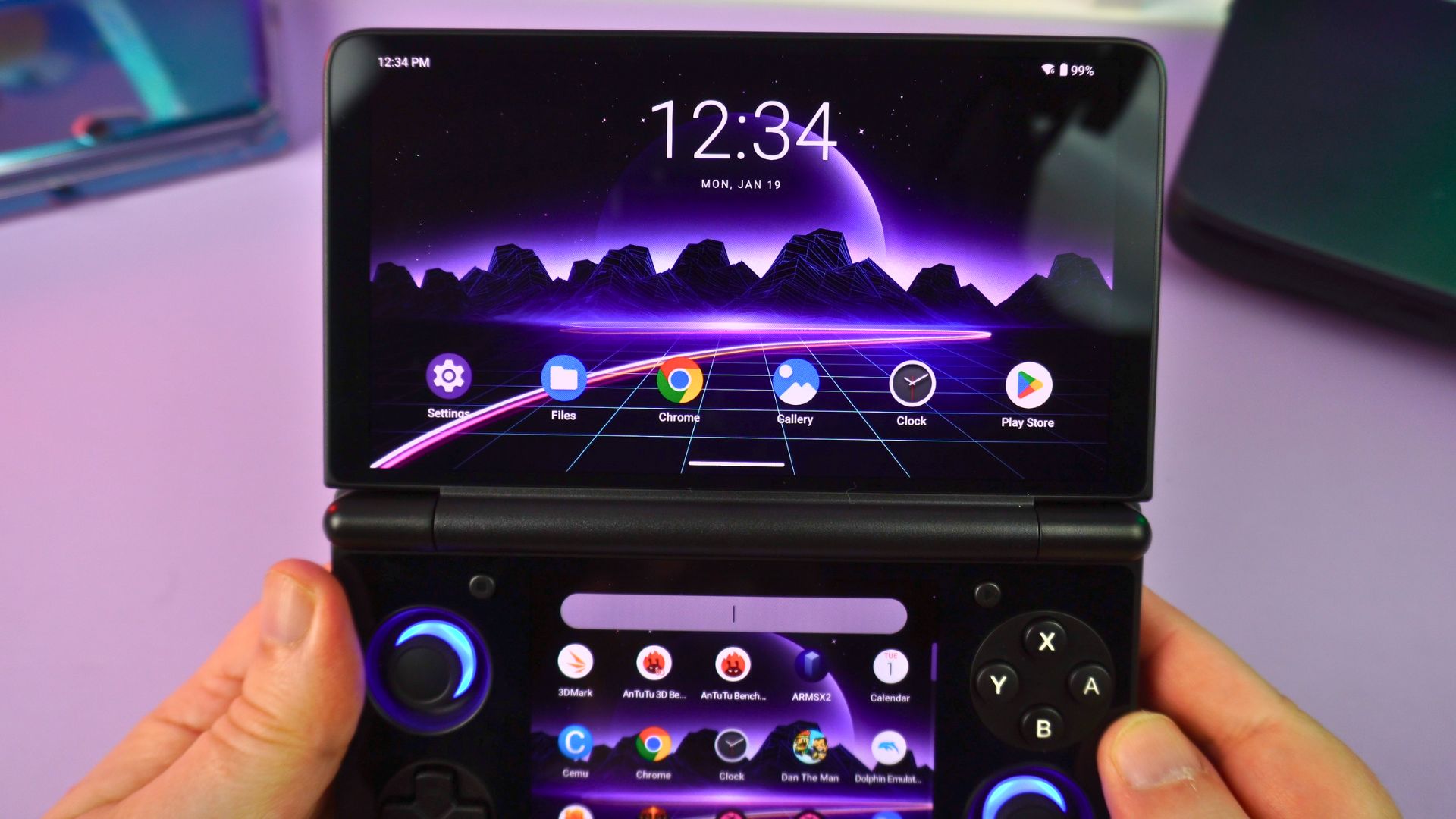
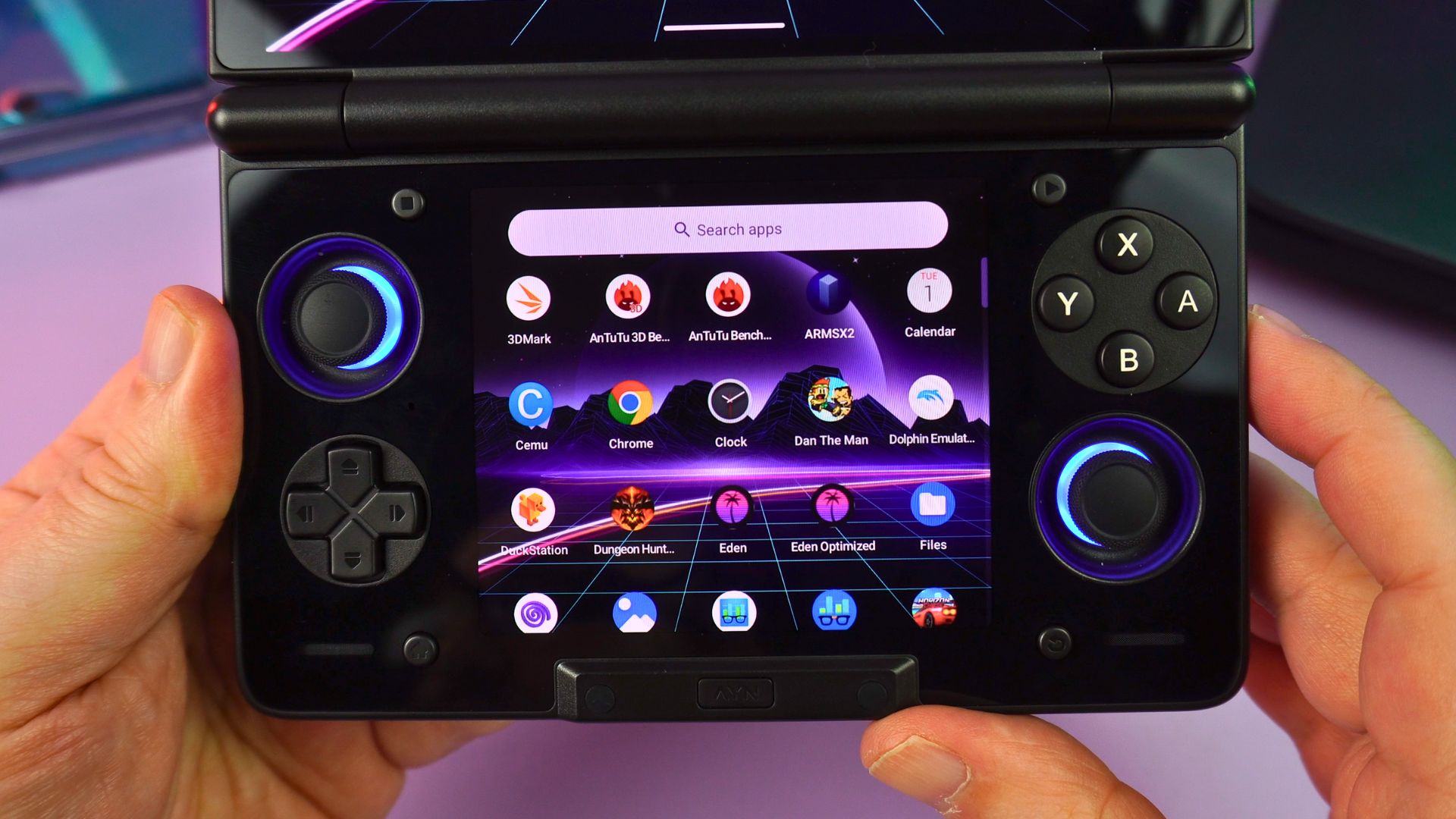
On the single-sheet, glass-covered lower half, we find the second display. This is a 3.92″ AMOLED with a 1080×1240 resolution, which runs at a 60Hz refresh rate.
AYN Thor Review: Controls and Comfort
On either side of this lower screen are the RGB-lit dual analogue sticks, D-Pad, and gaming buttons. In the bottom centre, there is a raised area. This spot features a button for the dual screen controls, which we will demonstrate later.
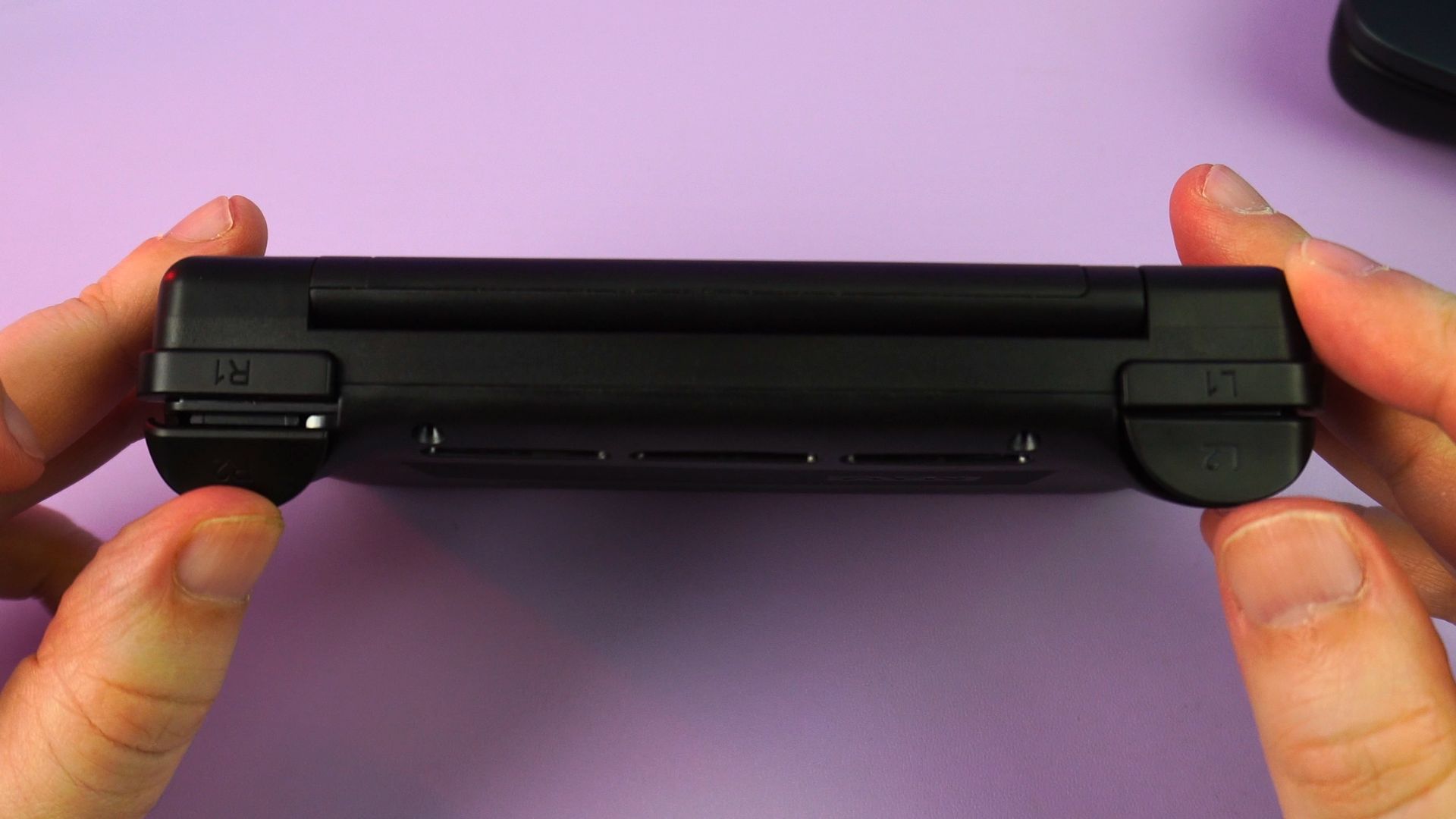
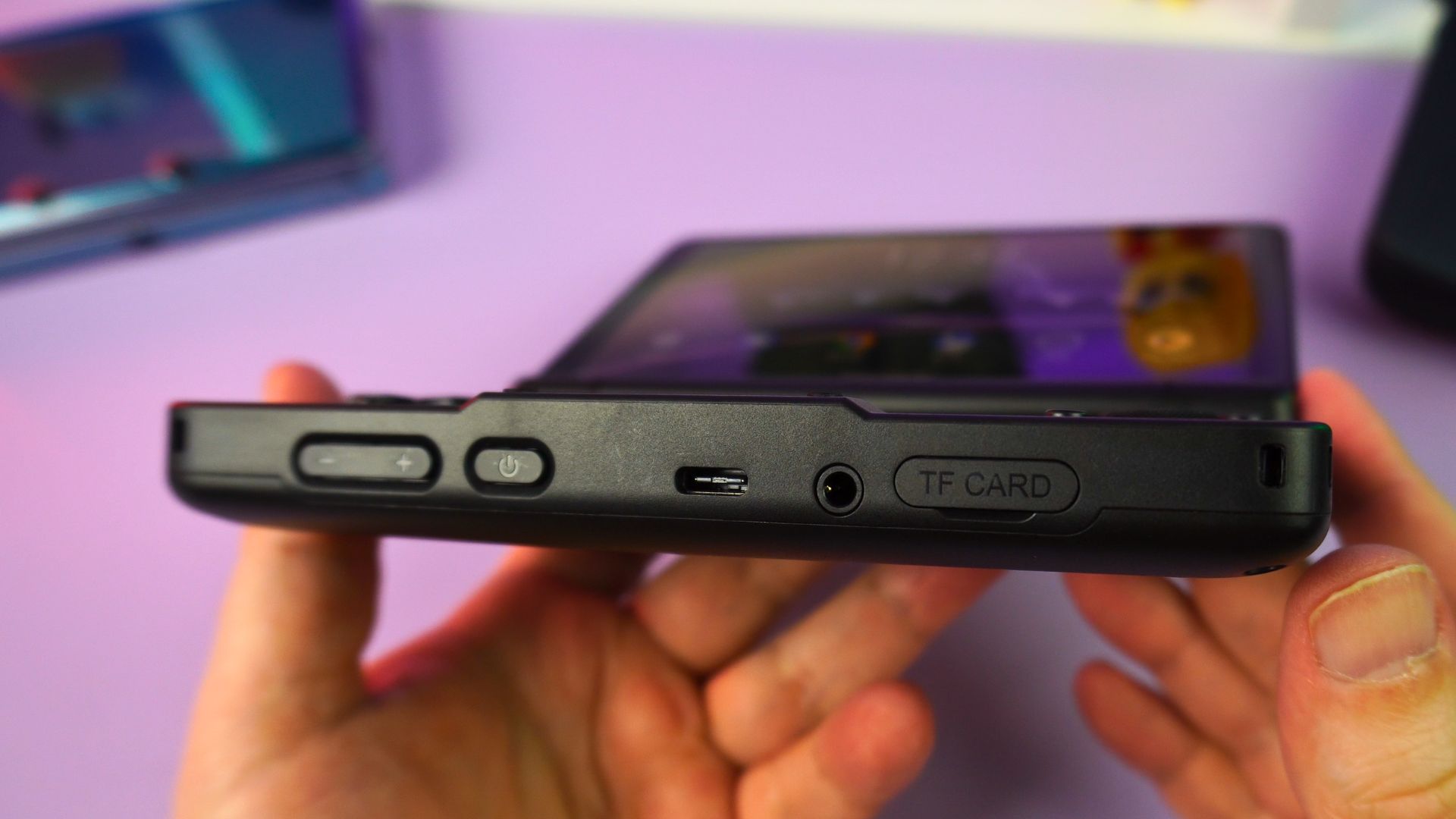
Looking at the bottom side, you will find volume and power buttons. These are followed by a USB 3.1 port for charging, data, and video output. Next to that is a 3.5mm audio jack and, last but not least, a covered Micro SD card slot to expand the storage. The top side, conversely, has just the left and right analogue triggers and shoulder buttons.
Overall, the AYN Thor fits really well into your hands and has a nice balance. In fact, it is very comfortable to hold.
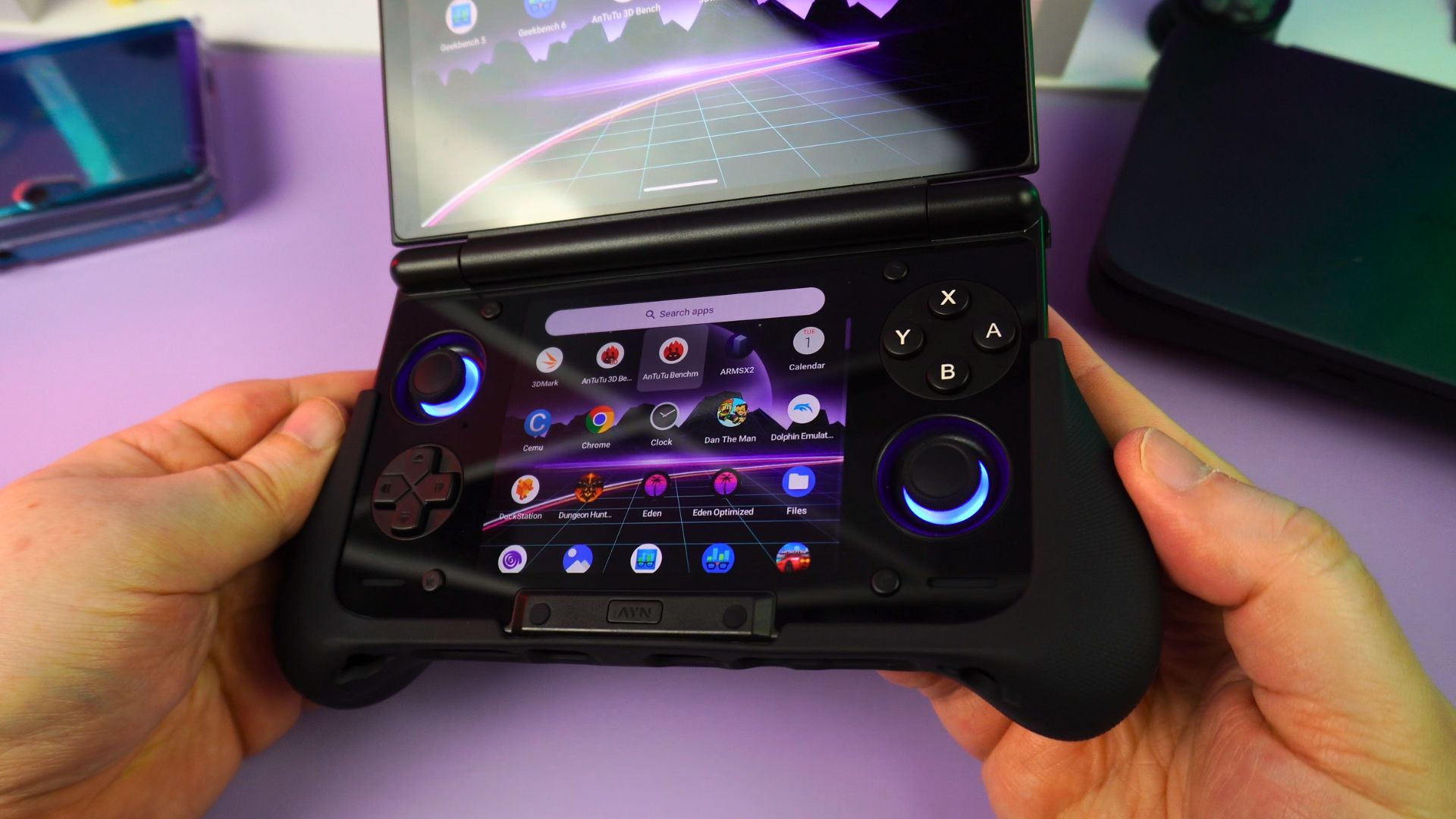
If you do want more grip, however, there is the TPU grip made specifically for this handheld. It simply slides into place. Consequently, it provides a feel very similar to a game controller.
AYN Thor Technical Specifications
Next, we take a closer look at the technical specifications for the four different AYN Thor models. We also conduct our own battery life, fan noise, and temperature tests.
| THOR BASE, PRO & MAX | THOR LITE | |
|---|---|---|
| DISPLAY | Primary Screen: 6-inch AMOLED 1080×1920 120Hz Secondary Screen: 3.92-inch AMOLED 1080×1240 60Hz | Primary Screen: 6-inch AMOLED 1080×1920 120Hz Secondary Screen: 3.92-inch AMOLED 1080×1240 60Hz |
| CPU | Qualcomm Snapdragon 8 Gen 2 Gaming Platform 1 Gold [email protected] 4 [email protected] 3 [email protected] | Qualcomm Snapdragon 865 1x [email protected] 3x [email protected] 4x [email protected] |
| GPU | Adreno 740 @680MHz | Adreno 650 @587MHz |
| RAM | 8GB, 12GB, 16GB LPDDR5x @4200MHz | 8GB LPDDR4x @2133MHz |
| STORAGE | UFS4.0 128GB, 256GB, 1TB | UFS3.1 128GB |
| CONNNECTIVITY | Wi-Fi 6E + BT 5.3 | Wi-Fi 6 + BT 5.1 |
| BATTERY | 6000mAh | 6000mAh |
| I/O | USB-C DisplayPort 4Kp60 Alt Mod | USB-C DisplayPort 4Kp60 Alt Mod |
| DIMENSIONS | 5.91 x 3.70 x 0.98 inches (15.0 x 9.4 x 2.5 cm) | 5.91 x 3.70 x 0.98 inches (15.0 x 9.4 x 2.5 cm) |
| WEIGHT | 380g (0.84 lbs) | 380g (0.84 lbs) |
How long will the battery last?
Powering the AYN Thor all is a 6,000 mAh battery. We conducted our usual max-settings battery life test by running Antutu on a loop. This test used full brightness on both displays, the High-Performance setting, and fans at full speed.
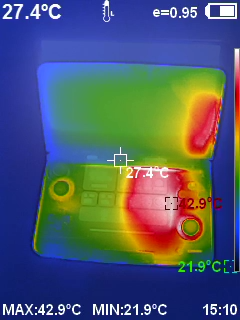
As a result, we got a battery life of 3 hours and 10 minutes. Average battery life will, of course, depend on what you are playing. Brightness levels and having one or both screens switched on are also factors. However, you are looking at around 8 hours easily, and even more if lowering the performance where possible.
How loud and hot does the AYN Thor get?
During our fan noise and temperature tests, which were conducted while testing the battery life, we recorded the results. We got a highest fan noise of 63db. This dropped to 58dB on Sport mode and 47dB on Smart mode.
Additionally, a bit of a temperature buildup on the right side of the handheld was seen, reaching around 45°C. This is generally around the expected temperatures; in fact, it’s even a little lower compared to other devices.
However, the AYN Thor does warm up the area just below the Y and B buttons in particular. Thankfully, it’s not quite at the point where it becomes uncomfortable, unlike other handhelds I have experienced. Still, it is worth noting if you are very sensitive to heat.
System Benchmarks: An AYN Thor Review of Performance
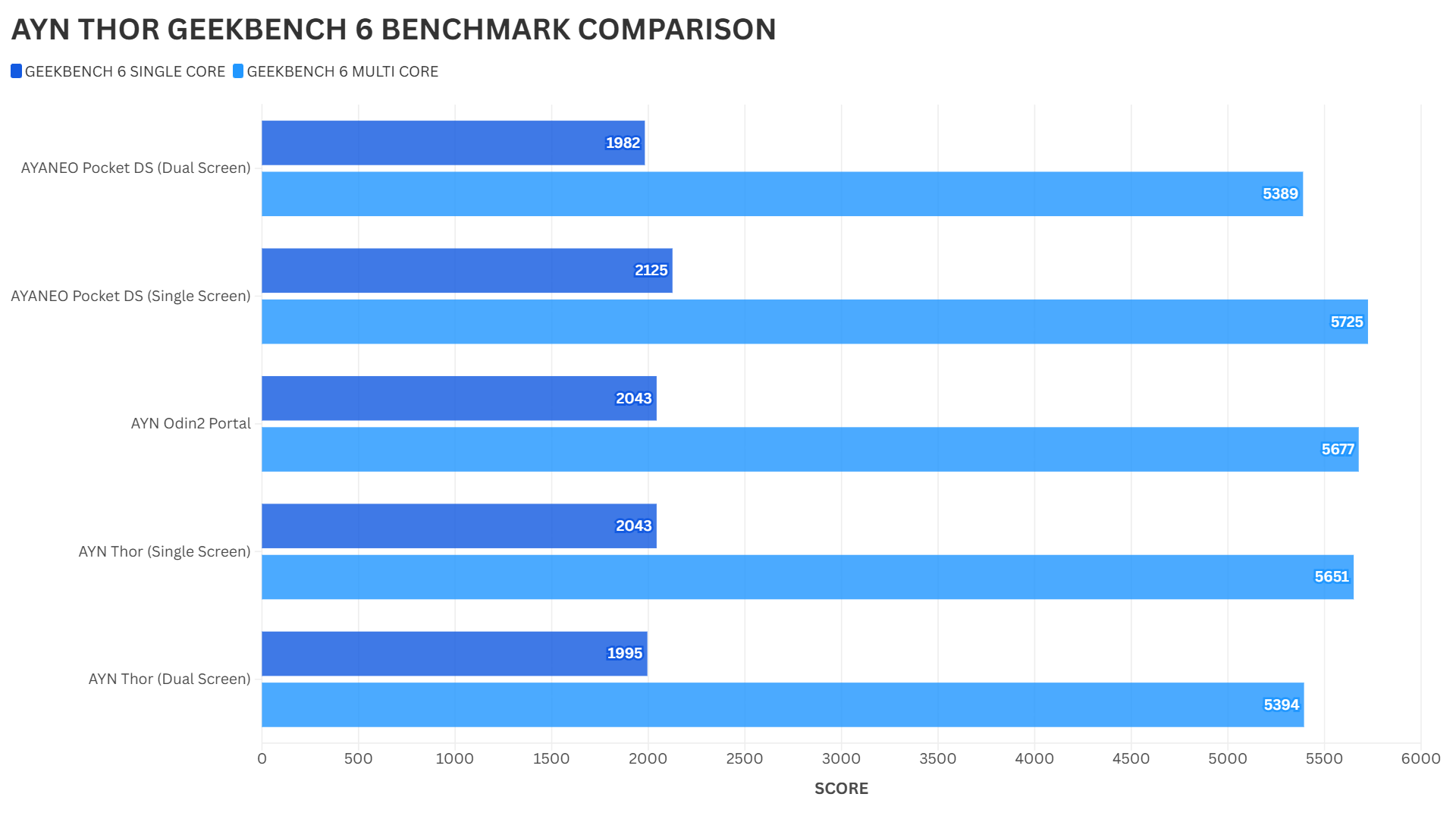
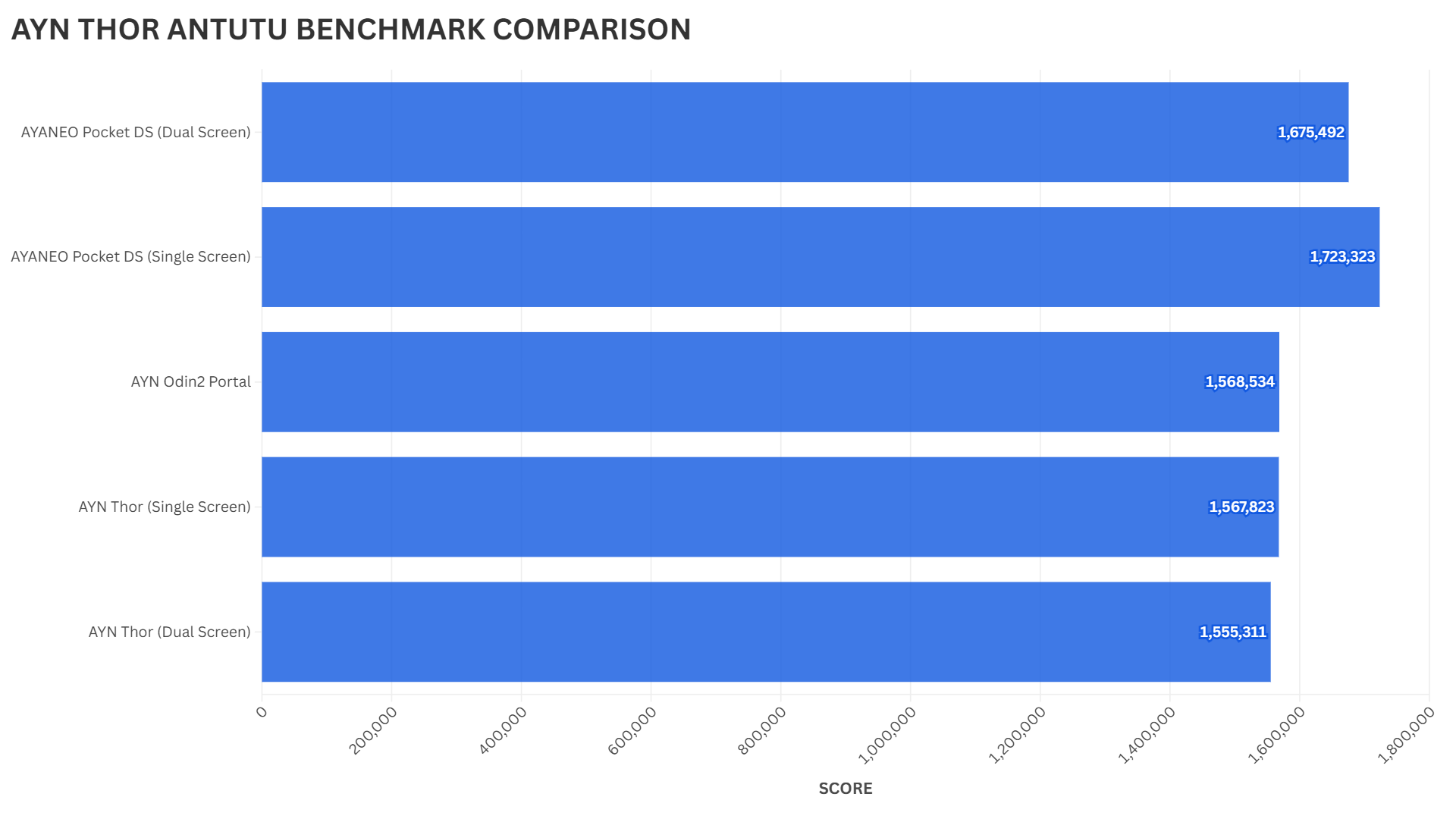
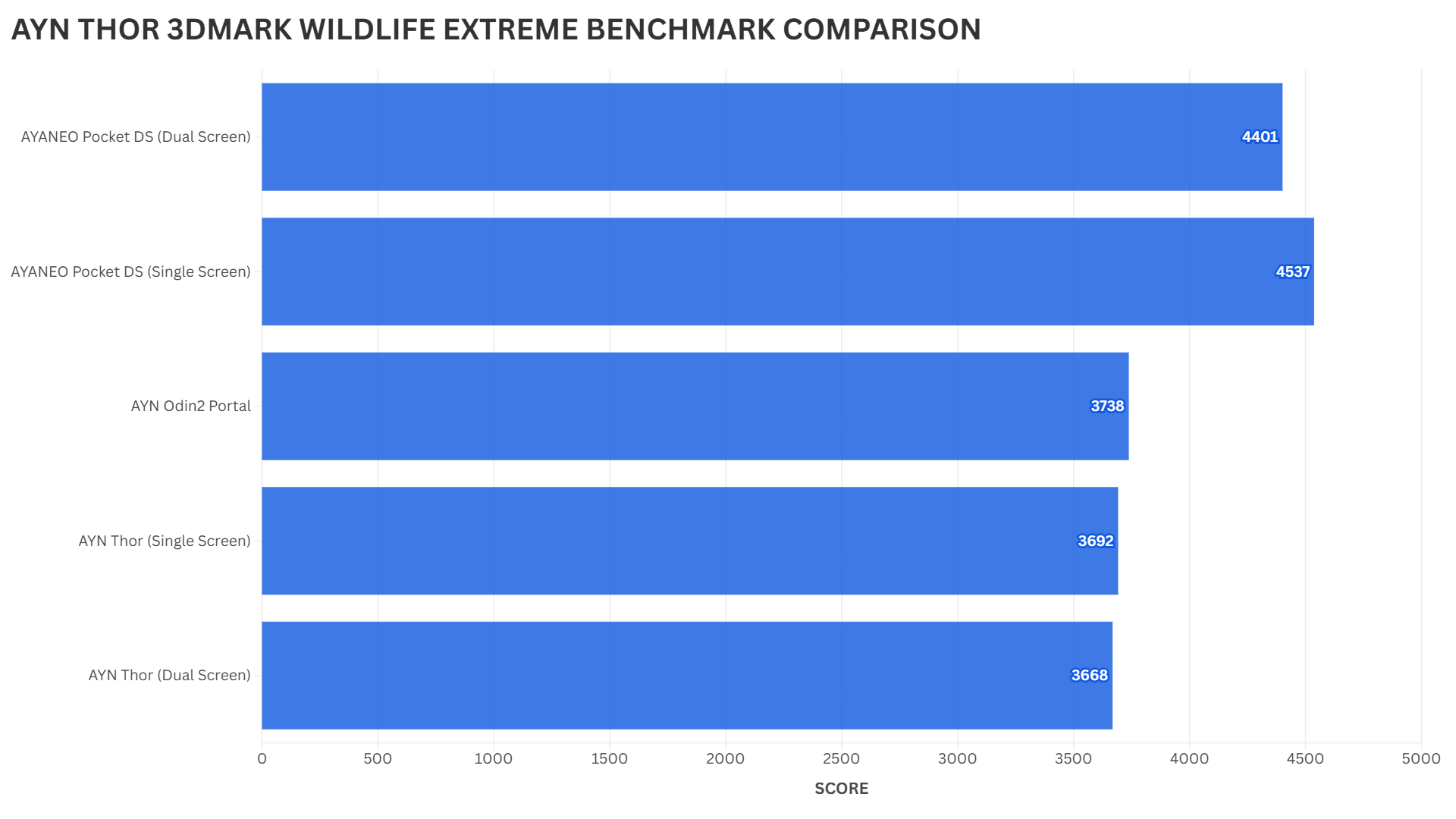
For our benchmarks, we will be comparing the performance with the bottom screen off and on. We also compare it to the AYN Odin 2 Portal, which uses the same processor, and some others for context. Testing was done with and without the bottom display on, as there are some differences in performance.
Geekbench 6
Geekbench tests the single and multi-core performance of the CPU. We see around the expected scores for single-screen performance when compared to the Portal. However, there is a noticeable drop in performance when both screens are switched on.
Antutu
Antutu performs an overall test of this Android gaming console using a variety of benchmarks. Interestingly, there is a small increase in performance with just one display switched on the AYN Thor. Yet, both scores are a little lower than the AYN Portal.
3DMARK
Finally, in the 3DMARK Wildlife Extreme benchmark, we see a small difference between one and two screens being switched on. And again, both results are slightly lower than the AYN Portal gaming Android handheld.
Exploring the AYN Thor’s Android Software
The AYN Thor runs on Android 13. It provides options for either the stock home screen or AYN’s custom launcher. Pressing the AYN button in the centre promptly brings up the dual screen controls. Helpfully, there are three tabs: Mode, Task, & Settings.
‘Mode’ controls the dual-screen operation. This allows for switching off displays and controlling the brightness and volumes. Nice and easy! Meanwhile, ‘Task’ shows the apps available on the bottom screen. Selecting an app from here will consequently run it on that bottom screen.
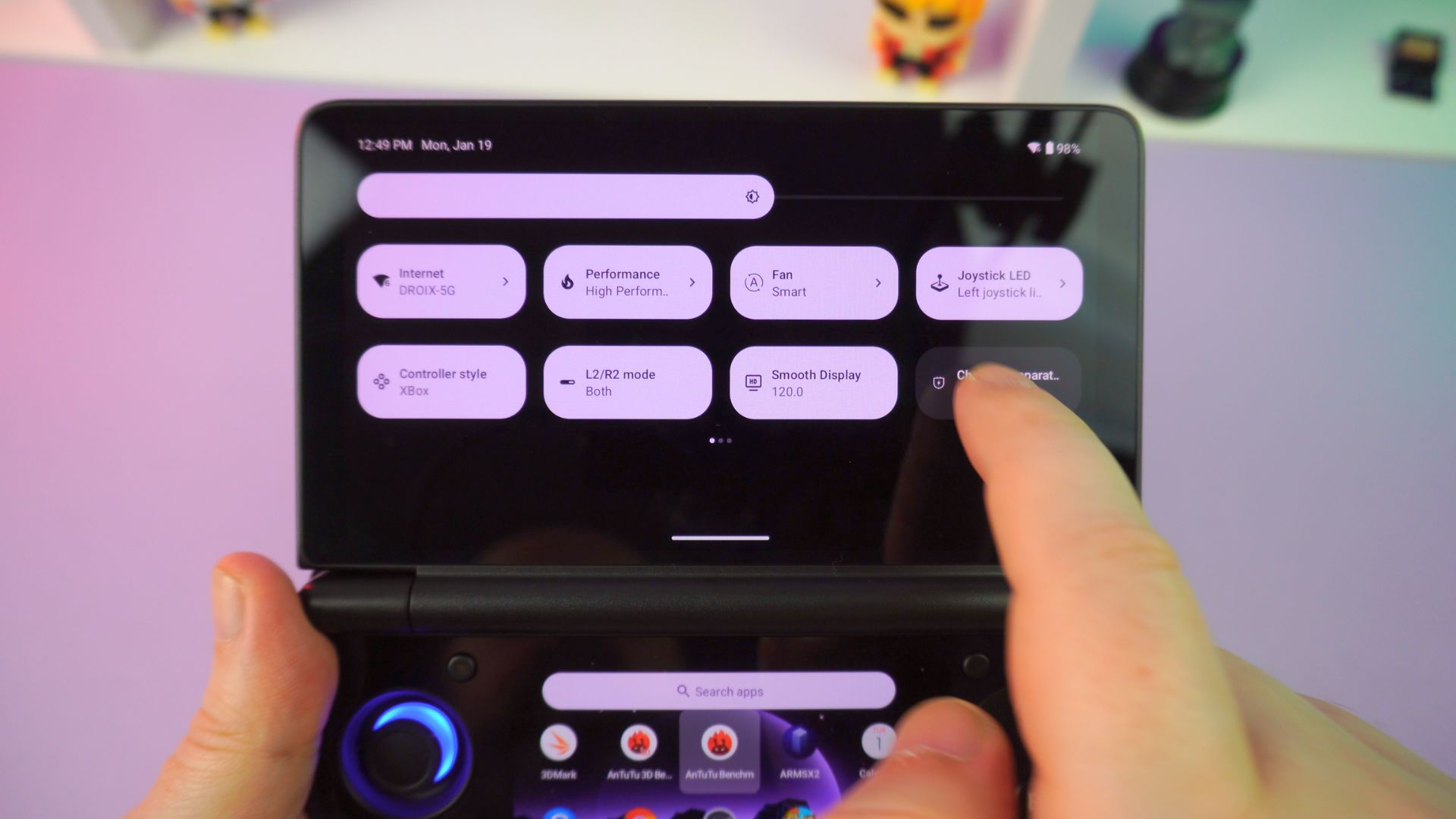
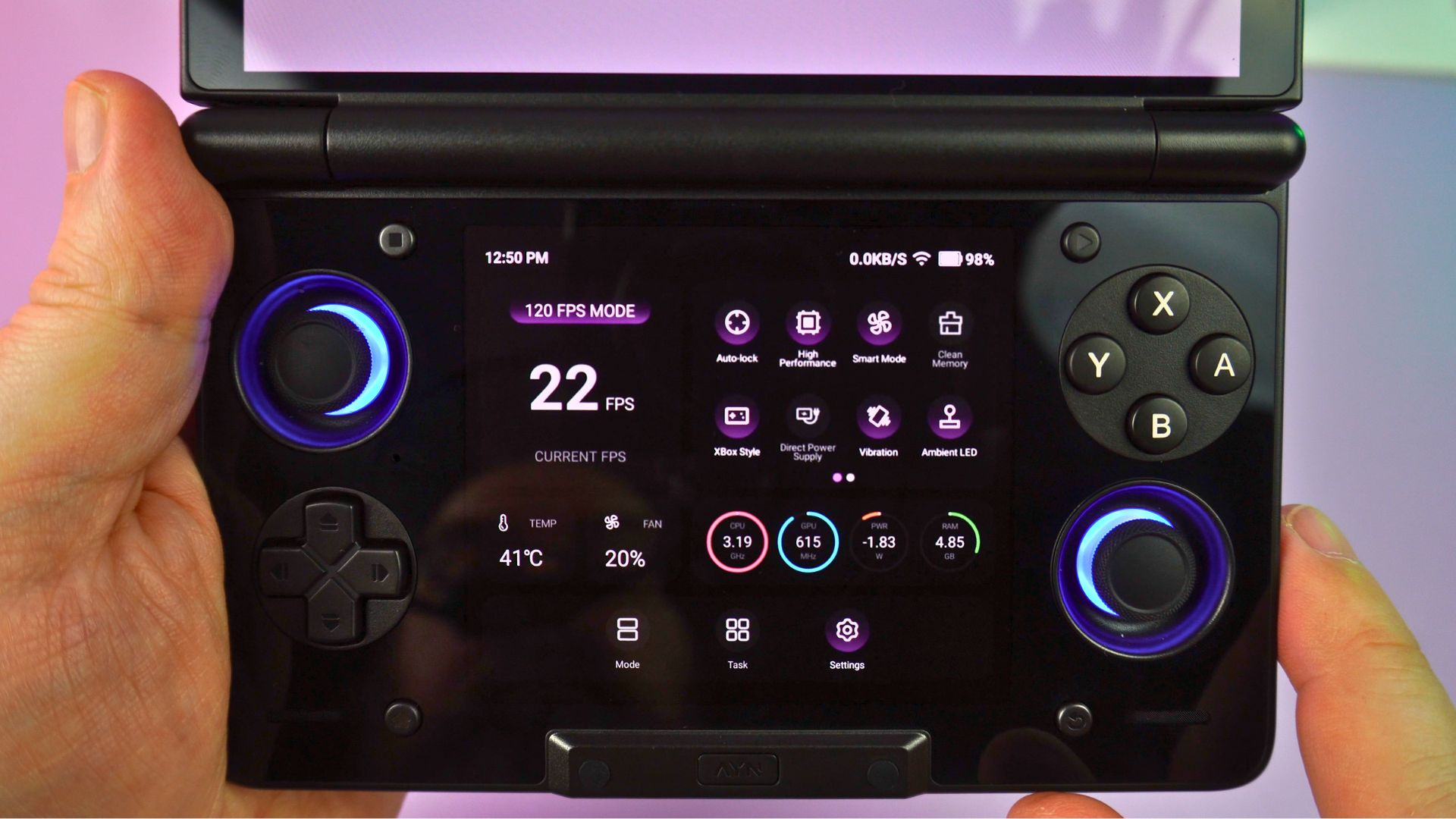
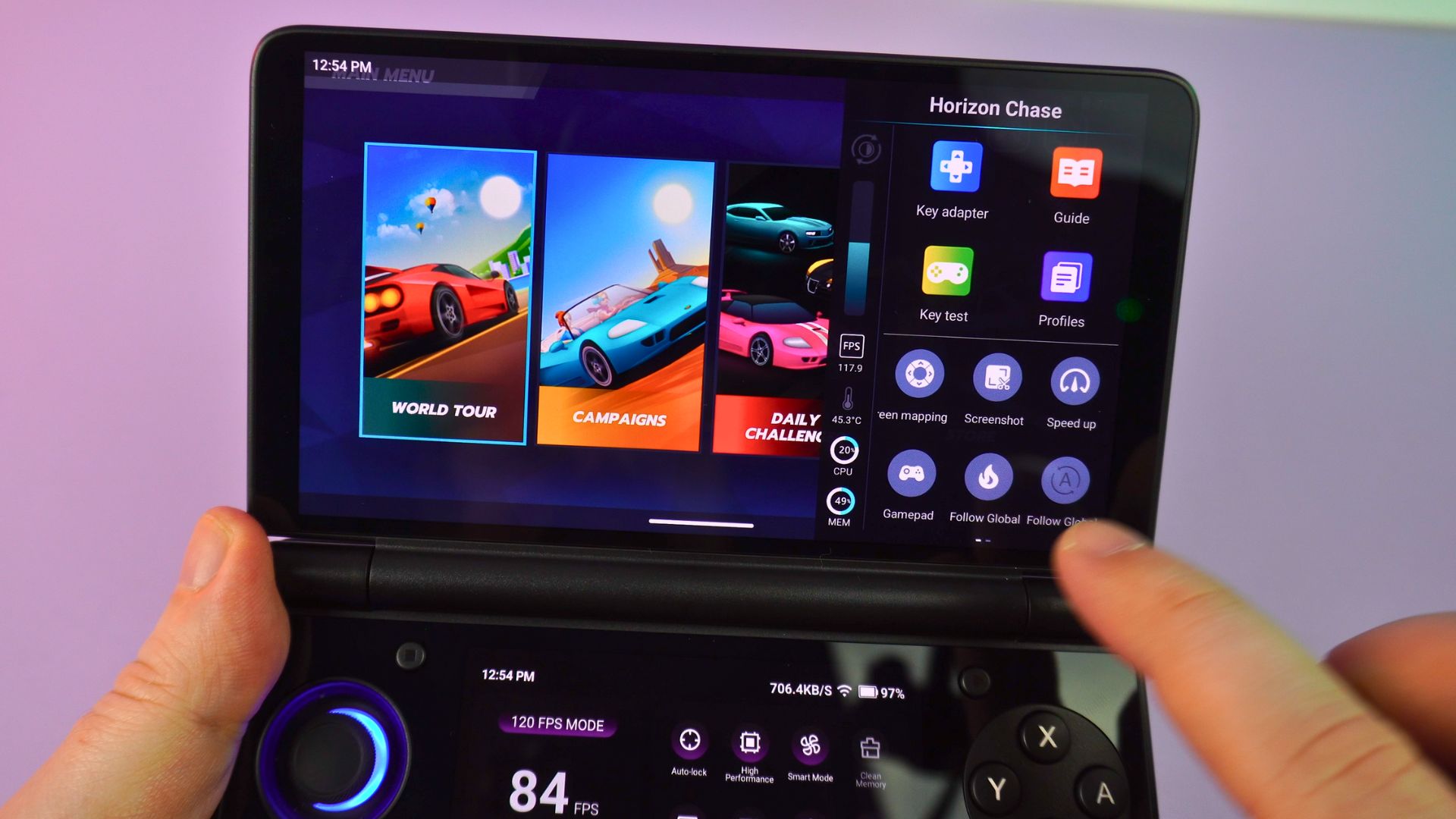
Lastly, ‘Settings’ provides on-screen information, such as the frame rate and other stats. It also grants access to shortcuts for performance profiles, fan speeds, and other commonly used functions. Overall, it is well-presented, easy to navigate, and simple to use.
You do, of course, have the AYN overlay, which also features shortcuts to common functions. This feels a little redundant, especially with the options accessible on the lower screen. However, it does provide access to the screen mapping software, screenshots, and more.
How Does Android Gaming Perform?
We tried our usual bunch of Android games and had no issues with performance. Alien Isolation ran great and Prince of Persia was fully playable. You shouldn’t have any issues with the vast majority of Android games.
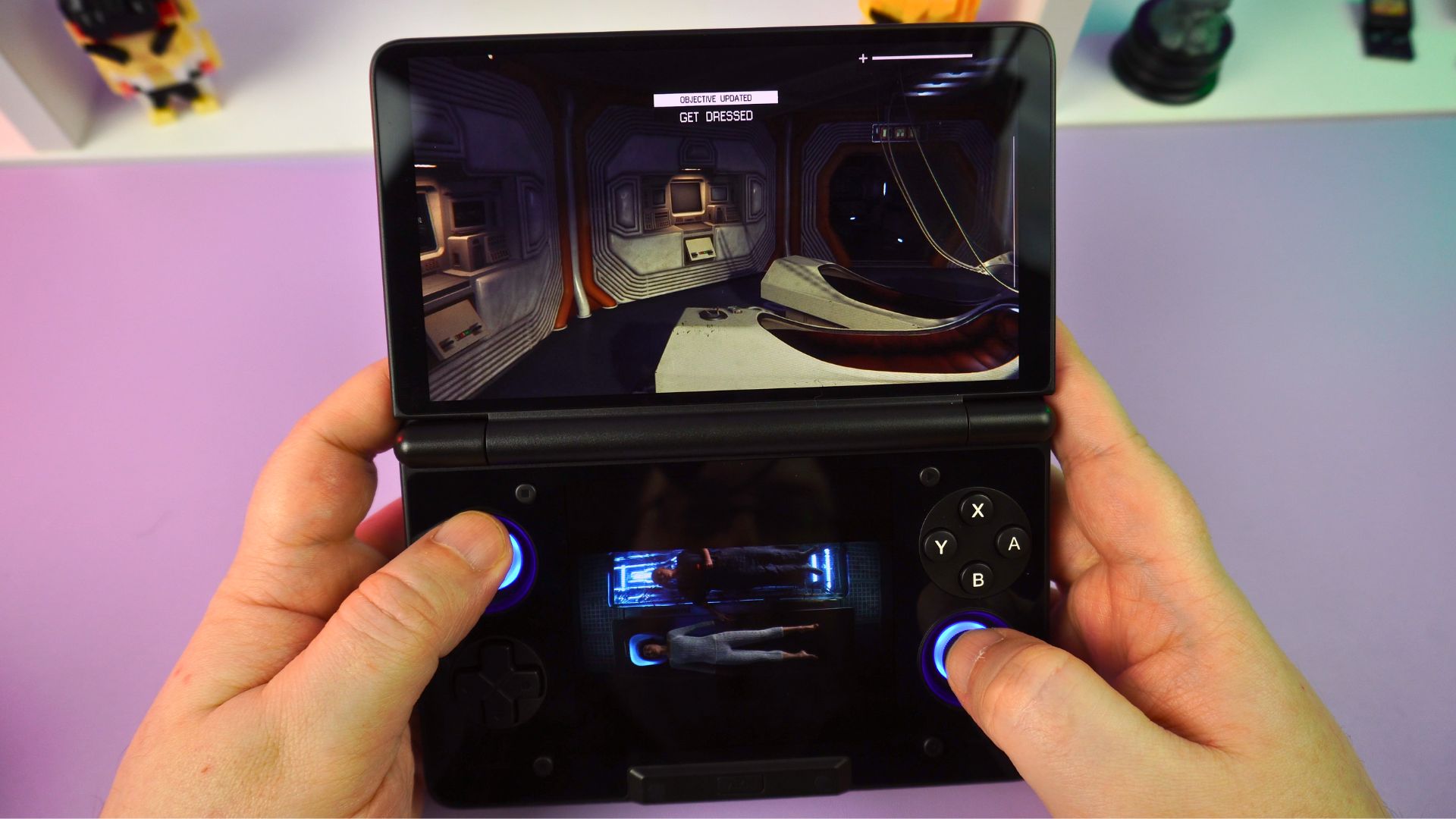
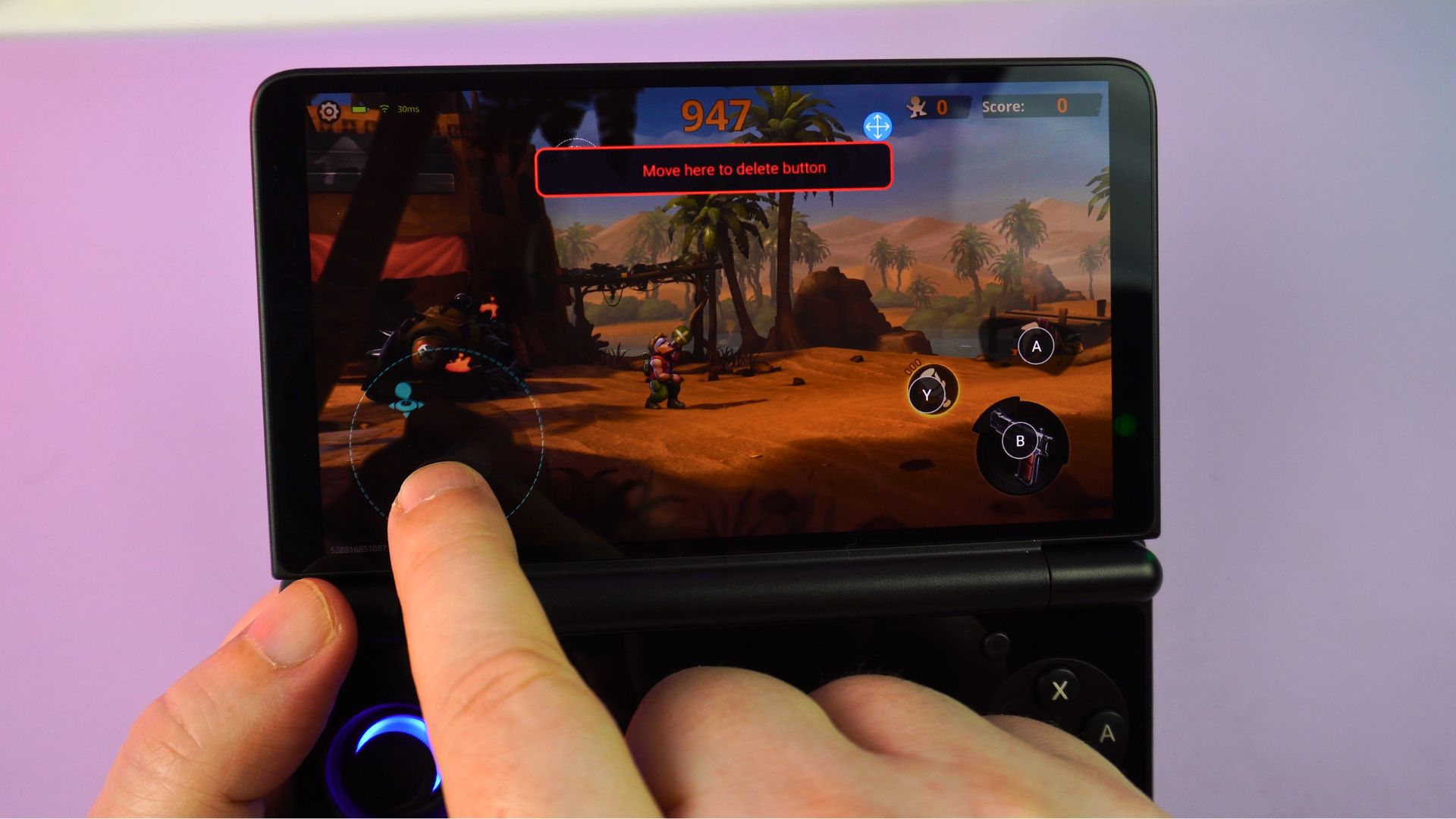
The built-in screenmapping software allows you to easily map the AYN Thor on-screen touch areas to the gaming controls. If a game does not natively support joysticks, it allows for many games to be mapped and played this way. As usual, no issues at all with setting up or using it.
Emulation Performance: An AYN Thor Review
We saw last year with the AYN Portal just how much of a game-changer this processor was. All of your systems up to the PS2 era will run great. Provided there are no emulator compatibility issues, you shouldn’t have any problems either. In many cases, you can even upscale to 1080P with graphics improvements.
Lets check out a few dual screen systems on this Android gaming handheld.
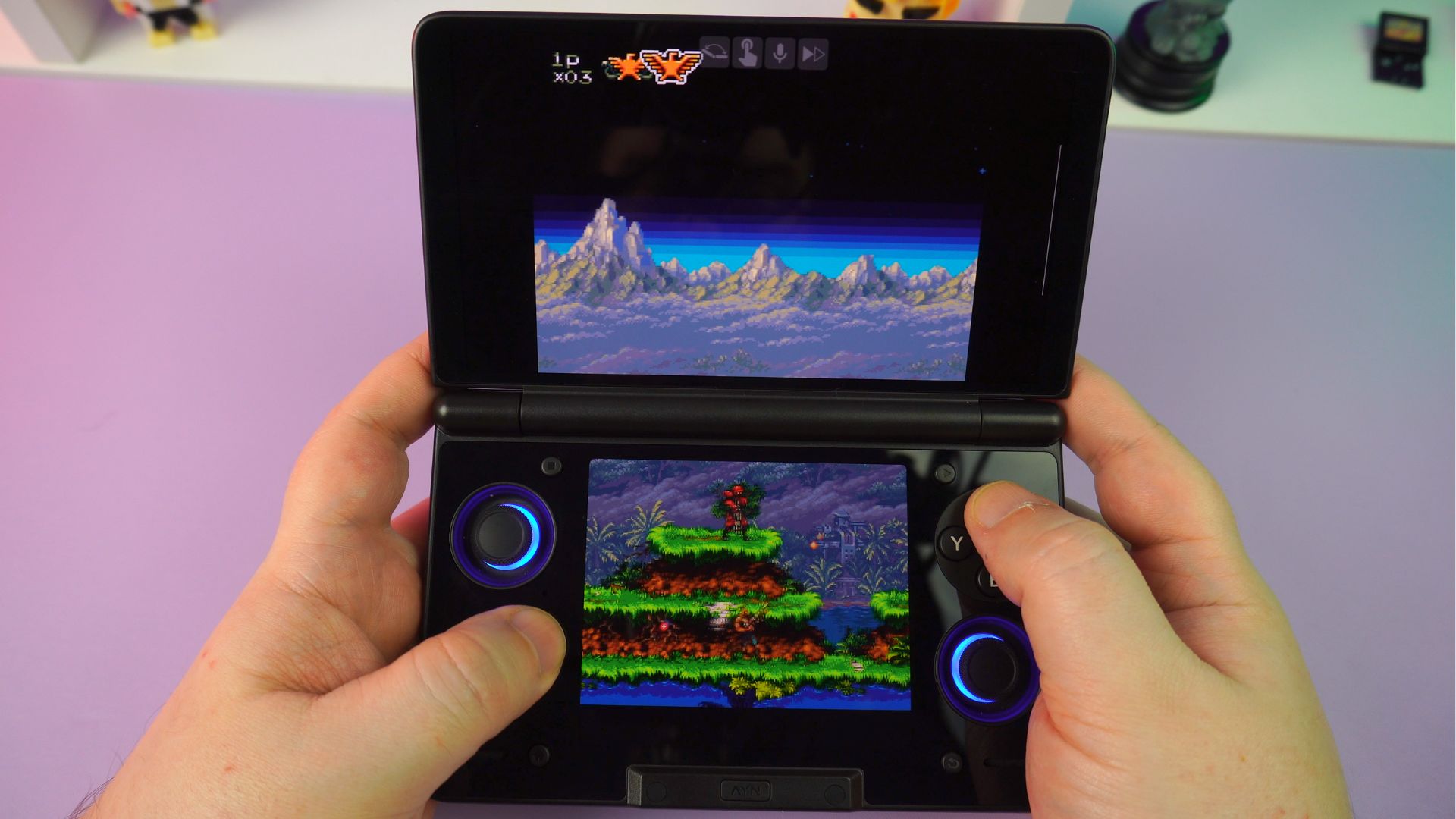
Drastic
Dual-screen games will, of course, work great. Drastic has built-in support for two displays. Consequently, with a few changes in the settings, you can get it working perfectly. You shouldn’t have any issues at all in terms of performance or compatibility.
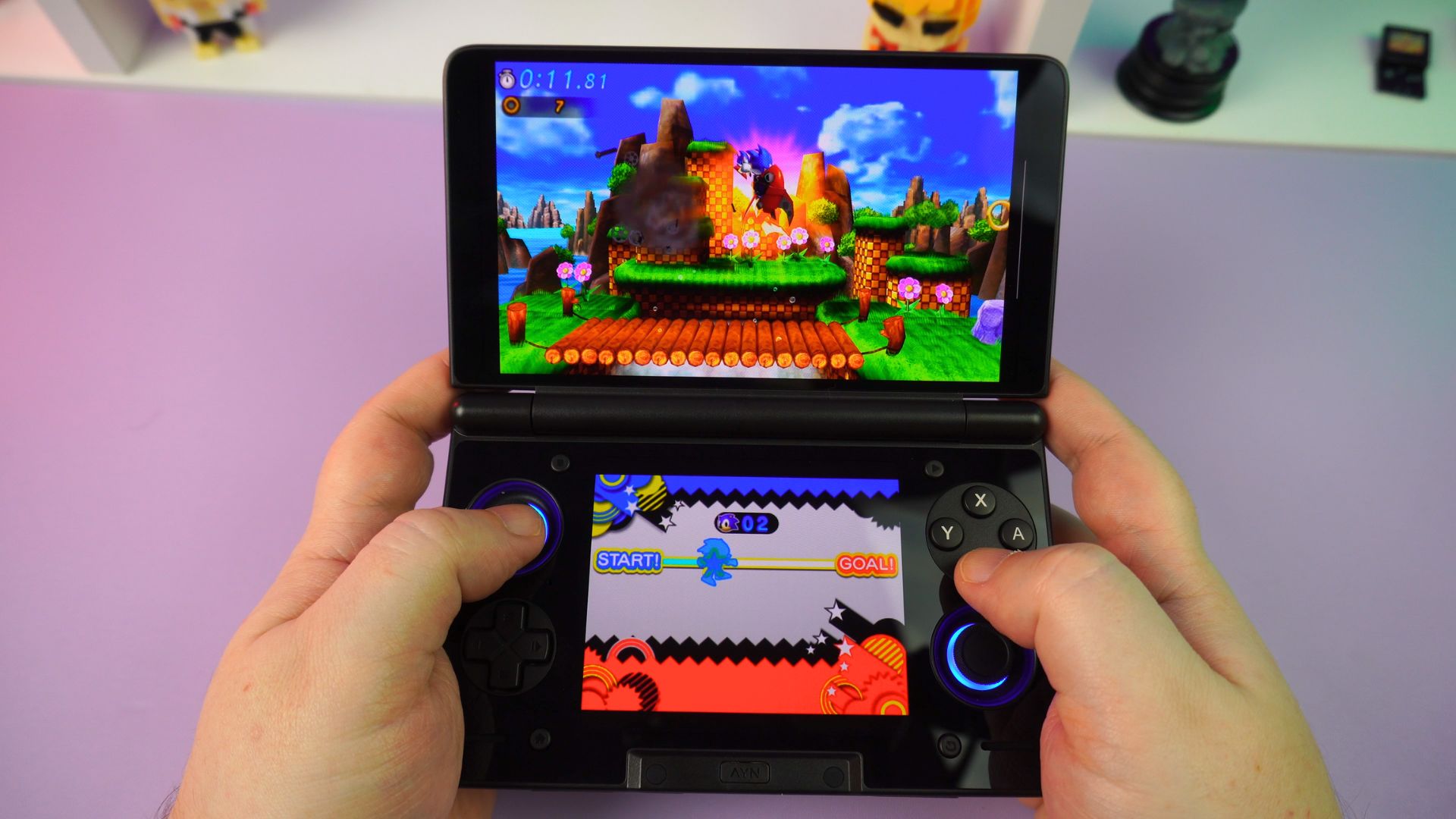
Azahar
The 3D dual-screen emulator also works great. Again, there is built-in support for two displays, so you can get up and running easily with no issues. All compatible games work great. As always, a few games may have some very minor shader cache lag, but it’s nothing that breaks the gameplay.
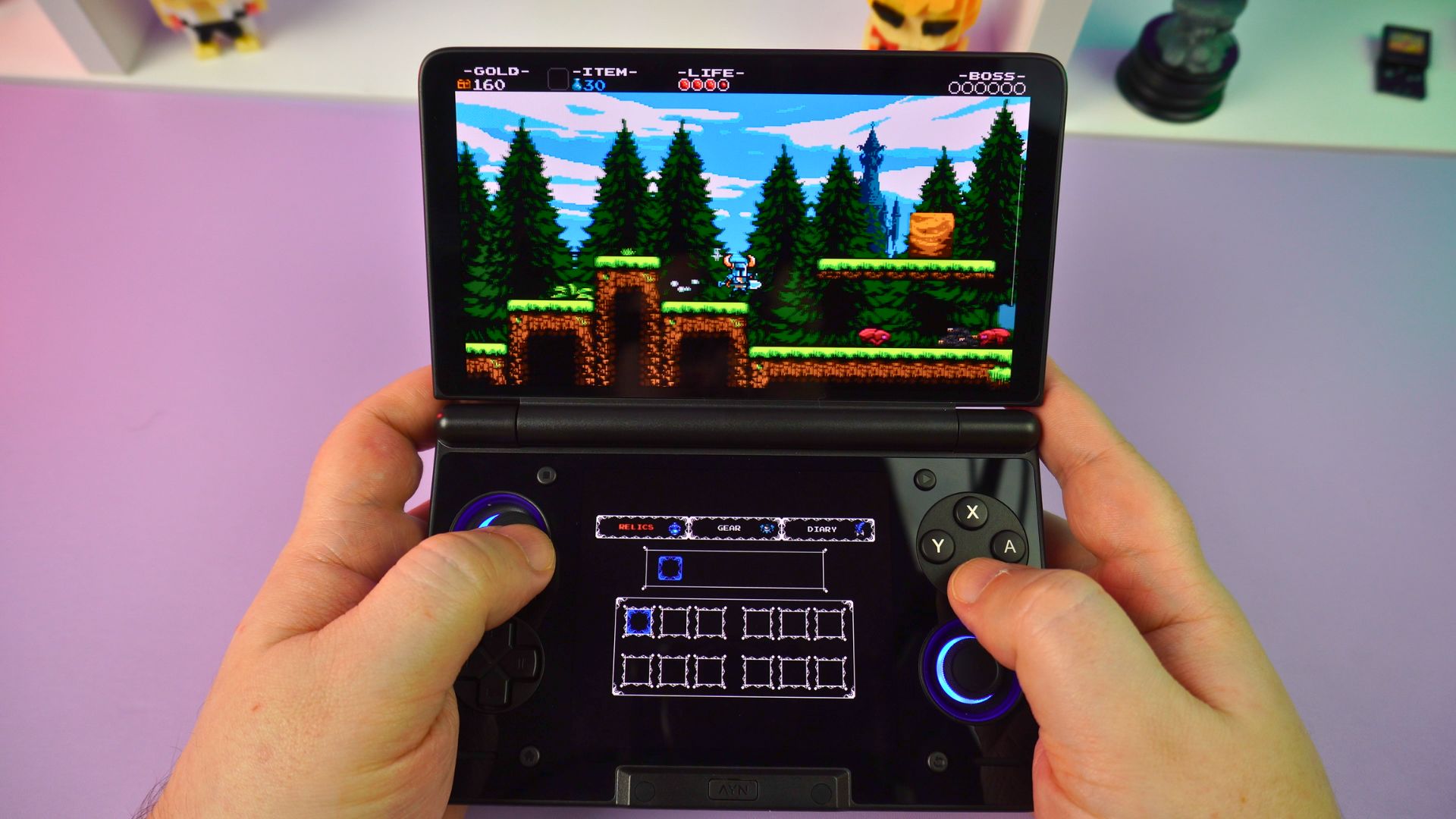
Cemu
The Cemu emulator Android port is currently in the early stages of development. Dual-screen functionality is unofficially supported via a fork. Unfortunately, there are not many games that use both screens, and some games are simply not fully compatible. Therefore, there is nothing special to see here right now.
Other Emulators in this AYN Thor Review
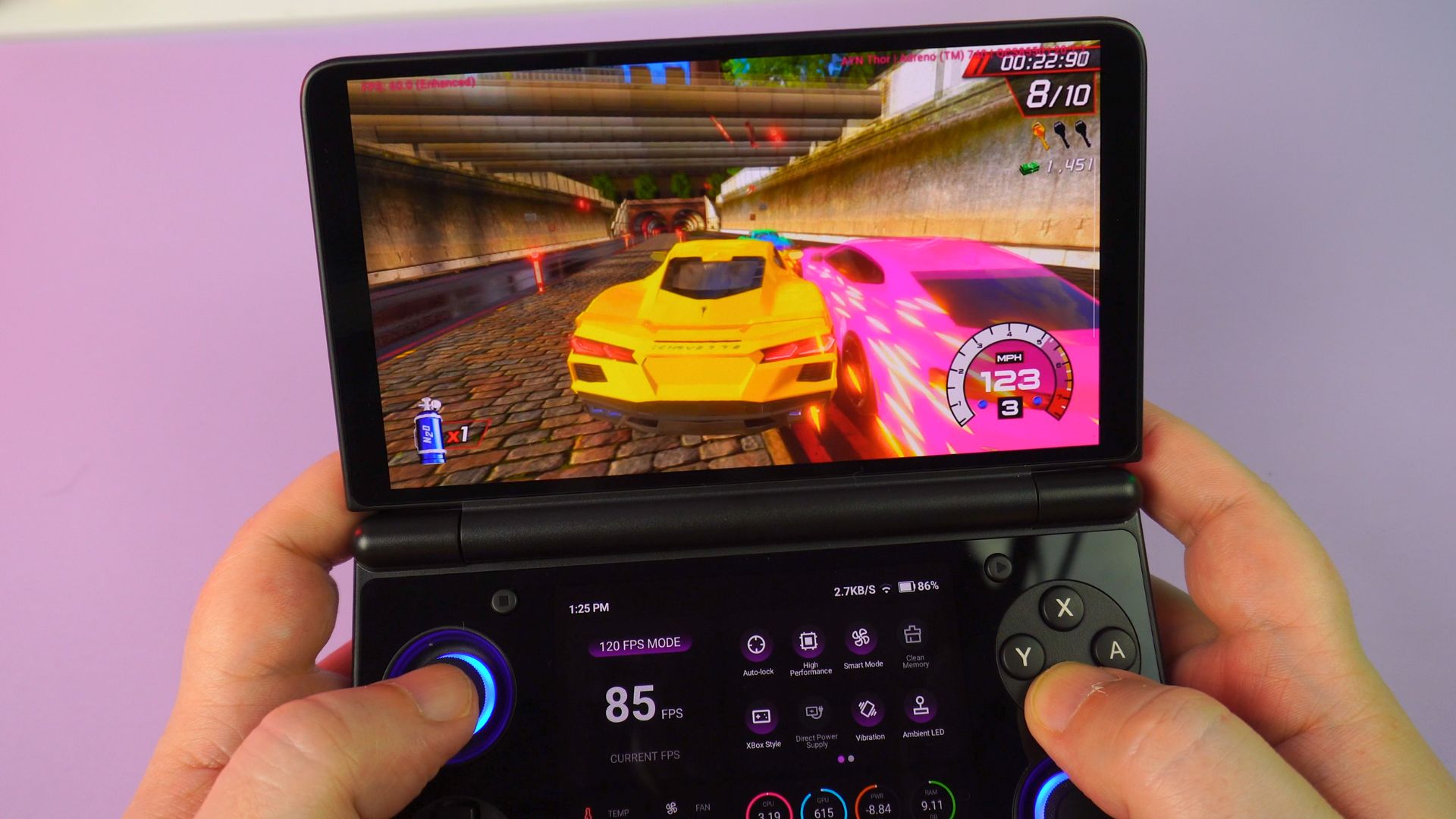
In the past year, some impressive improvements in performance have been seen due to the Turnip graphics drivers. Many of the demanding emulators support them. While using these drivers, you will see a noticeable increase in speed.
Vita3K
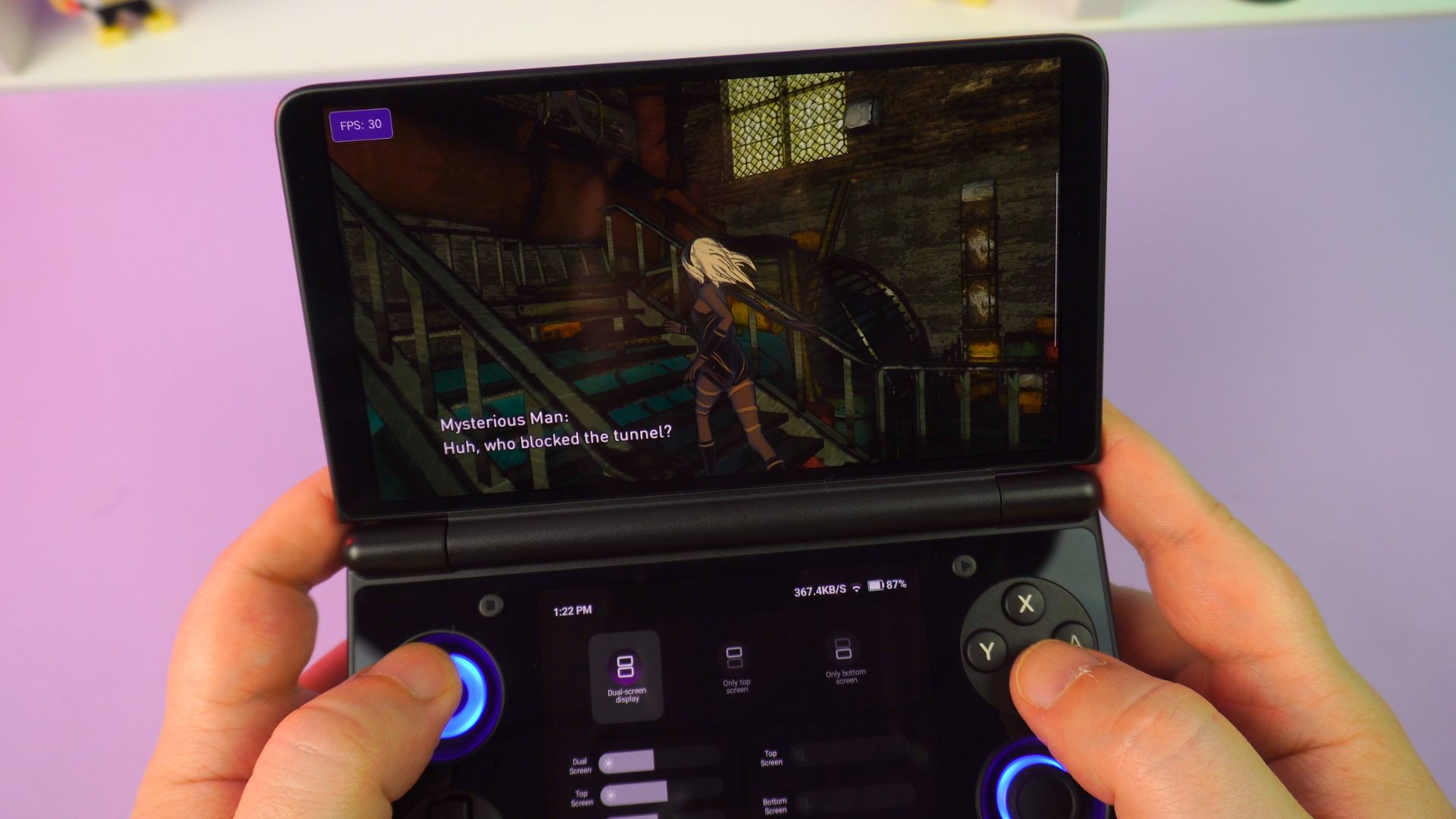
The Vita emulator runs great on the AYN Thor. For compatible games, you won’t have any issues at the standard resolution. Furthermore, for many titles, you can increase the rendering resolution for improved visuals.
Eden
Regarding the Eden emulator, it runs very well overall. Providing the game is compatible with the emulator itself, there are many games that will work great. The more demanding games, however, show mixed performance. Despite this, we saw decent, playable results with games we are not allowed to talk about or show. (Damn ninjas!)
Final Thoughts on this AYN Thor Review
We know the AYN Thor is a very popular handheld, and I would say that if this has been on your wish list, then you will not be disappointed.
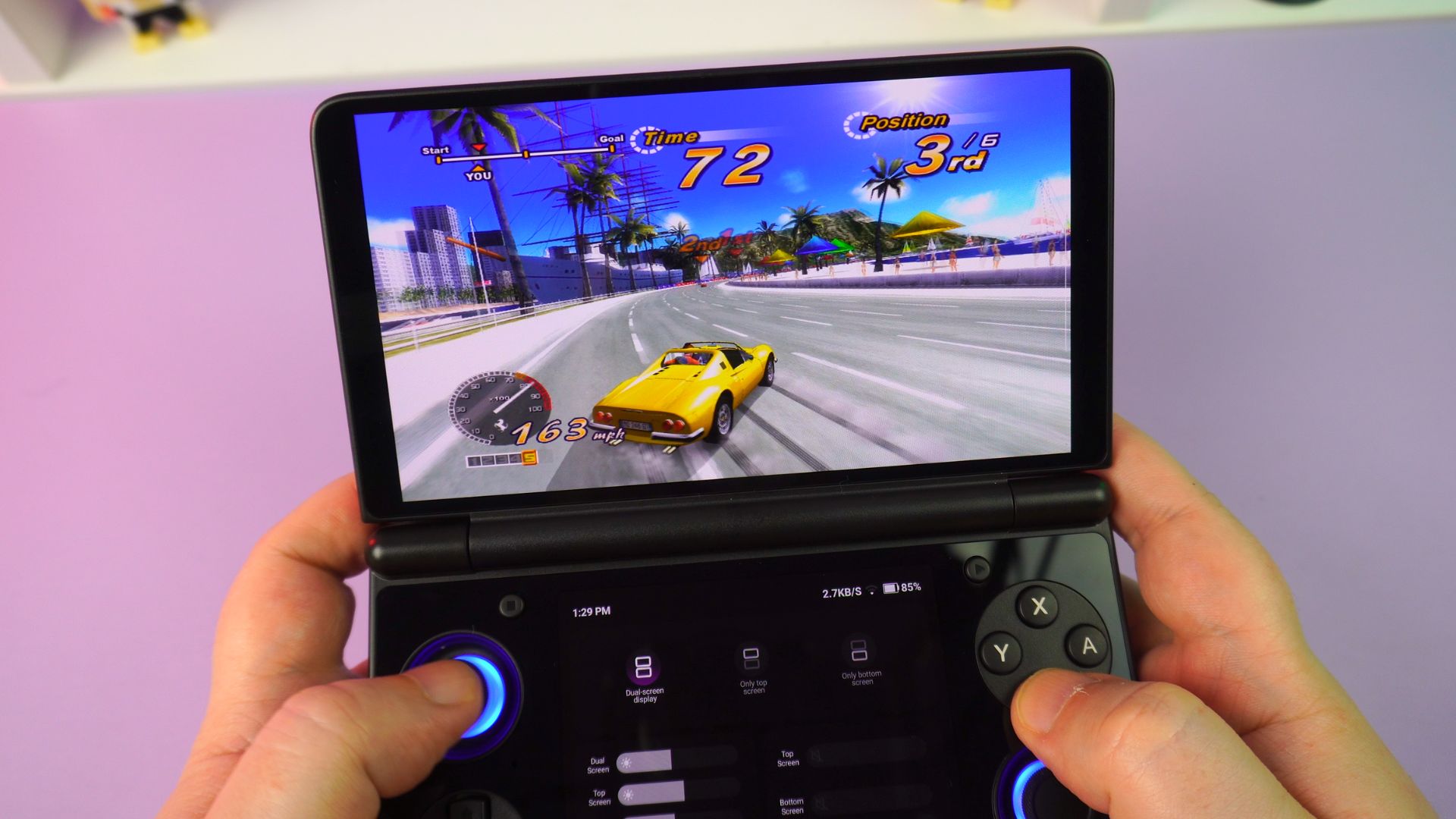
Performance-wise, we see scores a little lower than the AYN Odin2 Portal, even with the bottom display switched off. However, with real-world usage, you would likely be hard-pressed to see any difference side-by-side. It remains a very capable processor. This capability is greatly improved with the Turnip drivers for higher-demanding emulators.
The overall design and comfortability are very good. Its size makes it extremely portable, fitting into pockets very easily. While the single glass sheet on the bottom half looks cool, it is definitely a fingerprint magnet.
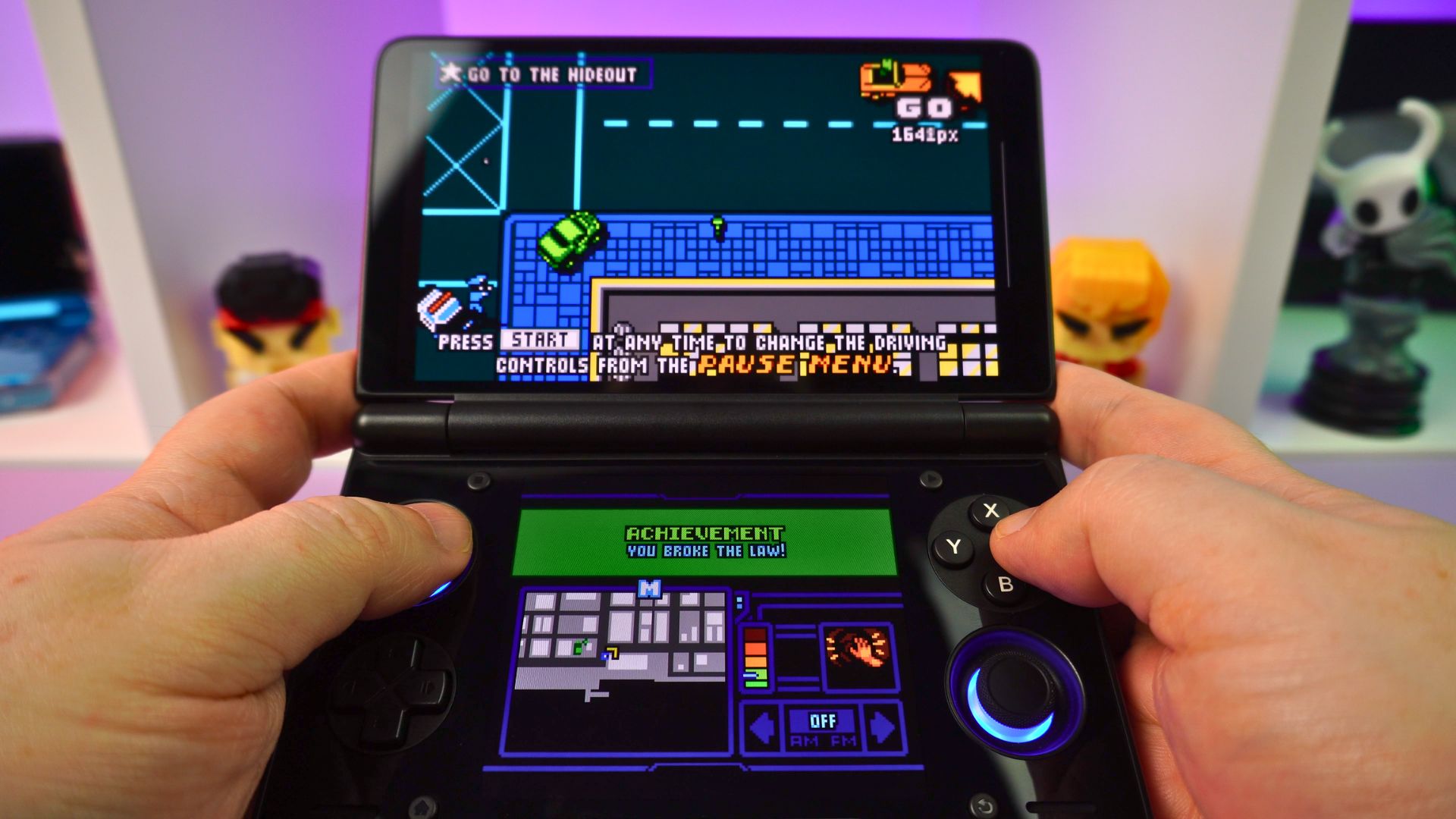
In terms of comfort, it feels very nice in your hands. With the optional TPU grip, it feels even better.
The built-in software for the second display is somewhat basic. Nevertheless, it is presented nicely and does the job just fine. When compared with the AYANEO software, sometimes less is more.
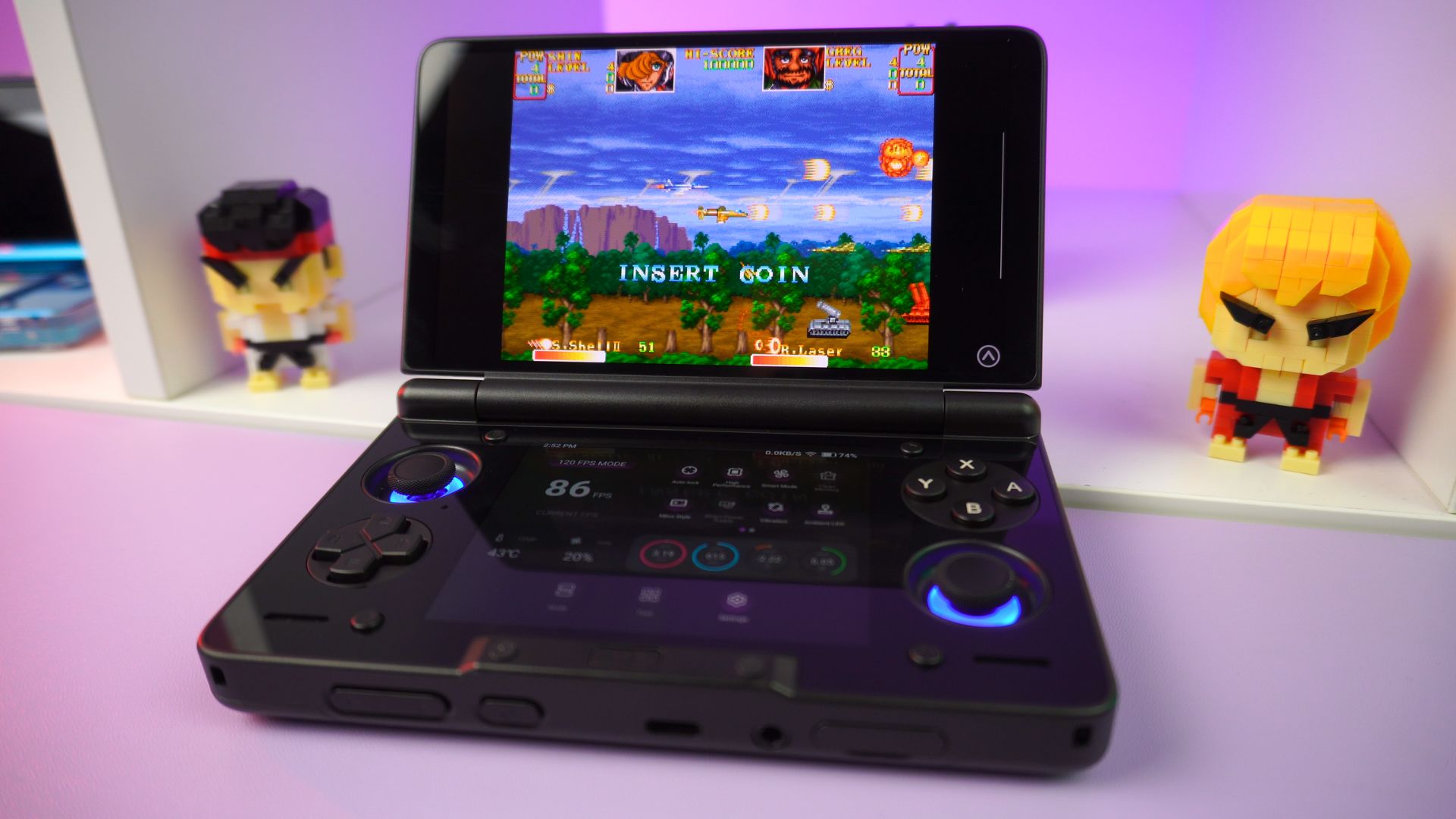
Overall, the AYN Thor is a fantastic Android gaming device. We have dual screens, decent performance, and excellent portability. There’s not much to dislike about it. If you were looking for a flaw, the glass bottom can attract fingerprints. Still, it gets a big thumbs up from me and concludes a very positive AYN Thor review.!
You can learn more and buy your AYN Thor here from us at DROIX.
That officially wraps up our AYN Thor review. We hope you have found it useful. Please let us know what you think of it, or if you have any questions, feel free to ask in the comments below.




