

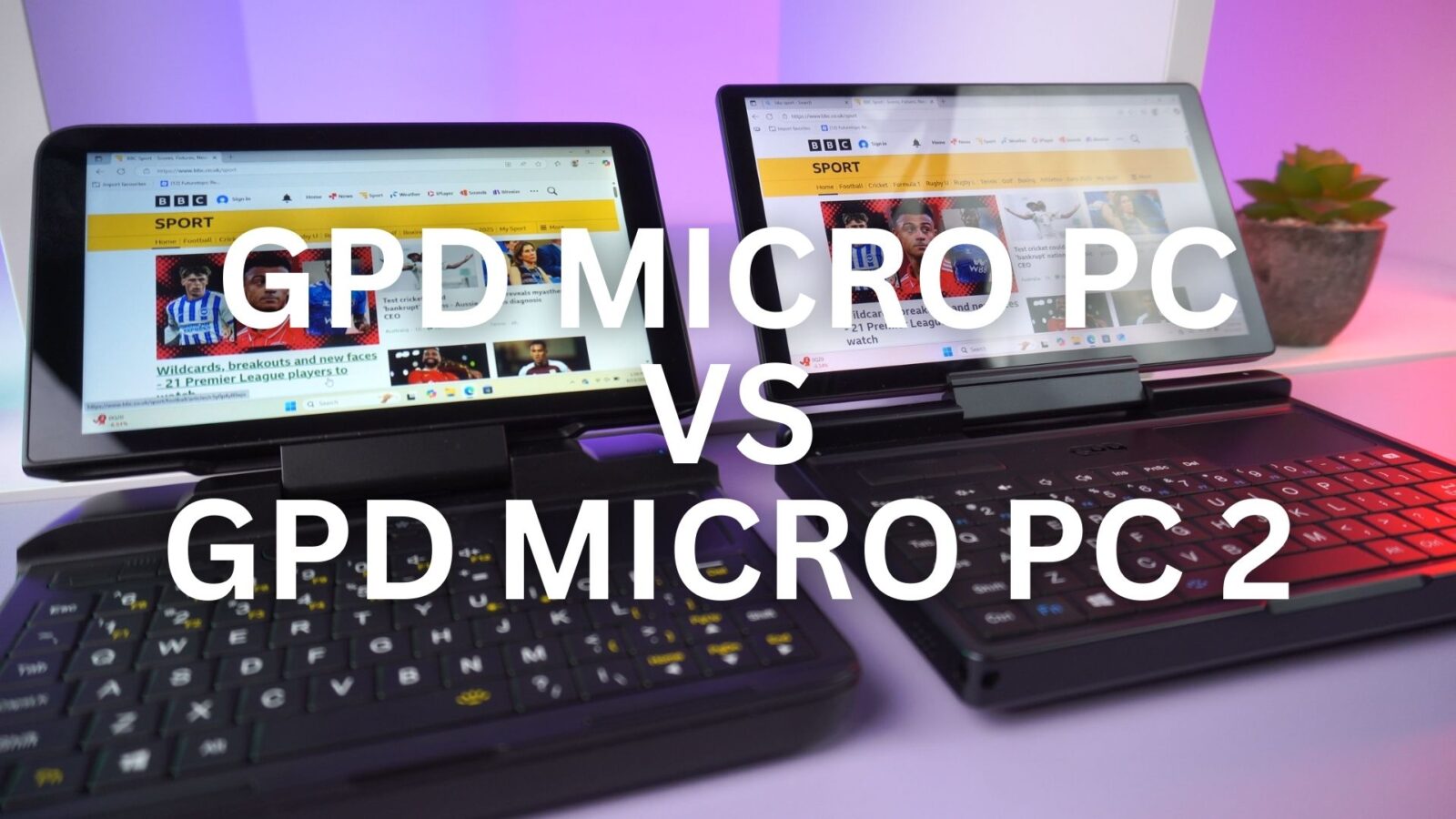
Back in 2019, the original GPD MicroPC carved out a unique space in the tech world. It was a purpose-built tool, a cult classic beloved by IT professionals, network engineers, and system administrators for its rugged build and unparalleled connectivity in a pocket-sized form. Now, in the fast-paced tech landscape of 2025, its long-awaited successor has arrived. For loyal fans and new buyers alike, the question is simple: what has changed, and is it a worthy upgrade? This is the definitive GPD MicroPC 2 vs GPD MicroPC comparison.
A Tale of Two Designs
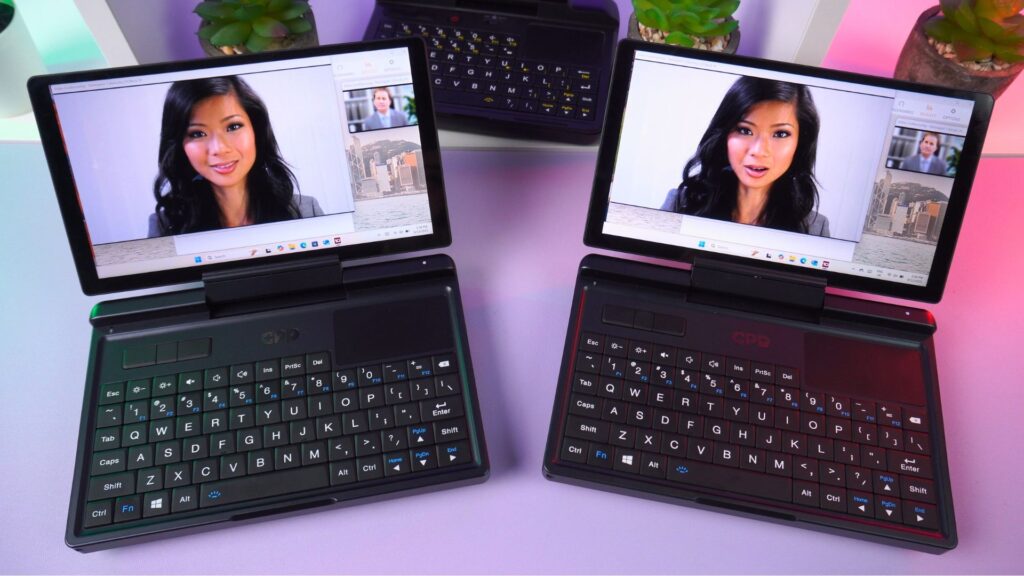
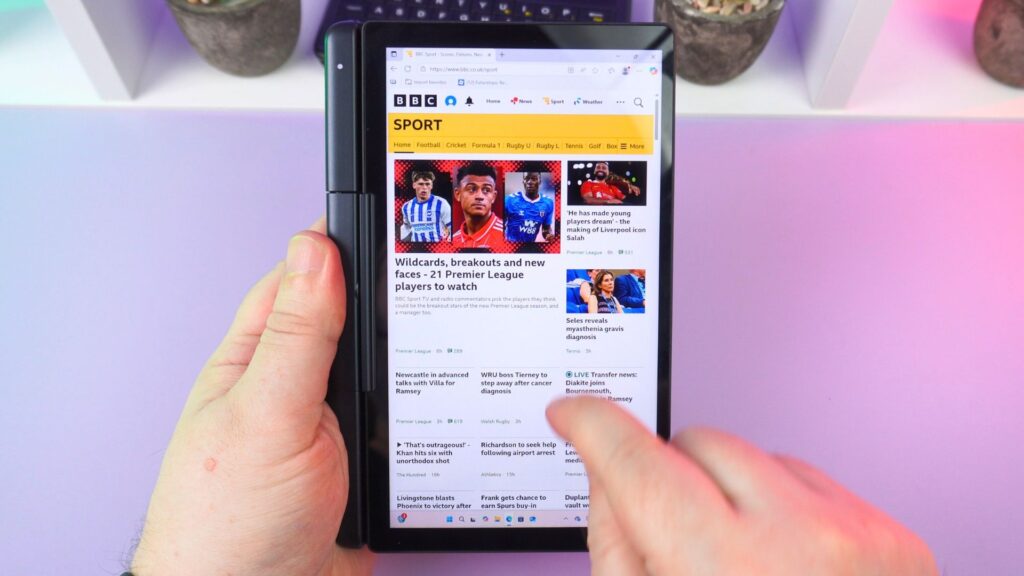
Setting the two mini laptops side-by-side, the shared DNA is clear, but the evolution is immediate. The original’s functional 6-inch, 720p (non-touchscreen) screen is replaced by a larger, brighter, and far sharper 7-inch, 1080p touchscreen on the GPD MicroPC 2. The most significant physical change is the new 180-degree hinge, which allows the screen to fold back, transforming the device into a tablet—a feature entirely absent on the 2019 model.

While both are paragons of compact laptops, the newer model modernises the I/O, upgrading to faster USB 3.2 Gen2 standards and a blistering 2.5Gbps Ethernet port, a substantial improvement over the original’s 1Gbps port. These design changes make the new model more versatile than its predecessor, which was one of the most iconic small-sized laptops of its time.
GPD MicroPC 2 vs GPD MicroPC Technical Specifications
| GPD MICROPC (2019) | GPD MICROPC 2 (2025) | |
|---|---|---|
| DISPLAY | 6″ H-IPS 720P (1280×720), 60Hz, 16:9 | 7″ LTPS 1080P (1920×1080), 60Hz, 16:9, 314 PPI, 500 nits |
| CPU | Intel Celeron N4120 Processor | Intel Processor N250, 4 Cores / 4 Threads, 3.8 GHz, 6W – 15W Intel Processor N300 8 Cores / 8 Threads, 3.8 GHz, 7W |
| GPU | Integrated Intel HD Graphics 600 | Integrated Intel UHD Graphics, 1.25GHz, 32 Execution Units |
| RAM | 8GB LPDDR4 | 16GB LPDDR5 |
| STORAGE | 256GB, 512GB, 1TB M.2 2242 SSD | 512GB/1TB/2TB/4TB M.2 2280 SSD |
| COMMUNICATIONS | 1x RJ45 Ethernet Port (1Gbps) Wi-Fi 5 Bluetooth 4.2 | 1x RJ45 Ethernet Port (2.5Gbps) Wi-Fi 6 (up to 2402 Mbps) Bluetooth 5.2 (supports up to 7 active devices) |
| I/O | 1x RS-232 1x USB Type-C 3.0 3x USB Type-A 3.0 1x HDMI 2.0 Type A | 2x USB Type-C 3.2 Gen2 (Full-Function) 2x USB-A 3.2 Gen2 1x HDMI 2.1 (TMDS Protocol, supports 4K@60Hz) 2x DisplayPort 1.4 (via USB-C, supports 4K@60Hz) |
| BATTERY | 47.12Wh | 27.5Wh Supports Battery Bypass |
| DIMENSIONS | 6.02 x 4.44 x 0.92 inches (15.3 x 11.3 x 2.35 cm) | 6.73 x 4.33 x 0.91 inches (17.1 x 11.0 x 2.3 cm) |
| WEIGHT | 440 grams (0.97 lbs) | 500 grams (1.10 lbs) |
The Performance Chasm
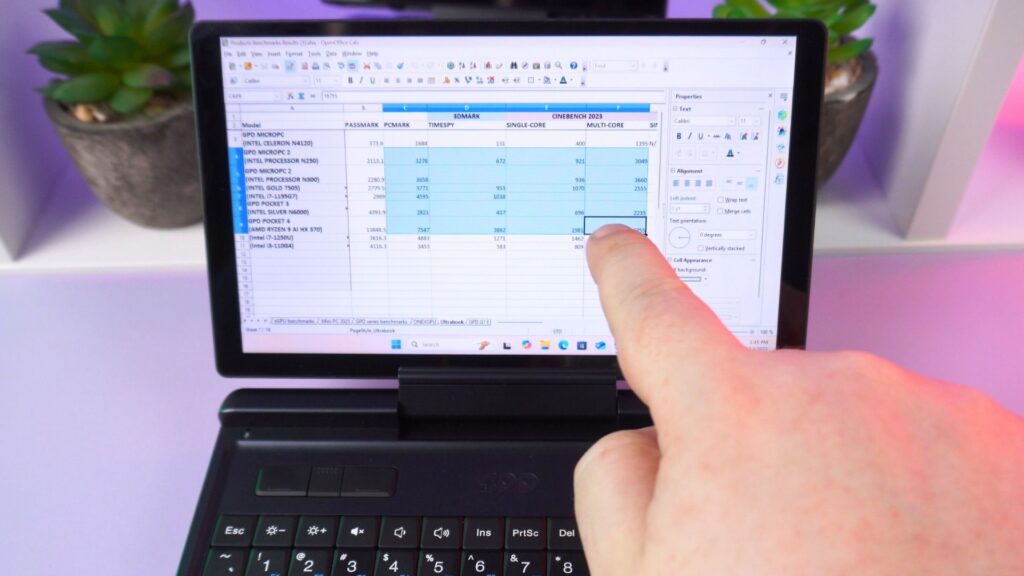
While the design changes are impressive, the gulf in performance is staggering. The original’s Intel Celeron N4120 was capable for its era, but the new Intel N-series processors in the GPD MicroPC 2 represent a monumental leap forward. To illustrate this, we ran a series of benchmarks comparing the original model to both the new N250 and N300 CPU variants.
| BENCHMARK | GPD MICROPC (2019) | GPD MICROPC 2 (N250) | GPD MICROPC 2 (N300) |
| PASSMARK | 373.6 | 2113.1 | 2280.9 |
| PCMARK | 1684 | 3278 | 3658 |
| 3DMARK TIME SPY | 131 | 672 | N/A |
| CINEBENCH R23 (SINGLE-CORE/MULTI-CORE) | 400 / 1395 | 921 / 3049 | 936 / 3660 |
| CINEBENCH 2024 (SINGLE-CORE/MULTI-CORE) | N/A | 59 / 191 | 61 / 237 |
| GEEKBENCH 6 (SINGLE-CORE/MULTI-CORE) | 343 / 1060 | 1170 / 3186 | 1288 / 4256 |
Looking at the GPD MicroPC 2 vs GPD MicroPC data, the numbers are stark. Both new models show a 5-6x increase in overall system performance in PassMark and double the efficiency in everyday tasks according to PCMark. The raw CPU gains in benchmarks like Geekbench 6 are consistently around 3x or more. When comparing the two new models, the N300 offers a clear advantage, particularly in multi-core performance where it shows a 20-33% lead over the N250, making it the most powerful option by a significant margin.
A Note on Power and Longevity
Another crucial factor in any portable device is battery life. Under a continuous, full-power, full brightness load running Cinebench R23 on all three devices, the original GPD MicroPC from 2019 provided around 2 hours of use. The new models post similar, though slightly shorter, times despite their immense performance advantage: the N250 GPD MicroPC 2 lasted for 1 hour and 42 minutes, while the N300 model ran for 1 hour and 47 minutes.
This minor decrease in longevity under maximum load is a very reasonable trade-off for the exponential leap in processing power. For more realistic, average daily usage involving tasks like web browsing, document editing, and terminal work, all three models offer a comparable expectation of around 4 to 6 hours, ensuring they can get you through a significant part of your workday before needing to find a charger.
Real-World Impact and New Possibilities
These benchmark figures translate into a tangible difference in user experience. Where the original could feel sluggish even while navigating Windows menus, both GPD MicroPC 2 models feel responsive and snappy. This performance boost unlocks new potential, elevating the device from a niche diagnostic tool to a genuinely viable primary computer.
For daily tasks, the N250 is more than sufficient, but for professionals needing to run more demanding software, light virtualisation, or heavy multi-tasking, the N300’s superior multi-core power makes it one of the most capable laptops for business in this ultra-compact form factor. This newfound power also makes both models intriguing laptops for students in STEM fields who need a portable device that can run specialised software.
The One Big Compromise
No comparison would be honest without addressing the most controversial change: the removal of the native RS-232 serial port. For a dedicated group of industrial technicians and network engineers, this port was the original’s killer feature. Its omission on the GPD MicroPC 2 is a clear trade-off, prioritising modern features like the 2-in-1 design over a legacy connection.
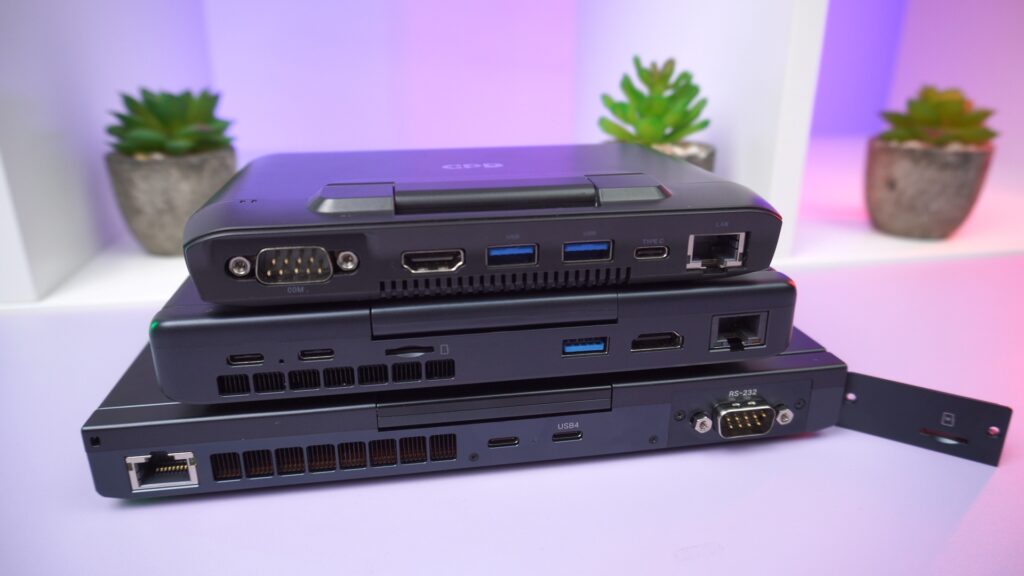
While workarounds like high-quality USB-to-Serial adapters exist, those who require a native port may need to stick with the original or consider alternatives such as the GPD Pocket 4 which has a modular port system with RS-232 module. For most users, however, even those who used the port occasionally, the immense benefits in every other category will likely outweigh this loss. This makes the GPD MicroPC 2 vs GPD MicroPC decision a matter of specific professional need.
The Verdict
For almost every user, the GPD MicroPC 2 is a monumental and worthy upgrade. The leap in performance is one of the largest generational jumps we’ve seen, the screen is vastly superior, and the 2-in-1 tablet functionality adds a layer of versatility the original couldn’t dream of. It takes the spirit of the original and modernises it for the demands of 2025, competing admirably with other ultra-portable notebooks. While the original remains a beloved classic—and a necessity for those who depend on its serial port—the GPD MicroPC 2 is undoubtedly the future.
If you would like to read more, check out our in-depth GPD MicroPC 2 review here.
We would love to hear from owners of the original MicroPC! What are your thoughts on this upgrade? For those considering a new purchase, does this generational leap convince you? Please share your questions and feedback in the comments section below.




