


GPD WIN 5 Review
-
Design
(4.8)
-
Build Quality
(4.8)
-
Display
(4.7)
-
Performance
(5)
-
Features
(5)
Summary
The GPD WIN 5 is a next-generation handheld gaming PC that combines the immense power of the AMD Ryzen AI Max+ 395 APU with a unique modular 80Wh battery to deliver unprecedented, desktop-class performance in the palm of your hand.
Overall
4.9User Review
( votes)Pros
- Unmatched CPU and GPU performance with the Ryzen AI Max+ 395 and Radeon 8060S
- Up to 128MB RAM supported
- Modular battery system means easy replacing of batteries
- Mini SSD (MSSD) support
Cons
- No built-in keyboard
- Some may say 7″ is too small?
What if you could have the power of a desktop gaming PC… right here, in your hands? This is the GPD WIN 5, a truly next-generation handheld gaming PC. Featuring AMD’s brand-new Ryzen AI MAX+ 395 processor, alongside a unique external battery system and performance that rivals an eGPU, the GPD WIN 5 is making some seriously bold claims. Consequently, today we’re putting the GPD WIN 5 to the test in our official GPD WIN 5 review. We want to see if this is truly the new king of handheld gaming. Let’s find out!
Watch Our Full GPD WIN 5 Review Video
A Closer Look at the GPD WIN 5 Design
First, let’s look at the physical design. The GPD WIN 5 measures around 10.5 x 4.3 x 0.95 inches (26.7 x 11.1 x 2.4 cm). Furthermore, it weighs approximately 565g (1.24 lbs).
In addition, the external battery pack measures around 4.36 x 4.34 x 0.71 inches (11.07 x 11.03 x 1.81 cm) and weighs about 350g (0.77 lbs). This combination makes the GPD WIN 5 a very versatile portable gaming PC.
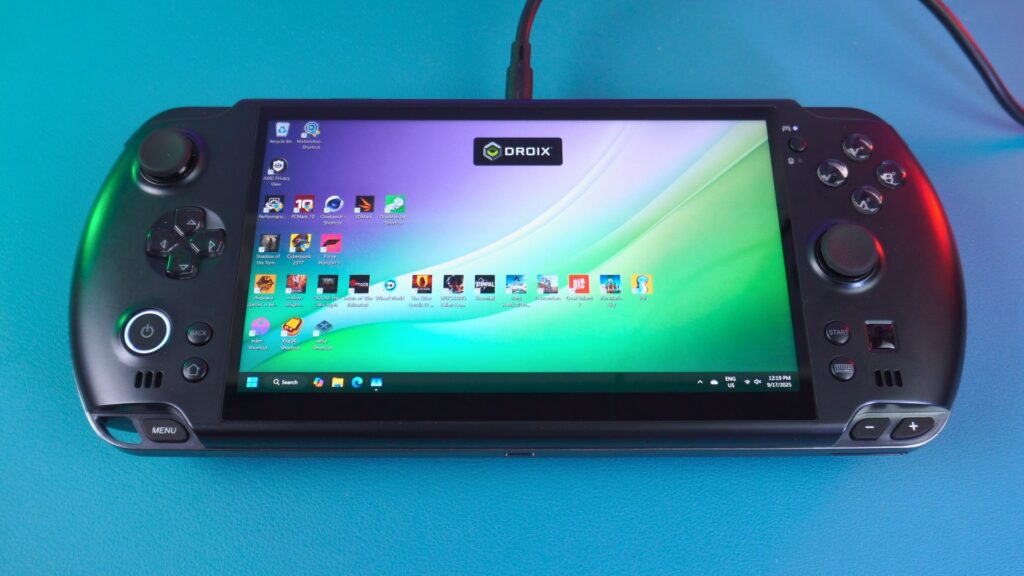

The GPD WIN 5 Display: A 120Hz VRR Upgrade
On the front of the GPD WIN 5 is a great-looking 7-inch touchscreen. This screen boasts a 1920×1080 resolution.
A key highlight for this GPD WIN 5 review is that the display runs up to 120Hz with AMD FreeSYNC Premium support. This is certainly a nice step up from the 6-inch, 60Hz display on the Win 4, which desperately needed an upgrade.
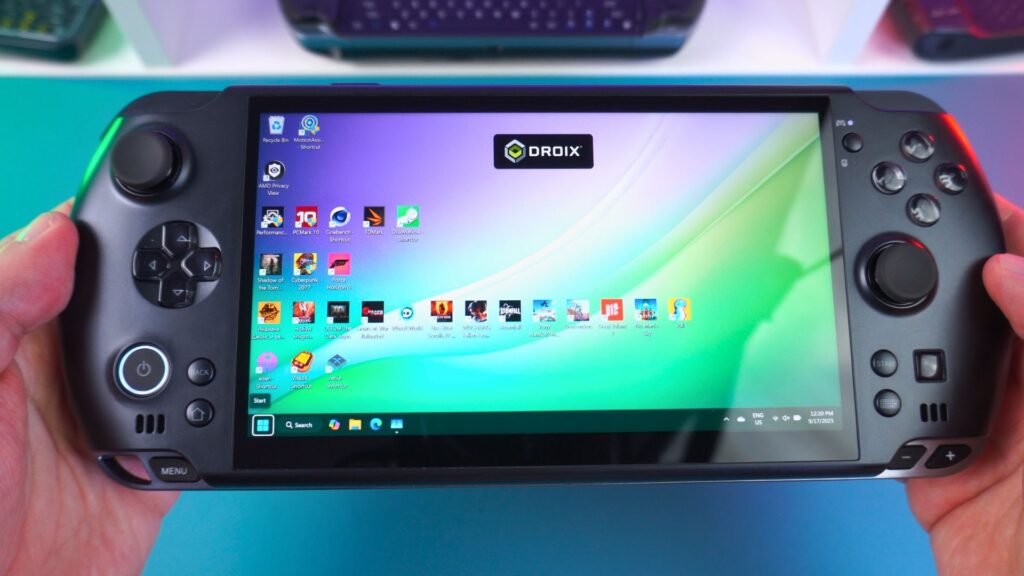
Comprehensive Controls and Plentiful Ports
For controls, the sides of the GPD WIN 5 feature dual capacitive analog sticks, a D-Pad, and the usual gaming buttons. Near the top right corner of the display, there is a button to switch between gamepad and mouse controls.
Meanwhile, on the bottom left area, we have a power button that includes a built-in fingerprint sensor. It is joined by a Back button and an Active Window/Desktop Button. Subsequently, in the bottom right corner, you will find a Start button, an on-screen keyboard button, and a convenient optical finger mouse. Along the bottom edge are a Menu button and volume buttons.
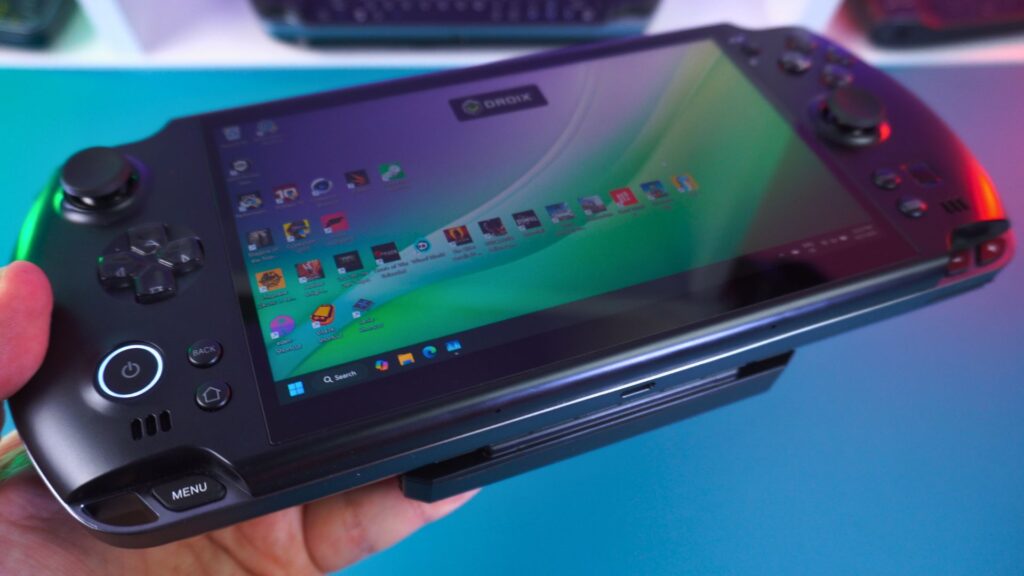

Connectivity and I/O
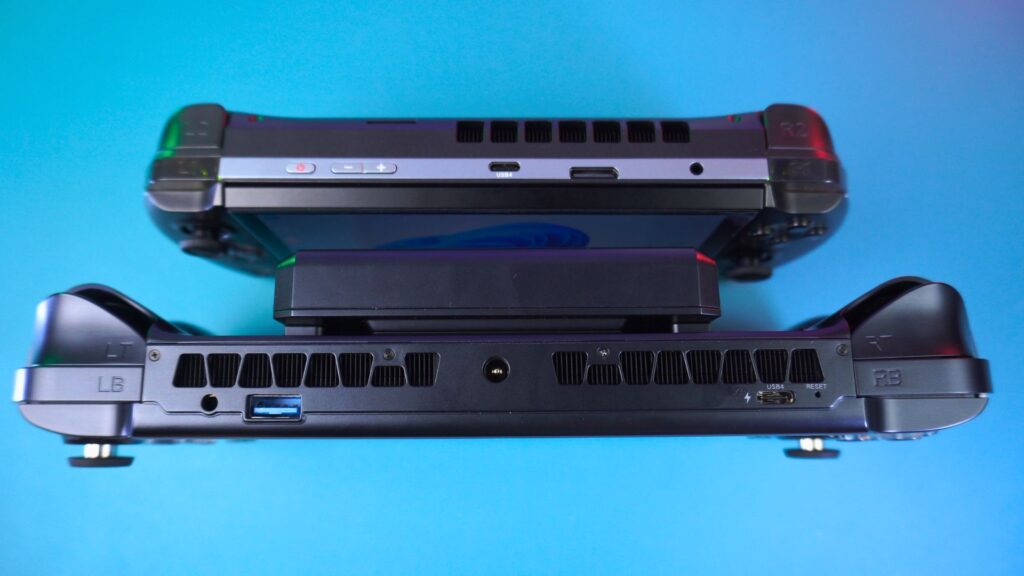
Looking at the ports, the bottom of this compact gaming PC has a USB 3.2 Gen 2 Type-C port and a Mini SSD Slot. We will explore the SSD slot in more detail later. The right side also has a Micro SD card reader slot.
The top of the GPD WIN 5 houses the left and right analog triggers and buttons. Additionally, it features a 3.5mm audio jack, a DC barrel jack for 180W of power, and an additional USB 3.2 Gen 2 port.
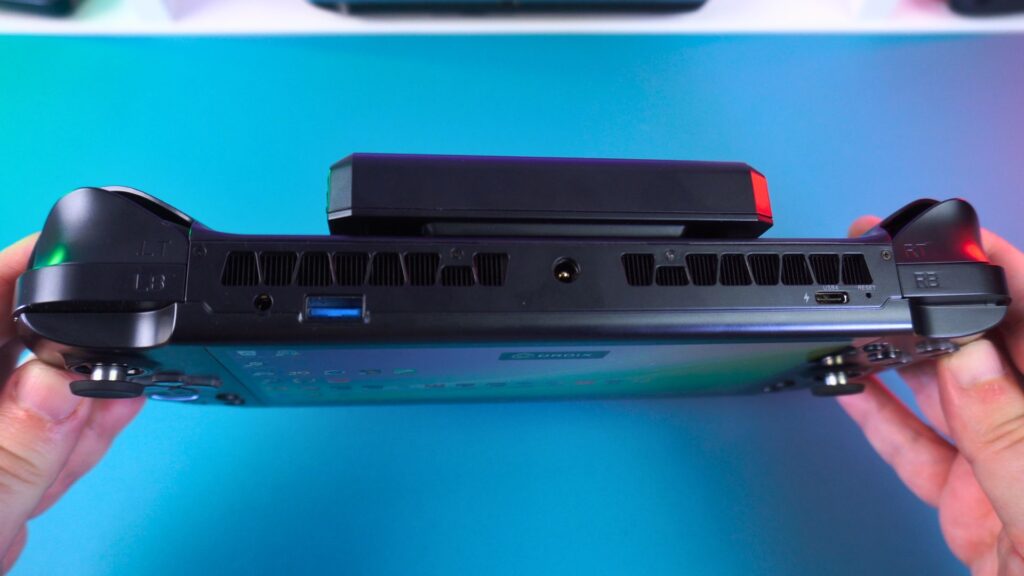
The top of the unit features left and right analog triggers and buttons. It also houses a 3.5mm audio jack, a DC barrel jack for 180W of power, and an additional USB 3.2 Gen 2 port.
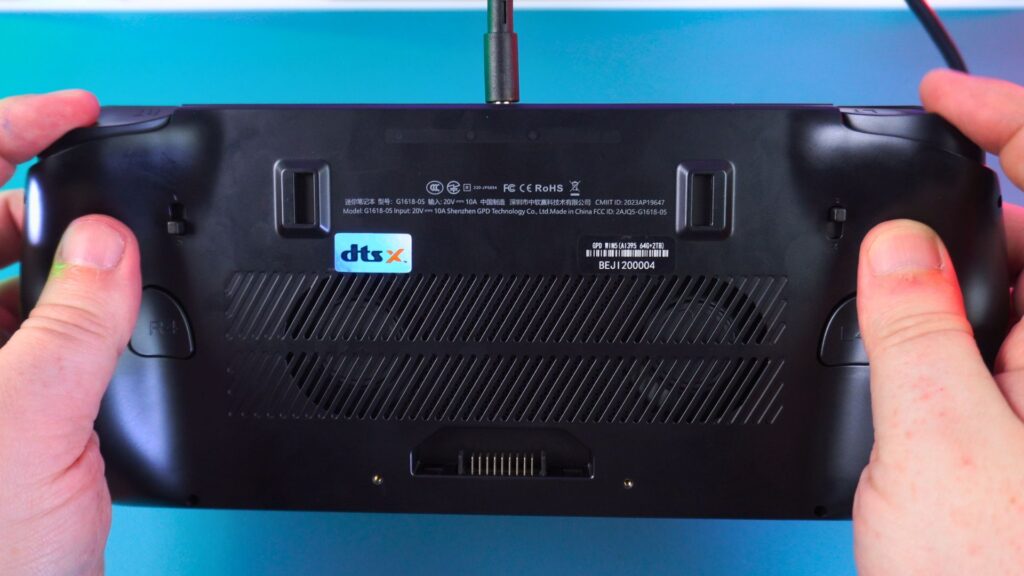
Customisable Triggers
Turning the GPD WIN 5 over, the back has two small switches. These are used to change the analogue triggers between analogue and switch-style input. This feature is great for racing games and first-person shooters, respectively.
GPD WIN 4 vs GPD WIN 5: What’s New?
If you have the GPD WIN 4 or are simply interested in the differences between them, let’s take a brief look to find out.
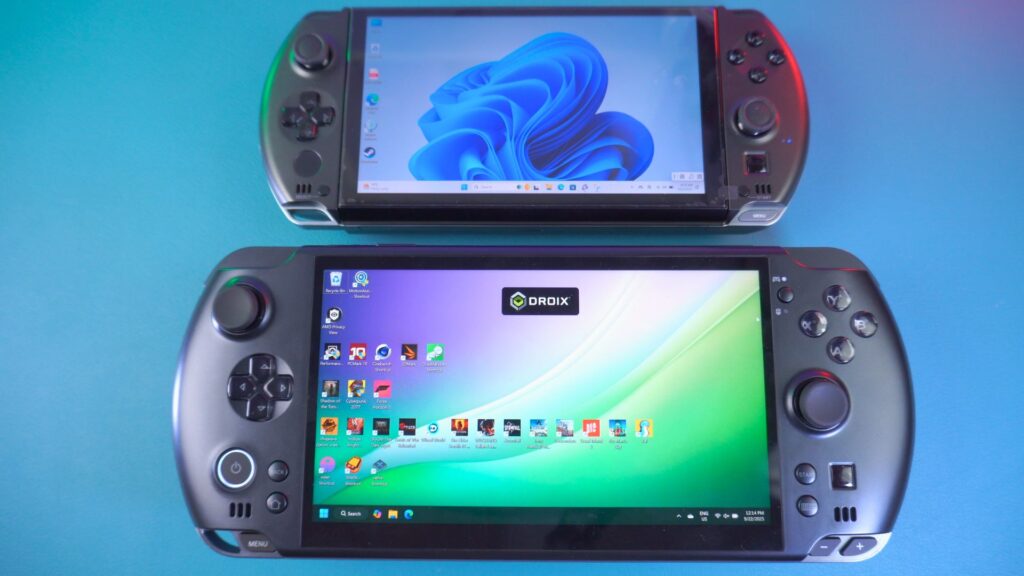
Physical Size and Portability
The GPD Win 4 2025 measures around 8.6 x 3.6 x 1.1 inches (22.0 x 9.2 x 2.8 cm). It is, therefore, the physically smaller mobile gaming PC, which makes it a bit more pocketable than the Win 5.
The Display Dilemma
The display, as mentioned, is a nice upgrade from the original 6” 60Hz display. The new 7” display on the GPD WIN 5, supporting up to 120Hz, is definitely far nicer to look at.
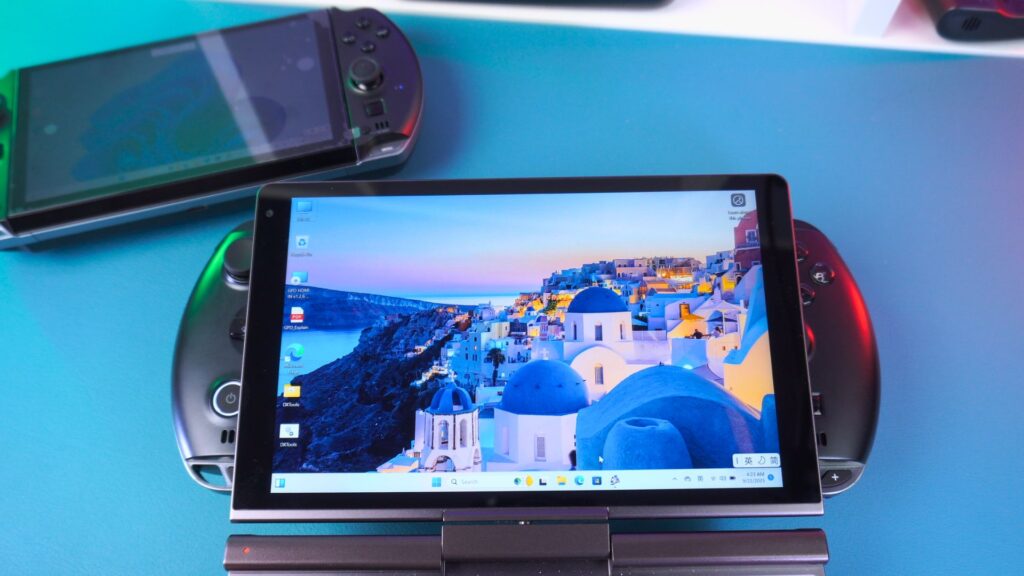
An 8-inch display would considerably increase the size of the handheld. Adding an extra inch to make it 8” will, of course, increase the size. I think this was kind of already covered by the GPD Win Mini 2025 (currently 7”) and GPD WIN Max 2 2025 series (10.1”). Consequently, I would expect to see new models of those in the future. Read our predictions for the GPD WIN MAX 3 here
The Missing Keyboard
One of the largest changes is the lack of a physical keyboard. The GPD WIN series has always featured one, and the GPD WIN 5 is the first to not. This may have been a design choice by GPD. Or, perhaps, it was some kind of limitation due to the display type or physical size.
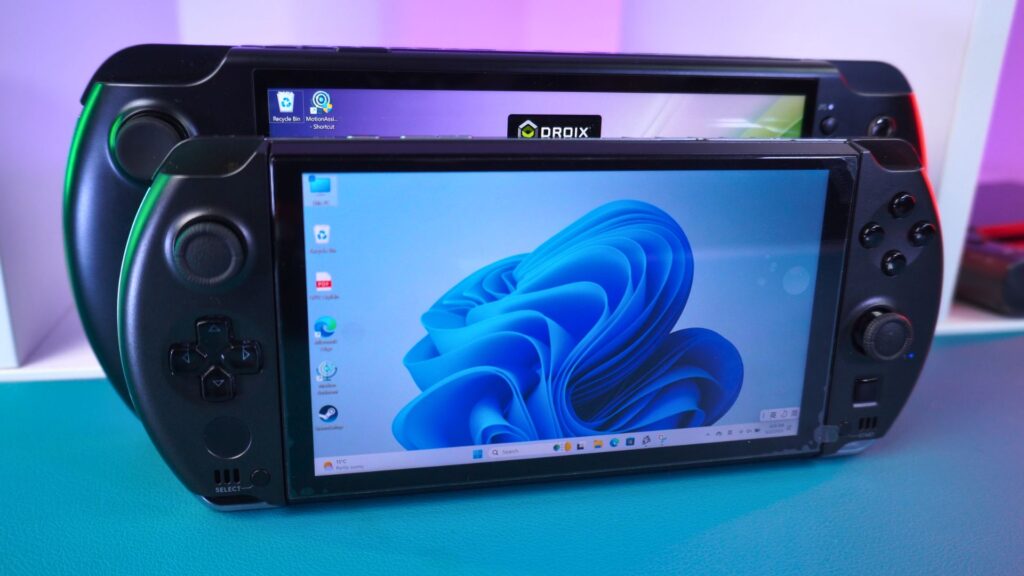
The hardware inside is among the largest changes. We have a brand-new processor, an upgrade from the AMD Ryzen AI 9 HX 370 & Radeon 890M. We will compare the performance with previous generations shortly. There are also dual fans to ensure everything on the GPD WIN 5 is kept cool. And, of course, there are the new power options, which we will cover next.
Check out out GPD WIN 4 2025 review here for more details, benchmarks and much more.
Powering the GPD WIN 5: Battery and Beyond
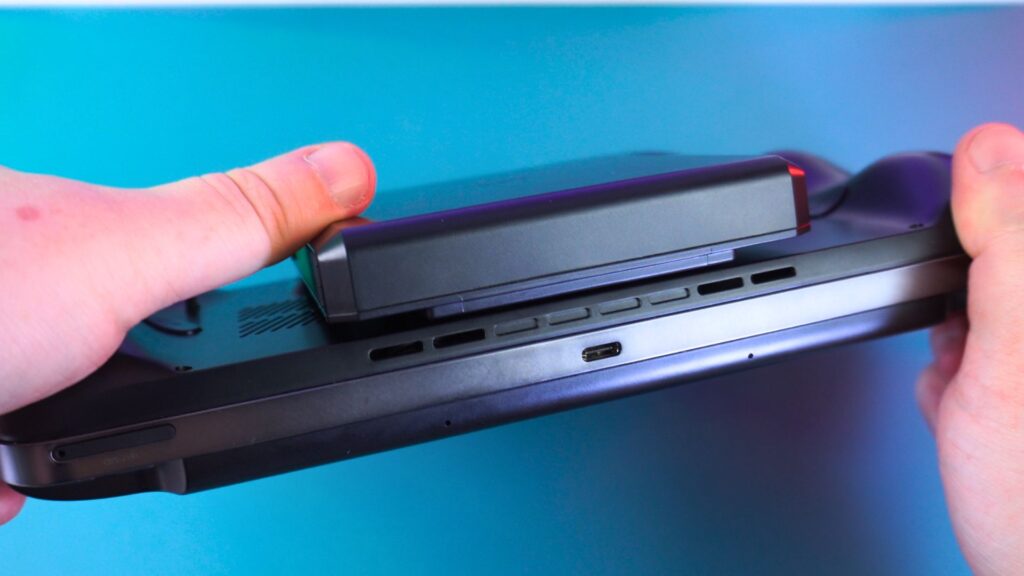
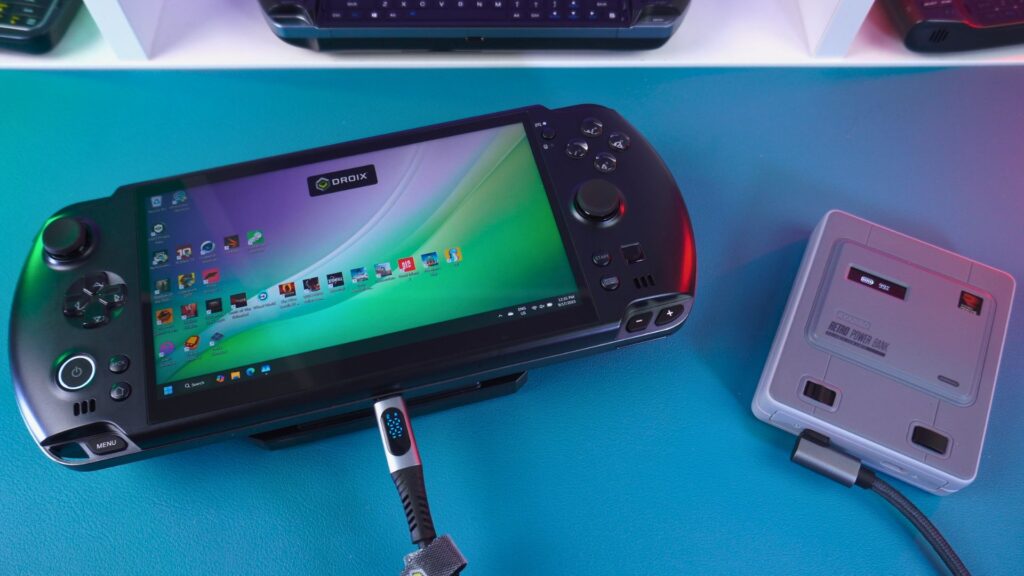
There are two areas where the battery latches onto the GPD WIN 5, with the battery connector situated just below. The battery connects simply by holding the two buttons on either side. You then attach it to the back of the GPD WIN 5 and release the buttons to lock it securely into place.
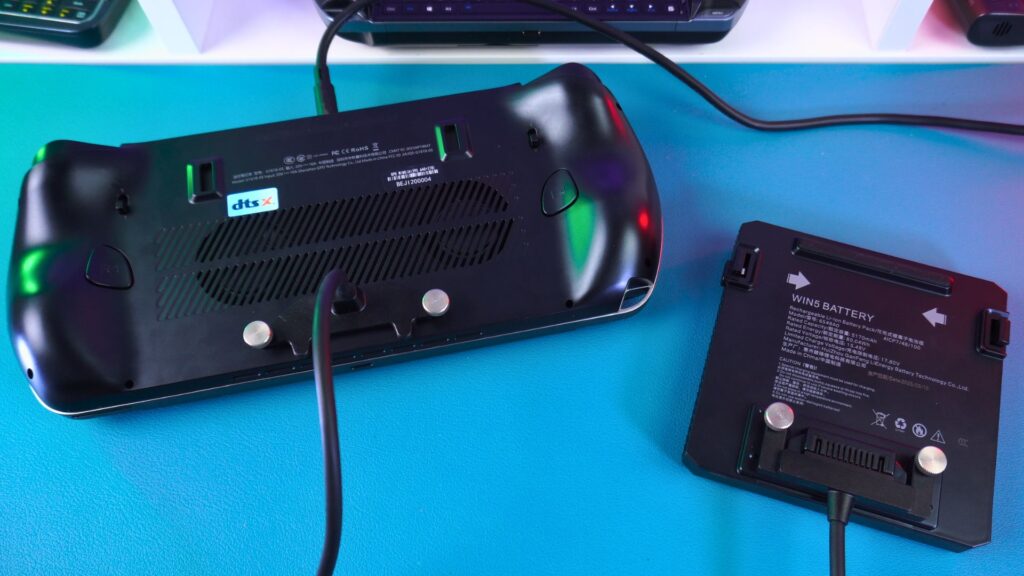
In addition, you can also use the included connection cable. This feature handily reduces the weight of the handheld during use. It is secured via two screws on either side on both ends to keep it connected. Therefore, you won’t have to worry about accidental disconnections.
Flexible Powering Options
You have a few different ways to power this impressive handheld gaming computer. The included power brick supplies up to 180W of power via the barrel jack port at the top. Consequently, if you are at home or near a power supply, this is the best option.
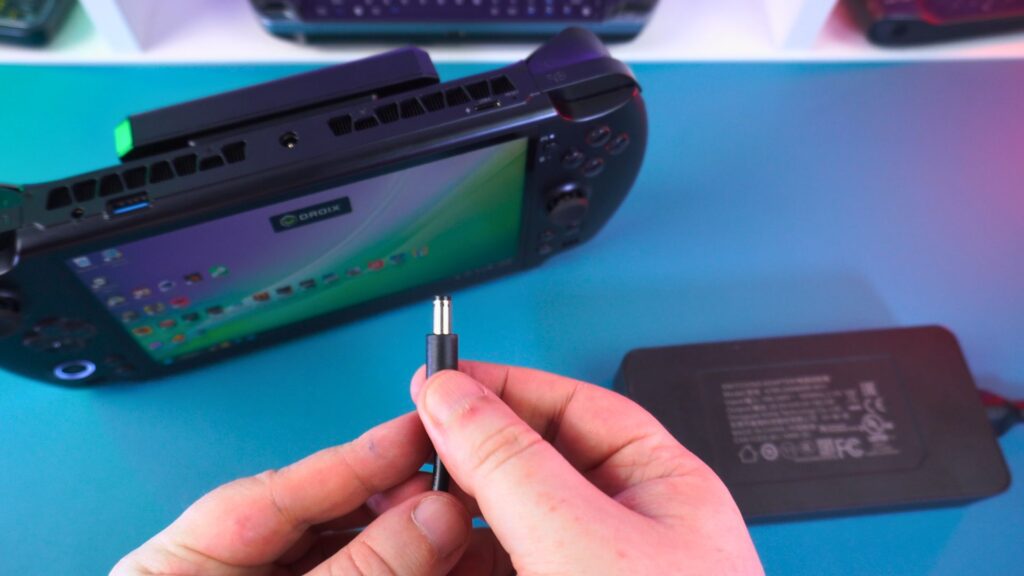
Alternatively, power can also be supplied via the USB-C port with a charger or power bank, for example. You are, of course, limited by the charger’s output in this scenario.
GPD WIN 5 Review: Battery Life Tests
And of course, we have the external battery. Testing the battery life is a crucial part of any GPD WIN 5 review.
The external battery gaming PC was tested by pushing it to its limits at 80W TDP (UPDATE: It will now support up to 85W TDP when released) with full screen brightness while running Cinebench 2024 on a loop. In this test, it got around 42 minutes.
Then, while idle on the desktop at 55W TDP and 50% brightness, we got around 9 hours. Average usage will vary depending mainly on the TDP. However, for an average game without pushing everything to the maximum, let’s say two to three hours.
GPD WIN 5 Technical Specifications
This is where our GPD WIN 5 review gets truly exciting. The specifications are, frankly, mind-blowing for a 120Hz handheld. Unlike standard APUs found in the ROG Ally X, the GPD WIN 5 uses AMD’s ‘Strix Halo’ architecture. This means it has a massive 256-bit memory bus (similar to a PS5) which feeds the Radeon 8060S graphics, preventing the bandwidth bottlenecks seen in other handhelds.
| CPU | AMD RYZEN AI MAX+ 395, 16-Core, 32-Threads, ZEN 5, Up to 5.1 GHz, 126 TOPS AMD RYZEN AI MAX 385, 8-Core , 16-Threads, ZEN 5, Up to 5 GHz, 106 TOPS |
| GPU | AMD Radeon 8060S (Integrated), RDNA 3.5, 40 CUs (2560 Stream Processors), 2.9 GHz, AMD FreeSync Premium AMD Radeon 8050S (Integrated), 32CUs, 2.8 GHz, AMD FreeSync Premium, |
| RAM | Up to 128GB LPDDR5x Unified Memory, 8000 MT/s |
| STORAGE | 1 TB / 2 TB / 4 TB M.2 NVMe Slot (2280) PCIe Gen4, Single-sided SSD 1x Mini SSD Card slot PCIe Gen4 x1 1x Micro SD card slot SD 3.0 Protocol |
| DISPLAY | 7-inch, 120Hz, 16:9, Native Landscape Gaming Screen, AMD FreeSync Premium, 100% sRGB, 315 PPI, 500 NITS |
| CONTROLS | Capacitive Joystick (Esports FPS grade, zero dead zone, zero drift) Hall Effect Triggers (Dual-mode long/short thread, 0.1mm accuracy, <0.1ms response) |
| POWER & BATTERY | 80Wh External Removable Lithium-Ion GPD FlexPowe 180W DC Power Adapter (AI PC-specific) |
| DIMENSIONS | GPD WIN 5 handheld: 10.5 x 4.3 x 0.95 inches (26.7 x 11.1 x 2.4 cm) GPD WIN 5 battery: 4.36 x 4.34 x 0.71 inches (11.07 x 11.03 x 1.81 cm) |
| WEIGHT | GPD WIN 5 handheld: 565g (1.24 lbs) GPD WIN 5 battery: 350g (0.77 lbs) |
Thermals and Fan Noise
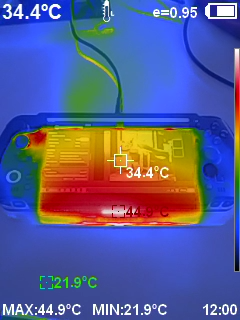
While battery life tests are usually covered here, they were detailed earlier. In our fan noise and temperature tests, a highest fan noise of 67 dB was recorded.
The highest temperature reached was 48°C without the battery. Not much difference was noted with the battery attached, which was good to see.
The New BIWIN Mini SSD Storage
A Groundbreaking New Format
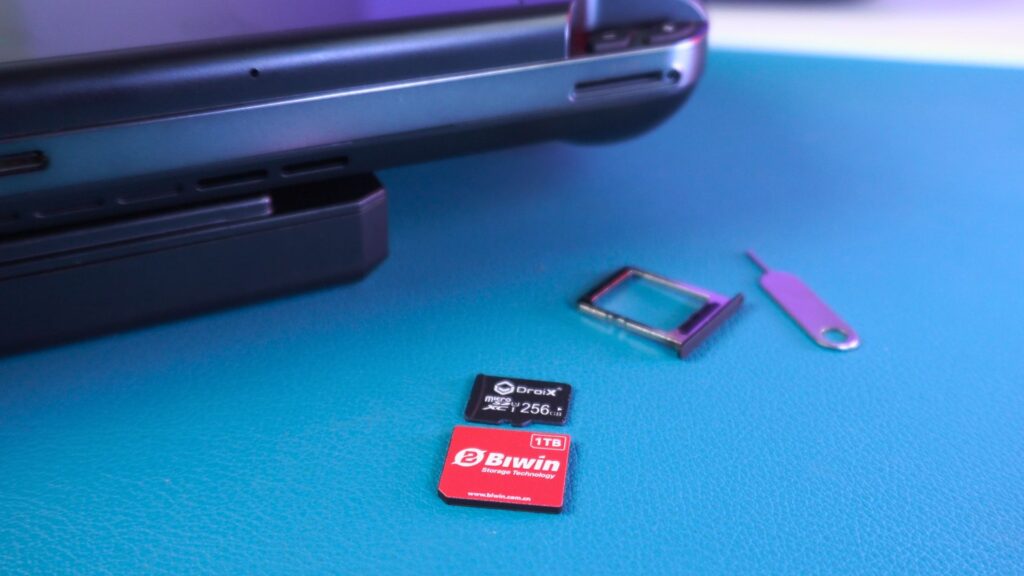
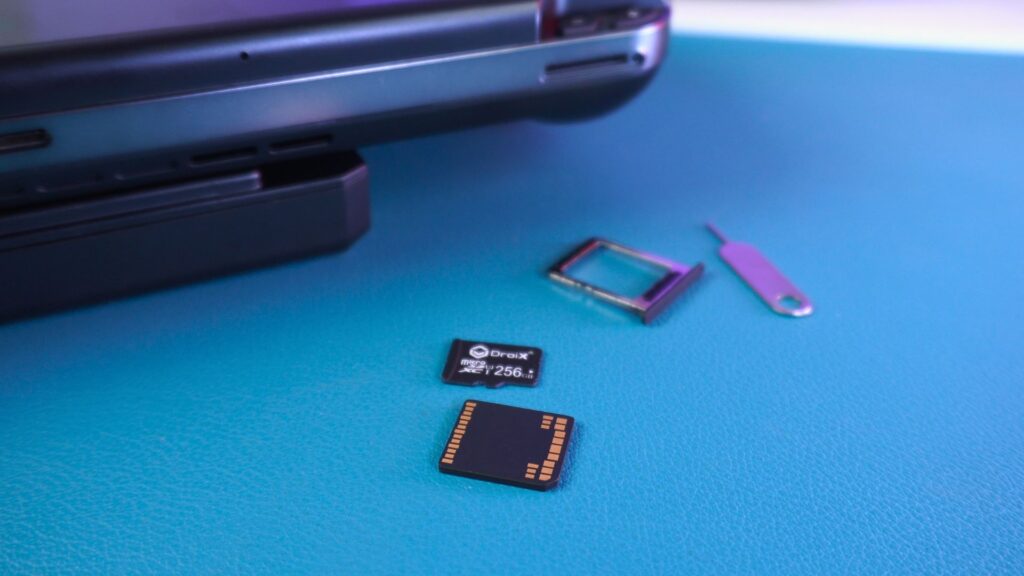
The GPD WIN 5 is the first device to feature the new BIWIN Mini SSD storage format. It is not much larger than a microSD card, at only 15 x 17 x 1.4 mm in size. Furthermore, it offers up to 2TB in storage capacity.
Mini SSD Speed Tests
Some speed tests were performed with CrystalDiskMark, and good results were obtained. Keeping in mind the GPD WIN 5’s mini PCIe is 4×1 and not the full 4×2 spec for mini SSD, we get around 1,700Mb/s read and write speeds.
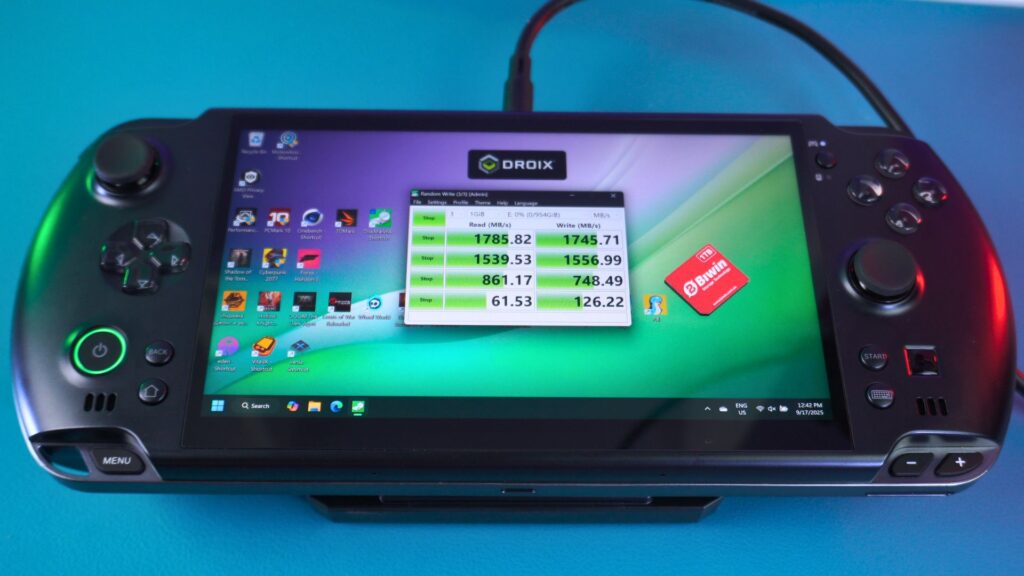
With a mini PCIe 4×2 connection, upwards of 3,700 Mb/s would have been possible. As a result, we are seeing around half the highest possible speeds. Nevertheless, it’s still pretty impressive for a portable gaming computer and far faster than the 100Mb/s speeds of your average Micro SD card.
You can read our in-depth BIWIN Mini SSD review here which includes more benchmarks.
GPD WIN 5 Review: System Benchmarks
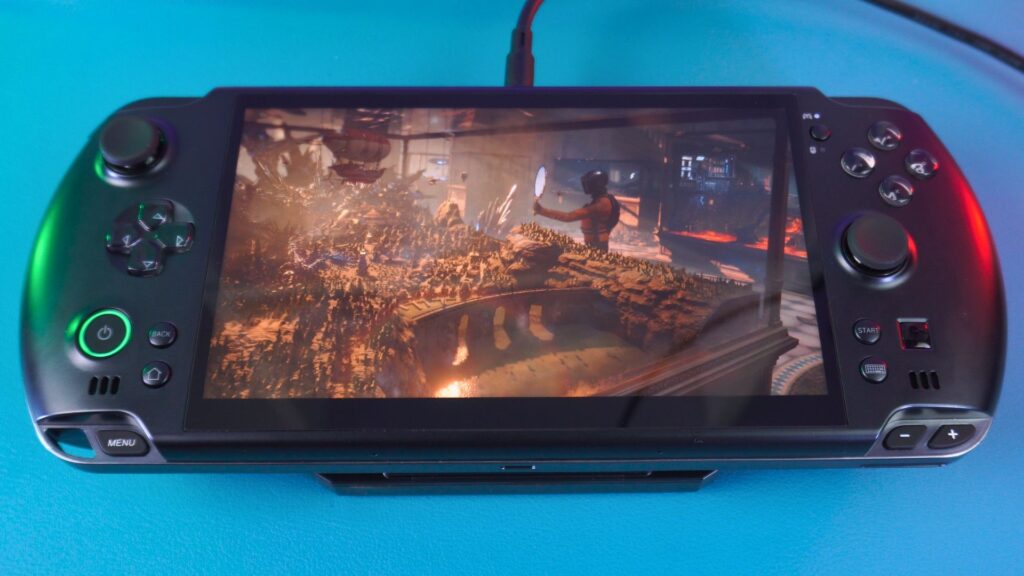
It is now time for the benchmark section of our GPD WIN 5 review. We are running these system benchmarks at the default 55W TDP. Where possible, they are being compared with previous WIN 4 generations running at their default 28W TDP.
Again, keep in mind that this is a pre-mass production model. Therefore, there may be some changes before the final version.
Cinebench 2024
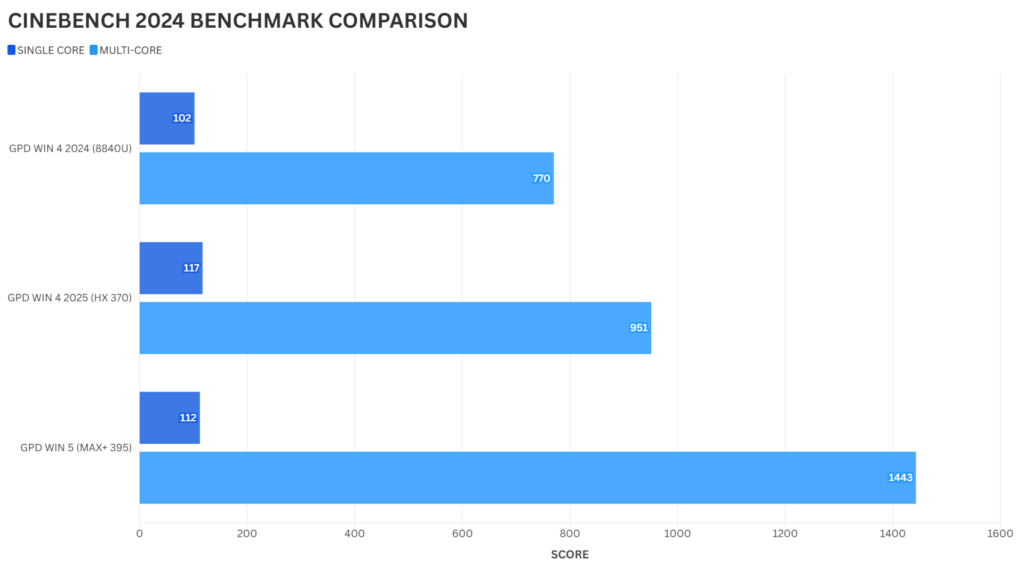
The Cinebench Benchmark performs single and multi-core tests on the CPU for rendering. Surprisingly, the single-core performance is seen to be slightly lower than the HX370. However, on the multi-core scores, a massive 51% increase in performance is observed with the GPD WIN 5.
Geekbench 6
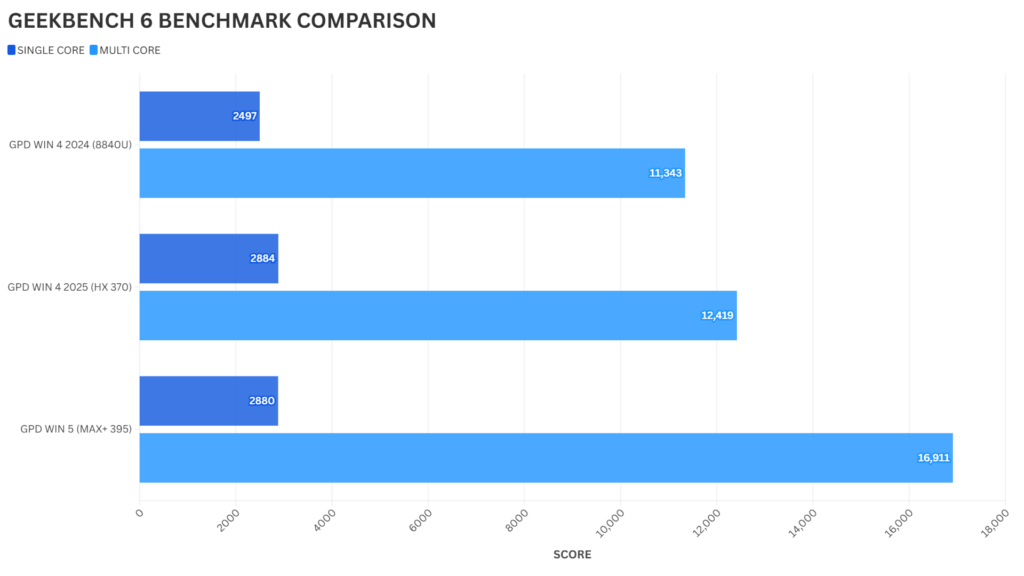
The Geekbench 6 software also tests single and multi-core CPU performance over a range of benchmarks. Once again, we see within-margin-of-error differences between the HX 370 and GPD WIN 5 MAX+ 395 single-core performance. And yet again, a large 36% increase in performance on multi-core is seen. For both the Cinebench and Geekbench tests, the TDP could, of course, be increased to 80W for higher single-core performance.
PCMark
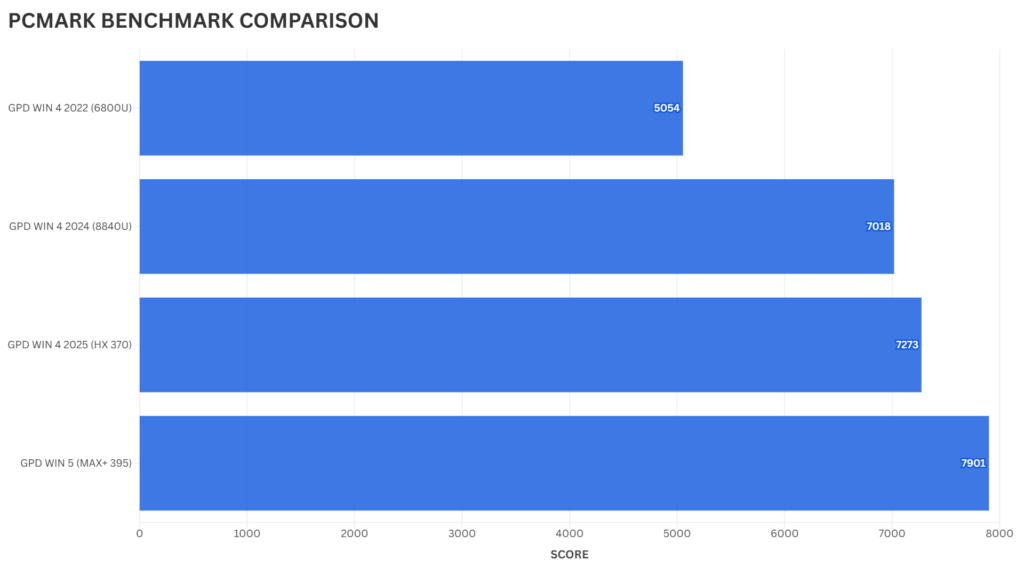
The PCMARK software tests a variety of day-to-day usage scenarios. These range from web browsing and video conferencing through to working with large office documents and image and video editing. As a result, we see a respectable increase of 8% over the previous generation GPD WIN 4 2025.
3DMark

For 3DMARK, the Time Spy, Night Raid & Fire Strike Benchmarks were run. Tests were also conducted at 28W and 80W for the Ryzen AI Max 395 benchmarks.
Even at 28W TDP, the GPD WIN 5 enjoys a massive lead over the previous generation. Then, as we increase the TDP up to 80W, the GPD WIN 5 simply blows them out of the water. It shows 184%, 104%, and 189% increases in performance across the three benchmarks. Amazing!
GPD WIN 5 Gaming Benchmarks
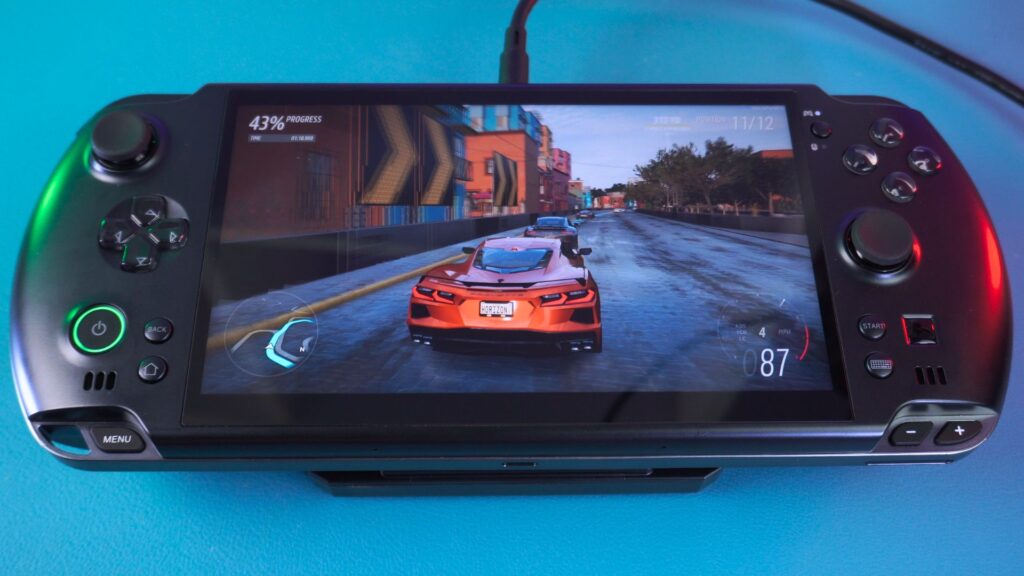
For the gaming benchmarks in this GPD WIN 5 review, we will be testing this portable gaming computer at 28W, 55W, and 80W for Radeon 8060S gaming. This 80W level seems to be the highest TDP for performance. You can, of course, go lower than 28W (as low as 7W) for optimal battery life saving.
Forza Horizon 5
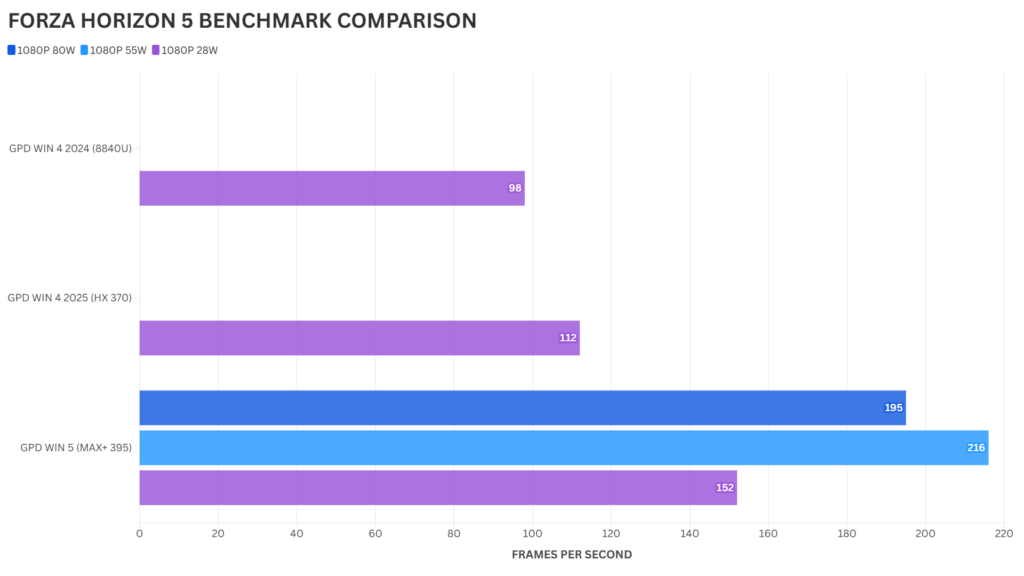
For Forza Horizon 5, we are running on the Very Low graphics settings for legacy comparisons. You can, however, quite happily run at 1080P Ultra graphics if you wish. We can see the GPD WIN 5 enjoy a 35% increase in frames per second at 28W, going up to a 92% increase at 55W TDP.
Cyberpunk 2077
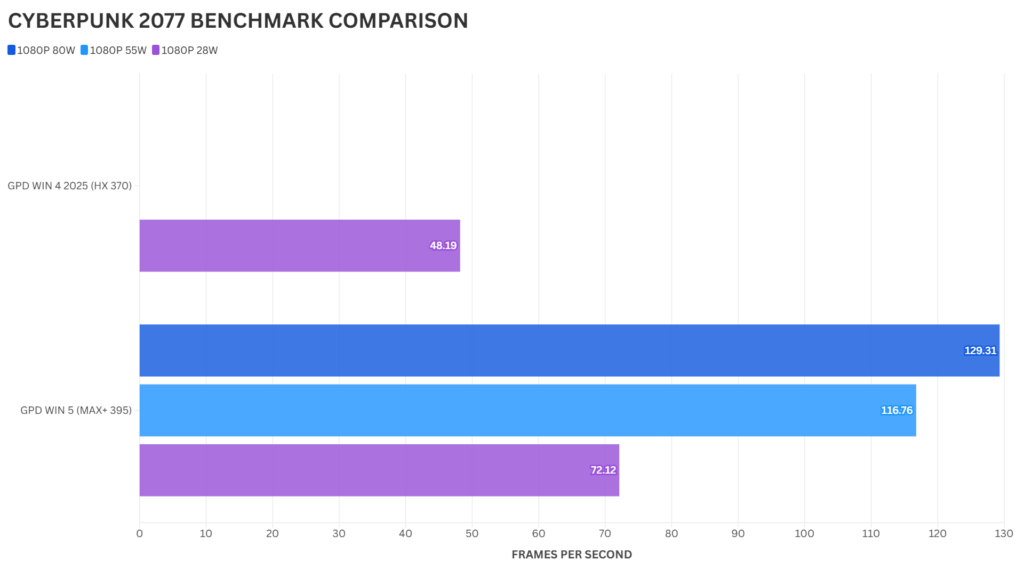
For Cyberpunk, we are running on the Low graphics settings for legacy comparisons. At 28W, a decent 49% increase in frames per second is seen. Then, at 80W TDP, we see a massive 168% increase.
Shadow of the Tomb Raider
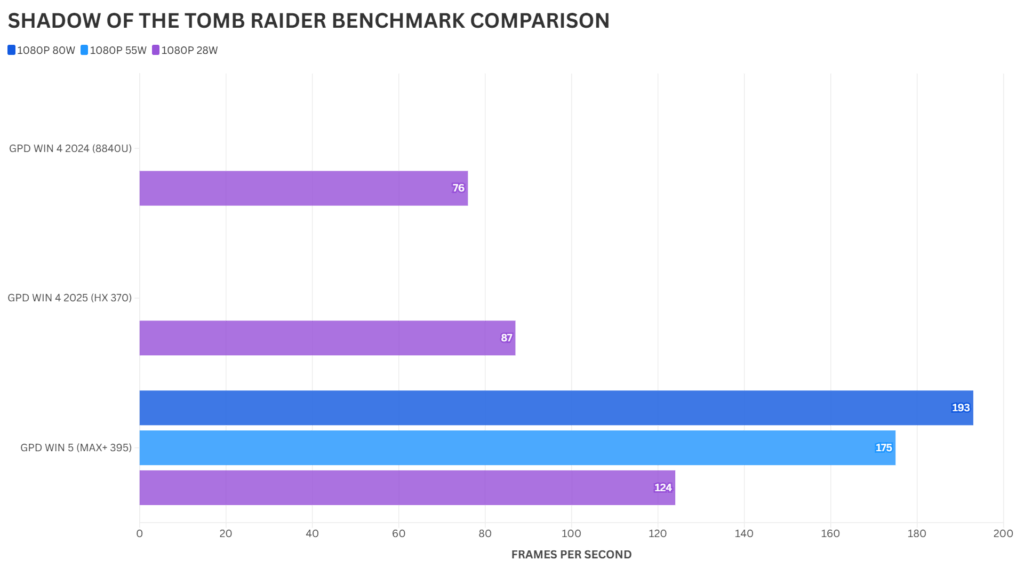
For Shadow of the Tomb Raider, we are running on the Very Low graphics settings. At 28W, we see around a 42% increase in frames per second compared to the HX 370. Following that, at 80W TDP, we see a 121% increase in FPS.
Benchmark Summary
The results from our GPD WIN 5 review benchmarks are clear. Barring the single-core performance, which is around the same as the previous generation, the GPD WIN 5 MAX+ 395 posts some very impressive results.
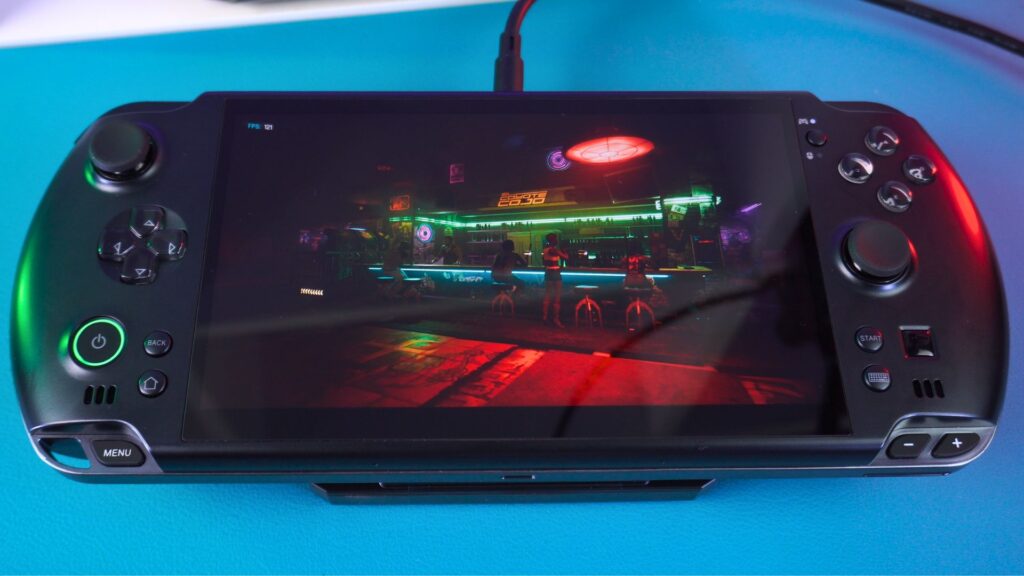
At 28W TDP, we see around double the performance of the previous generation. Moreover, moving up the TDP levels, we see as high as a 189% increase at 80W. We would say around 55W to 60W is the sweet spot for power vs performance. Anything higher than that gives lower returns for performance vs the TDP. Great stuff!
Real-World Gaming Performance
For our real-world gaming performance tests, we are seeing what kind of settings can be run at 1080P for either 60 or 120 frames per second while at 80W TDP, to really showcase what the GPD WIN 5 compact gaming PC can do.
DOOM Dark Ages
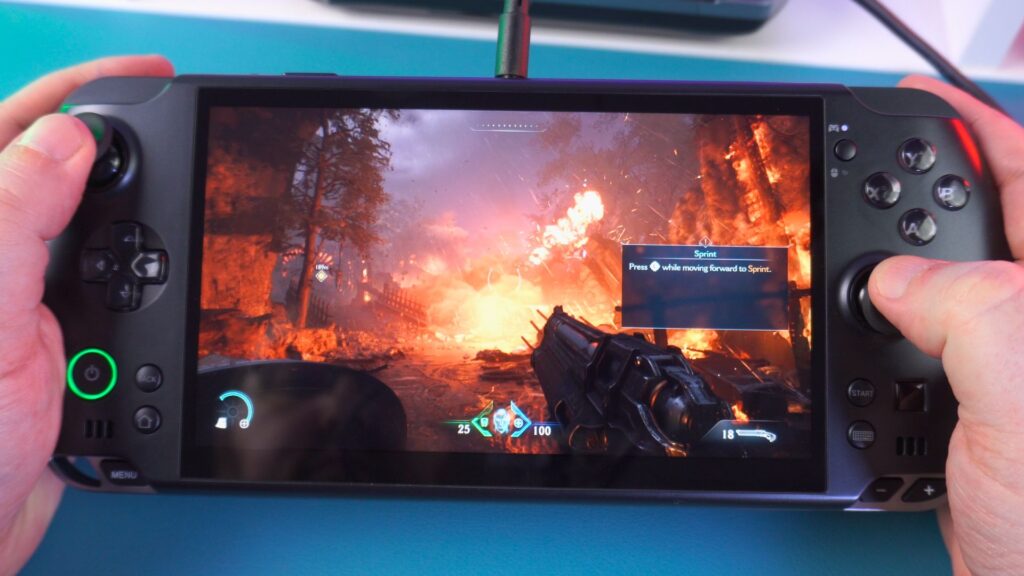
On DOOM Dark Ages, it can be set to 1080P on the default Nightmare graphics settings for 120 frames per second.
Tony Hawk’s Pro Skater 3+4
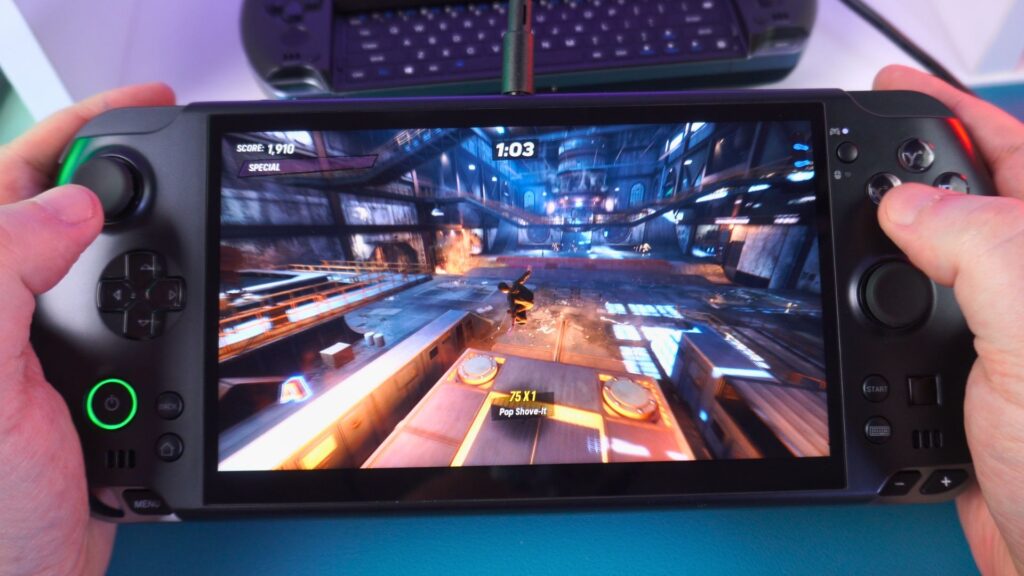
On Tony Hawk’s Pro Skater, we can go with a 1080P resolution with the default Maximum graphics settings for 60 FPS, or a mix of Medium and High for 120 FPS.
Gears of War Remastered
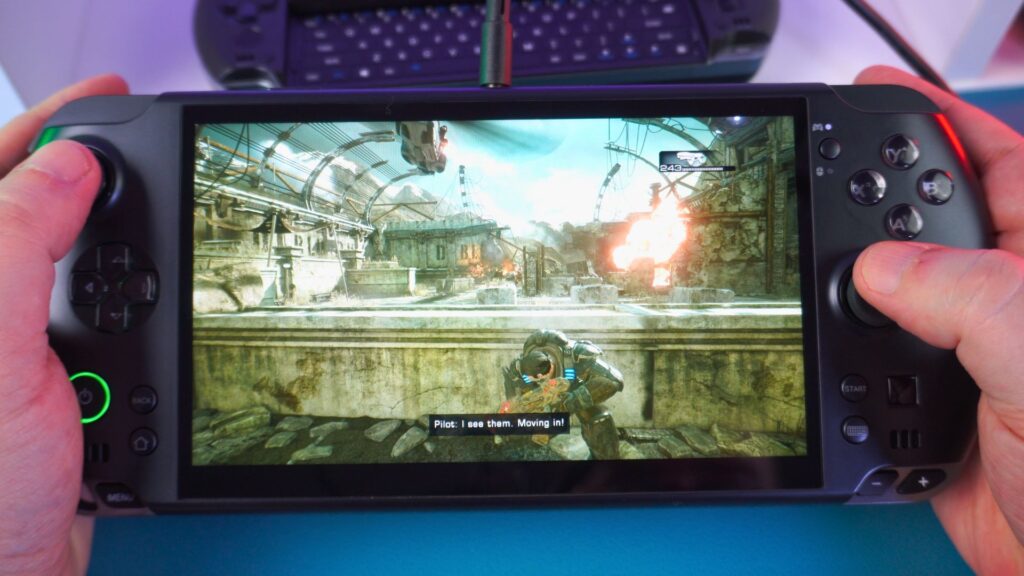
For Gears of War Remastered, we are going with 1080P Default Ultra Graphics for 60 frames per second. As always, you can lower it a bit to take advantage of the 120Hz display.
Atomfall
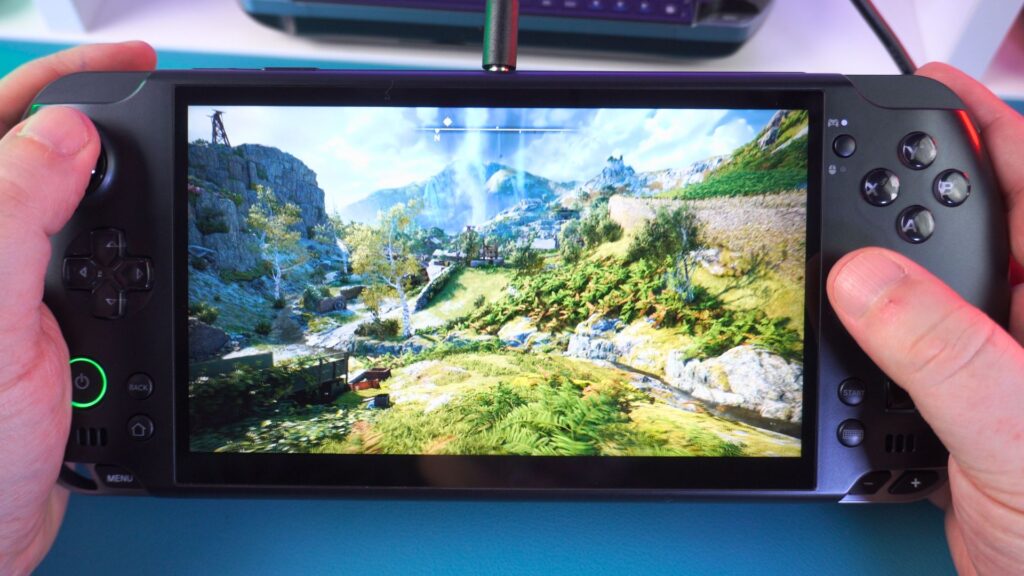
For Atomfall, we can go with 1080P Default Ultra graphics for 60 frames per second, or lower it a bit for 120 FPS.
GPD WIN 5 Emulation Performance
The previous generation HX 370 was already very impressive in terms of emulation. Indeed, everything up to the recent handheld generations would have run fine with no issues at all on the GPD WIN 5 handheld gaming computer. You can increase the internal rendering resolutions up to 1080P or even 4K if outputting to a monitor, or if you want to save battery life, simply lower the TDP.
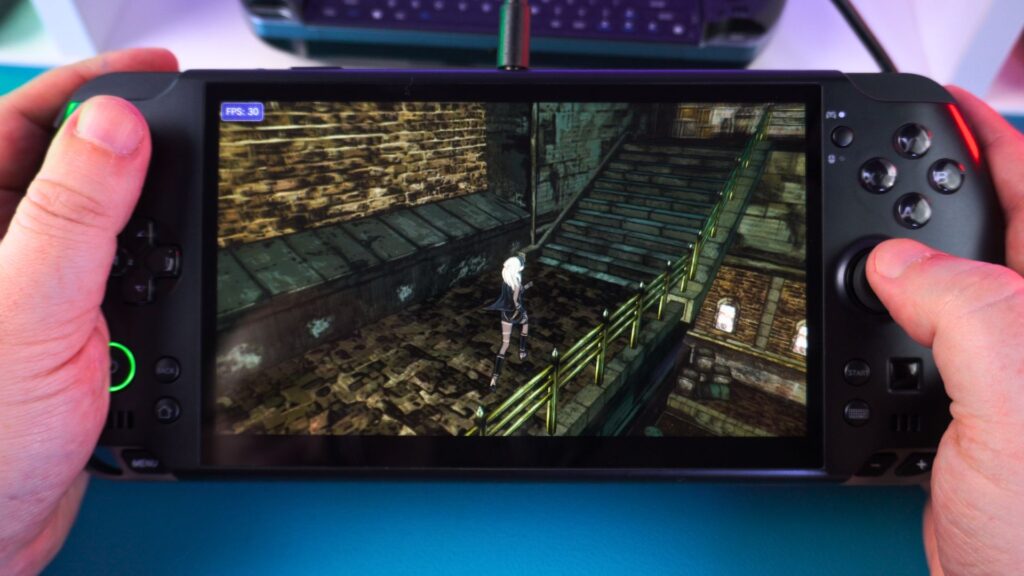
Therefore, for this GPD WIN 5 review, we can try a few of a few of the more demanding emulators to get a general idea of what to expect from this mobile gaming PC.
Vita3K
With Vita3K, you can go for 2x rendering resolution and a few other graphics improvements with no issues. As long as the game is compatible with the emulator, it should run great. You could even go to a higher resolution if outputting to a TV.
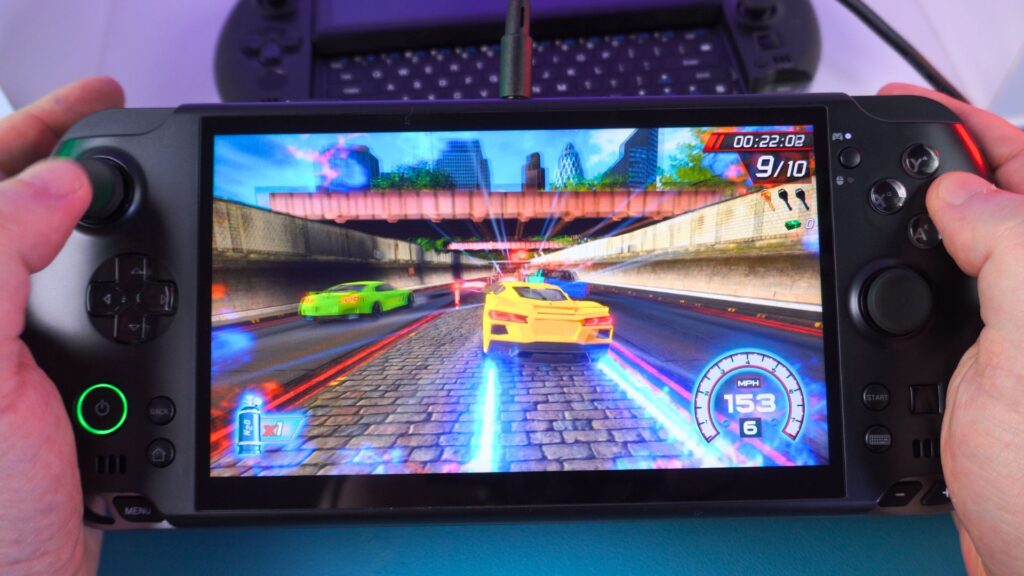
Eden
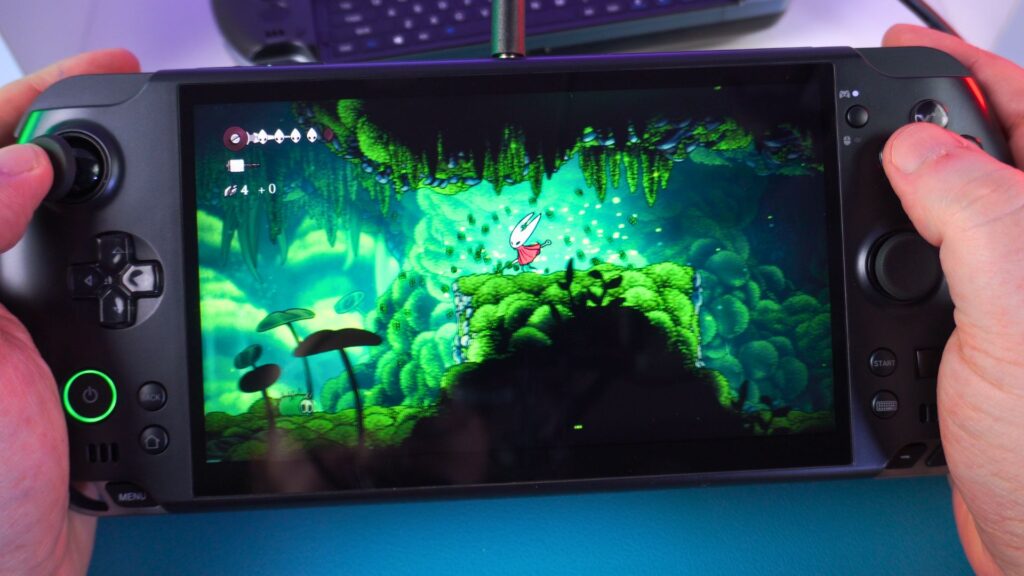
Next, with the Eden emulator, we had no issues playing in Docked high mode with our usual bunch of games. For certain first-party games that cannot be talked about, they were running smooth as silk. Very impressive!
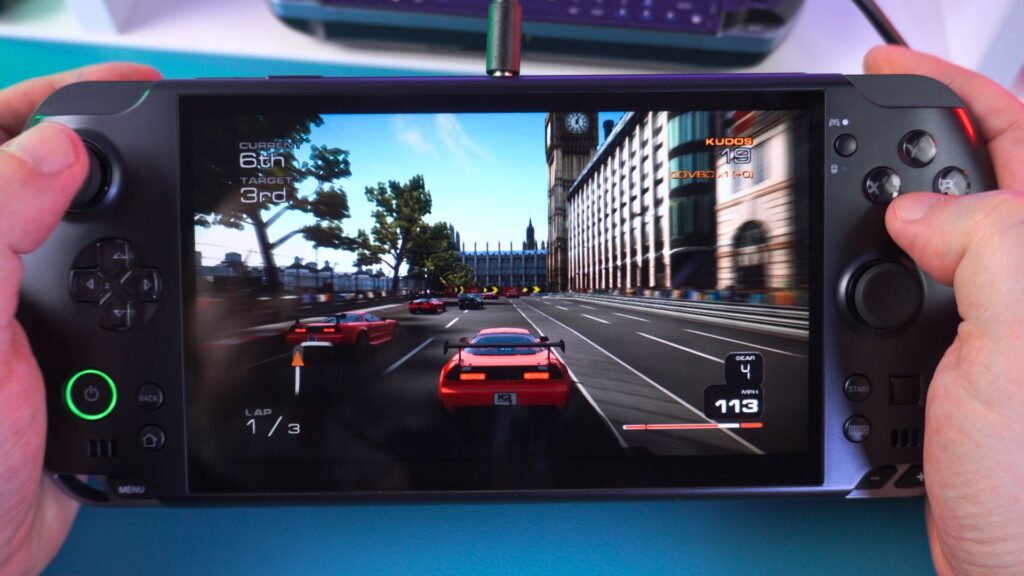
Finally, we have a handheld that can run Xbox 360 games very well. Not all games are compatible with the emulator, but the ones that do work run extremely well with no drops in frame rates, for example.
GPD WIN 5 Review Final Thoughts and Verdict
As we conclude our GPD WIN 5 review, a few final thoughts come to mind. The GPD WIN 5 is the first MAX+ 395 handheld we have tried, so we can’t compare it directly with any others. But for our first experience, it is very impressive indeed.
A New Performance Benchmark
We saw respectable increases in performance from the 8840U to the HX 370 generation, but now we are looking at over double the performance from the HX 370 to the 395 at only 28W TDP. Cranking it up to 80W, we are seeing performance above the AMD Radeon 7600M XT found in the GPD G1 eGPU. So, what would you rather be using or carrying around? A WIN 4 with the G1, or the GPD WIN 5 to get even higher performance in a single portable gaming computer?
Answering Your Questions
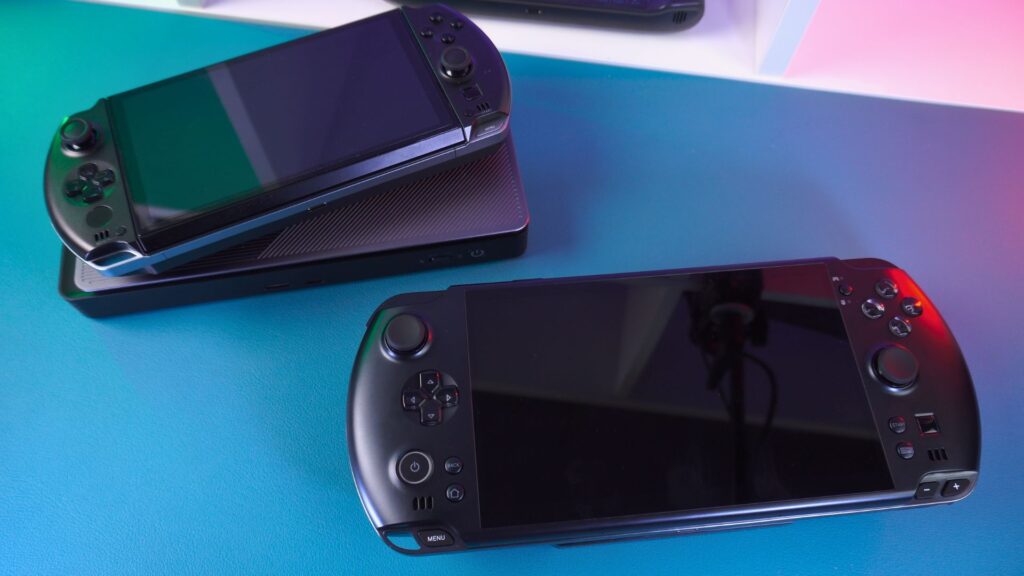
To answer some frequently asked questions, the power button’s location near the controls was a non-issue for me. It was never pressed once accidentally while playing a game, but I did accidentally press it while lifting it up to connect the battery.
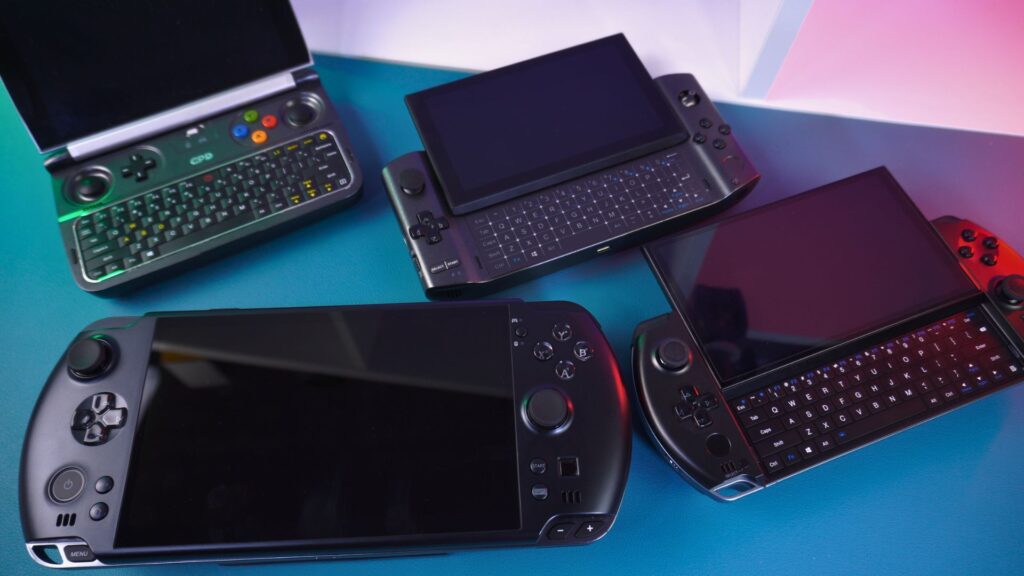
Furthermore, the lack of a keyboard is a controversial issue. The GPD WIN series has always featured a keyboard of some design, so it is a bit disappointing that the GPD WIN 5 does not have one. But to be fair, do you really need it? Most other handhelds, including the Steam Deck, do not have one. Sure, it’s nice to have for typing quick messages and shortcuts, but it’s not the end of the world, and everything for this review was done without a physical keyboard.
Which RAM option should you go for?
The GPD WIN 5 is available in 32GB, 64GB and 128GB RAM variations. We would recommend the 32GB RAM handheld if you are on a budget and want to save a few dollars on overall costs. The majority of games will run fine with shared RAM at 1080P resolution and average graphics settings. We recommend the 64GB RAM handheld if you want to future-proof and have multiple software open. The 128GB RAM handheld is definitely for the power user, allowing for demanding tasks such as running a LLM.
The Verdict
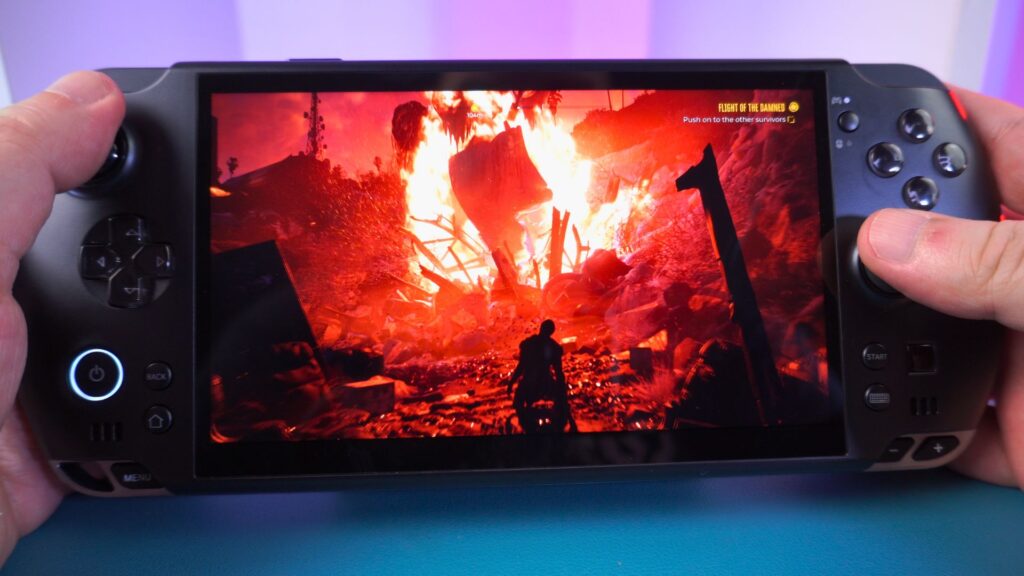
All in all, this GPD WIN 5 review finds the Windows 11 handheld to be extremely impressive. It’s got the performance of a decent desktop gaming PC, various options for powering it, and the cool mini SSD is a nice addition that we hope catches on with other Strix Halo handhelds.
If you want the best performance Steam Deck alternative, then the GPD WIN 5 is currently the only option you need to consider. We have created an in-depth GPD WIN 5 Ryzen AI Max 385 vs 395 comparison here which compares the two CPU models for their performance and which is best suited for your requirements.
You can learn more and register your interest for the GPD WIN 5 here. As soon as we start taking pre-orders you will be notified.




