


ONEXPLAYER ONEXFLY Apex Review
-
Design
(4.7)
-
Build Quality
(4.5)
-
Display
(4.5)
-
Performance
(4.5)
-
Features
(4)
-
Software
(4.5)
Summary
The ONEXPLAYER ONEXFLY Apex is a formidable handheld gaming PC that combines a vivid 8-inch 120Hz VRR display with the immense power of an AMD Ryzen AI Max 395 processor and Radeon 8060S graphics
Overall
4.5User Review
( votes)Pros
- Superior 8″ display with 120Hz VRR
- Fast full speed (2x PCIe lanes) Mini SSD support
- Tactile controls with clicky gaming buttons and analogue/digital trigger switches
- Fast AMD Ryzen 9 395 MAX+ CPU with 8060S GPU
Cons
- At 1.09 kg including battery, its 200g heavier than the GPD WIN 5
The ONEXPLAYER ONEXFLY Apex is a beast, and in this ONEXPLAYER ONEXFLY Apex review, we aim to find out if it can crush the competition. With a massive 8-inch 120Hz display and the Ryzen AI Max 395+, it promises top-tier performance. But at over 1kg, is this heavyweight champion too much to handle? Let’s find out.
ONEXPLAYER ONEXFLY Apex Review Video
ONEXPLAYER ONEXFLY Apex Overview
To start our ONEXPLAYER ONEXFLY Apex review, let us look at the dimensions. The standard model measures around 11.42 x 4.86 x 0.88 inches (29 x 12.3 x 2.25 cm). It weighs approximately 706g (1.55 lbs), with an extra 70g added if you choose the water-cooled model.
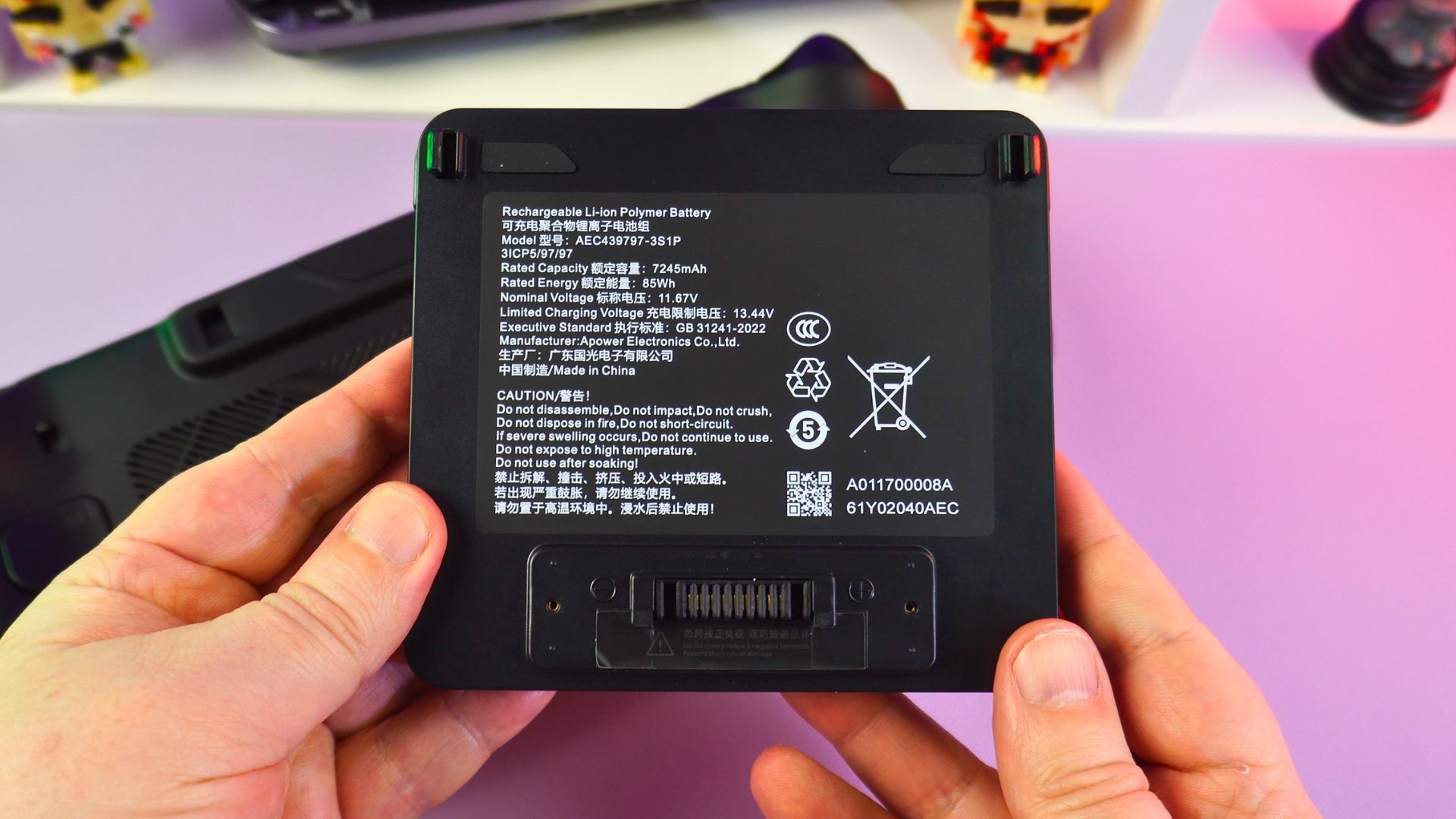
The external battery is a massive addition, measuring around 4.7 x 4.2 x 0.68 inches (11.9 x 1.09 x 1.75 cm) and weighing 387g (0.85 lbs). It sports a similar design to the GPD WIN 5 battery but utilises a different connector. Furthermore, it features a handy built-in kickstand, which helps keep the Apex stable when placed upright.
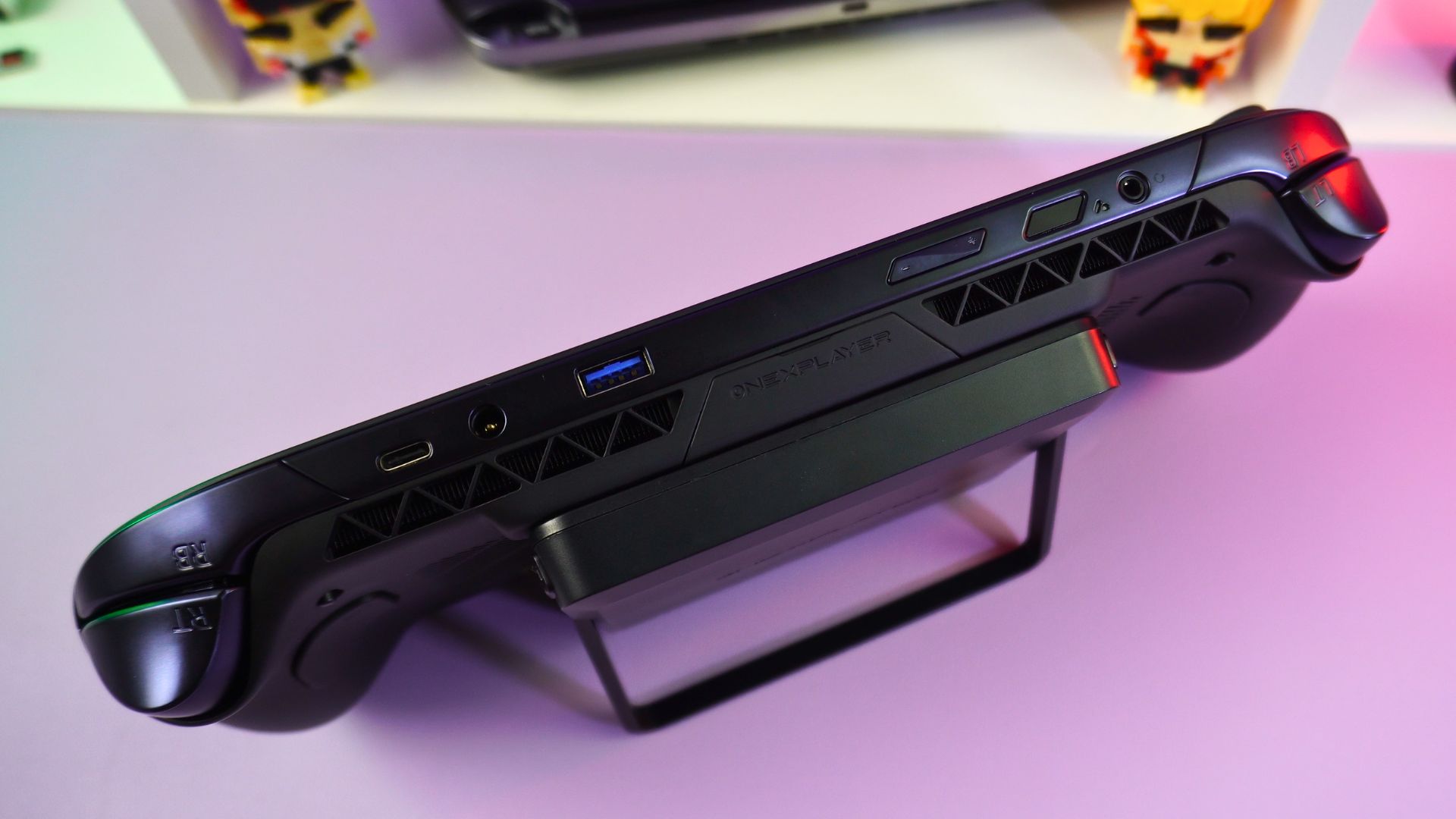
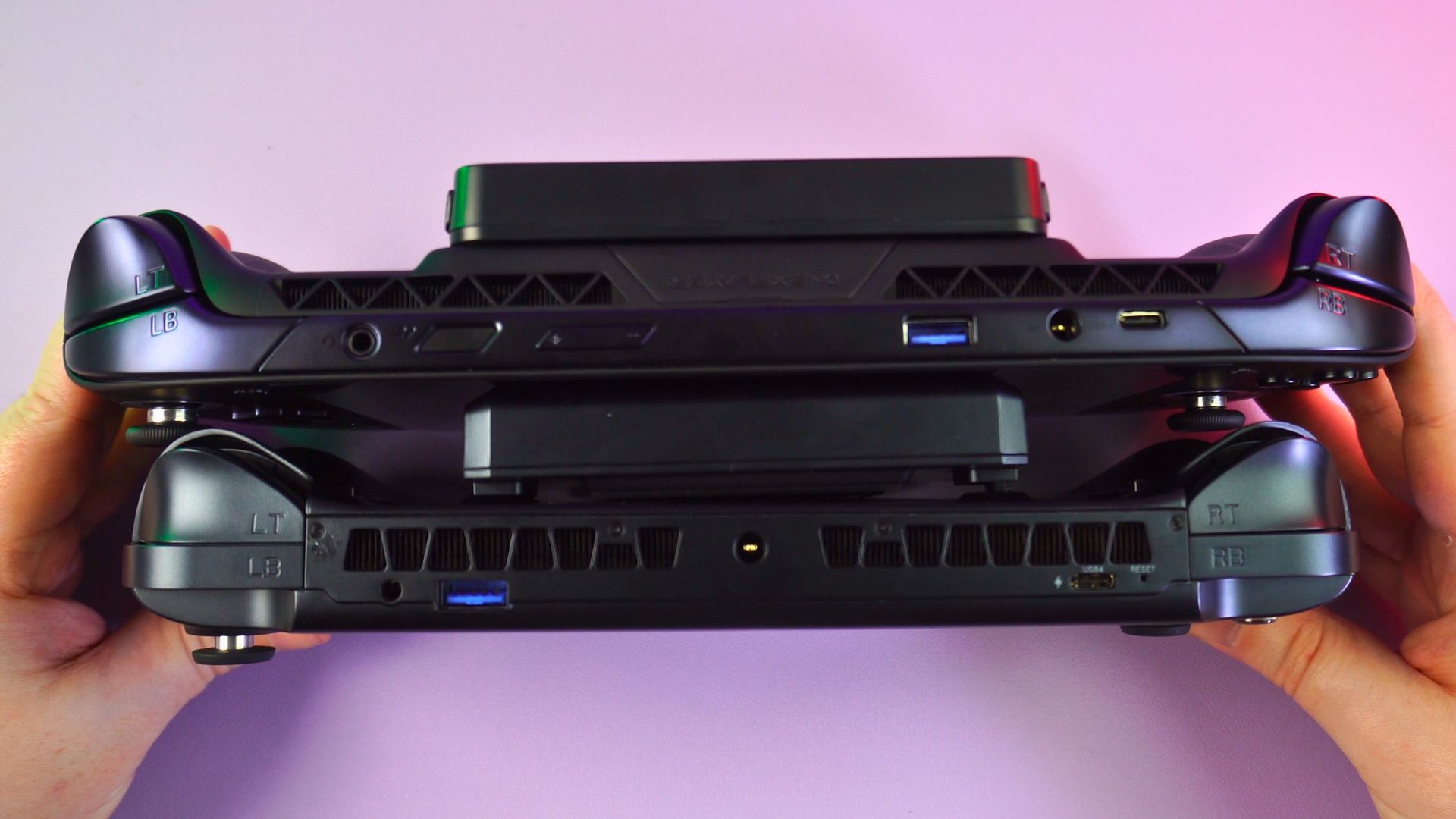
The total combined weight brings this portable gaming PC up to 1093g (2.4 lbs). Compared with the GPD WIN 5 at 915g (2.01 lbs), the extra size is definitely noticeable. You can certainly feel the weight difference when both devices are held side-by-side.
Display and Controls
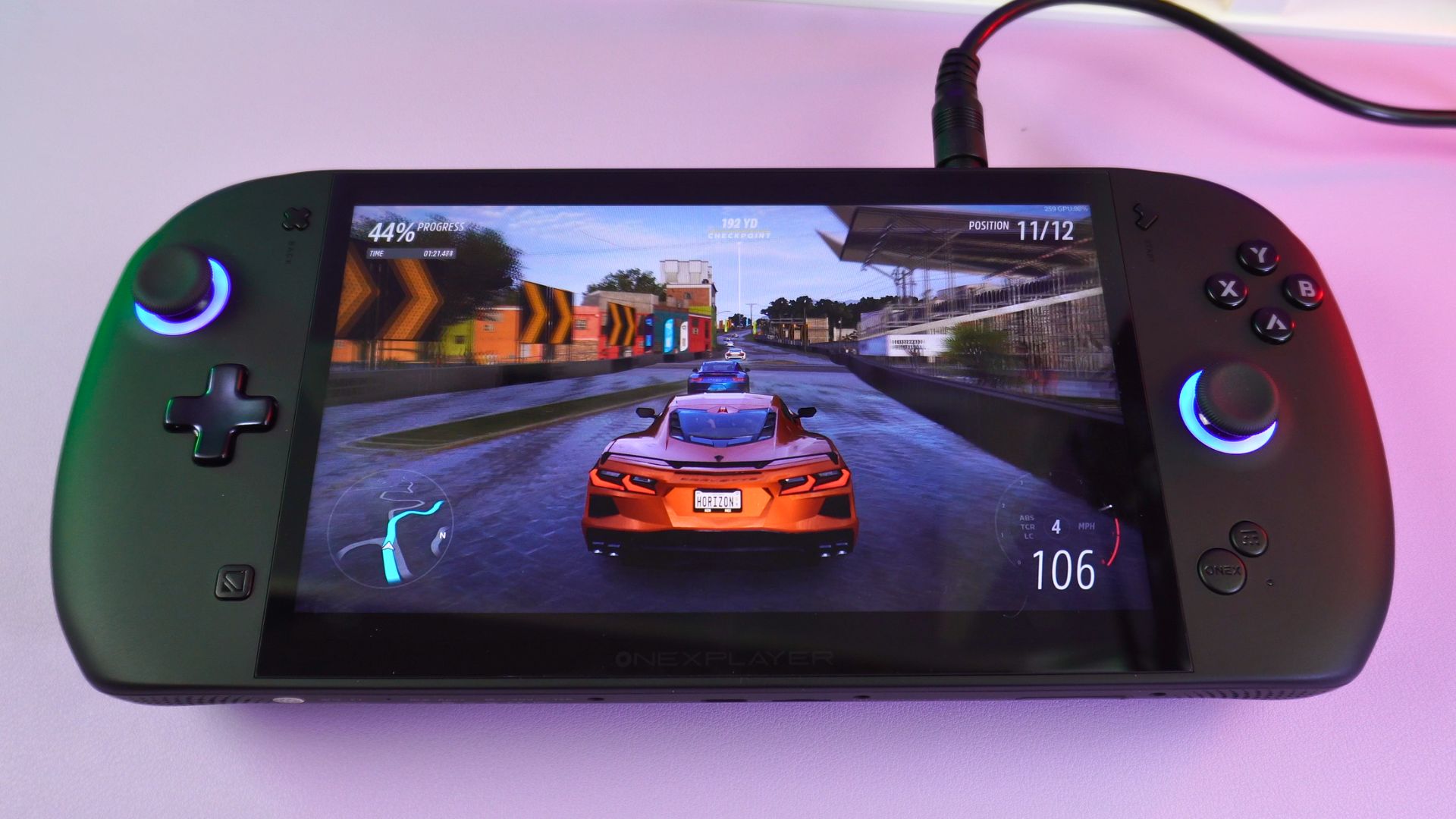
On the front, we have the massive 8” touchscreen display. This panel supports up to 1920×1200 resolution and boasts a 120Hz VRR (Variable Refresh Rate) supported refresh rate, ensuring buttery smooth visuals.
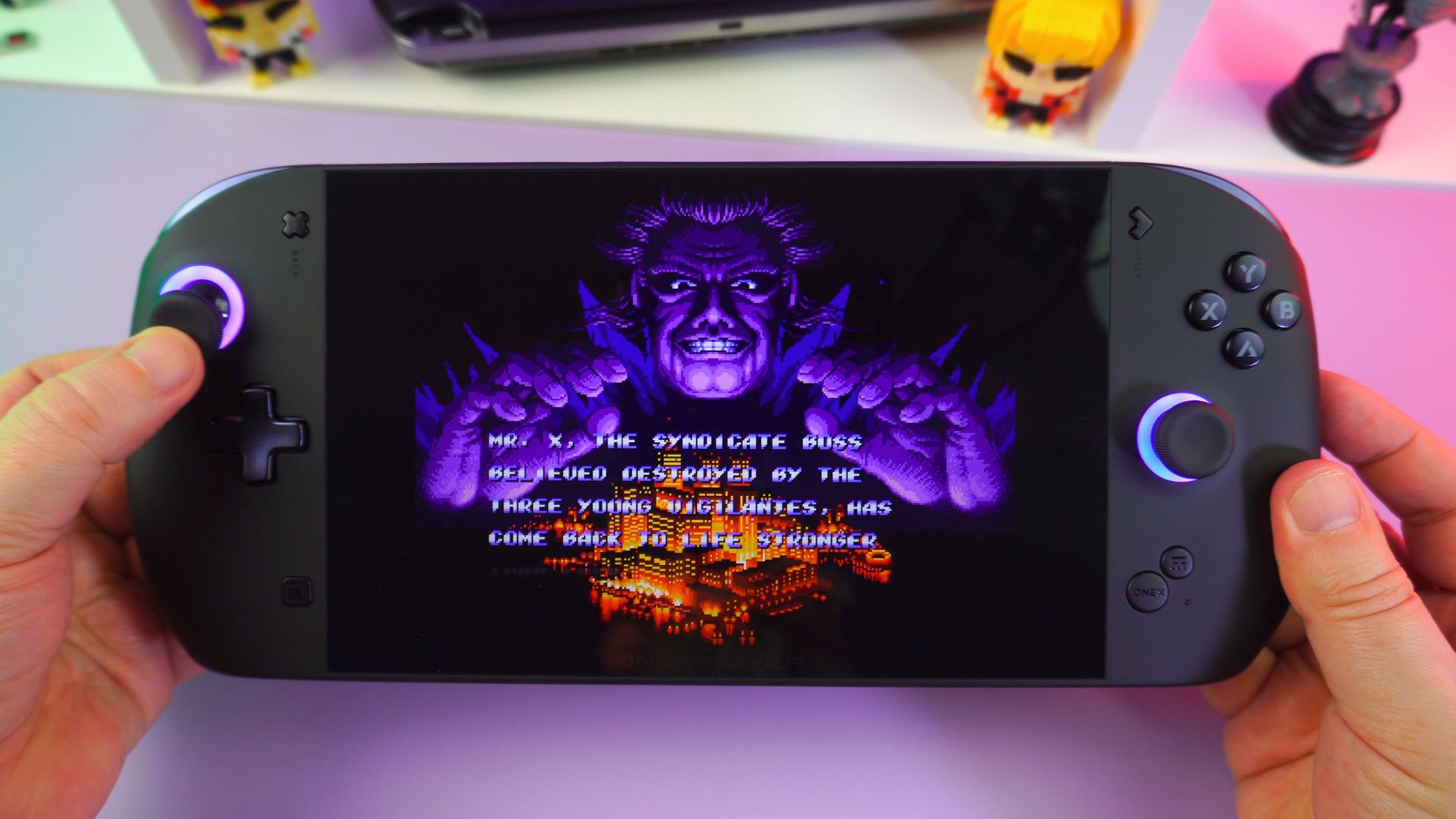
To the left and right of the screen are your standard controls. These feature a D-Pad, dual capacitive analog sticks, and responsive clicky buttons. On the lower half, you will find the Home, OneXConsole Overlay, and keyboard shortcut buttons.
I/O Ports and Connectivity
On the bottom side, there is a USB 3.2 port, a microSD card slot, and a mini SSD slot for expanded storage. Along the top, you will find a 3.5mm audio jack, a Power Button with an integrated fingerprint sensor, and volume buttons. Further to the right are a USB-A 3.2 DC power input and a high-speed USB 4.0 port. Flanking either side are the left and right shoulder and trigger buttons.
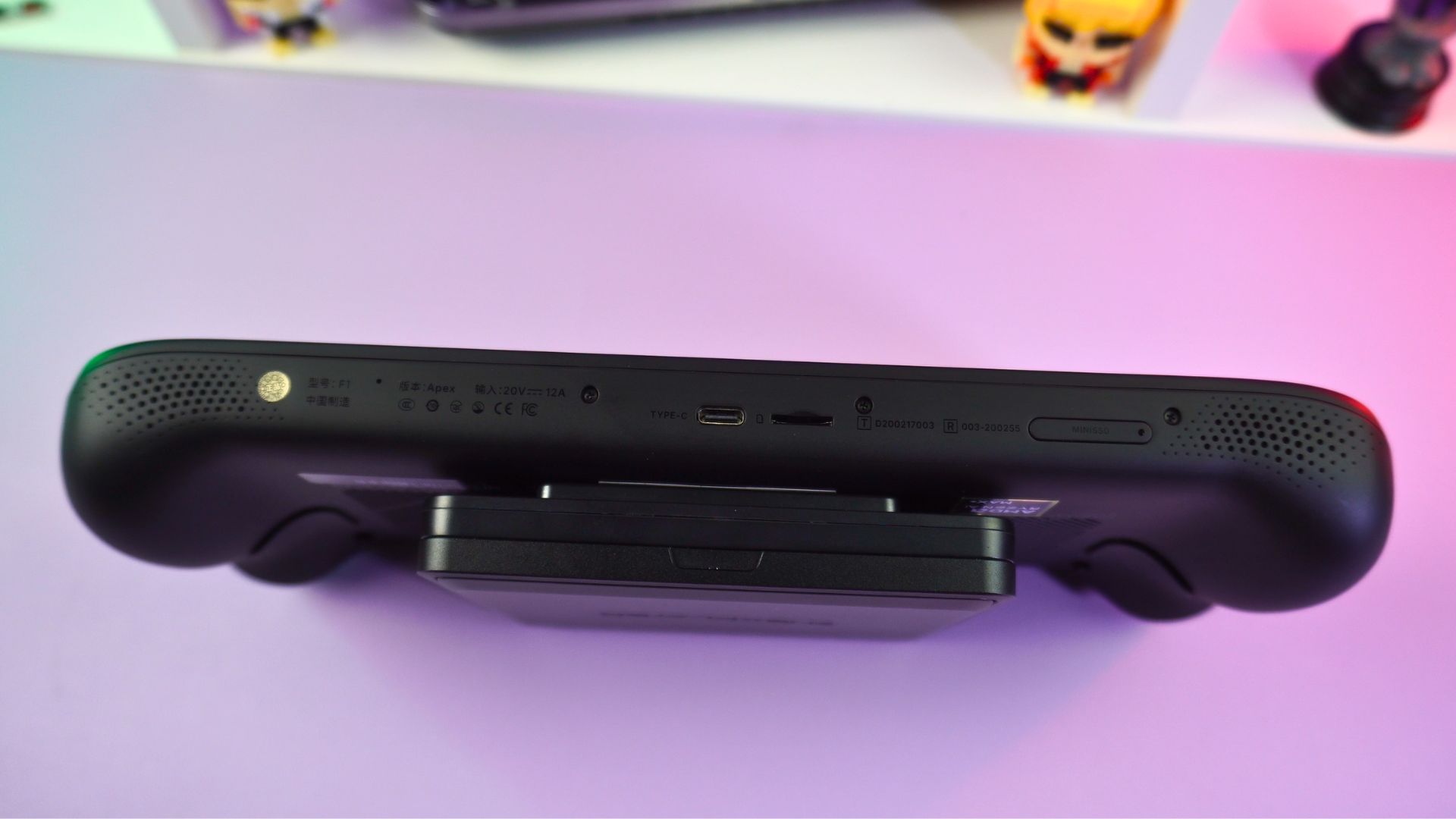
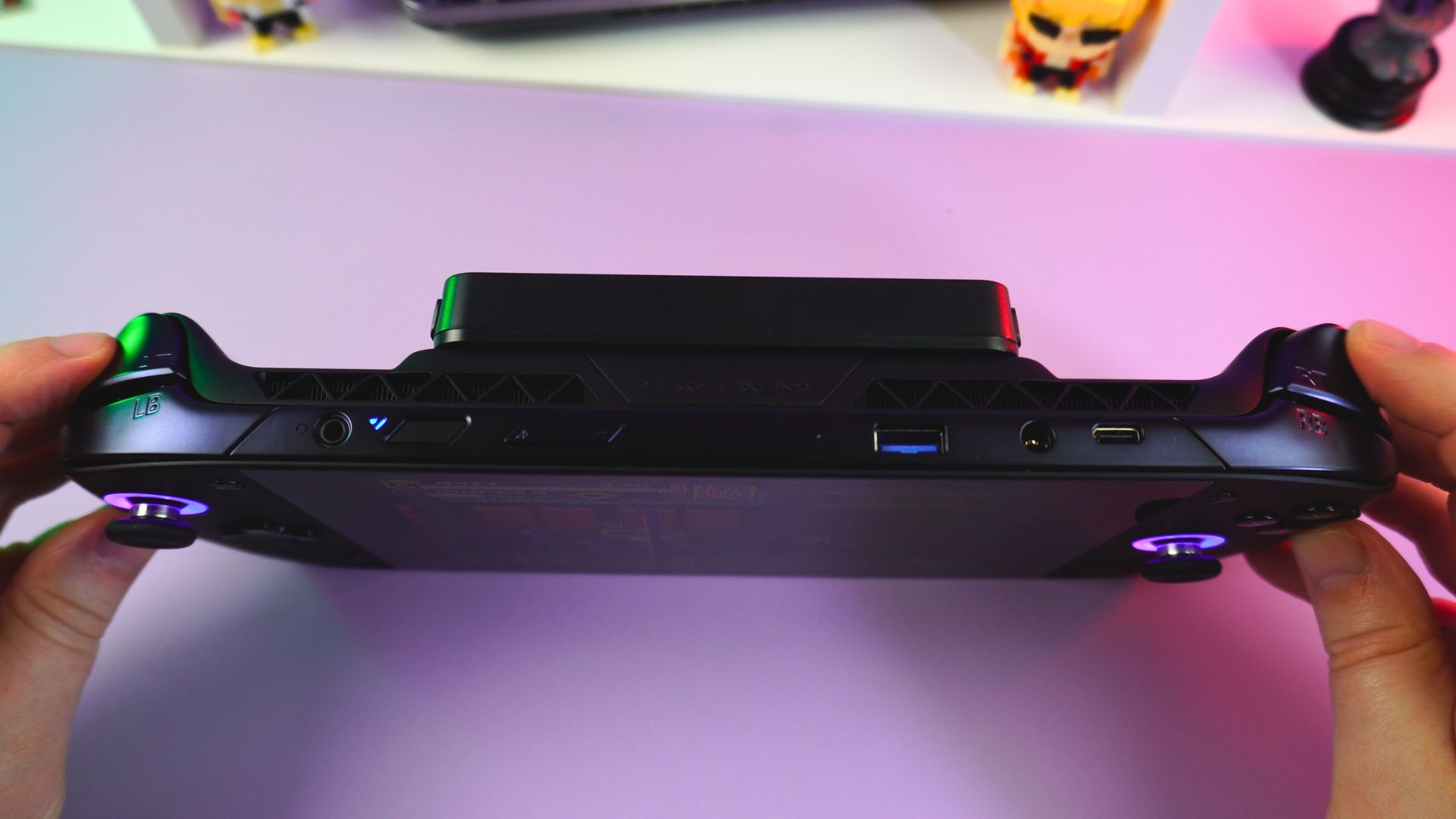
On the back, a pair of switches allows the triggers to switch between analog and digital modes. This is now becoming a standard for Windows 11 Handhelds and is a welcome addition. Below those are two customisable macro buttons.
Cooling and Battery Design
At the top of the liquid-cooled model, you can find the connector for the cooling pipes; however, the standard model does not have this connector. Towards the bottom is the connector port for the external battery, which simply clips securely into place.
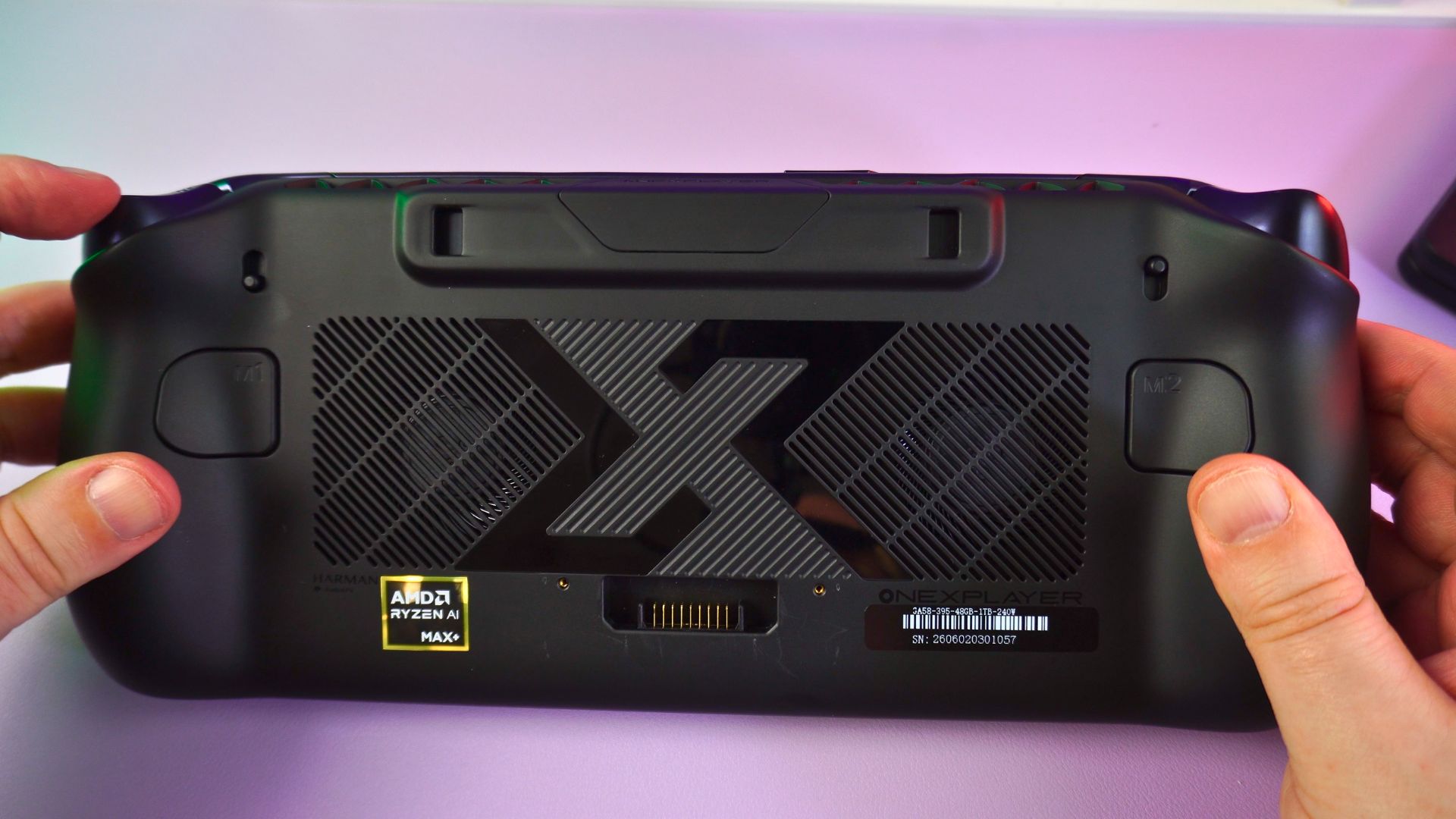
During our ONEXPLAYER ONEXFLY Apex review testing, the controls felt great. I particularly like the clicky gaming buttons; everything feels very comfortable. However, don’t expect to be holding the Apex for long periods without something to rest on. After a while, my hands were tired and wanted to rest on my desk. You can, of course, play without the battery attached or use the cable extender with the battery; your hands will thank you.
ONEXPLAYER ONEXFLY Apex Technical Specifications
This mobile gaming PC is powered by AMD’s latest “Strix Halo” architecture, offering incredible performance per watt. There are two processor specifications available for the Apex.
ONEXPLAYER ONEXFLY Apex Review Technical Specifications
CPU Differences
| APEX VERSION 1 | APEX VERSION 2 | |
|---|---|---|
| CPU | AMD Ryzen AI MAX+ 395 | AMD Ryzen AI MAX 385 |
| ARCHITECTURE | 16x Zen 5 | 8x Zen 5 |
| CORES | 16 cores 32 threads | 8 cores, 16 threads |
| BASE CLOCK | 3.0GHz | 3.6GHz |
| BOOST CLOCK | Up to 5.1GHz | Up to 5.0GHz |
| L3 CACHE | 64MB | 32 MB |
| CTDP | 45-120W | 45-120W |
| MANUFACTURING PROCESS | TSMC 4nm FinFET | TSMC 4nm FinFET |
GPU Differences
| APEX VERSION 1 | APEX VERSION 2 | |
|---|---|---|
| GPU | AMD Radeon 8060S Graphics | AMD Radeon 8050S Graphics |
| COMPUTE UNITS | 40 CU | 32 CU |
| FREQUENCY | 2,900 MHz | 2,800 MHz |
| AMD FREESYNC | Supported | Supported |
| DISPLAY OUTPUT | Up to 4 Displays | Up to 4 Displays |
ONEXPLAYER ONEXFLY Apex Technical Specifications
| MEMORY | LPDDR5x 8000 MT/s (Quad Channel) |
| STORAGE | M.2 2280 PCIe 4.0 x4 SSD Slot |
| DISPLAY | 8-inch Native Landscape Screen, 1920×1200, 120Hz (VRR Supported), 500 NITS, Colour Gamut: 100% sRGB, Aspect Ratio: 16:10 |
| FINGERPRINT UNLOCK | Supported |
| BATTERY | Swappable Battery Module (85Wh Capacity) |
| JOYSTICK | Capacitive Joystick, 9mm Height, 22℃ Tilt Angle |
| SHOULDER BUTTONS | 1mm Travel |
| TRIGGERS | 8mm (Long Throw) / 2mm (Short Throw), Adjustable |
| HAPTIC MOTORS | Dual Linear Rumble Motors (L/R) |
| GYROSCOPE | 6-Axis Sensor (3-Axis Gyro + 3-Axis Accelerometer) |
| PORTS & EXPANSIONS | 1x USB-C 4.0 Port 1x USB-C 3.2 Port 1x USB-A 3.2 Port 1x Mini SSD Slot 1x microSD Card Slot 1x 3.5mm Audio Jack 1x DC Power Jack |
| WI-FI | 6E |
| BLUETOOTH | 5.2 |
| AUDIO | Harman-Certified Dual Stereo Speakers |
| OS | Windows 11 Home Edition |
| DIMENSIONS | 11.42 x 4.86 x 0.88 inches (29 x 12.3 x 2.25 cm) |
| WEIGHT | 706g (1.55 lbs) Liquid-Cooled Version 776g (1.71 lbs) |
Battery Pack Techincial Specifications
| CONNECTOR TYPE | Blade Connector |
| POWER | 85Wh |
| PRODUCT DIMENSIONS | 4.7 x 4.2 x 0.68 inches (11.9 x 1.09 x 1.75 cm) |
| WEIGHT | 387g (0.85 lbs) |
Battery Dock Technical Specifications
| PRODUCT DIMENSIONS | 128 x 122 x 15.3 mm |
| WEIGHT | 100g |
| FEATURES | LCD display showing rea-time battery charging status |
Battery Life, Fan Noise and Thermals Tests
In our battery life test, while running Cinebench on a loop at 55W TDP with full brightness, we got an estimated 1 hour and 3 minutes. I say estimated, as there is currently an issue with the battery where the TDP will automatically lower itself if the battery gets too warm. More on this in a moment.
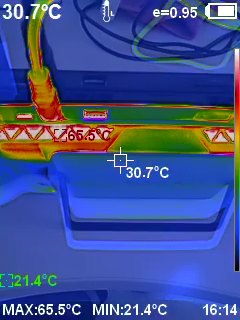
Our fan noise and temperature tests were conducted while running Cinebench on a loop, testing on both battery and DC power input. On the battery at 55W TDP, we recorded a highest temperature of 53°C and highest fan noise of around 63dB. On DC power at 80W TDP, we saw around 66°C and 63dB respectively.
Addressing the External Battery Issue
Shortly before we received our unit for this ONEXPLAYER ONEXFLY Apex review, it was made known that there is an issue with the supplied external battery. Once the battery reaches certain temperature conditions, the TDP will automatically lower to 20W.
Setting the TDP in the 40W-45W range rather than the 55W limit does help to keep the temperature low enough for the 20W limit not to kick in. ONEXPLAYER are aware of the issue and have already started work on a new battery design which will not have this fault. The new battery will be sent free of charge to all customers around June.
Mini SSD Support: Expanding your Library
Like the WIN 5, the Apex supports the relatively new Biwin Mini SSD format. It is slightly larger than a micro SD card but offers far faster read and write speeds. The Apex supports 2 PCIe lanes, rather than just the 1 on the WIN 5.
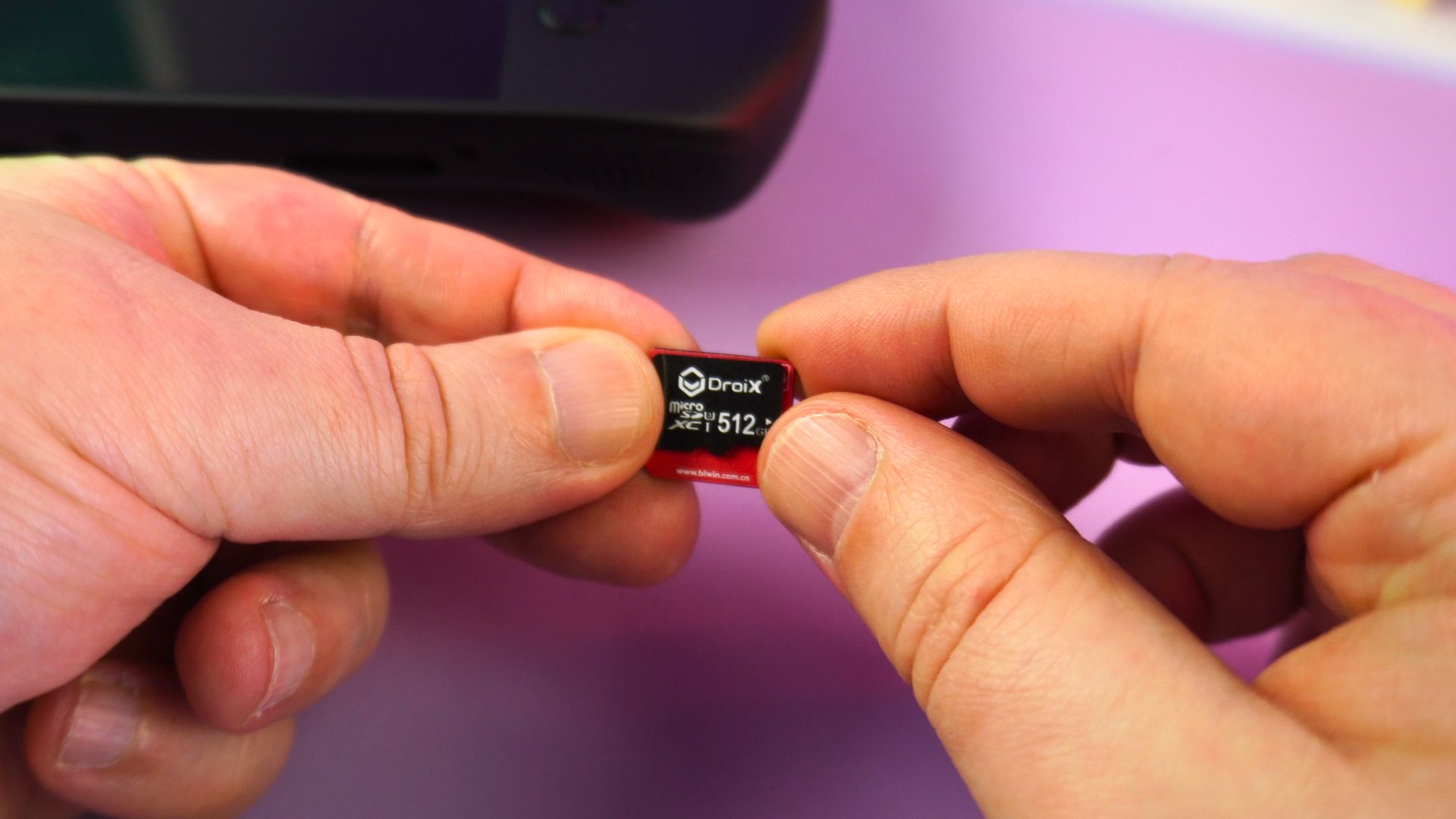
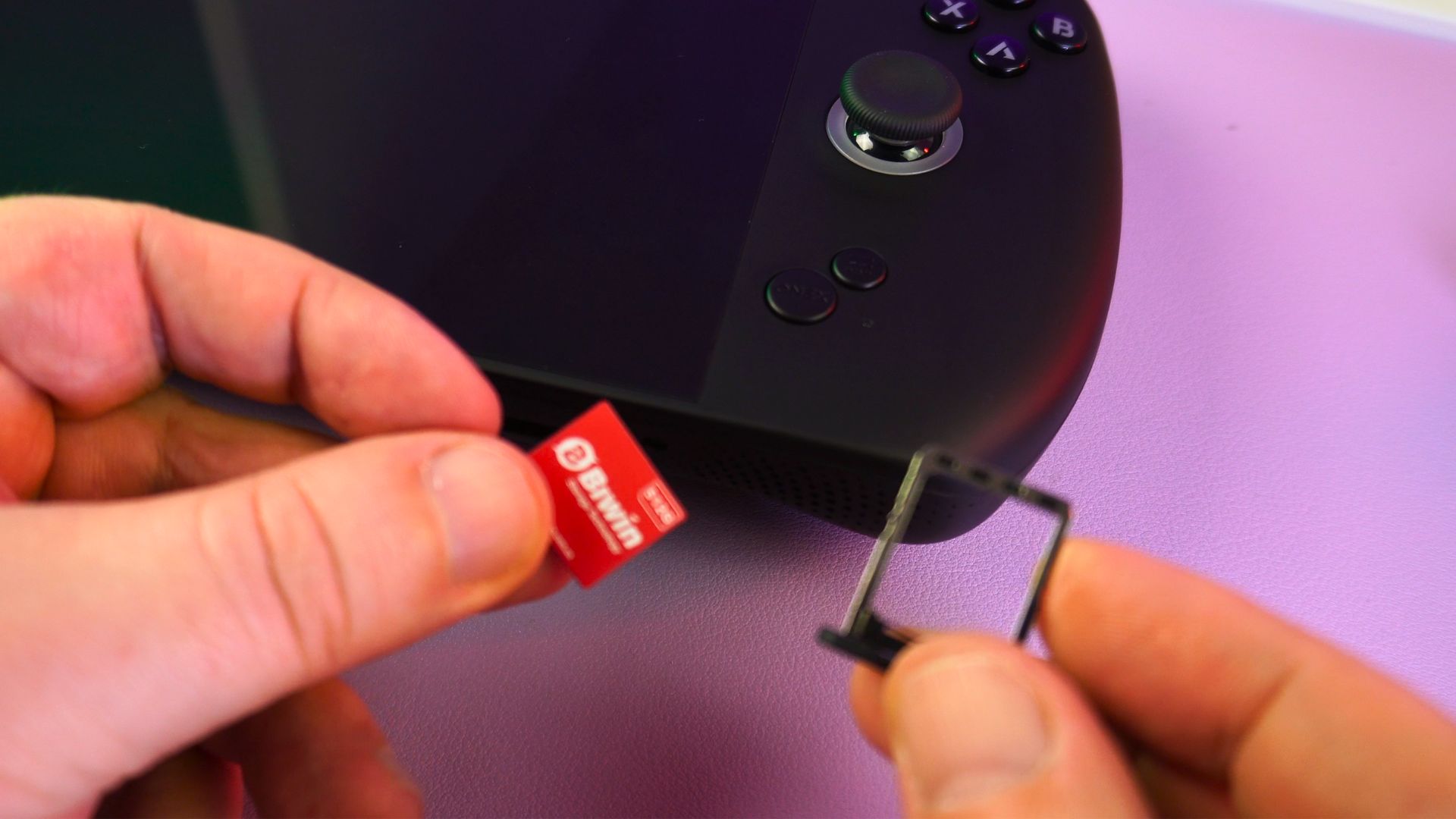
We get double the read and write speeds on the Apex, with 3,551 MB/s and 3,331 MB/s, compared with 1,785 MB/s and 1,745 MB/s on the WIN 5. Top marks here! Read more about it in our BIWIN Mini SSD review here.
Strix Halo System Benchmarks
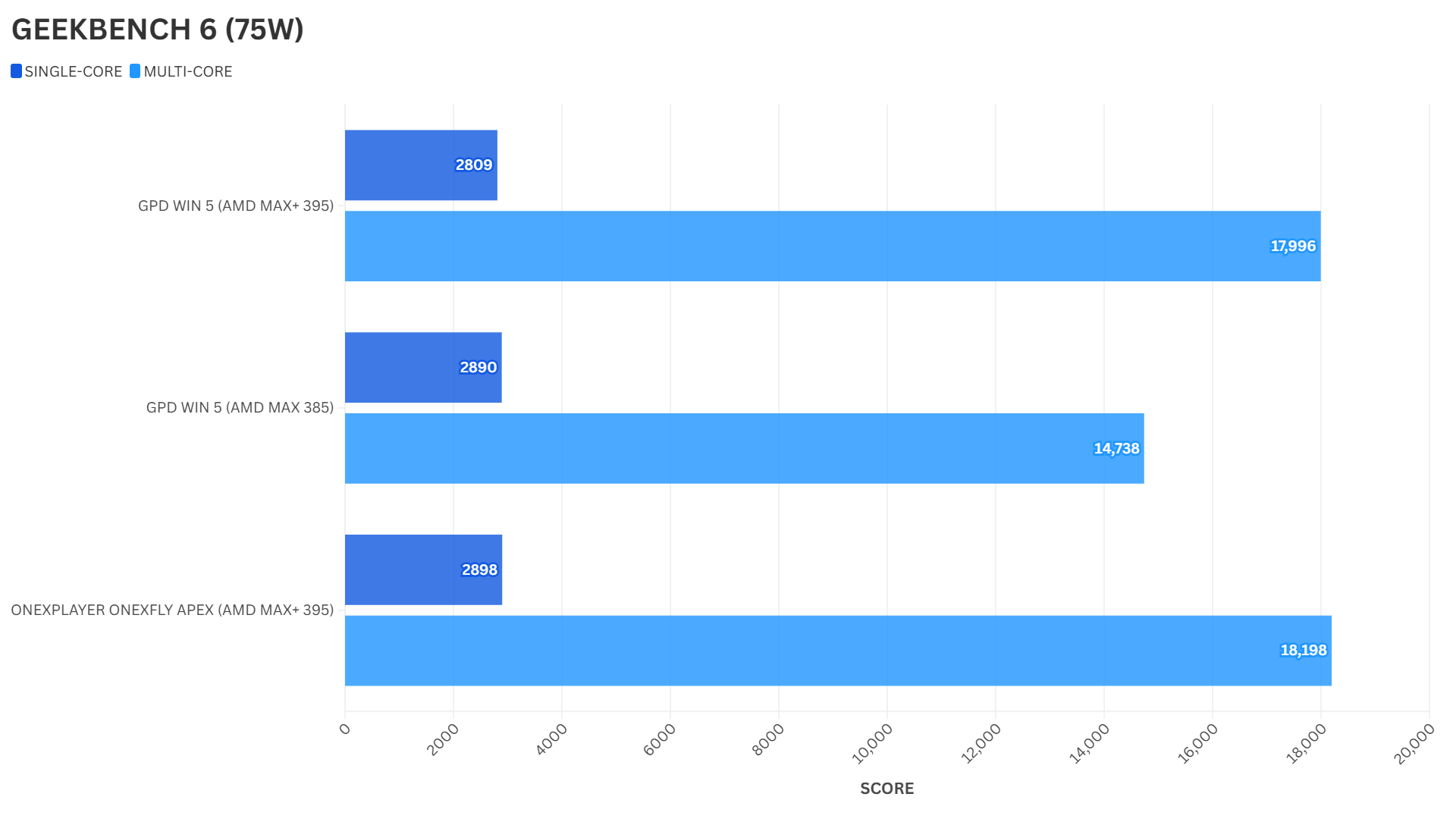
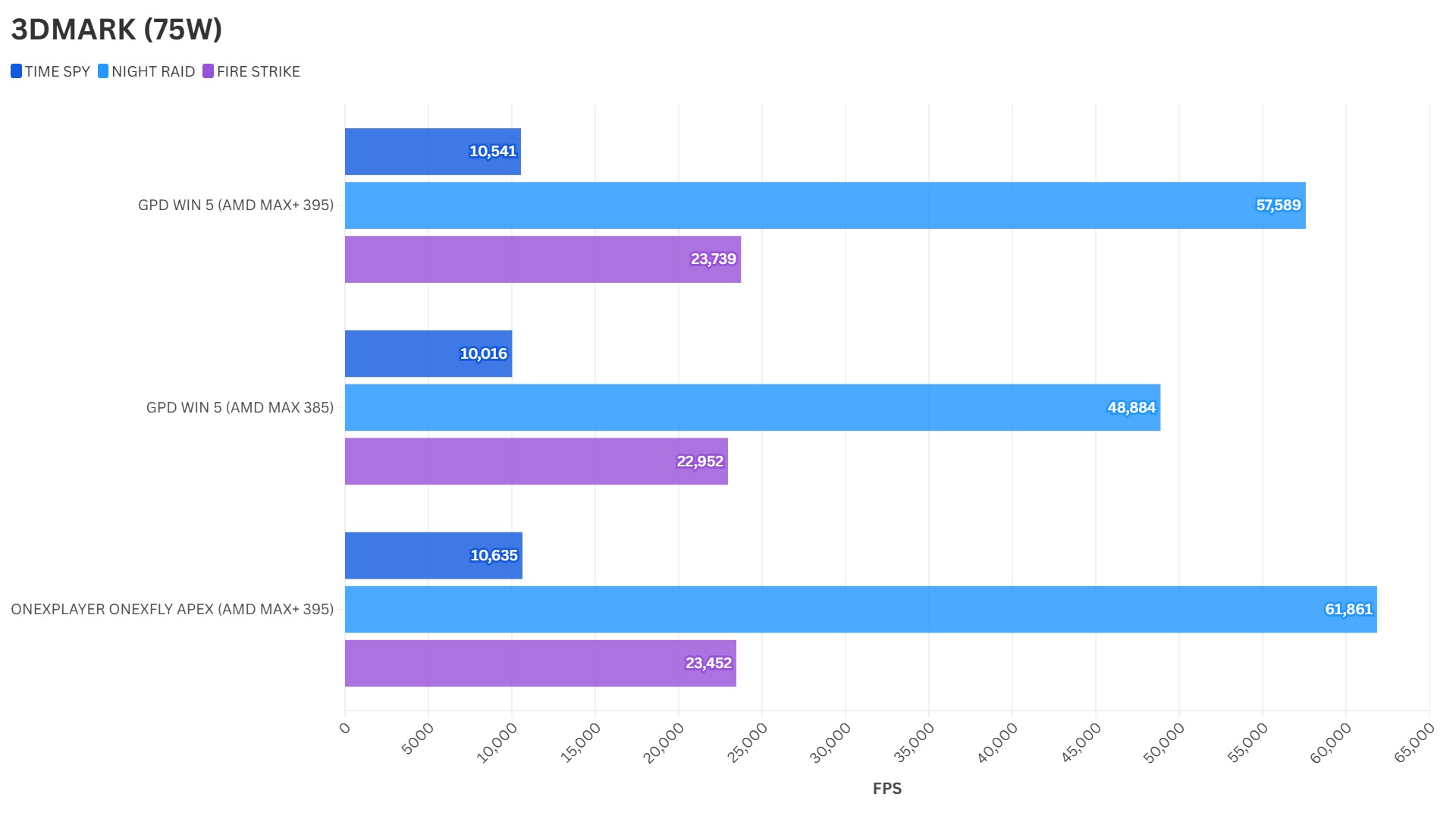
We are performing the system benchmarks for this ONEXPLAYER ONEXFLY Apex review at 75W TDP. This allows us to compare it with the benchmarks we made for the GPD WIN 5. We were using AMD drivers released in December for the WIN 5, and slightly newer drivers for the Apex; consequently, general performance has improved a little with the newer update.
Cinebench 2024
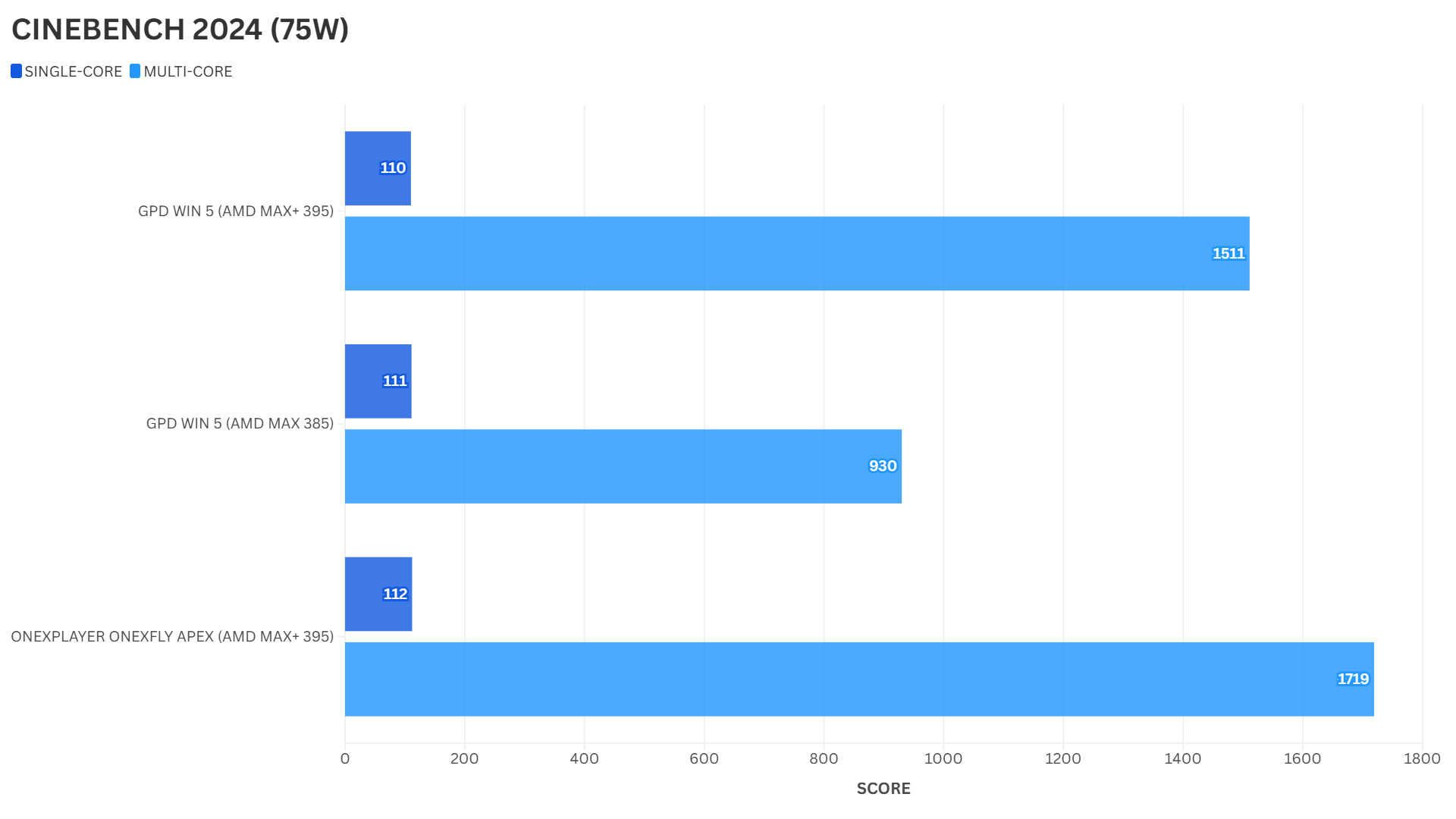
For the Cinebench 2024 benchmark, we see around the expected score for single-core performance. However, for multi-core performance, we do see a very noticeable improvement over the GPD WIN 5’s score, showcasing the power of the Zen 5 cores.
Geekbench 6
For Geekbench 6, we see a marginal difference in results for both single and multi-core performance between the Apex and GPD WIN 5. It is what we would expect to see from this generation of compact gaming PC.
3DMARK Graphics Tests
For 3DMARK, we see near-identical scores for the Time Spy and Fire Strike tests. We do see a noticeable increase in performance for Night Raid; the Apex is easily the winner there.
Gaming Benchmarks: RDNA 3.5 Performance
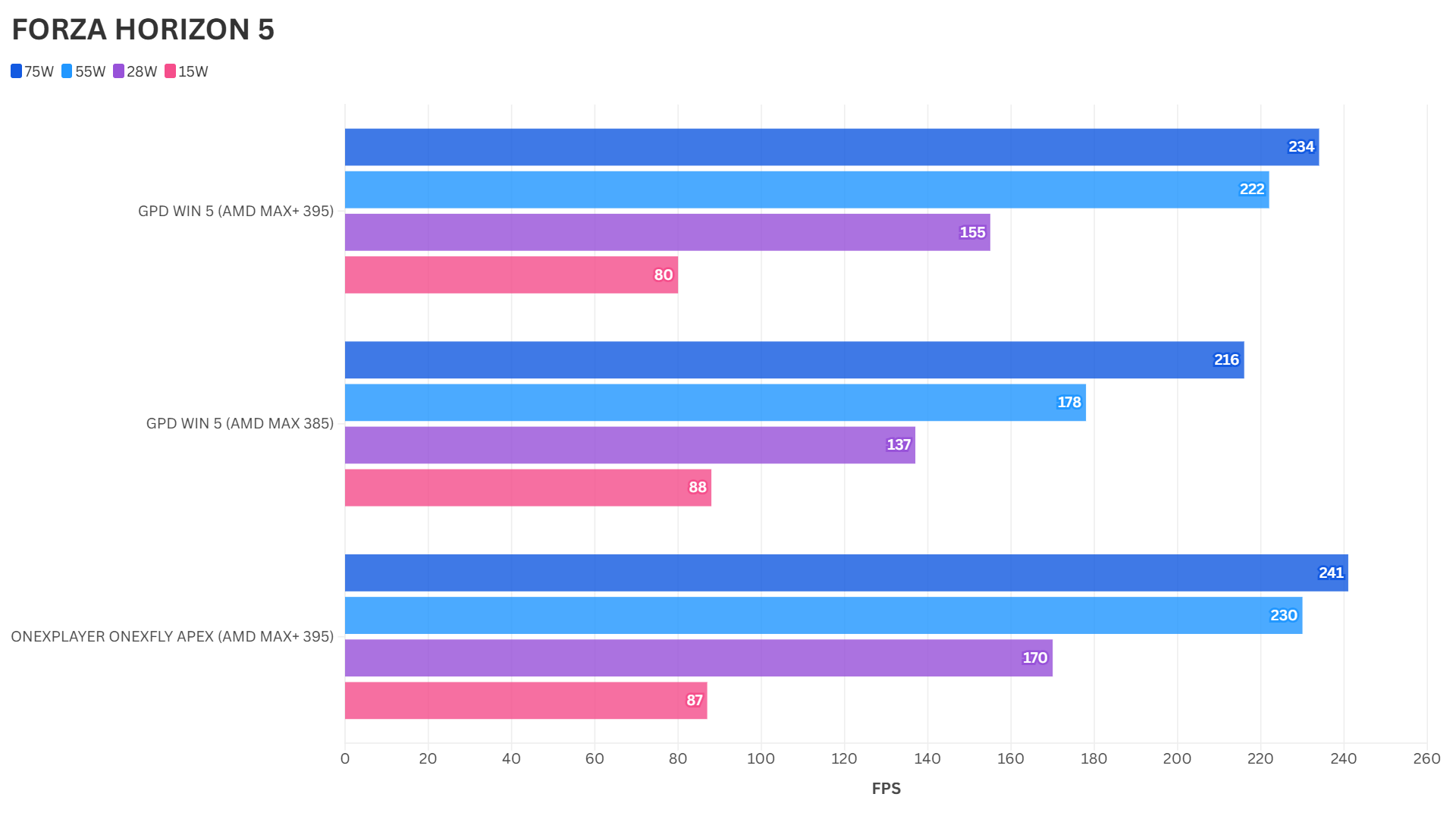
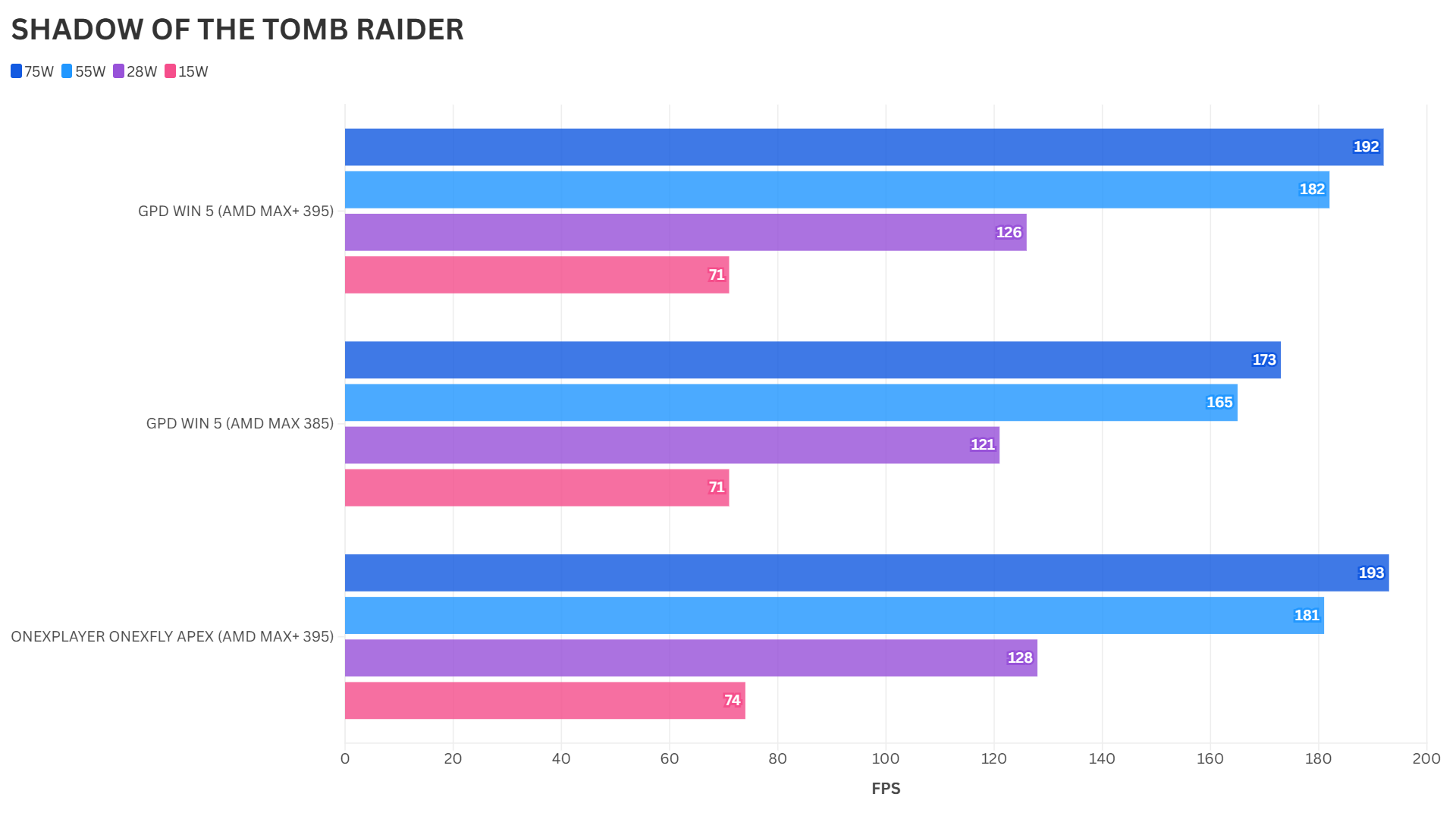
For our gaming benchmarks, we are running at 15, 28, 55, and 75W TDP to get a range of power levels for comparison. All games are benchmarked at 1080P, rather than 1200P, for a fair comparison with the WIN 5 resolution.
Forza Horizon 5
For Forza Horizon 5, the Apex enjoys a nice lead across the TDPs when compared with the GPD WIN 5. It is only until the lower TDP range that we see balanced results.
Shadow of the Tomb Raider
With Shadow of the Tomb Raider, the benchmark results stay within the margin of error between the WIN 5 and the Apex. Nothing much to discuss here.
Cyberpunk 2077
Last but not least, on Cyberpunk, we see the WIN 5 and Apex go back and forth with their benchmark results as we change TDP. There is only a noticeable difference of a few frames per second for the 28W TDP range.
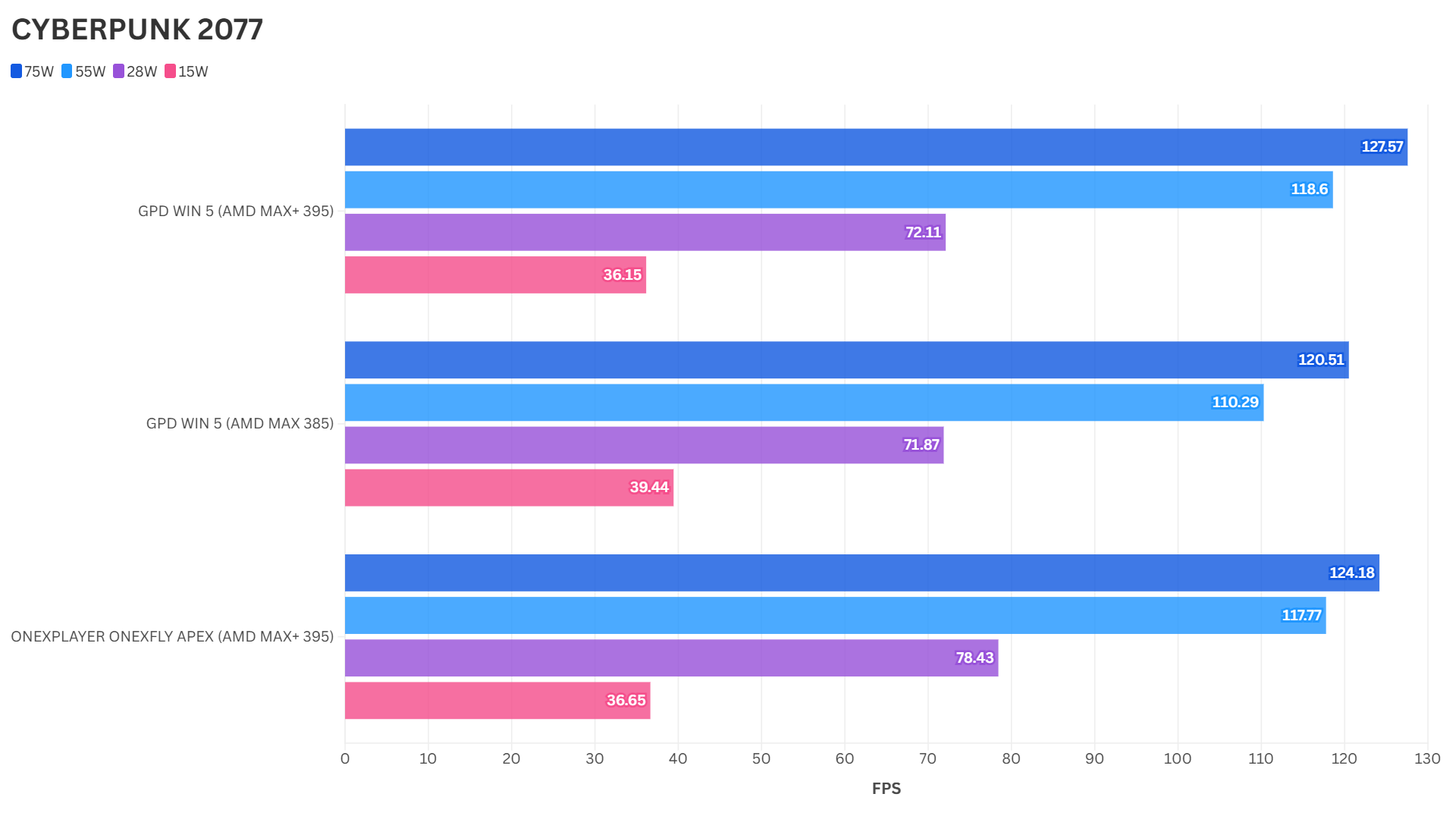
Benchmark Results Summary
Keep in mind that the GPD WIN 5 benchmarks were performed on slightly older drivers, so we may see some variations in results. On system benchmarks, we see performance slightly ahead for the Apex on CPU-based tests.
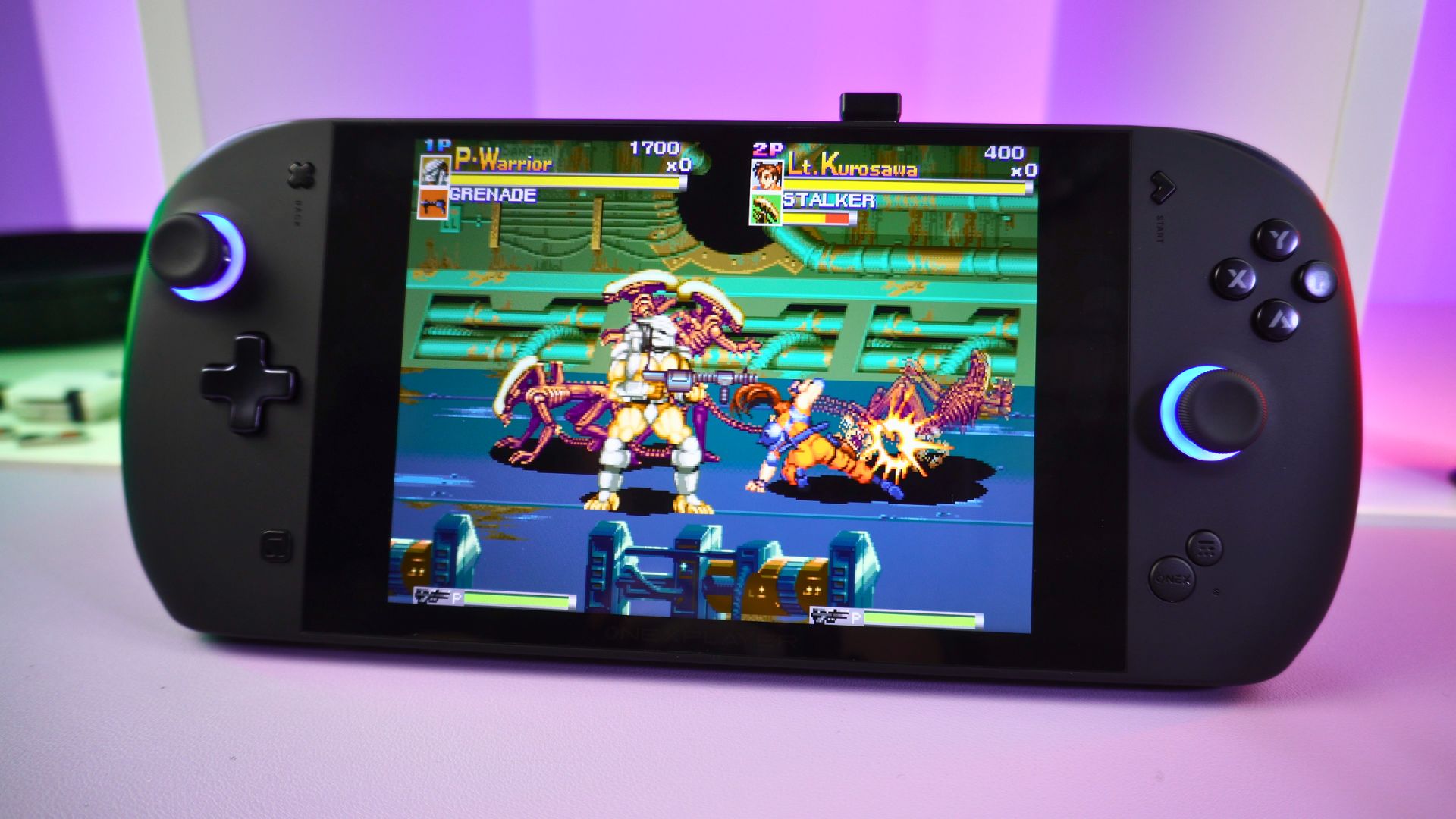
For gaming benchmarks, we see the Apex take the lead on a few tests such as Forza 5, but mainly matching the WIN 5 across the TDP ranges for other tests. Overall, the Apex is as good, if not slightly better, than the WIN 5 for performance.
Real-World Gaming Performance
We know from the GPD WIN 5 that the Ryzen 395 processor is amazing for gaming. You can happily run many games at 1200P with higher settings on this handheld gaming computer. Let’s take a closer look at some as part of our ONEXPLAYER ONEXFLY Apex review, and what they can run at.
Cyberpunk 2077
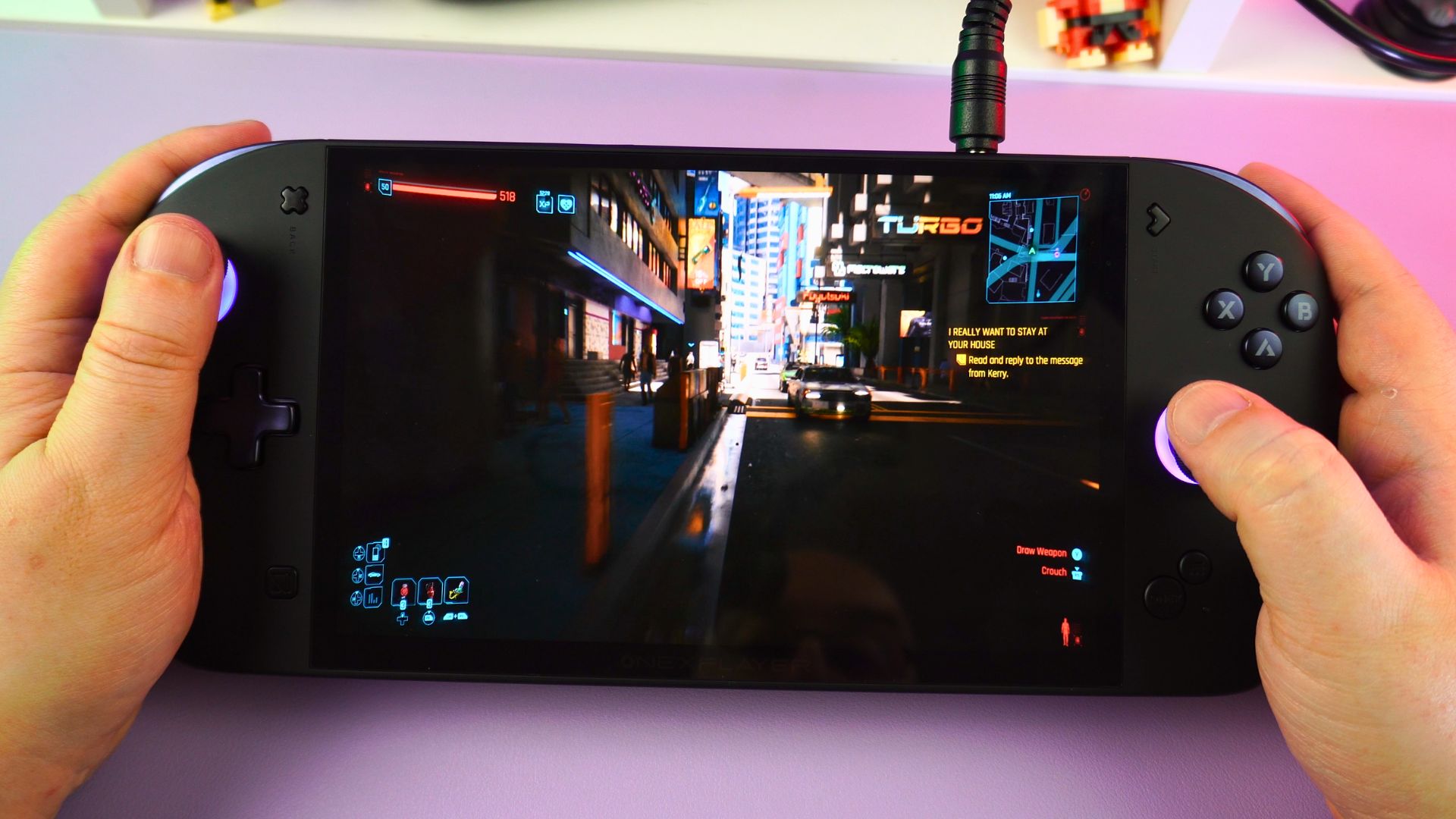
For Cyberpunk, we are running at 1200P on the Ray Tracing Low default graphics setting, which is effectively High-level graphics. You can, of course, change the settings to run above 120FPS, but I prefer a locked 60 FPS while looking great!
Warhammer 40K: Space Marine 2
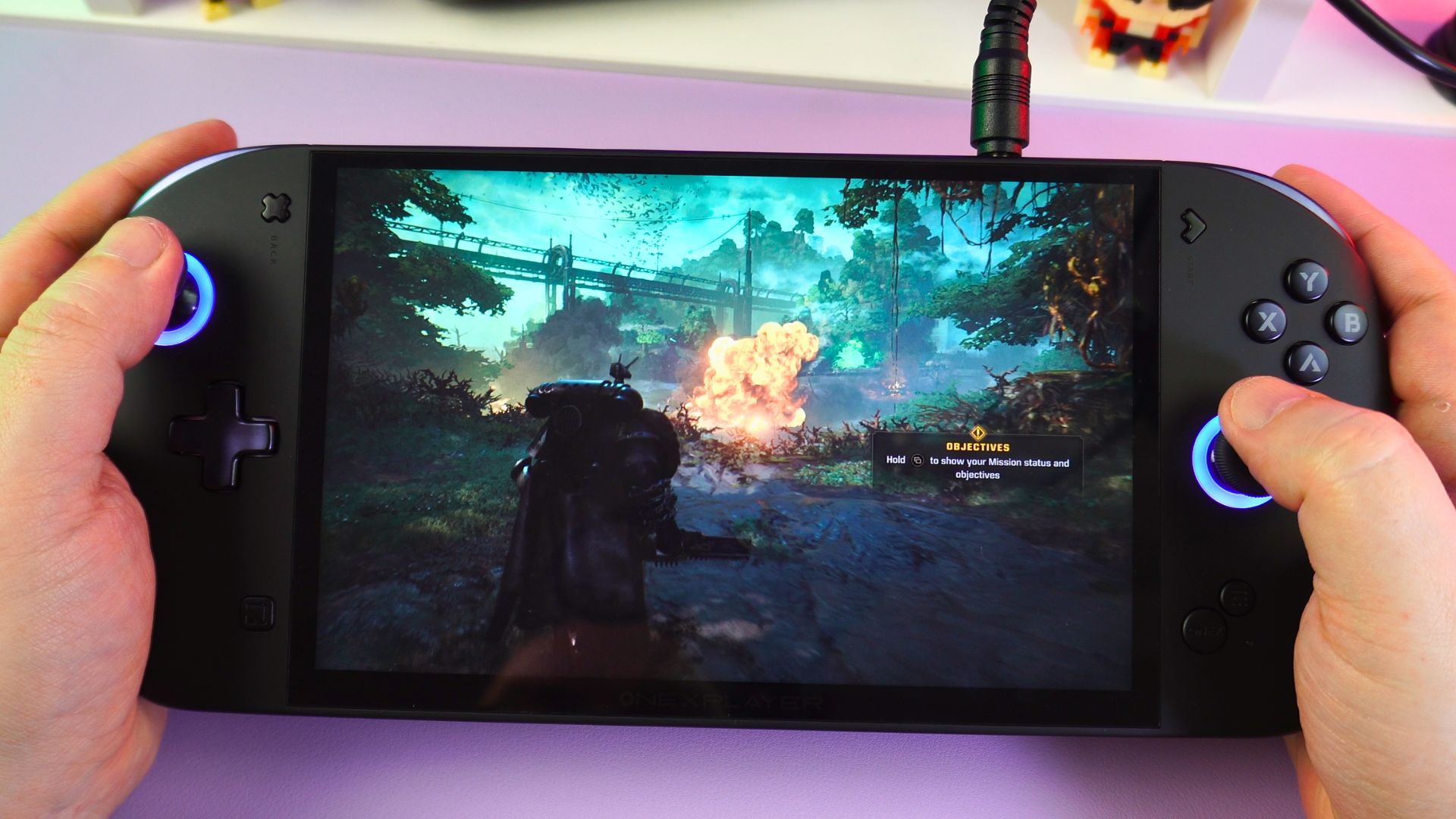
For Warhammer Space Marine 2, we are running at 1200P on the High graphics settings with Quality performance FSR settings. If you want 120 FPS or higher, you will need to drop down to Lower quality settings with performance-based FSR settings.
DOOM: The Dark Ages
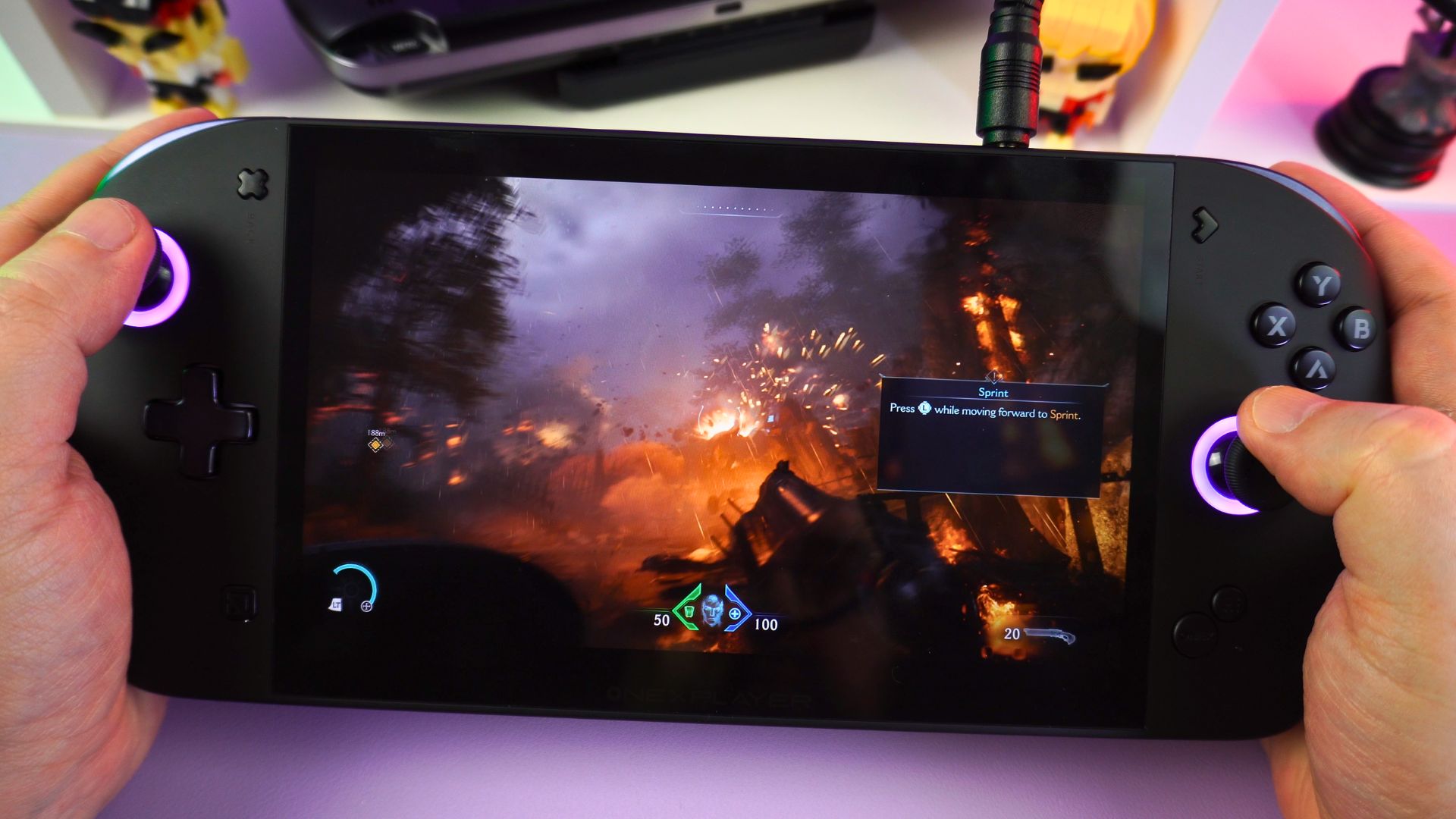
For DOOM: The Dark Ages, you can go with 1200P Nightmare graphics settings for an easy 60+ FPS. If you want 120+ FPS, then you can lower the FSR settings to performance and switch on frame generation.
Emulation Performance
Everything up to the more modern console and handheld era is, of course, going to run great on this handheld gaming PC. You can enjoy increased rendering resolutions and improved graphics tweaks with no issues. A crucial part of any ONEXPLAYER ONEXFLY Apex review is testing high-end emulators, so let’s take a look.
RPCS3 (PS3)
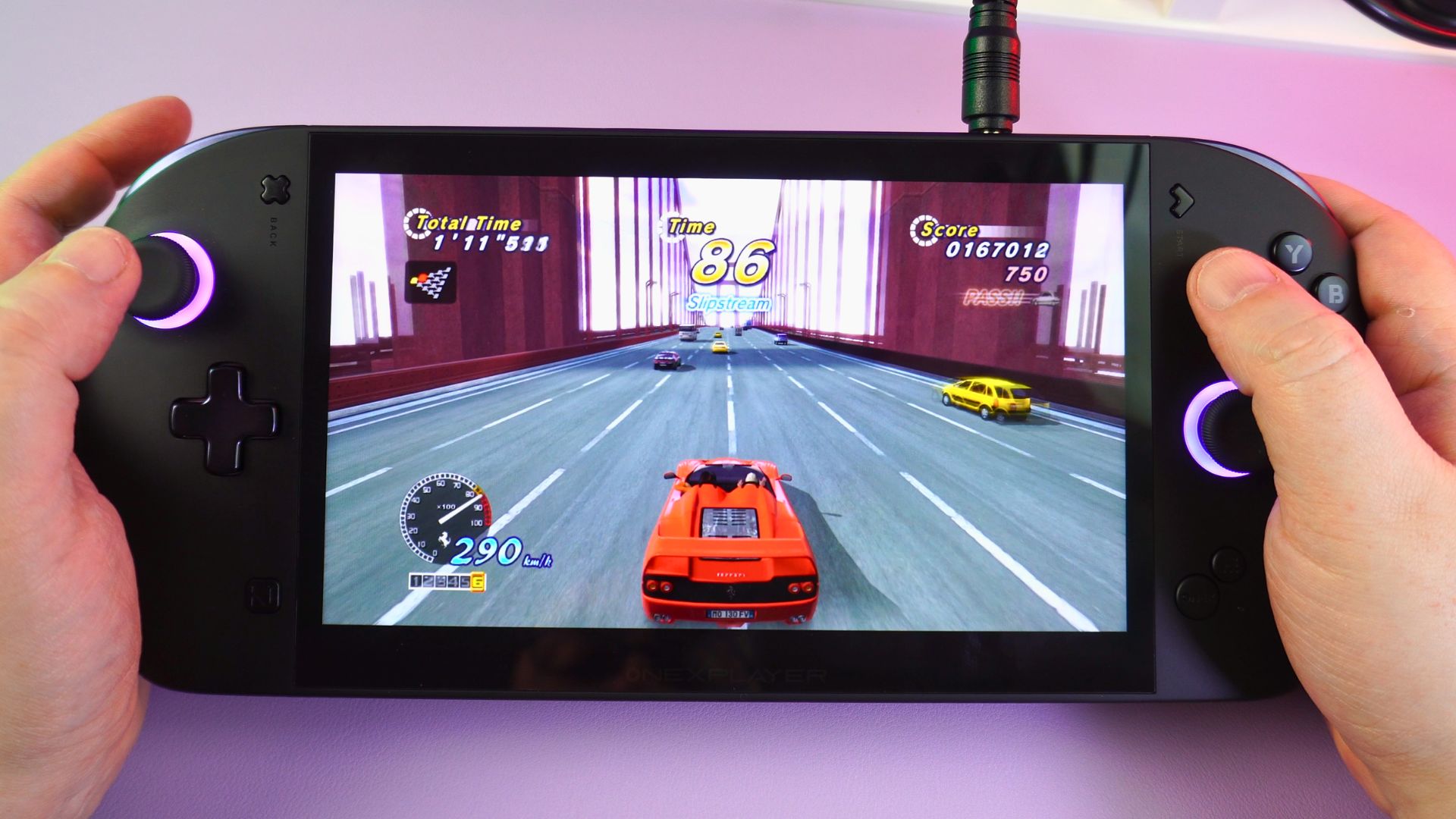
Compatible PlayStation 3 games will run great. In many cases, you can change the internal resolution to 1080P and maintain full speed. There have been many improvements for this emulator, and it is coming along nicely now.
VITA3K (PS Vita)
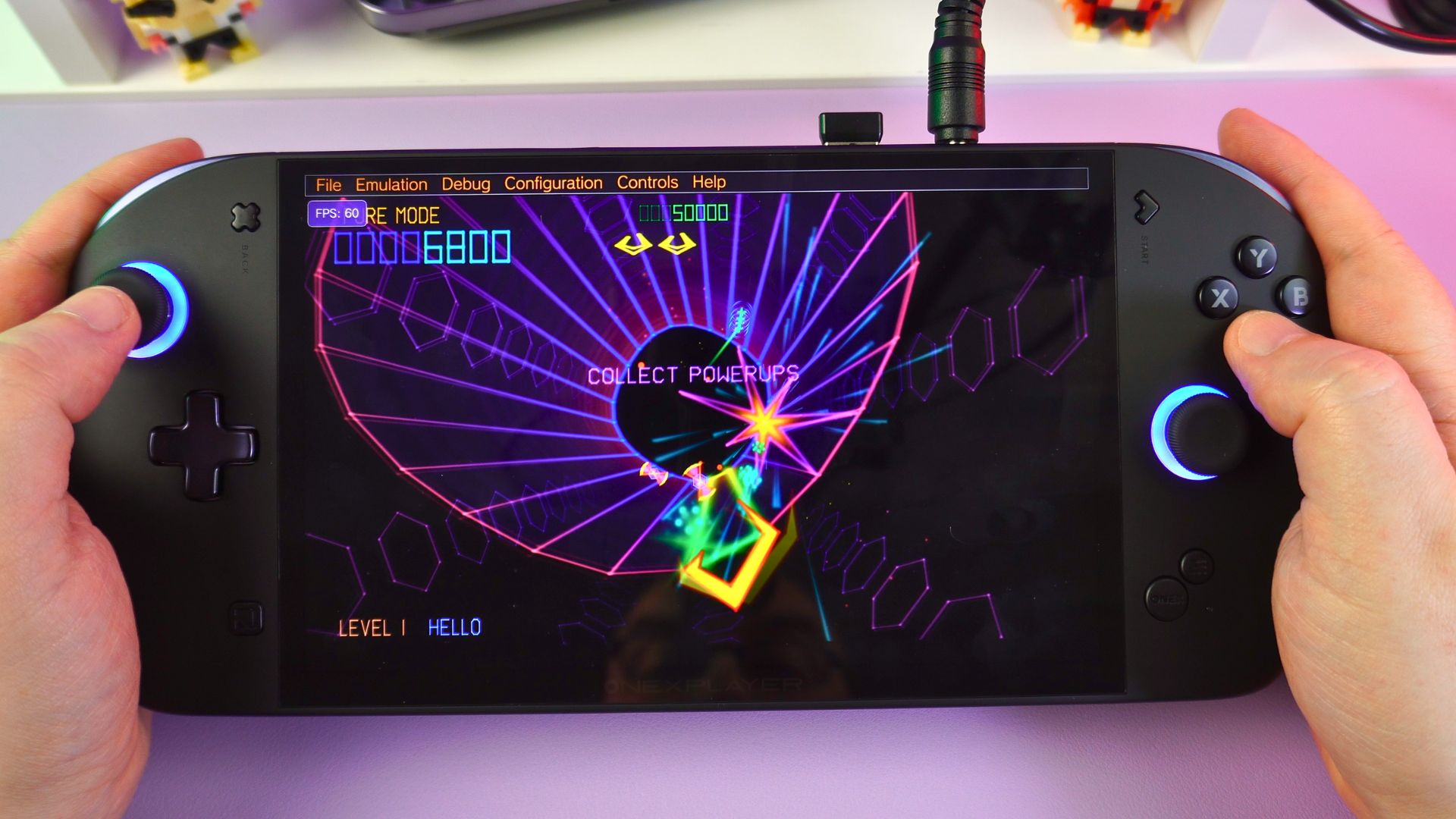
We also see great performance with the Vita emulator, Vita3K. Not all games are compatible, but many are and run very well. In many cases, you can increase the rendering resolution to as high as 4x if you wanted to.
Eden
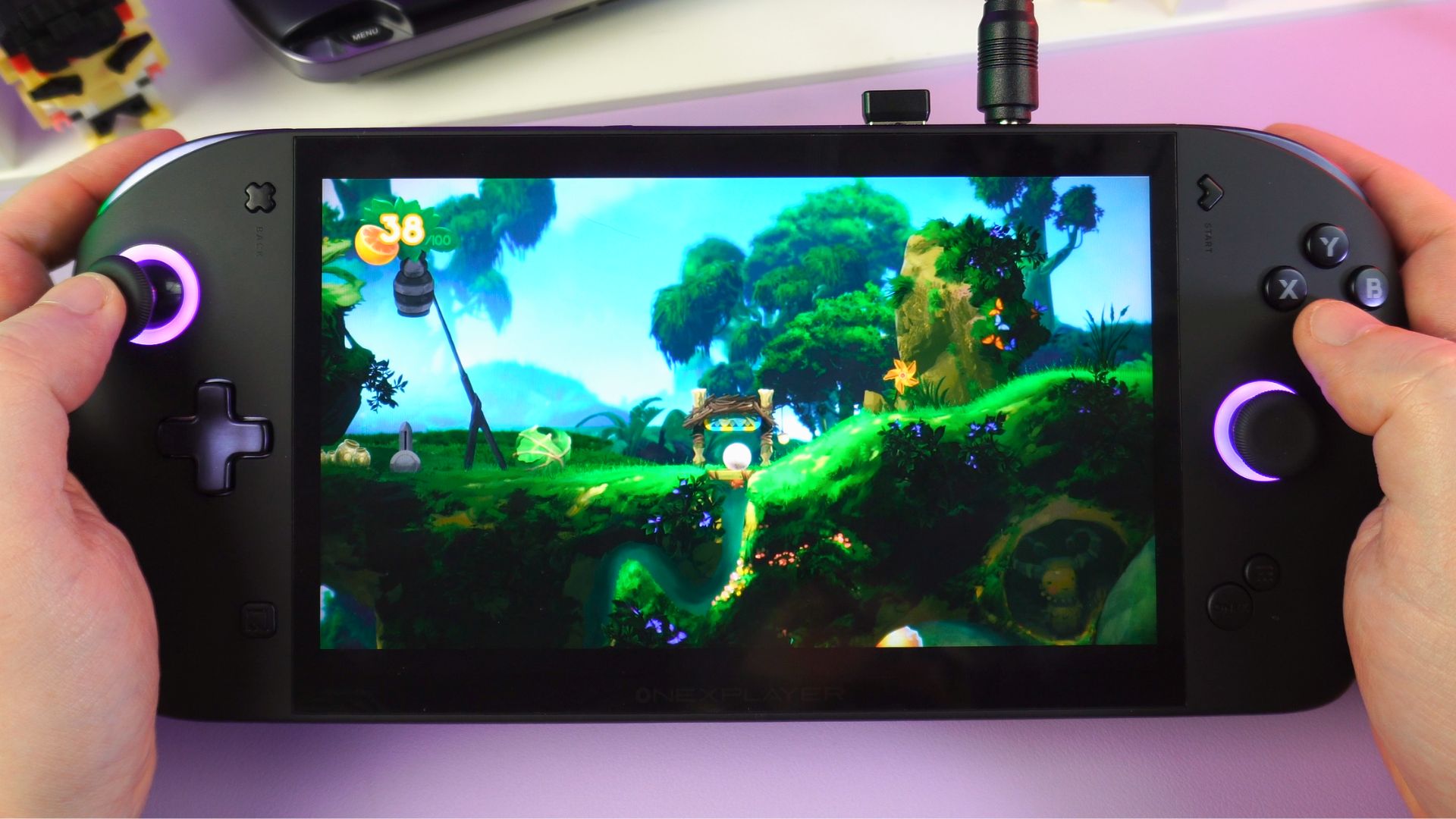
The Eden emulator runs unsurprisingly well with compatible games. Depending on how demanding the game is, you can increase the rendering resolutions and apply some graphics tweaks to improve the quality.
XENIA (Xbox 360)
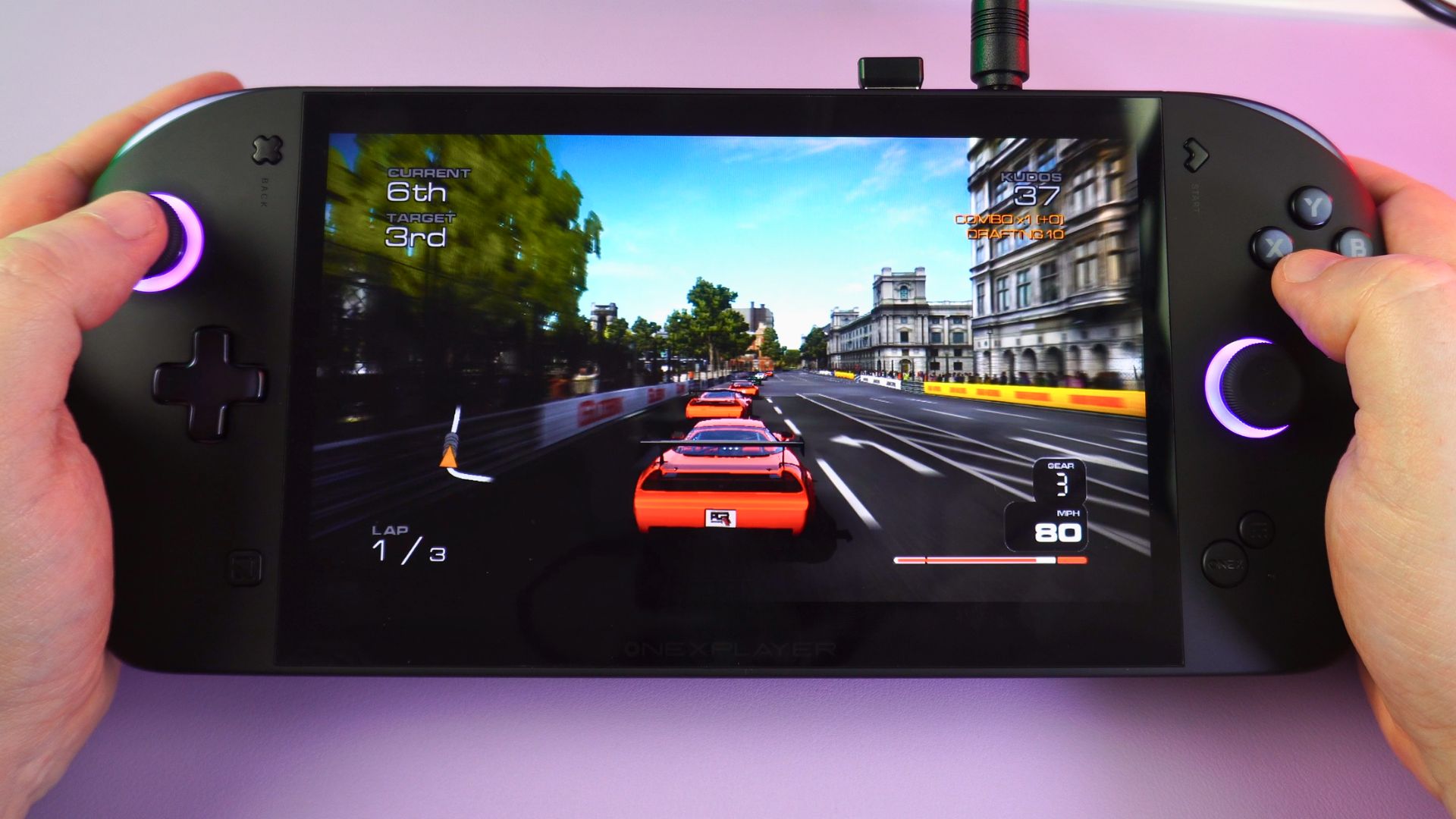
For Xbox 360 emulation, you can get some great results with compatible games. I tried a few random games, and they were definitely playable with little to no drops in performance. It is not perfect, but it is worth checking out if you haven’t tried the emulator in a while.
Final Thoughts on our ONEXPLAYER ONEXFLY Apex review
To conclude our ONEXPLAYER ONEXFLY Apex review, this device is a beast of a machine, not just in size but also in performance. The 8” display is just the right size for gaming at 1200P. I found the controls were very good, the clicky gaming buttons in particular. They may not be everyone’s cup of tea, but I like them; they provide a more responsive feel and sound when pressed.
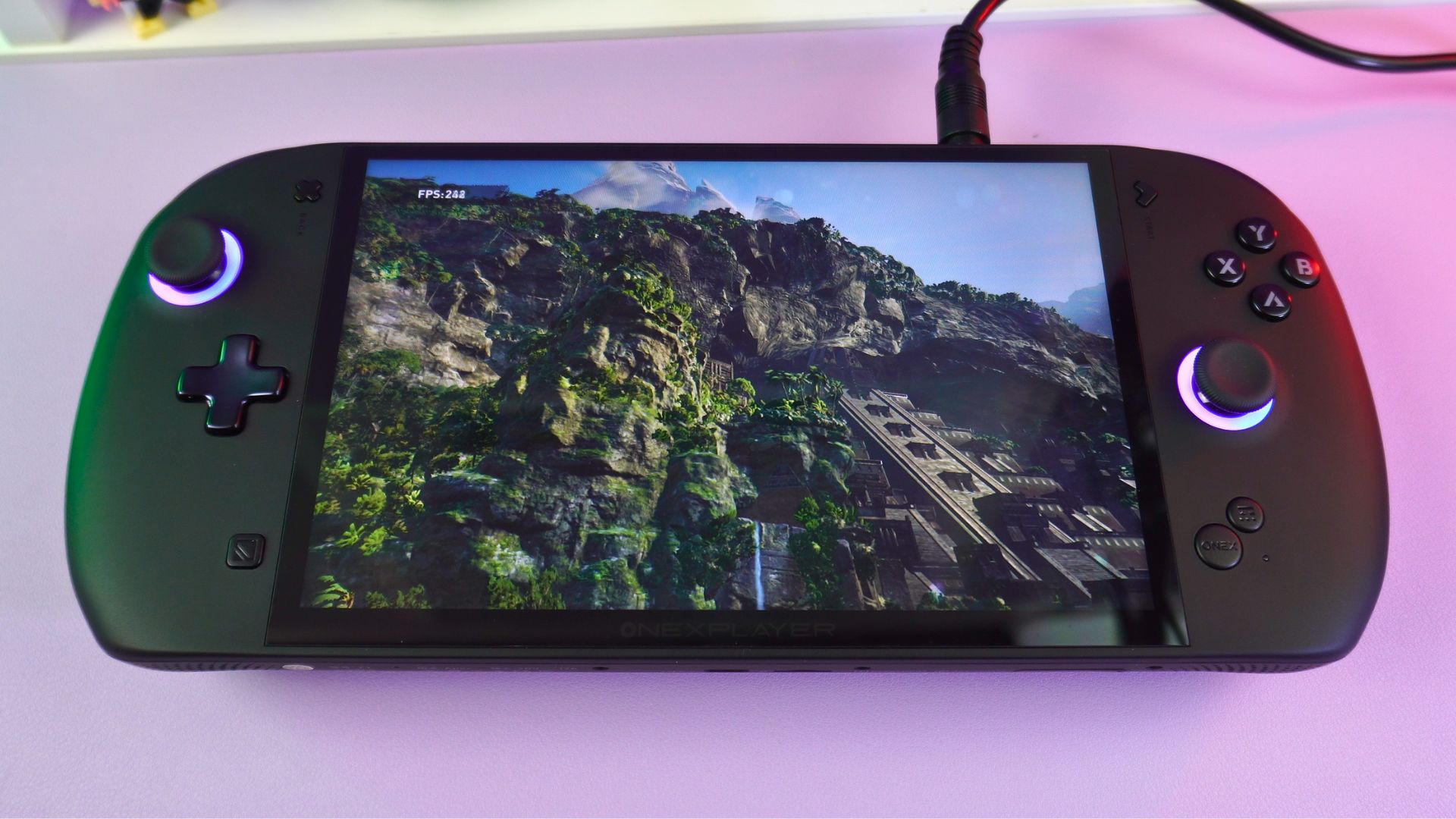
In terms of performance, I have no complaints. The scores are at least in-line with the GPD WIN 5 and didn’t seem to experience any noticeable performance drops. However, do keep in mind the battery issue, which will be fixed with a free replacement battery expected in June.
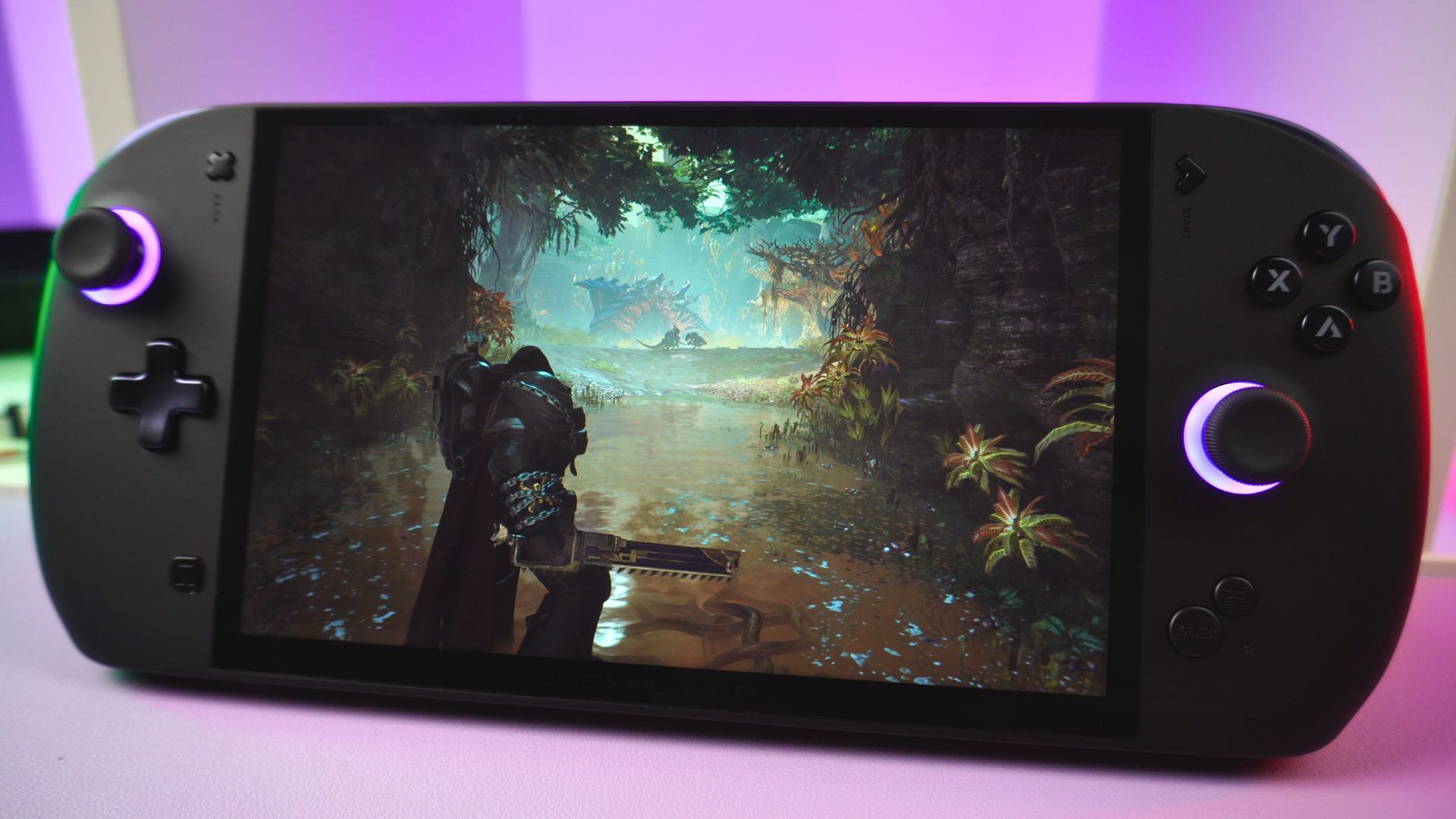
Barring the battery issue, overall I have no major complaints about the Apex. The size and weight may not be for everyone, and if this is a concern for you, then the WIN 5 is probably the best option for you. Otherwise, the Apex is an excellent choice for handheld gaming.
You can learn more about and buy the ONEXPLAYER ONEXFLY Apex here. That wraps up our ONEXPLAYER ONEXFLY Apex review. We hope you found it useful. If you have any q




