



Selles artiklis
Changelog:
Added DroiX® Market
Updated Airplay to support iOS9
Updated QuickSupport app
Once updated, please read the post here for details on installing and using the Wizard. We've added the required repository for you, so just a few clicks away from installing some great add-ons via Wookie.
After a reset like this, don't forget to sign back into Google's Play Store (see here) to enable auto-updates, and head to the Settings menu (top right) and turn on auto-update at all times if you're using a network cable, rather than WiFi.
How to update:
First run the OTA Updater application, (click the My Apps or circle with six dots on your homescreen to find the list of all applications installed, then scroll down.)

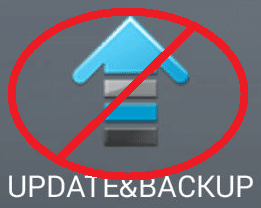
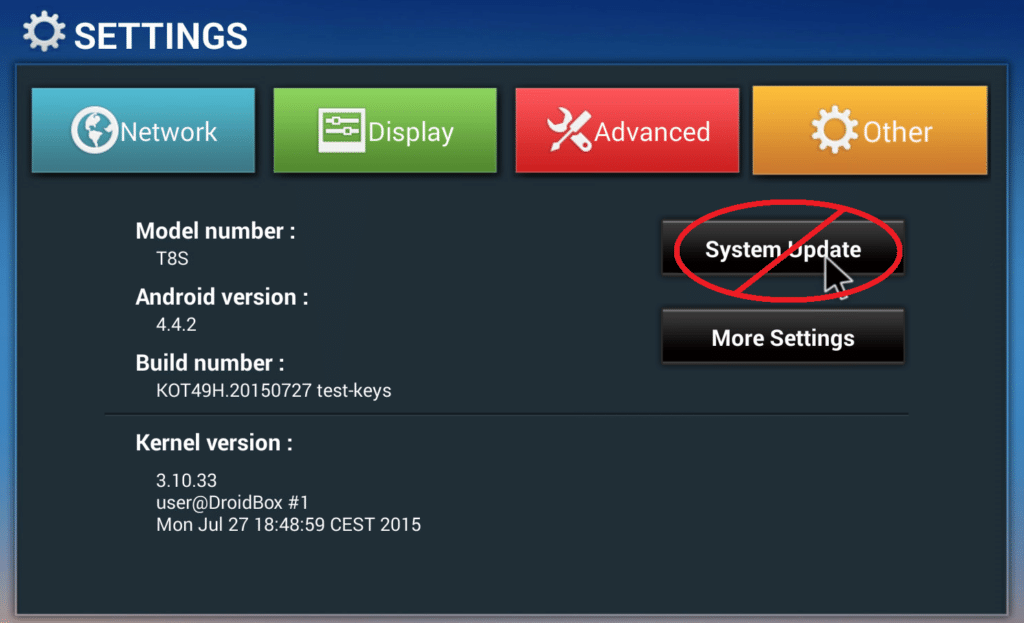
You do NOT use the UPDATE&BACKUP application, nor the System Update button found within the Other tab of the Settings area.
Check our video if you will have any issues following upgrade steps.
You can also click on an OTA Update Available type of message if you see one when dragging down the notification area in the top left of your screen.
Tick the Clear Data option to properly reset your device and access the new applications/builds once the firmware update process has completed.
Click here if you have a T8 that doesn't have the OTA Updater application.

Küsimused ja kommentaarid
0
Iga küsimus saab vastuse. Küsi enne ostmist — DROIX ja meeskond vastab ühe tööpäeva jooksul ning vastused jäävad avalikuks, et abistada ka järgmist lugejat.