

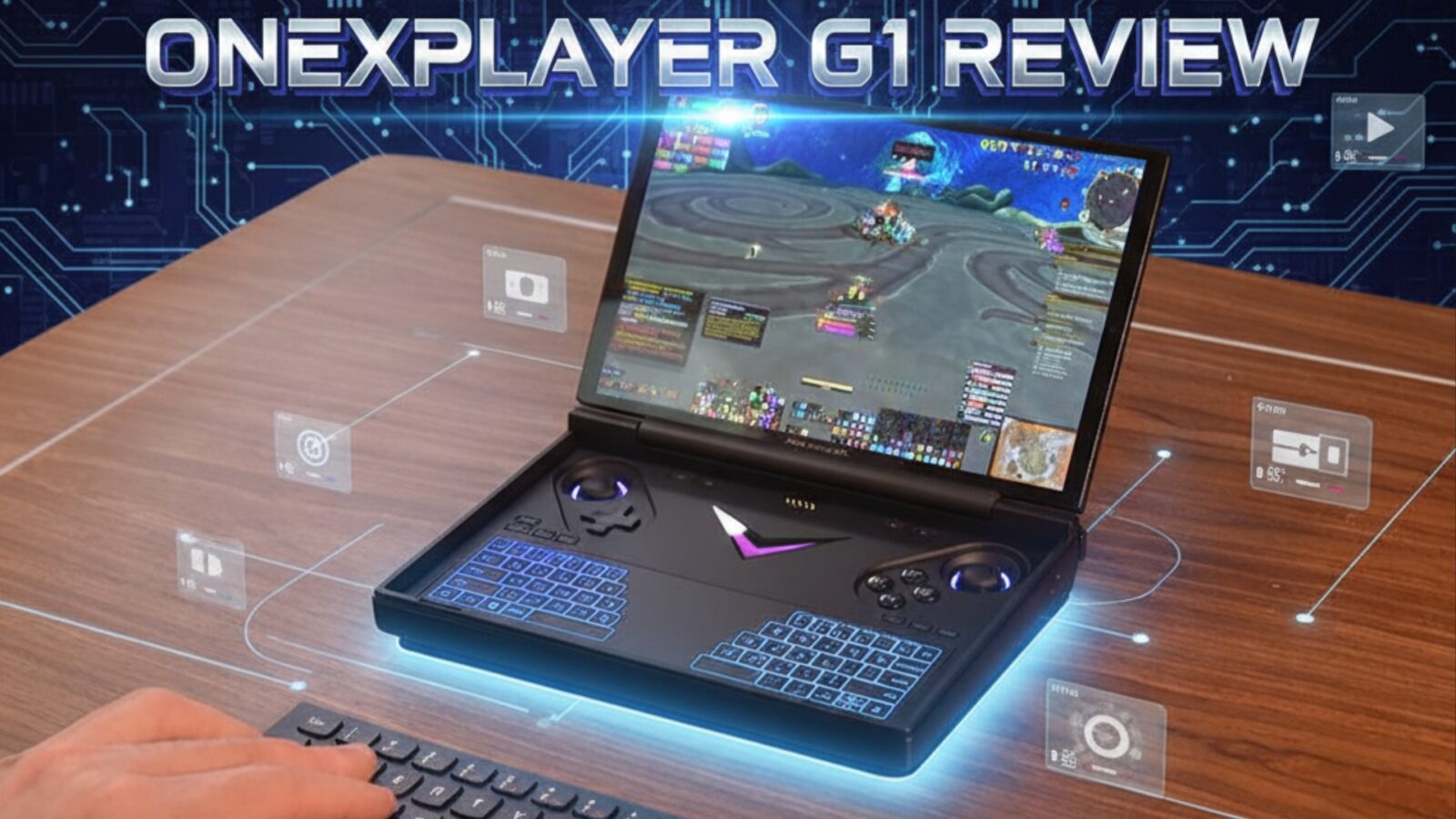
ONEXPLAYER G1 Review
-
Design
(4)
-
Build Quality
(4.5)
-
Display
(4.5)
-
Performance
(4)
-
Features
(4)
Summary
The choice of three varying performance CPUs offers wider appeal for your use, but both keyboards are not ideal for long term use.
Overall
4.2User Review
( vote)Pros
- Choice of AMD 8840U, HX 370 or Intel 255H processors
- Decent gaming performance
- Large high resolution and refresh rate display
Cons
- Could not get on with either keyboard
Why have one keyboard when you can have two? The ONEXPLAYER G1 features a built-in touchpad style keyboard and a detachable keyboard. Lets find just what the point of it is in our ONEXPLAYER G1 review.
ONEXPLAYER G1 Review Video
ONEXPLAYER G1 Overview
We start our ONEXPLAYER G1 review with an overview of the handheld. The ONEXPLAYER G1 measures around 8.1 x 5.8 x 1.2 inches (20.8 x 14.65 x 3.2 cm) and weighs around 880g (1.94 lbs), and with the detachable keyboard an extra 142g (0.31 lbs).
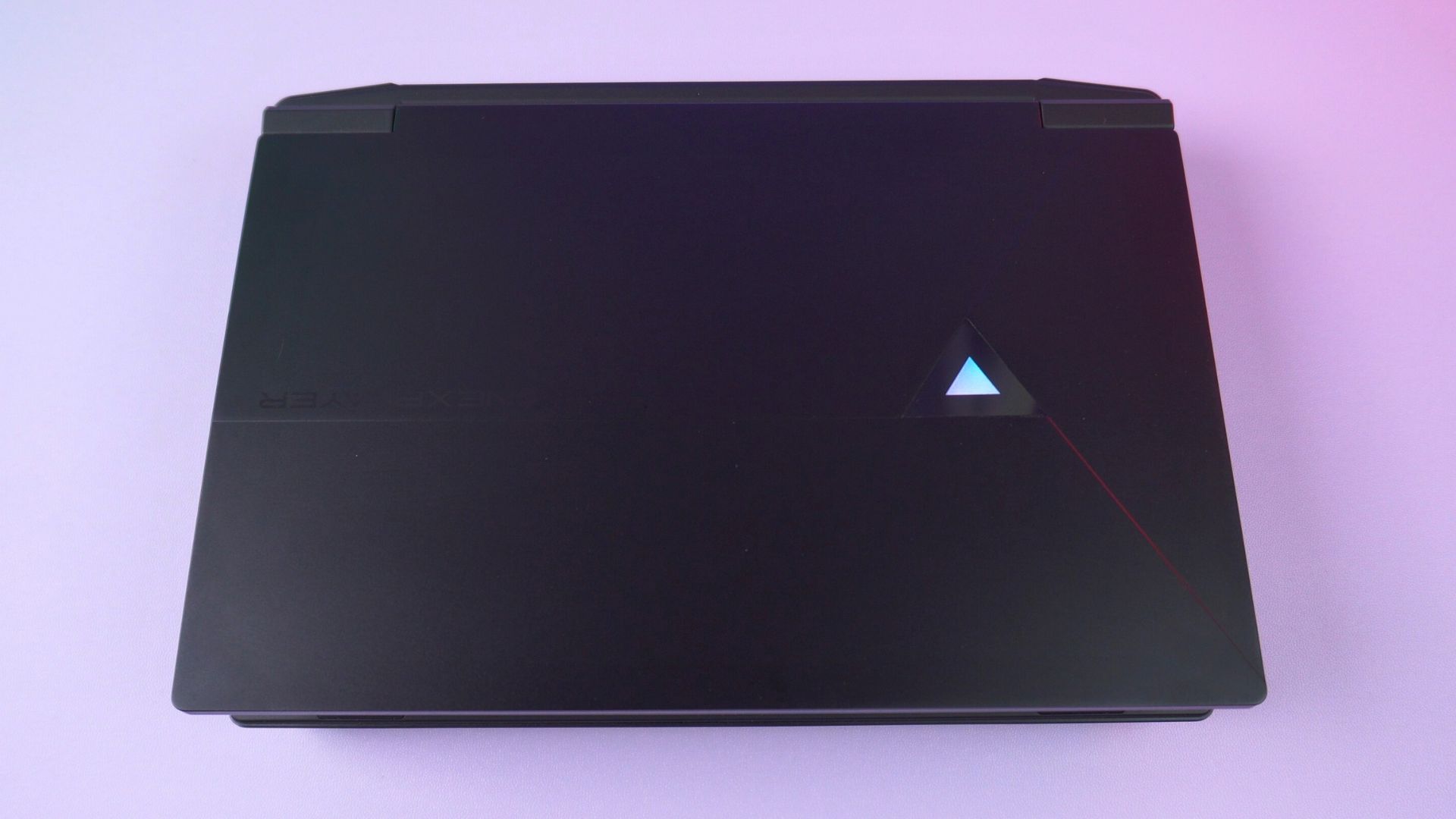

The lid opens to reveal a 8.8” touchscreen display supporting up to 2560×1600 at 60Hz and 144Hz refresh rates.
Out of the box you will see the usual gaming controls including analog sticks, D-pad and gaming buttons. There are some additional small buttons just below for volume control, Home, keyboard/mouse control and the ONEXPLAYER overlay.
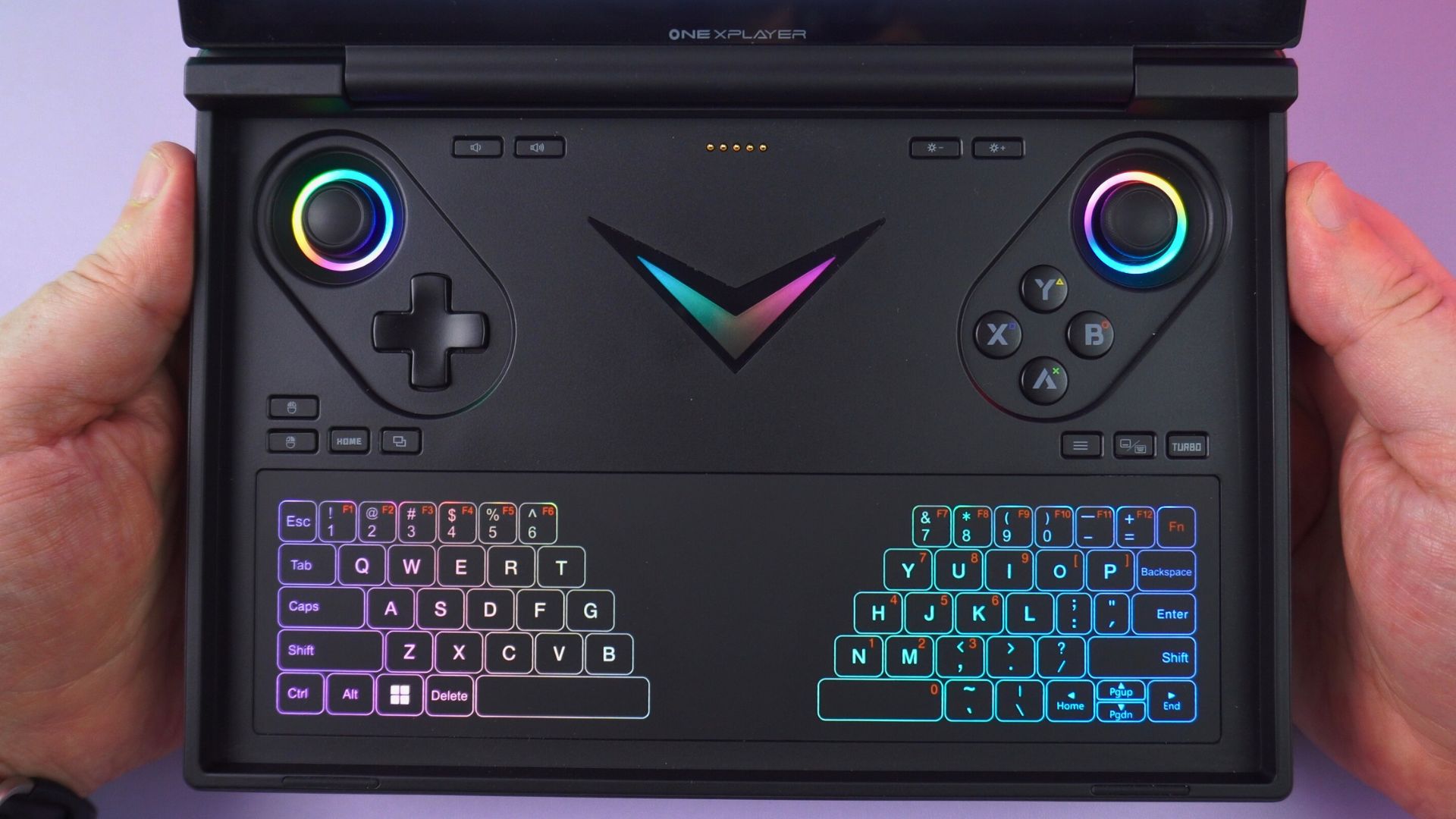
Below is a large touchpad covering the width of the device. By pressing the keyboard and mouse control button you can switch between using the touchpad for mouse input or as a keyboard.
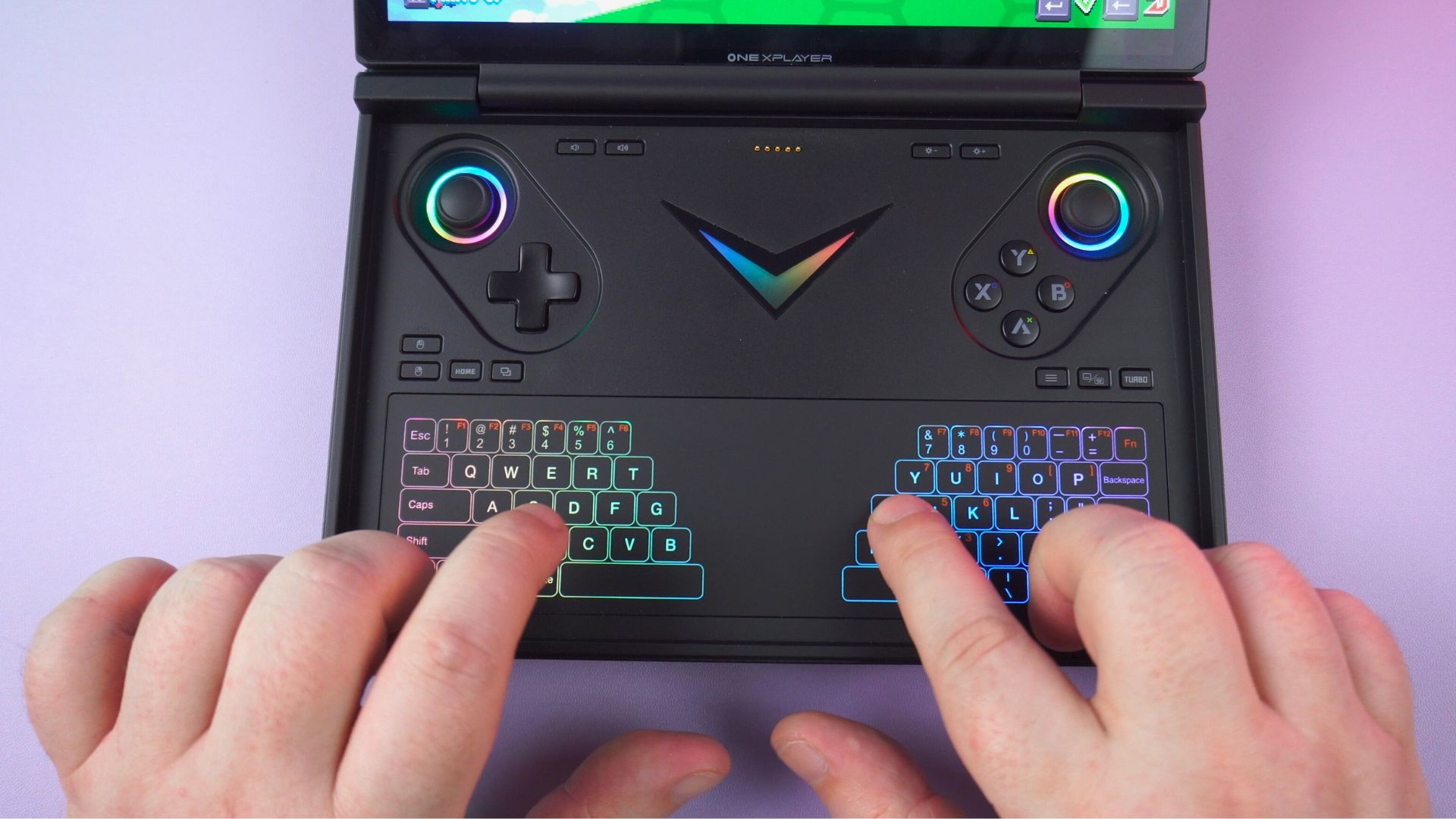
I personally found this keyboard annoying to use. It’s a bit like typing on a phone screen with zero vibration or noise feedback. It’s OK for brief messaging, in game shortcuts or web browsing for example, but I could not recommend it for anything else. Thankfully we have a physical keyboard which I will cover shortly.
On the left side there is a micro SD card slot, and on the right side is the power button with a LED power indicator.
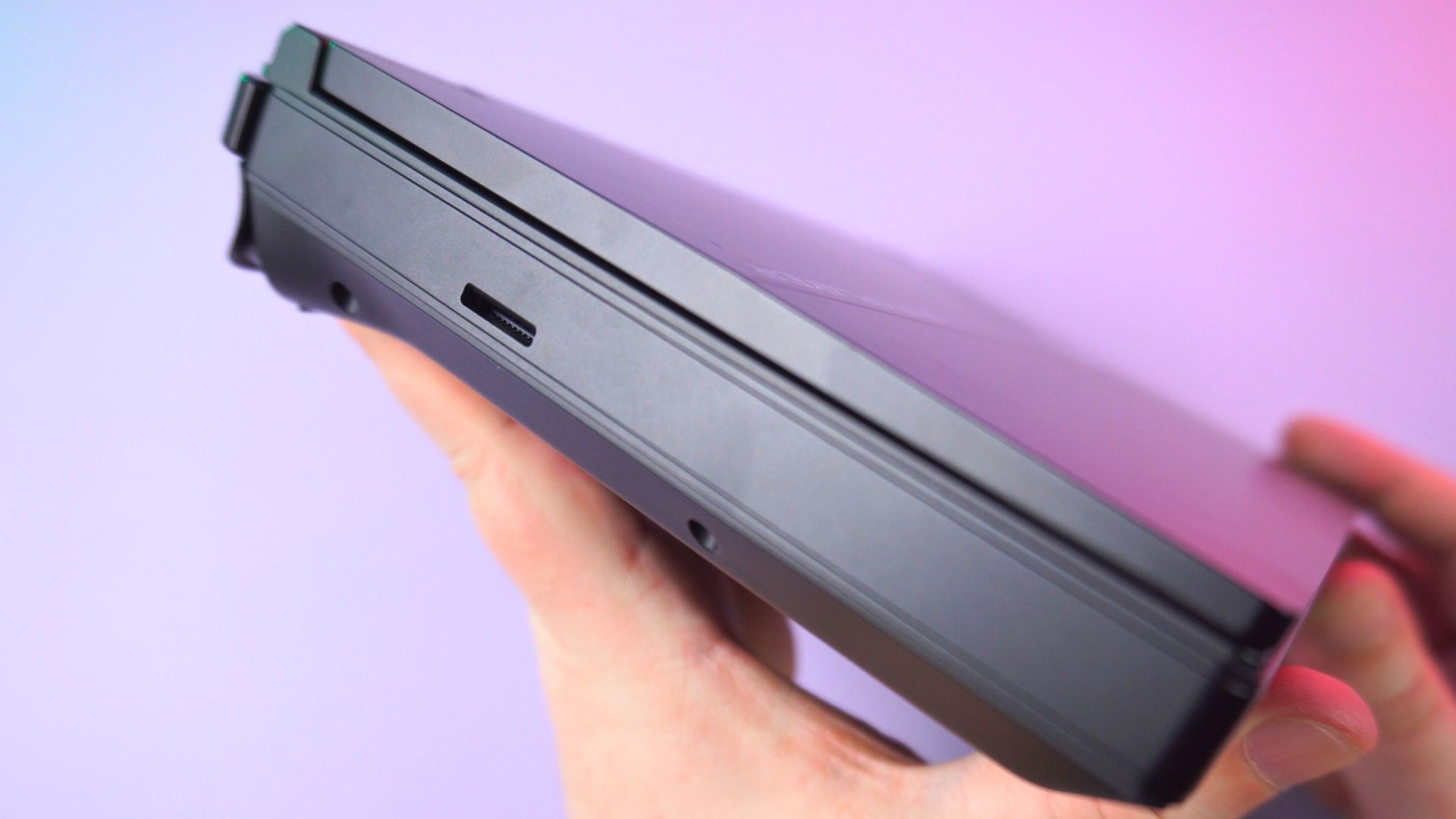
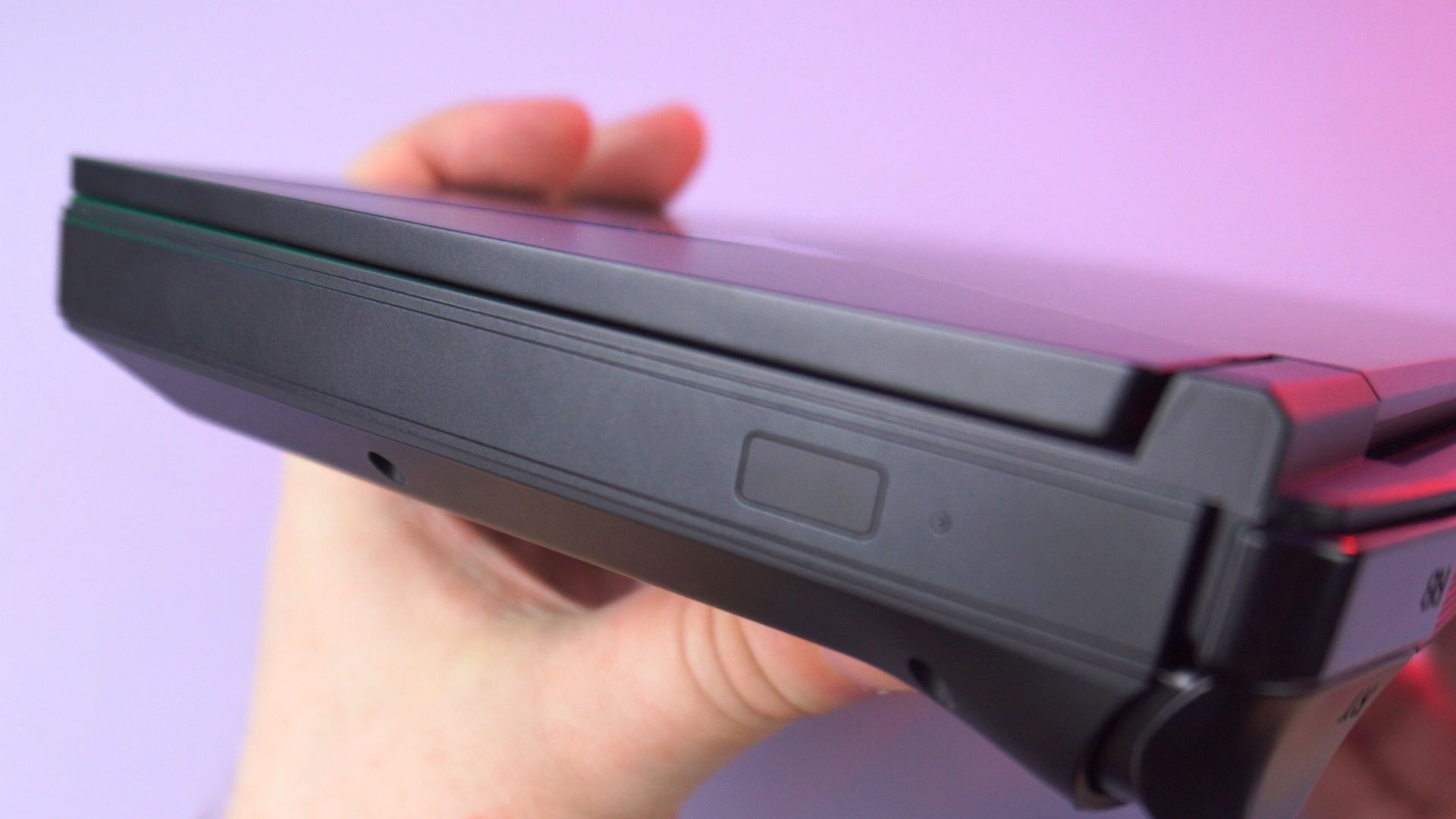
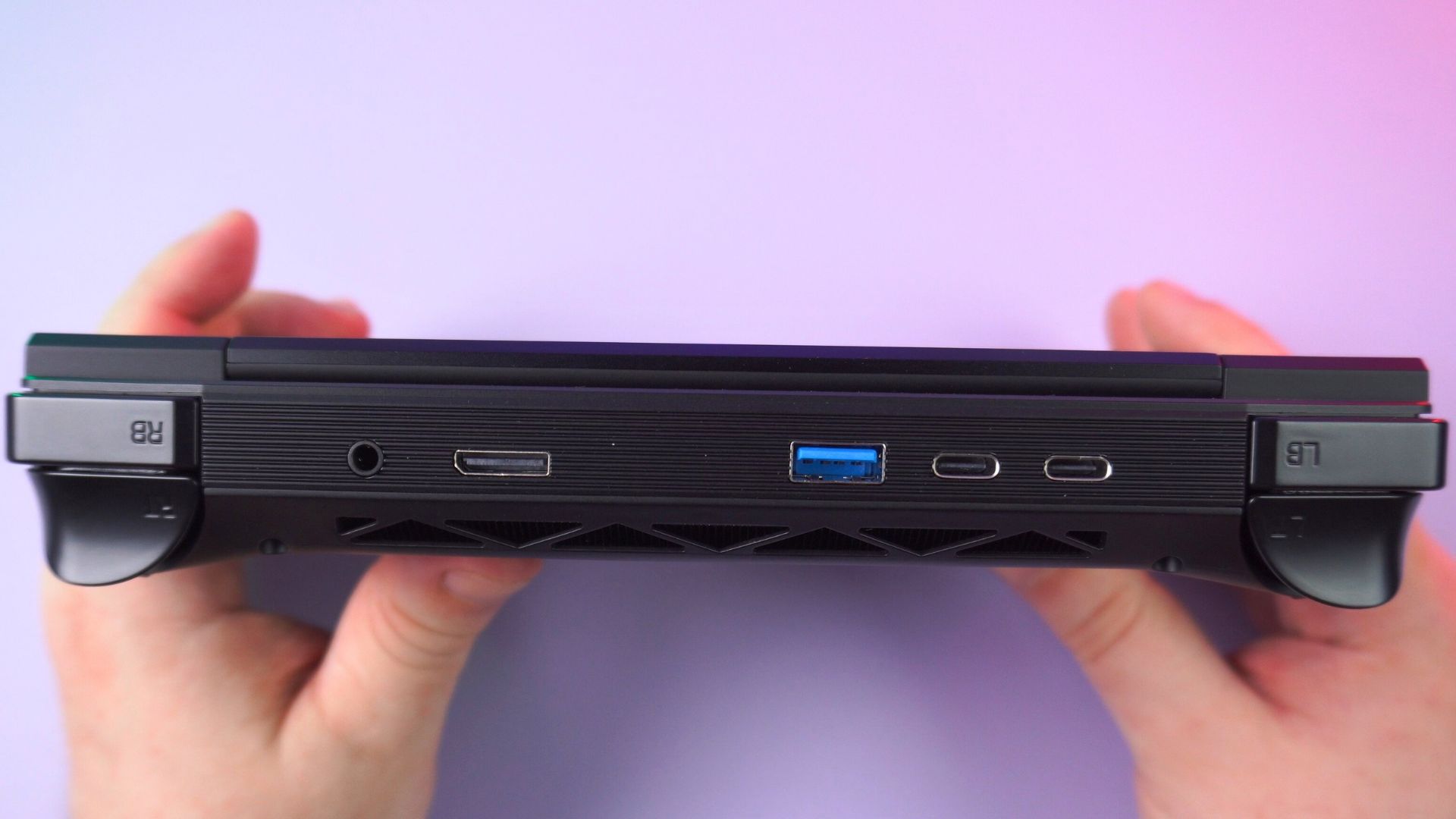
Along the back are your trigger and shoulder buttons on either side. Going from left to right are a 3.5mm headphone port, an OCuLink port for connecting to an eGPU, a USB 3.2 port, and two USB Type-C ports.
ONEXPLAYER G1 Detachable Keyboard
You can use the detachable keyboard straight out of the box, it simply falls into place and connects via the pogo pins on the G1. You can alternatively connect via Bluetooth, it supports up to three connection profiles which is very useful if you want to use it with your phone and other devices.
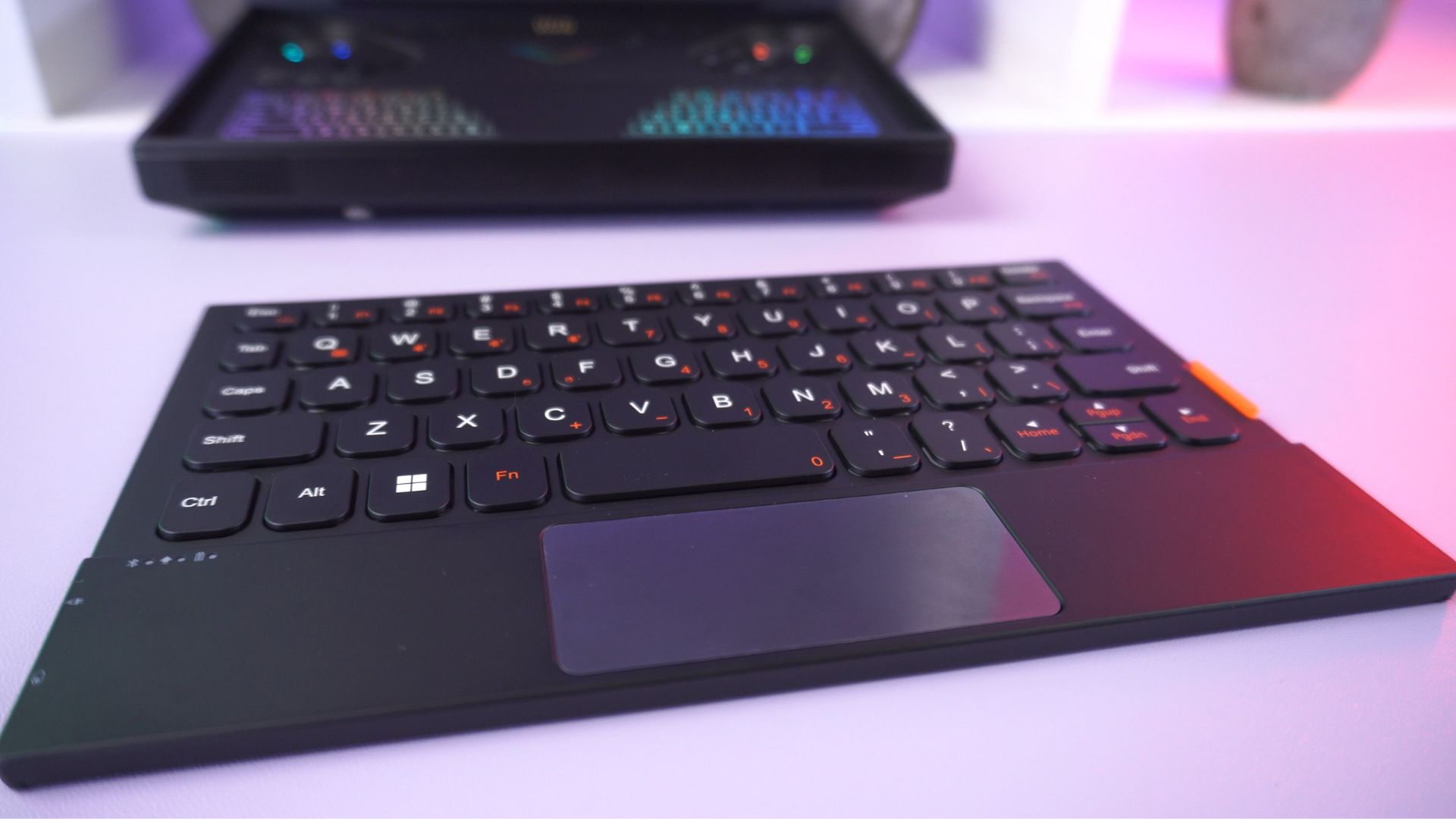
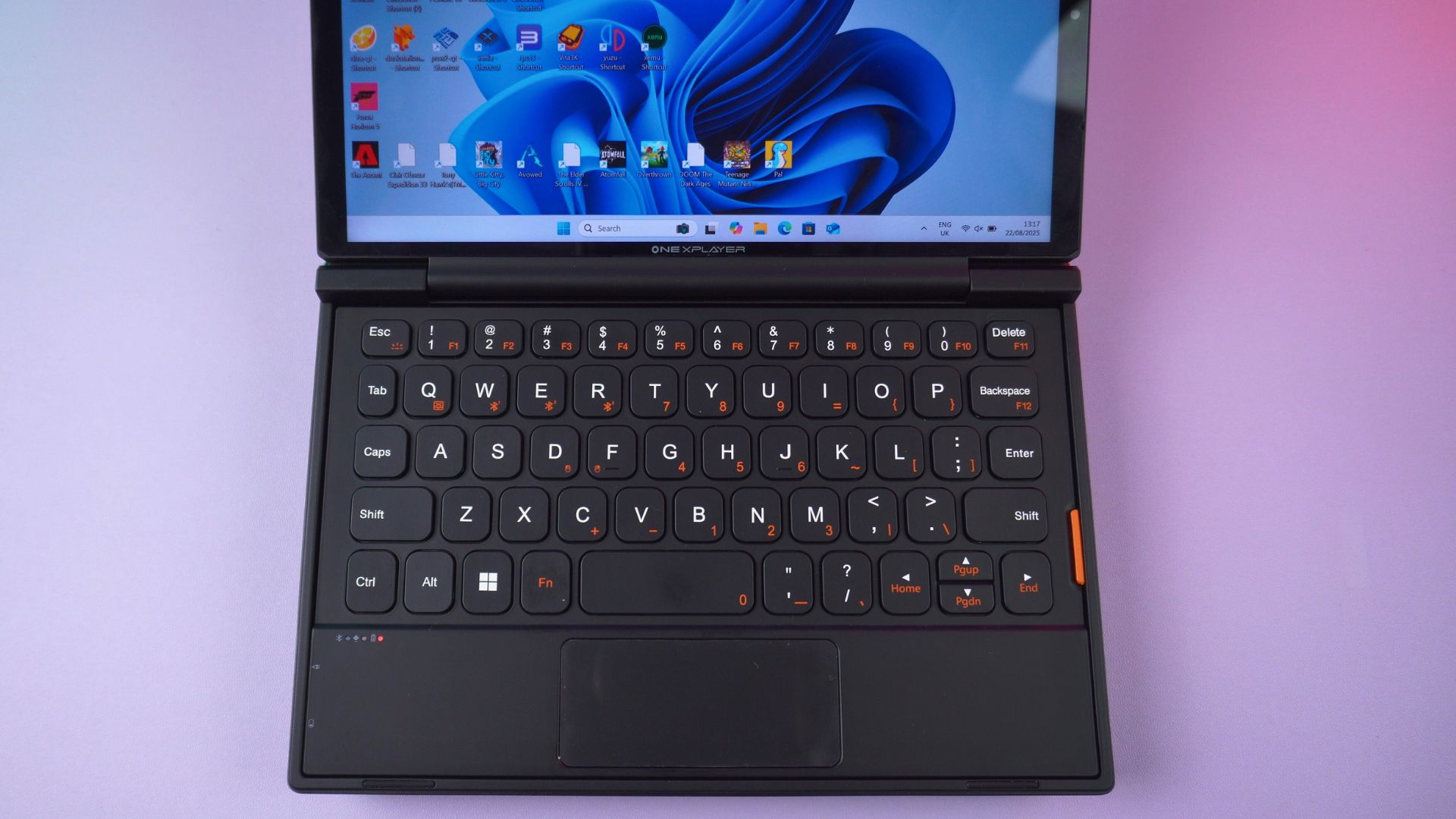
The RGB backlit keyboard has a few different colour and pattern modes to cycle through. The keys are a little smaller than your average keyboard and are fairly low profile. Due to the thickness of the G1, my hands were placed resting on the corners which became uncomfortable, or on the desk having to stretch my fingers, which did not feel natural
Technical Specifications
Next in our ONEXPLAYER G1 review we take a look at the different models and specifications. The ONEXPLAYER G1 is available with a choice of three processor types. An AMD 8840U and the newer HX 370, and not forgetting the Intel 255H. They come with the integrated Radeon 880M, 890M and Arc 140T GPUs’ respectively. We will be comparing the performance of them shortly. Depending on the CPU there are choices of 32GB or 64GB LPDDR5x RAM running up to 7500MHz. There are options 1TB, 2TB, or 4TB NVMe SSD storage.
| DISPLAY | 8.8″ LTPS, 2560×1600, 144Hz, 16:10 Brightness: 500Cd/m2(typ) Colour gamut coverage: DCI-P3 97% Contrast: 1500:1 |
| CPU | AMD Ryzen AI 9 HX 370 AMD Ryzen 7 8840U Intel Ultra 7 255H |
| GPU | AMD Radeon 890M AMD Radeon 780M Intel Arc |
| RAM | 32GB/64GB LPDDR5x RAM |
| STORAGE | 1TB/2TB/4TB M.2 2280 NVMe PCIe 4.0×4 SSD |
| COMMUNICATIONS | Wi-Fi 6E Bluetooth 5.2 |
| BATTERY | 51.975Wh, 13500mAh rechargeable battery |
Powering it is a 51.975Wh battery. We ran Cinebench on a loop at 28W TDP with full screen brightness for the following tests to really push the battery life. In our tests we got 1 hour 9 minutes for the 8840U model, an additional 6 minutes for the HX 370, and a further 6 more minutes for the Intel 255H.
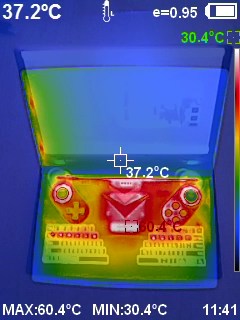
In our fan noise tests we got a maximum of 67dB on all three models. And in the temperature tests we got around 68°C highest temperature on all three models.
System Benchmarks
We continue our ONEXPLAYER G1 review with our benchmark tests, comparing the three models together for the differences in performance between them.
PCMARK
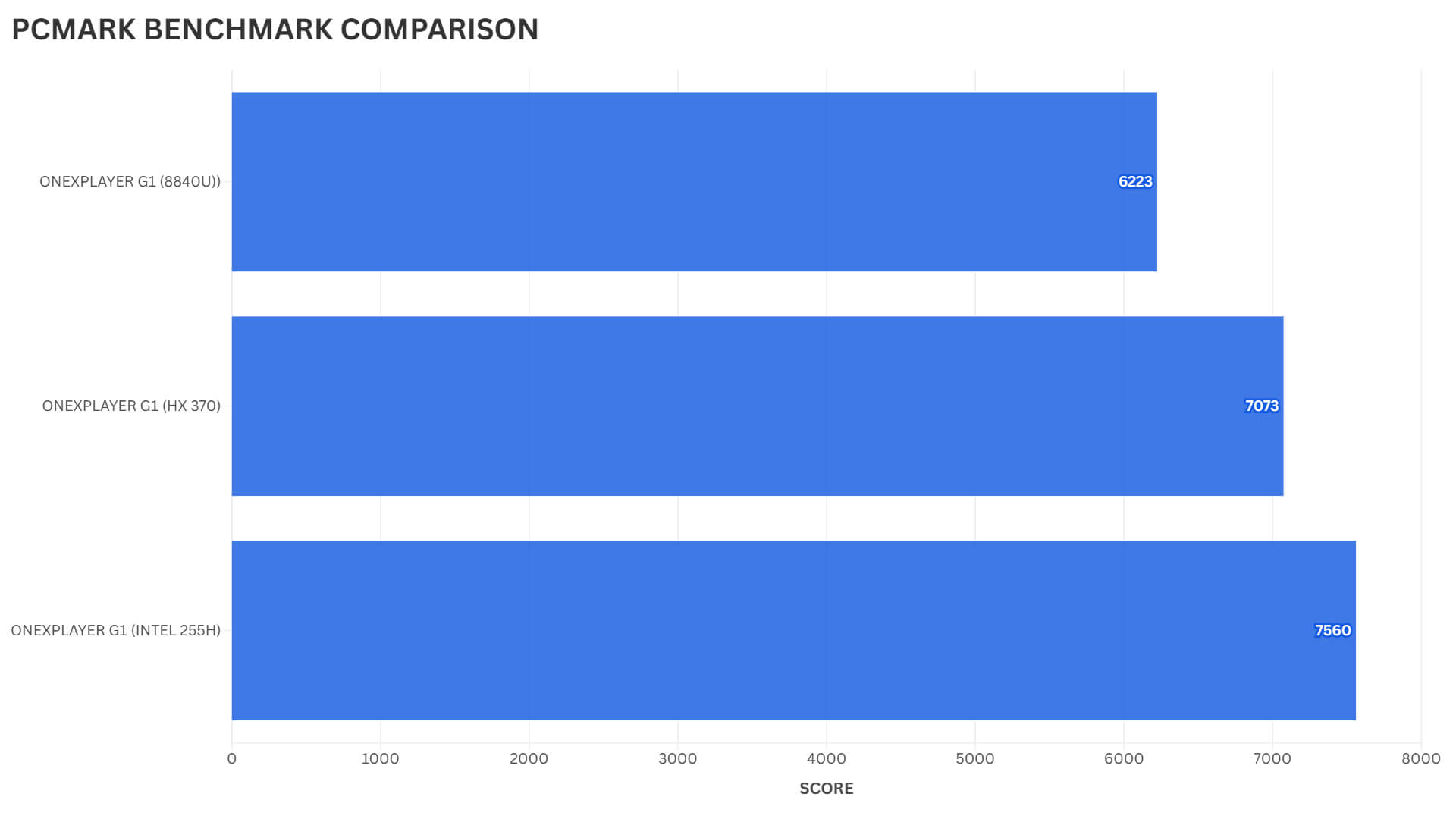
In the PCMARK benchmark, the Intel 255H model achieves the highest score with just under a 500 point lead over the second place HX 370 model. The 8840U model lands in third place with around a 850 point difference to the HX 370.
GEEKBENCH 6

We see the Intel 255H model again take the lead in this CPU based test in single and multi-core performance. There is a small gap between it and the HX 370 in single core and just over 500 points on multi-core. The 8840 model sees larger gaps on both single and multi-core performance.
CINEBENCH 2024
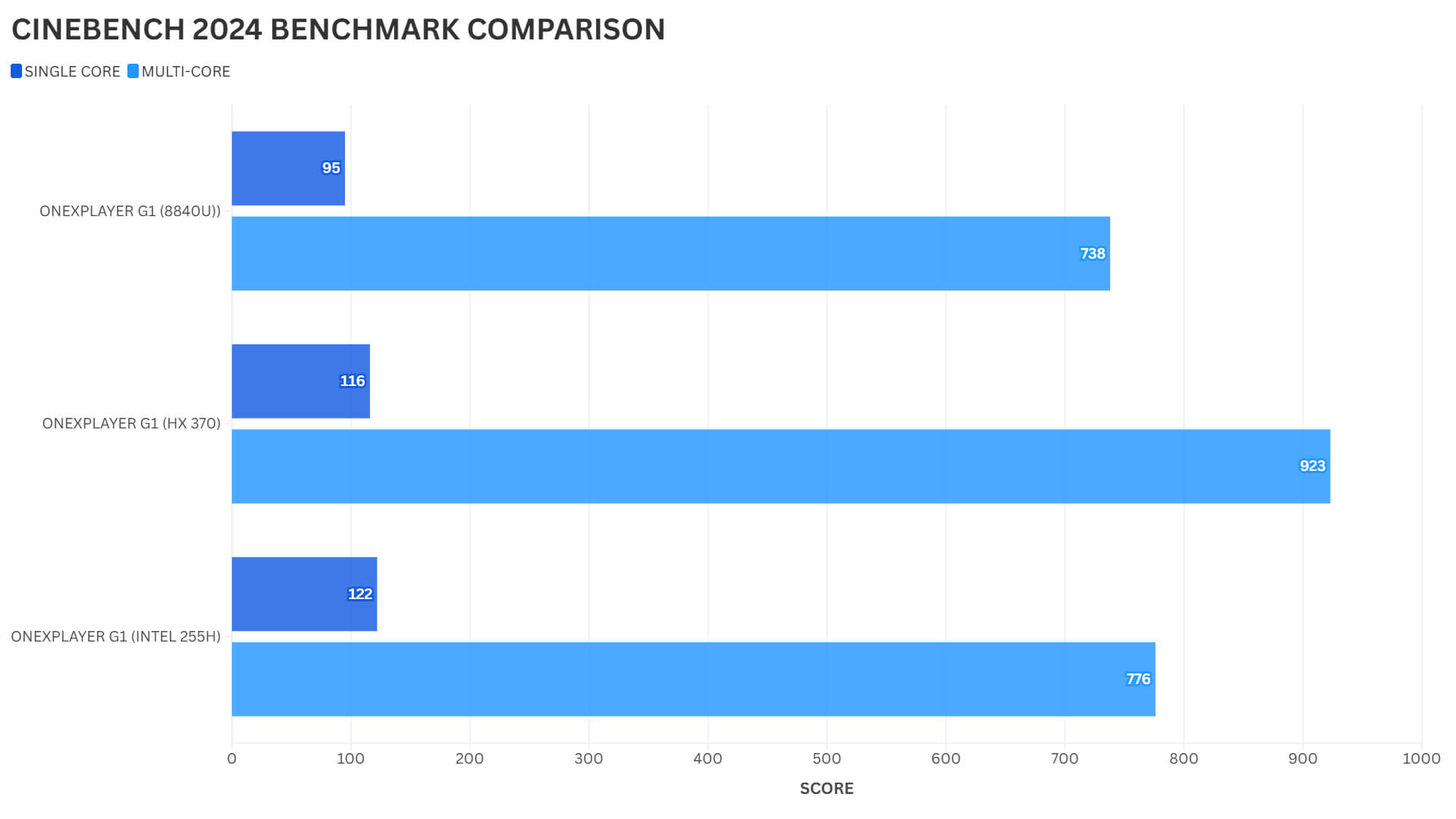
We can see on the Cinebench results that the Intel model is slightly ahead in single core performance. In multicore we see it drop to second place with a noticeable gap compared to the HX 370. The 8840U model again sees lower performance but not a large gap compared to the Intel’s multicore performance.
3DMARK
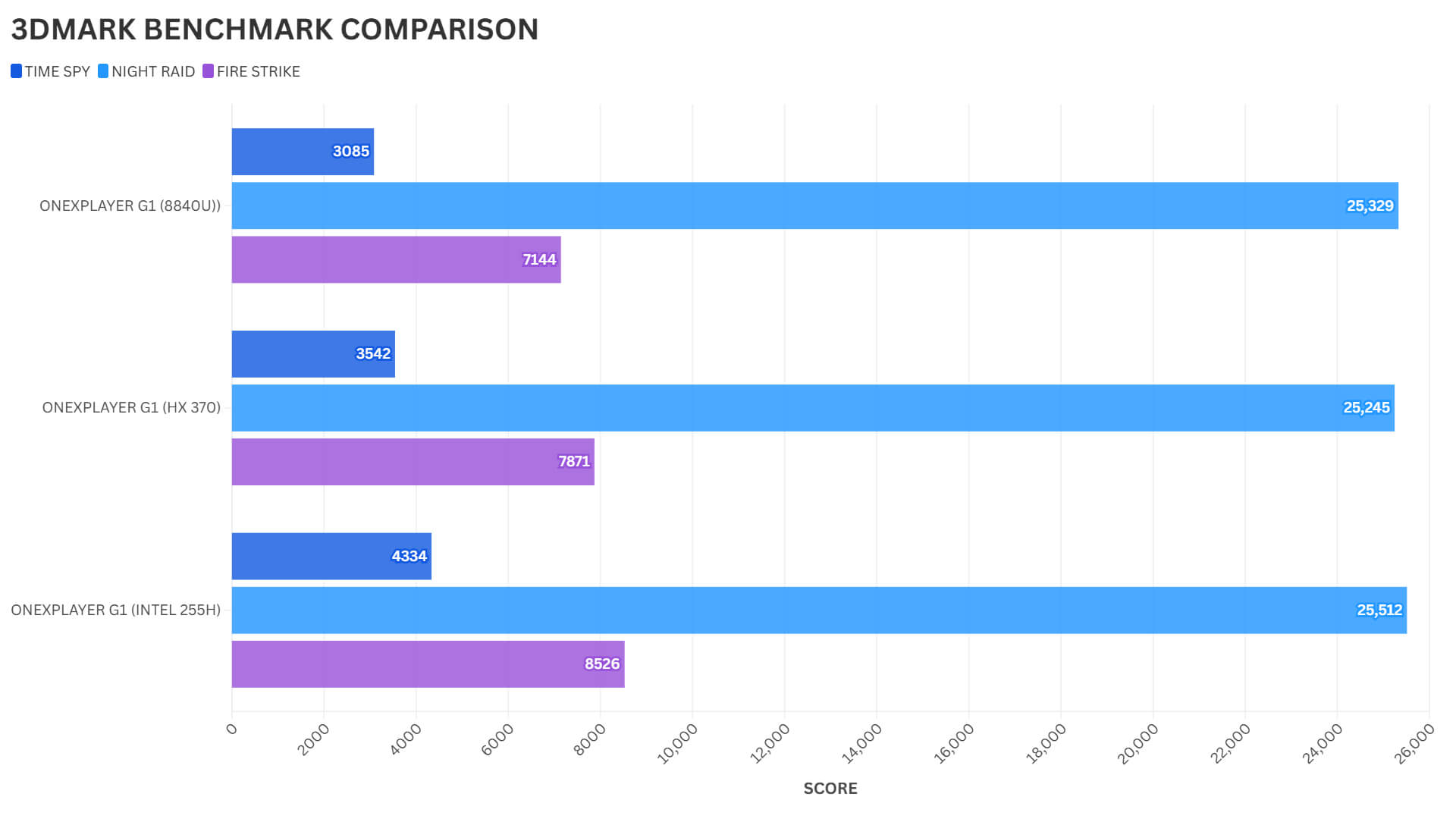
The Intel 255H does quite well here considering the Intel GPUs have historically lower performance compared with AMDs. The Intel model takes the lead across all three benchmarks, with the HX 370 doing well and the 8840U doing very well in the Night Raid test.
Gaming Performance
And as this is a gaming device we also ran some games benchmarks as part of our ONEXPLAYER G1 review. We are running the games benchmarks at 1080P, as well as 720P across a range of TDPs from 28W down to 5W.
Forza Horizon 5
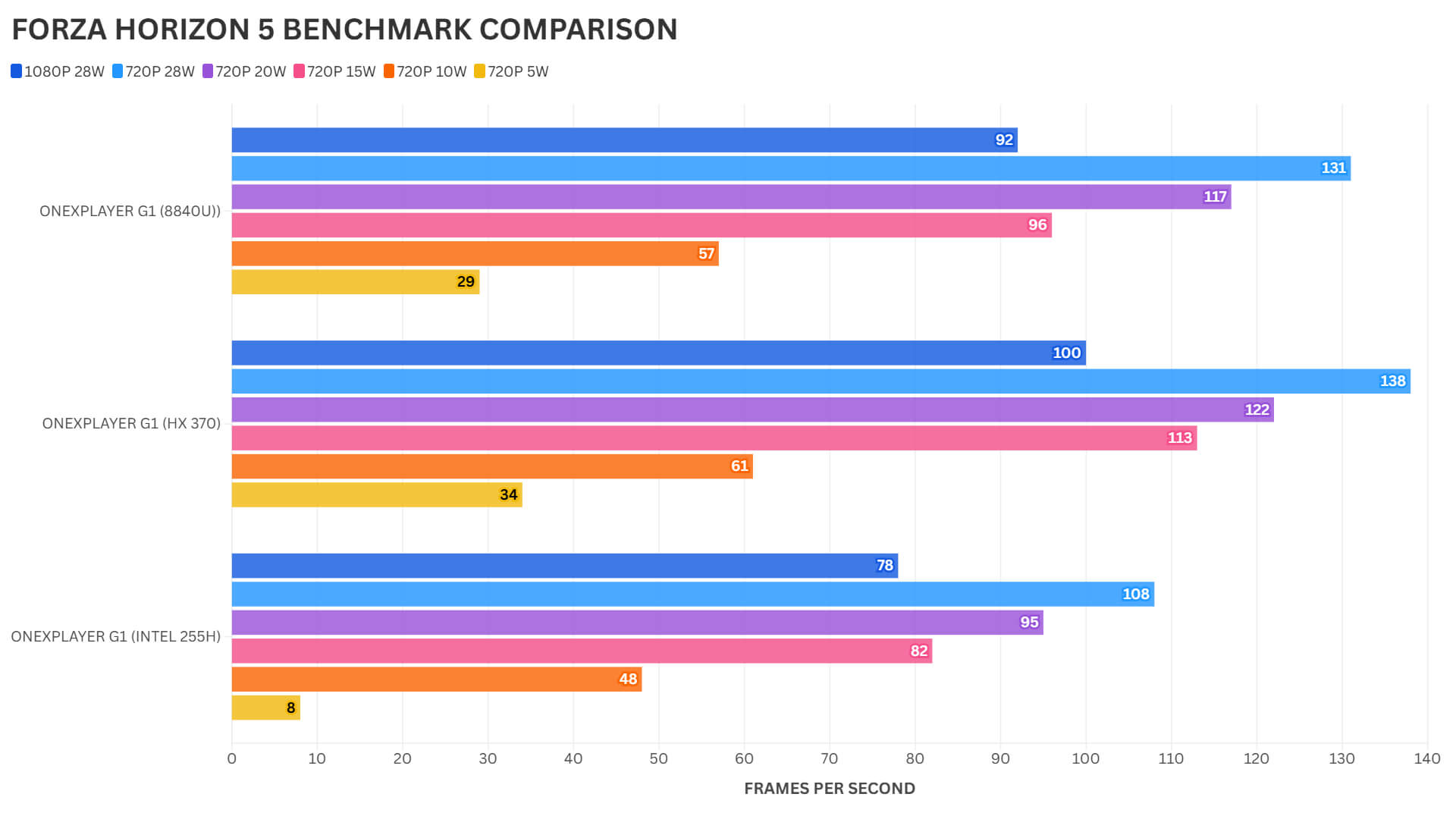
The AMD GPUs show its power over Intel in actual game performance, with both the HX 370 and 8840U outperforming the Intel 255H model. Even on lower TDP we do not see any changes in position.
Shadow of the Tomb Raider
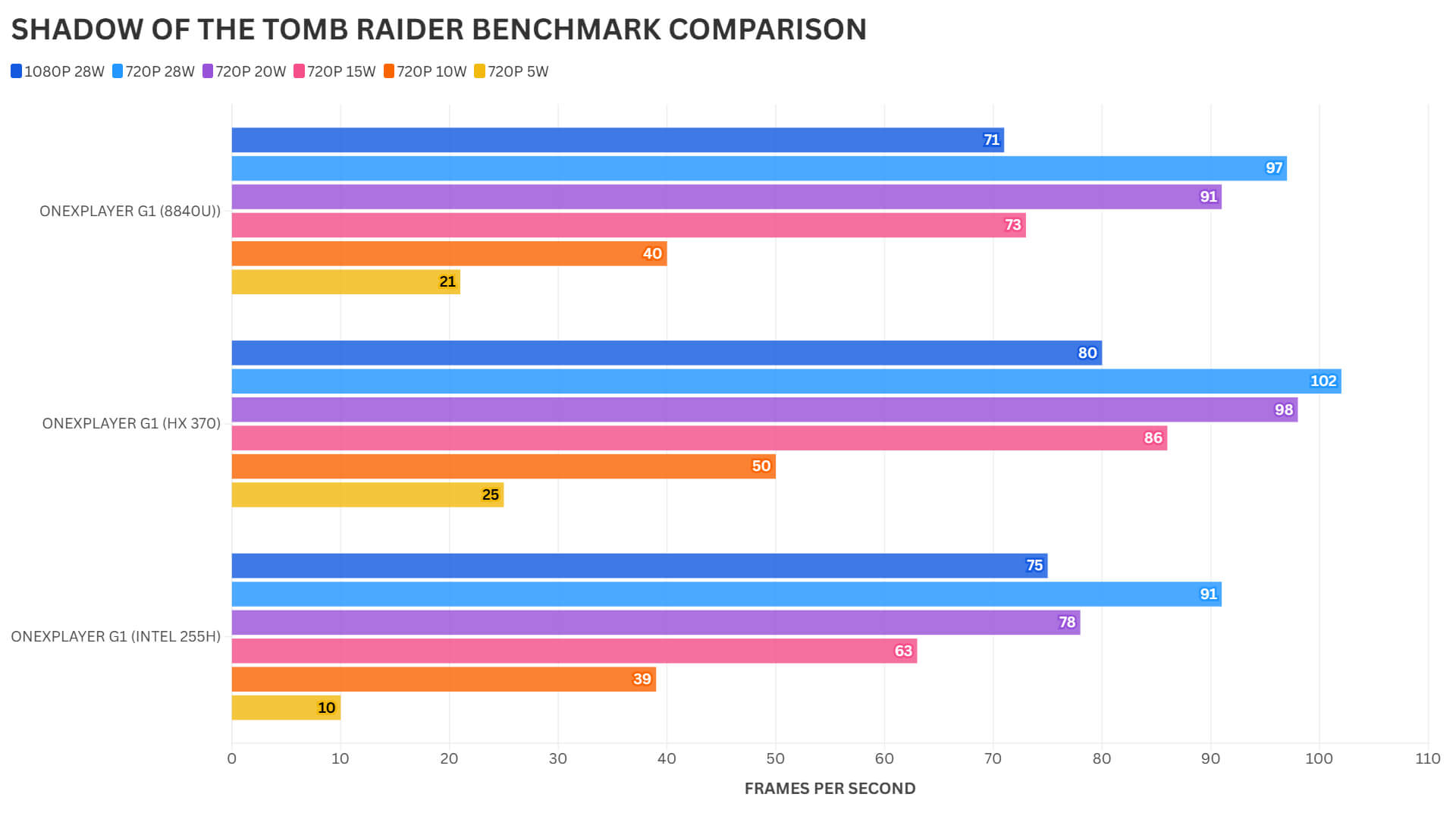
For Shadow of the Tomb Raider we do see the Intel beat the 8840U at 1080P, but for the remainder of the tests it ends up in third place. We see a good difference in performance between the 8840U and HX 370 models.
Cyberpunk 2077
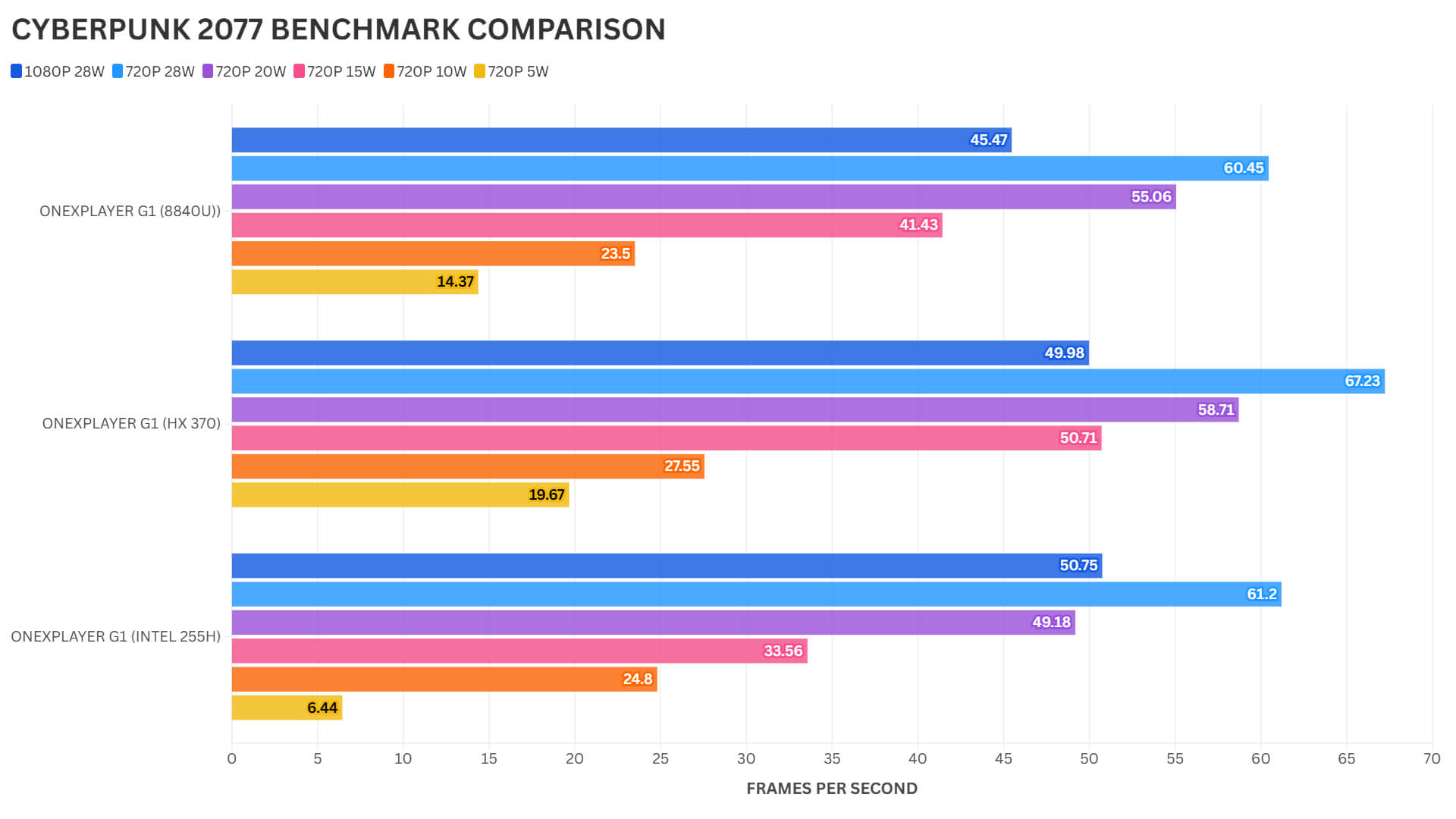
Again we see the Intel model do well against the 8840U at 1080P as well as 720P 28W TDP, but it falls behind for the remainder of the tests across the TDP ranges. The HX 370 model enjoys a varying lead over both models.
Benchmark Summary
The benchmark results show two sides of performance. On one side the Intel 255H excels at CPU based tasks while the AMD HX 370 excels at GPU based performance. Overall the HX 370 does great and I would say it is the best if you want a balance between the two.
Gaming Performance
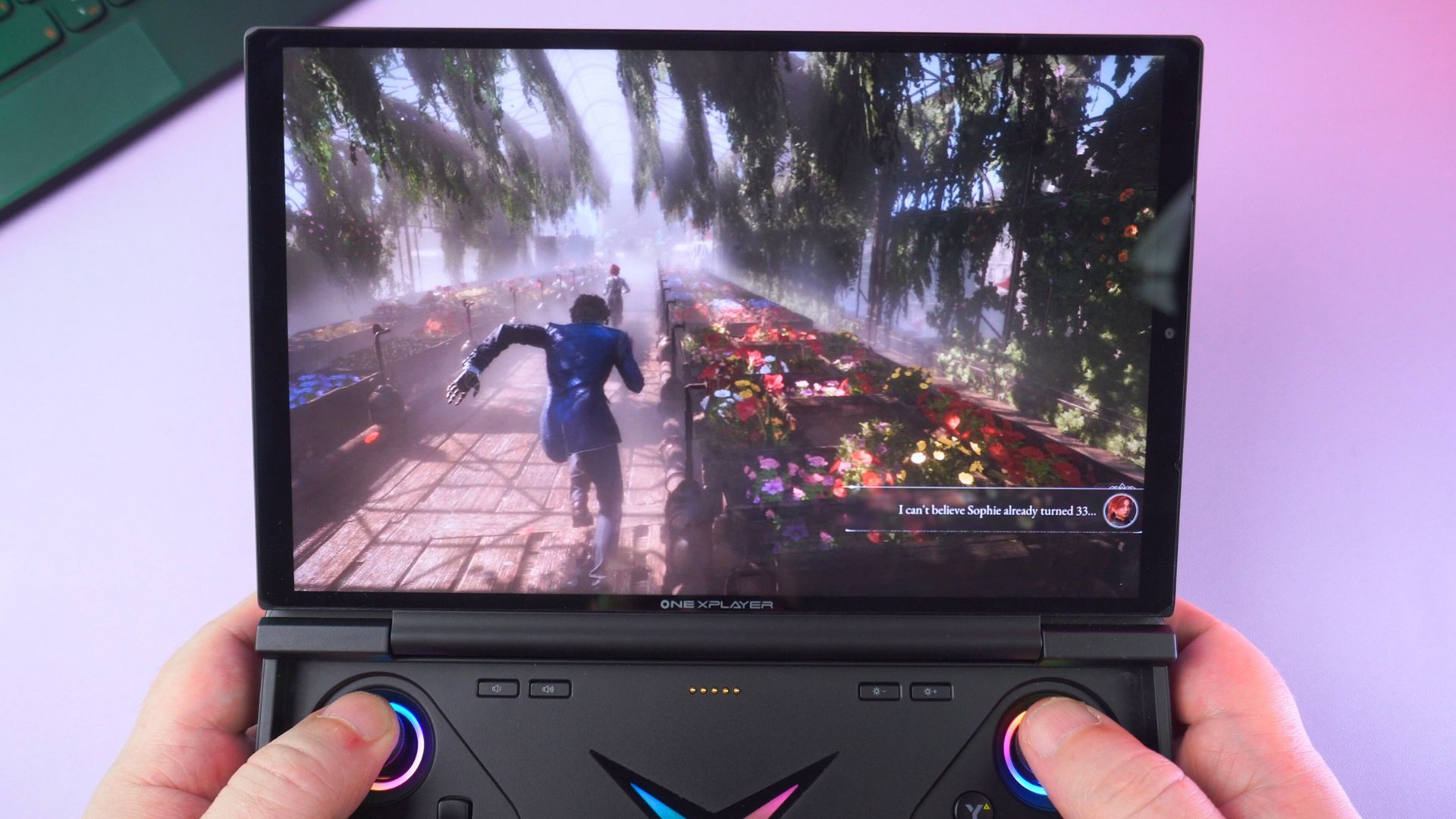
Clair Obscure
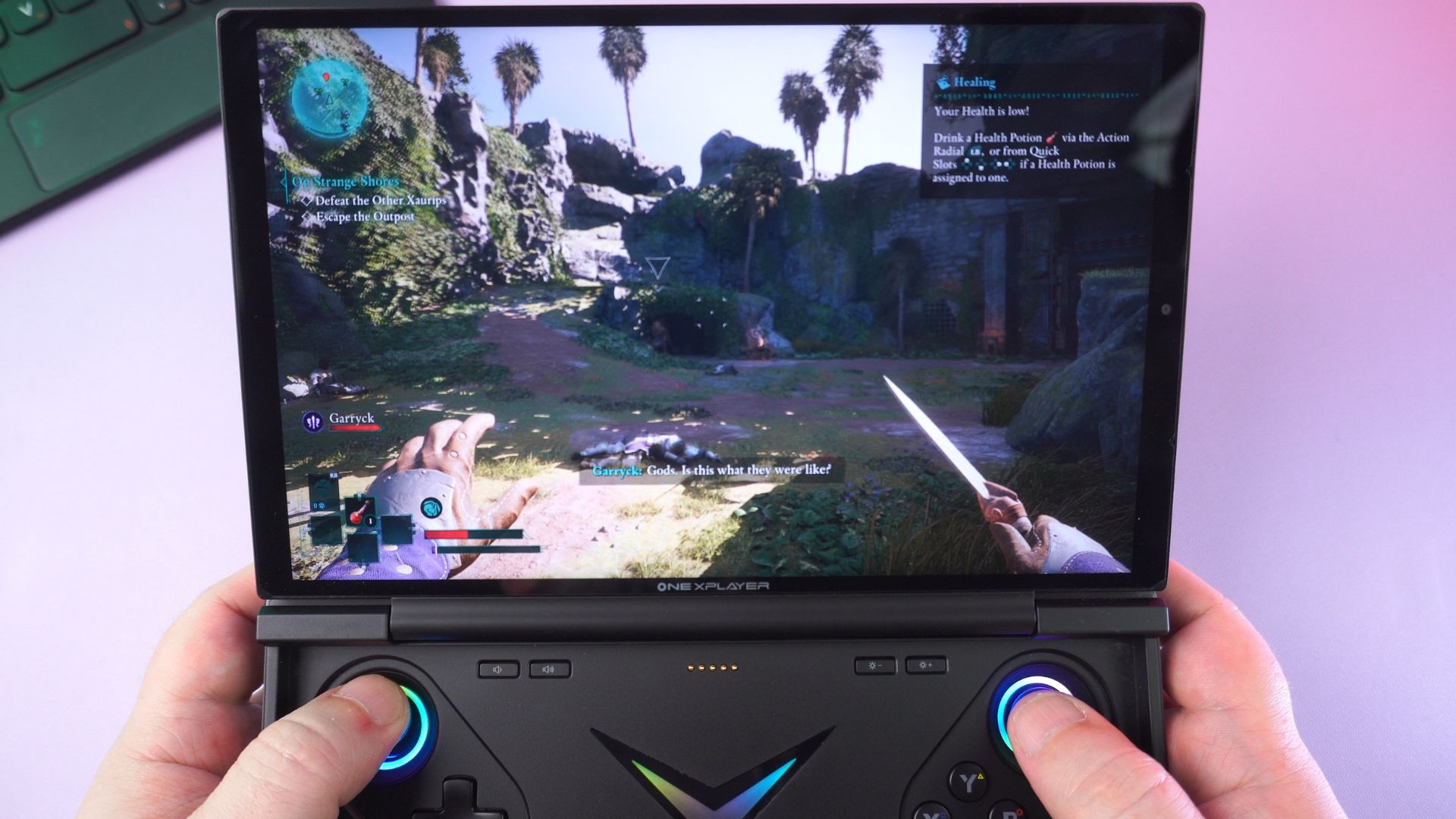
I found 1200P on the Medium graphics to run quite well for Clair Obscure. You could lower the resolution and go higher graphics settings if you wanted to.
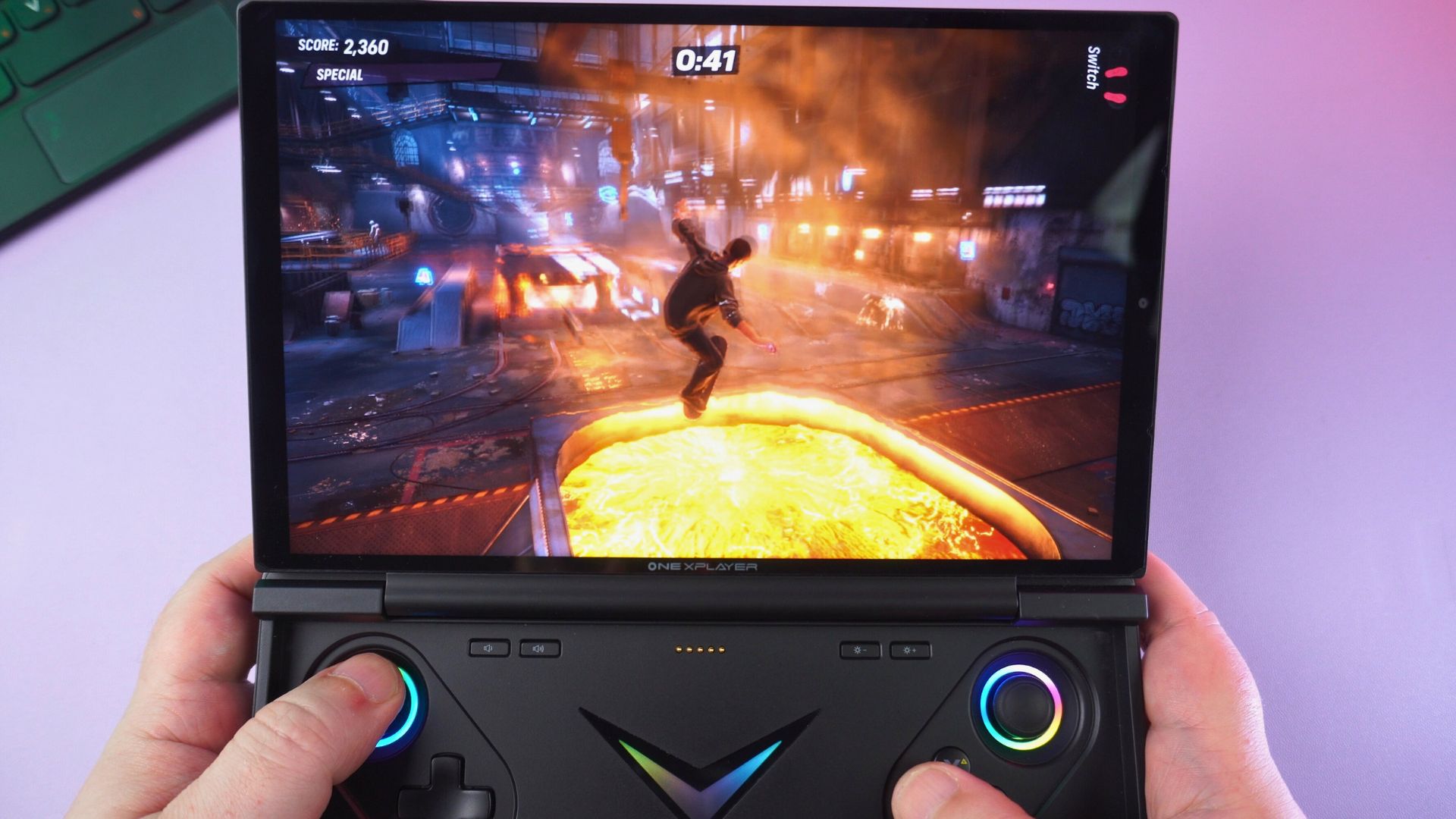
Tony Hawks Pro Skater 3+4
1200P FSR balanced with High graphics settings got us a solid 60+ frames per second. And yeah, I am still rubbish at skateboarding games 🙂
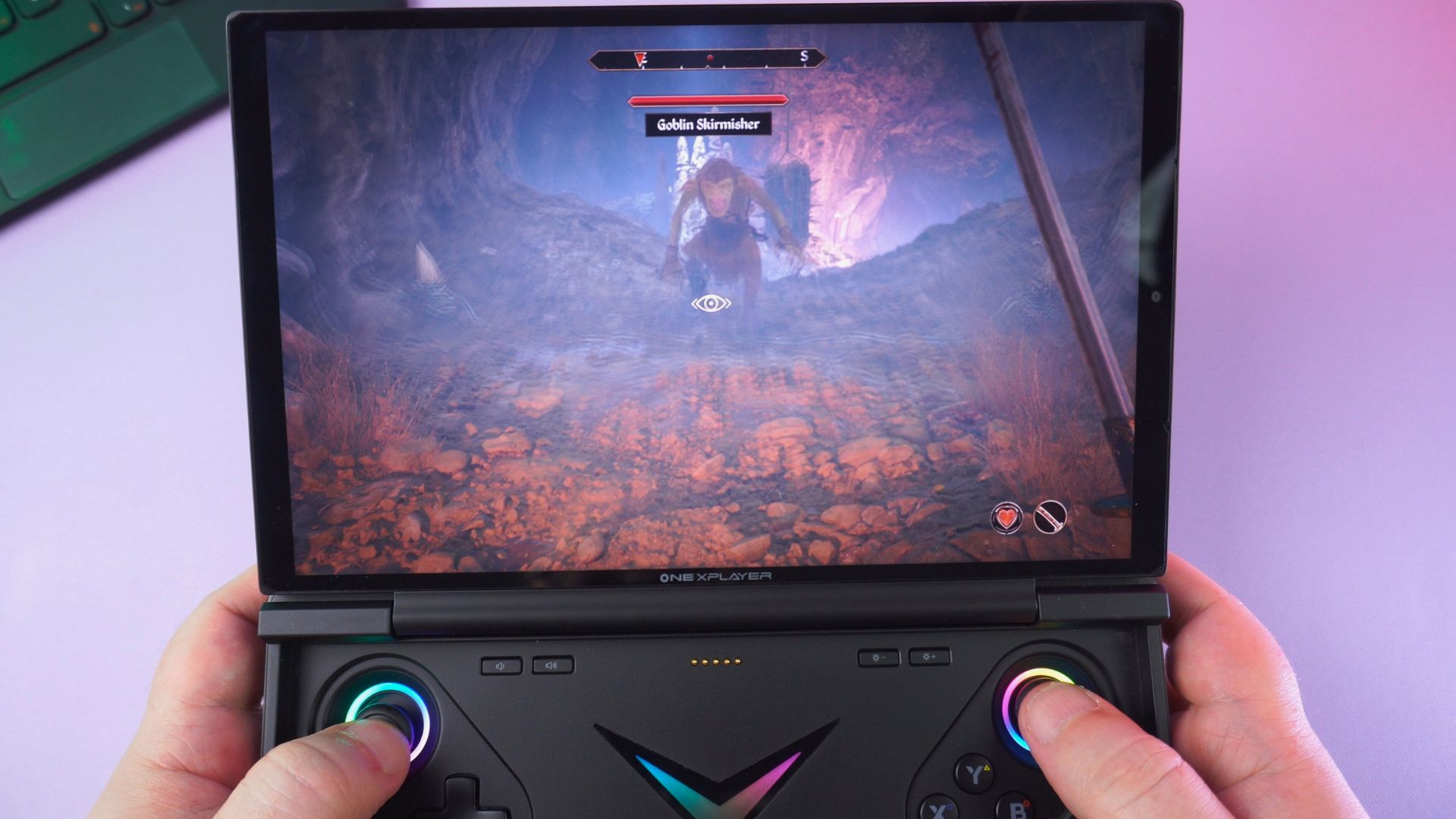
Elder Scrolls IV Oblivion Remastered
1200P FSR Balanced with a mix of low and medium graphics settings gets you a nice 60+ frames per second. You could lower the resolution and increase the graphics as always.
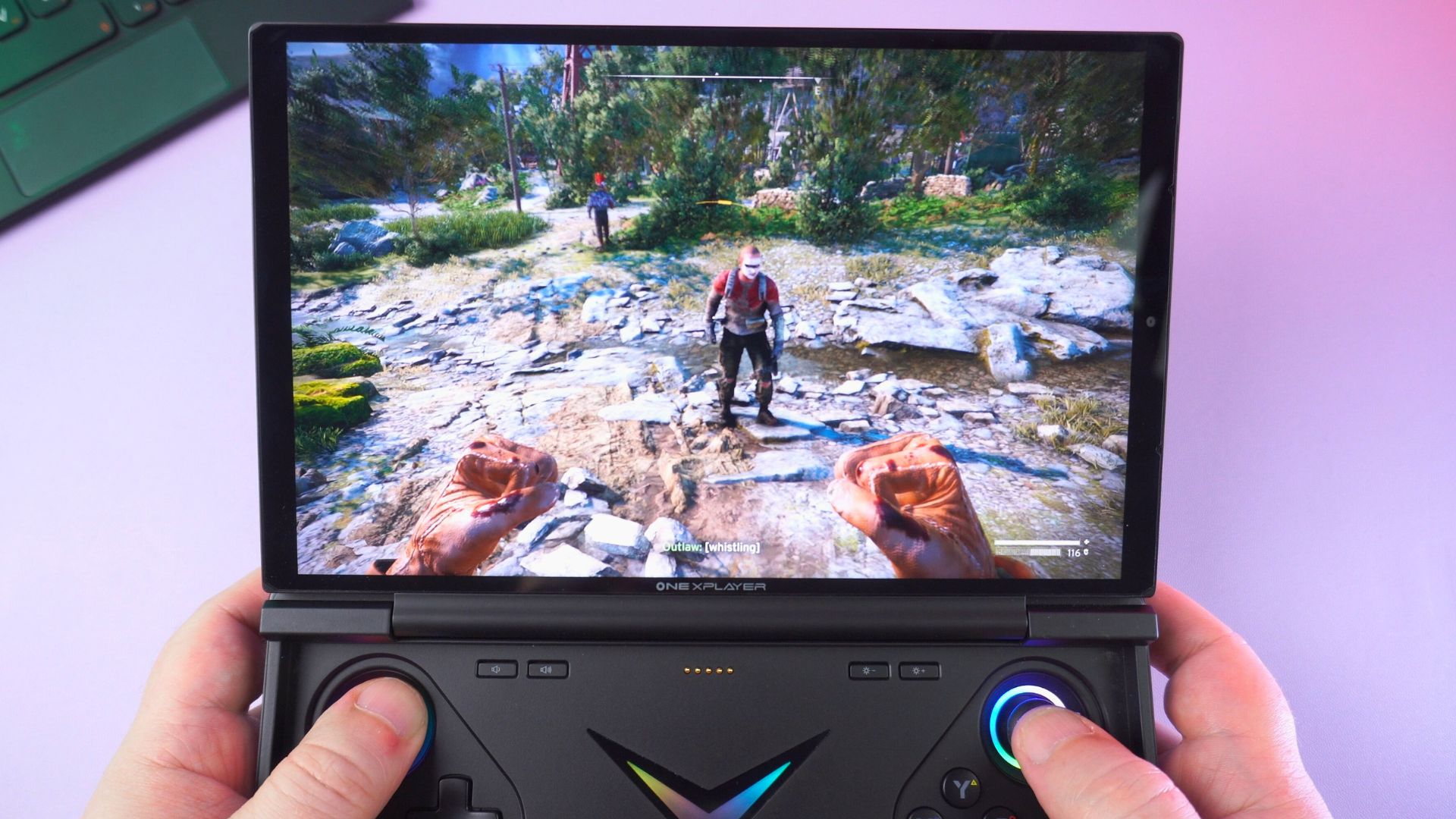
Atomfall
Like most of the other games, 1200P with Medium graphics settings works very well on Atomfall. Again, if you want improved graphics, you can lower the resolution and increase the graphics settings.
Final Thoughts
We will sum up our thoughts on the ONEXPLAYER G1 review now with the positives and negatives. TThe ONEXPLAYER G1 does in my opinion fall a little short. The dual keyboard idea could be OK in theory. I found the built-in keyboard to be clumsy to use and often reach for the detachable keyboard in order to type something properly.

And when using the detachable keyboard, your hands are raised a little too high if on the desk, or perched on the corners of using the handheld as a hand rest. It’s actually better using it connected by bluetooth and flat on a desk. On the other hand, a keyboard is better than no keyboard and is fine for brief messages etc.
I do find the ONEXPLAYER G1 a little hard to recommend over other devices. The ONEXPLAYER F1 Pro and X1 Pro for example, offer far greater comfort and slightly higher performance. And have a choice of keyboard or not. Perhaps you should consider these instead, if like me, you are undecided if you want a usable keyboard or a handheld without one.
While we do not sell the ONEXPLAYER G1, we do sell the ONEXPLAYER F1 Pro and a wide variety of handheld gaming PCs suitable for all requirements.




