

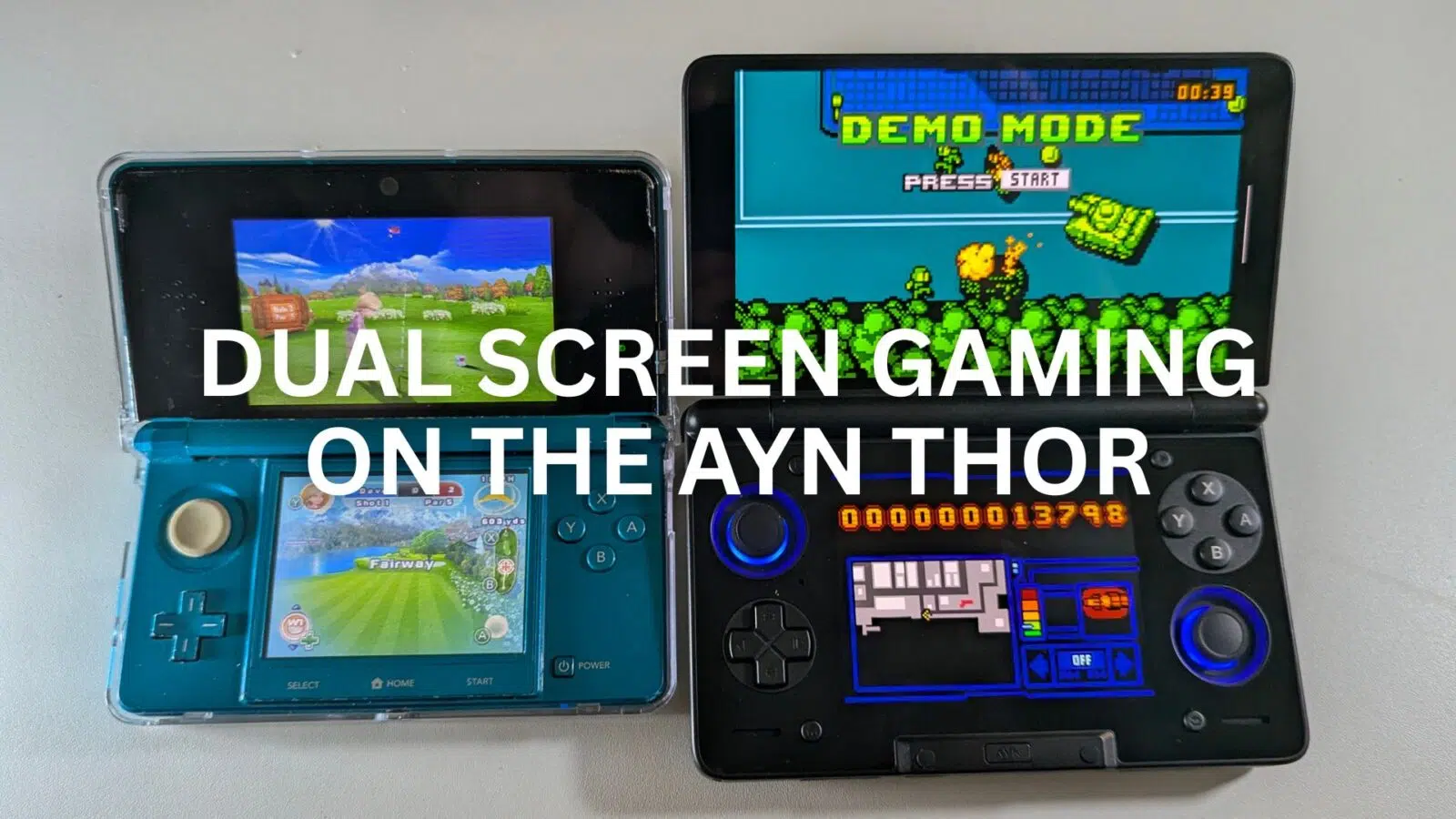
AYN Thor dual screen gaming has officially changed the landscape for enthusiasts who want to recreate the magic of dual-display titles without the compromises of single-screen layouts. For years, gamers have struggled to fit two displays onto a single panel, which often results in tiny, unplayable windows. However, this Android dual screen handheld solves that problem by providing two dedicated AMOLED displays in a sleek, clamshell form factor. If you are looking for the definitive way to play your retro library, the AYN Thor offers a level of authenticity that no other Android gaming handheld can match.
Why the AYN Thor is the New King of Dual Screen Emulation
Nintendo DS games were designed with a very specific verticality in mind. While many a dual screen handheld has attempted to mimic this, the AYN Thor is the first to do so with such premium hardware. The primary 6-inch 120Hz AMOLED screen provides a vibrant canvas for the main action. Meanwhile, the secondary 3.92-inch display handles your inventory and maps with perfect clarity.
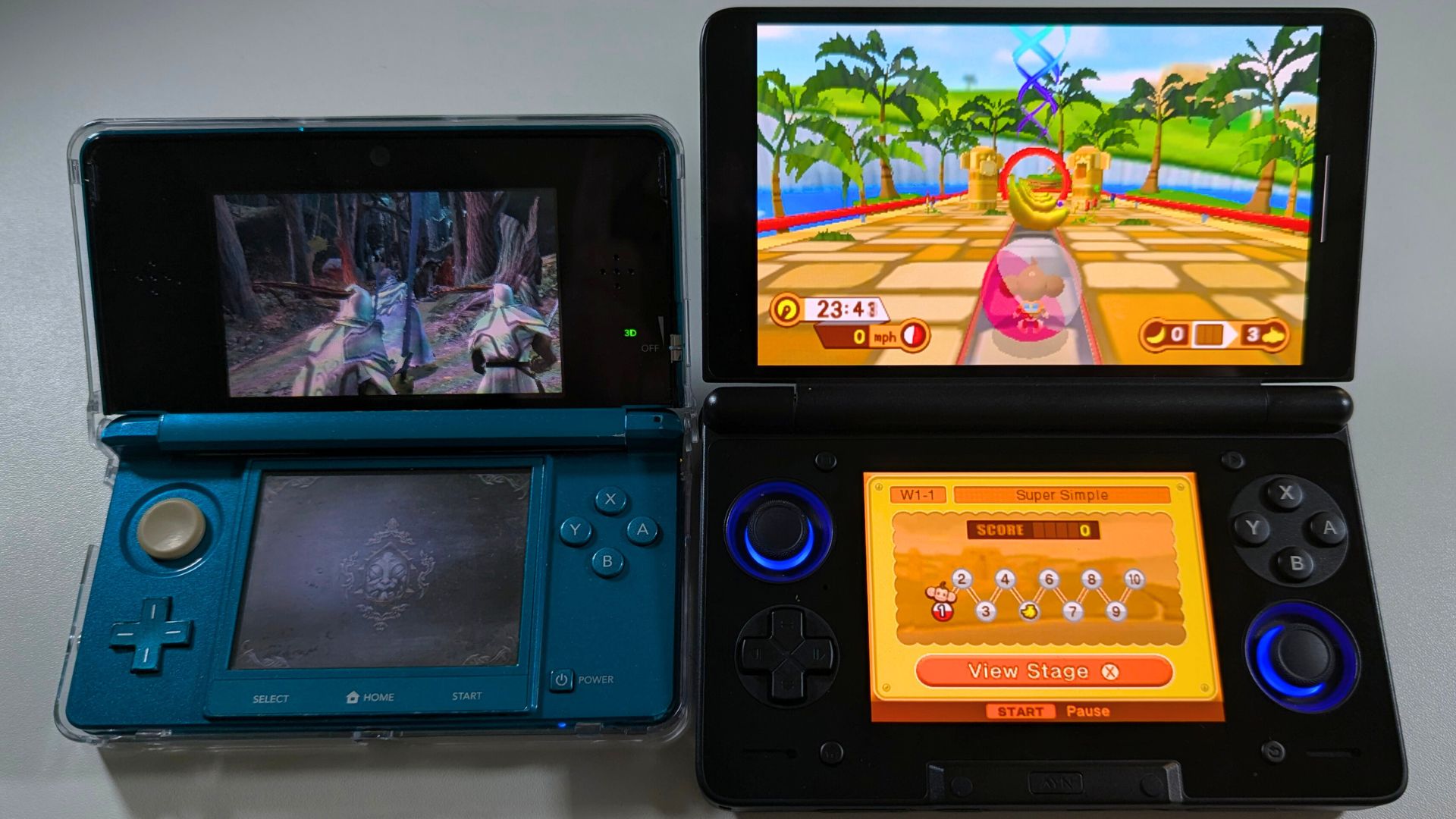
Because the AYN Thor utilises a high-end Android dual display handheld architecture, you can upscale original DS games to 1080p. This makes titles like Castlevania: Dawn of Sorrow look incredibly sharp. Furthermore, the touch responsiveness on the bottom screen feels instantaneous. This ensures that touch-heavy titles remain fully playable without the lag often found on cheaper devices.
Supported Emulators for DS Dual Screen Gaming
melonDS
MelonDS is an excellent port of the original PC emulator. The Android port includes support for dual screens. You can find the latest MelonDS Android version here.
MelonDS works out of the box with dual screen gaming on the AYN Thor. Simply load your game and it should automatically show both displays on the correct AYN Thor screens. Nice and easy!
Mastering 3DS Games on a Dual Display Handheld
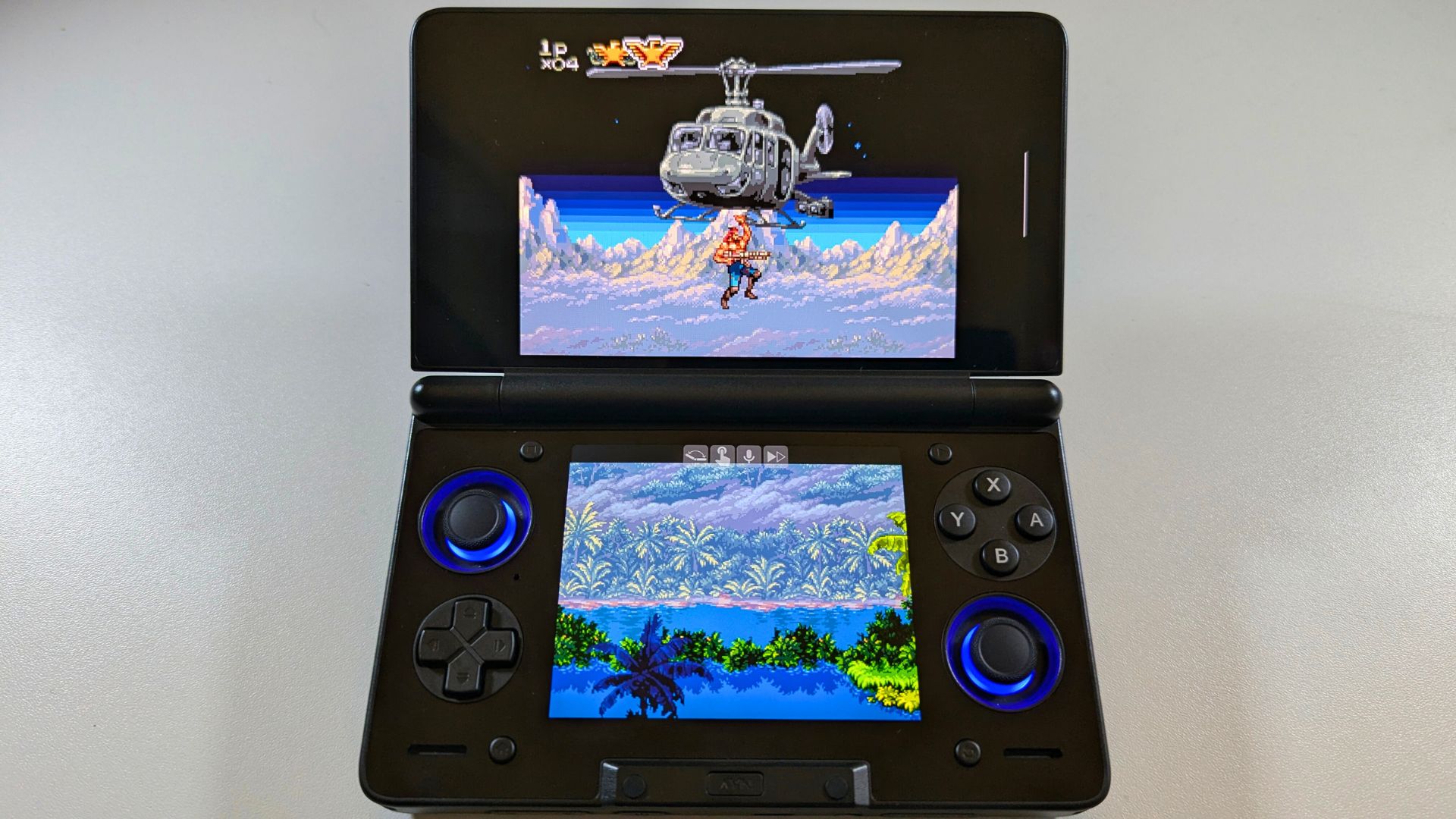
Moving up to 3DS emulation, the AYN Thor dual screen gaming truly begins to flex its Snapdragon 8 Gen 2 muscles. This Android gaming handheld maintains a steady frame rate even at 4x resolution. You will notice that the 3D-to-2D conversion looks stunning on the primary AMOLED panel.
The clamshell design of the AYN Thor also protects your screens during travel. This makes it a much better option for "on-the-go" gaming than a standard tablet. Additionally, the inclusion of Hall Effect joysticks means you won’t have to worry about stick drift during intense sessions. It is rare to find a dual display handheld that balances power and portability so effectively.
Supported Emulators for 3DS Dual Screen Gaming
Azahar
Azahar is a great emulator for the 3DS that is regularly updated. You can download the latest version from the Azahar homepage or Github here.
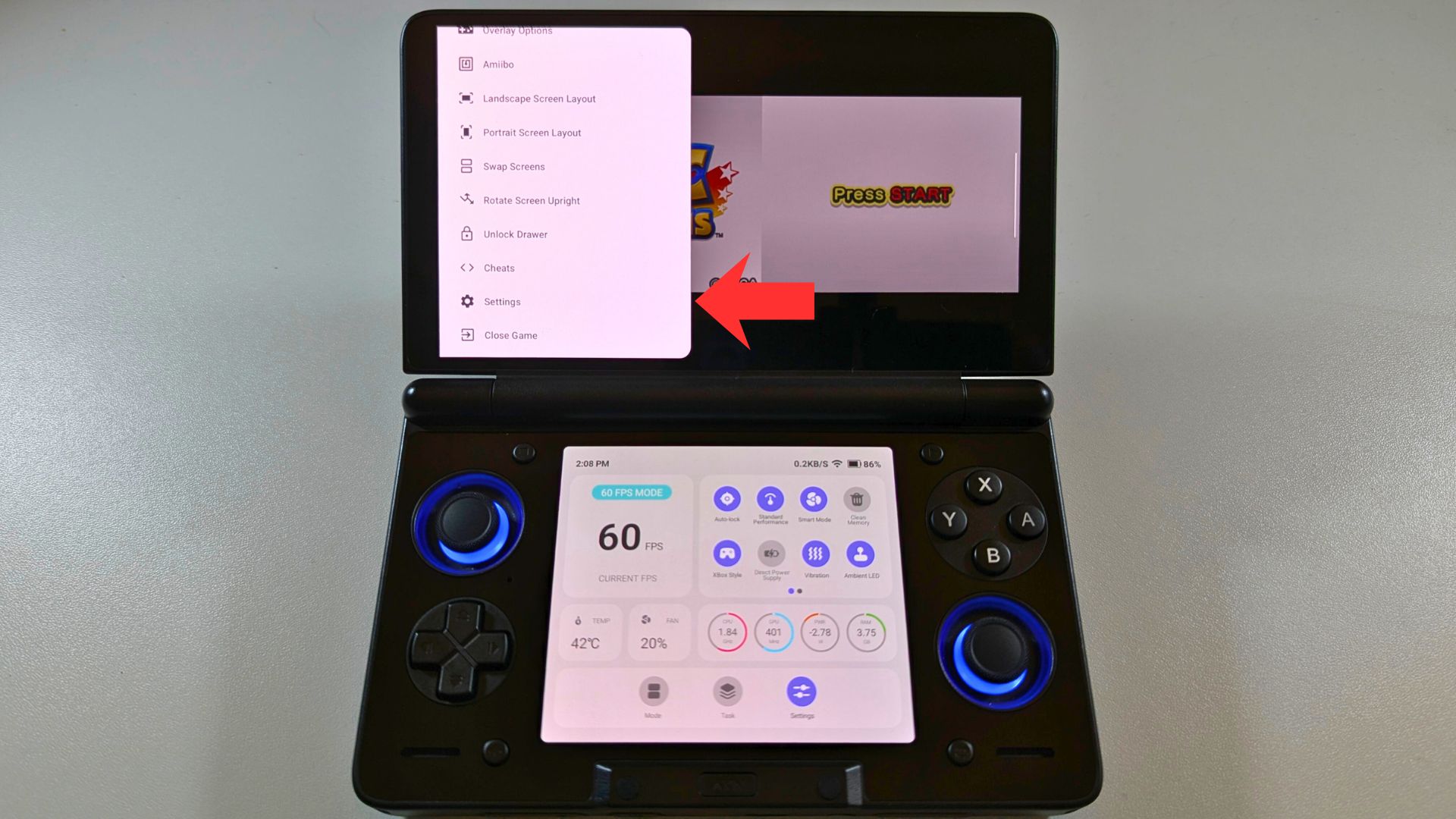
Once you have set up your game folders and general settings, load a game and wait for it to boot. Swipe from the left side of the screen to the right to bring up the Settings menu.
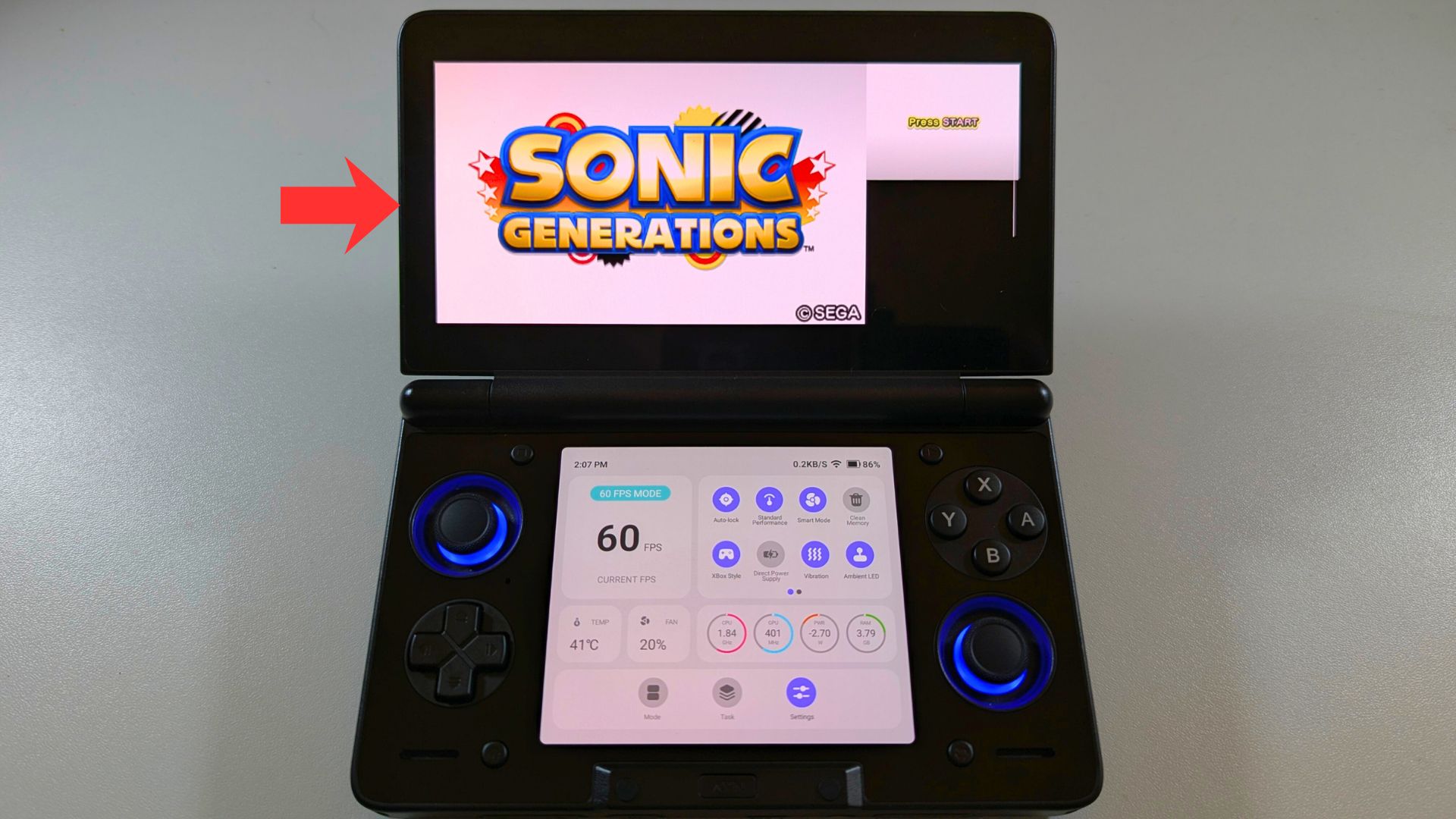
Scroll the menu down and choose Settings.
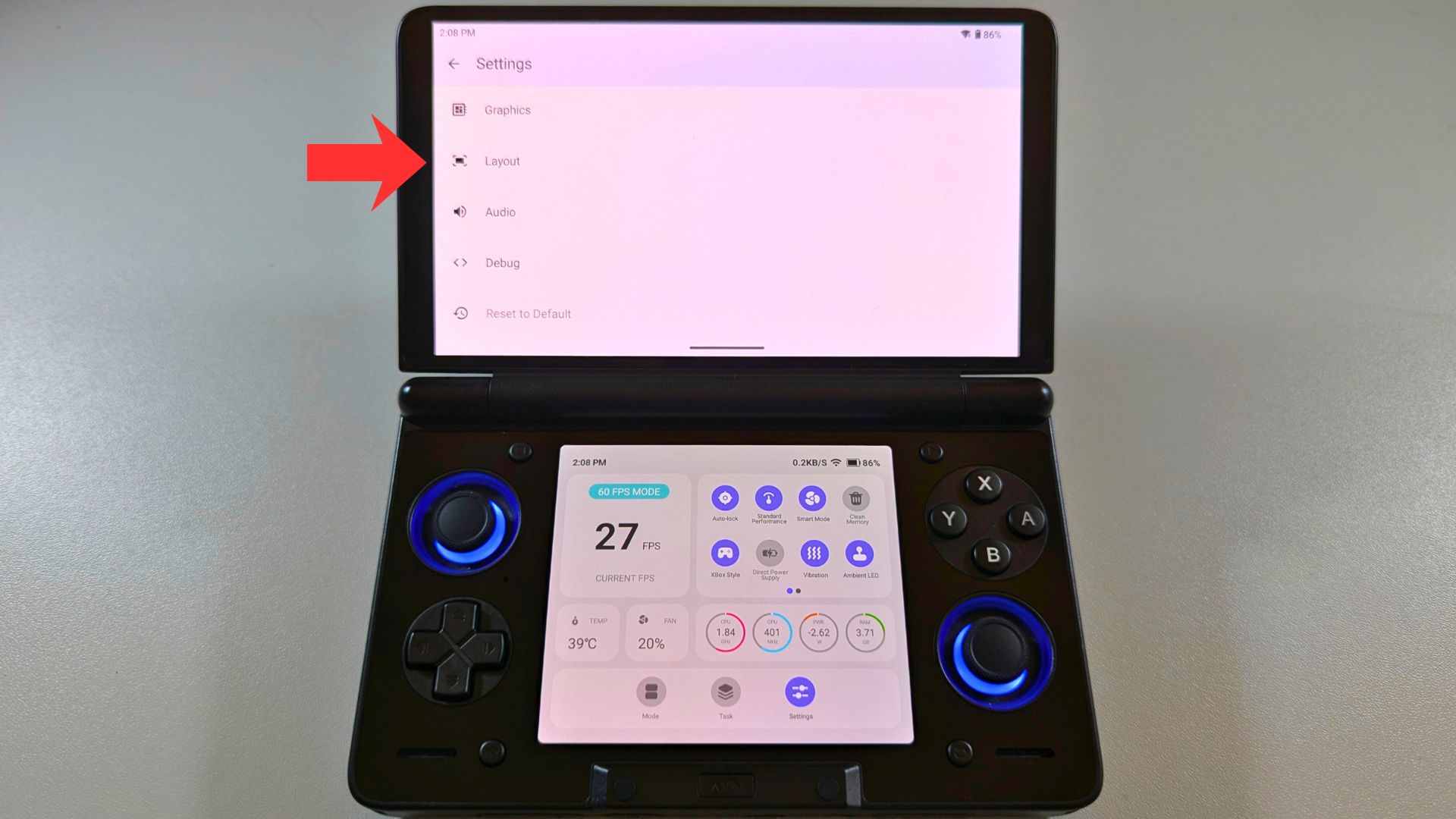
Choose Layout.
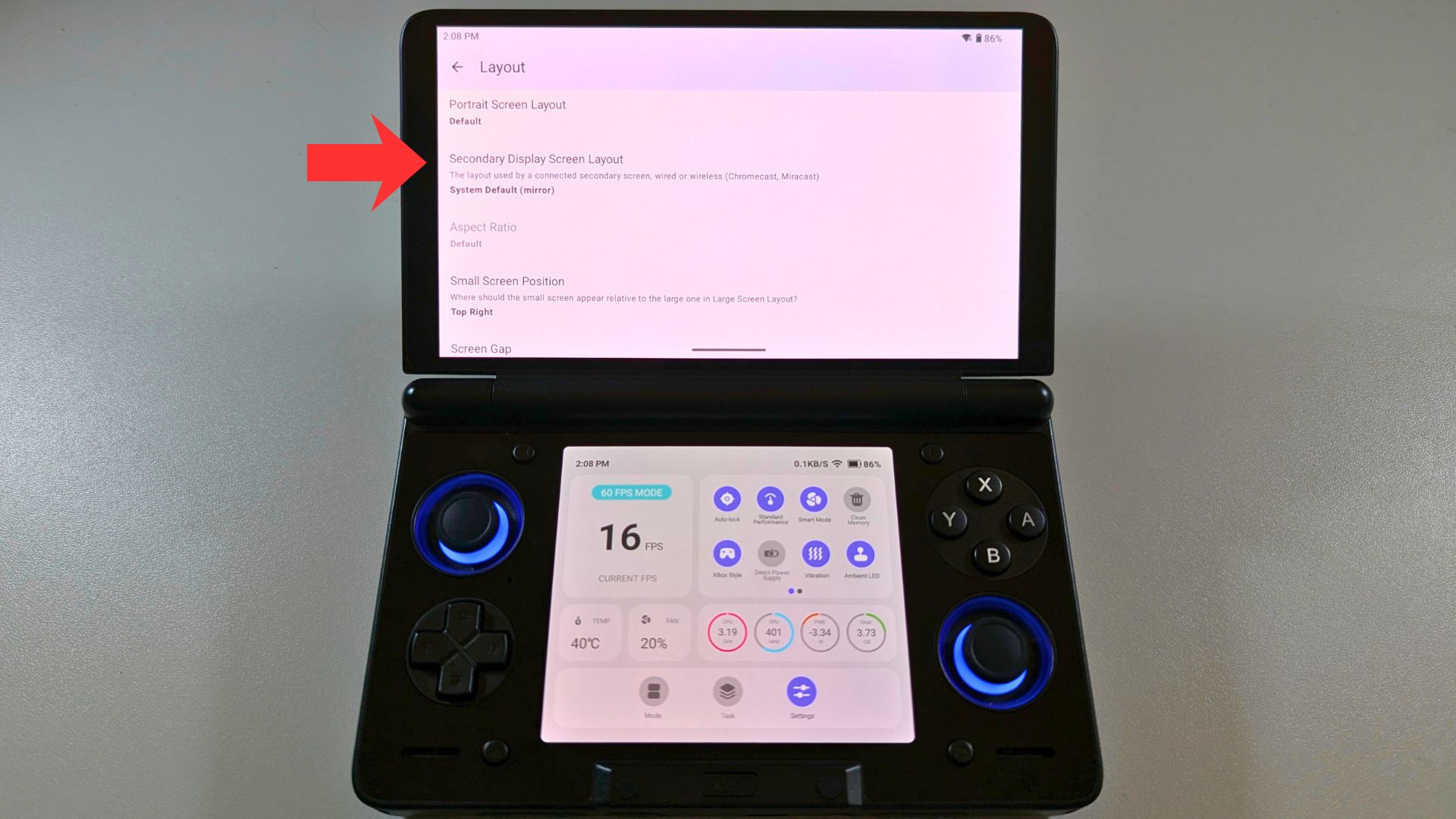
Choose Second Display Screen Layout.
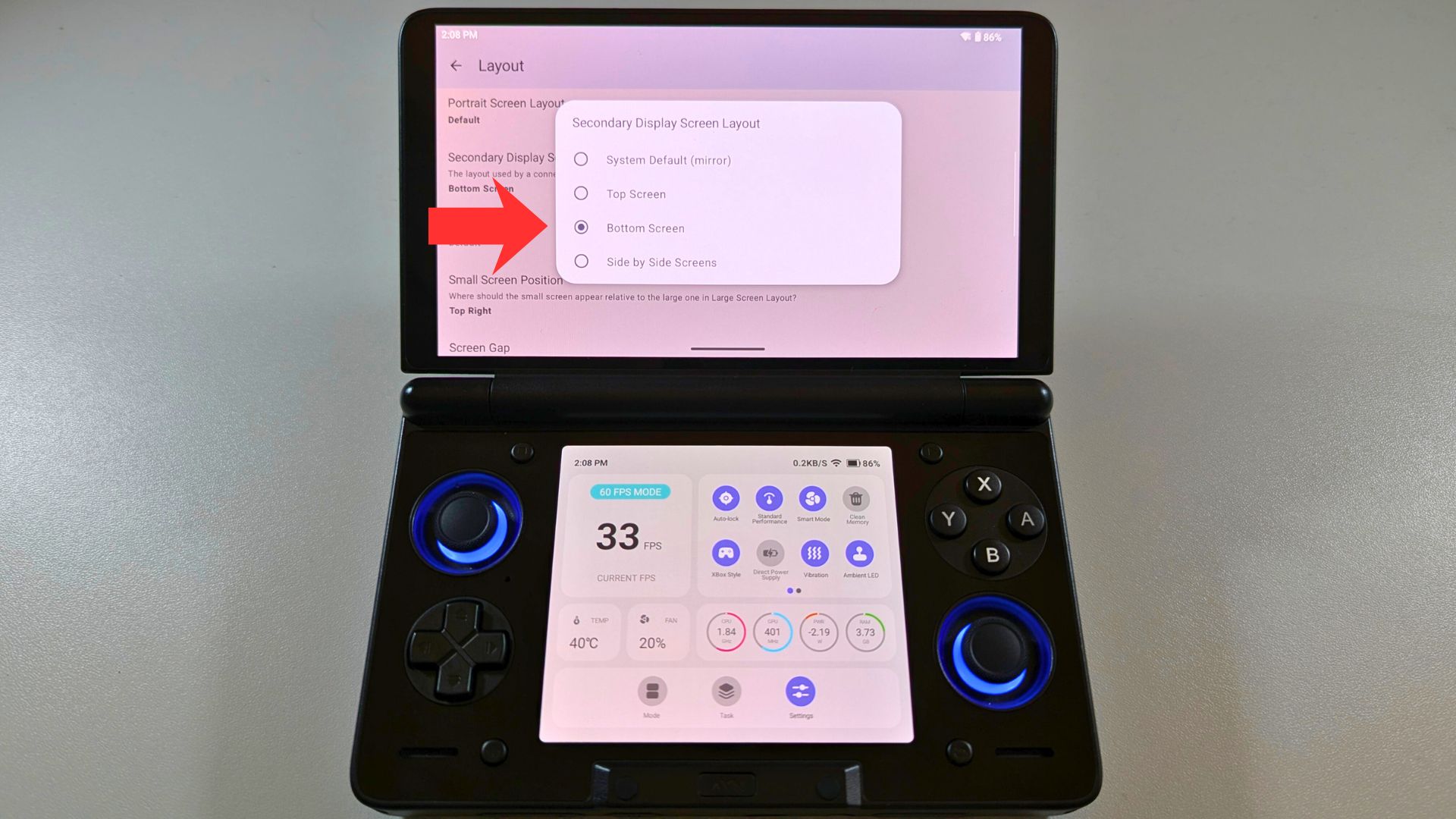
Choose Bottom Screen from the options.
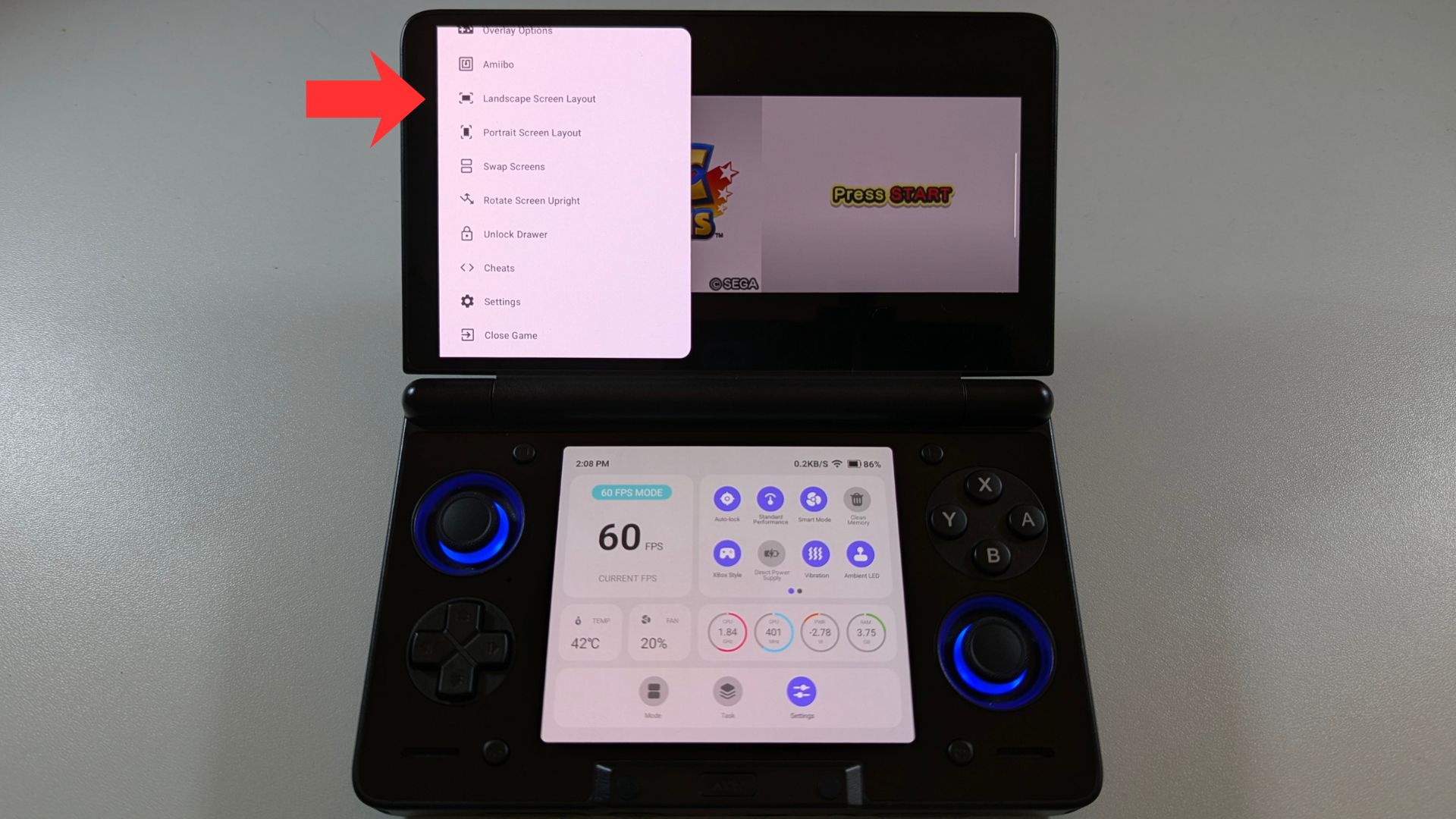
Go back to the main menu and choose Landscape Screen Layout.
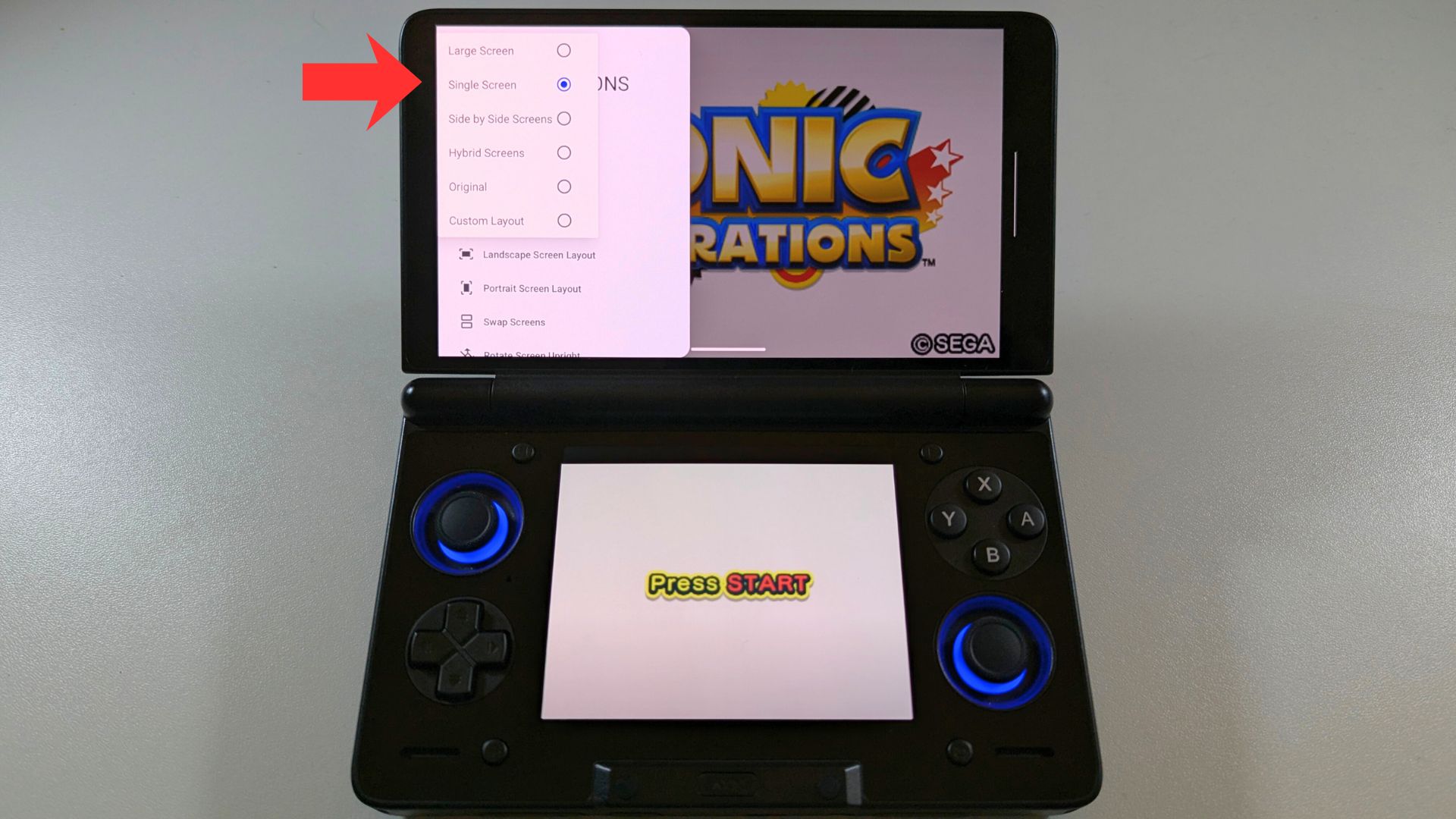
Choose Single Screen.
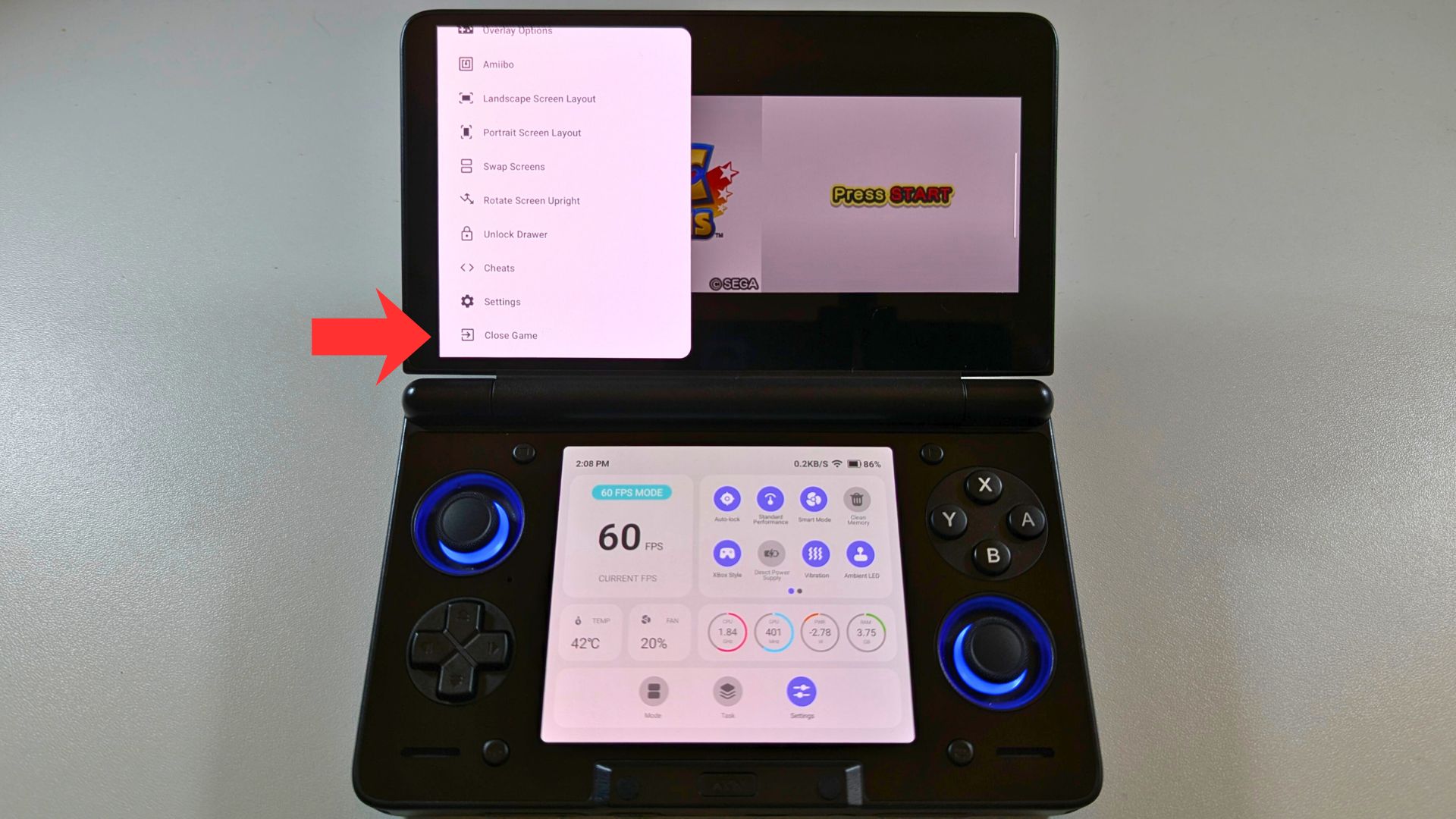
Scroll down the menu and choose Close Game.
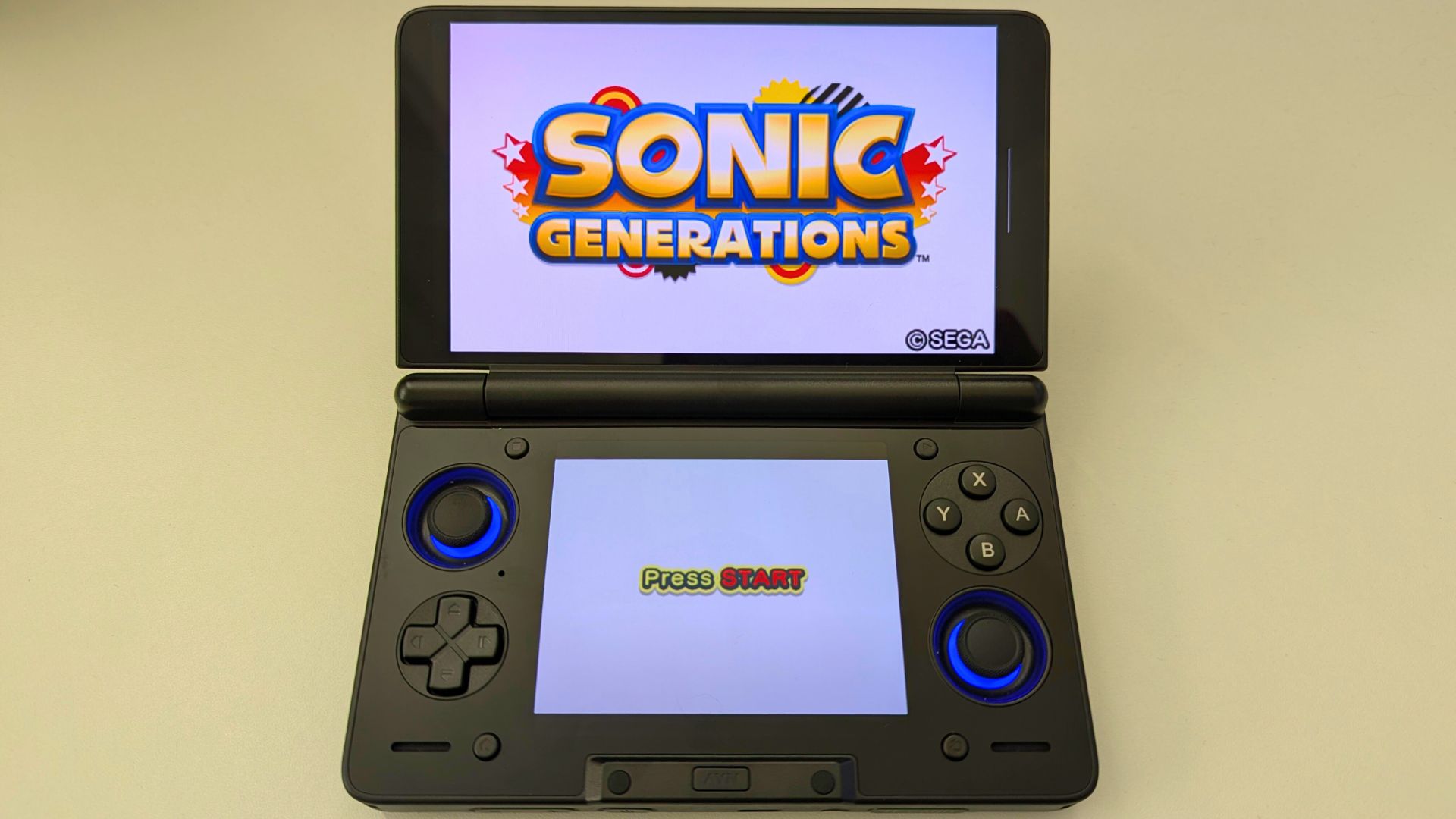
Reload the game and both displays will now show their correct top and bottom screens. Any future games loaded will use these settings to show on both displays. Enjoy!
High-Performance 3DS Settings for AYN Thor
To achieve the best results on your AYN Thor, you should customise your emulator settings based on the specific game requirements. For the majority of the 3DS library, a 3x or 4x internal resolution is the "sweet spot" for visual fidelity. However, some titles may require specific tweaks to run perfectly.
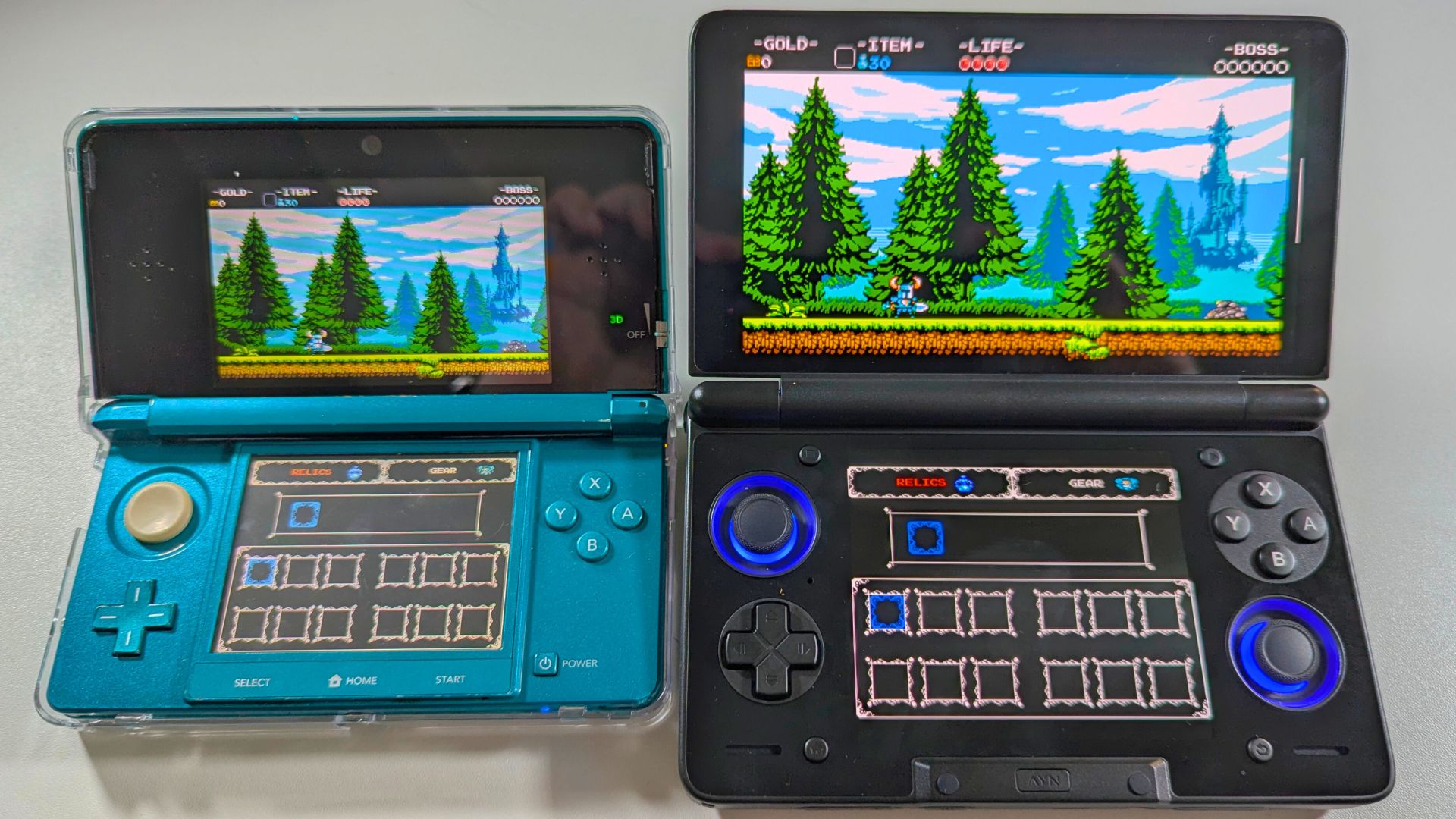
Using the "Asynchronous Shader Compilation" feature is vital for the AYN Thor dual screen gaming. It prevents the micro-stutters that occur when the Android dual screen handheld loads new assets. While you might see a slight "pop-in" of textures, the overall gameplay remains fluid. Furthermore, swapping between the OpenGL and Vulkan renderers can resolve graphical glitches in stubborn titles.
Optimising Your Wii U Mobile Experience
While Wii U emulation is still a developing frontier on Android, the AYN Thor is the best-positioned device for the task. This Android dual screen handheld can act as both the "TV" and the "GamePad" simultaneously. for example having the map permanently visible on the bottom screen could be a total game-changer.
Performance is handled by the active cooling system inside the AYN Thor. This prevents thermal throttling during long sessions. Even though Wii U emulation is demanding, the 16GB of LPDDR5X RAM in the Max model provides plenty of overhead. Consequently, you can enjoy a smoother experience than what is possible on any single-screen rival.
Supported emulators for Wii U dual screen gaming
Cemu
As mentioned the Wii U emulation is in the early stages of development for the Android. Not all games will load or even run correctly, but future releases will improve on this. You can download the latest Cemu Android version here.
Once you have finished setting up, selecting your game folders and control settings. Load a game and swipe from the left side of the screen to the right.
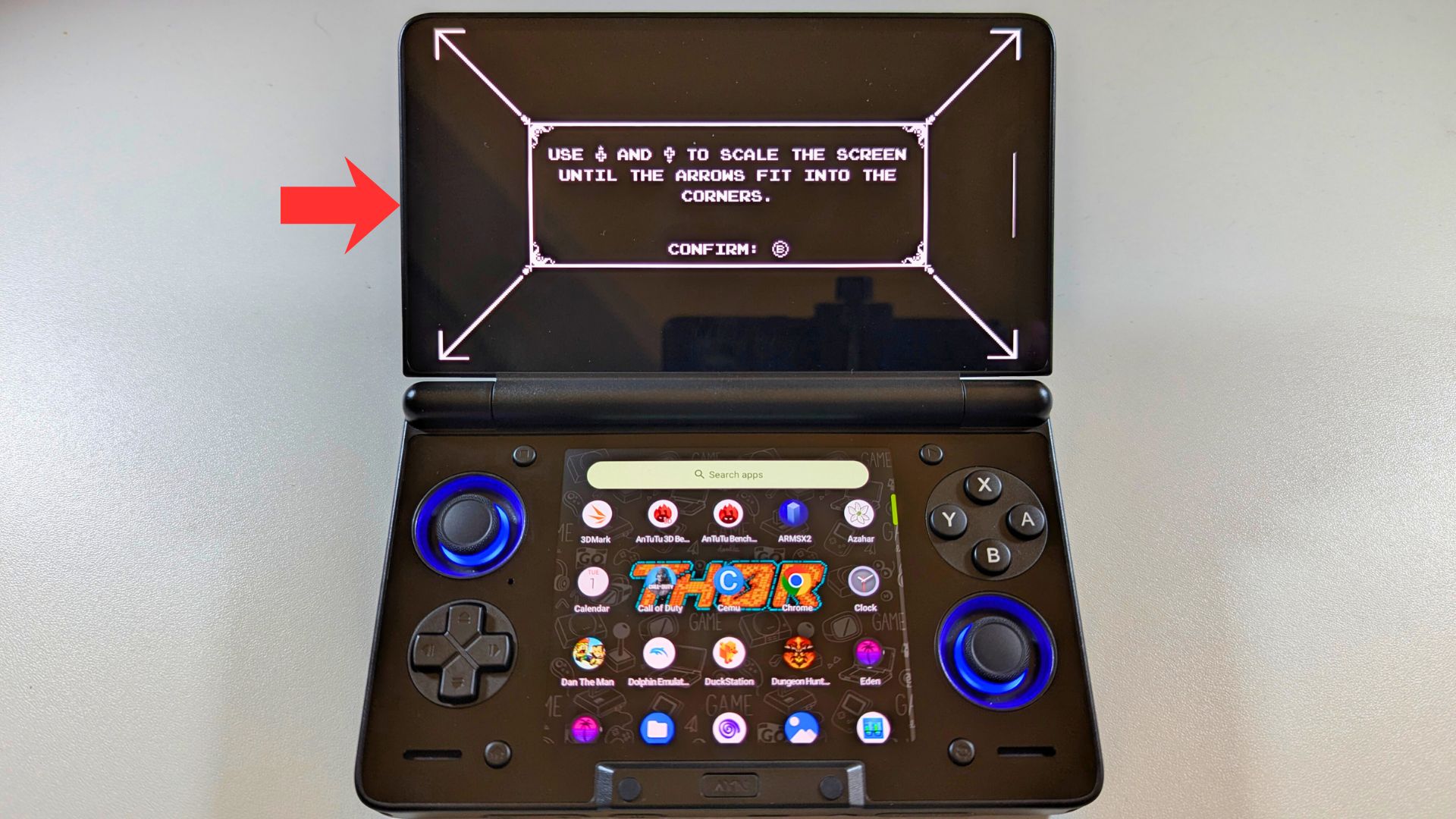
Tap on the Choose show PAD option to enable it.
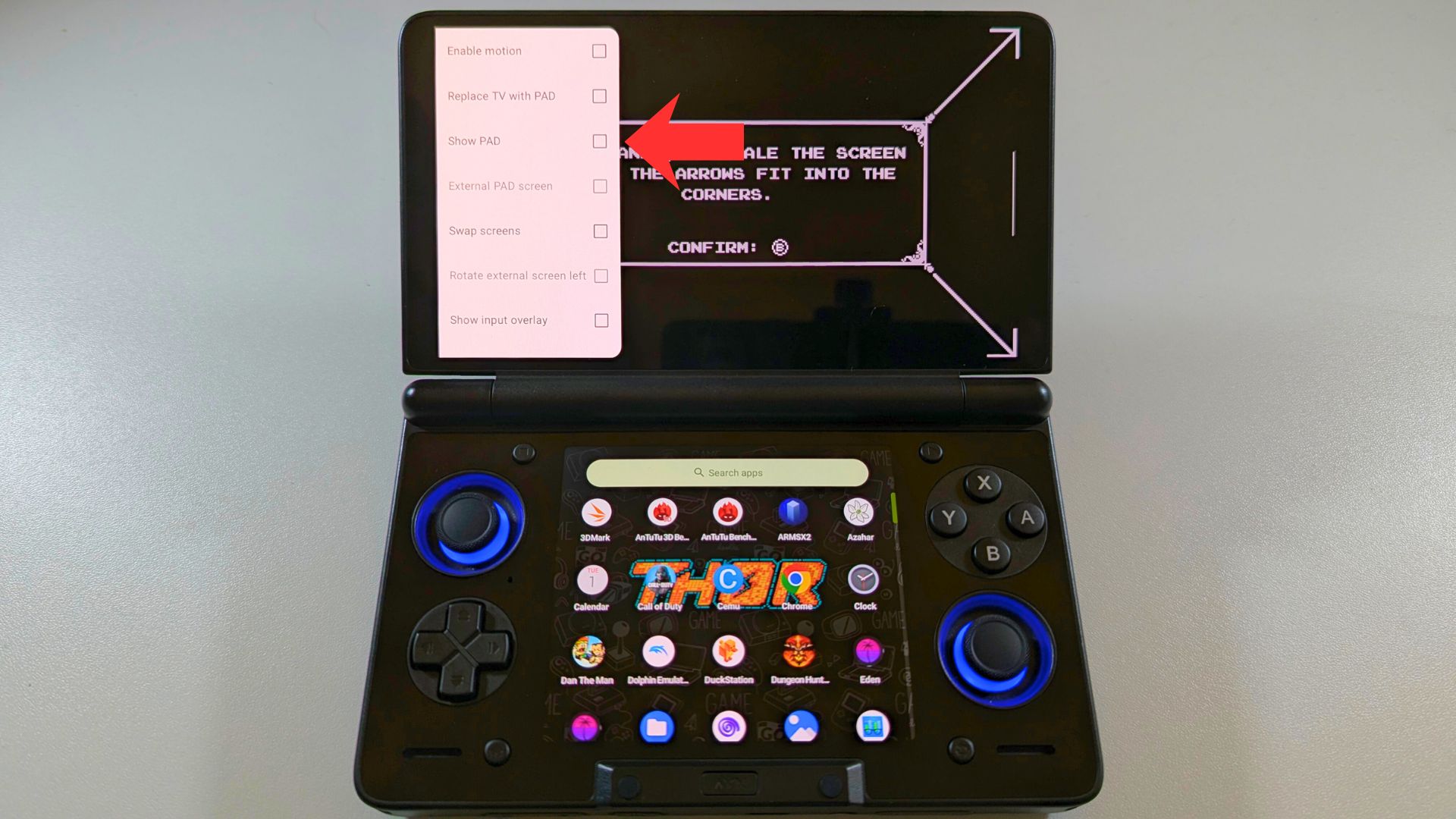
The two screens will show side by side.
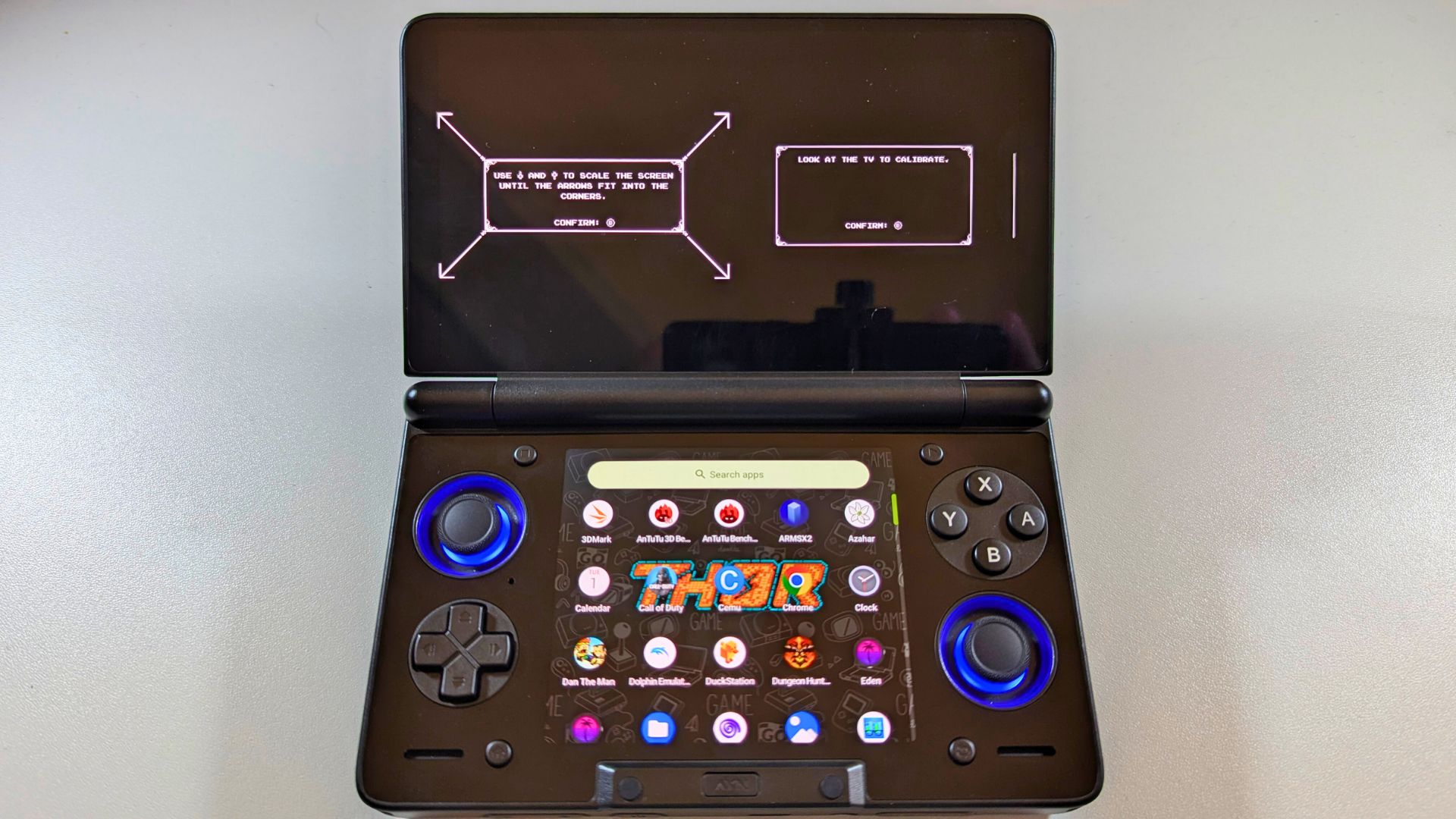
Swipe from the left side of the screen to the right side. Then tap on External PAD screen to enable it.
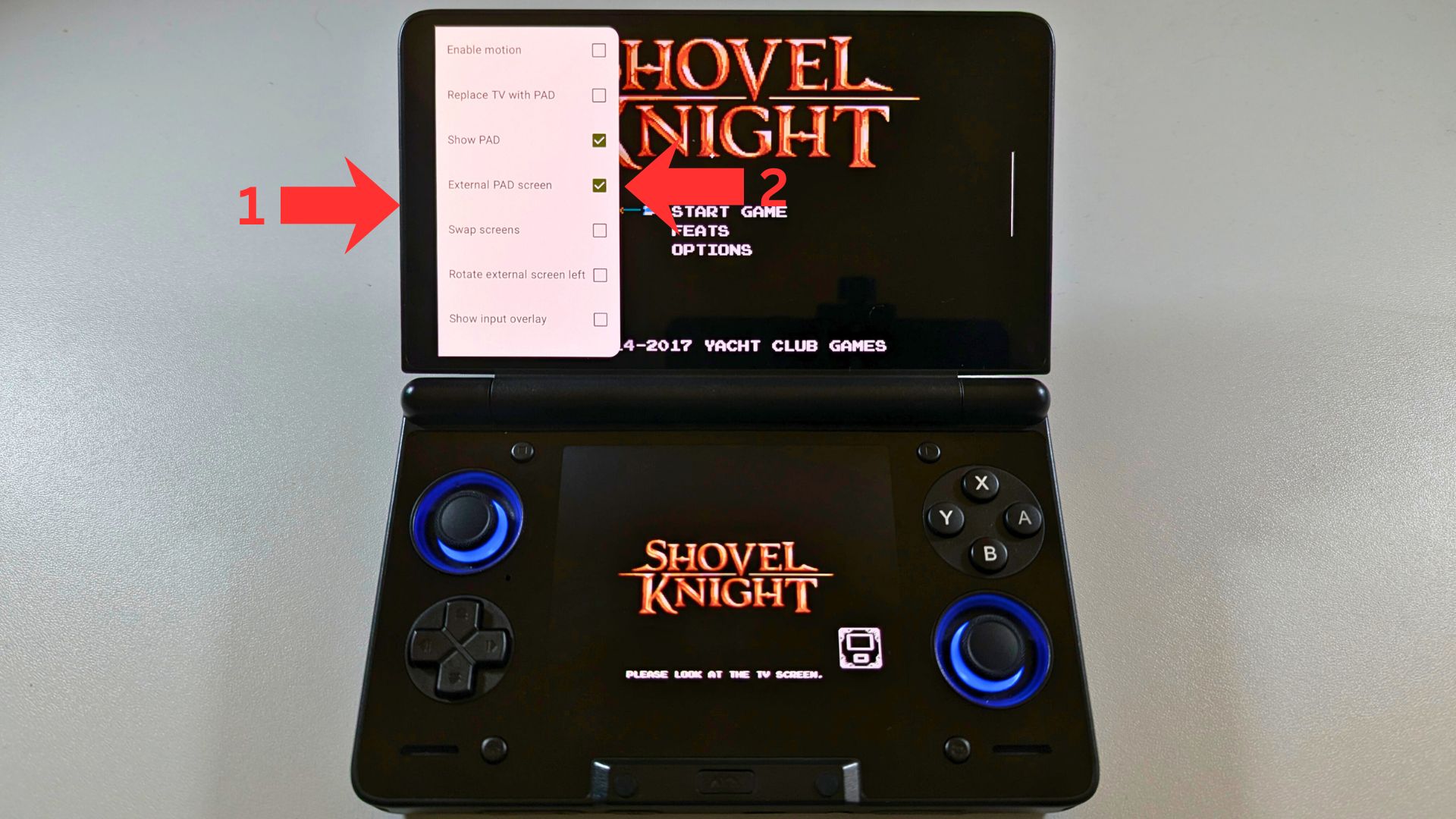
Both displays will now show their correct screens, the top display will show the TV screen, and bottom showing the pad screen. Any future games loaded will use these settings.
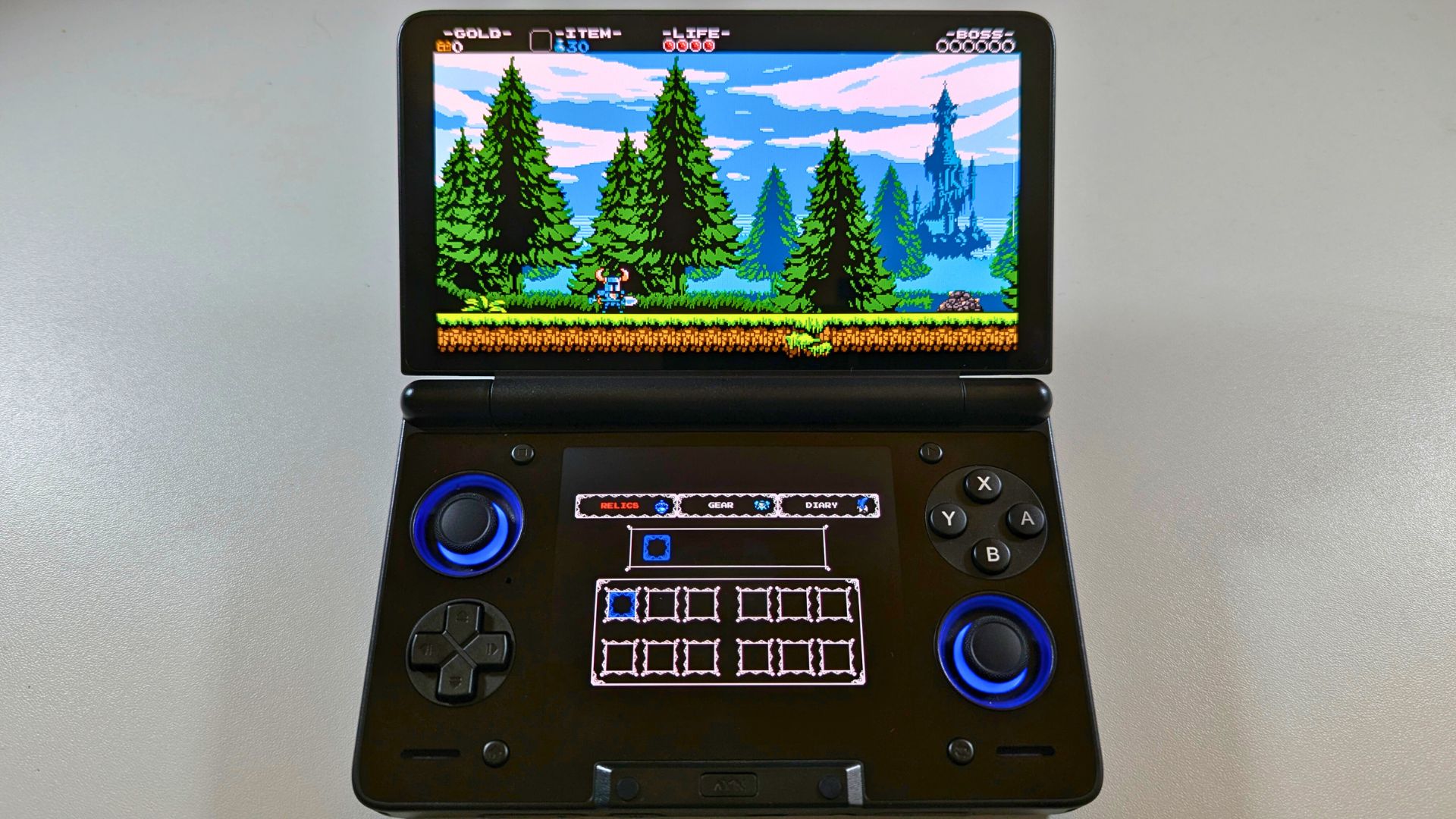
Expert Tips for Your AYN Thor Dual Screen Gaming Handheld Setup
To get the most out of your AYN Thor, dual screen gaming handheld you should consider a few specific optimisations. First, always map a physical button to "Screen Swap" in your emulator settings. This is useful for games that occasionally shift the main action to the bottom display. Second, you can adjust the refresh rate to 60Hz on the top screen to preserve battery life during lighter DS sessions.
The AYN Thor dual screen gaming handheld also supports 4K60 video output via its USB-C port. This means you can actually plug the AYN Thor into your living room TV. By doing this, you can use the handheld as a dedicated controller while the main game plays on the big screen. It is this versatility that makes the AYN Thor the most exciting Android dual display handheld on the market today.




