

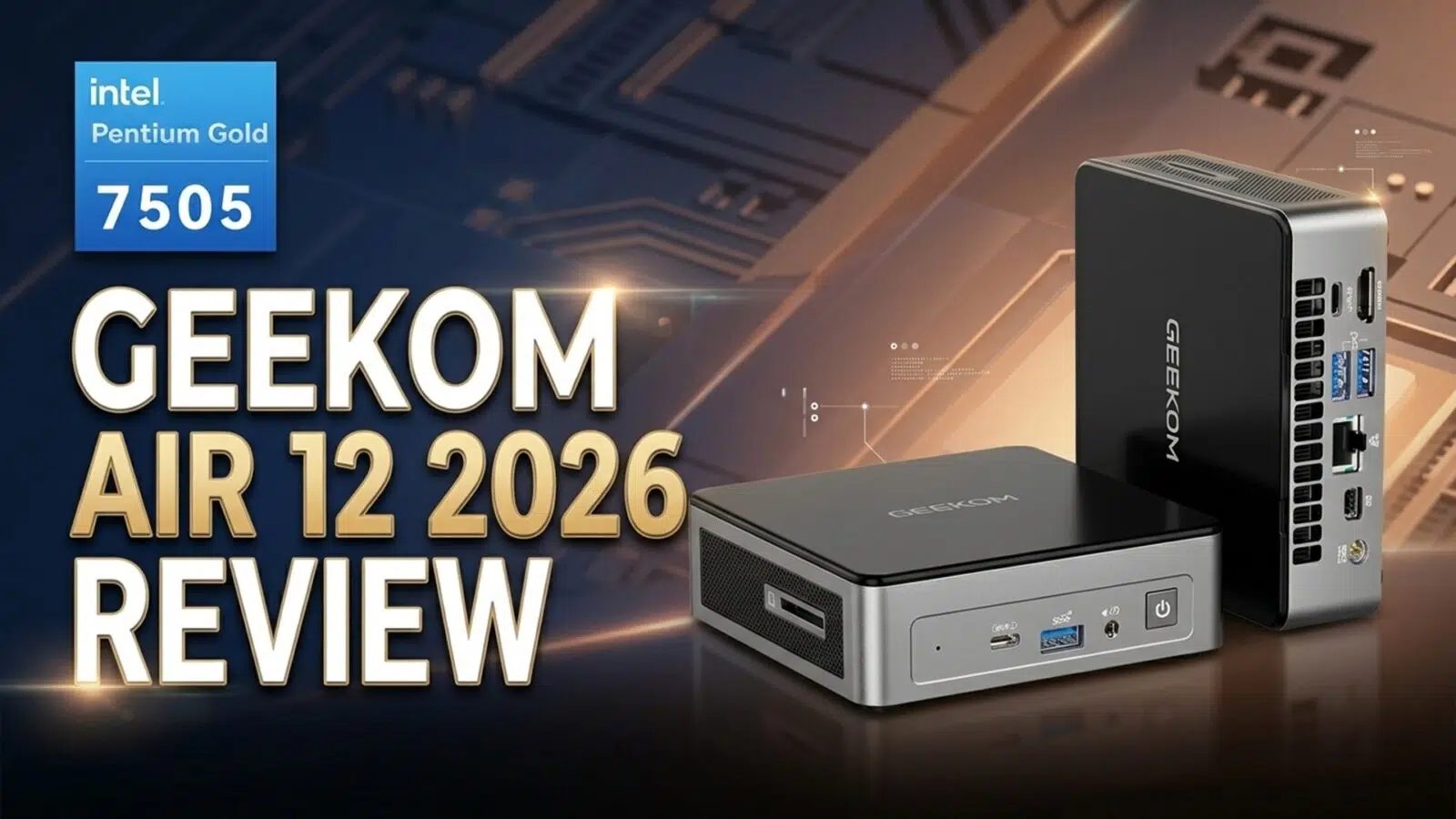
GEEKOM Air 12 2026 Review
-
Design
(4.5)
-
Build Quality
(4.5)
-
Performance
(4)
-
Features
(4)
Summary
The GEEKOM Air 12 2026 is a practical, budget-friendly mini PC that excels at everyday productivity and media tasks thanks to its compact design, upgradeable internals, and impressive triple-monitor support.
Overall
4.3Pros
- Support for triple monitors
- Upgradeable RAM and storage
- Quiet and cool operation
- Low power usage
Cons
- Not suitable for high demanding software
The GEEKOM Air 12 2026 is a compact budget mini PC built around Intel’s Pentium Gold 7505 processor, with Intel UHD Graphics, up to 32 GB of DDR4 RAM, PCIe Gen 3 SSD storage, Wi-Fi 6, and support for up to three displays. In our GEEKOM Air 12 2026 review we learn it is designed for everyday computing such as office work, web browsing, media playback, and other light desktop tasks rather than high-end gaming or heavy creator workloads.
Budget mini PCs matter more than ever in 2026. With RAM, storage, and compact desktop hardware all feeling more expensive than they should, buyers are being pushed to think harder about what they actually need from a small form factor PC. In that kind of market, a machine does not have to be flashy to be relevant. It just has to cover the essentials well, stay practical, and keep the overall cost under control.
That is where the GEEKOM Air 12 2026 aims to fit in. Rather than chasing high-end performance, this mini PC focuses on the basics that still matter for a lot of users: a compact footprint, upgradeable memory and storage, support for up to three displays, and enough performance for office work, web browsing, media playback, and lighter day-to-day tasks. It is not trying to be a powerhouse. It is trying to be a sensible budget mini PC at a time when sensible budgets are getting harder to hold on to.
GEEKOM Air 12 2026 Overview
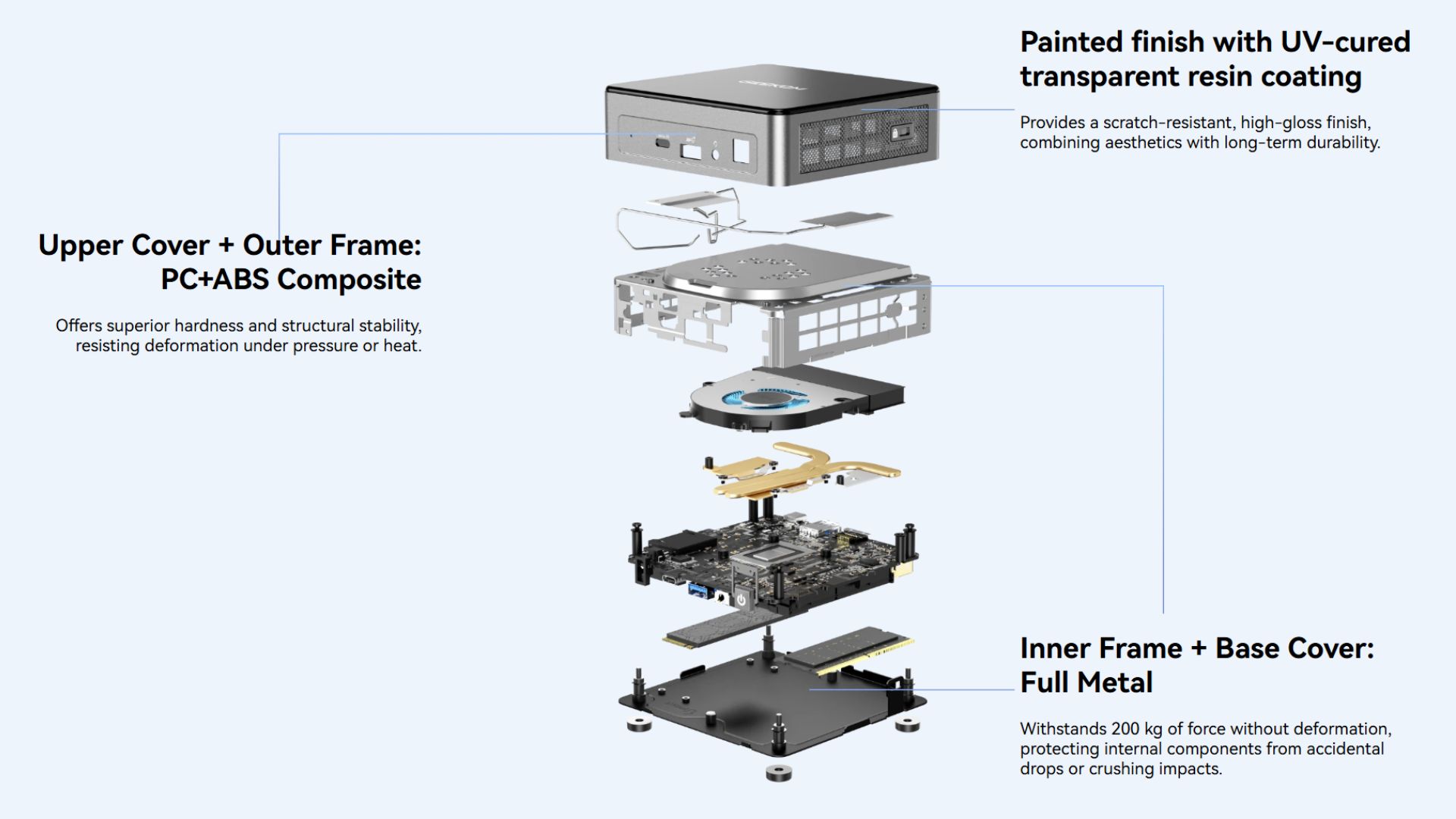
We start our GEEKOM Air 12 2026 review with an overview of the mini PC itself. The GEEKOM Air 12 2026 measures 4.6 x 4.4 x 1.34 inches (11.7 x 11.2 x 3.42 cm) and weighs around 463g (1.02 lbs). The outer shell is made from a mix of PC+ABS composite with a UV-cured transparent resin coating on the top, and the two-tone grey finish gives it a bit more character than the usual plain single-colour mini PC chassis.
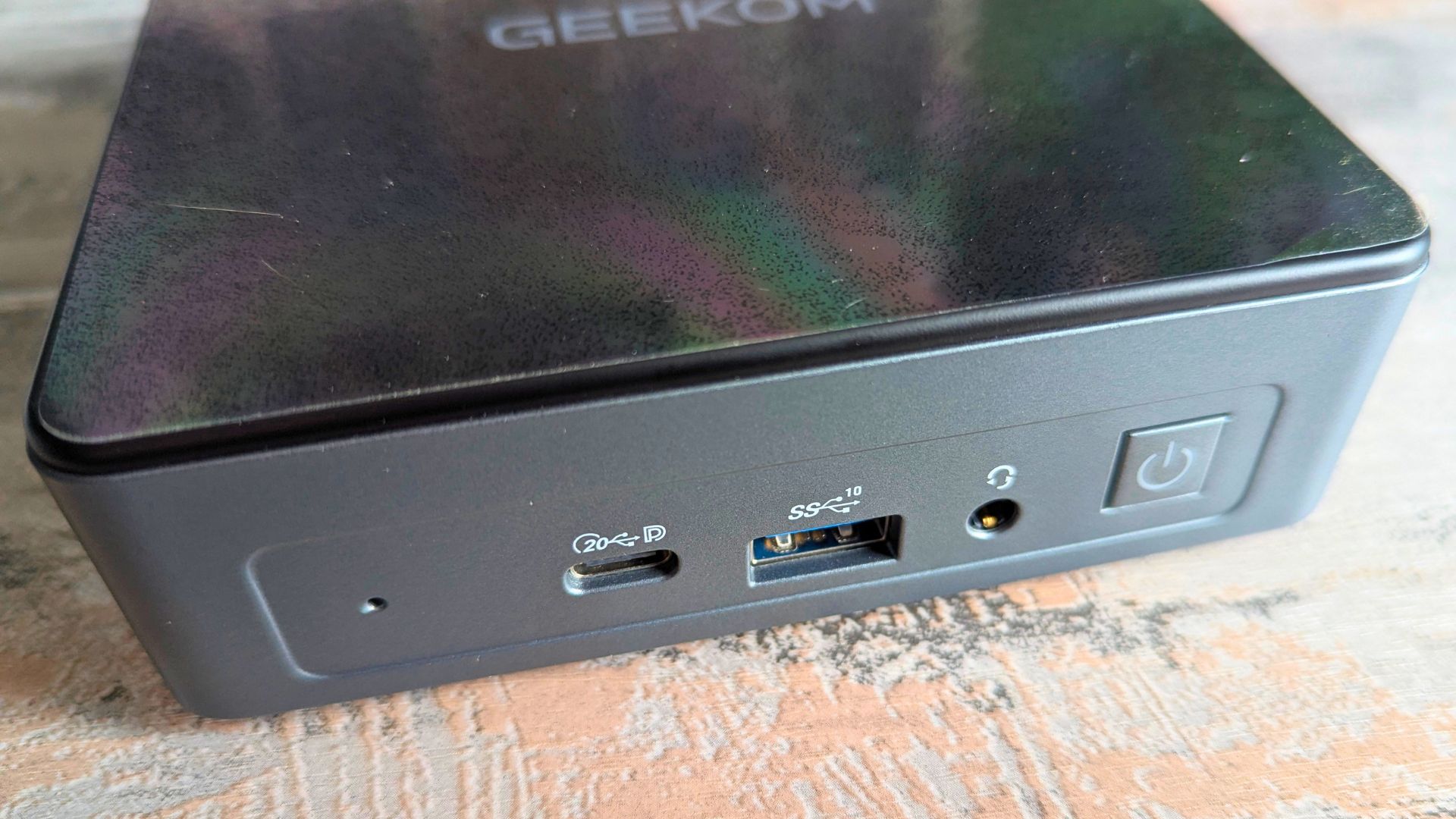
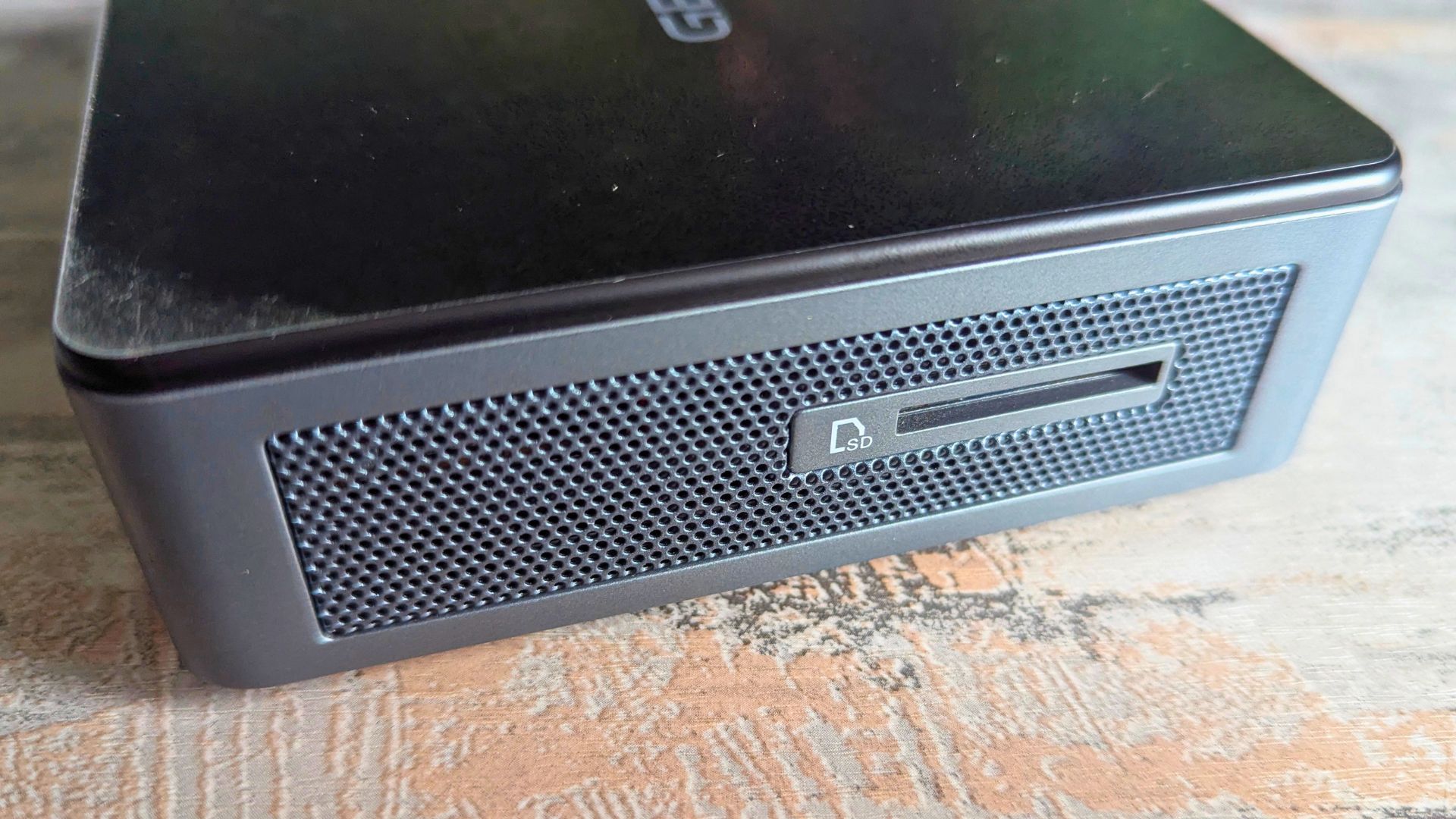
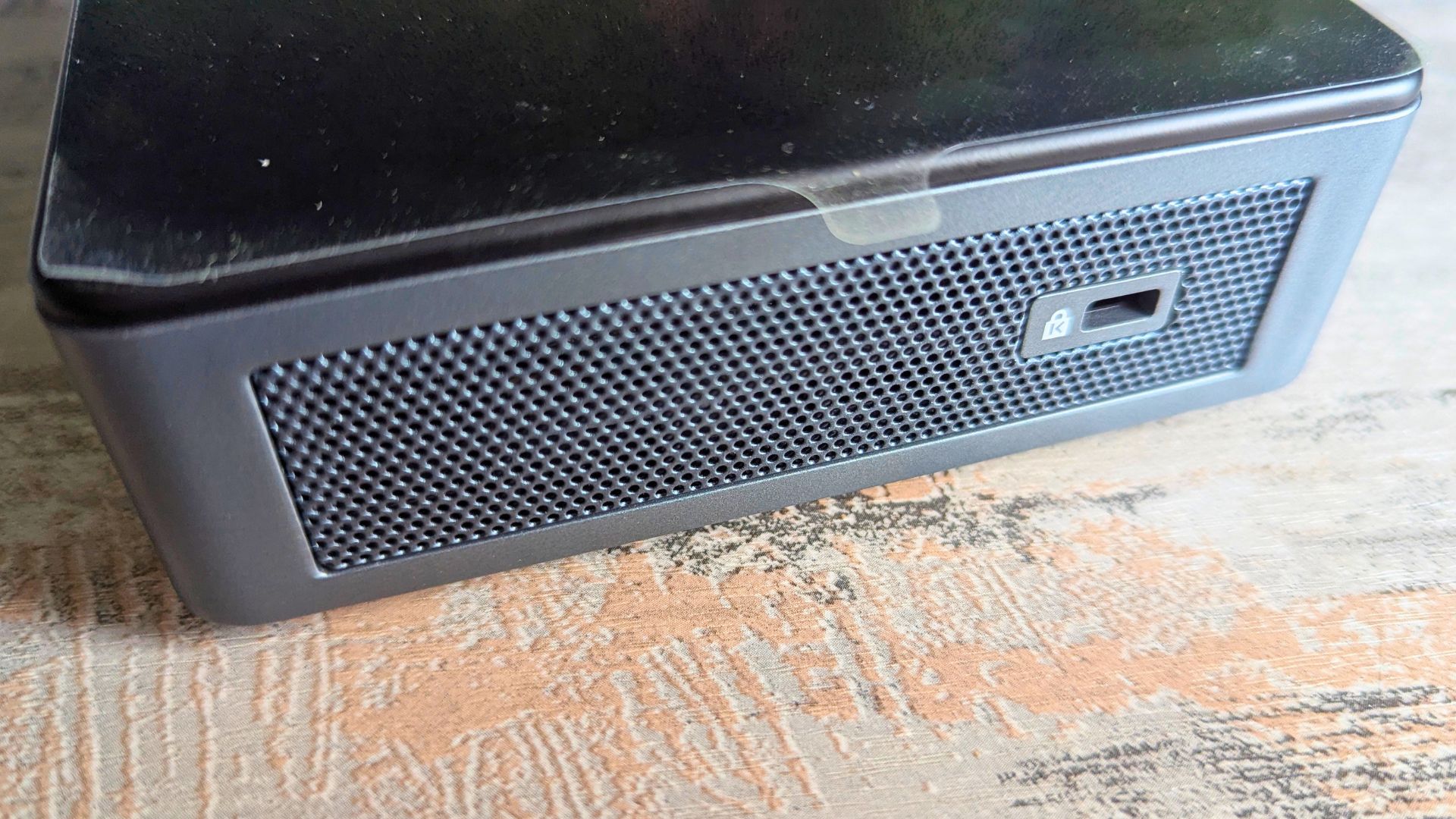
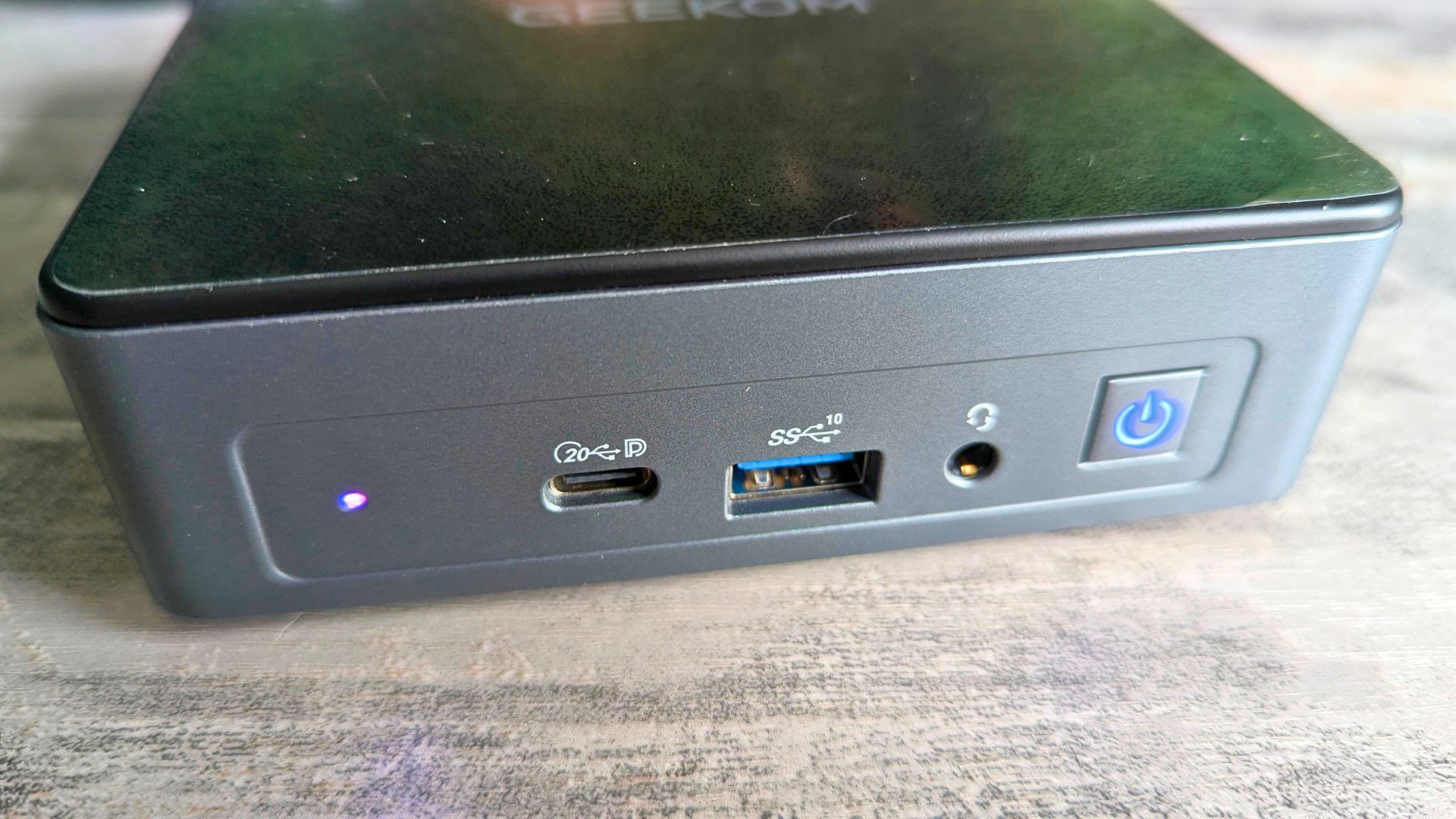
The front of the unit features an LED for drive activity, a USB Type-C port, a USB 3.2 Gen 2 port, a 3.5 mm headphone jack, and the power button. Around the sides, there is a full-size SD card reader on the right, which is much more useful than the microSD readers often found on compact systems, while the left side houses a Kensington Lock for extra security.
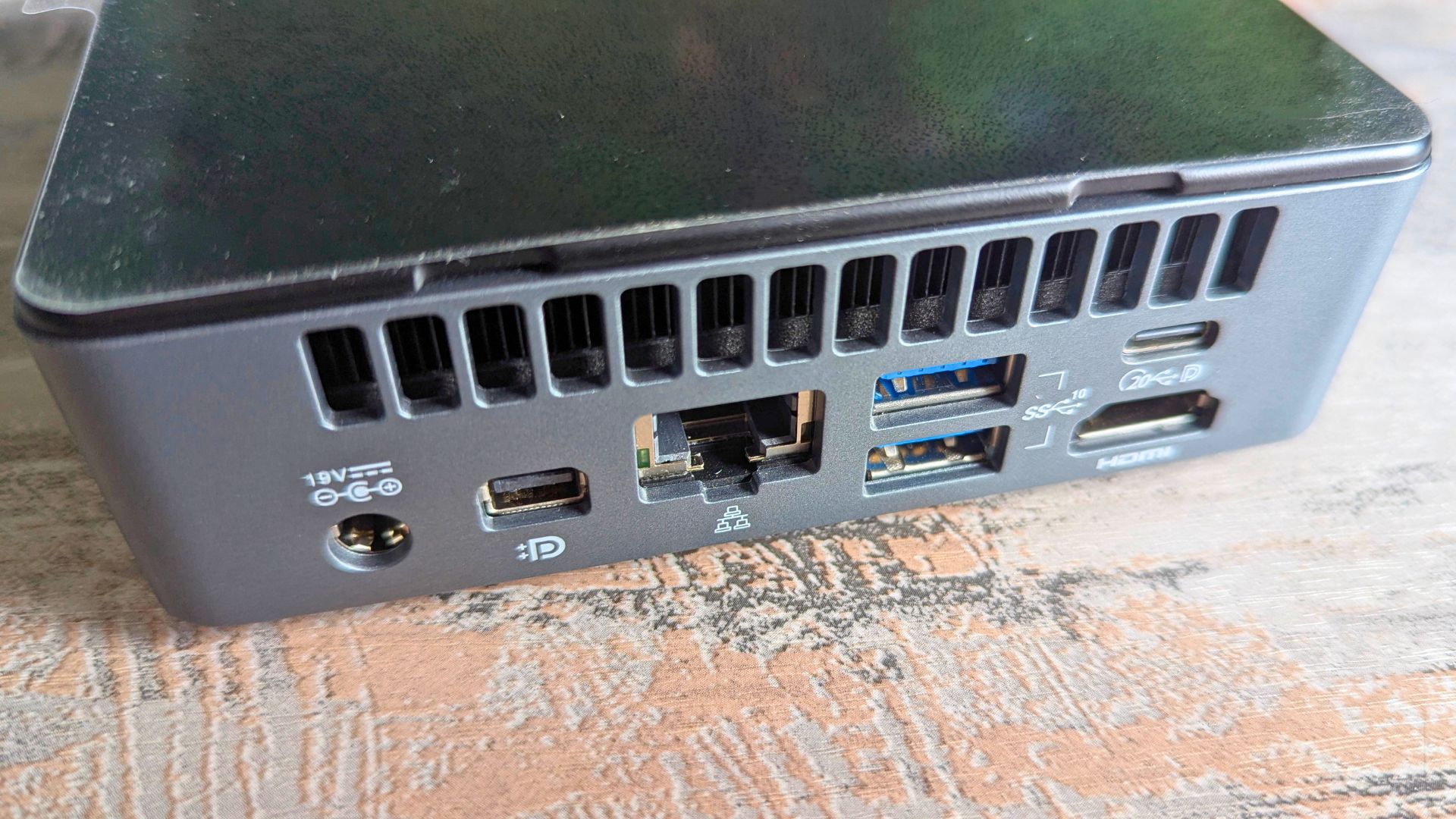
Around the back, GEEKOM includes the DC power input, Mini DisplayPort 1.4, Gigabit Ethernet, two USB 3.2 Gen 2 ports, one HDMI 2.0 port, and an additional Type-C connection with DisplayPort 1.4 Alt Mode for display output. Between the USB-C video output, Mini DisplayPort, and HDMI, the Air 12 2026 can drive up to three 4K monitors or a single 8K display, which gives it more flexibility than you might expect from a budget-oriented system.
Inside the GEEKOM Air 12 2026
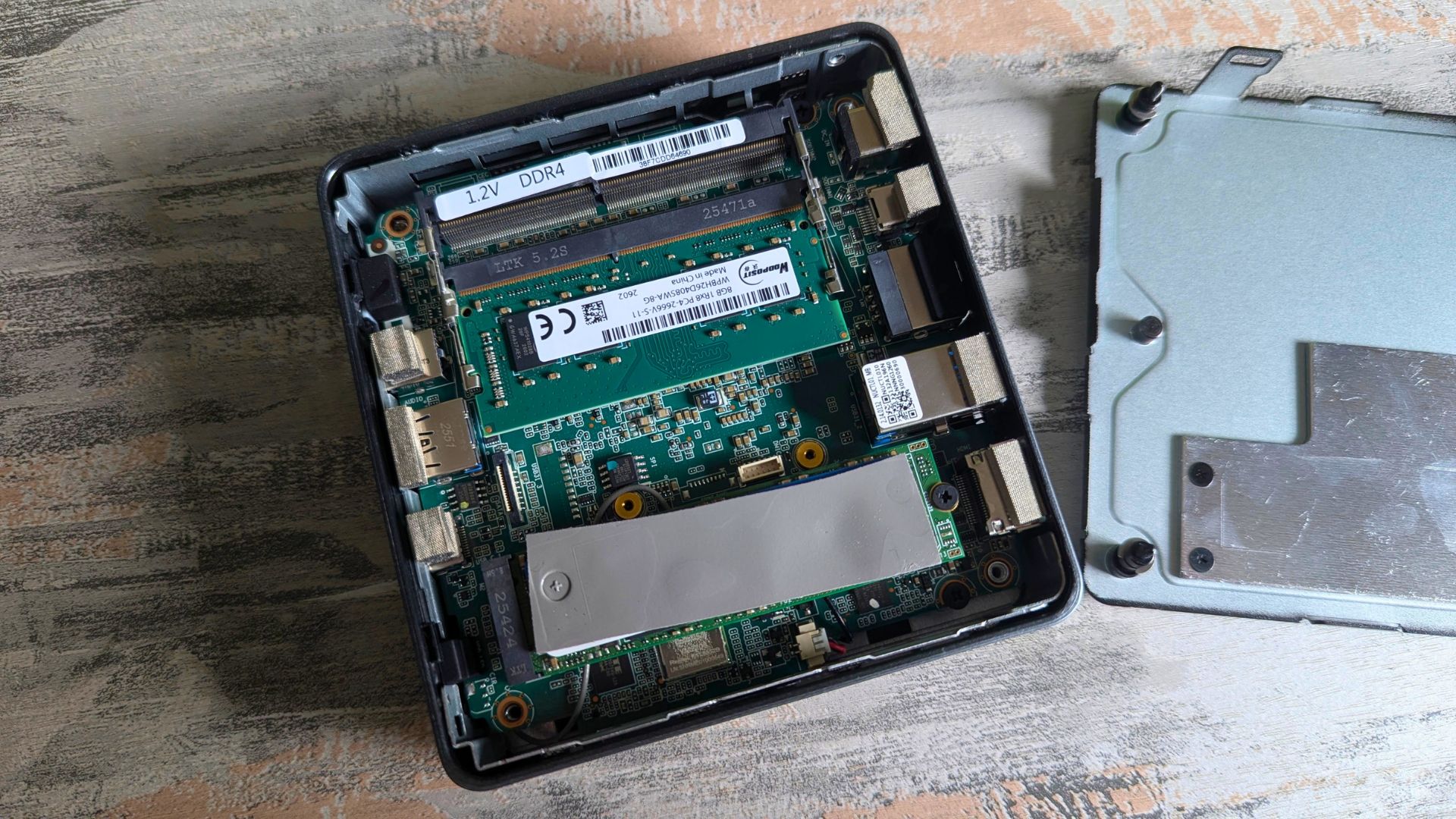
Next in our GEEKOM Air 12 2026 review we take a look at the internals. The mini PC uses a dual-copper tube cooling system with a full copper heatsink. It also supports a replaceable M.2 2280 PCIe 3.0 x4 SSD of up to 2 TB and two DDR4 SODIMM slots for up to 32 GB of RAM, so there is at least some room to upgrade over time rather than being locked into the base configuration. GEEKOM also includes a VESA mount, which makes it easy to attach the system to the back of a monitor if you want a cleaner desk setup.
GEEKOM Air 12 2026 Technical Specifications
On paper, the GEEKOM Air 12 2026 is built around practicality rather than headline-grabbing power. The Intel Pentium Gold 7505, DDR4 memory support, upgradeable PCIe Gen 3 storage, Wi-Fi 6, and triple-display output give it a spec sheet that makes the most sense for office duties, light home computing, media use, and compact business deployments. As part of the GEEKOM Air 12 2026 review we also test the power usage, temperatures and fan noise.
| Specification | Details |
|---|---|
| Form Factor | 117 × 112 × 34.2 mm |
| CPU | Intel Pentium Gold 7505 (2 Cores, 4 Threads, 6 MB Cache, up to 3.5 GHz) |
| Video Engine Processor | Intel UHD Graphics |
| Memory | DDR4 SODIMM, up to 32 GB |
| Audio | HDA CODEC, support two DMICS array (optional) |
| Storage | 1 × NVMe SSD (PCIe Gen 3 ×4), up to 2 TB |
| I/O Port | 1 × USB 3.2 Gen 2 ×1 port (front panel); 2 × USB 3.2 Gen 2 port (back panel); 1 × TYPE-C with DP 1.4 Alt Mode (front panel); 1 × TYPE-C Data Only (back panel); 1 × SD card reader; 1 × 3.5 mm headphone jack (front panel); 1 × RJ45 (back panel); 1 × HDMI 2.0 (back panel); 1 × Mini DP 1.4 (back panel); 1 × DC in (back panel); 1 × Power button; 1 × Kensington Lock |
| LED | 1 × Power LED (Power On: Blue, S3: Flashing Orange); 1 × SATA SSD: Red, PCIE SSD: Green |
| Ethernet | Intel 10/100/1000 Mbps Ethernet |
| Wireless LAN | Wi-Fi 6 |
| Bluetooth | 5.2 |
| Kensington Lock | Yes |
| Battery | RTC coin battery |
| Adapter | Automatic voltage adjustment between 100 and 240 V AC, 50/60 Hz, 45 W (19 V/2.36 A), 3 Pin, 1.8 metres long & 65 W (19 V/3.42 A) |
| PCBA Dimension | 109.1 × 107.63 mm |
| Certification | CE, RoHS, FCC, CEC, CB, PSE, TELEC |
| Operating System | Windows 11 PRO |
| Accessory | VESA Mount |
GEEKOM Air 12 2026 Power Usage
We measured the power usage as part of our tests. Whilst sitting idle on the desktop we saw around a 10W power draw. The average usage while loading software and using it was around 18W. And under full CPU load we saw a high of 29W.
GEEKOM Air 12 2026 Fan Noise & Temperatures
While running the benchmarks we also tested the temperatures and average fan noise while under full CPU load. We measured a highest temperature of around 49.6°C in the fan exhaust area. We measure around a 46dB noise level which is relatively quiet.
GEEKOM Air 12 2026 Benchmarks
We continue our GEEKOM Air 12 2026 review with benchmark comparisons, we are looking at where the GEEKOM Air 12 2026 sits against other recent GEEKOM models in the budget and mid-range space. Most importantly, that includes the 2025 GEEKOM Air 12 Lite, which used Intel’s Alder Lake N100 and is the clearest point of comparison for buyers deciding between older entry-level hardware and this newer model.
PassMark
PassMark gives a broad snapshot of overall system performance by combining CPU, graphics, memory, and storage workloads into a single score.
The GEEKOM Air 12 2026 scores 1809.1 here, which puts it roughly 44% ahead of the GEEKOM Air 12 Lite’s 1252.2. That is a meaningful uplift for a machine in this class and suggests the Air 12 2026 should feel snappier in lighter everyday tasks, even if it still sits well behind more capable systems such as the GEEKOM A5 2025 and GEEKOM IT13 2025.
| Model | Score |
|---|---|
| GEEKOM A5 2025 | 3869.6 |
| GEEKOM Air 12 2026 | 1809.1 |
| GEEKOM Air 12 Lite | 1252.2 |
| GEEKOM IT13 2025 | 4742.3 |
PCMark
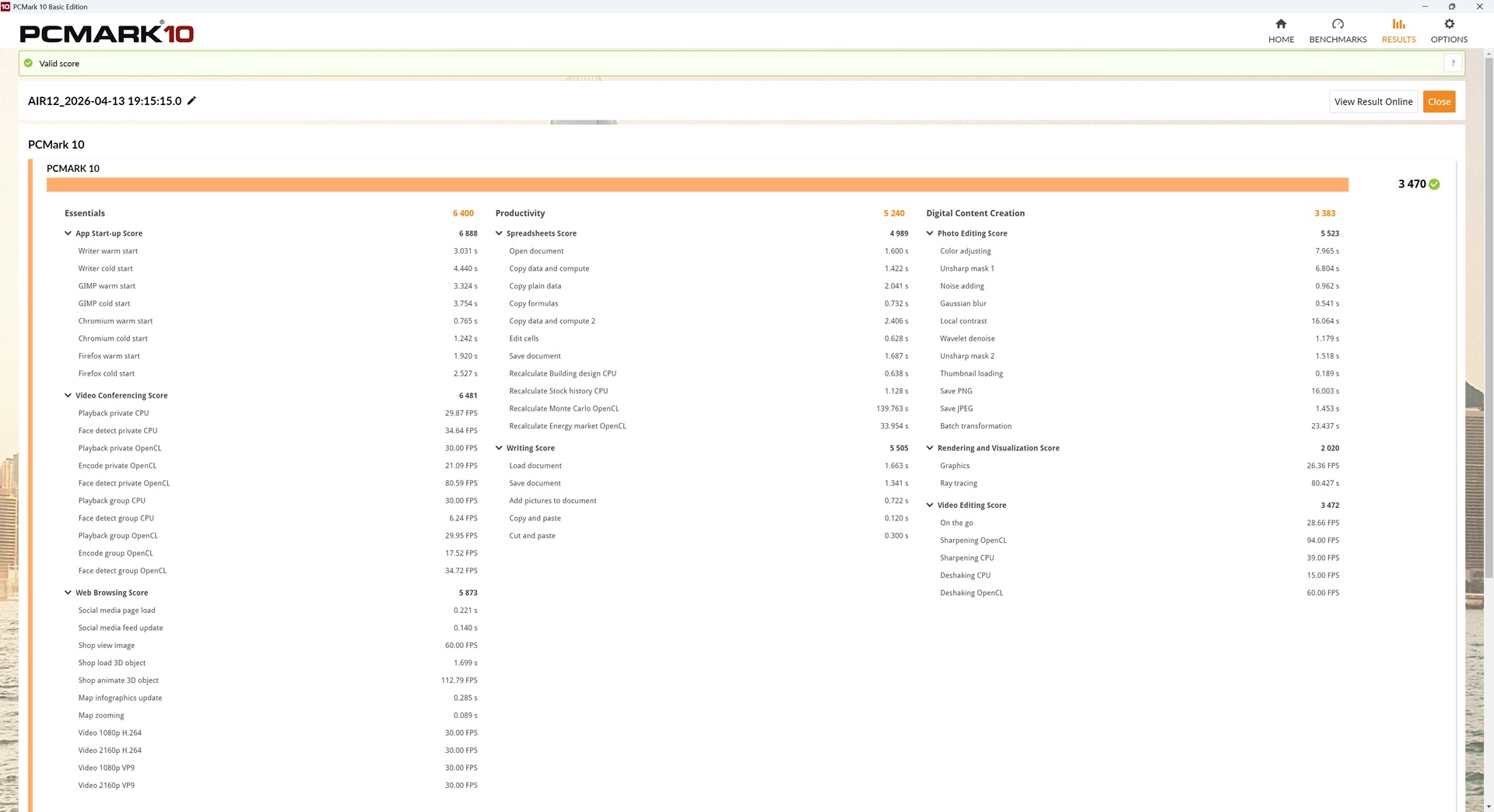
PCMark is a useful benchmark for everyday productivity because it focuses more directly on workloads such as web browsing, office applications, video conferencing, and general desktop responsiveness.
Here, the GEEKOM Air 12 2026 scores 3470, compared with 3230 for the Air 12 Lite. That is only a modest improvement of around 7%, but it is still enough to show that the newer model keeps a small edge in the kind of real-world office and home workloads this system is actually designed for. The jump is not dramatic, but it does reinforce the Air 12 2026 as the stronger of the two for routine desktop use.
| Model | Score |
|---|---|
| GEEKOM A5 2025 | 5752 |
| GEEKOM Air 12 2026 | 3470 |
| GEEKOM Air 12 Lite | 3230 |
| GEEKOM IT13 2025 | 5492 |
3DMark Time Spy
3DMark Time Spy is a synthetic graphics benchmark that gives a quick indication of how well a system handles more demanding GPU-focused workloads.
The Air 12 2026 posts a score of 735, while the Air 12 Lite reaches 366. That is almost exactly double the Lite’s result, which is one of the clearest wins for the newer model in this review. Neither machine is aimed at serious modern gaming, but the Air 12 2026 does have a noticeably better ceiling for lighter 3D tasks, older titles, and less demanding games.
| Model | Score |
|---|---|
| GEEKOM A5 2025 | 1376 |
| GEEKOM Air 12 2026 | 735 |
| GEEKOM Air 12 Lite | 366 |
| GEEKOM IT13 2025 | 1861 |
Cinebench R23
Cinebench R23 focuses on CPU rendering performance and is useful for separating lighter single-core responsiveness from heavier multi-core workloads.
The GEEKOM Air 12 2026 scores 1097 in single-core and 2376 in multi-core, versus 902 and 2724 respectively for the Air 12 Lite. That makes the newer system around 22% faster in single-core performance, which is good news for general responsiveness, but it actually falls behind the Lite in multi-core by roughly 13%. In practice, that suggests the Air 12 2026 may feel better in lighter bursty tasks, while the older Air 12 Lite can still hold its own, or even pull ahead, in more heavily threaded workloads.
| Model | Single-Core | Multi-Core |
|---|---|---|
| GEEKOM A5 2025 | 1397 | 7066 |
| GEEKOM Air 12 2026 | 1097 | 2376 |
| GEEKOM Air 12 Lite | 902 | 2724 |
| GEEKOM IT13 2025 | 1733 | 11369 |
Day-to-Day Operation
This is the part of the GEEKOM Air 12 2026 review where this mini PC makes the most sense. For everyday computing, it covers the basics well enough for web browsing, email, document work, spreadsheets, online admin, media playback, and the kind of general office usage many people still need from a compact desktop. It is also a neat fit for home office setups where space is limited and a full-size tower would be excessive.
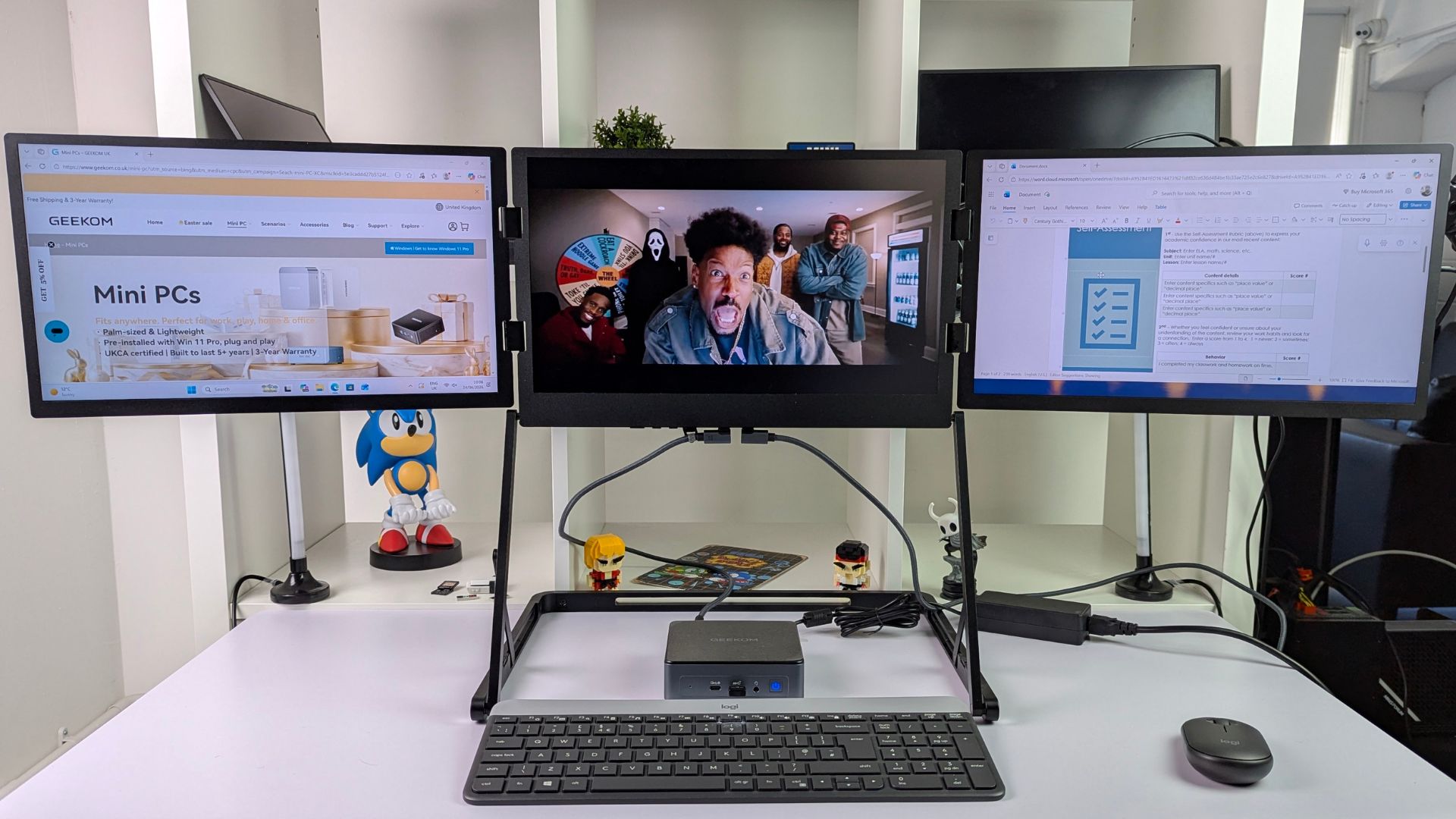
Triple monitors make multi-tasking a breeze
The support for up to three displays is especially useful here. If you want one screen for documents, one for email or chat, and one for a browser or dashboard, the Air 12 2026 has the connectivity to make that workable. It also feels like a practical option for reception desks, point-of-sale setups, digital signage, hot-desk environments, or as a simple family PC that mainly needs to handle homework, streaming, and everyday online tasks.
Smart Home Setup
Because it is small, relatively tidy, and VESA-mountable, it could also work well as a lightweight always-on system for modest server duties. For example, it makes sense as a low-powered box for Home Assistant, a basic file-serving setup, a light NAS-style role, or other background services where silent efficiency and low footprint matter more than raw speed. As always, the more demanding the workload, the quicker you run into the limits of this hardware, but that is true of most budget mini PCs.
Media Server
Media consumption is another natural fit. Playing 4K YouTube videos works fine, and for streaming, casual browsing, and general living-room or desk-based playback, the Air 12 2026 has more than enough ability for the job. In short, this is not a mini PC for specialist heavy lifting, but it is a sensible one for the sort of everyday tasks a lot of buyers actually care about.
Gaming
As part of our GEEKOM Air 12 2026 review we are checking out to see its gaming capabilities. Nobody should be buying the GEEKOM Air 12 2026 expecting a good experience in the latest AAA games. The processor and broader specifications are simply not aimed at that kind of workload, and the benchmark results back that up.
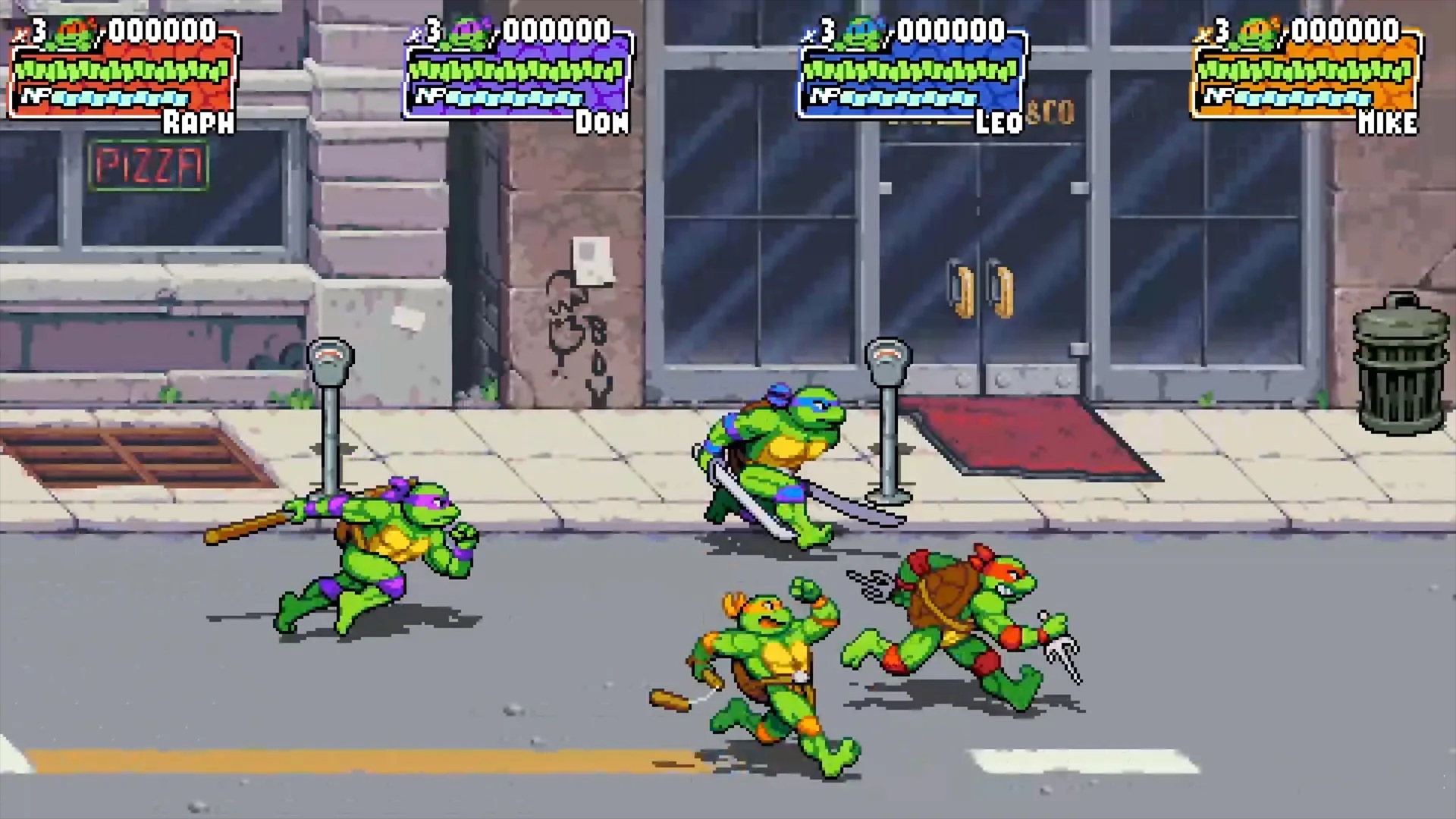
Where this mini PC does make more sense is in lighter and less demanding games. During testing, games such as Dead Cells and TMNT: Shredder’s Revenge were very playable, which lines up well with what this class of system should be used for. 2D platformers, older strategy games, lighter indie titles, and similarly modest releases are a much better match here than anything modern and graphically demanding.
The same applies to emulation. You can expect systems up to the original PlayStation era to work very well, which still opens up a huge library of classics. If your idea of gaming on a budget mini PC is retro libraries, 2D favourites, and lower-spec titles rather than Playstation 2 era and above, the Air 12 2026 is on much firmer ground.
Final Thoughts
Time now to sum up our GEEKOM Air 12 2026 review. The GEEKOM Air 12 2026 gets the fundamentals right for the kind of budget mini PC it is trying to be. It has a tidy compact design, a better-than-average port selection for its size, full-size SD card support, upgradeable RAM and storage, triple-display capability, and a VESA mount in the box. Those are all practical features that matter more than flashy marketing when you are buying a compact PC for real everyday use.
Technical Specifications Summary
The technical specifications tell a similar story. This is not a machine built to chase high-end performance, but it does cover the essentials well enough for office work, home study, media playback, and general productivity. The ability to upgrade the SSD and memory also helps it feel less disposable than many entry-level compact PCs.
Performance Summary
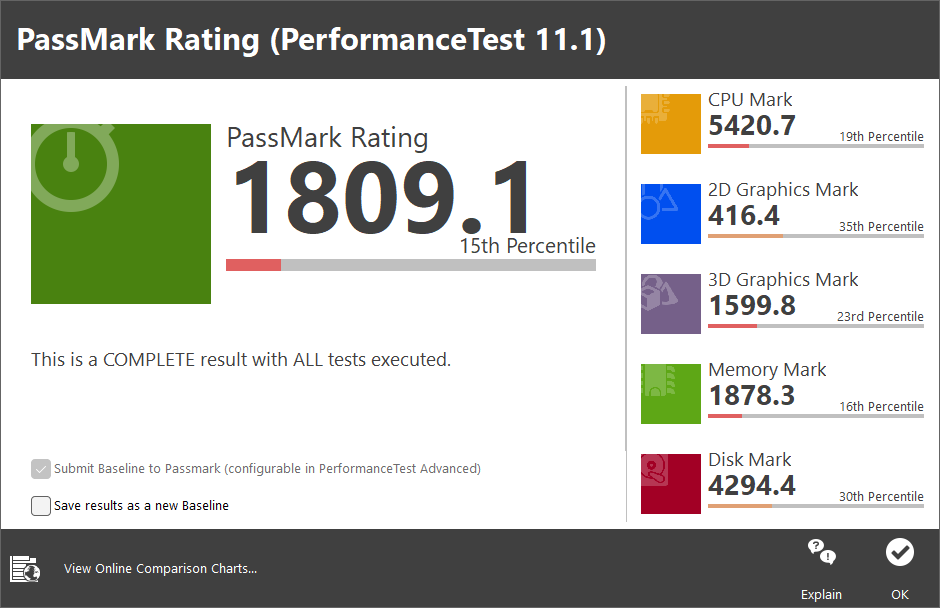
Benchmark-wise, the Air 12 2026 generally improves on the older Air 12 Lite, especially in overall performance, PCMark, and graphics-related testing. The biggest standout is the large gain in 3DMark Time Spy, while Cinebench shows a more mixed picture with stronger single-core performance but weaker multi-core results than the Lite. That means the newer model is not better in every single scenario, but it is still the more rounded option overall for the kinds of lighter workloads most buyers will actually run.
Who the GEEKOM Air 12 2026 is aimed at
That is really the key to who this mini PC is for. The GEEKOM Air 12 2026 is aimed at buyers who want a small, tidy, affordable desktop for browsing, office work, homework, media, light server duties, and occasional low-demand gaming. In a market where RAM, storage, and mini PC pricing can quickly push buyers into spending more than they planned, there is still a place for a machine like this. It keeps the proposition simple, keeps the feature set practical, and keeps the cost lower than stepping up to more powerful classes of mini PC.
If that is the kind of system you need, the GEEKOM Air 12 2026 looks like a sensible budget option rather than a compromised one. That matters quite a lot in curent 2026 climate.
We hope you have found our GEEKOM Air 12 2026 review useful. You can learn more and buy it from the following stores:
USA: Geekom | Amazon
UK: Geekom | Amazon
Germany: Geekom | Amazon
France: Geekom | Amazon
Italy: Geekom | Amazon
FAQ
What is the GEEKOM Air 12 2026?
The GEEKOM Air 12 2026 is a compact budget mini PC designed for everyday computing. It combines an Intel Pentium Gold 7505 processor, Intel UHD Graphics, upgradeable DDR4 memory, PCIe SSD storage, and triple-display support in a small desktop form factor.
Is the GEEKOM Air 12 2026 good for office work?
Yes, the GEEKOM Air 12 2026 is well suited to office work. Its specification and benchmark profile fit tasks such as web browsing, email, documents, spreadsheets, video calls, and general day-to-day productivity.
Can the GEEKOM Air 12 2026 run three monitors?
Yes, the GEEKOM Air 12 2026 supports up to three displays. It does this through its HDMI, Mini DisplayPort, and USB Type-C display output connections.
Can you upgrade the RAM and storage in the GEEKOM Air 12 2026?
Yes, the GEEKOM Air 12 2026 offers upgradeable memory and storage. It supports one DDR4 SODIMM slot for up to 32 GB of RAM and an M.2 2280 PCIe 3.0 x4 SSD of up to 2 TB.
Can the GEEKOM Air 12 2026 be used for Home Assistant or light server duties?
Yes, it can work for light-duty always-on tasks. Small server jobs, Home Assistant, and basic file-serving are realistic use cases as long as you keep expectations modest and do not treat it as a heavy workload machine.
What should I look for in a budget mini PC?
You should look for upgradeable RAM and storage, enough USB ports, reliable display outputs, Wi-Fi and Ethernet, and a processor that matches your real workload. Practical connectivity and easy upgrades often matter more than chasing the highest headline spec.




