



I denna artikel
What is the EPOMAKER NEX Pro?
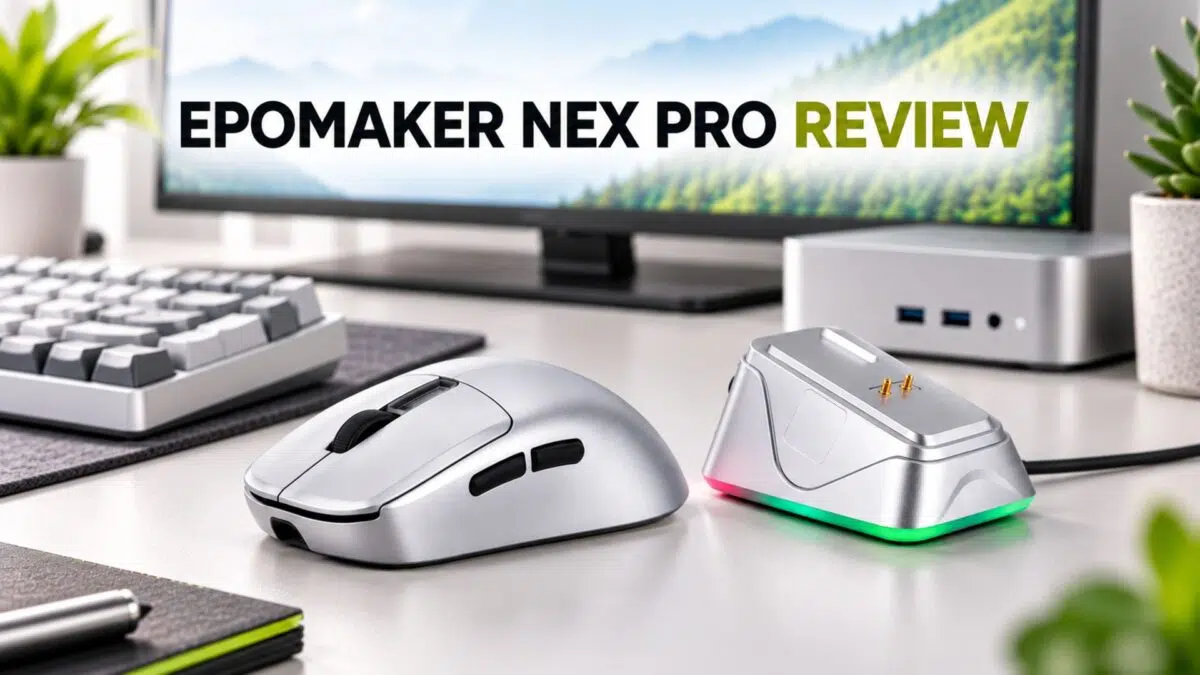
The EPOMAKER NEX Pro is a right-handed ergonomic wireless gaming mouse with a PixArt PAW3950 sensor, up to 42,000 DPI, 8,000 Hz polling over 2.4 GHz wireless or USB-C, tri-mode connectivity, and an RGB magnetic charging dock. It weighs around 65 g and is designed for medium to large hands, daily use, and competitive gaming.
The EPOMAKER NEX Pro targets buyers who want high-end sensor performance and 8K wireless polling without paying flagship prices. This EPOMAKER NEX Pro review looks at its shape, build quality, tracking, battery life, charging dock, controls, software, and value compared with simpler models such as the EPOMAKER Click and NEX Lite.
Testing conditions
- Device: EPOMAKER NEX Pro
- Sensor/MCU: PixArt PAW3950 sensor with Nordic MCU
- Drivers/software: EPOMAKER web-based configuration system
- Date tested: August 30th 2026
- Test period: Approximately one week, using the mouse for 3–4 hours per day
- Items tested: Everyday desktop use, Bluetooth productivity use, 2.4 GHz wireless use, wired use, charging dock, button feel, glide and responsiveness
Design, Build, and Ergonomics
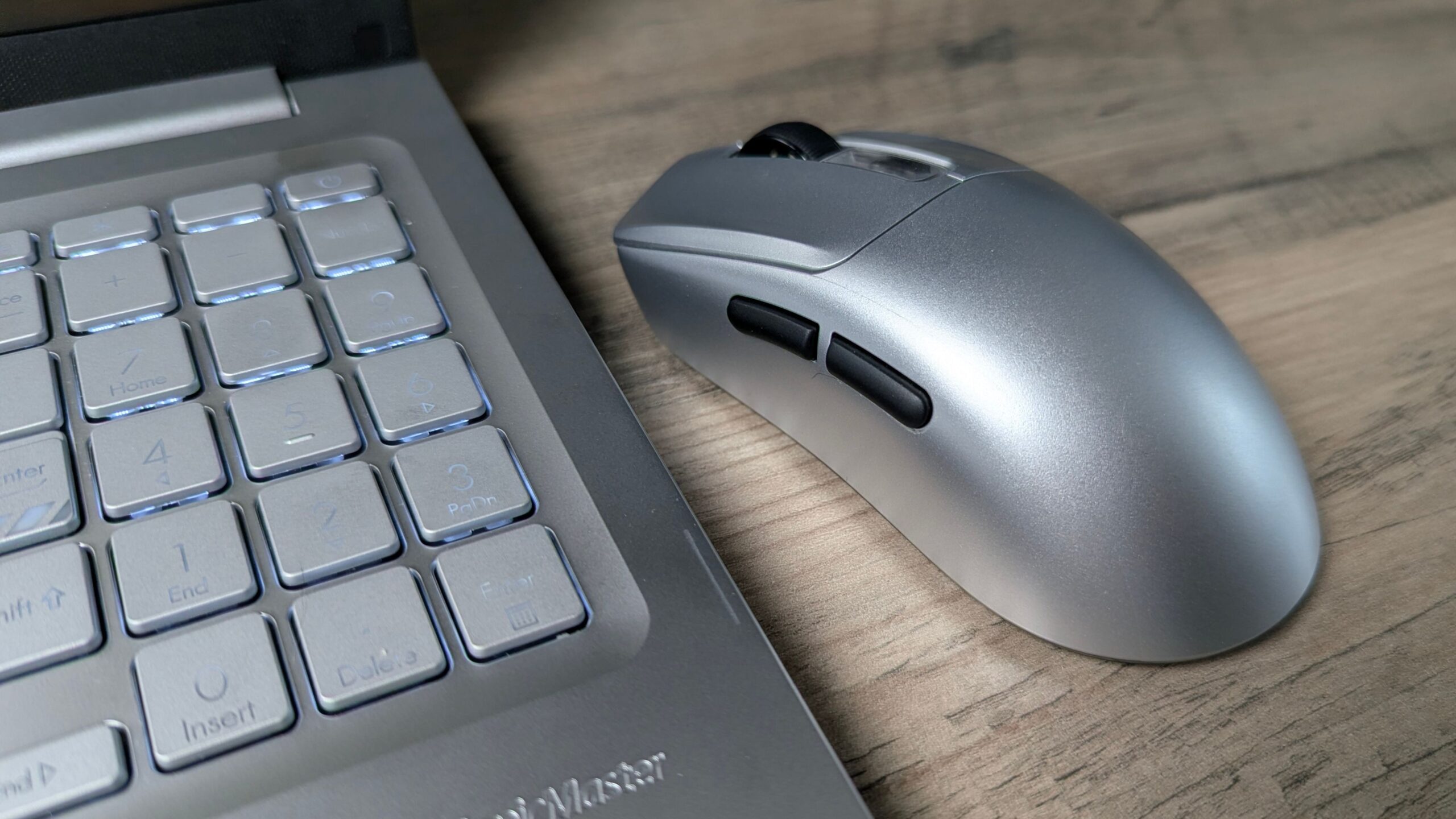
The EPOMAKER NEX Pro uses a classic right-handed ergonomic shape with a defined spine and a left-side thumb rest. Its rear is slightly fuller than many ultralight mice, which provides good palm support for medium to large hands.
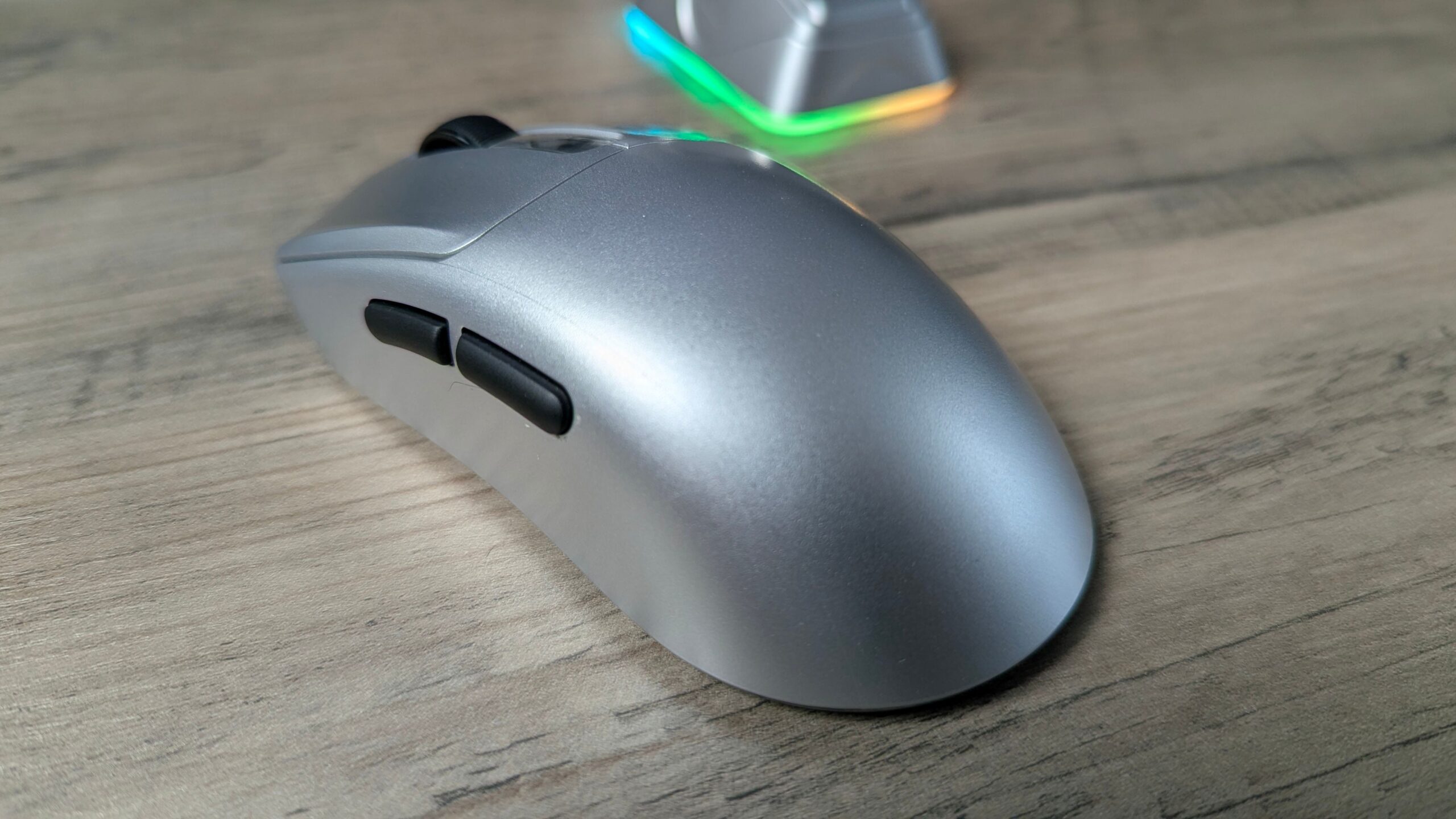
Measuring 122 × 65 × 42 mm and weighing around 65 g, the mouse occupies a comfortable middle ground. It is light enough for quick movements but has enough mass to feel planted during long sessions. Rather than targeting the 40–50 g FPS specialist market, the EPOMAKER NEX Pro balances weight, battery life, and ergonomics for a practical daily-driver feel.
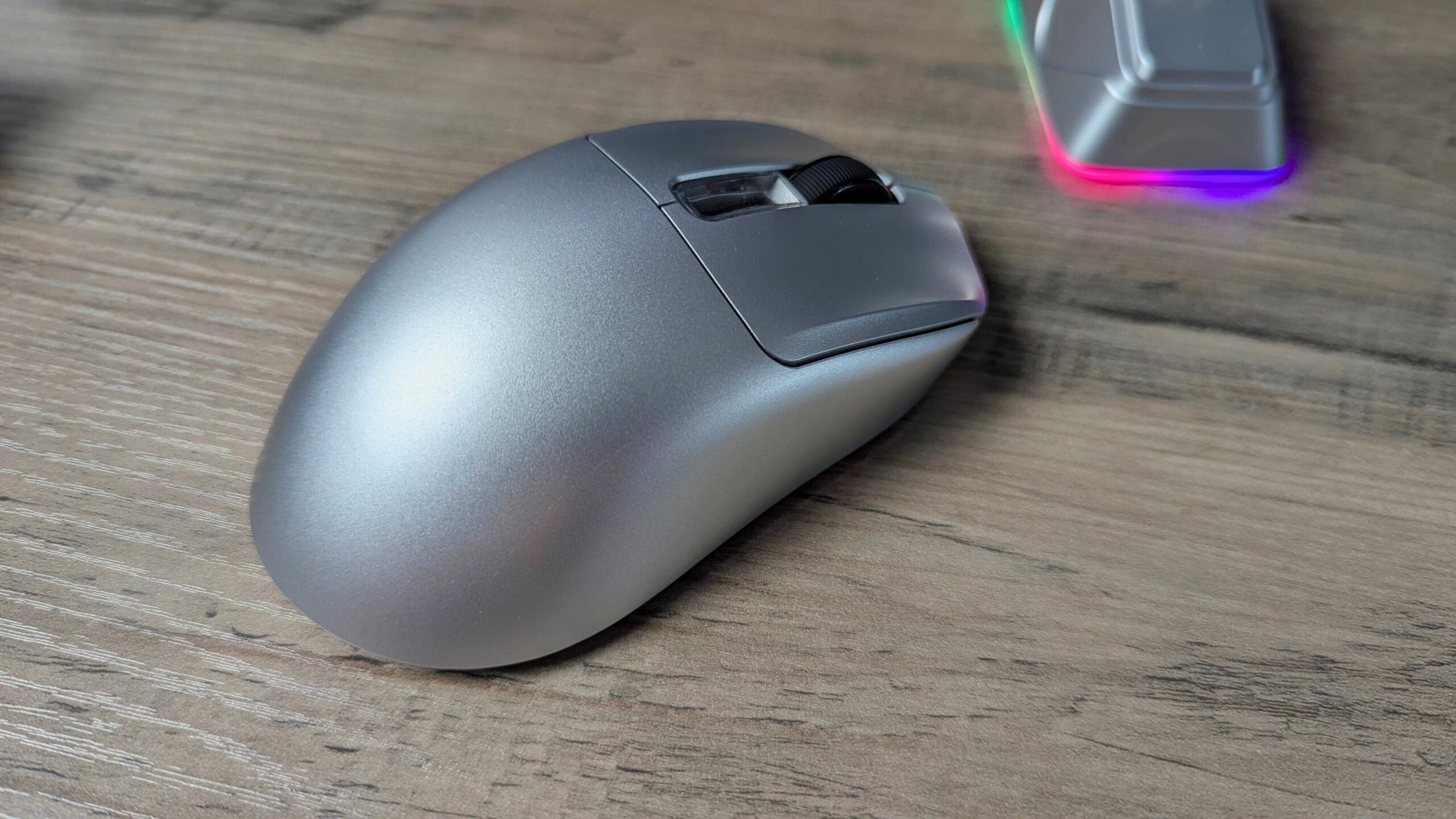
The matte coating provides a decent grip without feeling overly rough, while the build quality is solid for the price. There is minimal shell flex under normal pressure, and the buttons feel stable with little pre-travel wobble.
Key Specifications
| Specification | EPOMAKER NEX Pro |
|---|---|
| Sensor | PixArt PAW3950 |
| Maximum DPI | 42,000 DPI across six configurable stages |
| Polling rate | Up to 8,000 Hz over 2.4 GHz and USB-C wired; 125 Hz over Bluetooth |
| Tracking | 750 IPS, 50 G acceleration |
| Weight | Approximately 65 g |
| Dimensions | 122 × 65 × 42 mm (L × W × H) |
| Connectivity | Tri-mode: 2.4 GHz dongle, Bluetooth, and USB-C wired |
| Battery | 500 mAh |
| Battery life | Approximately 350 hours at 125 Hz; 90–110 hours at 1,000 Hz; 50 hours at 8,000 Hz |
| Main switches | Omron optical switches |
| Included extras | RGB magnetic charging dock, USB-C cable |
| Typical price | Approximately $79.99 |
Sensor and Performance
The headline feature is the PixArt PAW3950, one of the highest-end optical sensors currently available. It is paired with a Nordic MCU to handle the mouse’s high polling rates and wireless operation.
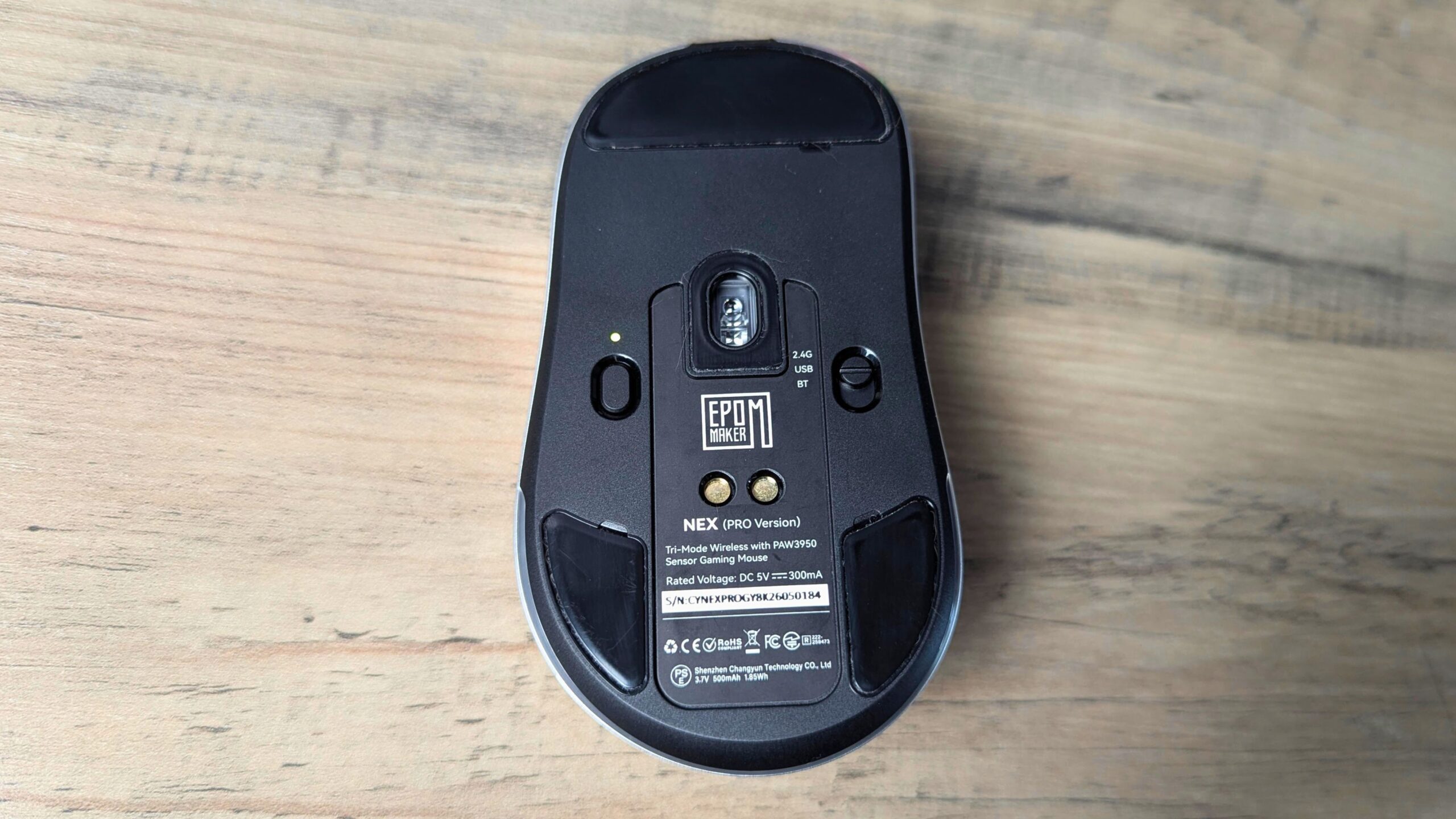
The sensor offers up to 42,000 DPI across six configurable stages. That is more resolution than most users will ever need, but it can be useful if you run very low in-game sensitivity while keeping a high desktop DPI. The EPOMAKER NEX Pro is also rated for tracking speeds of up to 750 IPS and 50 G acceleration, figures that are well beyond typical human hand movement.
In practice, the sensor delivers extremely consistent tracking, minimal spin-outs, and very low latency when running at 1,000 Hz or 8,000 Hz. Those benefits are most relevant in fast shooters and other competitive titles where rapid movements and a responsive connection matter.
Connectivity and Battery Life
The EPOMAKER NEX Pro supports tri-mode connectivity, giving it a 2.4 GHz wireless mode for gaming, Bluetooth for productivity, and USB-C wired operation. The separate 2.4 GHz dongle is the primary gaming connection and supports both 1,000 Hz and 8,000 Hz polling. Bluetooth reduces the polling rate to 125 Hz, but this helps conserve battery power during work, browsing, and other desktop tasks.
USB-C wired mode supports the full 8,000 Hz polling rate while also charging the mouse. This gives you a way to continue playing at maximum responsiveness if the battery runs low.
EPOMAKER rates the 500 mAh battery for approximately 350 hours at 125 Hz over Bluetooth, 90–110 hours at 1,000 Hz, and around 50 hours at 8,000 Hz. That is a strong balance for this class of mouse. You can use 2.4 GHz wireless for gaming, switch to Bluetooth for work, and potentially stretch charges over several days or even weeks depending on your settings and usage.
During approximately one week of use for three to four hours per day, the EPOMAKER NEX Pro delivered very good battery life at average settings. It did not need to be recharged during that period and still showed 60% battery remaining while connected over Bluetooth.
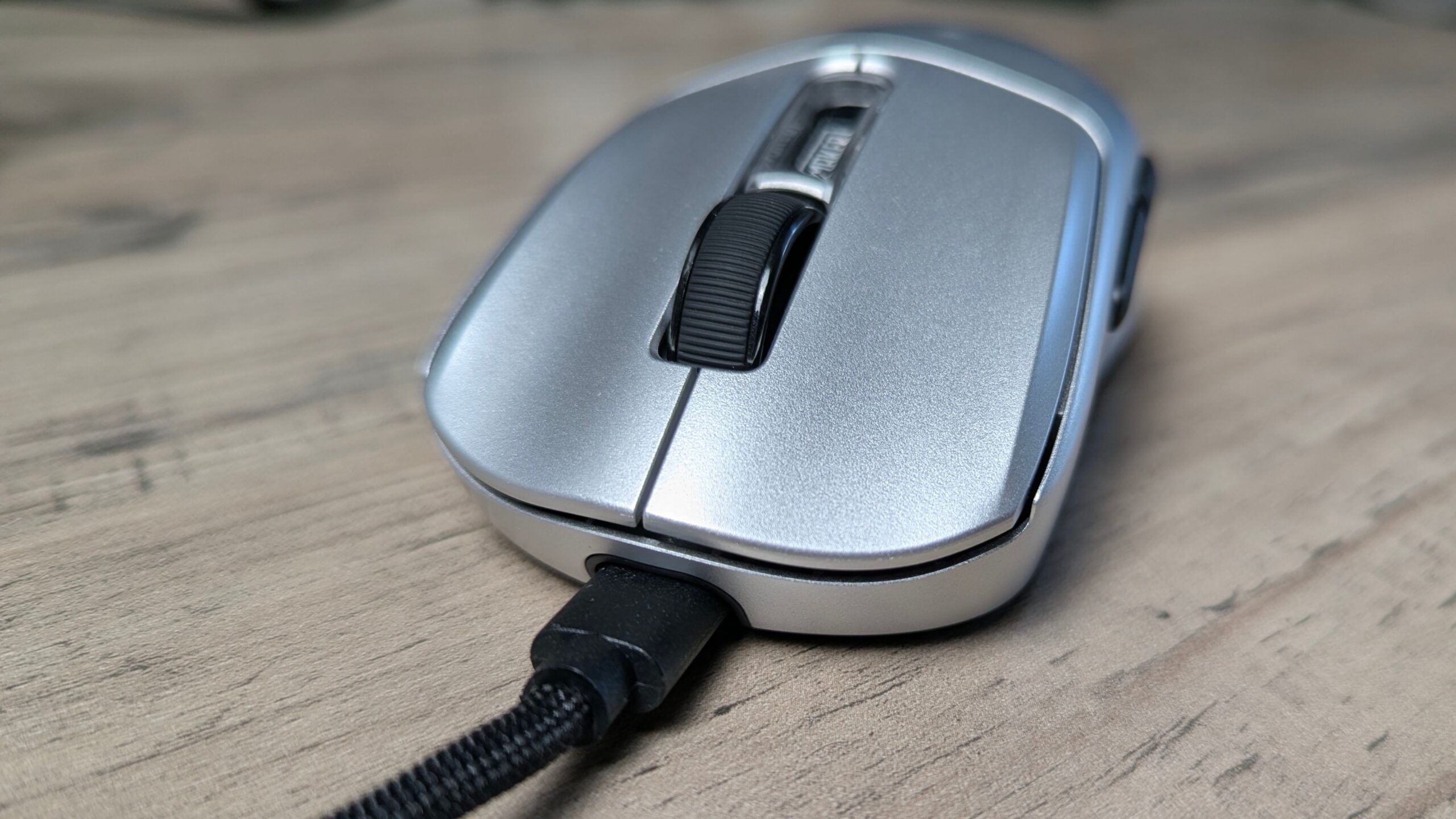
The mouse charges through the included USB-C cable, which can be connected directly to the mouse or used with the charging dock.
RGB Charging Dock
One of the NEX Pro’s standout extras at this price is its RGB magnetic charging dock. The dock connects to your PC using the supplied USB-C cable, carrying power and data for its integrated receiver functionality while also providing a convenient charging base.


The mouse attaches magnetically to the dock’s charging contacts. Alignment is straightforward, and the mouse snaps into place without requiring fiddly adjustment. The dock also supports a 2.4 GHz RF connection to the mouse, keeping the wireless receiver close to the mouse on your desk.
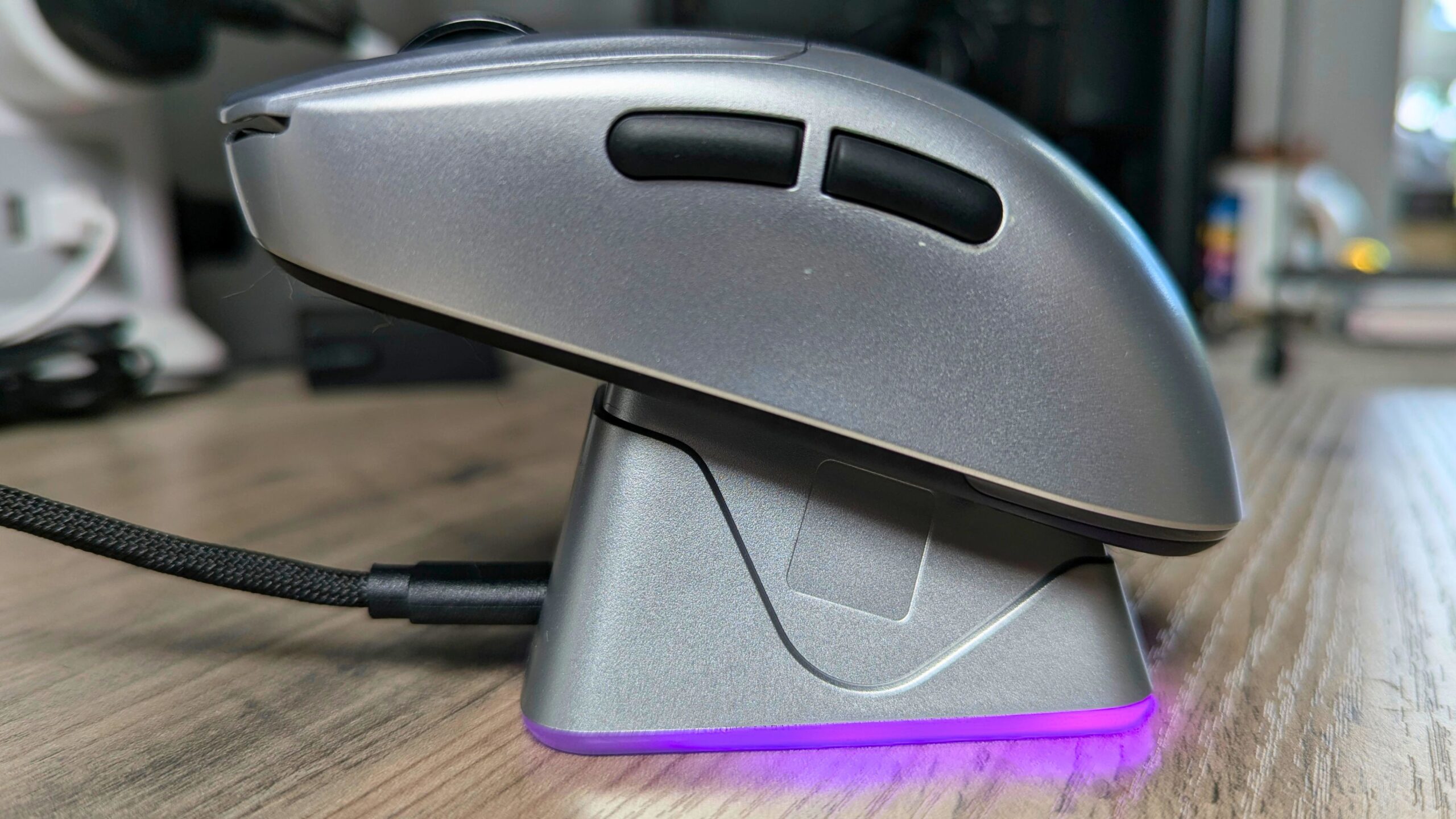
The dock features customisable RGB lighting, and its front panel provides a useful hardware shortcut. Tapping the front of the dock cycles through the available lighting modes without requiring you to open the configuration software.
In use, the dock acts as both a charging base and a visual centrepiece for a gaming setup. It offers a similar convenience to higher-end wireless mouse ecosystems while being bundled with a mouse at a mid-range price.
Buttons and Scroll Wheel
The main buttons use Omron optical switches. They provide crisp actuation without the physical contact wear mechanism associated with traditional mechanical switches, with the aim of delivering a long service life and consistent feel.
The side buttons and DPI button follow a standard layout for an ergonomic right-handed mouse. Their count and placement mirror the common design used in this class of gaming mouse, so they should feel familiar to most users.
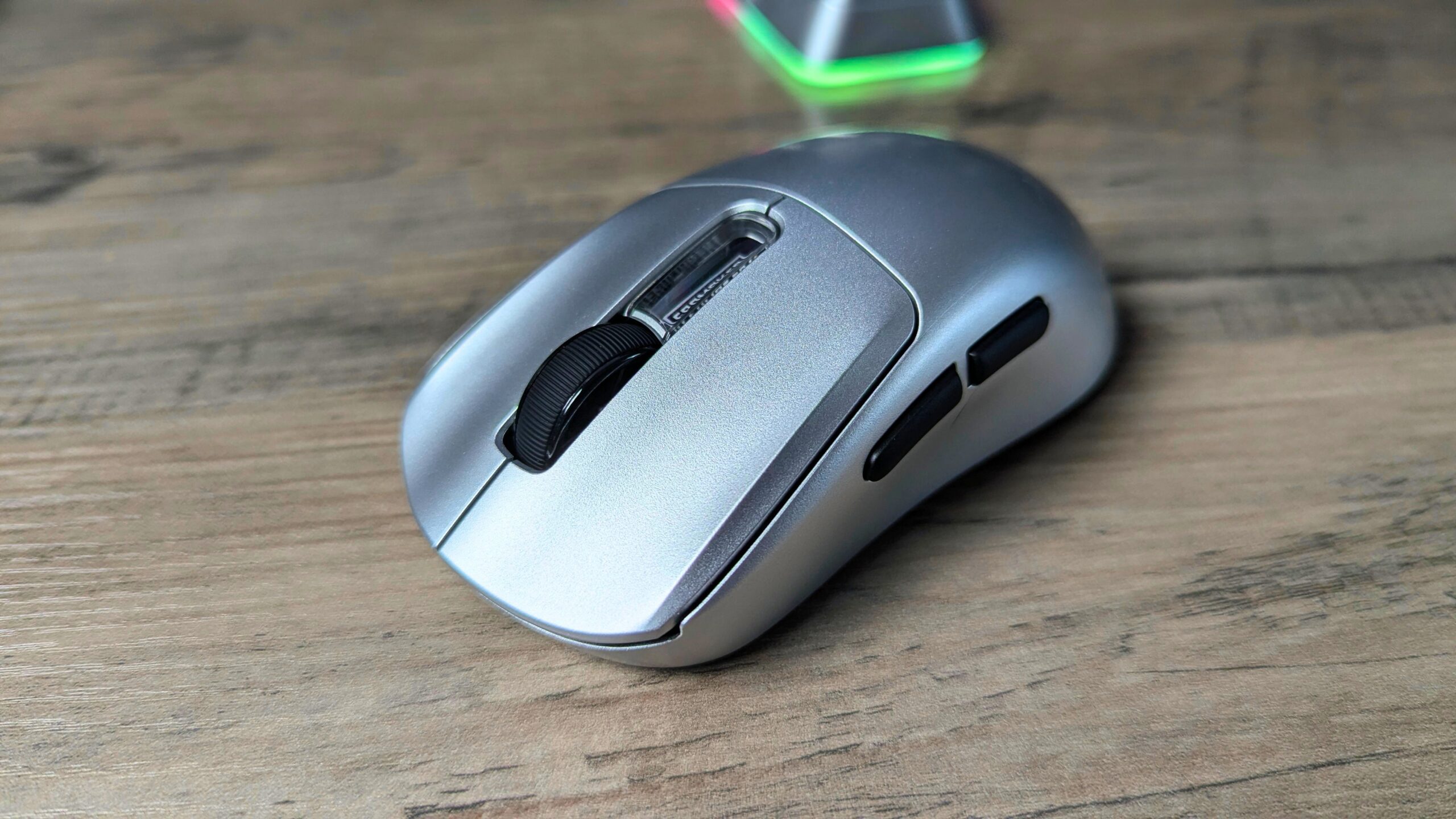
The scroll wheel uses a typical gaming-mouse encoder. It is functional and precise, although it is not particularly exotic compared with the scroll wheels found on premium flagship models.
In-Hand Feel and Grip Styles
The NEX Pro’s 122 × 65 × 42 mm dimensions and approximately 65 g weight make it best suited to medium to large hands. Its shape works particularly well with palm and hybrid palm/fingertip grips, while the defined rear support and thumb rest give the hand a clear resting position.
If you prefer very small, symmetrical mice or ultralight shells for extreme flicking, the EPOMAKER NEX Pro will feel larger and slightly heavier than your ideal. Its shape is designed for support and everyday comfort rather than the smallest possible footprint.
Build Quality, Glide, and Click Feel
The shell feels rigid, with minimal flex under normal pressure, and the buttons remain stable with little wobble. The coating provides a useful balance between smoothness and grip, and it should resist sweat reasonably well for most users.
Actuation is crisp, with a clean optical switch feel. The sound profile is moderate: the clicks are clearly present but are not overly loud or especially clicky. The left and right main buttons feel consistent, with no obvious imbalance in travel or force.
Popular right now
What people are buying this month
Prices as listed on each store

GPD WIN 5 (AI Max HX 385 - 32GB_RAM/1TB_NVME) (Raven Black)



 on 15 storesGPD WIN 5 (AI Max HX 385 - 32GB_RAM/1TB_NVME) (Raven Black)Choose where to buy — prices as listed on each store.
Prices are the ones Weekly last read from each store — check the store page before you buy.


MANGMI Pocket Max (Snapdragon 865 - 8GB_RAM/128GB_STORAGE) (Retro GB)
 on 14 storesMANGMI Pocket Max (Snapdragon 865 - 8GB_RAM/128GB_STORAGE) (Retro GB)Choose where to buy — prices as listed on each store.
Prices are the ones Weekly last read from each store — check the store page before you buy.
 RETROID Pocket 6 - 12GB RAM/128GB SSD [SILVER]Choose where to buy — prices as listed on each store.
Prices are the ones Weekly last read from each store — check the store page before you buy.
The stock PTFE feet provide a smooth glide on common surfaces such as cloth desk mats and hard pads. Their conventional shape should also make aftermarket feet relatively easy to fit if you enjoy modifying your mouse.
The EPOMAKER NEX Pro feels very responsive subjectively at both 1,000 Hz and 8,000 Hz in 2.4 GHz mode. Whether 8,000 Hz feels meaningfully better depends on the game genre, your monitor’s refresh rate, and the available CPU headroom in your system. Fast FPS games and high-refresh-rate displays are more likely to expose the difference than slower titles.
For many users, 1,000 Hz will already feel excellent, while 8,000 Hz can provide a marginal but noticeable smoothness boost in high-speed scenarios. Wired mode matches 2.4 GHz in responsiveness and adds the benefit of charging while you play.
Software Experience
Instead of traditional operating-system software, EPOMAKER uses a web-based configuration system. It works well for adjusting the mouse, and avoiding a separate installation is convenient, but relying on a website raises a long-term concern: what happens if the website is unavailable or permanently closes?
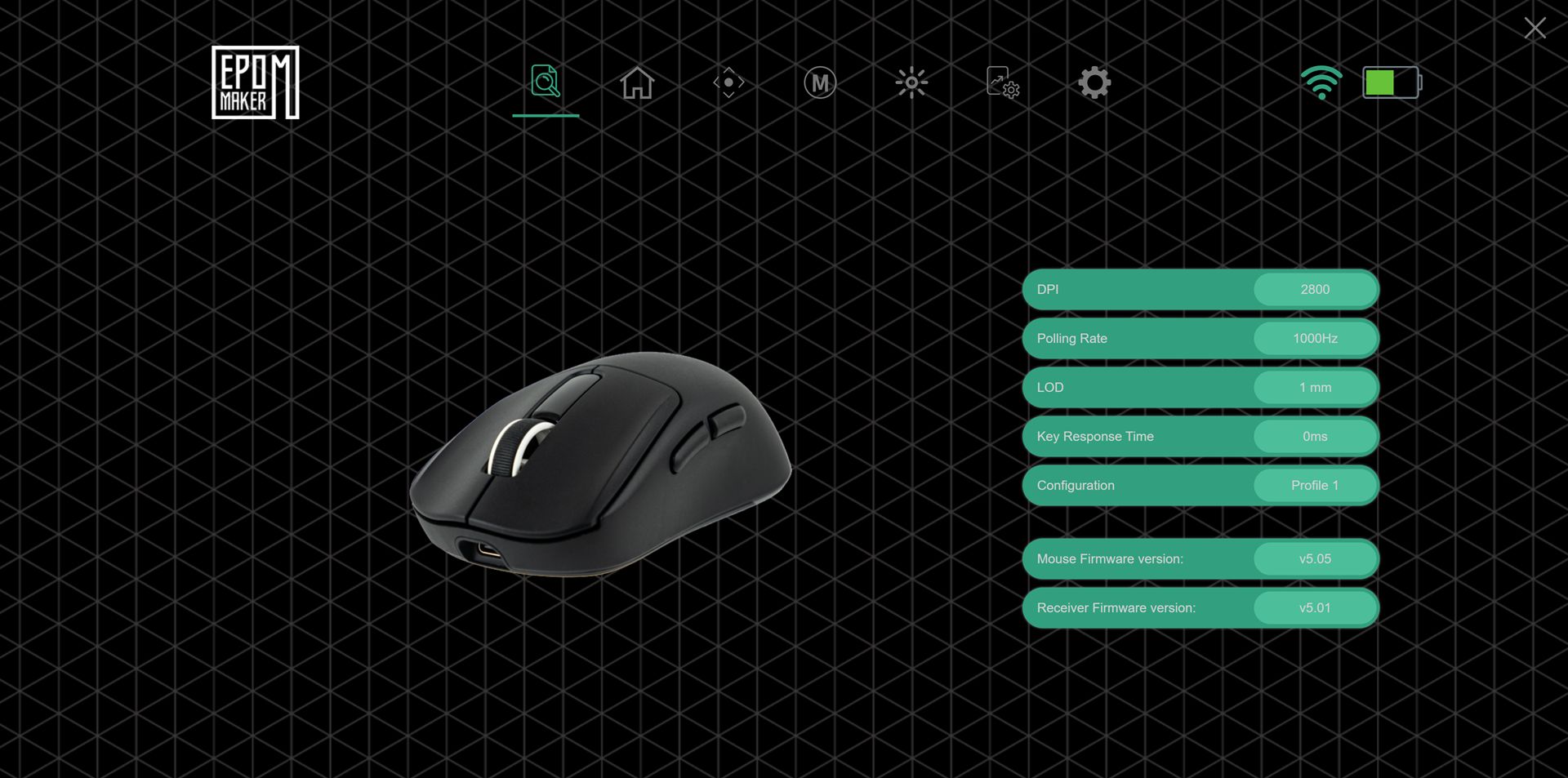
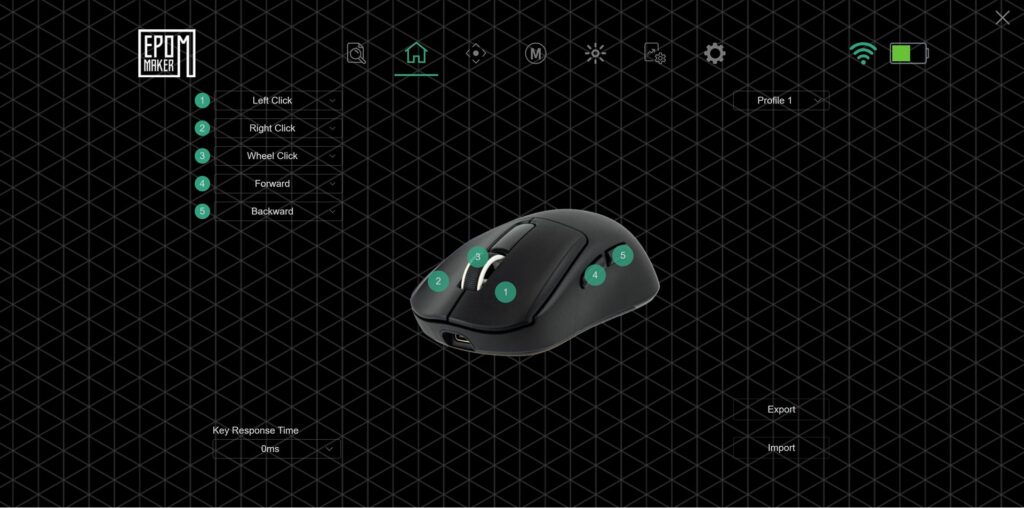
A web-based tool is useful because it avoids installing software, but offering both a web application and an installable configuration utility would be a better long-term and practical solution. It would give users a local fallback while preserving the convenience of browser-based setup.
The configuration system lets you set up to six DPI stages, choose the polling rate including 8,000 Hz where supported, remap buttons, assign macros, and adjust RGB effects for both the mouse and charging dock.
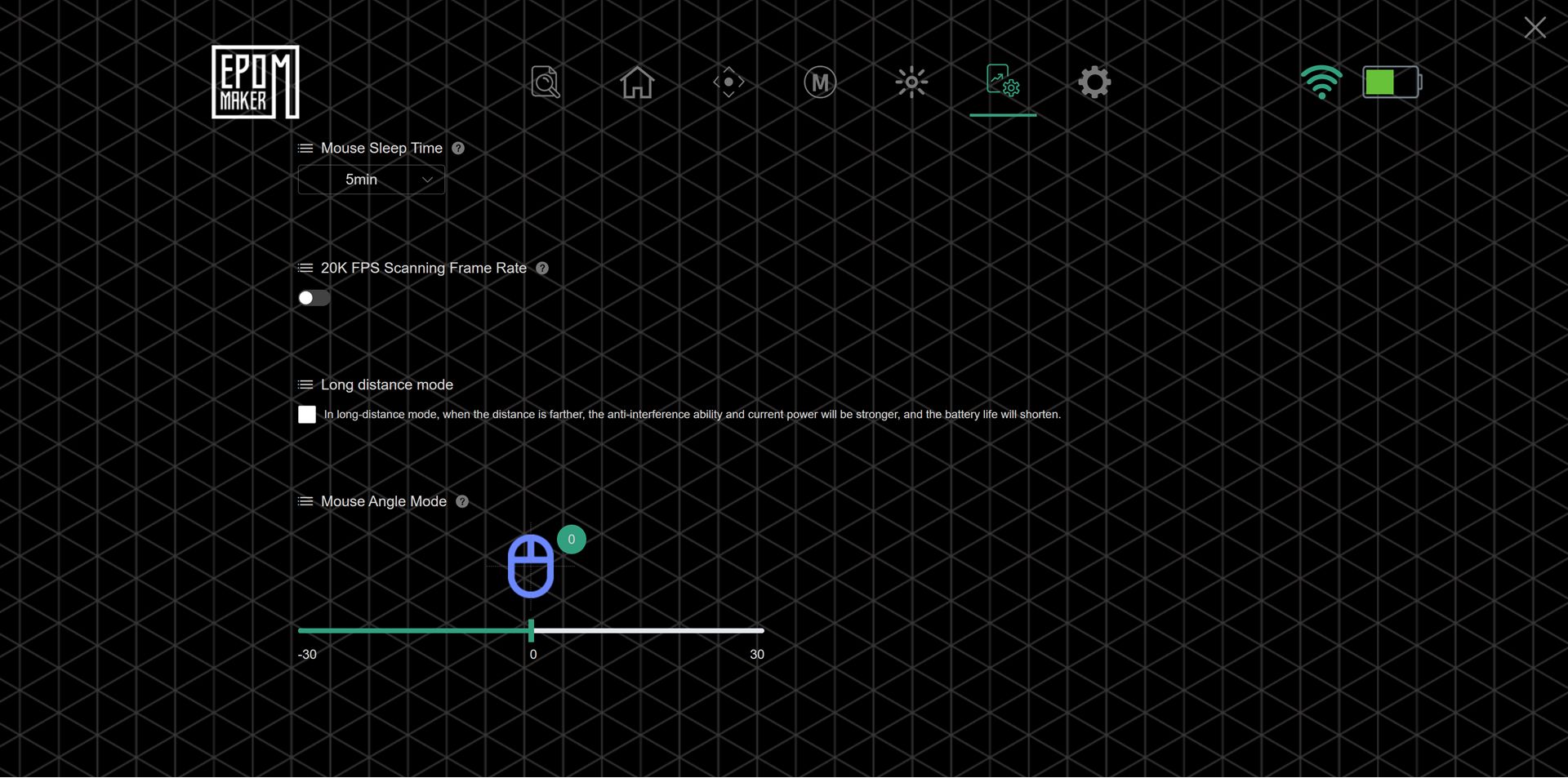
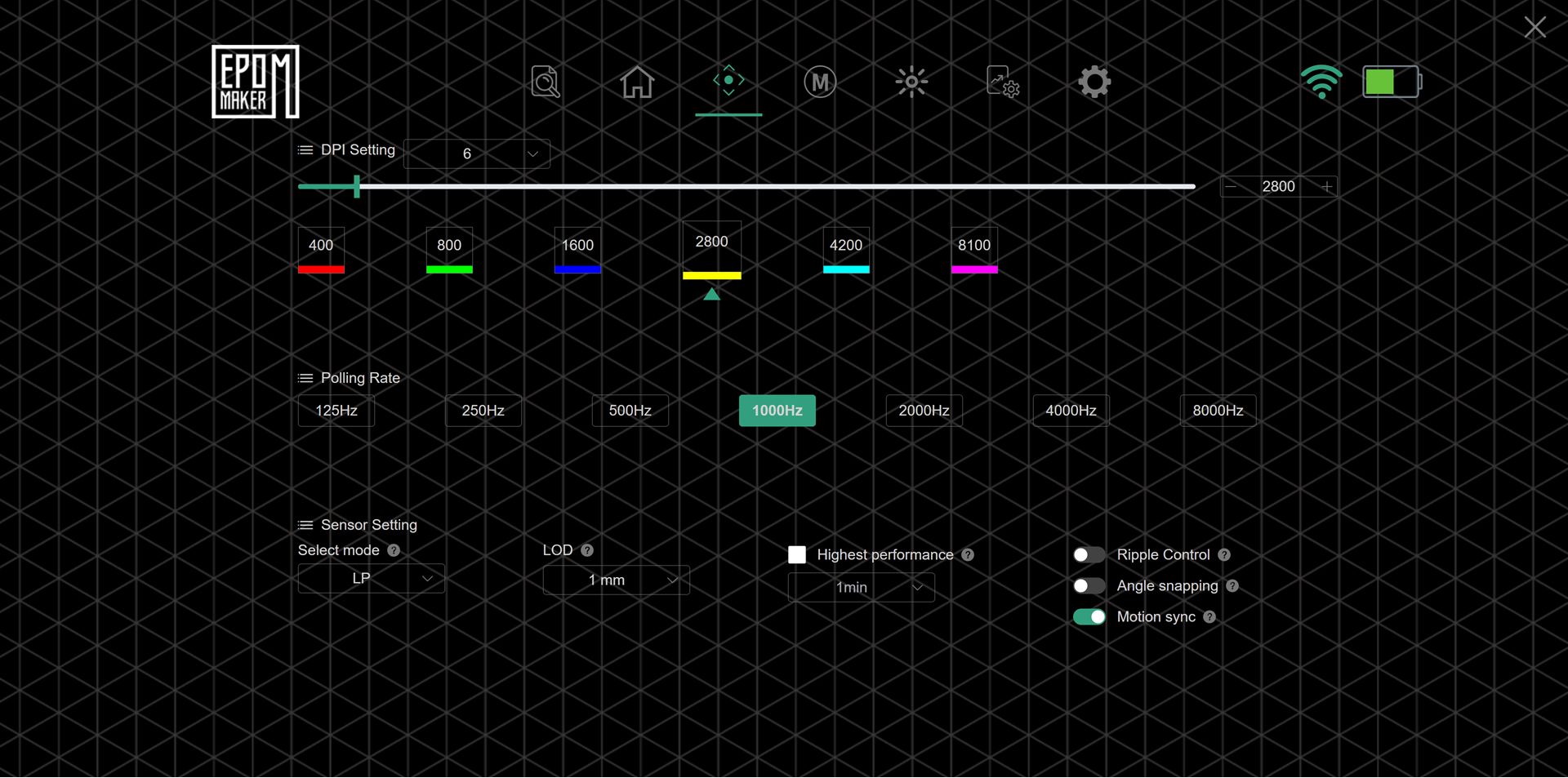
As a note, we was creating media for this review and attempted to access the web site to take screenshots. The page was incredibly slow to load which delayed completing this review. It took over 15 minutes for the pages to completely load. It is simply not good enough if you need to change settings and this is the only way to do it.
Value and Competition
At approximately $79.99, the EPOMAKER NEX Pro sits in a competitive part of the wireless gaming mouse market, alongside other models offering high-end sensors and 8,000 Hz polling. Its main advantages are the PAW3950 sensor at a mid-range price, 8K wireless in a comfortable ergonomic shell, an RGB charging dock with tap-controlled lighting, and strong battery life for its class.
Compared with simpler models such as the EPOMAKER Click or NEX Lite, the NEX Pro adds a more ergonomic shape, a higher-end sensor, 8K support, and the charging dock. That makes it a better fit as a primary gaming mouse rather than a compact all-rounder.
Our Verdict - Is the EPOMAKER NEX Pro worth buying?
The EPOMAKER NEX Pro is a compelling mid-range wireless gaming mouse for buyers who want high-end sensor performance, 8K wireless polling, long battery life, and an ergonomic shape without paying flagship prices. The RGB charging dock adds useful convenience and visual appeal, although the web-only software is less reassuring as a long-term solution than a hybrid web-and-desktop application.
The EPOMAKER NEX Pro offers plenty to experiment with, including multiple polling rates, six DPI stages, RGB customisation, and a comfortable ergonomic design that can serve as a daily driver. If you have enjoyed mice such as the EPOMAKER Click but want something larger, more ergonomic, and supplied with a dock, the NEX Pro is a natural step up.
Short answer: Yes, the EPOMAKER NEX Pro is a strong choice for medium to large-handed users who want 8K wireless performance and a charging dock at around $80.
Best for: Medium to large hands, palm or hybrid palm/fingertip grips, competitive gaming, long desktop sessions, and users who value battery life and a tidy RGB desk setup.
Not ideal for: Users who need an ultralight mouse below 50 g, strongly prefer symmetrical or ambidextrous shapes, or want the most polished software and ecosystem integration over raw specifications.
Current status: Reviewed hardware; software and battery observations are based on approximately one week of use.
Who Should Buy the EPOMAKER NEX Pro?
The EPOMAKER NEX Pro is a good fit if you want a PAW3950 sensor and 8K wireless mouse without paying flagship prices. It is also well suited to users who prefer an ergonomic right-handed shape for medium to large hands, value long battery life and a charging dock for a tidy RGB-friendly desk setup, or enjoy adjusting DPI and polling settings while having substantial sensor headroom.
You might look elsewhere if you need an ultralight mouse weighing less than 50 g for low-arm-weight FPS play, strongly prefer symmetrical or ambidextrous shapes, or want absolutely top-tier software polish and ecosystem integration rather than prioritising the hardware specifications.
Frequently Asked Questions
Does the EPOMAKER NEX Pro support 8K wireless polling?
Yes, the EPOMAKER NEX Pro supports up to 8,000 Hz polling over its 2.4 GHz wireless connection and USB-C wired mode. Bluetooth is limited to 125 Hz to help conserve battery power.
How long does the EPOMAKER NEX Pro battery last?
The battery is rated for approximately 350 hours at 125 Hz over Bluetooth, 90–110 hours at 1,000 Hz, and around 50 hours at 8,000 Hz. In the supplied week-long test, the mouse was used for three to four hours per day without recharging and still showed 60% battery remaining over Bluetooth.
Is the EPOMAKER NEX Pro suitable for large hands?
Yes, the EPOMAKER NEX Pro is designed for medium to large hands. Its 122 × 65 × 42 mm ergonomic shell, fuller rear, defined spine, and left-side thumb rest are particularly suited to palm and hybrid palm/fingertip grips.
Does the EPOMAKER NEX Pro include a charging dock?
Yes, the EPOMAKER NEX Pro includes an RGB magnetic charging dock. The mouse snaps onto the dock’s charging contacts, while the dock connects to the PC through the supplied USB-C cable and supports the 2.4 GHz RF connection.
Is the EPOMAKER NEX Pro software downloadable?
EPOMAKER’s configuration system is web-based rather than traditional installable operating-system software. It supports DPI stages, polling-rate selection, button remapping, macros, and RGB adjustment, but a local software fallback would offer better long-term reassurance.
EPOMAKER NEX Pro Review
The EPOMAKER NEX Pro combines a PAW3950 flagship sensor, 8K wireless polling, ergonomic 65 g design, long‑life 500 mAh battery, and an RGB magnetic charging dock with tap‑controlled lighting into a mid‑range wireless gaming mouse.
Vad vi gillade
- Flagship PAW3950 sensor
- True 8K wireless polling
- Comfortable ergonomic shape
- RGB magnetic charging dock
- Strong battery life
Kunde vara bättre
- Right‑handed only
- Online only mouse configuration

Bringer of videos, text and images! AKA the social media guy at DROIX. Massive retro gaming fan and collector, with a far too large collection of consoles and computers from 1970's to modern. Contact me at [email protected]
Frågor & kommentarer
0
Varje fråga får ett svar. Fråga innan du köper — DaveC och teamet svarar inom en arbetsdag, och svaren förblir offentliga så de hjälper nästa läsare också.