




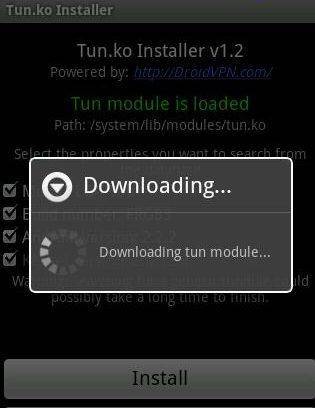
Rare that you need it, but when you do, the “TUN.ko installer” from Google’s Play Store is a life saver for VPN applications not working/connecting.
Open the Play Store application on your device and search for TUN.ko Installer
Click on the correct search result and select install.

Accept the permissions request. Once installed, you can either open it immediately, or if you’re not in the Play Store next time, you’ll find the app listed as normal amongst the other applications. Have a look for the app drawer icon on your launcher’s homepage. Often a circle with six dots, or an “Apps” or “My Apps” labelled icon.
With TUN.ko Installer opened, proceed with the installation. Once this is done, reboot and try your VPN application once again. If no module was found, you will not be able to proceed.
Latest from the blog
Visit the blog EPOMAKER Carbon X Review – 46 g Carbon-Fibre 8K Wireless Mouse for Competitive FPS
2 November 2026
EPOMAKER Carbon X Review – 46 g Carbon-Fibre 8K Wireless Mouse for Competitive FPS
2 November 2026
 GPD WIN Mini Ultra – A Bigger 8-inch 120Hz Screen, Intel Arc G3 Extreme and Dual USB4 v2.0
27 October 2026
GPD WIN Mini Ultra – A Bigger 8-inch 120Hz Screen, Intel Arc G3 Extreme and Dual USB4 v2.0
27 October 2026
 RockTek PJ500 Ultra Review – A 1080p Home Cinema Projector for Streaming and Gaming
27 October 2026
RockTek PJ500 Ultra Review – A 1080p Home Cinema Projector for Streaming and Gaming
27 October 2026
 EPOMAKER RT75 and TH26 Review – Retro 75% Keyboard with Detachable Screen and 5-Key Macro Numpad
26 October 2026
EPOMAKER RT75 and TH26 Review – Retro 75% Keyboard with Detachable Screen and 5-Key Macro Numpad
26 October 2026
Questions & answers