




Files used in this guide
Changelog
LATEST
Unversioned
← current download
- Source guide: Custom Firmware for Retro Handhelds
- Source guide: How To Reinstall Windows On The MinisForum UM250 / DMAF5 / UM700
- Source guide: How To Reinstall Windows On The DroiX CK1
- Source guide: Global Mini PC Reinstall Guide – How to Reinstall Windows on your Beelink, GPD, One Netbook, etc.)
- Source guide: Manually Updating Firmware On A DroiX® Q8-S
- Source guide: WiFi & Windows 10 Creators Update on a DroiX GPD Win
Older versions stay downloadable for rollbacks — every version keeps its own verified file.
Changelog
LATEST
current
← current download
- GPD WIN2 DRIVERS (Run install.cmd) | — | Alternative driver package (run install.cmd).
- GPD WIN WIFI patch | — | Region-specific WIFI patches: AU, JP, US, CN versions. AU: / JP: / US: / CN:. General:
Older versions stay downloadable for rollbacks — every version keeps its own verified file.
Microsoft have recently released the “Creators Update” for Windows 10 (please see here for more information). Unfortunately this update can cause problems when using WiFi. The fix is very easy and takes about a minute. You only need to run this fix if WiFi has suddenly stopped working on your DroiX GPD Win.
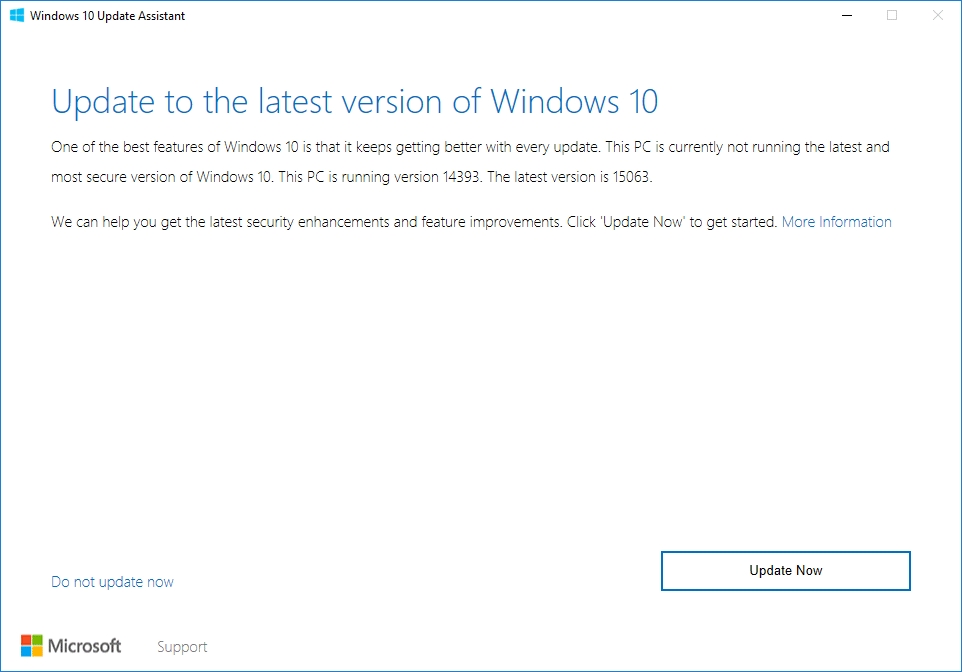
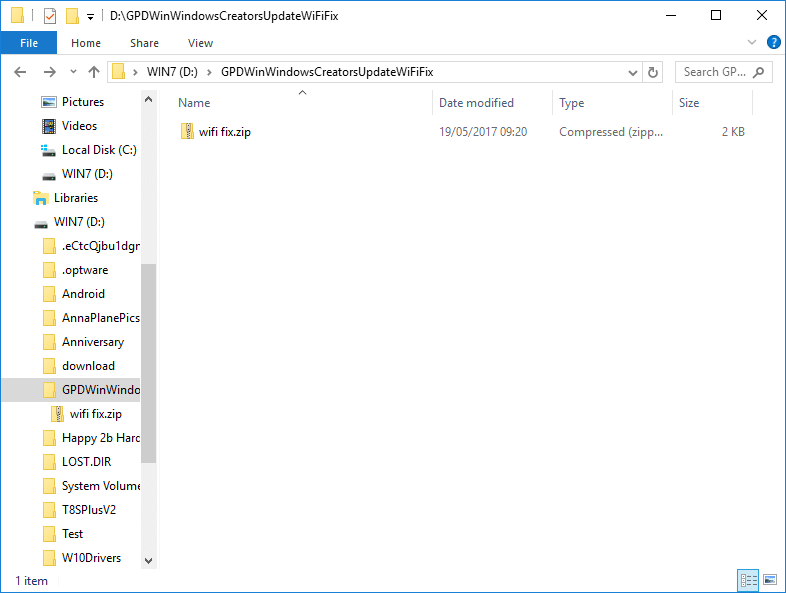
- Please download https://goo.gl/mASA9g . It is safe to ignore the warning if you download this in the Chrome browser, the file is definitely safe. You can click the little arrow next to the download and Select keep. (If you prefer to not see a warning in Chrome regarding the WiFi fix in ZIP form, please download https://goo.gl/nRL0Bk (this contains the same files, in a .7z archive). You would then need to install 7-Zip from http://www.7-zip.org/download.html if you don’t already have it.
Depending on which format you download, this process will give you a file called “GPD Win WiFi Fix Windows 10 Creators Update.zip” or “GPD Win WiFi Fix Windows 10 Creators Update.7z”.

- Copy this file to your Win and right click it (long press on the screen if you’re using your fingers).
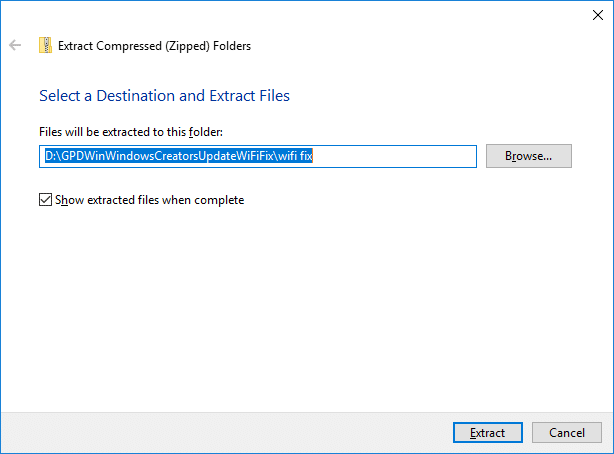
- Select the “Extract All” option and allow it to decompress the two files inside. If you have downloaded the .7z file, right click it and select the 7-Zip menu, then “Extract to GPD Win WiFi Fix Windows 10 Creators Update”.


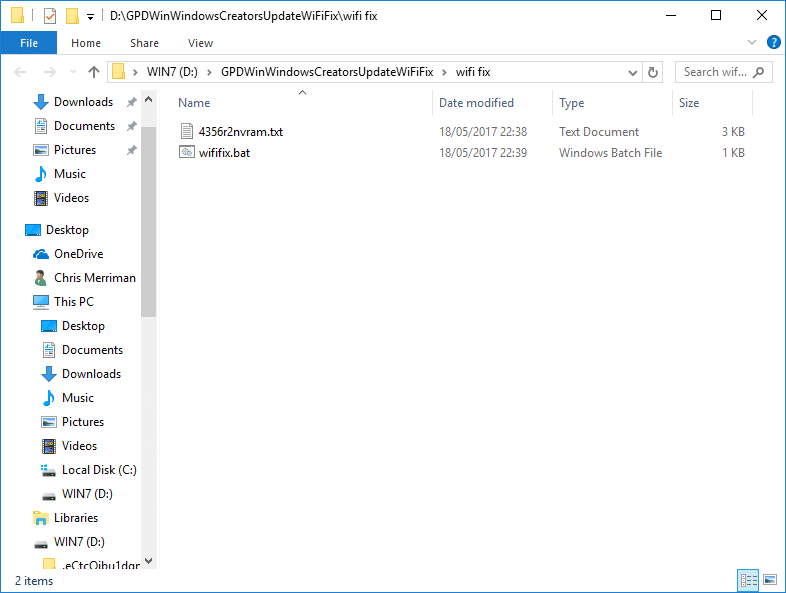
- Now navigate to the directory selected when you extracted the files
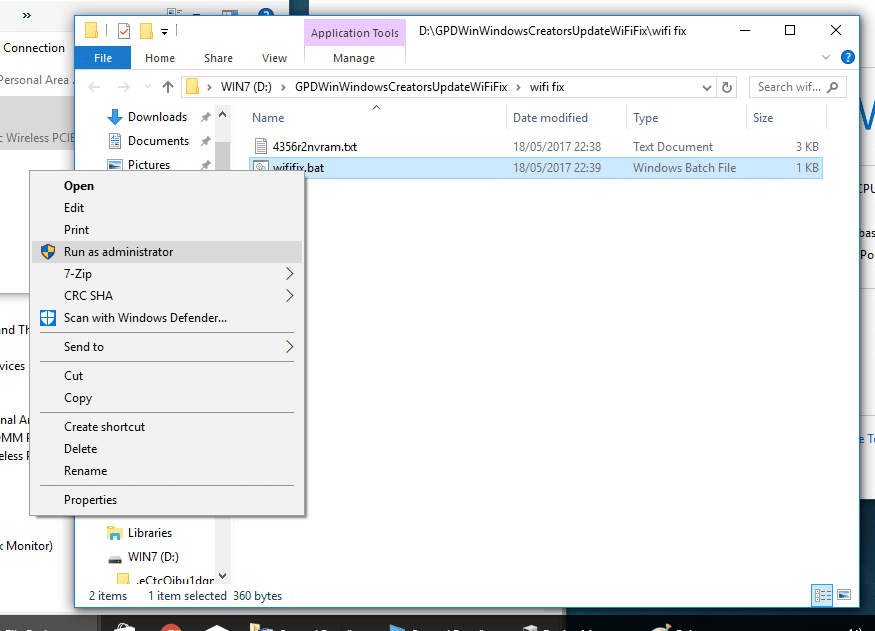
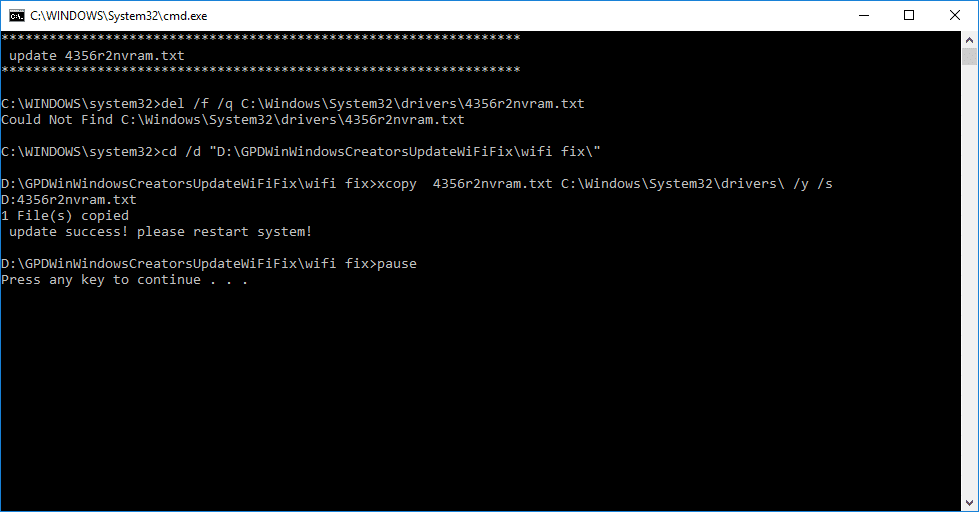
- Right click the “wififix.bat” file and click on Run As Administrator option, then confirm you’re certain. (If you do not see this option, you are looking inside the ZIP file, rather than the decompressed version.)

- Once the process completes, reboot and WiFi should return to normal again.




If you are unsure how to proceed, or have tried the fix but found a problem or indeed have any other queries, please do let us know via [email protected] (to speed up the process, also include your order ID or the full delivery address).
Was this article helpful?
Latest from the blog
Visit the blog ONEXPLAYER 3 Review – 8.8-Inch AMOLED Gaming, Modular Controls and Surprising Battery Life
14 October 2026
ONEXPLAYER 3 Review – 8.8-Inch AMOLED Gaming, Modular Controls and Surprising Battery Life
14 October 2026
 KONKR Pocket BLOCK Announced: A Tiny Vertical Android Handheld with a 4:3 Screen
1 October 2026
KONKR Pocket BLOCK Announced: A Tiny Vertical Android Handheld with a 4:3 Screen
1 October 2026
 KONKR Pocket ADVANCE review – A pocket-sized GBA-focused Android gaming handheld
24 September 2026
KONKR Pocket ADVANCE review – A pocket-sized GBA-focused Android gaming handheld
24 September 2026
 KONKR Pocket Advance Pre-order: A Compact Android Handheld Built for Retro Gaming
23 September 2026
KONKR Pocket Advance Pre-order: A Compact Android Handheld Built for Retro Gaming
23 September 2026
Questions & answers