




Files used in this guide
Changelog
- Source guide: How to update the RG Nano firmware
Older versions stay downloadable for rollbacks — every version keeps its own verified file.
Updating the firmware on the Anbernic RG Nano is very easy to do and takes just a few moments. Each firmware update includes some bug fixes, improvements and features.
RG Nano Firmware Download
Latest RG Nano firmware: RG Nano v1.0.1
Change Log:
- gmenu2x optimizations
- Added RetroArch emulator, standalone emulator and ported games, and increase the category of RetroArch emulator
- 60hz support
- Translations updated
How to update the RG Nano firmware
Please first ensure that the RG Nano is fully charged before performing the firmware update.
Download the latest firmware from above and extract the .zip file on your PC. The filename will be similar to Anbernic-rootfs-1.0.1.fwu depending on the version number.
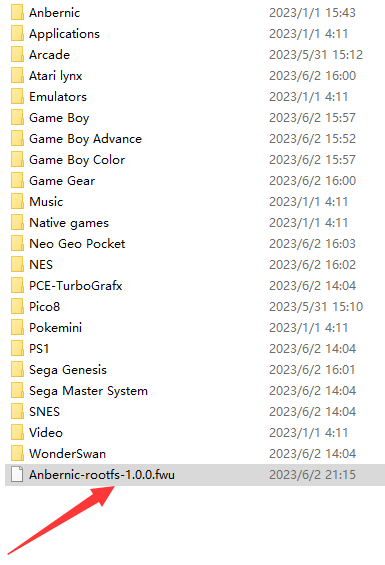
If you have not already, switch off your RG Nano, eject the micro SD card and insert it into your PC. Copy the extracted firmware file the the root folder of the micro SD card. It will look similar to the image below. The filename may be slightly different depending on the firmware version.
Once the file has been copied, you can safely Eject the micro SD card from your PC and re-insert it into your RG Nano. You can now switch on the RG Nano to begin the firmware update.
The update process will now start and take around 5 minutes. Please do not switch off your RG Nano during this process.
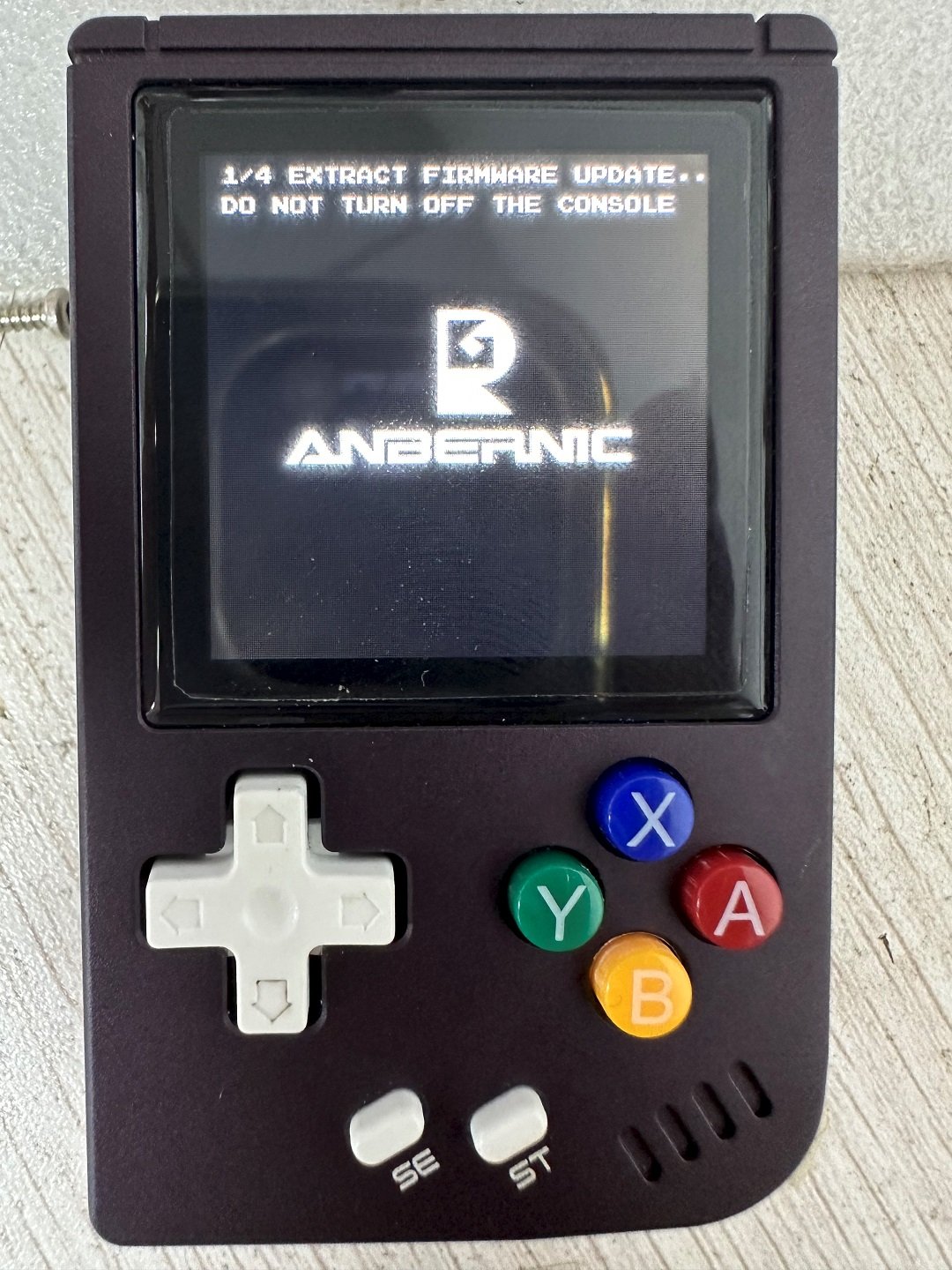
Once the update has been completed the RG Nano will reboot and will boot as normal to the main menu. Your RG Nano firmware is now up to date!
If you want to update the SD card with all the latest additions including updated emulators, you can find the latest stock card image file on our guide here.

Questions & answers 2
Do you need to eject the SD card or can you do it by plugging the device directly into a PC and read the card through it?
Is it just me, or does the link for the firmware download doesn’t do anything. I have clicked all over the page to no avail.