




Files used in this guide
Changelog
- Source guide: AYANEO Pocket S Firmware Reflash Guide
Older versions stay downloadable for rollbacks — every version keeps its own verified file.
The AYANEO Pocket S is a high-end flagship Android handheld game console. Since its launch, the AYANEO Pocket S has received wide acclaim and recognition from gamers. At the same time, AYANEO’s R&D team continues to optimize the software ecosystem to create a more complete handheld gaming experience for gamers.
This time, we have brought gamers the AYANEO Pocket S system upgrade package and image flashing tool, as well as a guide to the system package flashing guide, so that gamers can DIY upgrade Pocket S and instantly get the purest handheld gaming experience.
Downloading the Software and Firmware
You can download all the files required here.
Installation of software and drivers
Install the QPST Tool
Install the Qualcomm 9008 Driver
Firmware Updating
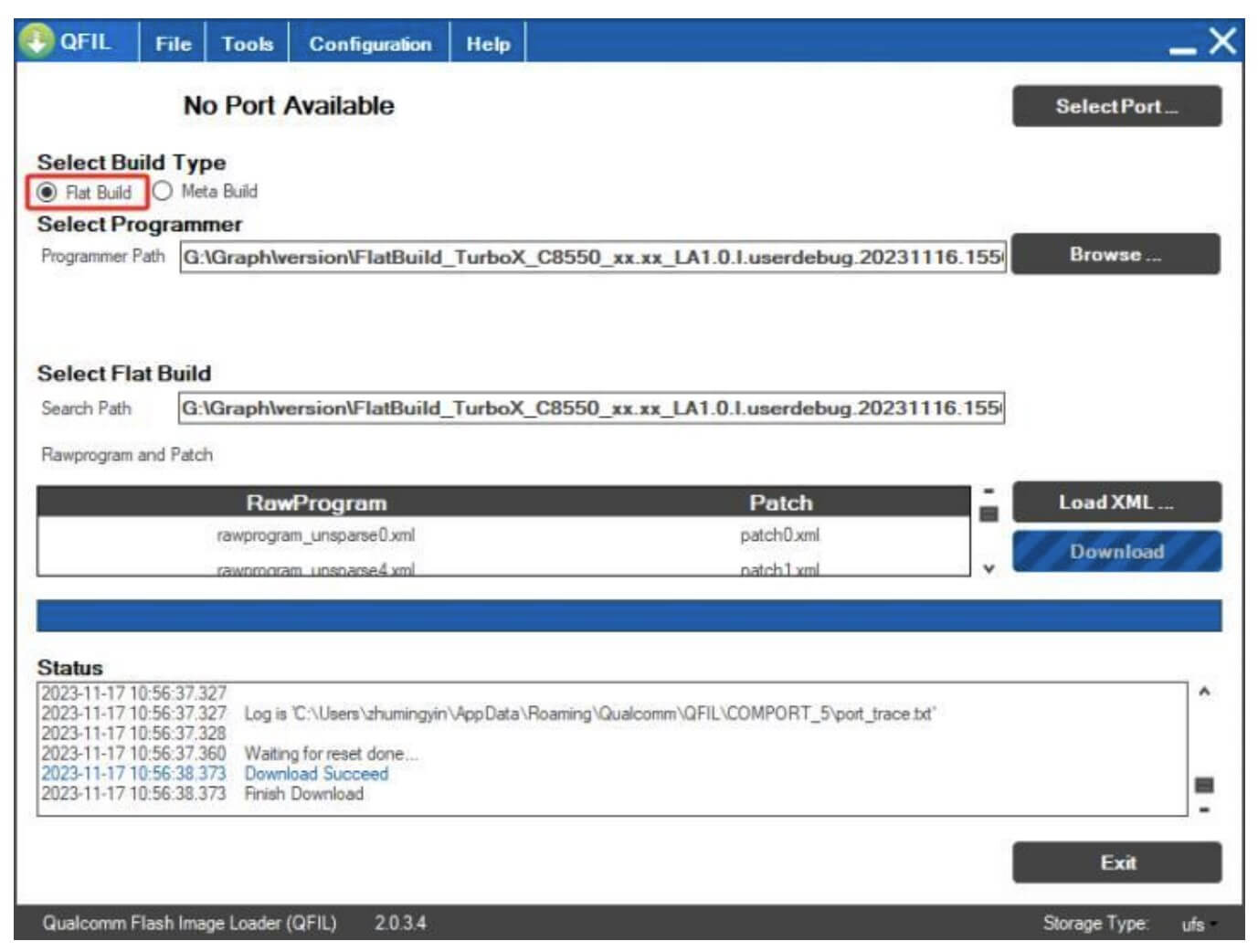
Open the QFIL Tool, select Flat Build
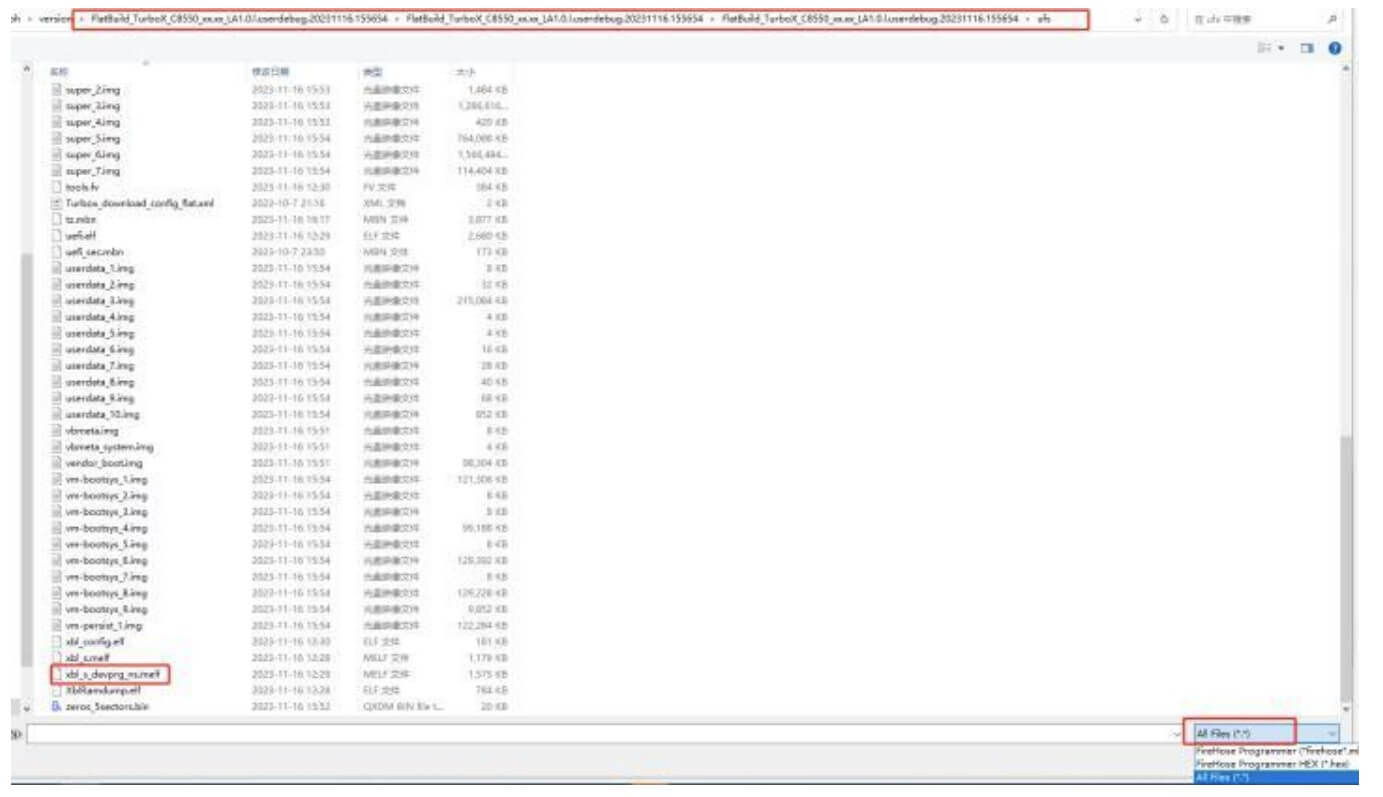
Select Browse. Choose the firmware package path, select all files in the lower right corner, choose thexbl sdevprg_ns.melf file, and click Open
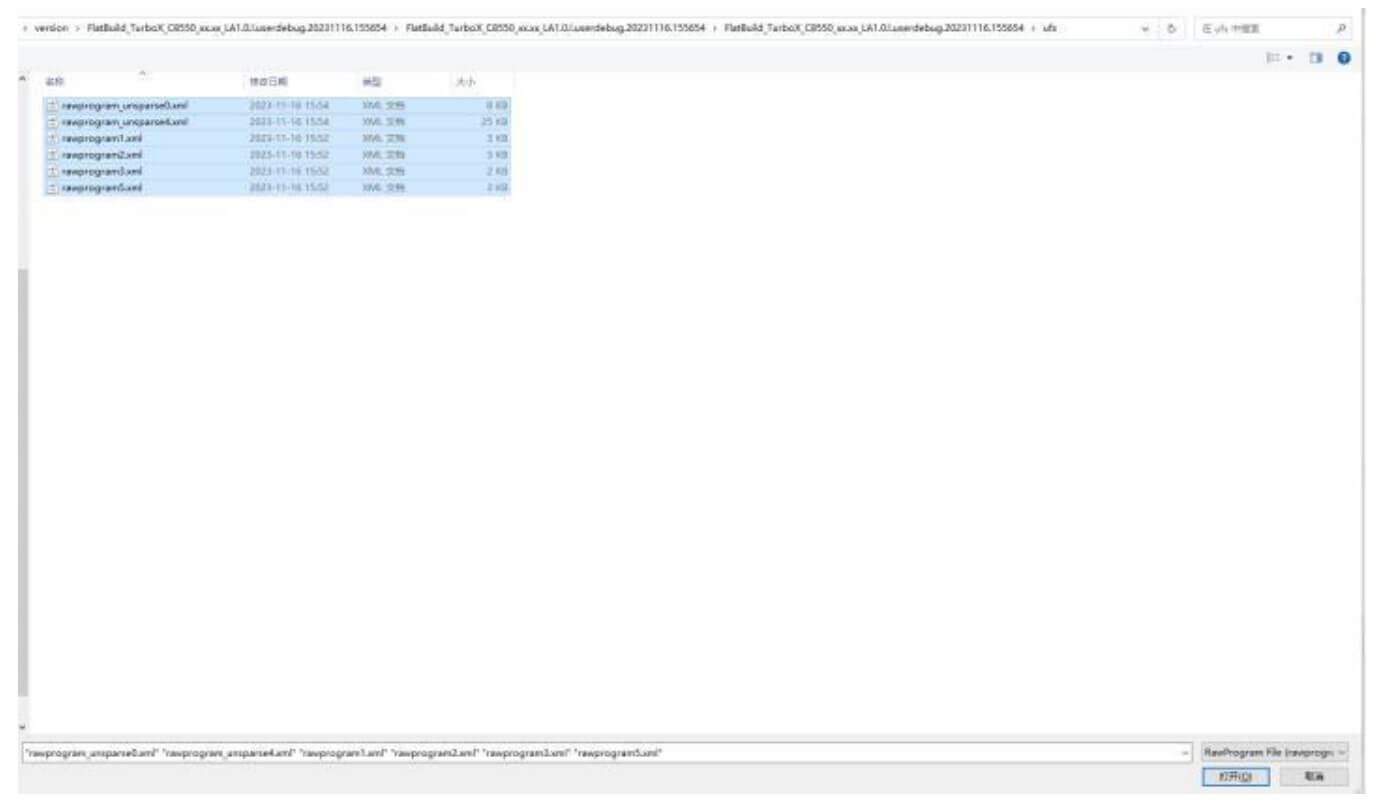
Select Load XML. The path will be automatically located, after confirming the correct path above, select all files, and click Open
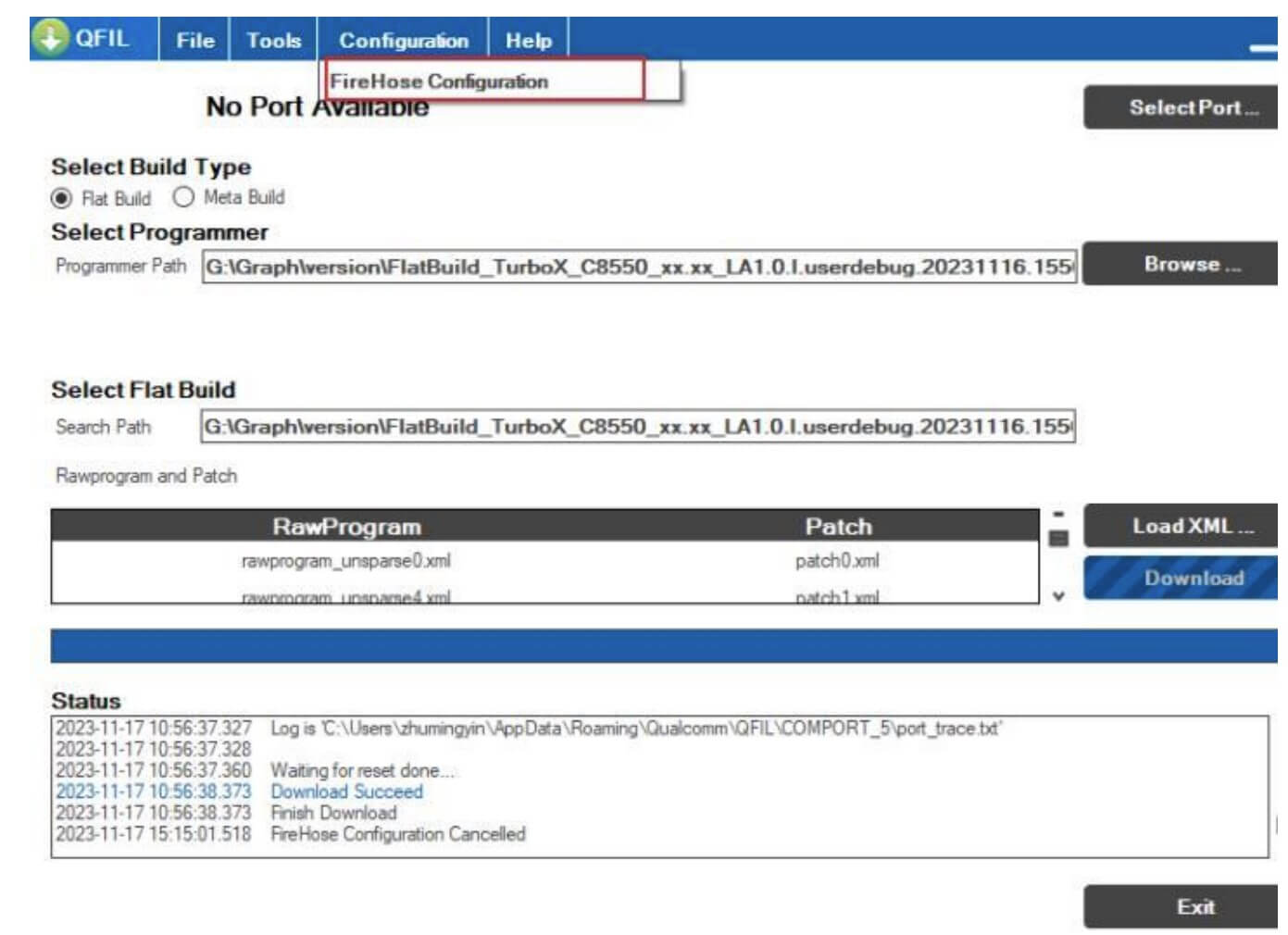
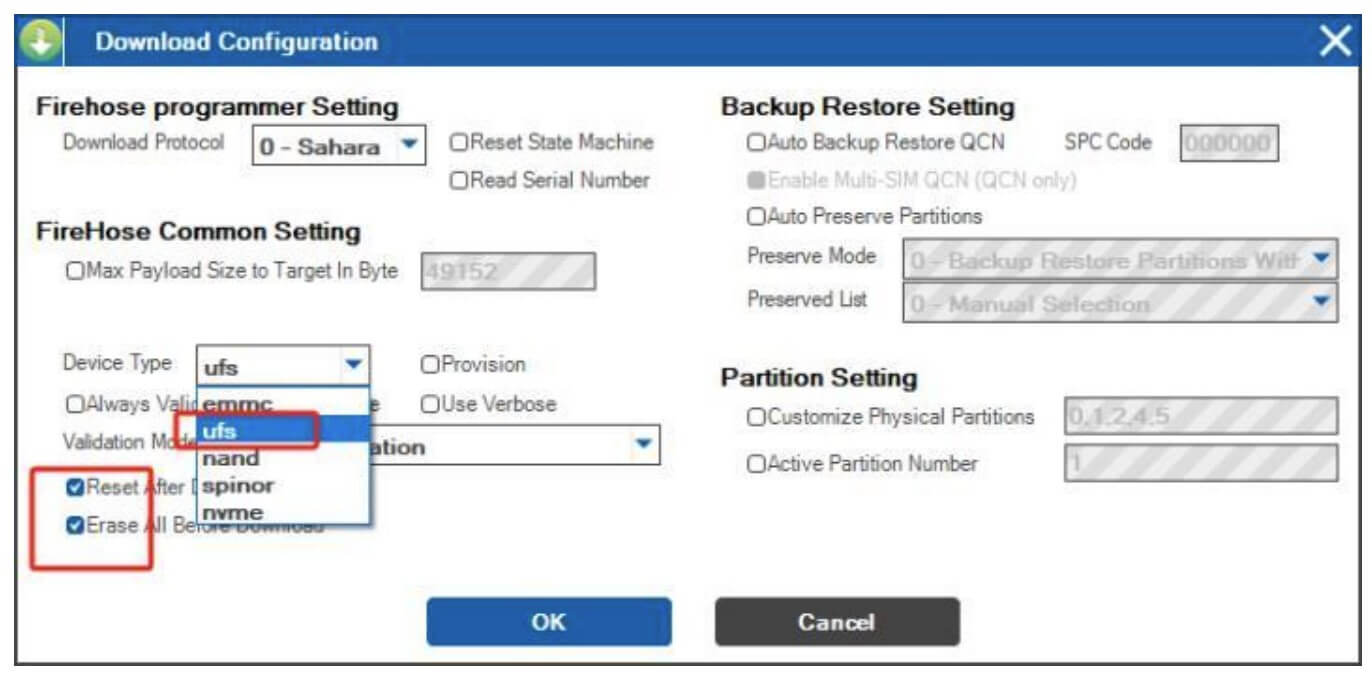
Click configuration at the top, then select FireHose Configuration.
Choose Device Type: UFS
Check: Reset After Download – device will automatically boot after download
Check: Erase All Before Download – fully erase before downloading
Choose according to your needs, and click OK
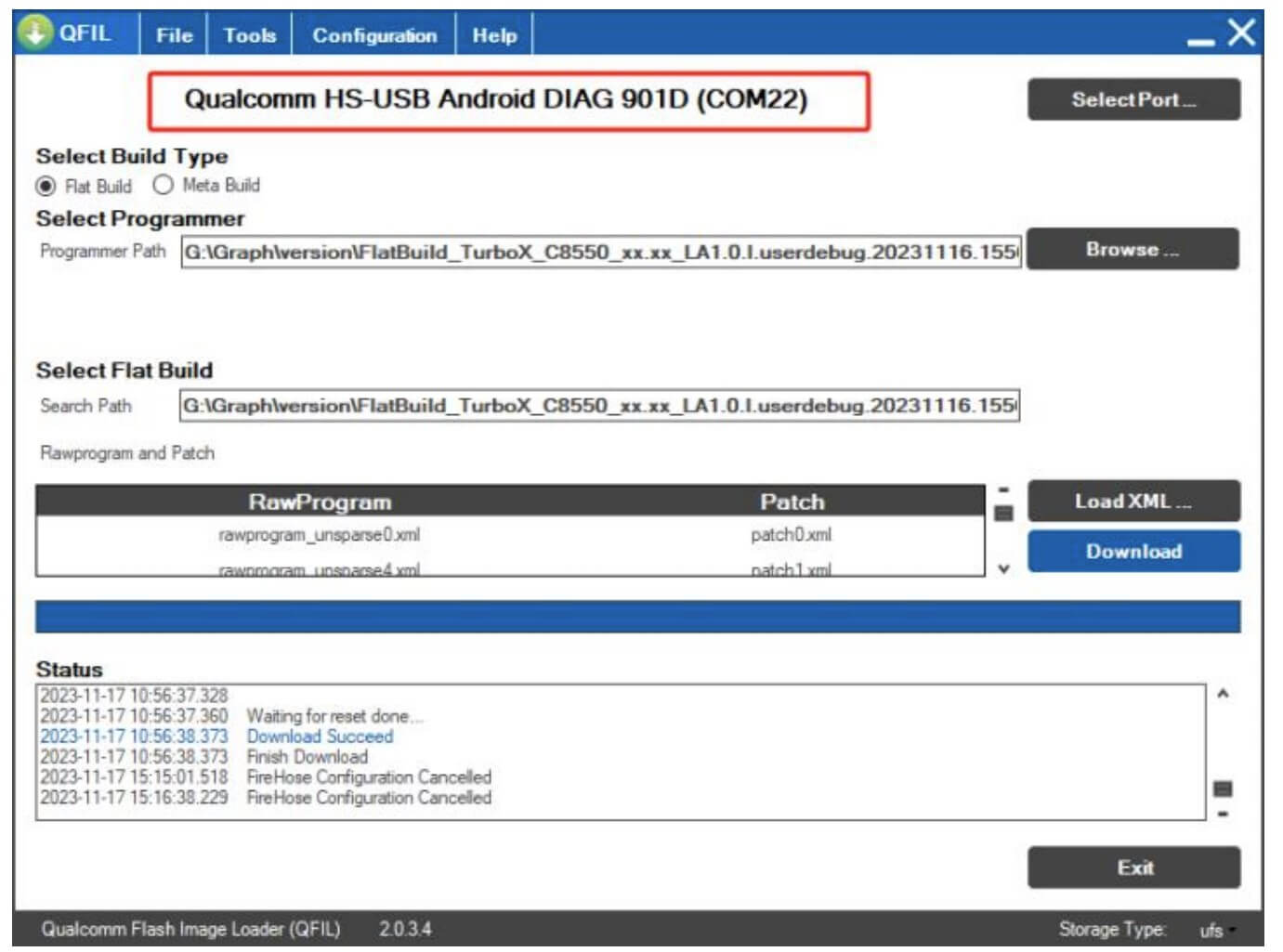
The device enters 9008 mode, connect USB to PC, and 901D port will be displayed at this time.
Adb reboot edl – the device enters 9008 mode, and will display as 9008 at this time.
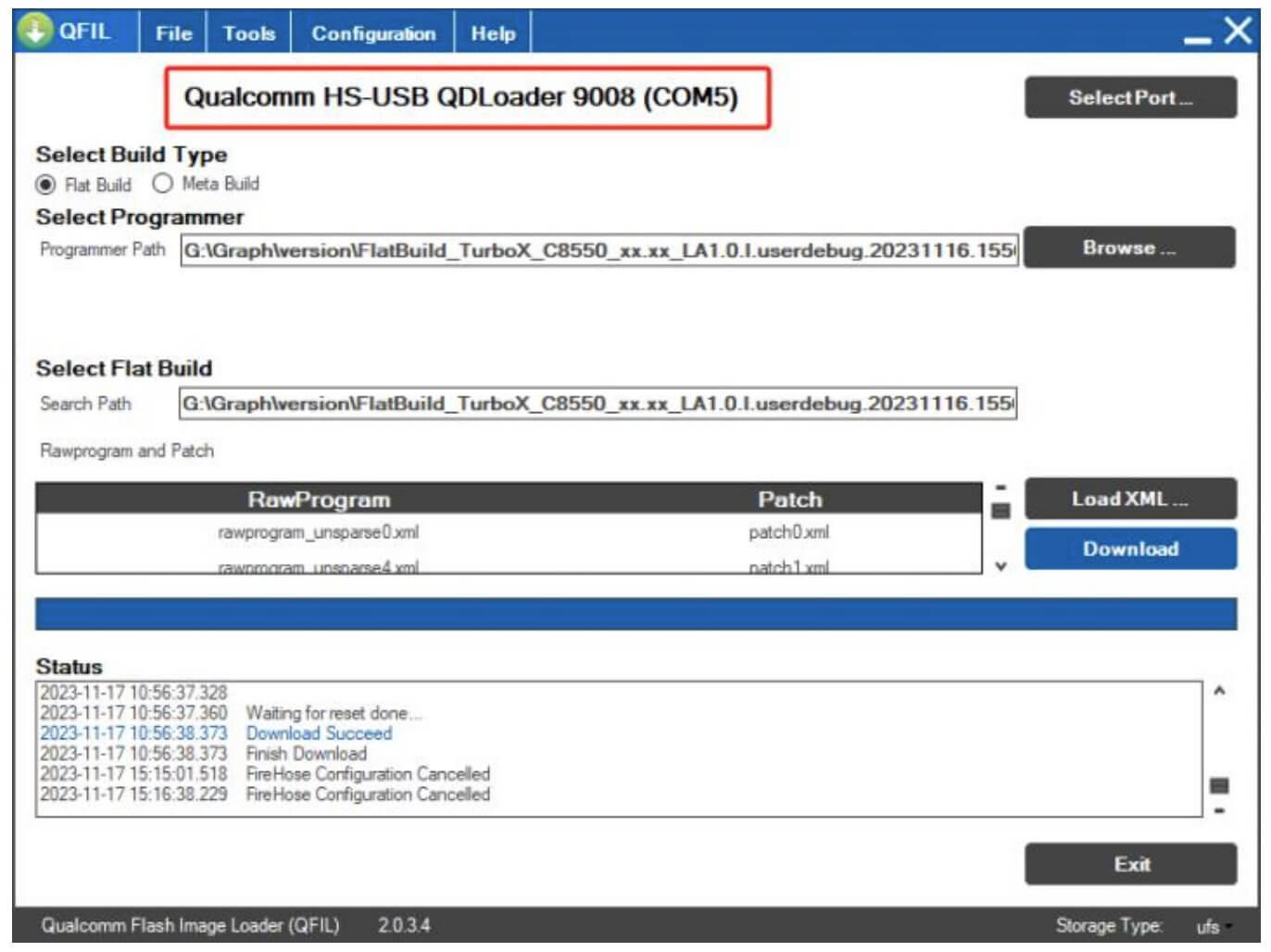
Click Download to start downloading.
Once the process has completed, the AYANEO Pocket S will automatically reboot. The first boot may take longer than usual as everything is being set up again.
Questions & answers