




Files used in this guide
Changelog
- Source guide: Fix for GPD Win 3 Touch pannel not working
Older versions stay downloadable for rollbacks — every version keeps its own verified file.
Today we have received a solution from our suppliers for those who having issues with the touchpannel not working on the GPD WIN 3.
To start with this fix, you need first download and extract following archive

You should get files shown below:

- run “1.Enter test mode.cmd” to enter the test mode,you should see following interface after restart:

2. Run “2.Install driver.cmd” to update touch pannel driver, and please select second option once prompted.
“ALWAYS INSTALL THIS DRIVER SOFTWARE®
Only install the driver software from the manufacturer’s website or Glory, unsigned software from other sources may damage your computer or steal information”
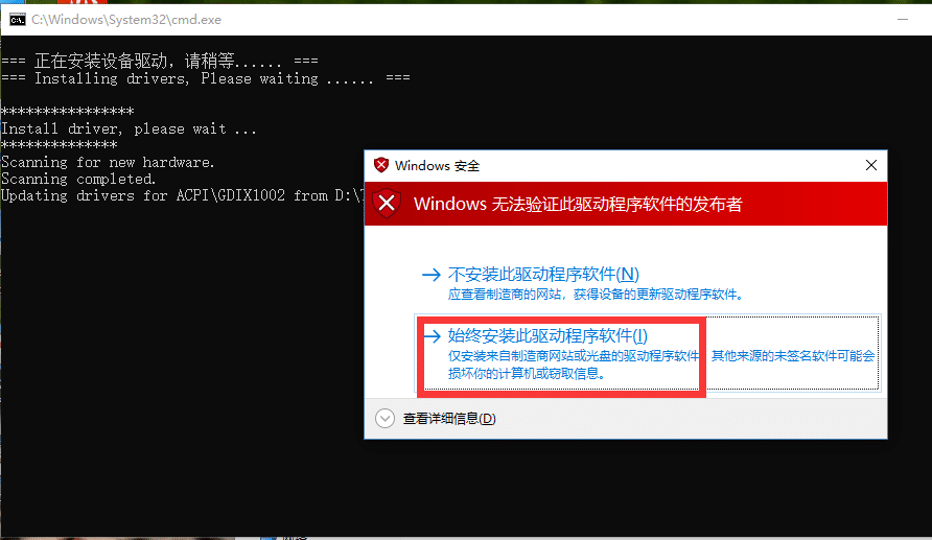
Follow the tips and reboot unit。
3. Remove the USB drive from your computer
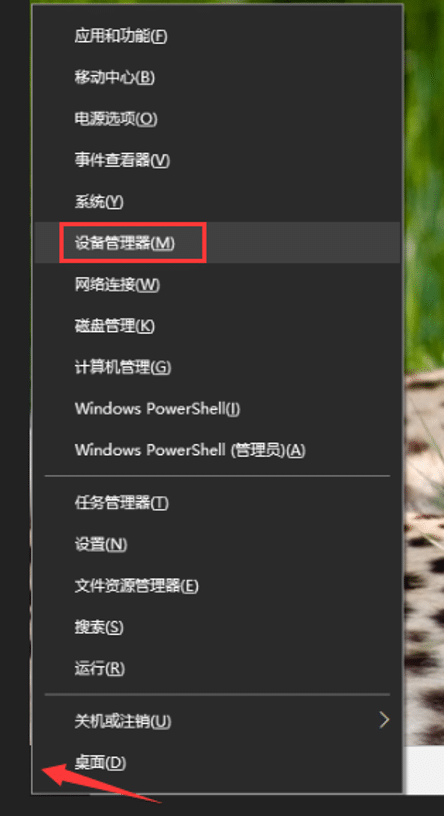
Right click “start”,choose Device Manger
Locate GoodixTouchDriver Device and choose to remove it
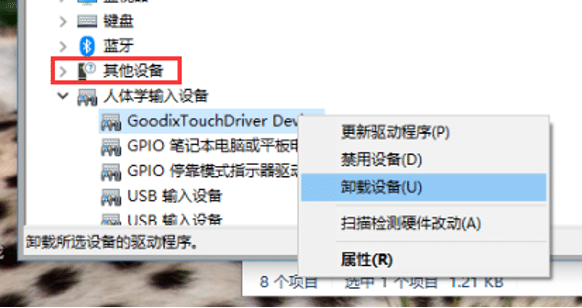
If no other devices shown, then driver didn’t install successfully, please go back to step 2 to install it again
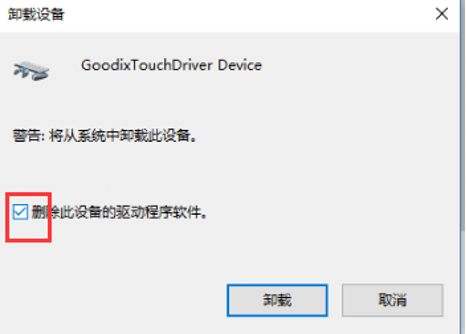
4. After driver has been removed, run “Exit test mode.cmd” and this should restart your computer
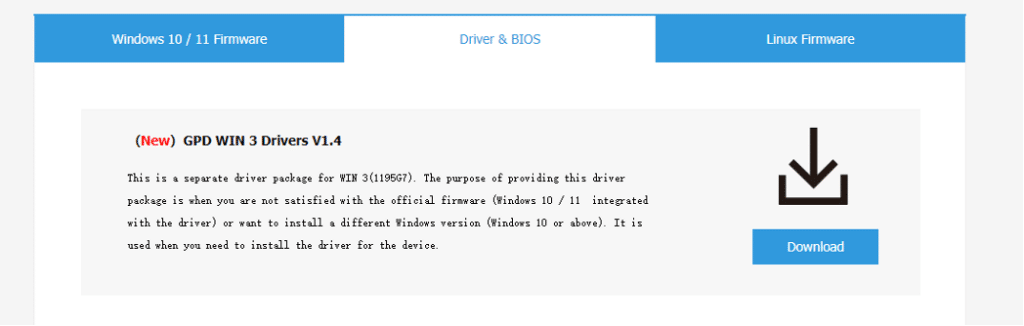
5. Follow this link and download and install GPD Win 3 Drivers V1.4
Questions & answers