



Σε αυτό το άρθρο
Hi there! We at DroiX are coming at you with a quick blog post about mini PC's!
We sometimes hear reports of mini computers being slightly noisier than our customers expected. Unless they are designated as "fanless" (meaning they have no cooling fan and instead operate entirely on passive heat dissipation), mini PC's will generate some noise. Although this will not be any more than your typical tower computer - in most cases it may even be quieter depending on how good the airflow/cooling of the tower was too!
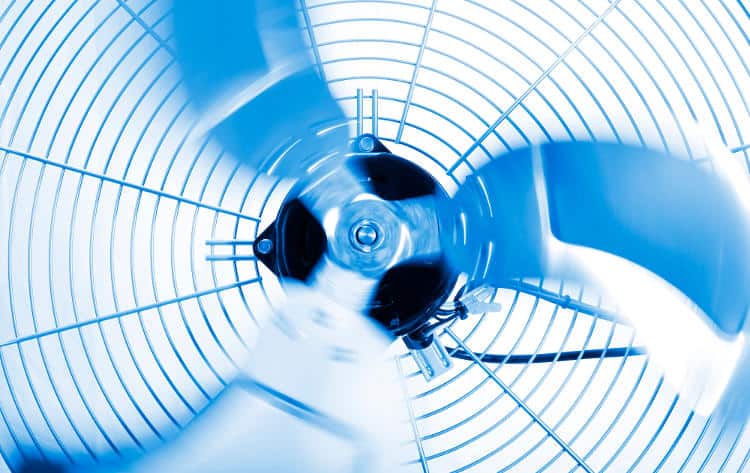
Large, full tower PC's are capable of fitting larger cooling fans inside of them - larger fans are capable of spinning at lower speeds while circulating more air, resulting in improved cooling, in contrast to the small fans one would find in a mini PC, which need to spin at faster speeds in order to keep the device cooler - generating more noise.
Nonetheless, if you still find your PC to be too loud for your requirements, we believe there's something worth trying in an attempt to lower the noise of your mini PC, and that is changing the power settings to a more energy-efficient pre-set. We have had a small handful of customers perform this in an attempt to fix things, and most have reported that it did help alleviate the fan noise slightly.
Changing the power settings is a straightforward process. To access them, first open the settings in Windows. You can do this multiple ways, but the most straightforward is to search for "power & sleep settings" in the windows search bar.
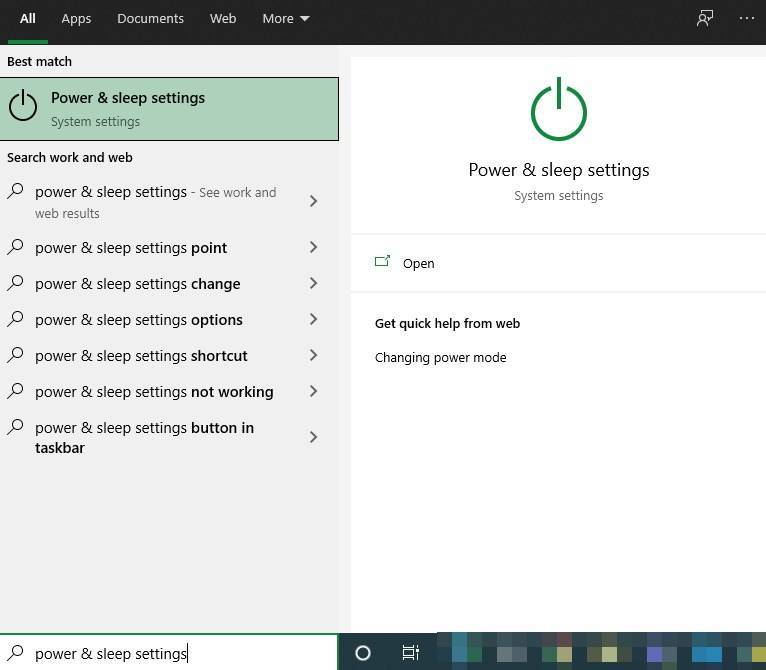
Select the corresponding item in the list, and you'll then be taken straight to the settings page, like so:
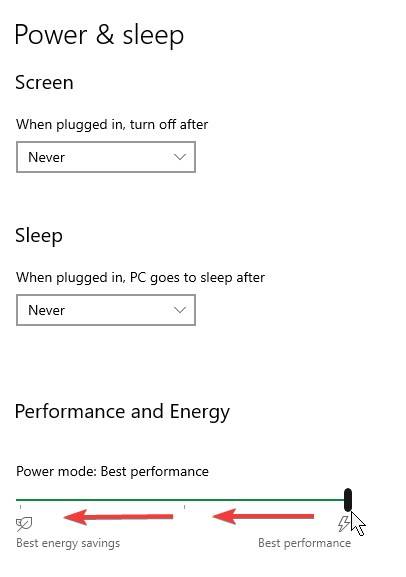
Slide the bar under "Performance And Energy" as far left as you can, until it is at the "Best energy savings" setting.
Your system will now be in a more power-efficient operating mode, and the fans should spin less frequently (it might take a brief period to come into effect).
Did this fix things for you? Have any other tips regarding reducing the noise of devices? Let us know in the comments!
And if you're in the market for another mini PC, you can view the range we have on offer here: https://go.droix.co.uk/MINI-PC
Until next time!

Bringer of videos, text and images! AKA the social media guy at DROIX. Massive retro gaming fan and collector, with a far too large collection of consoles and computers from 1970's to modern. Contact me at [email protected]
Ερωτήσεις & σχόλια
0
Κάθε ερώτηση λαμβάνει απάντηση. Ρωτήστε πριν αγοράσετε — DaveC και η ομάδα απαντά εντός μίας εργάσιμης ημέρας, και οι απαντήσεις παραμένουν δημόσιες για να βοηθούν τον επόμενο αναγνώστη.