

In this article
 GPD MicroPC 2Choose your option, then where to buy it.
Prices are the ones Weekly last read from each store — check the store page before you buy.
I’d forgive you if you have never heard of the GPD MicroPC compact laptop, it’s been around since 2019 and perhaps not as popular due to it not being a gaming handheld. But I can assure you that the MicroPC is still very popular, even today, for its industry use. The GPD MicroPC 2 brings in some very welcome changes, and one that might disappoint users of the original ultrabook. Keep reading our GPD MicroPC 2 review to find out more.
GPD MicroPC 2 Review Video
GPD MicroPC 2 Overview
We kick off our GPD MicroPC 2 review with an overview. The GPD MicroPC 2 laptop for business measures around 6.7 x 4.3 x 0.92 inches (17.12 × 11.08 × 2.35 cm) and weighs around 500g (1.10 lbs). It’s slightly wider than the first model due to the larger screen size.
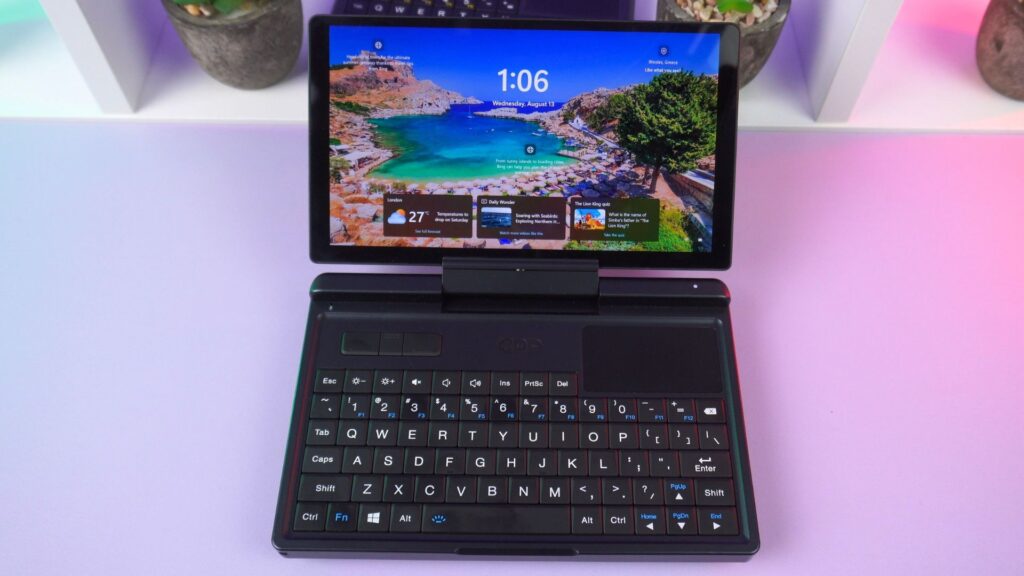
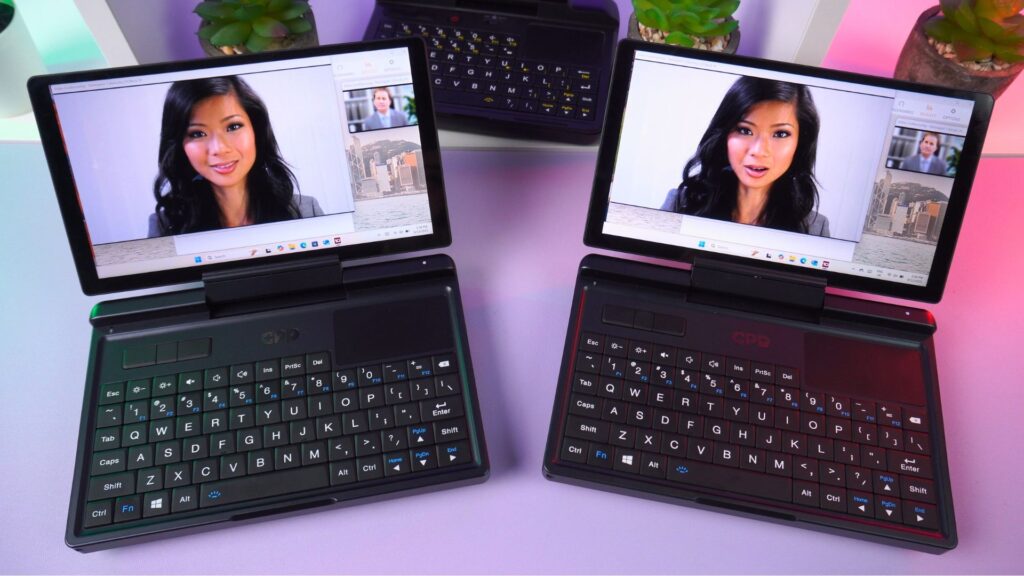
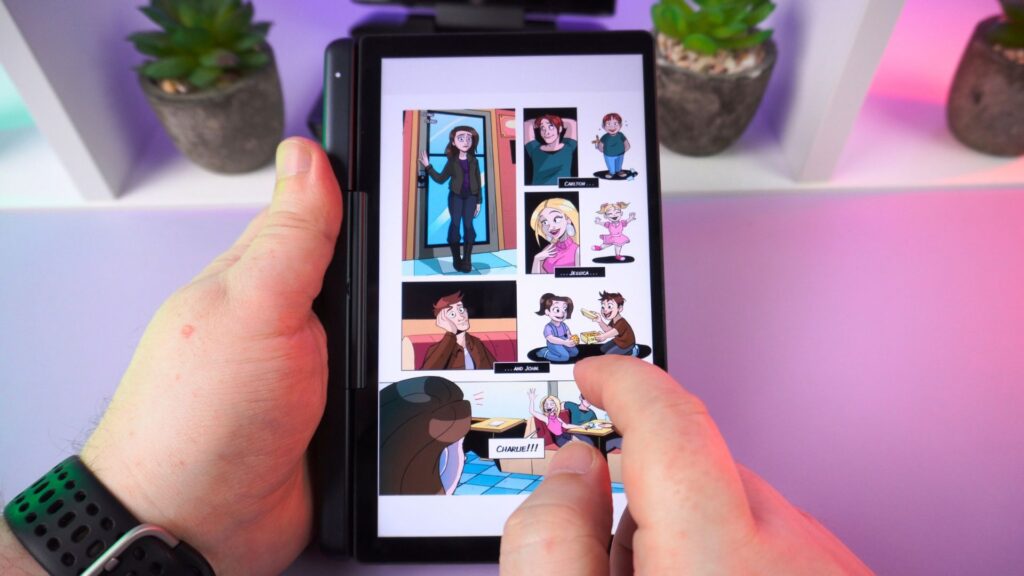
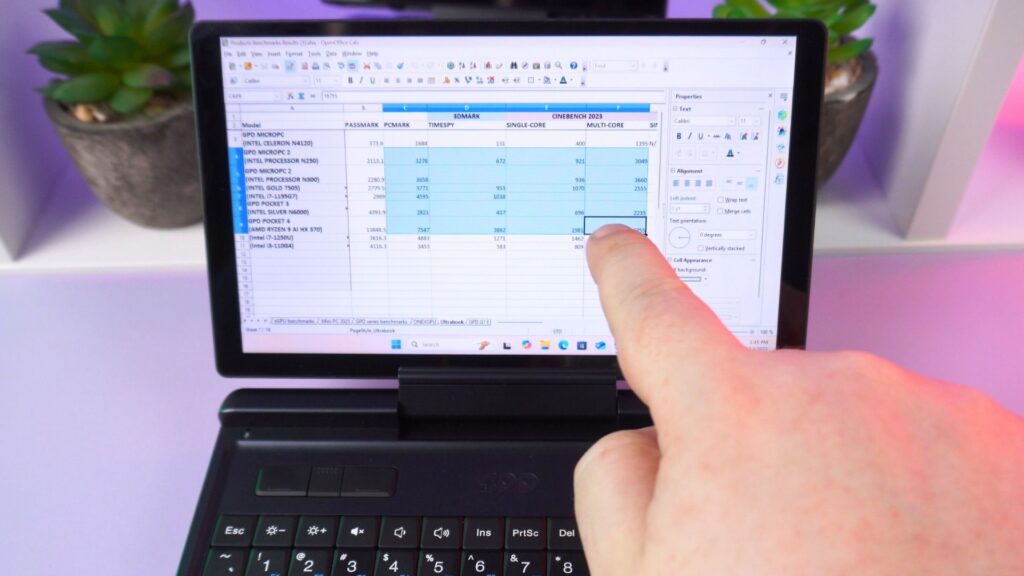
The screen size increases from 6 inches on the original to a 7” touchscreen on the MicroPC 2. It has a 1920×1080 resolution running at 60Hz. The display can be rotated and folded back to transform it into a very comfortable to hold tablet mode. All three of these changes and additions are very welcome, bringing the MicroPC 2 up to a far more all round modern ultra-portable notebook.

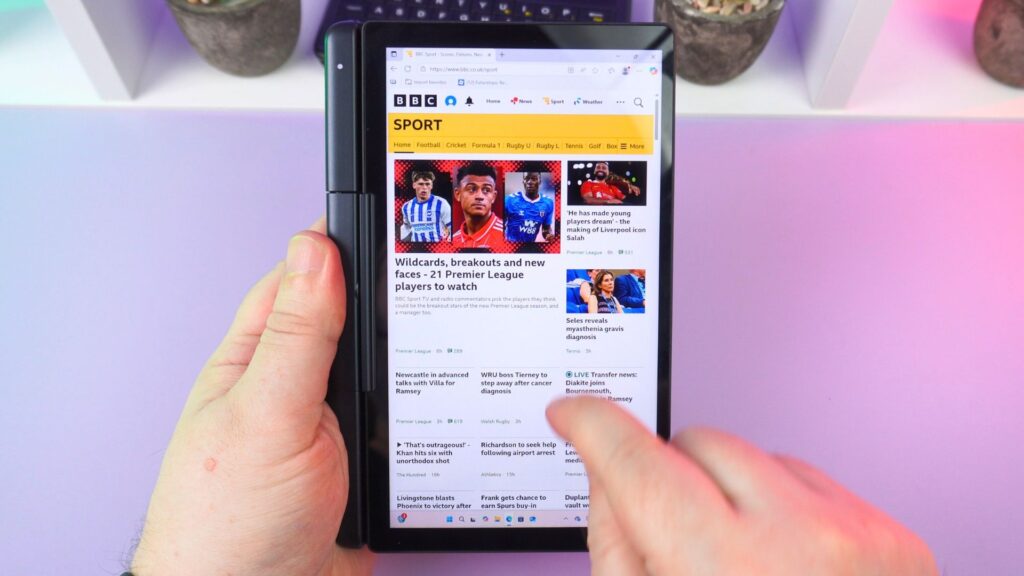
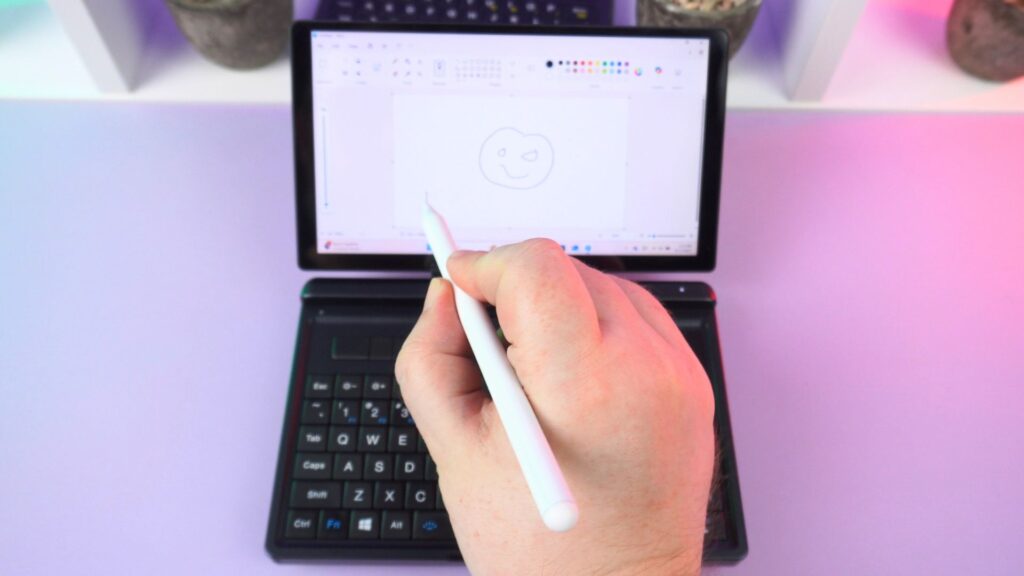
The screen can be used with a stylus, it is compatible with a capacitive stylus and not an active one.
On the lower half we have a similar layout to the GPD Pocket 4. There are left, middle and right mouse buttons in the top left area, with a touchpad on the top right. While not as large as the Pocket 4, the backlit keys are in roughly the same layout, just shrunk down a little.
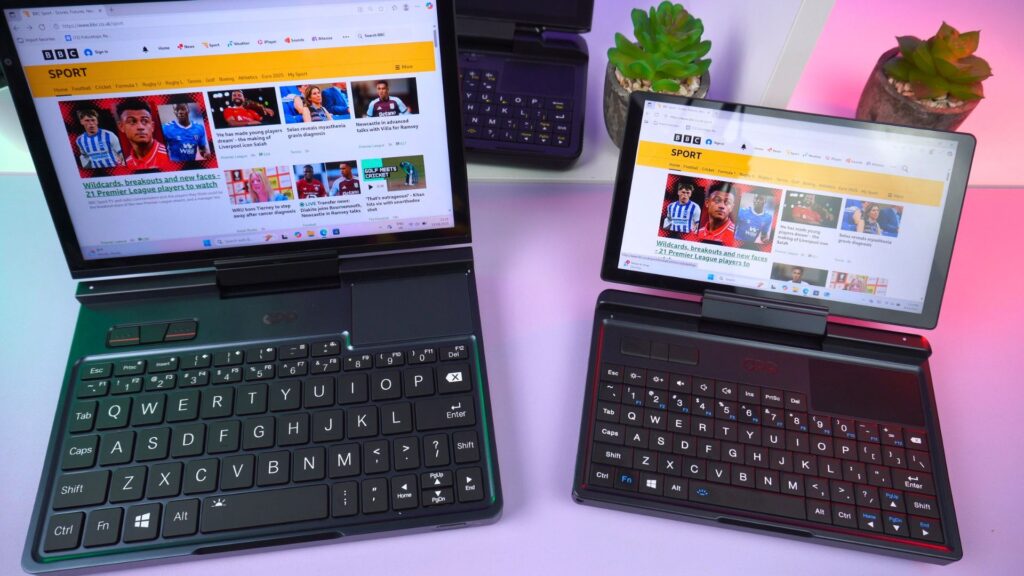

They are a little too small for typing as you would on a normal full sized keyboard. I personally found it easier for thumb, or one or two finger typing and got quite good speeds and accuracy. At a pinch you could write longer documents but would advise a larger keyboard for this.
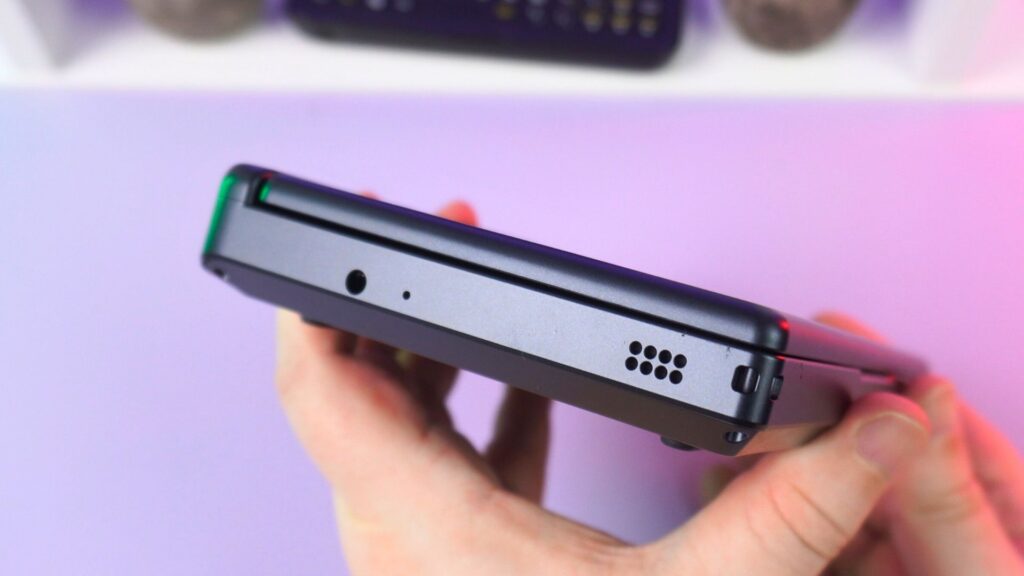
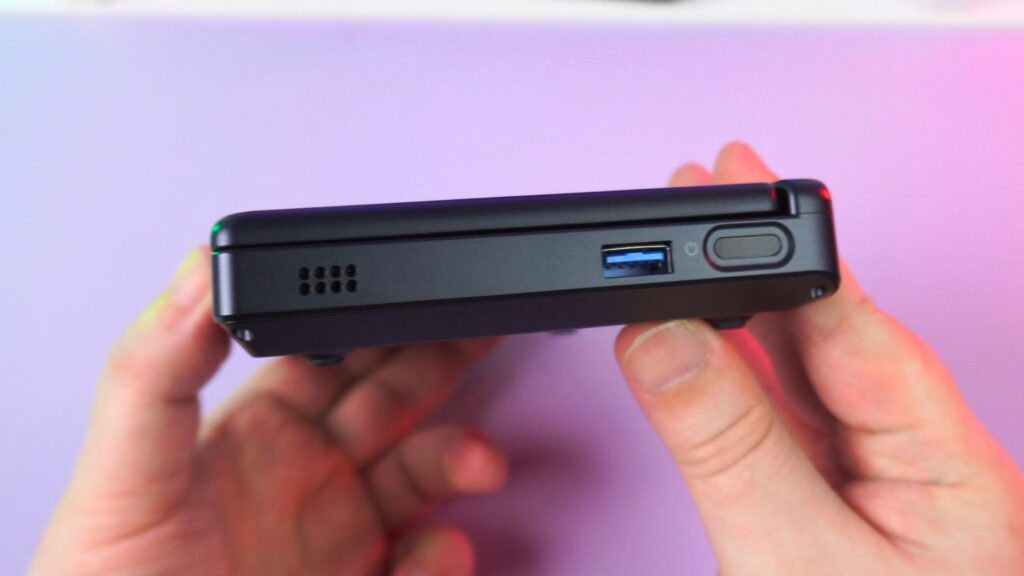
On the left side is a 3.5mm audio port. On the right side is a USB 3.2 Gen2 Type-A and a power button with integrated fingerprint sensor for fast logging in.

On the back are two USB 3.2 Gen2 Type-C ports supporting charging and video output. There is a micro SD card reader, a second USB 3.2 Type-A port, a HDMI 2.1 port supporting up to 4K 60Hz and 2.5Gbs ethernet port.
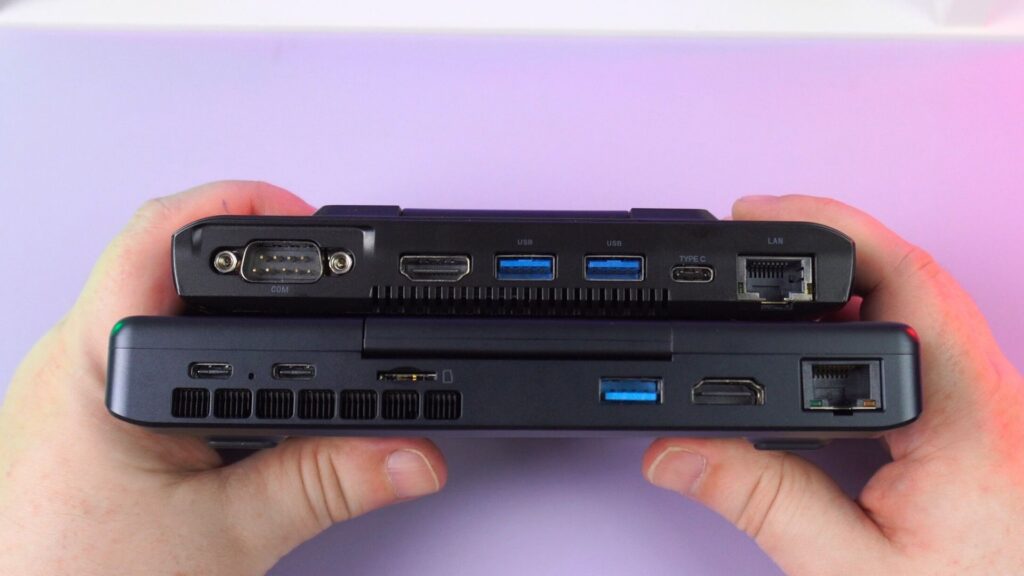
Sadly, there’s no integrated RS232 port on this model. We have no idea why not, but you could opt for the Pocket 4 with the RS232 module or this and a USB dongle.

GPD MicroPC 2
Mini Laptops
13 options · £636.95 to £1,343.95



 on 4 stores
GPD MicroPC 2 Technical Specifications
Next in our GPD MicroPC 2 review is a look at the two GPD MicroPC 2 small-sized laptops that will be available, as well as our own batery life, fan noise and thermal tese.
| DISPLAY | 7″ LTPS 1080P (1920×1080), 60Hz, 16:9, 314 PPI, 500 nits |
| CPU | Intel Processor N250, 4 Cores / 4 Threads, 3.8 GHz, 6W – 15W Intel Processor N300 8 Cores / 8 Threads, 3.8 GHz, 7W |
| GPU | Integrated Intel UHD Graphics, 1.25GHz, 32 Execution Units |
| RAM | 16GB LPDDR5 |
| STORAGE | 512GB/1TB/2TB/4TB M.2 2280 SSD |
| COMMUNICATIONS | 1x RJ45 Ethernet Port (2.5Gbps) Wi-Fi 6 (up to 2402 Mbps) Bluetooth 5.2 (supports up to 7 active devices) |
| I/O | 2x USB Type-C 3.2 Gen2 (Full-Function) 2x USB-A 3.2 Gen2 1x HDMI 2.1 (TMDS Protocol, supports 4K@60Hz) 2x DisplayPort 1.4 (via USB-C, supports 4K@60Hz) |
| BATTERY | 27.5Wh Supports Battery Bypass |
| DIMENSIONS | 6.73 x 4.33 x 0.91 inches (17.1 x 11.0 x 2.3 cm) |
| WEIGHT | 500 grams (1.10 lbs) |
Powering both models is the 27.5Wh rechargeable battery. In our tests while running Cinebench at full brightness on the default TDP we got 1 hour 42 minutes on the N250 model and 1 hour 47 minutes on the N300 model. Average usage will of course be higher at around 4 to 6 hours.
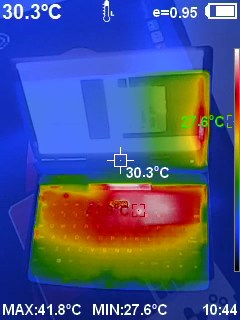
In our fan noise and temperature tests we got 55dB on full load, and 53 °C highest temperature. Both quiet and cool!
GPD MicroPC 2 N250 vs N300 Benchmarks
For our benchmarks we will be comparing the GPD MicroPC 2 N250 vs N300 models running at 10W TDP as well as the original MicroPC model with its Intel Celeron N4120 processor.
PassMark
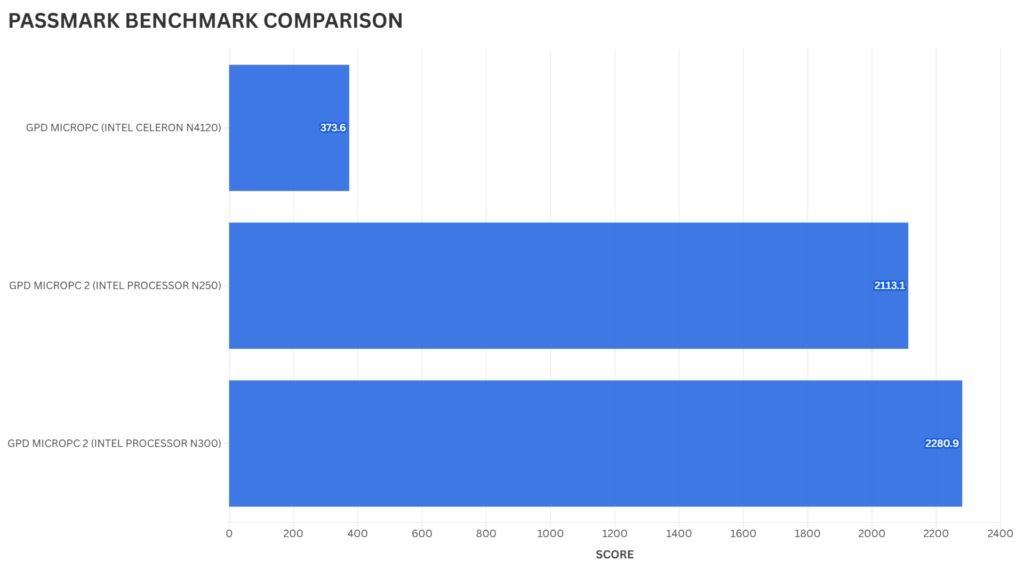
PassMark performs an overall benchmark of the CPU, GPU, RAM and storage across a number of different tests. We immediately see a massive jump in score compared to the original model which is great to see. There is a difference between the GPD MicroPC 2 N250 and N300 models, but not by a massive margin.
PCMark
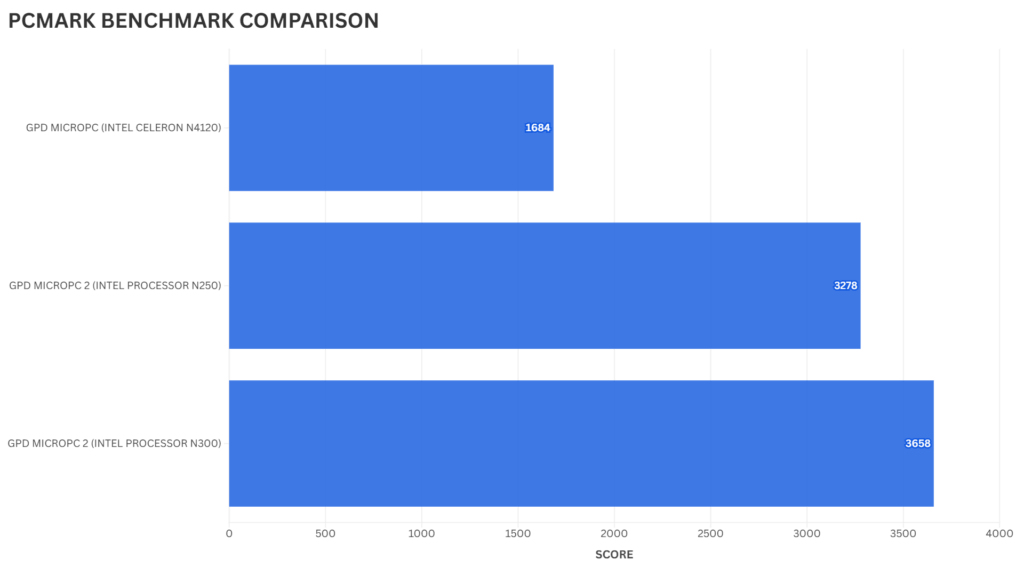
PCMark performs a range of tests across daily tasks with web browsing, video conferencing, working with large documents up to image and video editing. Again we see a large increase in performance compared to the original model, and a more noticeable difference in performance between the N250 and N300 models.
Cinebench
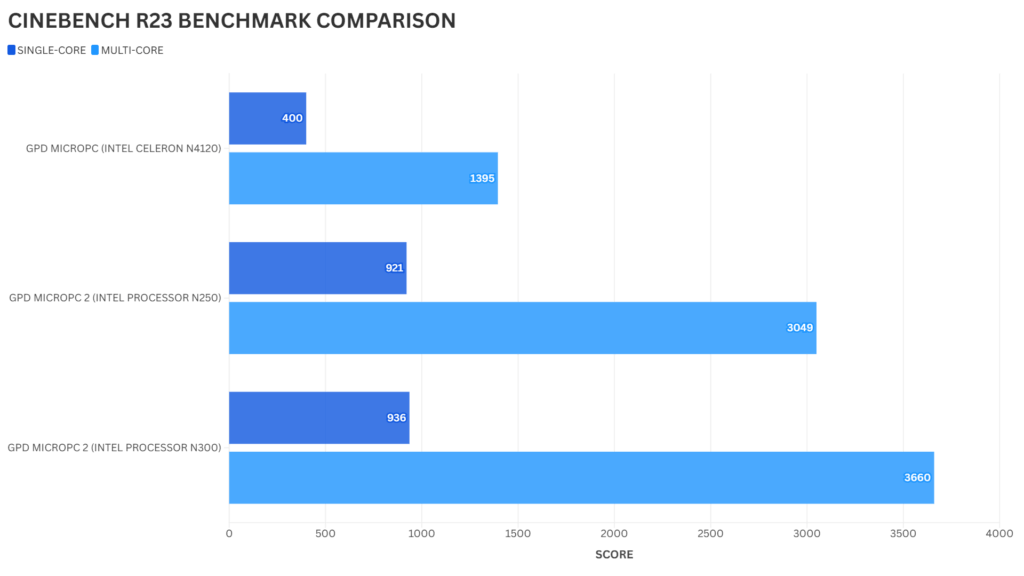
Looking briefly at Cinebench R23 we see very impressive improvements over the original model. There is a minor difference in single core performance but a larger difference in multicore.
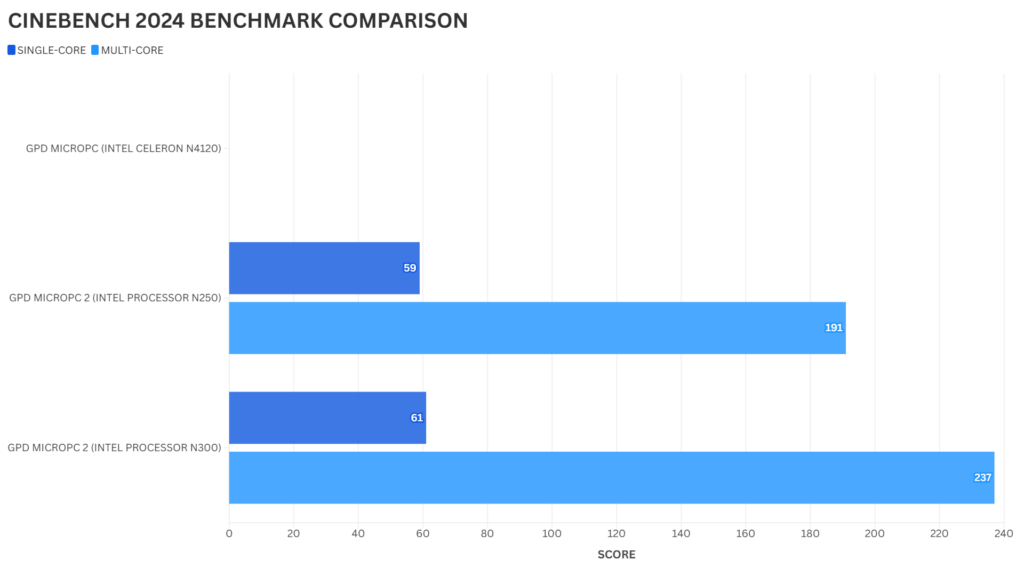
On Cinebench 2024, the original model does not have the CPU support for this benchmark. We see close scores on single-core and a slightly larger gap on multi-core on the two new models.
Geekbench 6
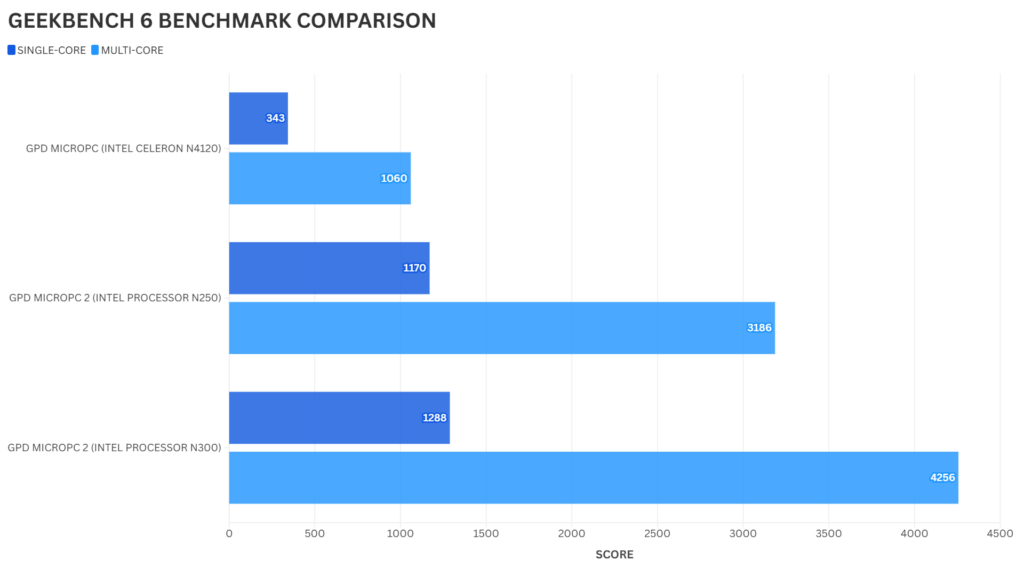
With Geekbench 6 we see a very noticeable difference in performance compared to the original model. And when comparing the GPD MicroPC 2 N250 and N300 models we see a large difference on the multi-core scores.
Benchmark Analysis
A brief summary of the benchmark results for the GPD MicroPC 2 review. The GPD MicroPC 2 when compared with the original model is night and day in terms of performance. It is a massive improvement, down to when using the Windows desktop you can feel the difference in performance. We do see some noticeable differences between the two GPD MicroPC 2 models. As low as a few percent on PassMark, and upwards of 28% on Geekbench 6.
Final Thoughts
Time to sum up our thoughts in our GPD MicroPC 2 review. The GPD MicroPC 2 has been a long time coming since the original laptops for students release in 2019. The wait has definitely been worth it with a slightly larger touchscreen, 2-in-1 laptop and tablet design and of course a far higher performance processor.
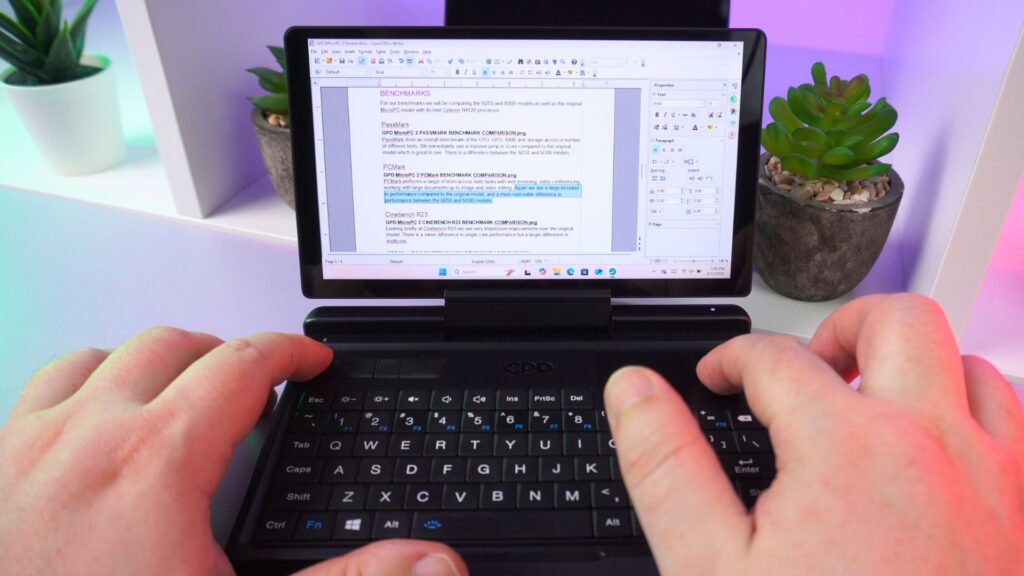
The tablet design is especially welcome as it provides a new way to interact with the device. It can be used for form filling for example, even as an ebook reader. While not fullsized, the keyboard is quite usable with thumb or finger typing making it ideal for brief note taking or report updating while out of office.
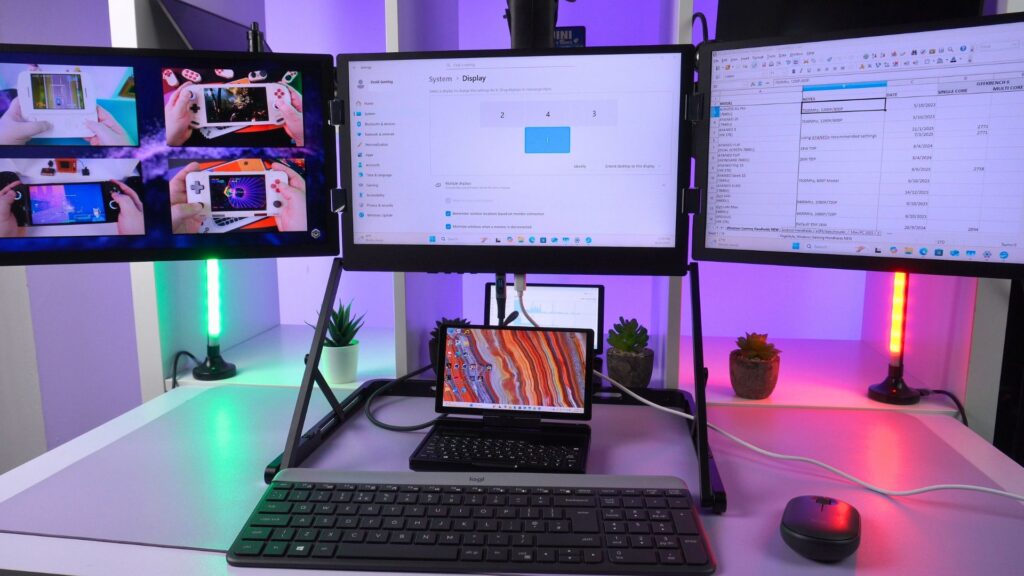
With the HDMI and USB-C ports you can connect up to four external monitors, add a fullsized keyboard and mouse and transform it into a very respectable desktop style setup. All this from a device not much larger than your hand!
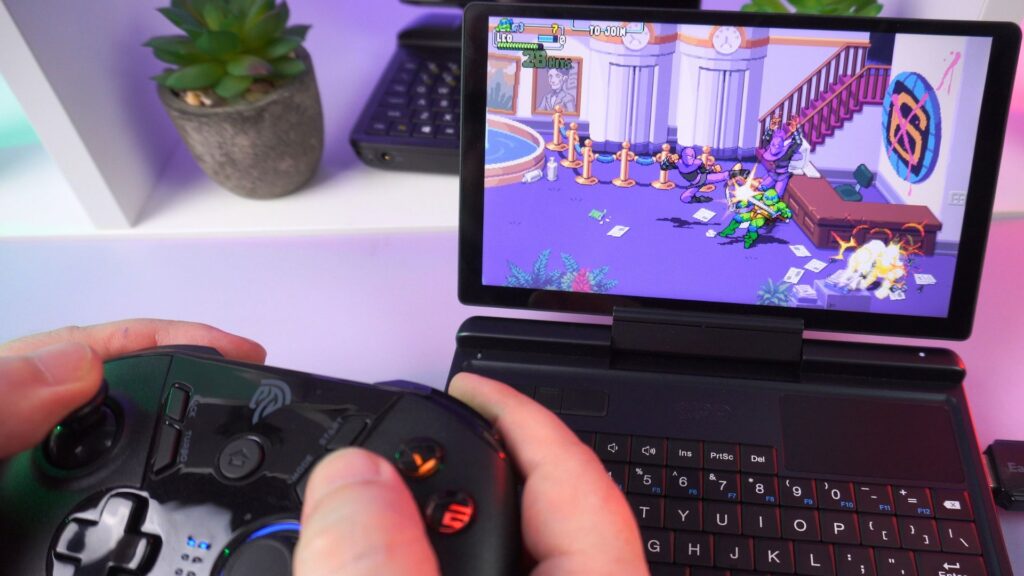
My only negative point is the lack of RS232 port which really made the original MicroPC stand out back in 2019. We know from many customers how useful this was and not have to worry about extra dongles, drivers and so on. It is a shame that it was left out on this new model, but you do have the excellent GPD Pocket 4 if this is an essential requirement.
Overall the GPD MicroPC 2 is a fantastic update to the classic model with a decent amount of performance for your day to day tasks both in and out of the office. It’s highly portable and fits in a jacket pocket or small bag, and can also be upscaled to a desktop like experience in just a few moments.
GPD MicroPC 2
Mini Laptops
13 options · £636.95 to £1,343.95
on 4 storesWe hope you have found our GPD MicroPC 2 review useful. If you do have any questions please feel free to ask in the comments below, or join the DROIX discord server here.
GPD MicroPC 2 Review
The GPD MicroPC 2, powered by your choice of an efficient Intel N250 or N300 CPU, stands out as the ultimate portable workhorse thanks to its versatile 2-in-1 tablet design and connectivity, including a native 2.5Gbps Ethernet port.
What we liked
- Great power efficiency and thermals
- Good amount of I/O
- 2-in-1 ultrabook and tablet orientations
- Self contained design
Could be better
- No RS232 port, though you can use a dongle.

Bringer of videos, text and images! AKA the social media guy at DROIX. Massive retro gaming fan and collector, with a far too large collection of consoles and computers from 1970's to modern. Contact me at [email protected]
Questions & comments
0
Every question gets an answer. Ask before you buy — DaveC and the team reply within one working day, and answers stay public so they help the next reader too.