





GPD G2 review
The GPD G2 is an all-in-one external GPU dock that delivers desktop graphics potential through PCIe 4.0 x8 or USB4 v2, while adding an ATX 3.1 PSU, M.2 NVMe storage slot, Gigabit LAN and USB connectivity.
What we liked
- PCIe 4.0 x8 and USB4 v2 support
- Compatible with modern desktop GPUs
- Built-in ATX 3.1 power supply
- M.2 NVMe SSD expansion slot
- Ethernet, USB and host charging included
Could be better
- No OCuLink support
In this article
What is the GPD G2?
The GPD G2 is a modular eGPU docking station that accepts a desktop PCIe graphics card and connects to a compatible host through MCIO 8i or USB4 v2.0. This GPD G2 review covers its graphics expansion, two USB-A ports, Gigabit Ethernet, M.2 storage support and up to 100W Power Delivery.
This GPD G2 review records NVIDIA RTX 3090 gaming results with a GPD BOX and GPD WIN 5, then examines the enclosure’s published connectivity and expansion features. The performance figures are observed results from the supplied test record; the port, power and compatibility details are based on the current GPD G2 specification.
For anyone comparing eGPU options, the practical appeal is modularity. Rather than buying a dock with a fixed mobile GPU, the G2 lets you select a compatible desktop graphics card and replace it later, while retaining the enclosure, power supply and hub functions.
GPD G2 Overview
The enclosure measures approximately 6.19 × 4.71 × 7.16 inches (157.3 × 119.8 × 182 mm) and weighs 1.605 kg (3.5 lb). This GPD G2 review found its published aluminium-magnesium alloy and PC 94V-0 construction is intended to provide a compact but sturdy chassis.
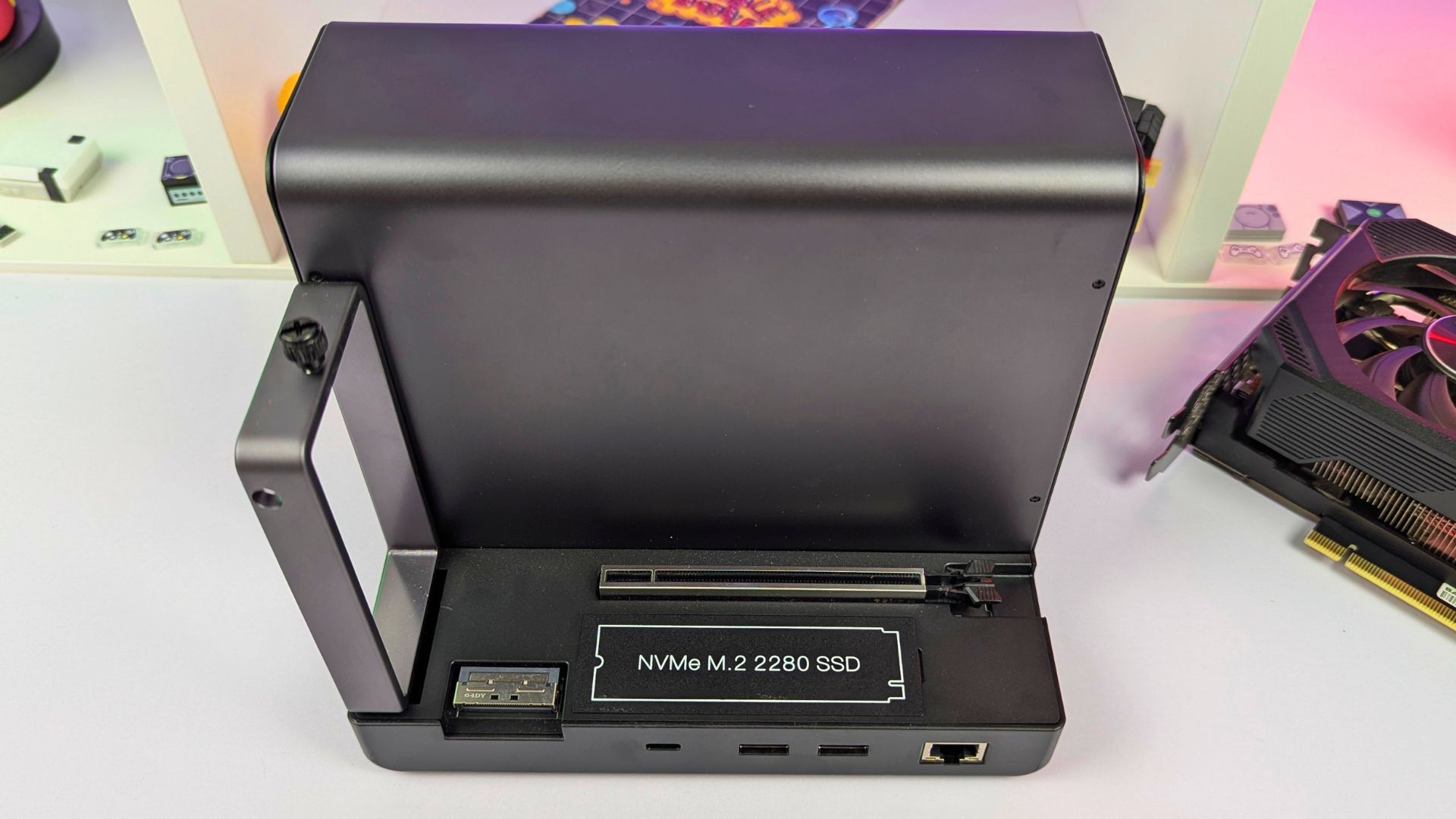
On the front is the PCIe 5.0 x16 slot for the graphics card. It uses a standard retention tab, and a covered M.2 2280 PCIe 3.0 x2 SSD slot sits alongside it for storage expansion.
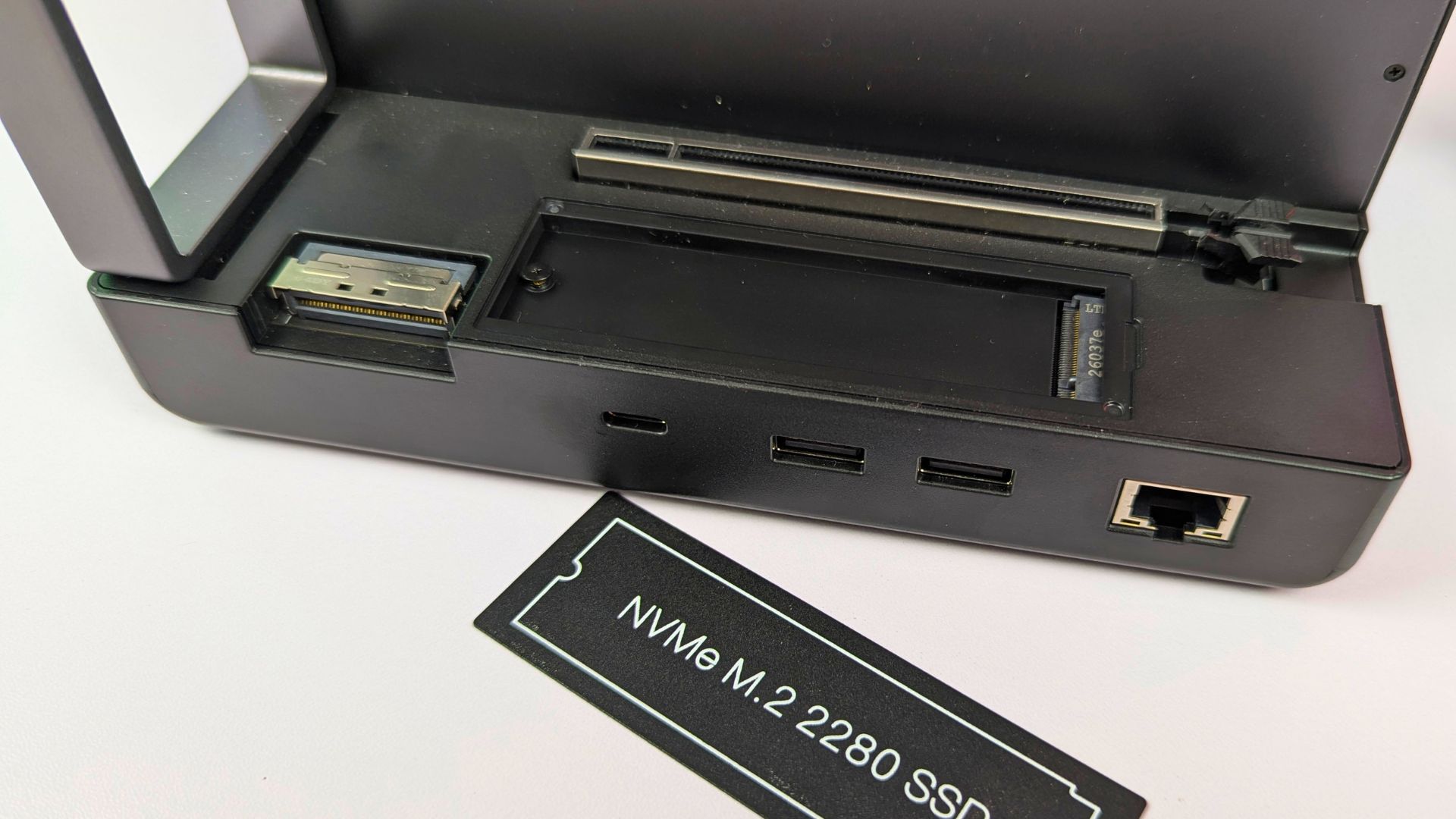
Below that, from left to right, are the MCIO 8i port, a USB4 v2.0 port, two USB 3.2 Gen 2 Type-A ports and a Gigabit Ethernet port. The M.2 slot, USB ports and network connection give the enclosure a hub role alongside its graphics-card function.
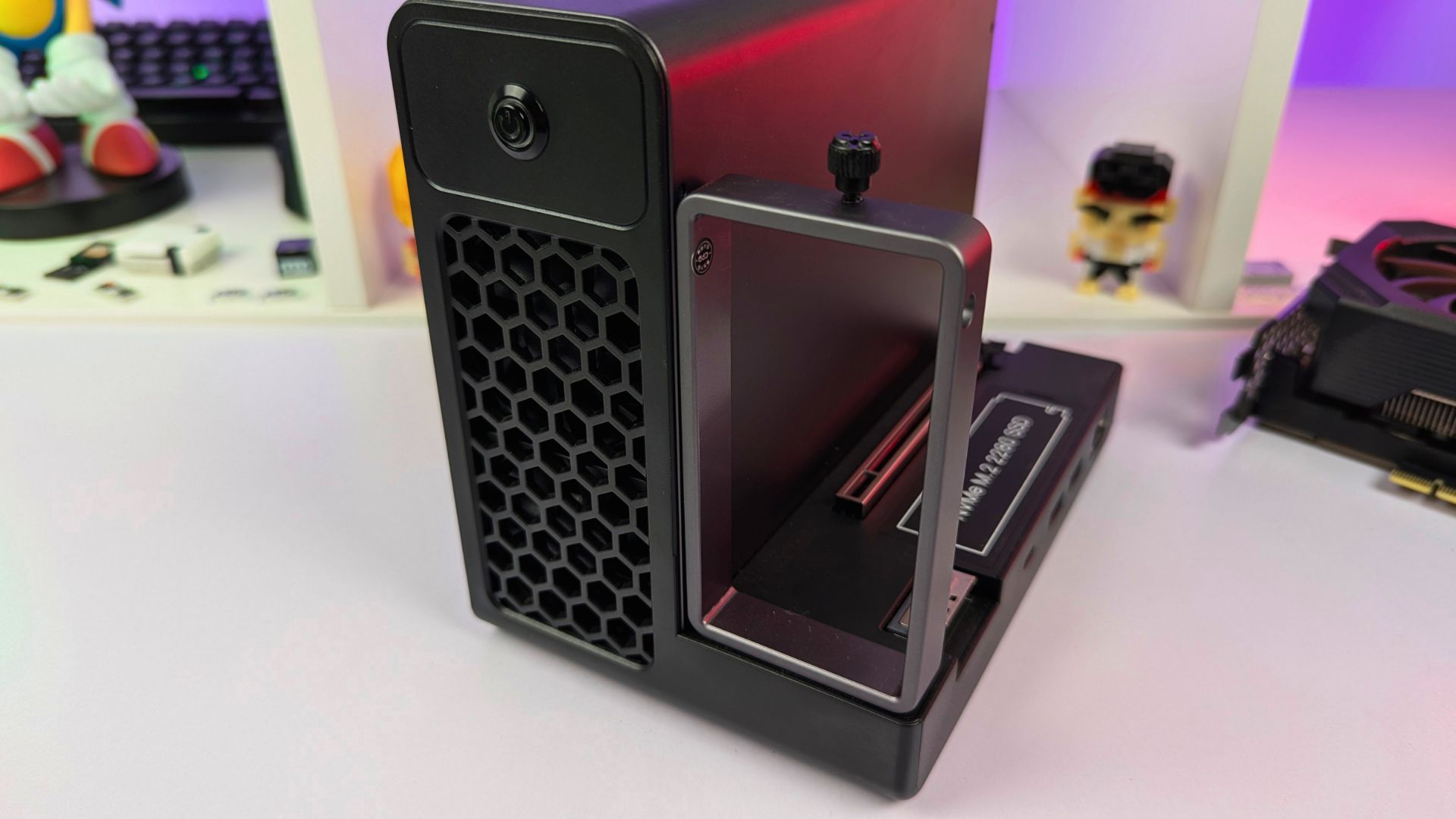
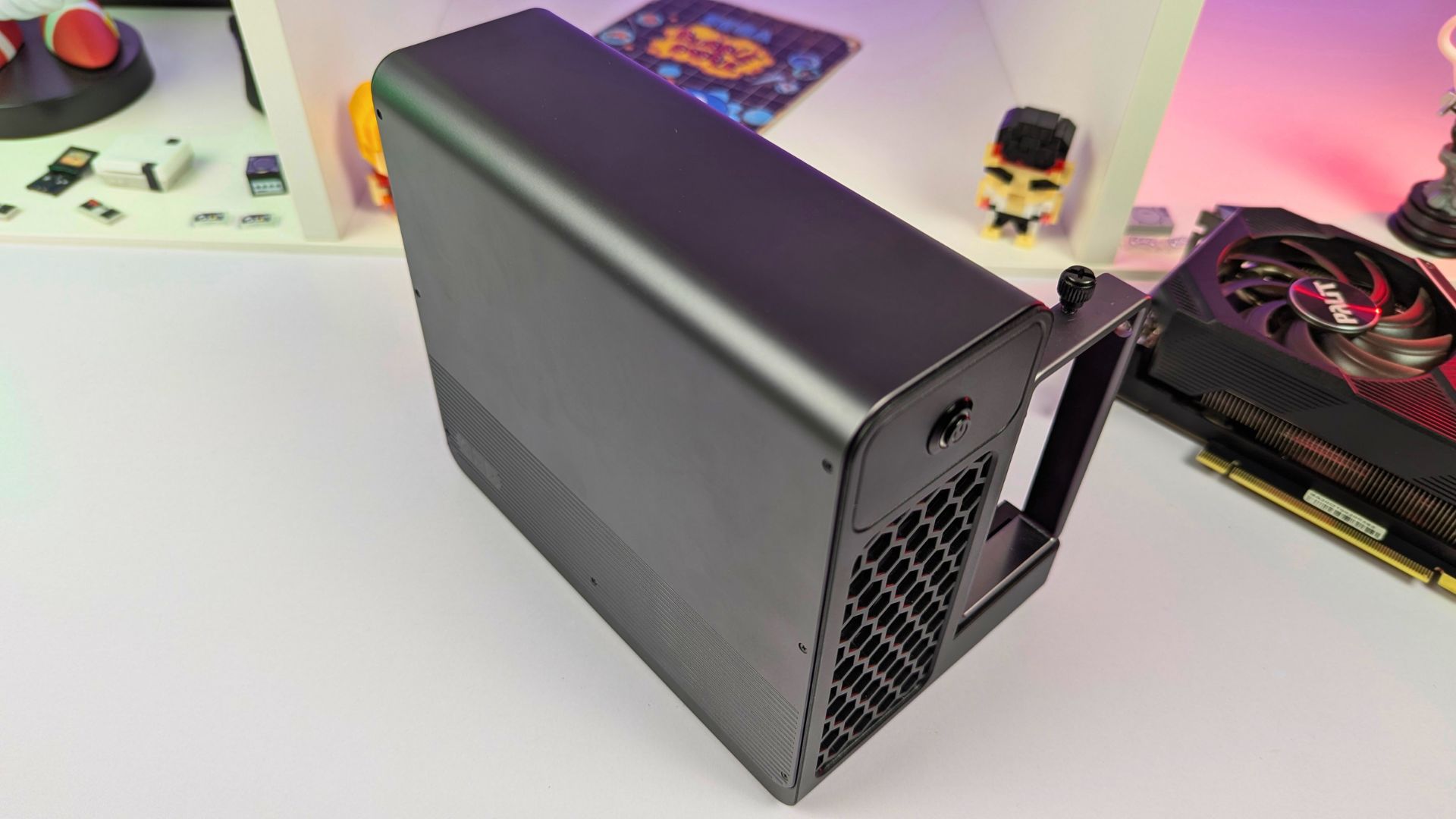
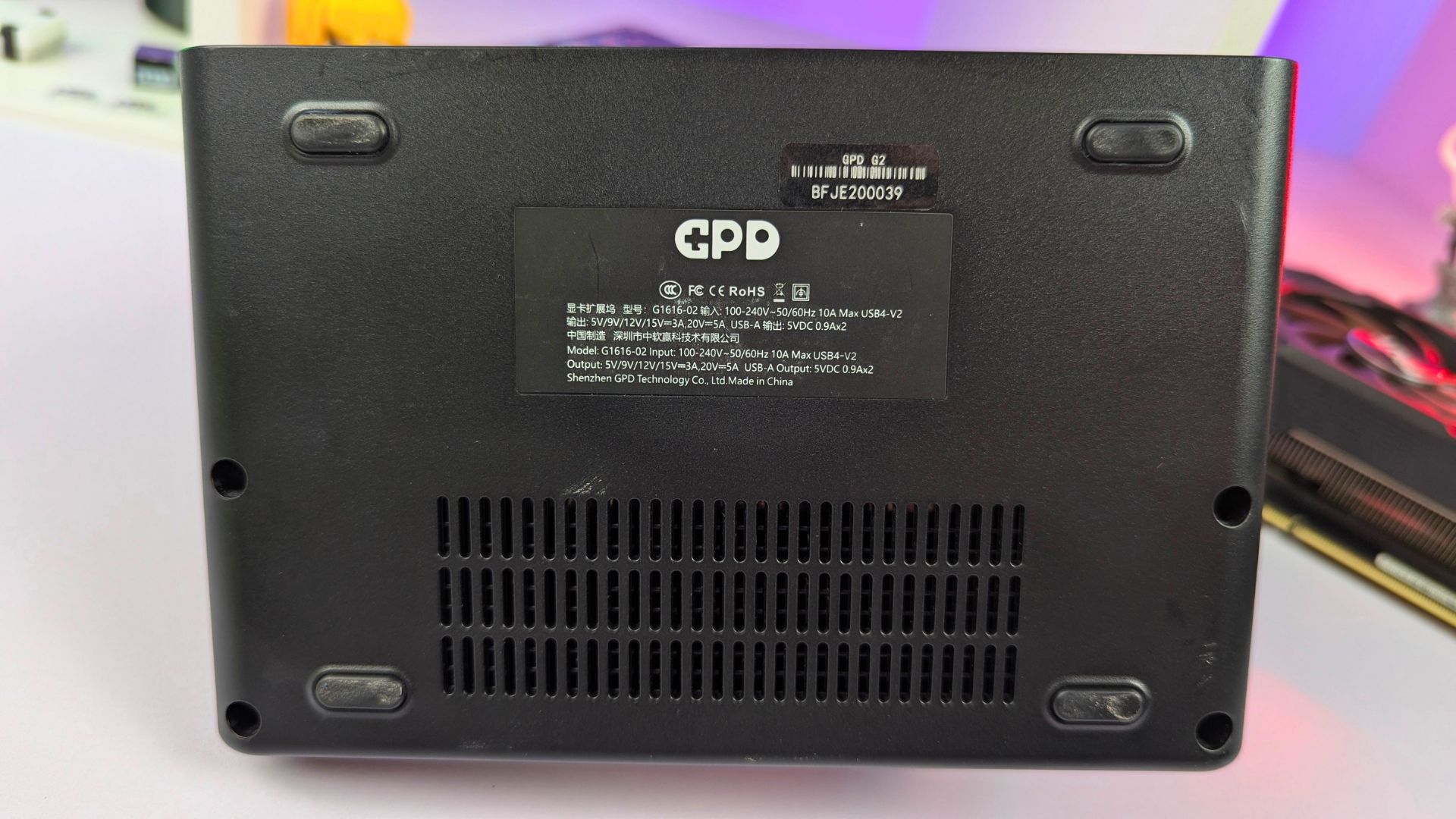
The left side has the LED-lit power button and the air intake for the built-in power supply. The right side has the 12V-2×6 ATX 3.1 GPU power connector, the power-supply air outlet and an IEC 60320 C14 AC power input.






GPD G2 Technical Specifications
The GPD G2 review specification check confirms a built-in Gold-rated ATX 3.1 power supply with stated efficiency of at least 92%. Its 12V-2×6 output is rated for 800W continuous total 12V power, and the enclosure includes the cables needed to connect the G2 to a graphics card.
Compatibility spans NVIDIA GeForce GTX 10, GTX 16 and RTX 20, 30, 40 and 50 Series cards; AMD Radeon RX 400/500, Vega, Radeon VII, RX 5000, 6000, 7000 and 9000 Series cards; and Intel Arc A and B Series cards. The list also includes selected workstation and data-centre families, but card dimensions, cooling clearance, connector requirements and host compatibility still need checking for an individual build.
The published GPD G2 compatibility list groups the supported families as follows.
| GPU category | Published compatible families |
|---|---|
| Consumer GPUs | NVIDIA GeForce GTX 10, GTX 16, RTX 20, RTX 30, RTX 40 and RTX 50 Series; AMD Radeon RX 400/500, RX Vega, Radeon VII, RX 5000, RX 6000, RX 7000 and RX 9000 Series; Intel Arc A and Arc B Series |
| Workstation GPUs | NVIDIA Quadro K, M, P, A and RTX Series; AMD Radeon Pro WX, Pro W, Pro W5700, Pro W6000, Pro W7000 and AI PRO R9000 Series; Intel Arc Pro A and Arc Pro B Series |
| Data-centre GPUs | NVIDIA Tesla, T4, A100, H100/H200 and later PCIe products; AMD Instinct MI8, MI6, MI25, MI100, MI200, MI300 and subsequent PCIe products; Intel Max and Flex Series |
The MCIO 8i port is the headline connection on the GPD G2 eGPU. GPD specifies PCIe Gen 4 x8 support for PCIe devices, including graphics cards, with up to 256Gbps theoretical bandwidth; the GPD BOX is the first consumer host named in the supplied draft as supporting this connection.
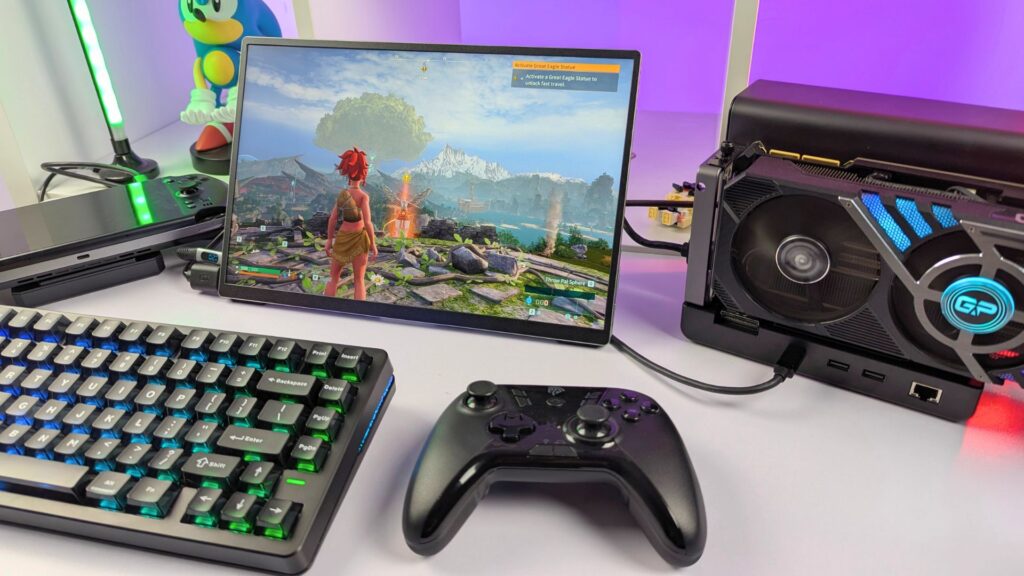
If the host does not have MCIO, the USB4 v2.0 connection is the alternative. GPD specifies up to 80Gbps symmetric bandwidth or 120/40Gbps asymmetric bandwidth, depending on the USB4 v2.0 mode in use.
USB4 v2.0 remains backwards compatible with the USB4 standard, so the GPD G2 docking connection can also be used with compatible GPD, AYANEO and ONEXPLAYER handhelds, as well as mini PCs and ultrabooks. The host, cable, firmware and graphics card will still affect the experience.
GPD G2 Connectivity
For a host with MCIO, that is the highest-bandwidth connection in the published specification, with up to 256Gbps theoretical bandwidth for graphics and general data transfer. In this GPD G2 review, the dual-connection design is also important: MCIO can carry the graphics connection while USB4 v2.0 provides the hub expansion and Power Delivery function.
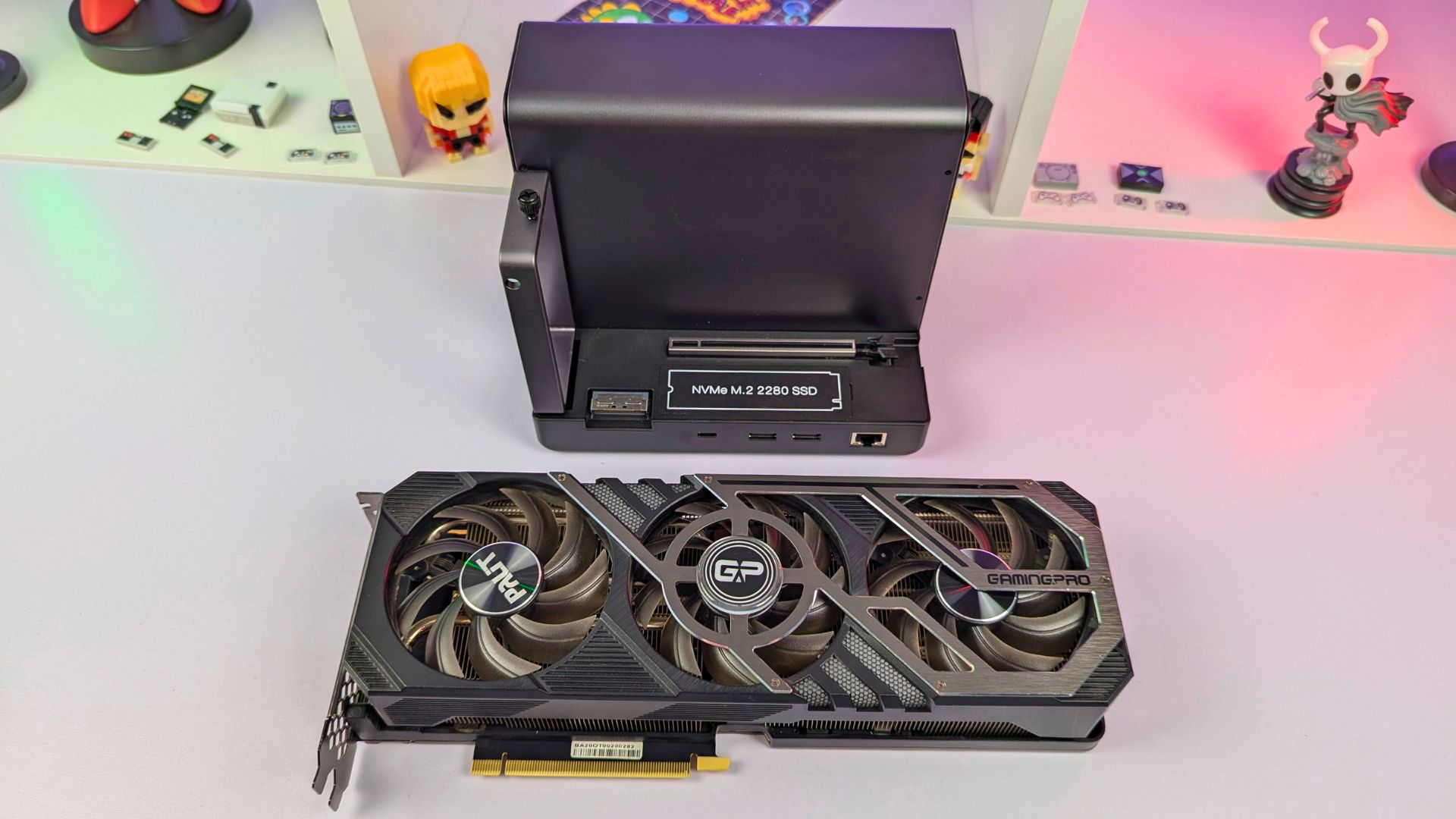
Most users will likely connect through USB4 v2.0, whether they are using a GPD BOX configuration or a backwards-compatible USB4 host. That is the simpler route for many newer and older devices, and the two USB-A ports, Ethernet and SSD bay make the unit more than a graphics enclosure; suitable accessories can be connected through the integrated hub.
Gaming Performance
Testing conditions
- Host devices: GPD BOX Core Ultra X7 358H over USB4 v2.0; GPD WIN 5 over USB4.
- External GPU: NVIDIA RTX 3090.
- Items tested: Forza Horizon 6, Subnautica 2, DOOM: The Dark Ages, No Man’s Sky, PowerWash Simulator 2, Super Meat Boy 3D, Hades II, Descenders, Goat Simulator 3, Palworld and The Outer Worlds.
For the performance portion of this GPD G2 review, the test record uses the GPD BOX Core Ultra X7 358H through USB4 v2.0 and the GPD WIN 5 through USB4, with an NVIDIA RTX 3090 for every listed result. For context on the mini PC itself, see our GPD BOX review.
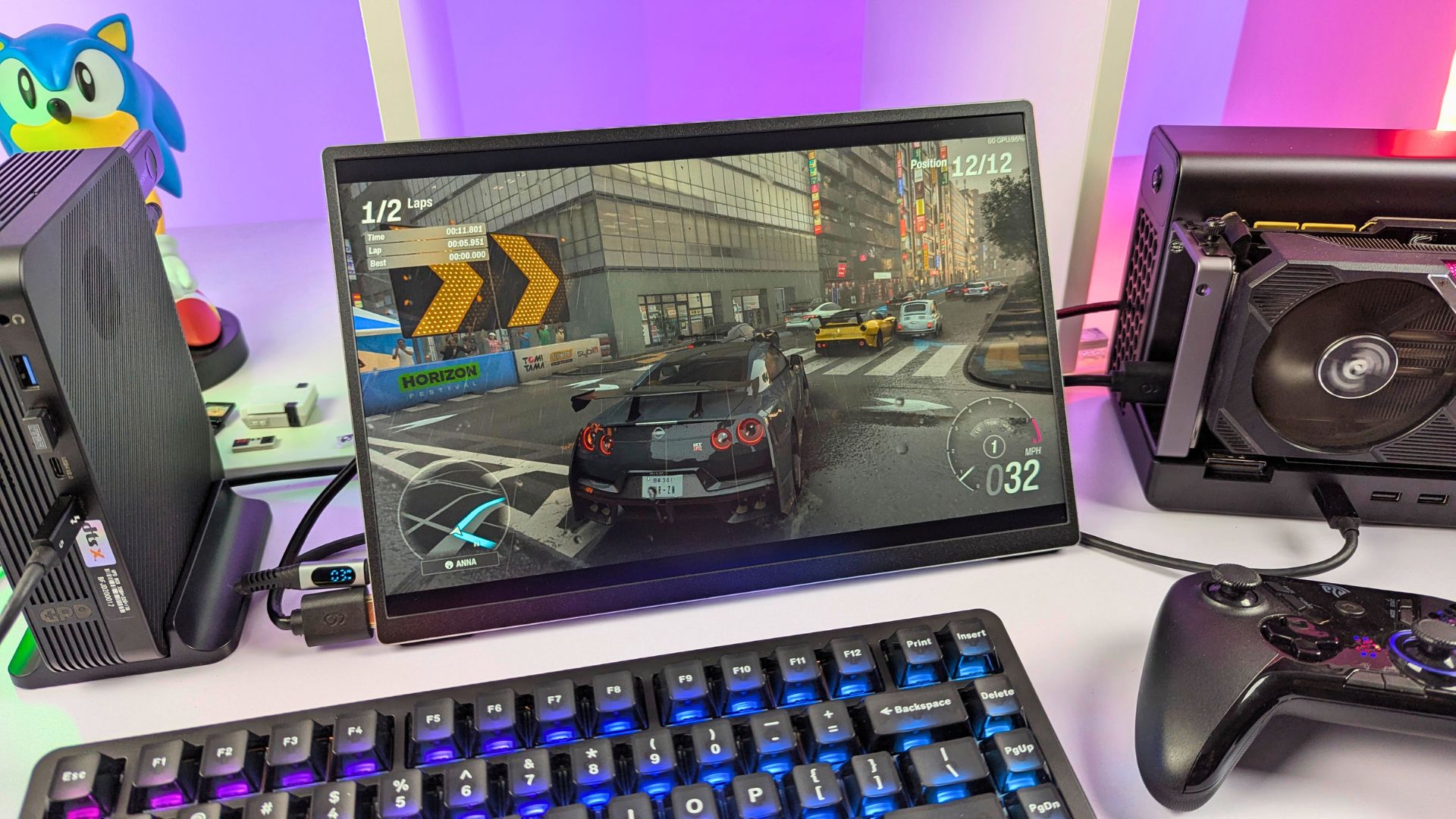
In the supplied Forza Horizon 6 figures, the GPD BOX result is higher than the GPD WIN 5 result at both recorded settings. The difference is meaningful for this test, but the unrecorded driver, game-build and power-profile details mean it should not be treated as a general bandwidth comparison between the two devices.
Forza Horizon 6 performance
| Host device | Resolution | Graphics settings | Observed frame rate |
|---|---|---|---|
| GPD BOX with GPD G2 | 4K | Extreme | 43 FPS |
| GPD BOX with GPD G2 | 1440p | High | 62 FPS |
| GPD WIN 5 with GPD G2 | 4K | Extreme | 35 FPS |
| GPD WIN 5 with GPD G2 | 1440p | High | 40 FPS |
GPD BOX with GPD G2 performance
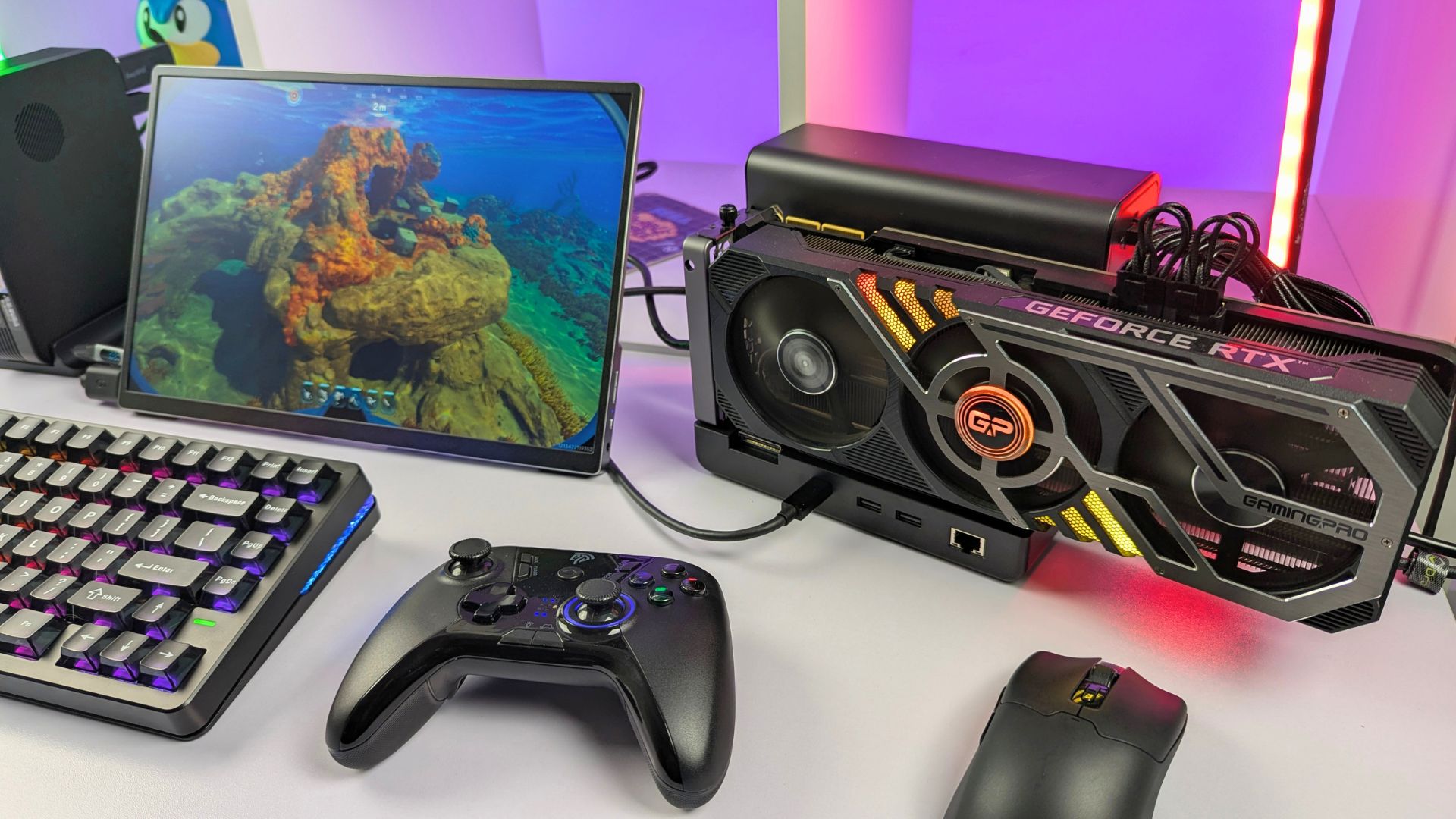
The following table retains every recorded GPD BOX game result from the test log, separated into resolution, graphics settings and observed frame rate for easier comparison.
| Game | Resolution | Graphics settings | Observed frame rate |
|---|---|---|---|
| Subnautica 2 | 1440p | High | 60+ FPS |
| DOOM: The Dark Ages | 4K | Nightmare, DLSS Balanced | 60+ FPS |
| No Man’s Sky | 4K | Ultra, DLSS Balanced | 60+ FPS |
| PowerWash Simulator 2 | 4K | Highest | 60+ FPS |
| Super Meat Boy 3D | 4K | Highest | 60+ FPS |
| Hades II | 4K | High | 60+ FPS |
| Descenders | 4K | Ultra | 60+ FPS |
| Goat Simulator 3 | 4K | Epic | 60+ FPS |
GPD WIN 5 with GPD G2
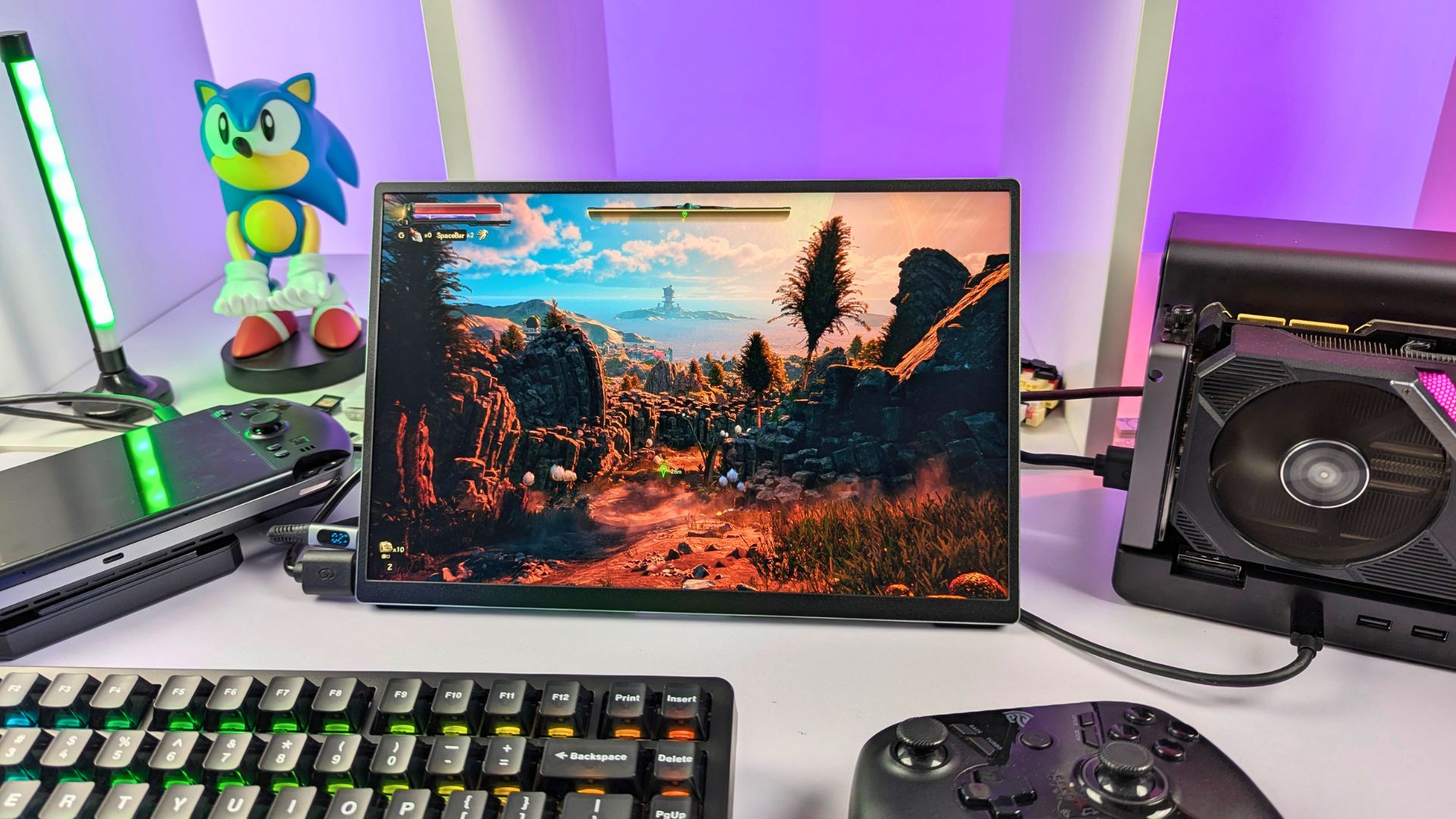
The following table retains every recorded GPD WIN 5 result from the test log, with resolution, graphics settings and observed frame rate separated for clarity.
| Game | Resolution | Graphics settings | Observed frame rate |
|---|---|---|---|
| Palworld | 4K | High preset | 60+ FPS |
| The Outer Worlds | 4K | Ultra, FSR 2 Balanced | 60+ FPS |
| DOOM: The Dark Ages | 4K | Nightmare, DLSS Balanced | 60+ FPS |
Final Thoughts
The GPD G2 review points to a compelling upgrade for someone using a GPD G1, ONEXPLAYER ONEXGPU 1 or 2, or another dock with an integrated GPU. With the GPD G2, you can choose a compatible desktop graphics card now and replace that card later instead of replacing the whole eGPU docking station, which makes long-term sense for a modular setup.


One feature I would have liked to see is OCuLink support. Several gaming handhelds and mini PCs use OCuLink, so its inclusion could have broadened connection options. MCIO is newer in this consumer context, and broader host support remains something to watch.
Elsewhere, USB4 v2.0 is a strong inclusion for potential new hosts while preserving compatibility with older USB4 generations. The extra USB ports and the SSD storage slot are also welcome additions to the GPD G2 eGPU docking station, particularly for a desk setup that needs storage and peripherals as well as graphics.


If you are considering an eGPU setup for a compatible device, the GPD G2 deserves serious consideration. This GPD G2 review finds its modular graphics-card approach, 800W power specification, MCIO option and hub features more flexible than a fixed-GPU dock, though the absence of OCuLink and the device-specific nature of eGPU performance should shape the decision. Browse the wider eGPU range to compare connection types and enclosure formats.
Our verdict – Is the GPD G2 worth buying for a modular eGPU setup?
Short answer: This GPD G2 review finds the GPD G2 a strong option for compatible hosts when you want a replaceable desktop GPU, high-bandwidth MCIO or USB4 v2.0 connectivity, and hub features in one enclosure.
Best for: GPD BOX, GPD WIN 5, handheld, mini PC and ultrabook owners with a compatible connection who want to select and upgrade their own desktop graphics card.
Not ideal for: Users who require OCuLink, need a fixed integrated-GPU dock, or want performance results that can be assumed to apply to every USB4 or MCIO host.
FAQ
Can the GPD G2 use an NVIDIA RTX 3090?
Yes. The performance tables in this article were recorded with an NVIDIA RTX 3090, and GPD’s published compatibility list includes NVIDIA RTX 30 Series PCIe cards. Check the individual card’s physical dimensions, cooling clearance and power requirements before building the system.
Does the GPD G2 support OCuLink?
GPD’s current published port list describes MCIO 8i and USB4 v2.0, not OCuLink. MCIO offers the highest published bandwidth path for a compatible host, while USB4 v2.0 provides a more widely compatible alternative.
Can I use the GPD G2 with a GPD BOX or GPD WIN 5?
Yes, this review records GPD BOX and GPD WIN 5 results with the G2 through USB4 connections. The exact connection, port capability, firmware and power settings of the specific host can affect the result.
Is the GPD G2 a good eGPU docking station for long-term upgrades?
It can be a good long-term choice if you want to replace the desktop graphics card rather than the whole dock. That modular advantage is most relevant when your host is compatible and you do not need OCuLink.
 Can Your Device Use the GPD G2? Compatibility Guide for Handhelds, Laptops & Mini PCs

Bringer of videos, text and images! AKA the social media guy at DROIX. Massive retro gaming fan and collector, with a far too large collection of consoles and computers from 1970's to modern. Contact me at [email protected]
Questions & comments
0
Every question gets an answer. Ask before you buy — DaveC and the team reply within one working day, and answers stay public so they help the next reader too.


