

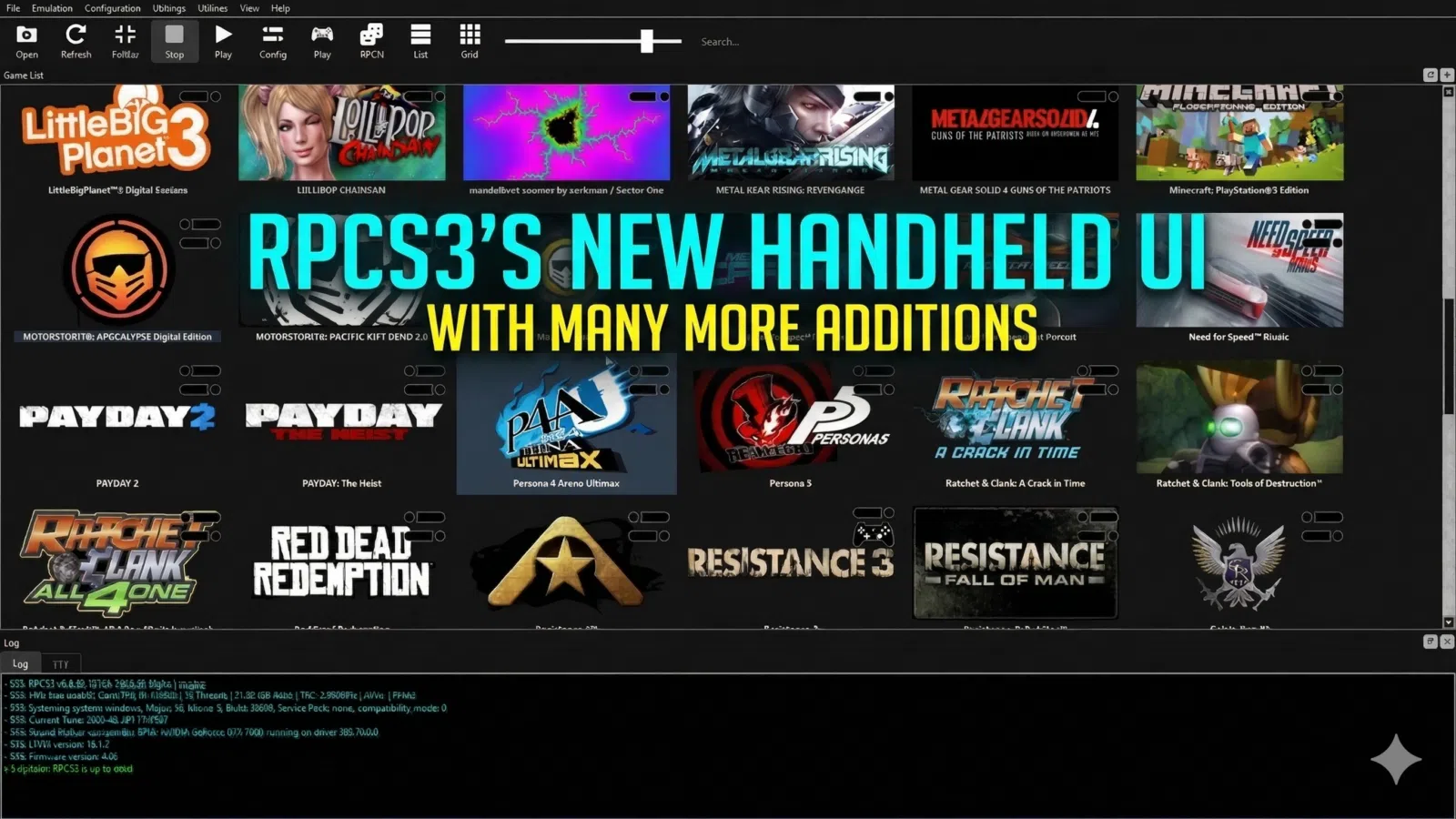
What is RPCS3’s new handheld UI? RPCS3’s new handheld UI is a redesigned in-game overlay for handheld gaming PCs that brings Steam Deck-style access to core emulator controls, quick graphics tweaks, performance monitoring, save states, and screenshots. Many settings can now be changed mid-session, making PS3 emulation easier to manage on portable hardware.
RPCS3 has spent years building its reputation on technical ambition. For handheld players, though, raw compatibility has never been the whole story.
On a desktop PC, digging through menus to change graphics settings is irritating but manageable. On a handheld gaming PC, it is far more disruptive. Screen space is tighter, controls matter more, and the whole point of the device is quick, comfortable play. That is why the newly reported handheld UI update matters. It is not just cosmetic polish. It appears to target one of the most obvious friction points in PS3 emulation on portable hardware.
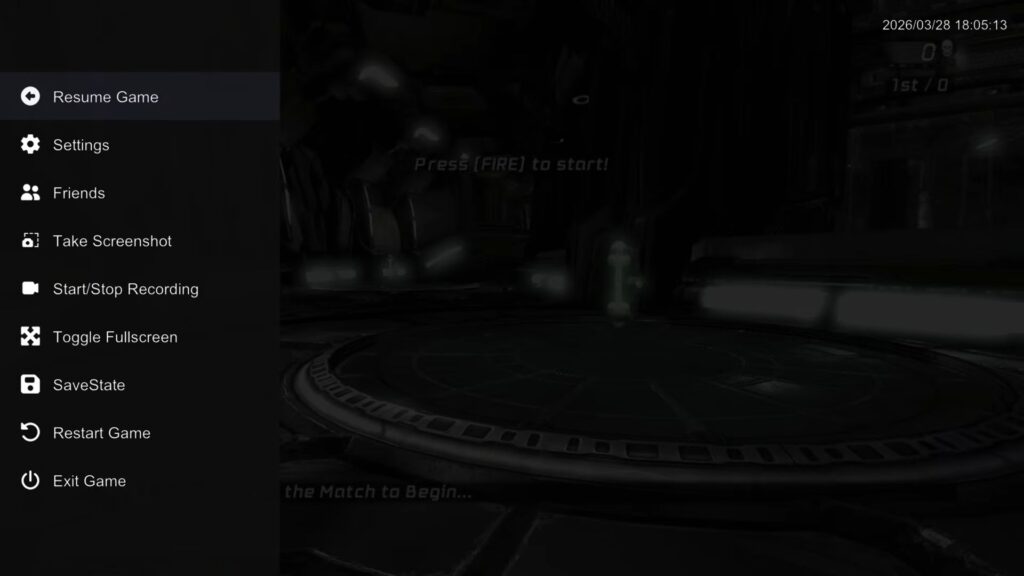
According to reporting published on 7 April, RPCS3’s updated overlay now looks and feels much closer to SteamOS. On the surface, that sounds like a simple visual refresh. In practice, it could be one of the more useful quality-of-life changes RPCS3 has made for handheld gaming PCs in months.
Why this update matters for handheld gaming PCs
The old problem was not that RPCS3 lacked settings. It was that too many useful options sat behind a clumsy path when you were already in-game.
That matters on devices such as the GPD WIN 5, GPD WIN Mini 2025, ONEXPLAYER ONEXFLY Apex, and AYANEO 3. These are the sort of machines owners use for both native PC titles and heavier emulation, where a small change to resolution scaling or a framerate limiter can make the difference between an awkward session and a smooth one.
The redesign is important because it appears to reduce that tuning friction at the exact point where handheld users feel it most, mid-session, with a controller in hand.
| Handheld workflow area | Older friction point | Reported new behaviour | Why it matters |
|---|---|---|---|
| Overlay access | Existing tools felt clunky or buried | Start + Select opens the redesigned handheld overlay | Faster access suits portable play |
| Quick actions | Screenshots, save states, and restart options required more menu work | Core actions now appear at top level | Better for short sessions and quick testing |
| Graphics tuning | Key options were slower to reach | Resolution scaling and framerate limiter are easier to access | More practical on lower-power hardware |
| Performance checking | Monitoring could feel like an extra step | Performance overlay is a simple toggle | Easier to judge whether tweaks actually helped |
| Mid-game changes | Some settings previously needed a restart | Many options now apply on the fly | Reduces disruption when tuning handheld performance |
What handheld owners reportedly gain
The biggest reported change is not a new rendering trick. It is usability.
Pressing Start + Select brings up a controller-friendly overlay that surfaces the features most handheld players actually need during a session. Screenshots, save states, and restart functions are said to sit at the top level. Resolution scaling, framerate limiting, and other key graphics controls are also easier to reach.
That alone would already be useful. The bigger win is that many settings can now be changed without fully restarting the game, including rendering resolution. For PS3 emulation on portable hardware, that is a meaningful shift. Handheld owners regularly move between power profiles, charger states, and use cases. A setting that feels fine on mains power may not feel nearly as comfortable on battery.
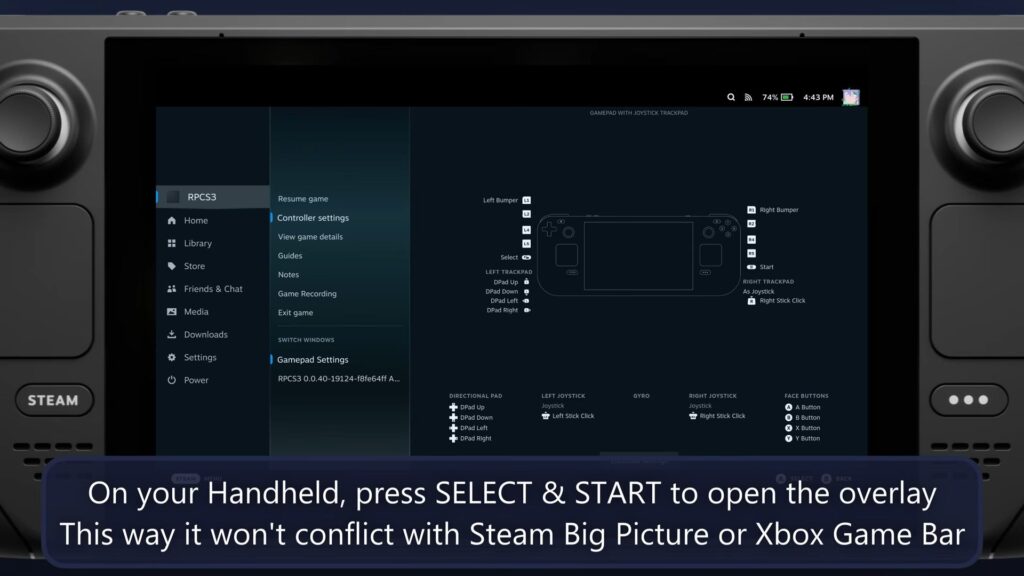
The SteamOS-style look also matters more than it might seem. A familiar layout reduces mental overhead. On a handheld, where you are often making quick decisions with buttons instead of a mouse, recognisable structure is part of usability, not just presentation.
This is bigger than a visual refresh
The UI story becomes more interesting when you place it next to RPCS3’s other recent handheld-facing improvements.
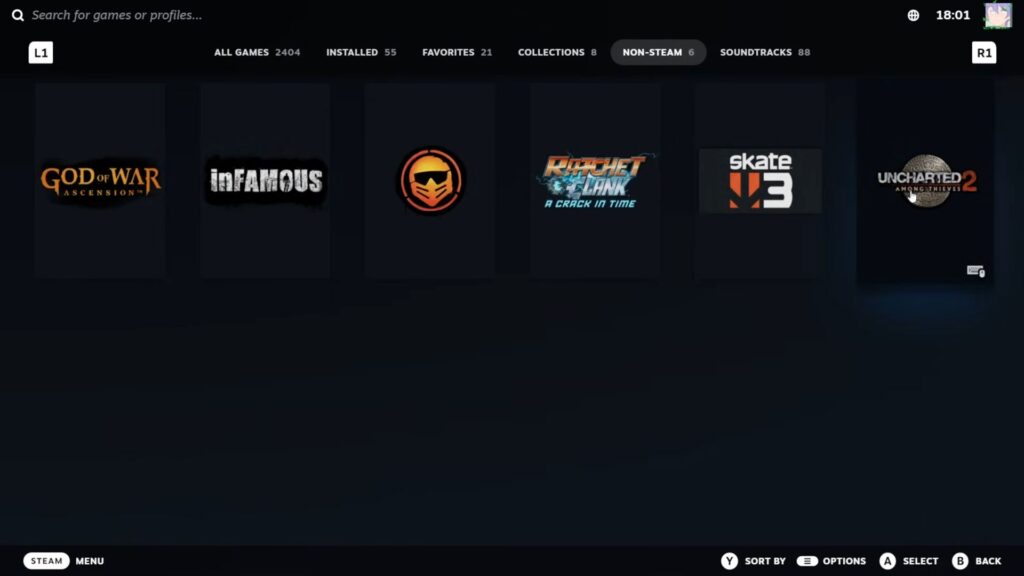
Last month, RPCS3 added the ability to create Steam shortcuts directly from the desktop interface, letting PS3 titles appear inside your Steam library with artwork. That is the kind of feature that makes handheld gaming PCs feel more cohesive. Instead of treating emulation as a completely separate workflow, it brings PS3 games closer to the same front-end experience many players already use for native PC libraries.
That is also why this story fits naturally with broader handheld usability pieces such as Beyond Basic Emulation: The Ultimate Guide to Retro Handheld Front-Ends. The update is not only about getting a game to boot. It is about making the whole journey, library to launch to in-game tweaking, feel more console-like on a portable PC.
For readers comparing high-end hardware, the story also has a useful commercial bridge. A device like the ONEXPLAYER ONEXFLY Apex already makes sense for demanding emulation, and our earlier ONEXPLAYER ONEXFLY Apex review shows why display quality, control feel, and raw headroom matter when you start pushing beyond lighter retro systems.
The Cell CPU uplift is promising, but it should be framed carefully
The handheld overlay update did not arrive in isolation. Coverage published alongside the UI story says RPCS3 also gained a Cell CPU optimisation that delivered a 5 to 7 percent average FPS uplift in Twisted Metal, described as one of the more SPU-intensive games in the PS3 catalogue. That is encouraging, especially for handheld users, but it should be treated as a specific reported example rather than a universal promise.
One game is not the whole library. A 5 to 7 percent uplift in one difficult title does not mean every PS3 game will suddenly feel effortless on every handheld gaming PC. What it does suggest is that RPCS3’s developers are still finding meaningful performance gains in one of emulation’s toughest workloads. On portable hardware, even modest extra headroom can matter.
What this update does not change
The emulator remains one of the most technically demanding ways to use a handheld gaming PC. PS3 emulation is not magically simple just because the menu is better. Some titles will still ask a lot from the CPU, some games will still need per-game judgement, and not every portable device will land in the same place.
That is exactly why the UI work feels relevant. Handheld users do not need fantasy claims. They need a faster, cleaner way to react to reality. Better overlay access, on-the-fly setting changes, and clearer performance visibility all make the existing challenge easier to manage, even when the underlying workload stays hard.
Why DROIX readers should care
For DROIX readers, the strongest angle is simple: this is a real usability upgrade for the handheld gaming PC category, not just another emulator changelog item.
The handheld gaming PCs category now includes devices with enough CPU and GPU headroom to make sixth-generation and seventh-generation emulation a serious part of the ownership experience. Whether someone is looking at a flagship machine like the GPD WIN 5, a more compact option such as the GPD WIN Mini 2025, or a high-end alternative like the AYANEO 3, the value of a better handheld-friendly emulator interface is easy to understand.
The story also lands at the right time. Handheld gaming PCs are no longer niche curiosities bought only for indies and light emulation. Buyers increasingly expect one machine to cover Steam, launchers, front-ends, older consoles, and heavier emulators. If RPCS3 is now becoming easier to manage on-device, that improves one of the most prestigious but fiddly workloads in the whole handheld space.
Our verdict — Is RPCS3’s new handheld UI a meaningful upgrade for handheld gaming PCs?
Short answer: Yes, if the reported feature set holds up in everyday use.
Best for: Handheld gaming PC owners who regularly tweak emulator settings and want a more controller-friendly PS3 workflow.
Not ideal for: Readers expecting this UI change alone to solve every RPCS3 performance problem or make every PS3 title equally portable.
Current status: Reported on 7 April 2026 as a SteamOS-style handheld overlay update, with easier in-game controls and related handheld usability improvements.
Rating: 8.5/10, based on the reported handheld-focused feature set and broader usability direction as of April 2026.
FAQ
What is RPCS3’s new handheld UI?
RPCS3’s new handheld UI is a redesigned in-game overlay for handheld gaming PCs that reportedly makes core emulator controls easier to access with a controller. Reports say it adds a more SteamOS-like layout, quicker graphics tuning, and simpler access to save states, screenshots, and restart options.
How do you open RPCS3’s new handheld overlay?
According to current reporting, the new handheld overlay opens with Start + Select during gameplay. That shortcut is designed to make in-game tuning faster on devices such as the Steam Deck and other handheld gaming PCs.
Does the new RPCS3 UI improve performance?
The new UI itself is mainly a usability upgrade rather than a direct performance feature. Separate reporting published alongside the update says RPCS3 also gained a Cell CPU optimisation that improved Twisted Metal by around 5 to 7 percent on average, but that should not be treated as a guaranteed result for every game.
Why does this matter for handheld gaming PCs?
This matters because handheld users often need to change settings quickly while already in-game. If RPCS3 now allows easier controller-first tuning and more on-the-fly changes, PS3 emulation becomes less disruptive and more practical on portable hardware.




