



Neste artigo
What is the EPOMAKER Carbonis Mouse?
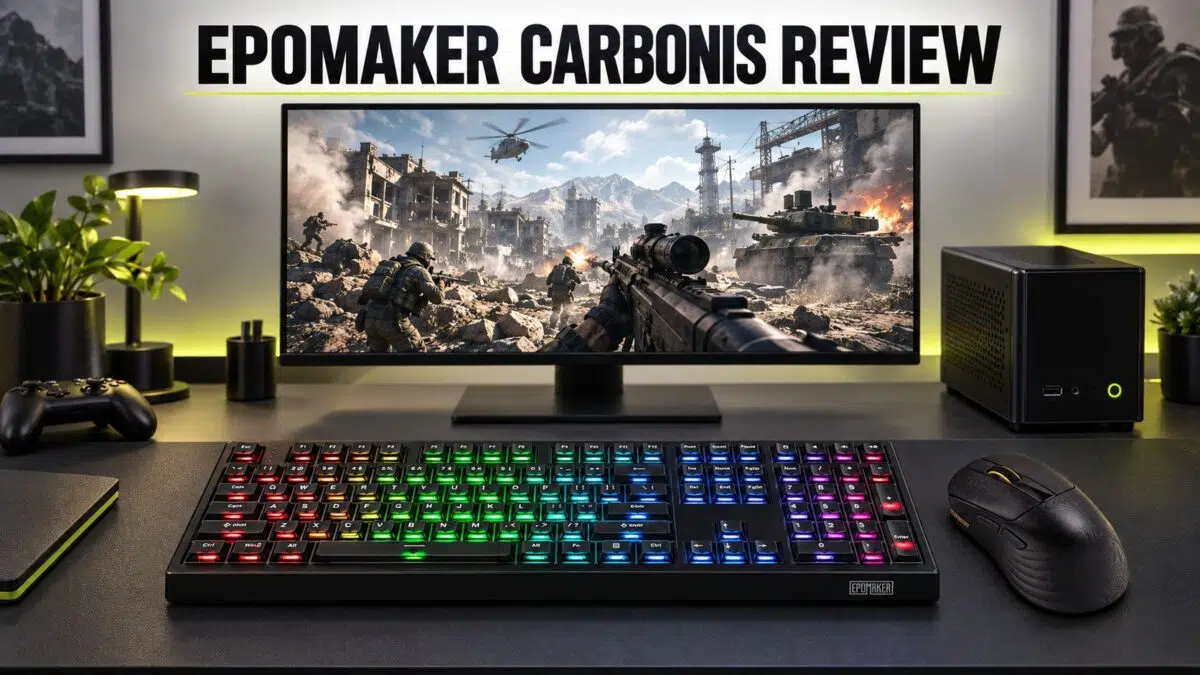
The EPOMAKER Carbonis is a right-handed wireless gaming mouse with a carbon-fibre composite shell, a PixArt PAW3950 sensor, up to 30,000 DPI and up to 8,000 Hz polling. It weighs approximately 50 g, supports 2.4 GHz, Bluetooth 5.0 and USB-C, and has a small LCD for DPI, polling rate, connection mode and battery information.
The EPOMAKER Carbonis is aimed at players who want esports-style tracking in a solid, non-honeycomb mouse. Its light shell, flagship sensor and integrated display are the main attractions, while the 300 mAh battery and right-handed-only shape are the compromises to consider. This EPOMAKER Carbonis mouse review looks at whether that balance makes sense for competitive gaming and everyday use.
Specifications at a glance
| Specification | EPOMAKER Carbonis details |
|---|---|
| Shape | Right-handed ergonomic |
| Dimensions | Approximately 123 × 66.1 × 42.7 mm (4.84 × 2.60 × 1.68 in) |
| Weight | Approximately 50 g |
| Shell | Carbon-fibre composite, non-honeycomb |
| Buttons | Five programmable buttons: left, right, middle and two side buttons |
| Sensor | PixArt PAW3950 optical sensor |
| DPI | 400 / 800 / 1,600 / 3,200 / 6,400 / 30,000 |
| Maximum tracking | 750 IPS, 50 G acceleration |
| Polling rate | 1,000 / 2,000 / 4,000 / 8,000 Hz in 2.4 GHz or USB mode; 1,000 Hz by default |
| Bluetooth polling rate | 125 Hz |
| Connectivity | 2.4 GHz wireless, Bluetooth 5.0 and USB-C wired |
| Battery | 300 mAh Li-Po; under one hour charging claimed |
| Display | Small glass LCD showing DPI, polling rate, connection mode and battery |
| Software | Browser-based online configuration tool |
| Compatible devices | PC, laptop, tablet and phone |
| Compatible operating systems | Windows, Mac and Linux |
Design and build quality
The EPOMAKER Carbonis uses a right-handed ergonomic shape intended for medium to large hands. That immediately narrows its audience: left-handed users and players who prefer a symmetrical shape should look elsewhere.
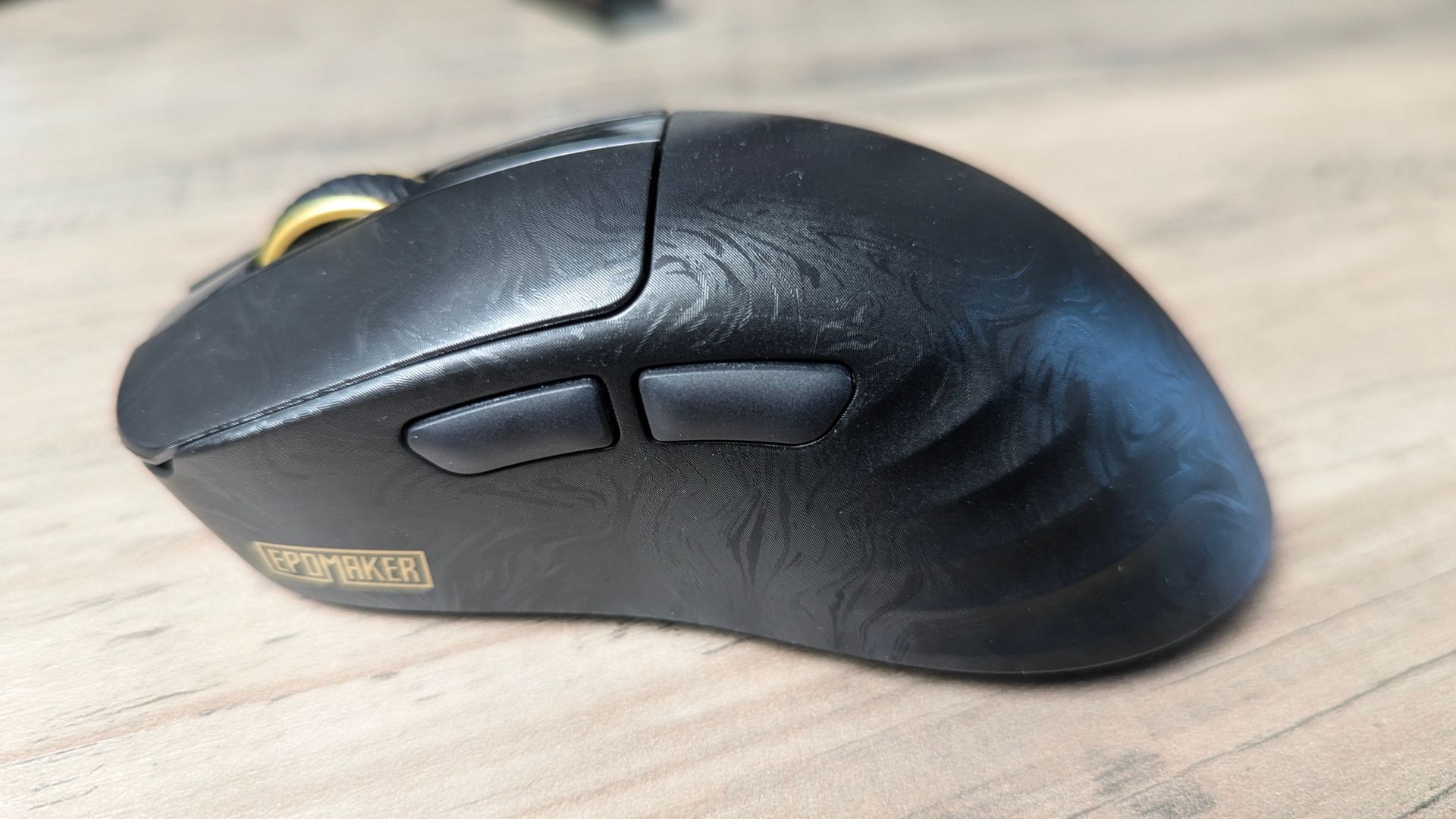
For this EPOMAKER Carbonis mouse review, the closed carbon-fibre composite shell is one of the most important design details because it keeps the body light without using a honeycomb pattern.
Instead of cutting weight with a perforated honeycomb shell, EPOMAKER uses a carbon-fibre composite body. The result is a mouse that weighs around 50 g while keeping a closed, solid shell. That should appeal to anyone who likes lightweight mice but does not want exposed holes that can collect dust or alter the feel of the body.
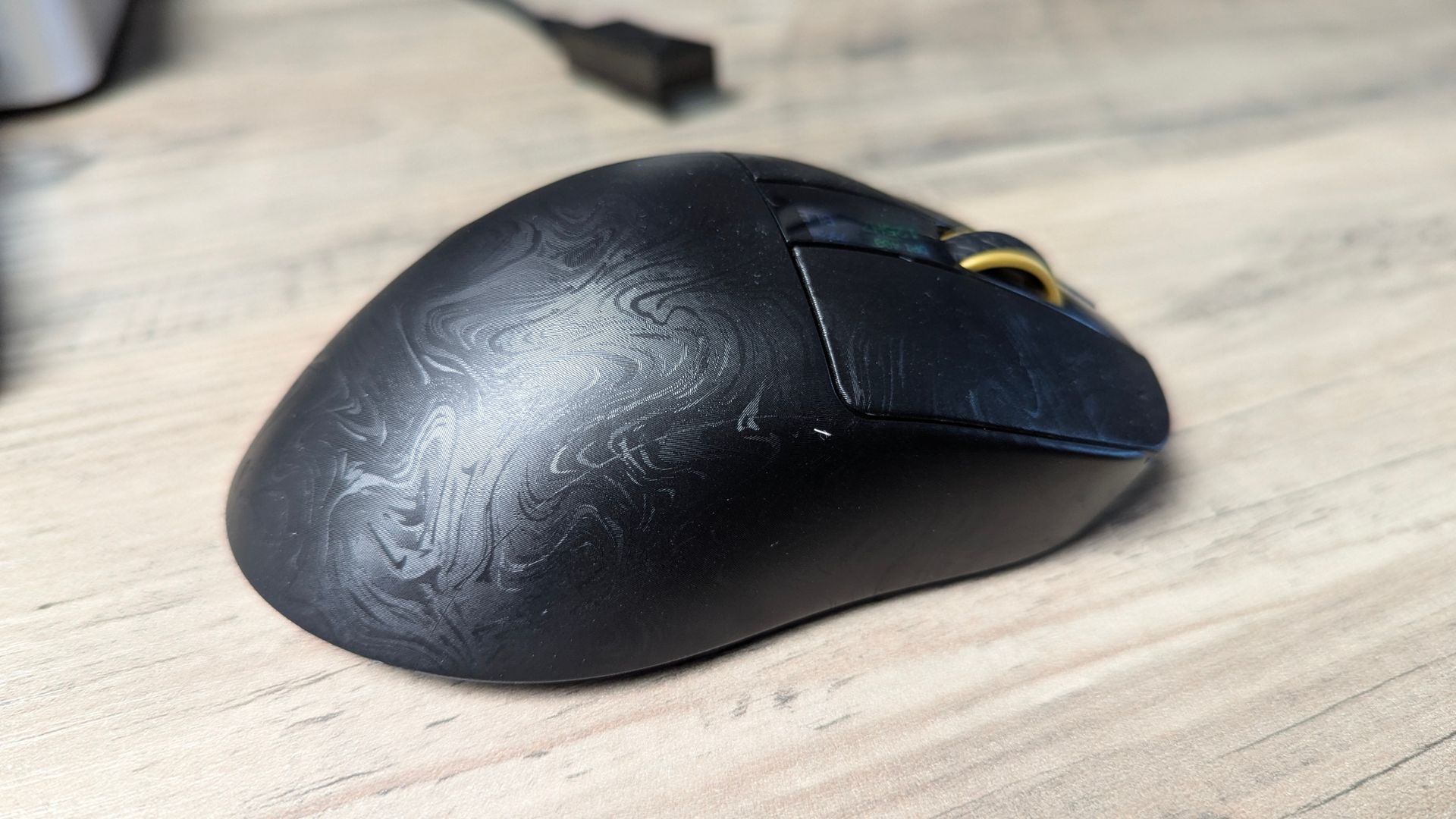
The left and right buttons use a PC and carbon-fibre mix that is sweat resistant. The side buttons are ABS, so there is a small difference in texture between the materials, it is unobtrusive during everyday use.
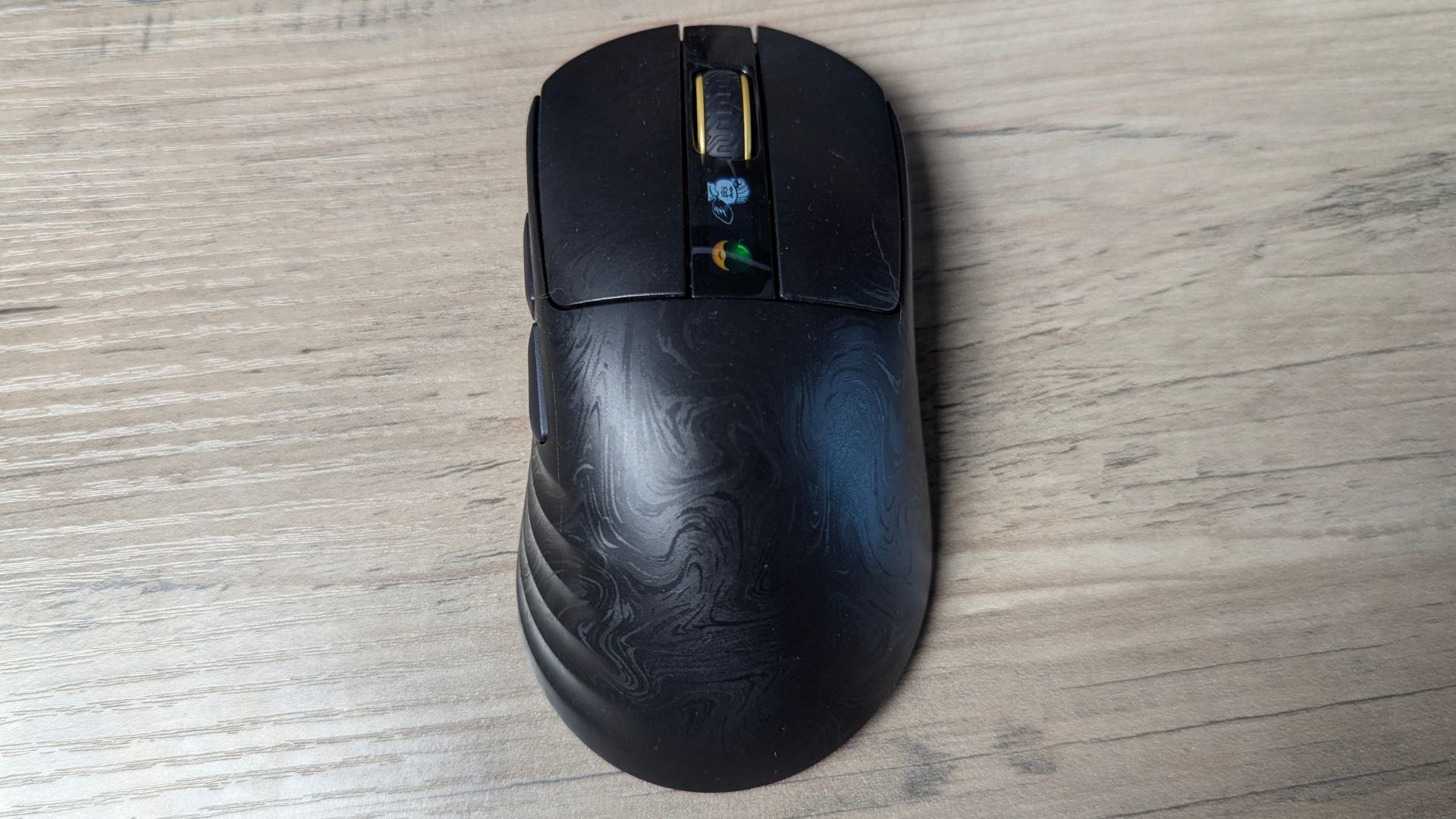
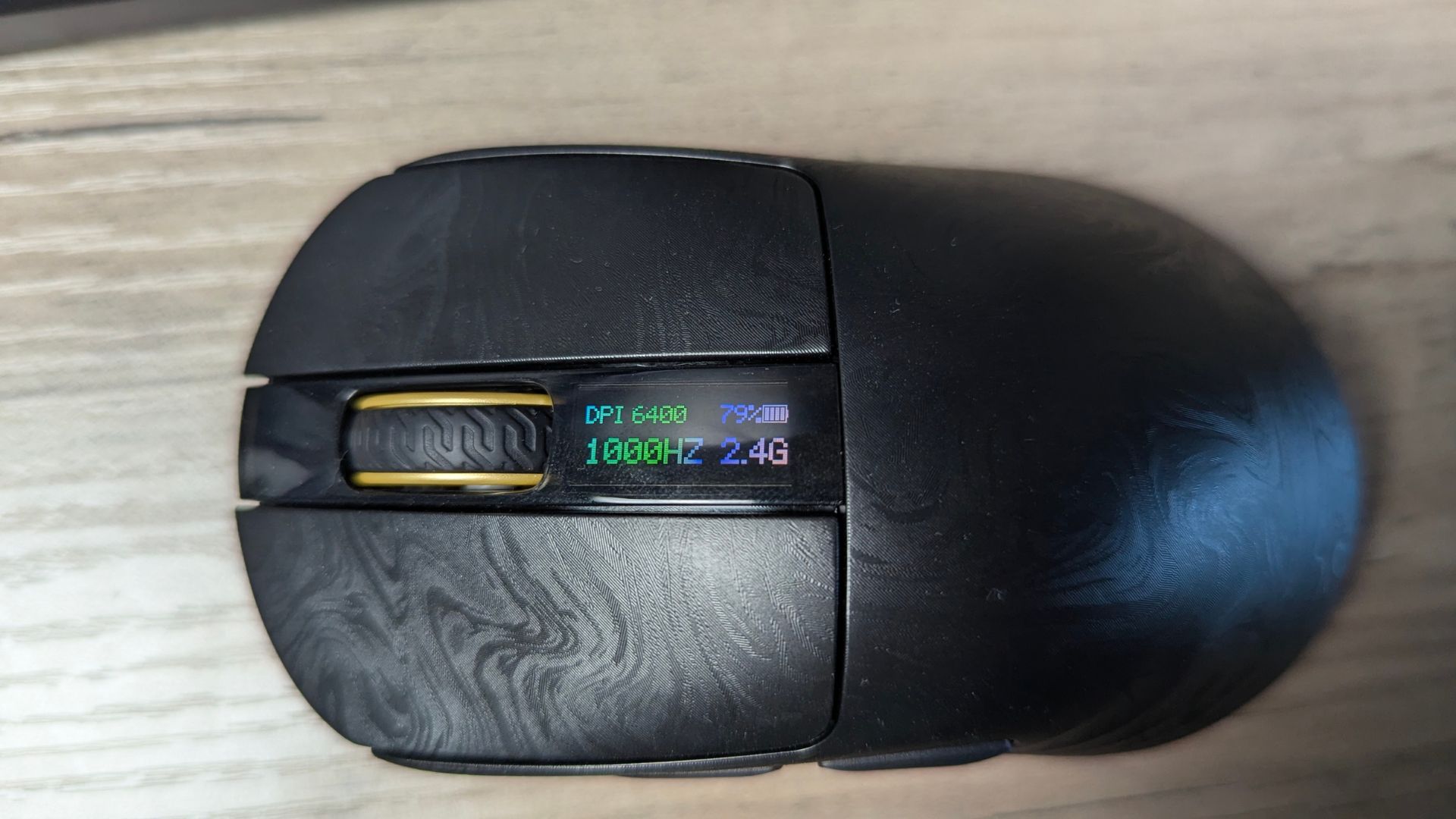
A small glass LCD sits on top of the mouse. It shows the current DPI, polling rate, connection mode and battery level, and some settings can be changed directly on the mouse. The screen turns off while the mouse is moving and wakes after approximately three seconds of inactivity, which helps limit its effect on battery life.
Performance and gaming feel
The PixArt PAW3950 is the Carbonis's main performance component. Rated for up to 30,000 DPI, 750 IPS tracking and 50 G acceleration, giving it considerable headroom for fast movements and low-sensitivity play. The performance question in this EPOMAKER Carbonis mouse review is less about whether the specifications are high enough and more about whether your games and hardware can make use of 8,000 Hz polling.
The Carbonis supports 1,000, 2,000, 4,000 and 8,000 Hz polling when used over 2.4 GHz wireless or USB. It runs at 1,000 Hz by default. At the maximum setting, the mouse reports movement far more frequently than a standard 1,000 Hz mouse, although the practical benefit depends on the rest of the system, display refresh rate and game.
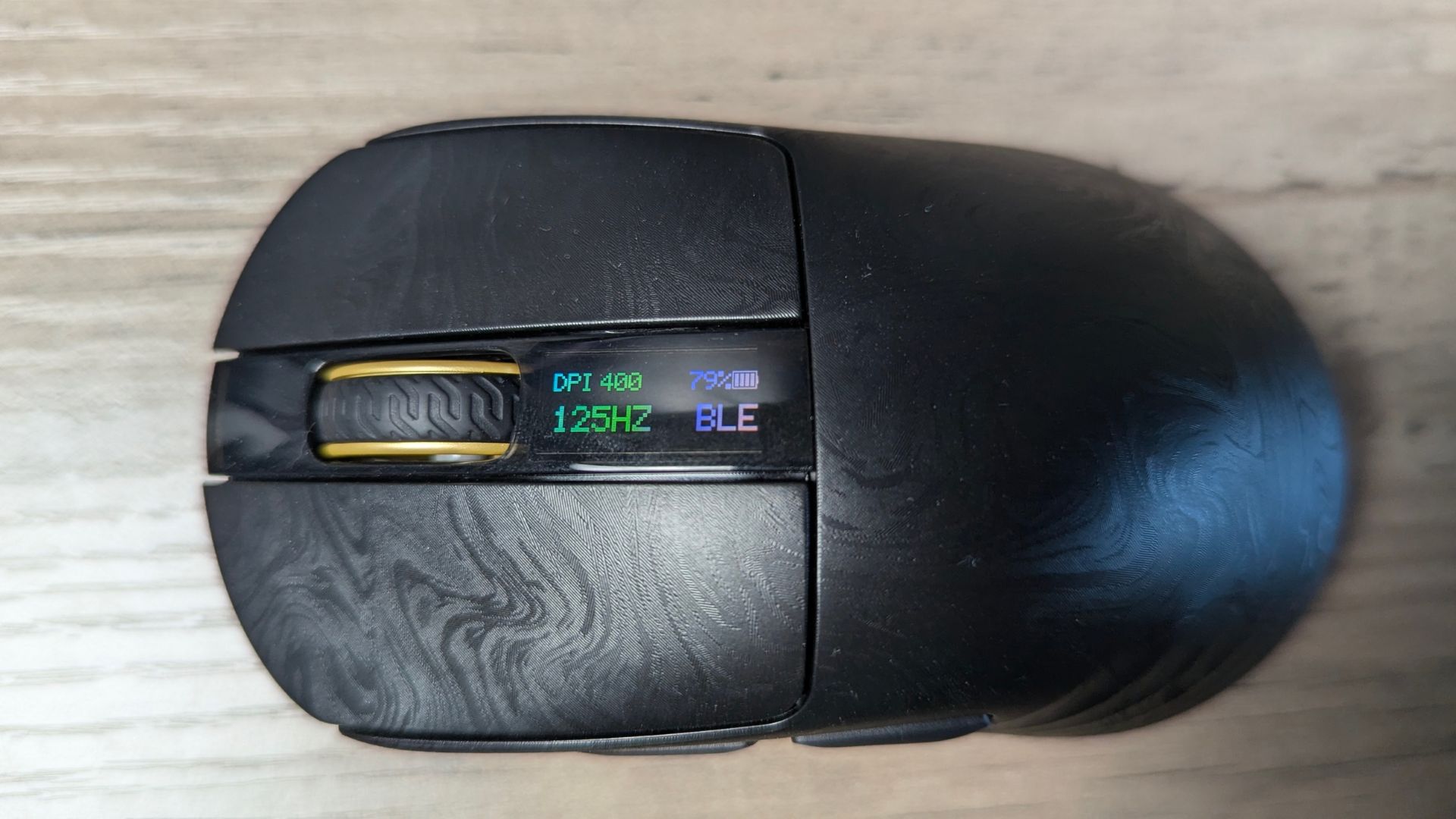
The supplied figures quote latency of approximately 0.3 ms in wired mode and 0.375 ms over 2.4 GHz wireless. Bluetooth is listed at approximately 125 Hz, with latency around 8 ms, so it is better suited to productivity, tablets and battery-saving use than competitive gaming.
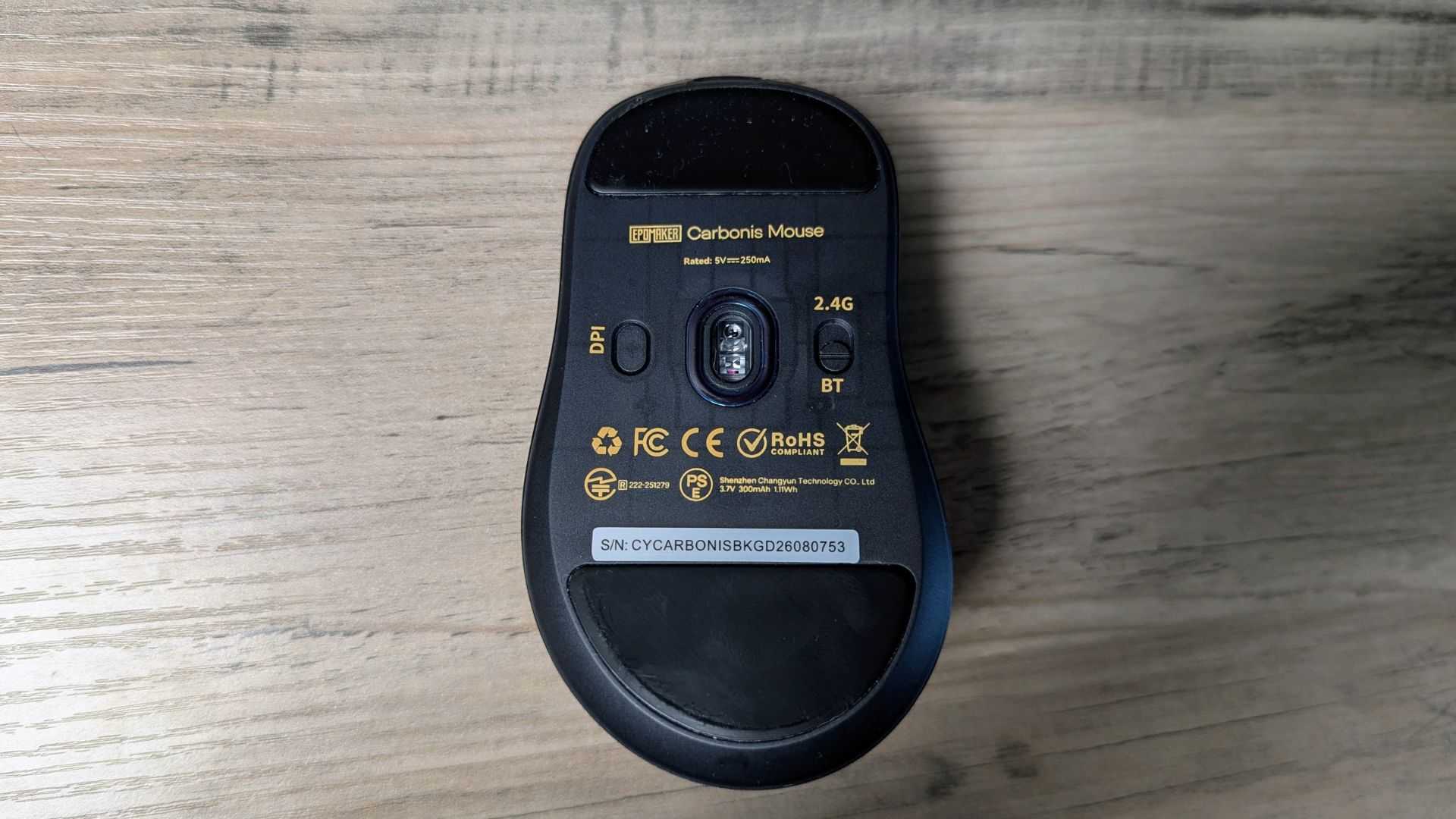
DPI can be set to 400, 800, 1,600, 3,200, 6,400 or 30,000 by default. Changing DPI and polling rate directly on the mouse is particularly convenient because the LCD confirms the active setting immediately. You do not need to open the configuration tool or remember which LED colour represents a particular profile.
The PAW3950 sensor, 8,000 Hz support and low quoted latency give the Carbonis the specification set expected from a serious competitive gaming mouse. The value of 8K polling is greatest for players with compatible hardware and games; everyone else may be equally well served by 1,000 Hz or a lower setting.
Battery life and connectivity
The EPOMAKER Carbonis has three connection options: 2.4 GHz wireless, Bluetooth 5.0 and USB-C wired. That makes it suitable for a gaming PC, laptop, tablet or phone, with the included USB-A to USB-C cable handling charging and wired use. That flexibility is important to this EPOMAKER Carbonis mouse review because the mouse is designed to move between competitive wireless gaming and lower-demand devices.
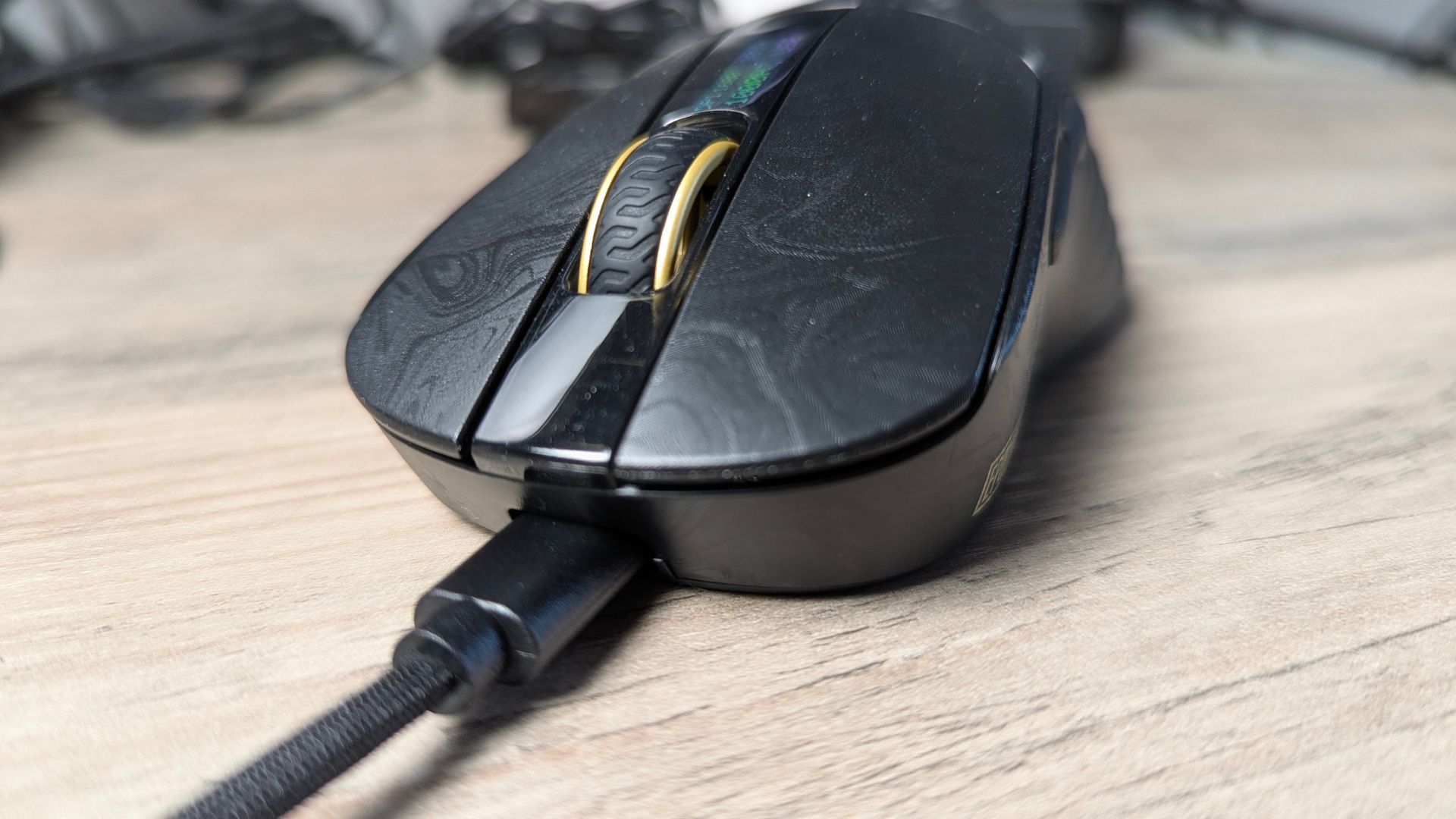
The 300 mAh battery can fully recharge in under an hour. The specs reports around 35 hours in typical mixed use, while Bluetooth and lower polling-rate 2.4 GHz use can extend runtime. Using 8,000 Hz polling is likely to require more frequent charging. In our tests we found the 35 hour battery life to be roughly correct in our usage over several days for a few hours at a time.
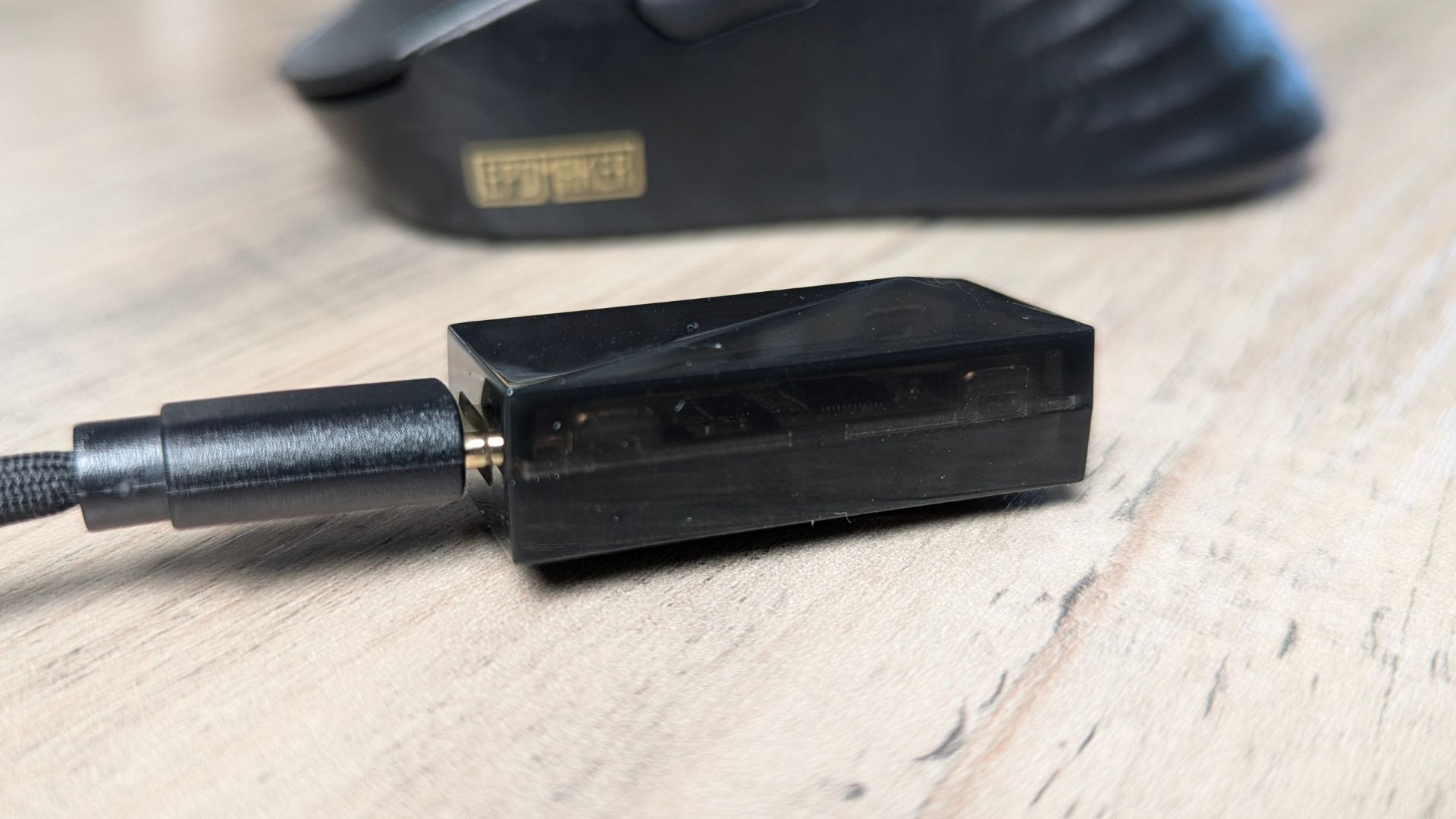
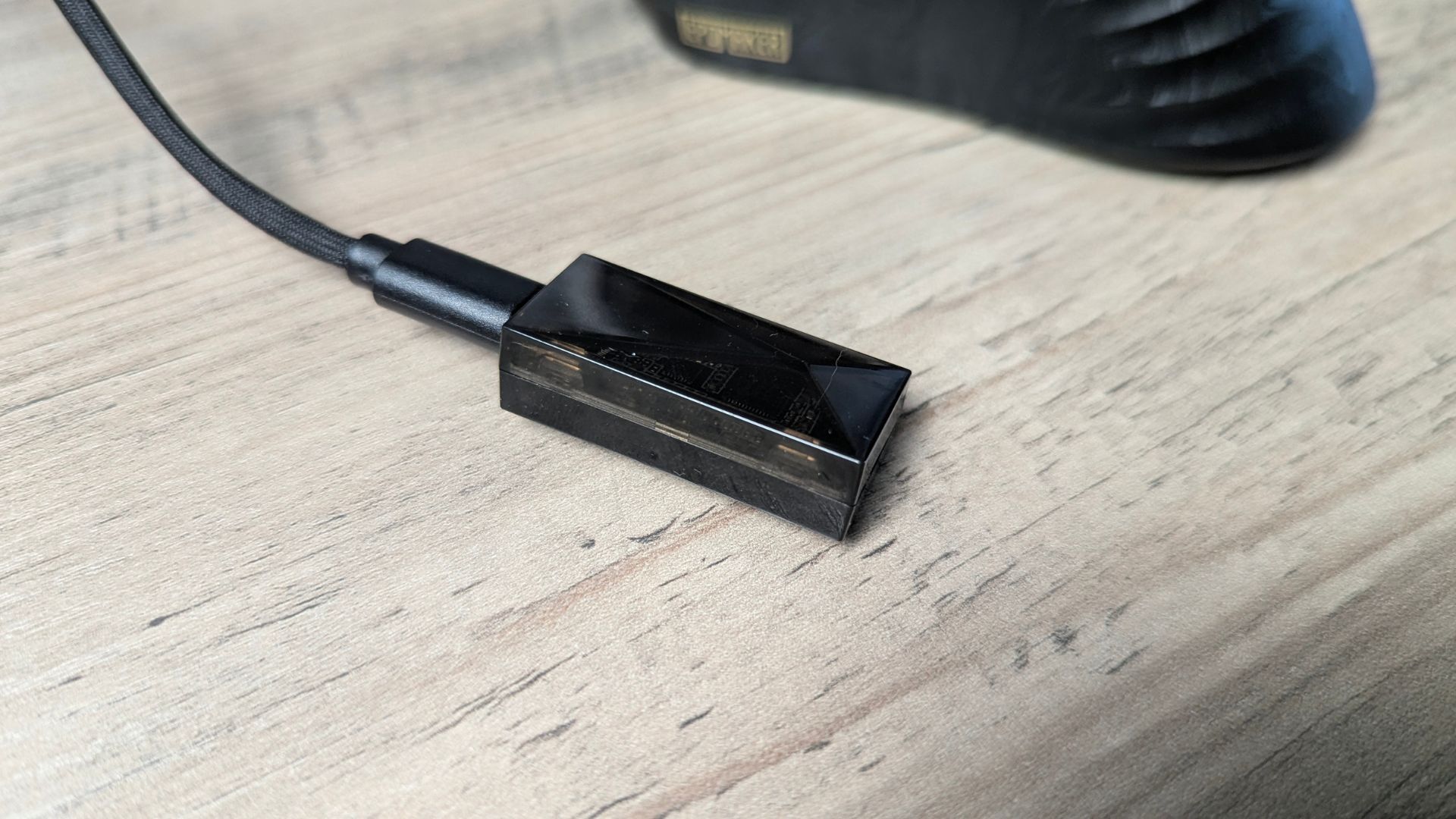
The relatively small battery is a direct trade-off for the low weight. A larger cell would probably add runtime but also add mass, so buyers need to decide whether the Carbonis's approximately 50 g body matters more than long intervals between charges.
Tri-mode flexibility and fast charging are useful, but the 300 mAh cell will need more frequent top-ups than heavier alternatives.
Software and customisation
EPOMAKER provides a browser-based online configuration tool rather than a conventional desktop application. Chromium-based browsers are recommended to ensure that the software displays all functions correctly; other browsers may have compatibility issues.
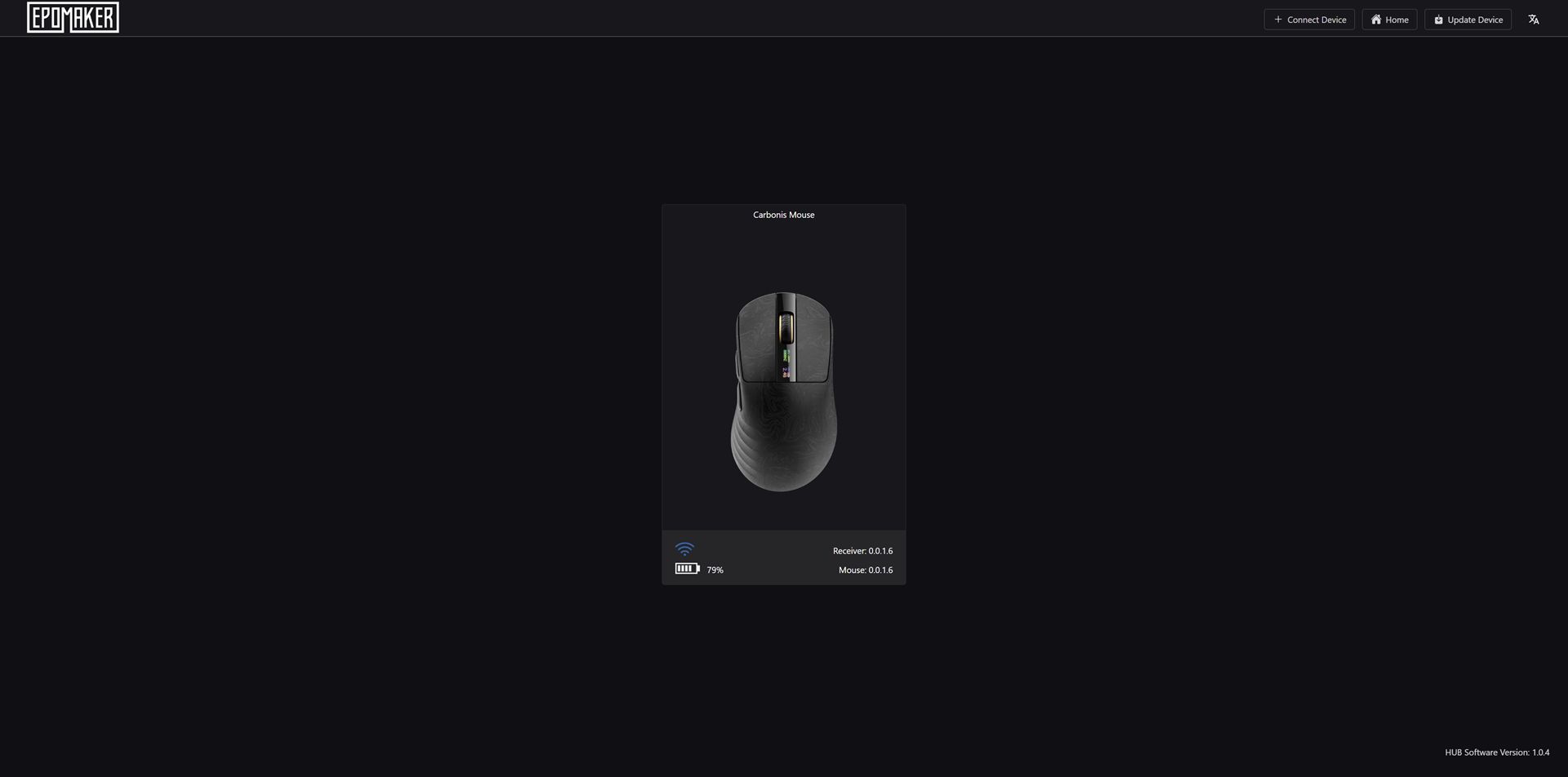
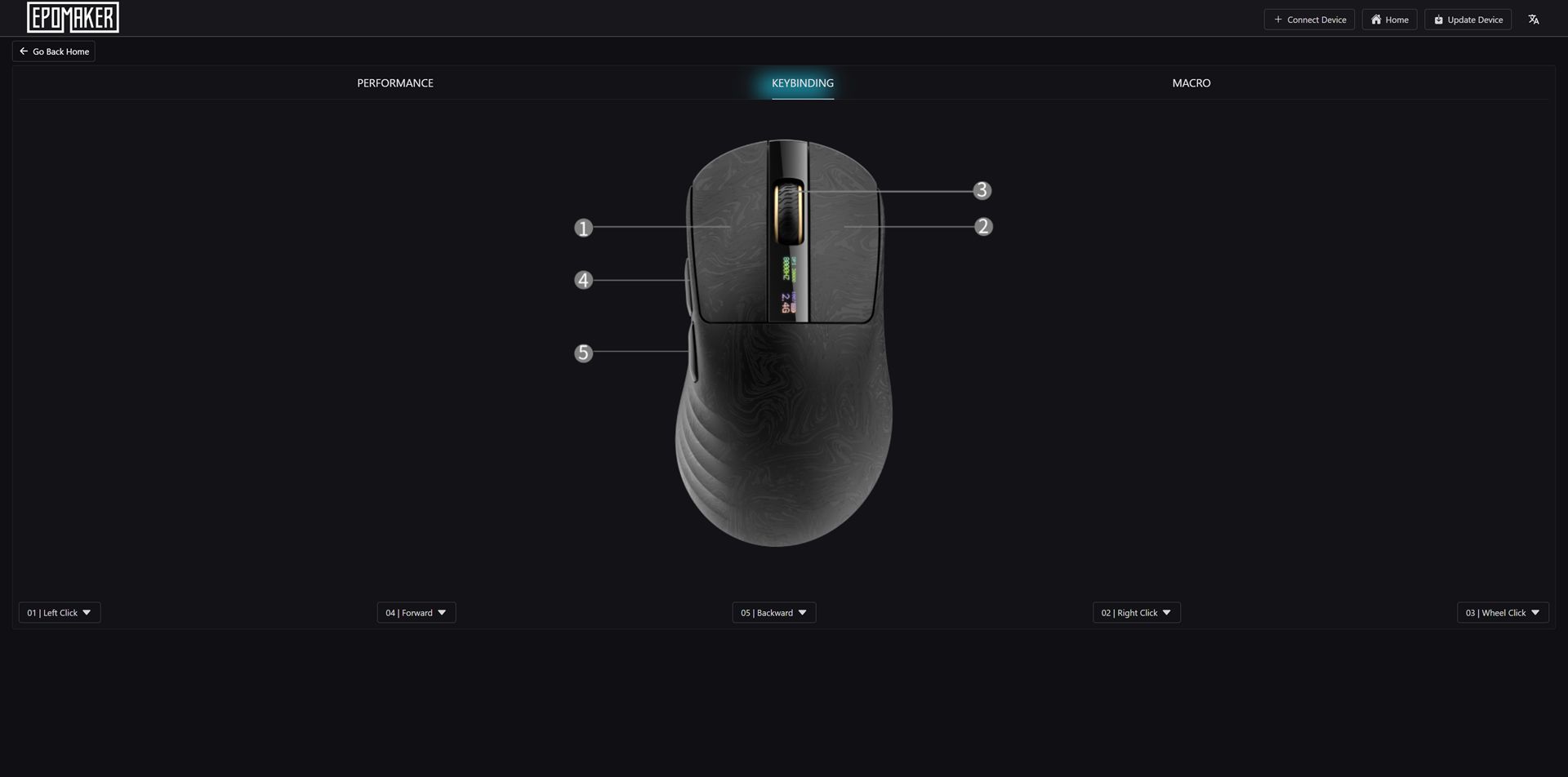
The tool covers the main settings, including DPI stages, polling rate, button assignments, sleep behaviour and lift-off distance. It is straightforward rather than especially deep, which should suit users who want the essentials without a large background utility. It works well for adjusting the mouse, and avoiding a separate installation is convenient, but relying on a website raises a long-term concern: what happens if the website is unavailable or permanently closes?
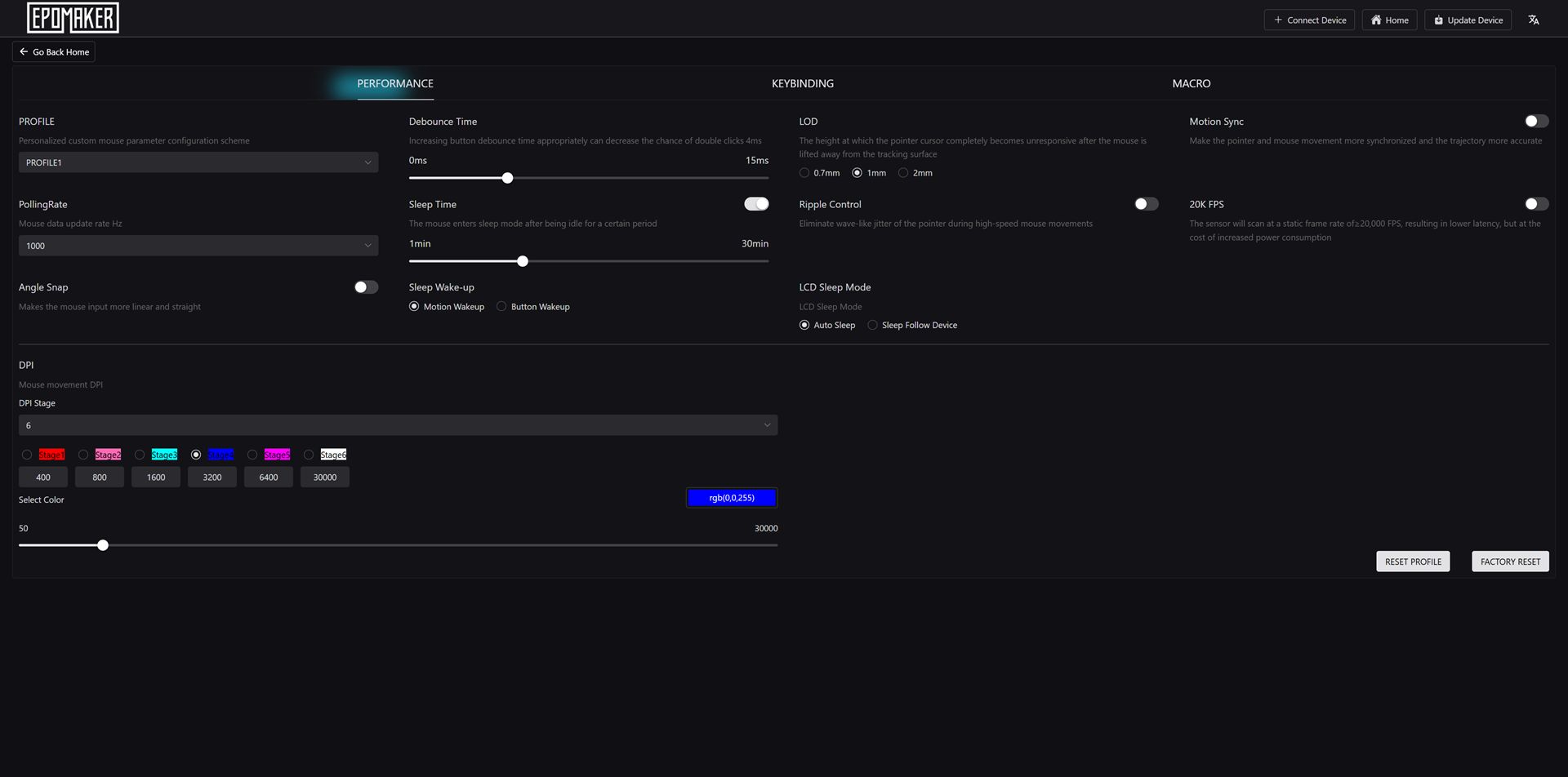
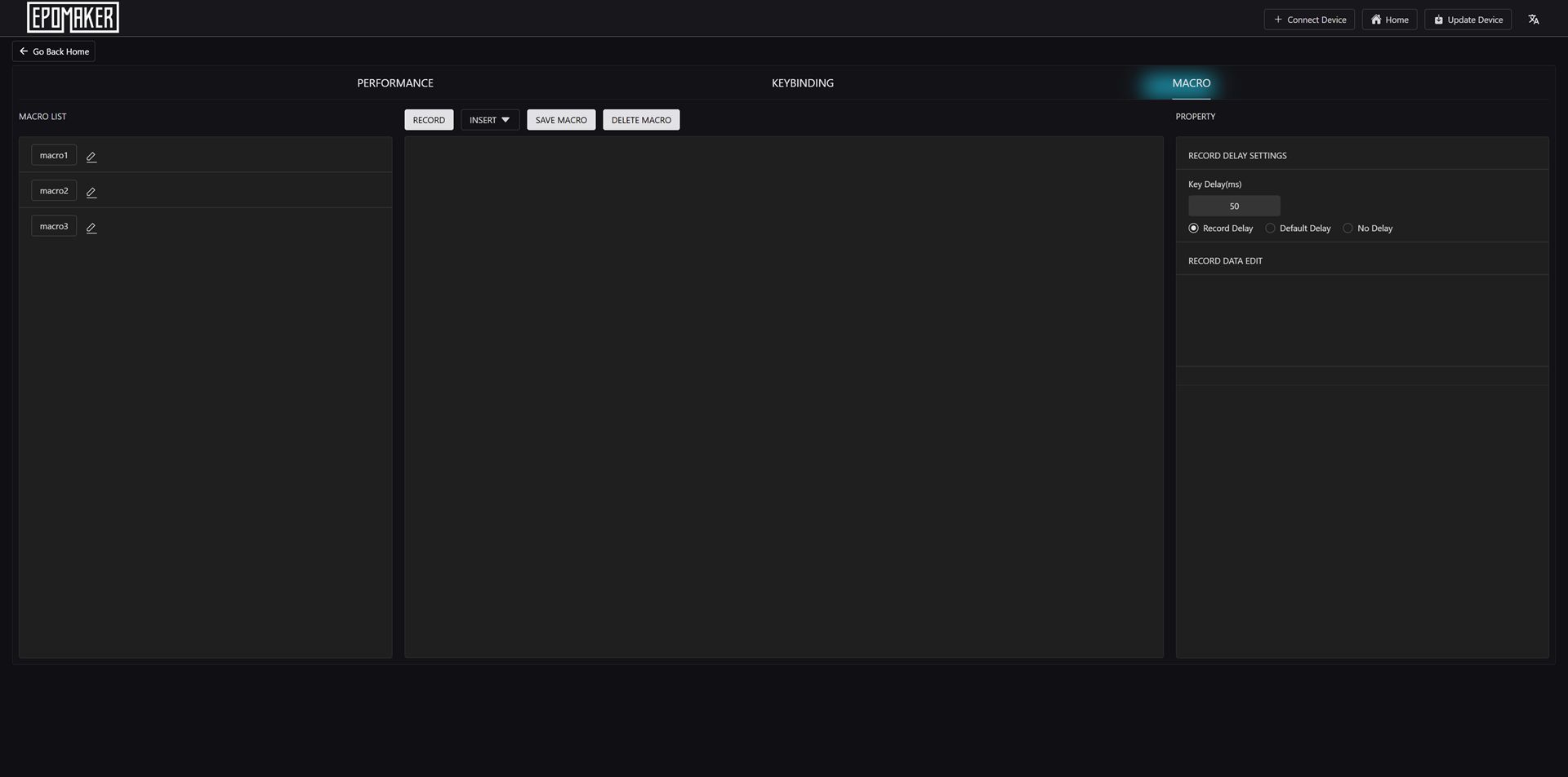
The on-mouse controls reduce how often the web tool is needed. DPI and polling rate can be changed on the mouse, and the LCD shows the result straight away.
EPOMAKER Carbonis vs NEX Pro vs Click Lite
The EPOMAKER Carbonis sits at the top end of EPOMAKER's mouse range for low weight and raw performance. The NEX Pro focuses more on battery life and charging-dock convenience, while the Click series offers a lower-cost route into lightweight tri-mode wireless use.
This comparison is a central part of the EPOMAKER Carbonis mouse review: the Carbonis is not automatically the best choice if battery endurance or a symmetrical shape matters more than minimum weight.
| Feature | EPOMAKER Carbonis | EPOMAKER NEX Pro | EPOMAKER Click (Lite) |
|---|---|---|---|
| Shape / handedness | Right-handed ergonomic | Right-handed ergonomic | Symmetrical / ambidextrous (Click Lite) |
| Weight | Approximately 50 g | Approximately 65 g, without dock | Approximately 59 g (Click Lite) |
| Shell material | Carbon-fibre composite, non-honeycomb | Standard plastic shell | Plastic shell |
| Sensor | PAW3950, up to 30,000 DPI | PAW3950, up to 42,000 DPI | PAW3311, up to 12,000 DPI |
| Maximum polling rate | 8,000 Hz in 2.4 GHz / USB | 8,000 Hz in 2.4 GHz / USB | 1,000 Hz |
| Battery | 300 mAh; approximately 35 hours typical mixed use | 500 mAh; longer runtime, charging dock support | 500 mAh; approximately 78 hours claimed |
| Standout feature | LCD for DPI, polling, connection mode and battery | RGB charging dock | Simple, lightweight tri-mode design |
| Connectivity | 2.4 GHz / Bluetooth 5.0 / USB-C | 2.4 GHz / Bluetooth / USB-C | 2.4 GHz / Bluetooth / USB-C |
| Best for | Ultra-light esports gaming and everyday use | High-end wireless use with dock convenience | Budget-friendly everyday gaming |
The NEX Pro is approximately 15 g heavier than the Carbonis, but its 500 mAh battery and charging dock should make it more convenient for users who dislike regular charging. The Carbonis is the better fit for players who want the lowest weight and an at-a-glance display.
The Click Lite is approximately 59 g and uses a PAW3311 sensor with up to 12,000 DPI and 1,000 Hz polling. It remains the simpler, more affordable everyday option. The Carbonis adds the PAW3950 sensor, 8,000 Hz polling, a carbon-fibre composite shell and the LCD, but those features matter less if you do not need competitive-level polling or on-mouse status information.
Who should buy the EPOMAKER Carbonis?
The EPOMAKER Carbonis is a good choice for competitive and fast-paced players who want a lightweight closed-shell mouse rather than a honeycomb design. Its approximately 50 g weight, PAW3950 sensor, 8,000 Hz polling and three connection modes cover both esports-style gaming and general desktop use.
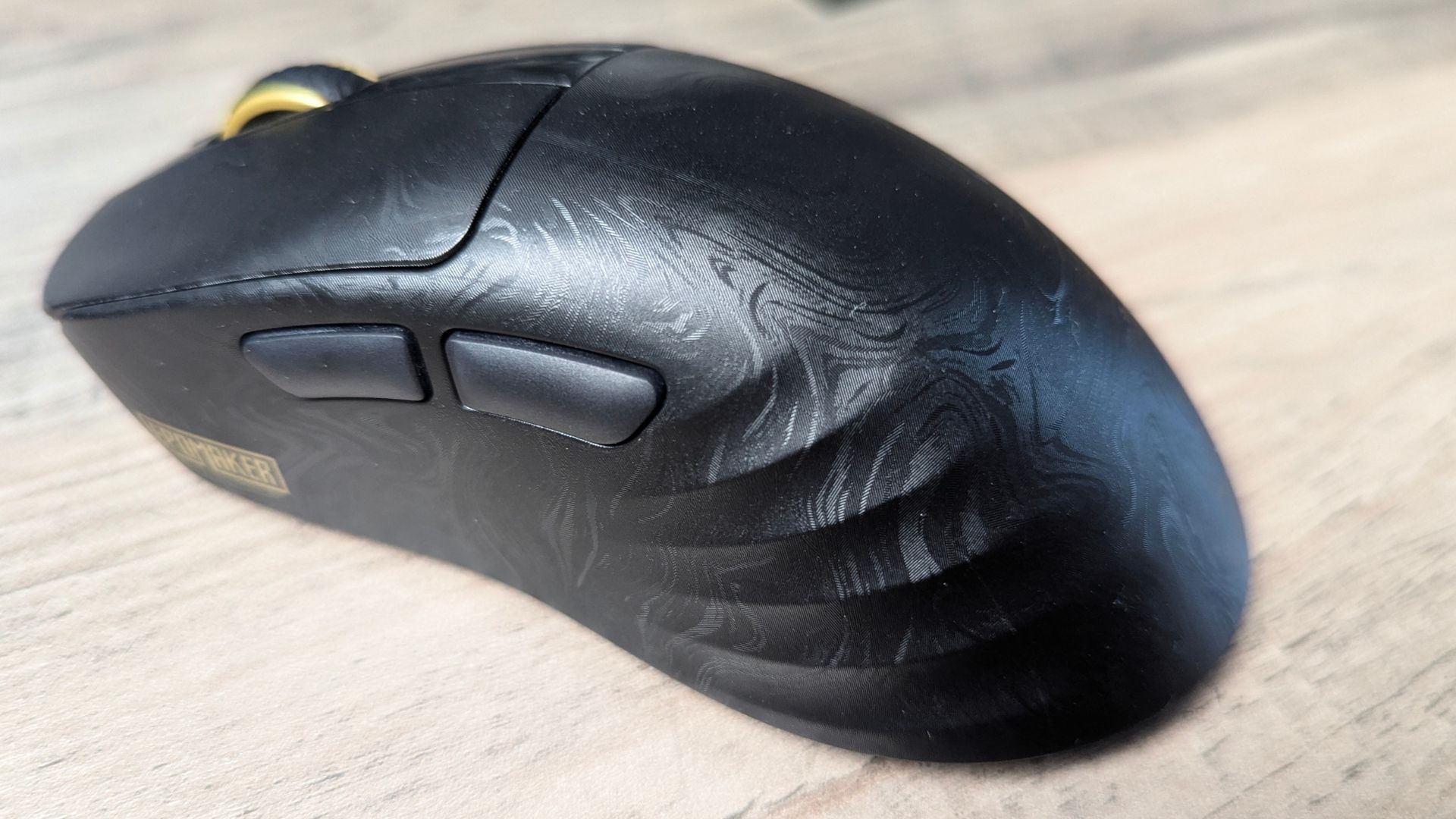
The buying advice in this EPOMAKER Carbonis mouse review is therefore quite specific: choose it for low weight and high polling, not simply because it is a wireless mouse. The LCD is useful for anyone who regularly changes DPI or polling rate. It shows the active setting without requiring a software utility, and the battery indicator gives a clearer idea of when a charge is needed.
It is less suitable if maximum battery life is the priority. The 300 mAh battery is smaller than the NEX Pro's 500 mAh cell and will generally require more frequent charging, especially at 8,000 Hz polling. The right-handed ergonomic shell also rules it out for left-handed users and anyone who strongly prefers a symmetrical mouse.
If you do not need 8,000 Hz polling or an LCD, the Click Lite offers a more affordable way to get lightweight tri-mode wireless gaming.
Verdict
The EPOMAKER Carbonis is an interesting option for players who want a very light wireless gaming mouse without a honeycomb shell. It combines an approximately 50 g carbon-fibre composite body with a PAW3950 sensor, up to 30,000 DPI, 8,000 Hz polling, tri-mode connectivity and a practical LCD.
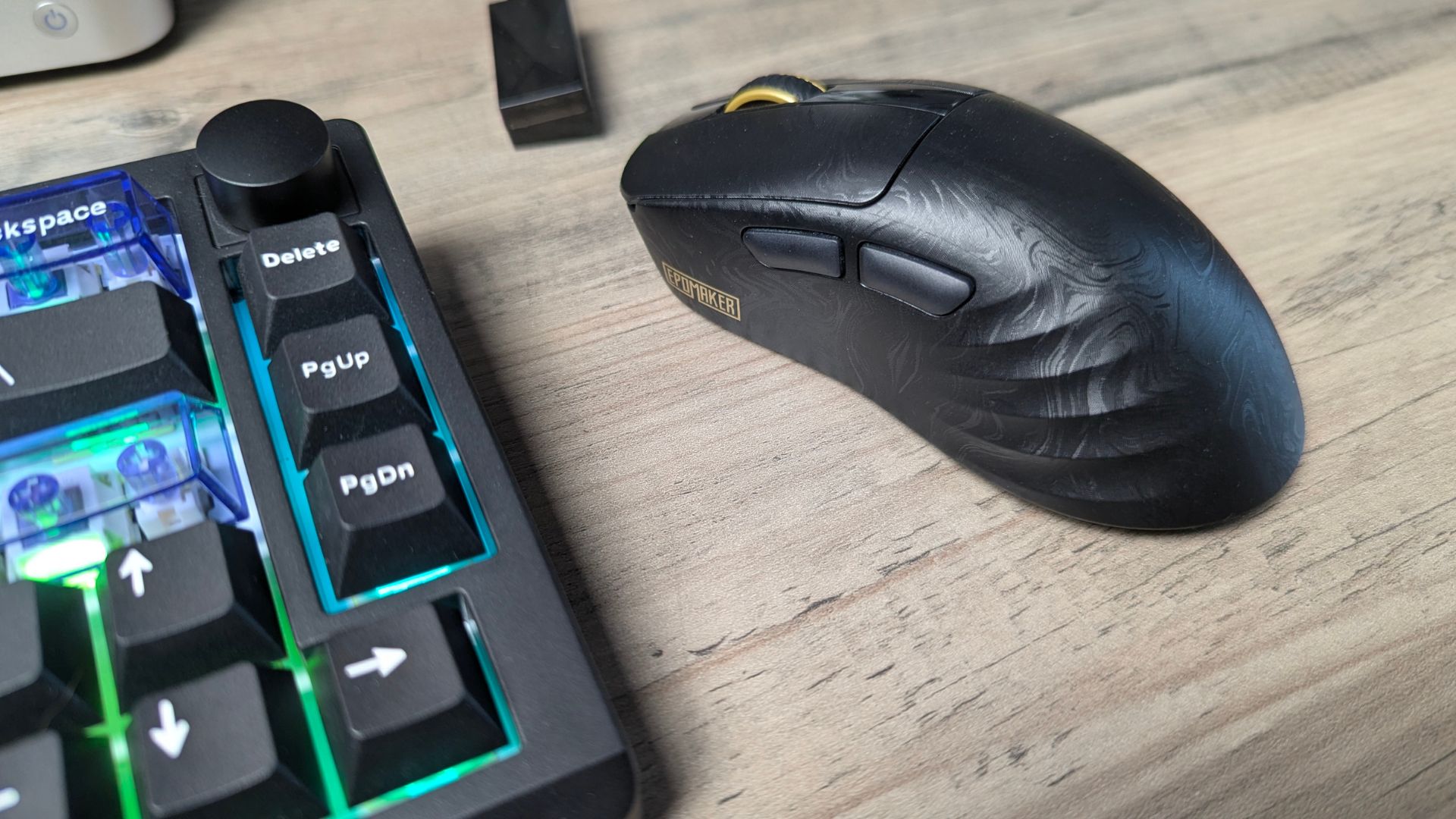
Taken as a whole, this EPOMAKER Carbonis mouse review finds a strong performance-led design with clear limitations around battery capacity and handedness. The smaller battery and right-handed-only design are the main compromises. They are reasonable consequences of the Carbonis's low-weight focus, but they mean the NEX Pro may be a better match for buyers who value long runtime and a charging dock more than minimum mass.
Our verdict - Is the EPOMAKER Carbonis worth buying?
Short answer: Yes, conditionally. The EPOMAKER Carbonis is worth considering if you want a roughly 50 g, high-performance wireless mouse with 8K polling and an integrated settings display.
Best for: Competitive gamers, fast-paced players and medium-to-large right-handed users who want a closed lightweight shell.
Not ideal for: Left-handed users, fans of symmetrical shapes and anyone who prioritises maximum battery life or does not need 8,000 Hz polling.
Current status: Current product review based on the supplied specification-led source material; controlled test conditions were not provided.
Rating: 8.5/10, based on the supplied review scores and information.
Frequently asked questions
Is the EPOMAKER Carbonis good for competitive gaming?
The EPOMAKER Carbonis is well suited to competitive gaming on paper because it uses a PixArt PAW3950 sensor, supports up to 8,000 Hz polling over 2.4 GHz or USB, and has quoted latency of approximately 0.3 ms wired and 0.375 ms over 2.4 GHz. The practical benefit depends on compatible hardware, display refresh rate and game support.
How much does the EPOMAKER Carbonis weigh?
The EPOMAKER Carbonis weighs approximately 50 g. Its carbon-fibre composite shell reduces weight without using a honeycomb design.
That weight is one of the main considerations covered in this EPOMAKER Carbonis mouse review when comparing lightweight wireless gaming mice.
Does the EPOMAKER Carbonis support Bluetooth?
The EPOMAKER Carbonis supports Bluetooth 5.0 as well as 2.4 GHz wireless and USB-C wired connectivity. Bluetooth operates at approximately 125 Hz and is better suited to everyday productivity or battery-saving use than competitive gaming.
How long does the EPOMAKER Carbonis battery last?
Approximately 35 hours in typical mixed use, while lower polling rates or Bluetooth may extend runtime. The 300 mAh battery can be fully charged in under an hour according to EPOMAKER, but 8,000 Hz polling is likely to require more frequent charging.
Can you change DPI without software on the Carbonis?
You can change DPI and polling rate directly on the EPOMAKER Carbonis, and its LCD shows the selected DPI, polling rate, connection mode and battery level. The browser-based configuration tool is available for deeper settings such as button assignments, sleep behaviour and lift-off distance.
EPOMAKER Carbonis Review
50g carbon-fibre composite shell, PAW3950 sensor with up to 8,000 Hz polling, tri-mode wireless, and an on-mouse LCD showing DPI, polling rate, connection mode and battery
O que gostámos
- Ultra-light ~50 g body
- Flagship PAW3950 sensor
- Up to 8,000 Hz polling
- Useful on-mouse LCD
- Solid non-honeycomb shell
Poderia ser melhor
- Right-handed only design
- RF dongle design means it doesnt sit completely flat

Bringer of videos, text and images! AKA the social media guy at DROIX. Massive retro gaming fan and collector, with a far too large collection of consoles and computers from 1970's to modern. Contact me at [email protected]
Perguntas & comentários
0
Cada pergunta recebe uma resposta. Pergunte antes de comprar — DaveC e a equipa responde no prazo de um dia útil, e as respostas permanecem públicas para ajudar o próximo leitor também.