



V tomto článku
Please read if you purchased T8 before June 2015
( These instructions are for T8 OWNERS ONLY!!! )
Have a T8-S Device? Stop. This post isn't for you. If you flash this firmware you'll invalidate your warranty.
You might get error message while trying to upgrade OTA if you purchased your T8 before June 2015. In that case you will have manually upgrade your T8 with most recent firmware. Please read about the required steps below.
How to update:
In order to update firmware for T8 purchased before June 2015 you will need to download the upgrade file and copy it into freshly formatted SD Card:
4/19/2021 Update: Unfortunately this guide is now outdated - and we no longer have the T8 Firmware on hand. Apologies for any inconvenience caused.
You should have only 1 file on the SD Card:
- dbxt8-ota-20151031.zip
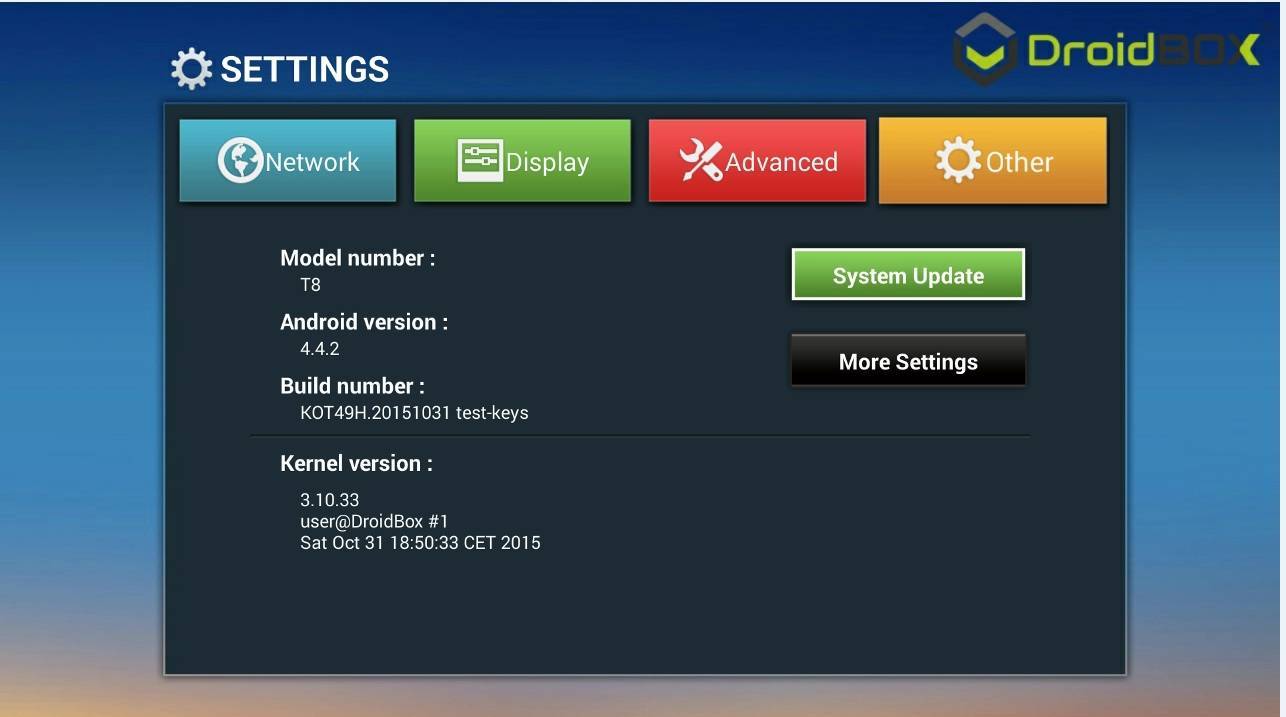
- Go to Settings
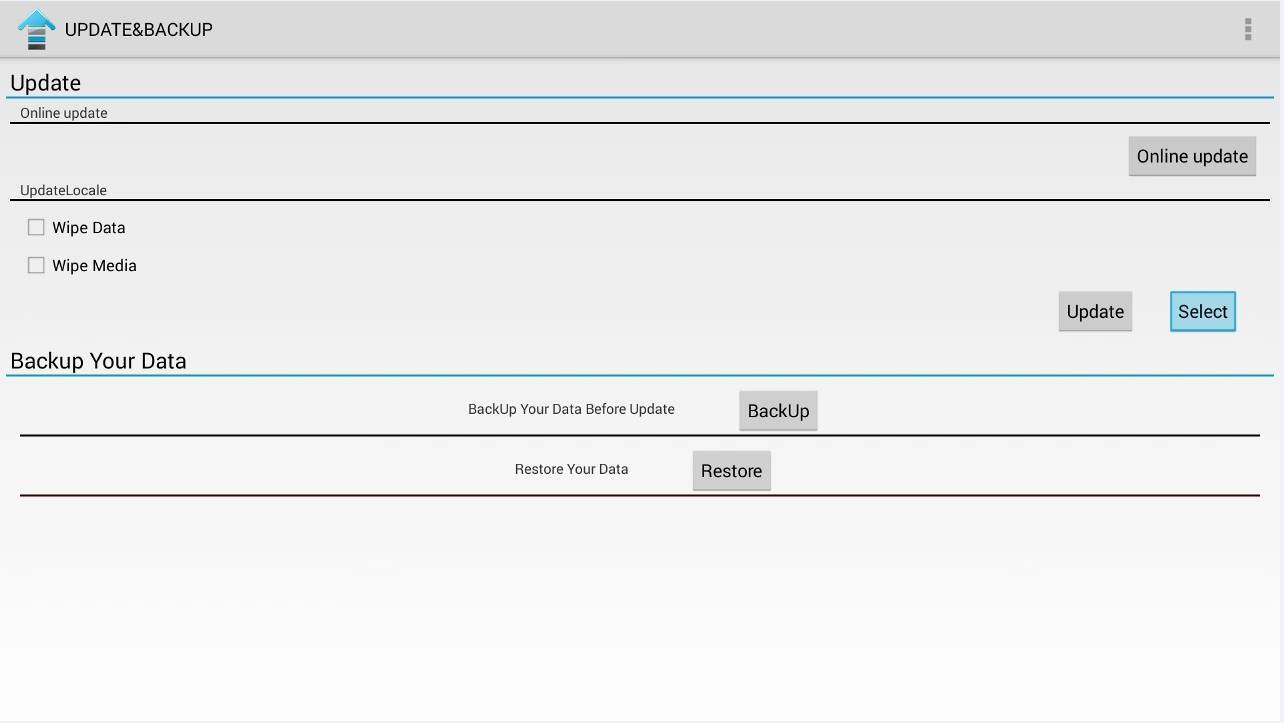
- Select Other -> System Update

Otázky a komentáre
0
Každá otázka dostane odpoveď. Pýtajte sa pred nákupom — DROIX a tím odpovedá do jedného pracovného dňa a odpovede zostávajú verejné, aby pomohli ďalšiemu čitateľovi.