


What are the GMKtec G10 and K12 devices now available from DROIX? The GMKtec G10 mini PC and GMKtec K12 mini PCare Windows 11 Pro compact desktop computers powered by AMD Ryzen processors, and DROIX is now taking orders for immediate shipping. Each mini PC targets a different user: the G10 focuses on everyday value and compact efficiency, while the K12 adds stronger CPU, graphics, storage, networking, and expansion options.
DROIX is expanding its mini PCs range with two AMD-powered systems aimed at home offices, media setups, light creative work, and space-saving desktop replacement. The GMKtec G10 is the smaller and more affordable route into a Windows Ryzen system, while the GMKtec K12 is the higher-performance choice for users who want newer Zen 4 CPU architecture, faster DDR5 memory, USB4, OCulink, and dual 2.5G Ethernet.
The practical difference is simple. Choose the G10 if you want a compact everyday Windows machine with triple display support and generous SSD expansion. Choose the K12 if you want a more capable AMD Ryzen compact PC for heavier multitasking, faster networking, external GPU potential through OCulink, and stronger integrated graphics.
Quick comparison: GMKtec G10 vs GMKtec K12
| Feature | GMKtec G10 | GMKtec K12 |
|---|---|---|
| CPU | AMD Ryzen 5 3500U | AMD Ryzen 7 H 255 |
| CPU design | 4 cores / 8 threads, up to 3.7GHz | 8 cores / 16 threads, up to 4.9GHz |
| GPU | Radeon Vega 8 Graphics | Radeon 780M Graphics |
| Memory | 16GB / 32GB DDR4 SO-DIMM, up to 64GB | 32GB DDR5-5600 standard, up to 96GB |
| Storage | 512GB / 1TB, 2× M.2 2280 PCIe 3.0×4 | 512GB / 1TB, 3× M.2 2280 PCIe 4.0 |
| Storage expansion | Up to 16TB | Up to 24TB |
| Display output | Triple output via HDMI, DP and USB-C | Quad output via HDMI, DP, USB4 and USB-C |
| Networking | Wi-Fi 5, Bluetooth 5.0, Gigabit LAN | Wi-Fi 6E, Bluetooth 5.2, dual 2.5G LAN |
| Size | 103 × 98 × 42 mm | 154 × 151 × 73.6 mm |
| Best fit | Everyday productivity, media, compact desktop use | Heavier productivity, content work, multitasking, expansion |
GMKtec G10 mini PC: compact Ryzen desktop power for everyday use
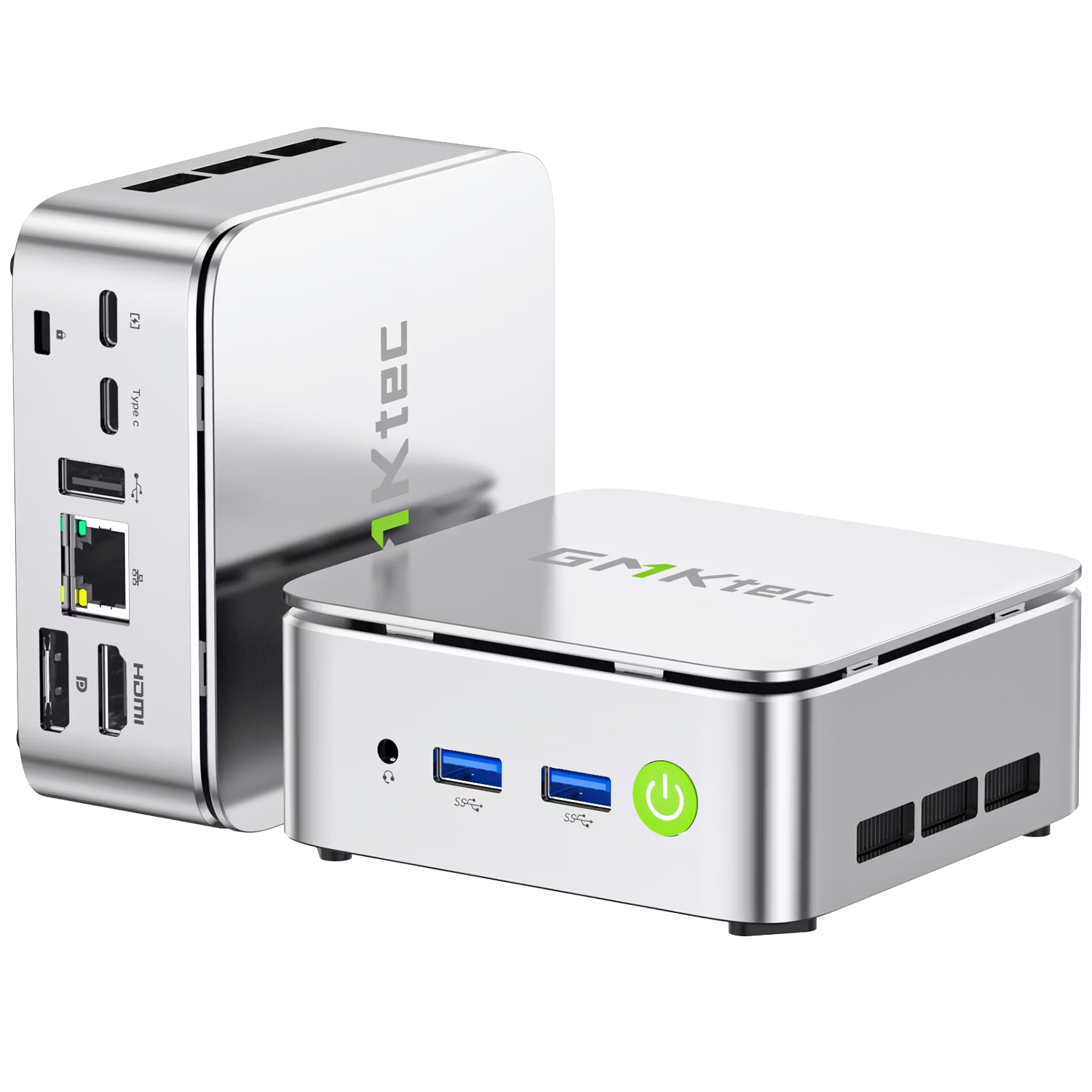
The GMKtec G10 mini PC is built around a very small chassis measuring 103 × 98 × 42 mm, making it easy to place on a desk, behind a monitor with the included VESA stand, or beside a TV. Its weight was not specified in the supplied launch brief, so this article does not claim a figure. The design focus is clear: a low-footprint Windows 11 Pro system that can sit where a conventional desktop tower would be too large.
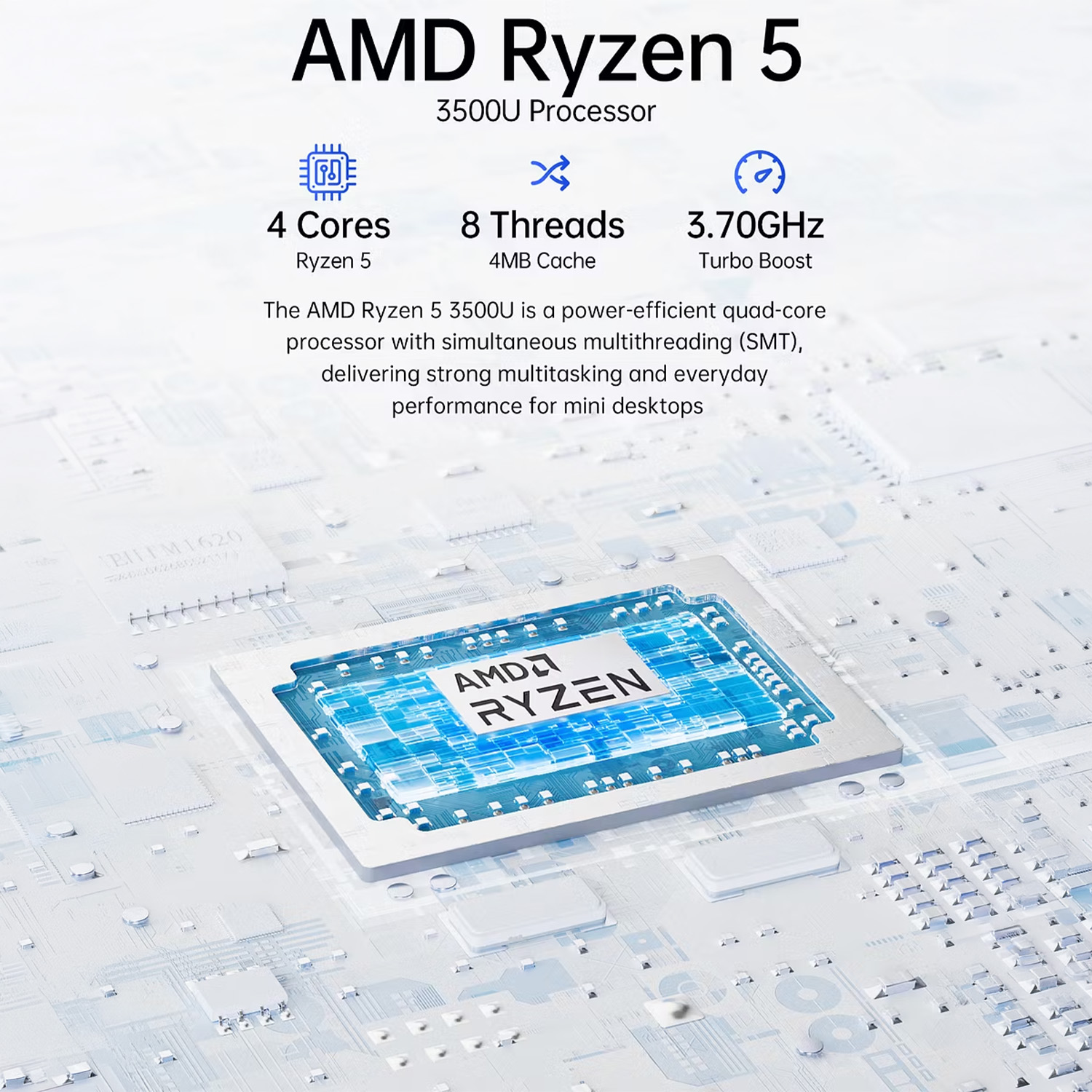
Inside, the GMKtec G10 uses AMD’s Ryzen 5 3500U processor from the Ryzen 3000 Series. This is a quad-core, eight-thread chip built on a 12nm process, with a maximum turbo frequency of 3.7GHz, 4MB of L3 cache, and a listed TDP of 25W with a maximum of 35W. Graphics are handled by Radeon Vega 8 Graphics with 8 cores and a frequency of up to 1200MHz.
For memory and storage, the GMKtec G10 is designed as a flexible Mini PC with AMD Ryzen processor rather than a sealed appliance. It supports two DDR4 SO-DIMM slots, with 16GB and 32GB configurations listed at 2400 MT/s, and support for up to 64GB. Storage comes through two M.2 2280 PCIe 3.0×4 SSD slots, with 512GB and 1TB options and built-in expansion support up to 16TB using two 8TB drives.
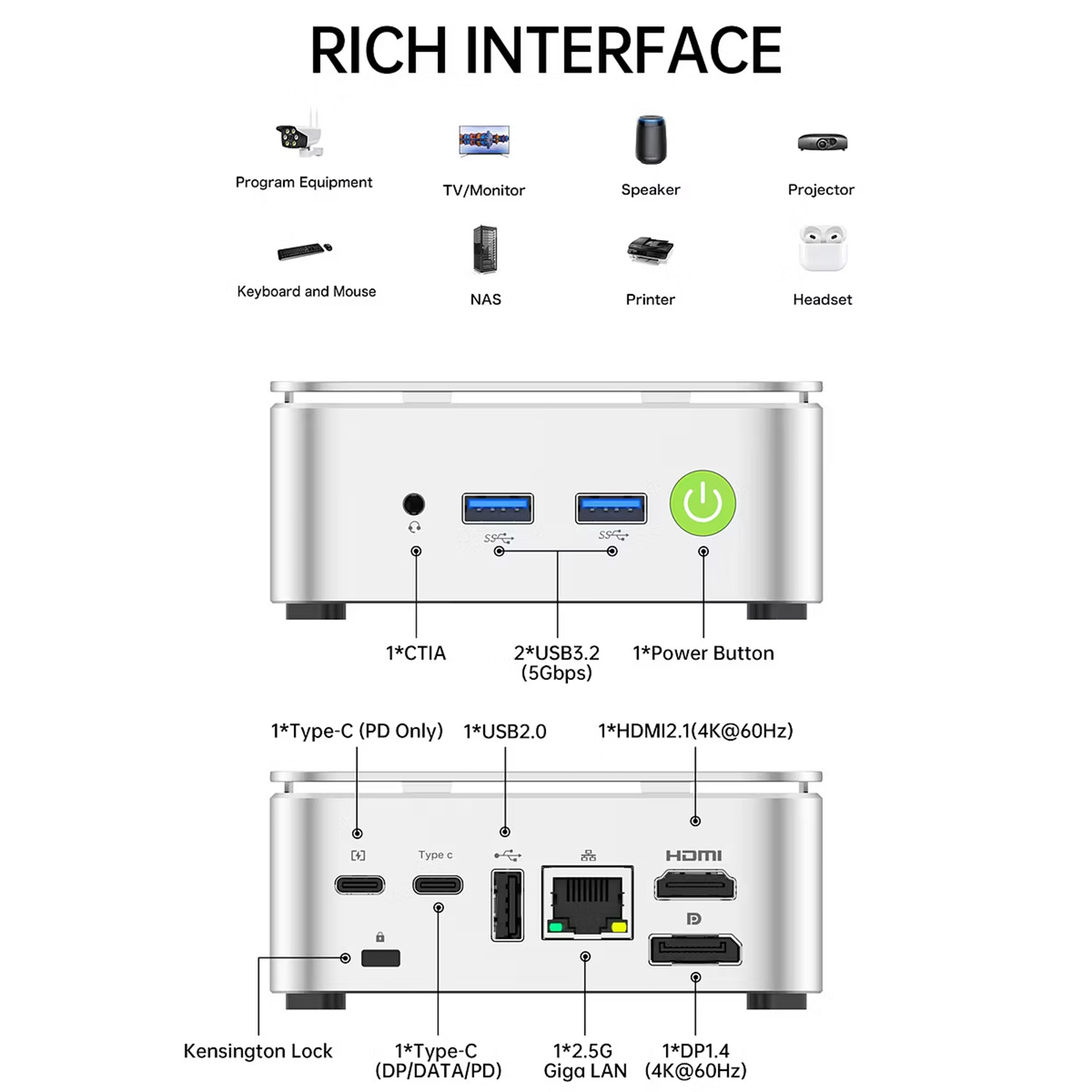
The general I/O is strong for a system of this size. The GMKtec G10 supports triple display output through HDMI, DisplayPort and USB-C, with up to 8K resolution supported via DisplayPort. Ports include two USB 3.2 Gen 1 USB-A ports at 5Gbps, one USB 2.0 port, one multifunction USB-C port with DP 1.4, 4K at 30Hz, USB 3.2 Gen 1 and PD support, a second PD-only USB-C port, HDMI 2.1, DisplayPort 1.4, a 3.5mm CTIA audio jack and one RJ45 LAN port.
This makes the GMKtec G10 a practical Mini PC for productivity, study, office admin, web work, cloud apps, media playback and light creative tasks. It can also work as a compact Mini Ryzen desktop for users who want a Windows 11 Pro machine without giving up desk space. For gaming, the Radeon Vega 8 iGPU is best viewed as suitable for lighter PC titles, older games, cloud gaming, and lower-demand workloads rather than modern AAA gaming at high settings.
GMKtec K12 mini PC: higher-performance Ryzen 7 system with USB4 and OCulink
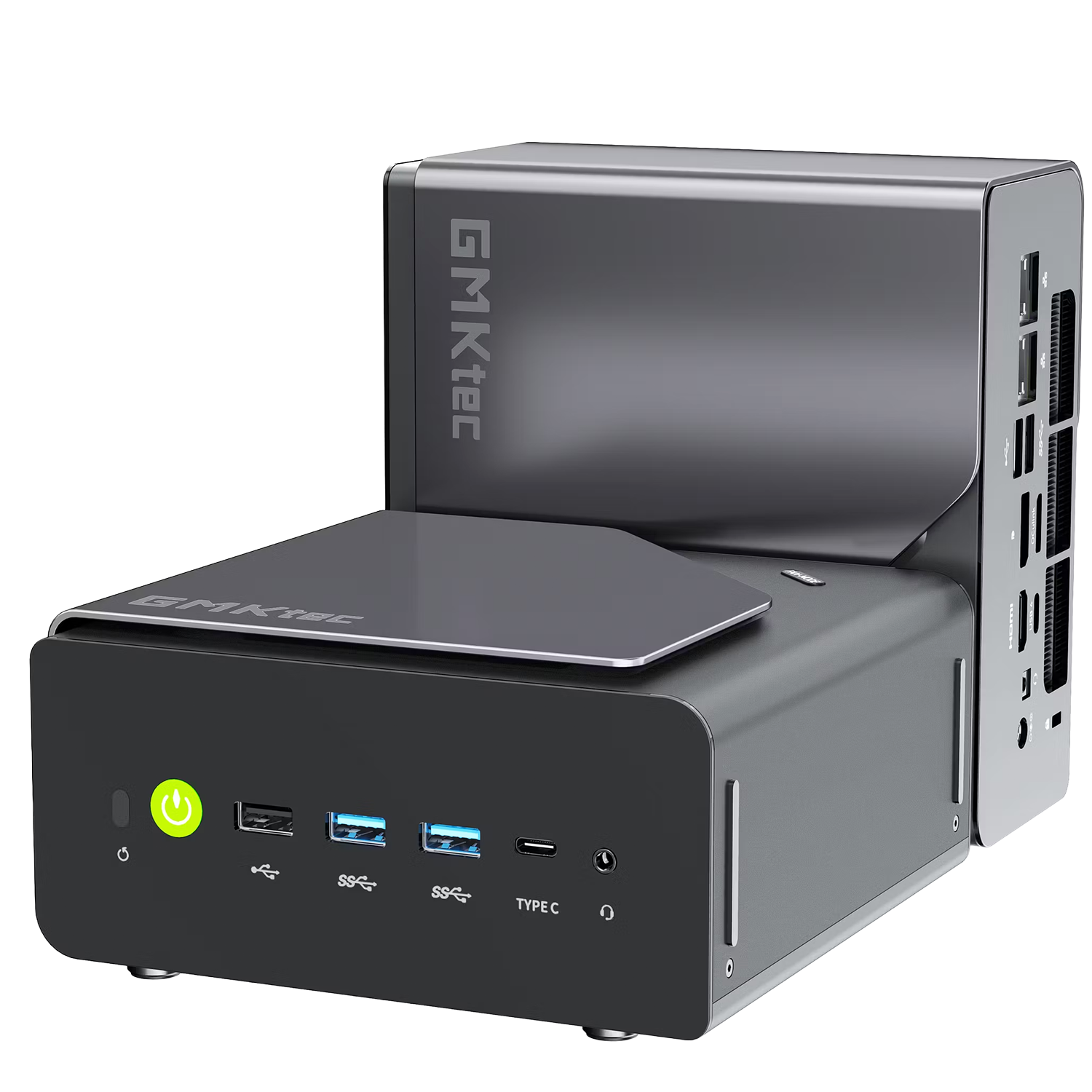
The GMKtec K12 mini PC is the larger and more powerful model in this launch pair. It measures 154 × 151 × 73.6 mm, weighs approximately 920 g, and comes in an Iron Gray finish. The chassis also includes a system fan control button, with lighting on/off control and multiple RGB lighting modes, giving it a more performance-focused desktop look than the smaller G10.
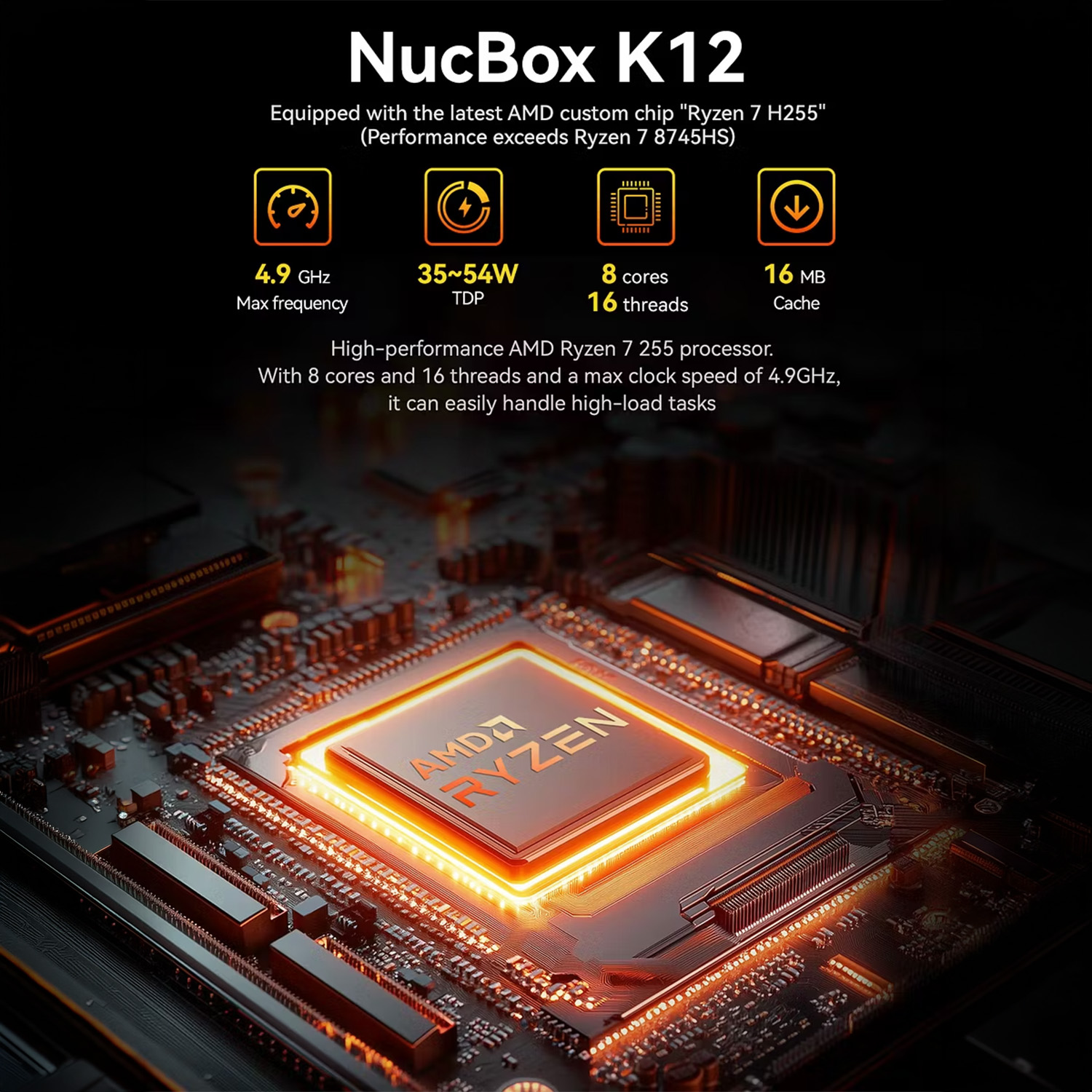
The GMKtec K12 uses the AMD Ryzen 7 H 255, an AMD Ryzen 200 Series processor with 8 cores and 16 threads. It is based on Zen 4 architecture, uses a TSMC 4nm FinFET process, and lists a 3.8GHz base frequency with boost speeds up to 4.9GHz. Cache is specified as 8MB L2 and 16MB L3, which places the K12 as the stronger Ryzen small form factor computer for users who need more headroom.
Graphics are handled by AMD Radeon 780M Graphics with 12 cores and speeds up to 2600MHz. That gives the GMKtec K12 a much stronger integrated GPU profile than the G10, making it the more suitable Mini PC for gaming when paired with realistic settings and compatible titles. The K12 also fits users who want a Mini PC for content creation, especially for photo editing, lighter video projects, streaming workflows, and multi-display work where CPU, memory and I/O all matter.
Memory is another major upgrade. The GMKtec K12 ships with dual-channel 32GB DDR5 memory in a 16GB × 2 configuration at DDR5-5600, with support for up to 96GB. Storage options include 512GB and 1TB SSD configurations, while expansion is handled by three M.2 2280 PCIe 4.0 SSD slots: one PCIe 4.0 ×4 slot and two PCIe 4.0 ×2 slots. Total storage support is listed at up to 24TB.
The K12’s port layout is built for a heavier desktop role. On the front, it includes a 3.5mm combo audio jack, one USB 3.2 Gen 2 Type-C port supporting PD, DisplayPort and data, two USB 3.2 Gen 2 USB-A ports, one USB 2.0 port, a white LED power button, and a clear CMOS reset button. On the rear, it adds a second 3.5mm combo audio jack, one full-function USB4 port, HDMI 2.1, DisplayPort 1.4 with DP++, one PCIe Gen 4 ×4 OCulink port, one USB 3.2 Gen 2 USB-A port, one USB 2.0 port, two RJ45 2.5G Ethernet ports and DC power input.
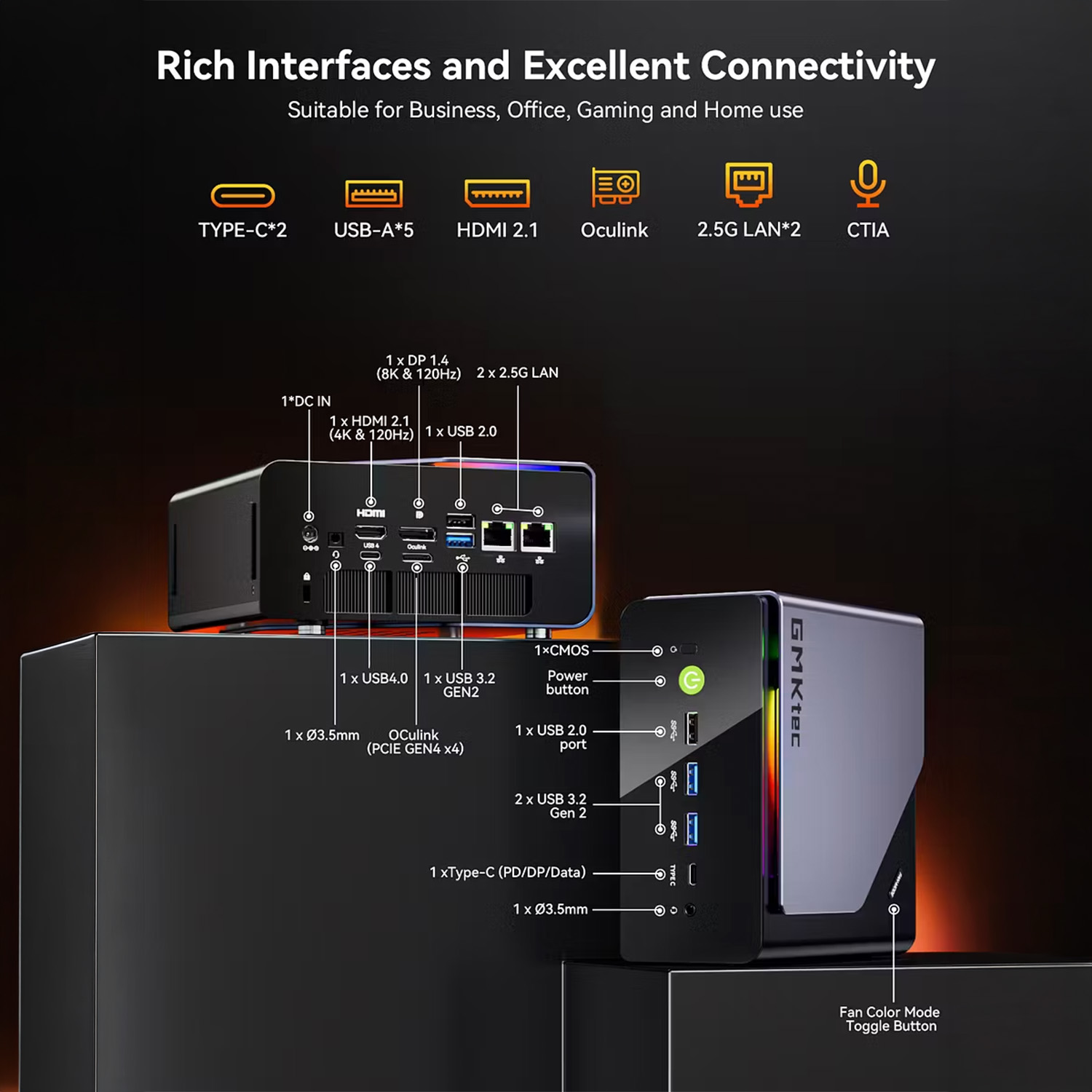
That I/O mix makes the GMKtec K12 better suited to advanced desktop setups, NAS-adjacent workloads, multiple monitor arrangements, fast wired networking, and users who want an upgrade path through external PCIe devices. The OCulink port does not support hot-plugging, so any OCulink cable should only be connected or disconnected when the device is powered off. That caution is important for buyers planning to use external graphics or high-bandwidth PCIe accessories.
Which GMKtec model should you choose?
The G10 is the cleaner choice if your priority is a low-cost, compact Windows system for day-to-day work. It gives you Ryzen 5 processing, Radeon Vega graphics, triple display support, two M.2 SSD slots, Windows 11 Pro and a very small chassis. It is best for home office use, web apps, media playback, student work, and light multitasking.
The GMKtec K12 is the better fit if performance and expansion matter more than the smallest possible footprint. Its Ryzen 7 H 255 processor, Radeon 780M Graphics, DDR5 memory, PCIe 4.0 storage, USB4, OCulink, and dual 2.5G Ethernet make it the stronger choice for gaming, creator workloads, heavier productivity, and more demanding multi-screen setups.
Both models include Windows 11 Pro and support 14 languages, with English as the default. Both also ship with a user manual, warranty card, power adapter and HDMI cable. The G10 package additionally lists a VESA stand, while the K12 package lists a VESA mount bracket.
Buy the GMKtec G10 and GMKtec K12 from DROIX
DROIX is now taking orders for immediate shipping of the GMKtec G10 and GMKtec K12. If you want the smaller, value-focused model, order the GMKtec G10 from DROIX. If you want the higher-performance model with Ryzen 7, Radeon 780M, USB4, OCulink and dual 2.5G LAN, order the GMKtec K12 from DROIX.
Whether you are upgrading a home office, building a compact creator setup, or replacing a bulky desktop with a powerful mini PC, both GMKtec systems are available through the DROIX store while stock is available.
FAQ
Is the GMKtec G10 available from DROIX now?
Yes, DROIX is now taking orders for immediate shipping of the GMKtec G10.
Is the GMKtec K12 available from DROIX now?
Yes, DROIX is now taking orders for immediate shipping of the GMKtec K12.
Which is better for gaming, the GMKtec G10 or GMKtec K12?
The GMKtec K12 is the stronger choice for gaming because it uses Radeon 780M Graphics, while the G10 uses Radeon Vega 8 Graphics. Actual game performance will still depend on the title, settings, resolution and driver support.
Which model is better for office work and productivity?
Both models can be used for office work and productivity, but the best choice depends on workload. The G10 is well suited to everyday office use, while the K12 is better for heavier multitasking, multi-display work and more demanding desktop setups.
Does the GMKtec K12 support external graphics through OCulink?
The GMKtec K12 includes a PCIe Gen 4 ×4 OCulink port, which may be used with compatible external PCIe devices. The supplied specification warns that OCulink does not support hot-plugging, so cables should only be connected or disconnected while the device is powered off.




