




Files used in this guide
Changelog
- Source guide: How to update the GPD WIN MAX 2 Touchpad Firmware
Older versions stay downloadable for rollbacks — every version keeps its own verified file.
Changelog
- WIN 4 (8840U / 7840U / 7640U / 6800U) Drivers **(current)** | v3.4 | 2024-05-07 | Separate driver package intended for custom OS installs or when not using the official firmware bundle. After extracting, run `AutoInstallDrivers.bat`.
- WIN Max 2 (8840U / 7840U / 7640U / 6800U) Drivers **(current)** | v3.4 | 2024-05-07 | Separate driver package for custom OS installs or when not using the official firmware bundle. After extracting, run `AutoInstallDrivers.bat`.
Older versions stay downloadable for rollbacks — every version keeps its own verified file.
Changelog
- GPD DUO (8840U / 370) Drivers **(current)** | v4.1.0 | 2025-01-18 | Both variants | Latest driver package. After extracting, double-click `AutoInstallDrivers.bat` for automatic installation.
- WIN 4 (8840U / 7840U / 7640U / 6800U) Drivers **(current)** | v4.1.0 | 2025-01-18
- GPD WIN 4 2025 (8840U / 370) Drivers **(current)** | V4.1.0 | 2025-01-18 | Latest driver package. After extracting, double-click `AutoInstallDrivers.bat` for automatic installation.
- WIN Max 2 (8840U / 7840U / 7640U / 6800U) Drivers **(current)** | v4.1.0 | 2025-01-18
- Vendor page: https://www.amd.com/en/support/download/drivers.html
Older versions stay downloadable for rollbacks — every version keeps its own verified file.
Changelog
- DTS:X Audio Driver | 2024-02-19 | Right-click `DTS_install.bat` → "Run as administrator" to install; `DTS_uninstall.bat` to uninstall.
Older versions stay downloadable for rollbacks — every version keeps its own verified file.
Changelog
- Fix the WIN Max 2 Battery Icon | — | 2025-12-10 | After downloading, unzip the file. Double-click to execute, or right-click and select "Run as administrator"
Older versions stay downloadable for rollbacks — every version keeps its own verified file.
Changelog
- WIN Max 2 2023 Gamepad/Keyboard-Mouse Firmware **(current)** | v3.14 / v1.23 | 2023-12-15 | Applicable to WIN Max 2 (6800U, 7640U, 7840U). After upgrade, adjust dead zones through WinControls V1.15. Upgrade instructions included.
- WIN Max 2 Gamepad/Keyboard-Mouse Firmware | v3.14 / v1.23 | 2023-12-15 | Applicable to WIN Max 2 (6800U, 7640U, 7840U). After upgrade, adjust dead zones through WinControls V1.15. Upgrade instructions included.
Older versions stay downloadable for rollbacks — every version keeps its own verified file.
Changelog
- WIN Max 2 Touchpad Firmware | v1.0.3 | 2023-12-19 | For WIN Max 2 (6800U). Brand new optimizations.
Older versions stay downloadable for rollbacks — every version keeps its own verified file.
If you are having issues with the touchpad on your GPD WIN MAX 2 such as it being unresponsive when used, then this firmware update will resolve the issue.
You will need
GPD WIN MAX 2 Touchpad Firmware update – Download here
GPD WIN MAX 2 (2022, 2023, 2024 compatible) drivers – Download here
Preparing the firmware
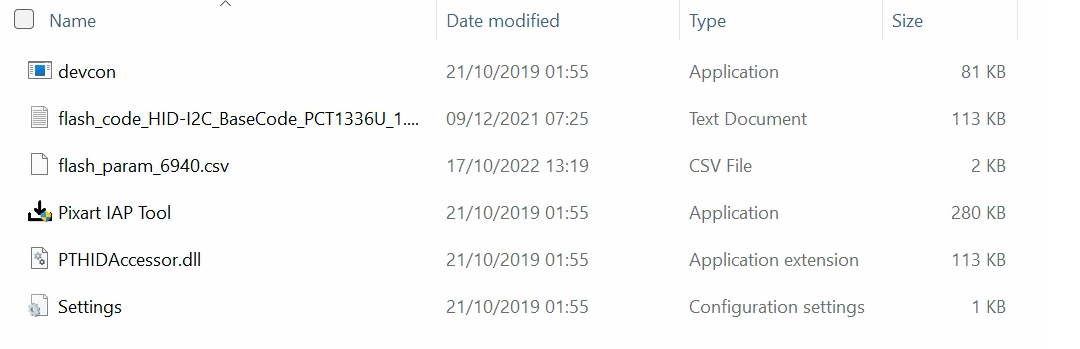
Download and extract the band11.rar file on your GPD WIN MAX 2. You will see a band11 folder and another containing some files.
Running the firmware updater
Double click on the Pixart IAP Tool.exe file and wait a few seconds for it to load.
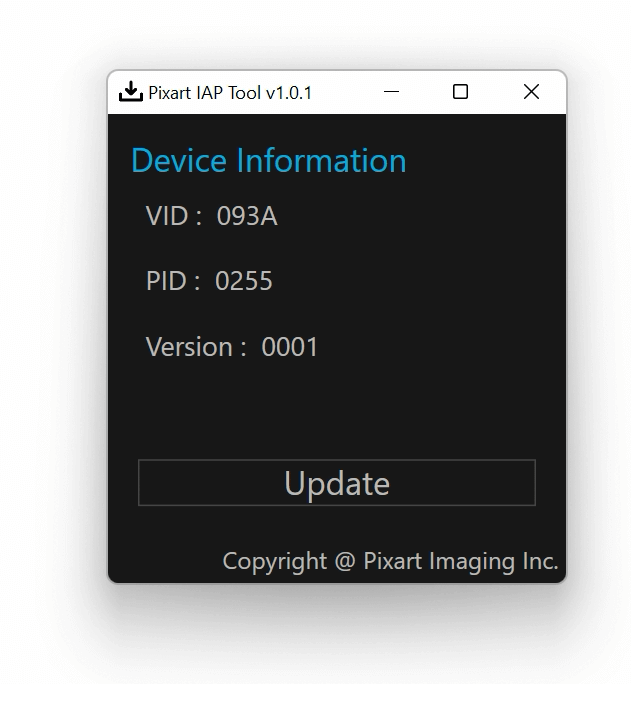
We recommend connecting a charger before proceeding with the update. While the process takes around 10 seconds it is better to be safe than sorry.
Click on the Update button and the software will start to flash and update the touchpad.
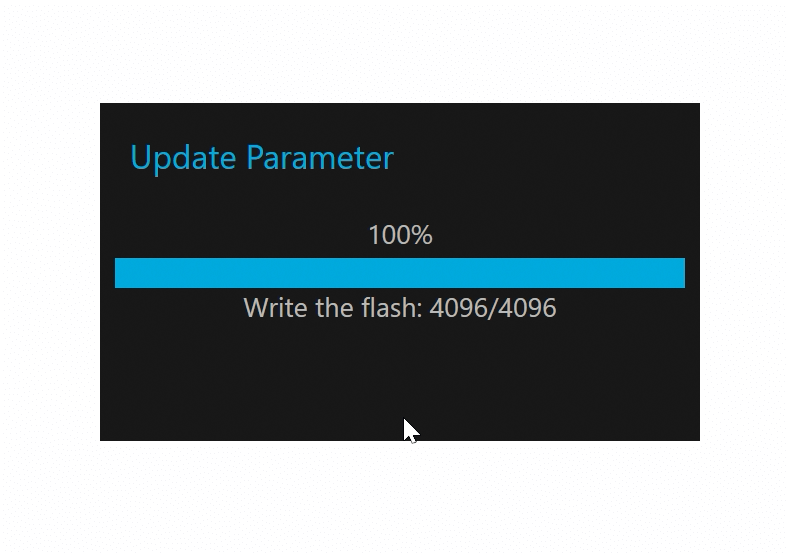
It will go through two procedures during the flashing and updating.

Installing or updating the touchpad drivers.
- Download file the drivers from above. Extract the file to your PC.
- Right click on “goodixtouchdriver.inf” and choose Install
- Choose Yes if prompted to continue
- You will receive a pop up to confirm the drivers have installed.
Once the process is complete, we recommend restarting your GPD WIN MAX 2 and it will now be ready to use.
Questions & answers