




Files used in this guide
Versions (3)
- Community shell-based UI modification of MotionAssistant by ThatUsernameAlreadyExist — NOT an official GPD release.
- Always get the newest build from the GitHub releases page (latest: MotionAssistant v1.2.0.9 + Power Mod 2.2.2).
- DROIX-hosted mirror of the Power Mod installer (MotionAssistant Setup + Power Mod).
- DROIX-hosted mirror of the Power Mod portable build.
Older versions stay downloadable for rollbacks — every version keeps its own verified file.
Versions (3)
- Portable build — no installation required. Unzip password: 123.
- MotionAssistant uses the Winring0 driver for TDP adjustment, hardware monitoring and fan control. If these features stop working, allow MotionAssistant in Windows Security Center — Microsoft may flag the driver.
- What's new in v1.2.0.9:
- Adapted the gyroscope in the Legion Go 2 device body (controller gyroscope and fan control not yet adapted).
- Adapted support for various recently-released AMD rebranded models.
- Added a "Disable Tablet Mode" option in Advanced Settings; when disabled, Tablet Mode turns off on the next launch.
- Added an OSD toggle hotkey in the RTSS OSD settings; temperature display added to simplified mode.
- Added a 30-second TDP reset cycle that reapplies the current TDP if an abnormal decrease is detected; added TDP ±5 hotkeys.
- Optimized the Win5 keyboard key: press to bring up the on-screen keyboard, press again to close it.
- Optimized the CPU frequency upper-limit control via "Optimize CPU Frequency"; maximum frequency is restored when the option is disabled.
- Improved some controls in Dark Mode; the title bar is now a darker colour.
- Optimized gyroscope simulation after resuming from hibernation, fixing failures on some devices after wake-up.
- Optimized hotkey detection (shorter judgment interval); brightness hotkeys now adjust by ±10.
- Specified ze_loader.dll as 1.11.0. Intel models unable to lock the GPU frequency should install the Intel 6647 iGPU driver first, then update to the latest.
- Fixed the power limit being locked at 65W and not restorable when the GPD Win5 is powered via USB-C.
- Corrected some text displays; fixed OSD monitoring showing incorrectly when hardware monitoring is off.
- Fixed LT/RT not registering as hotkeys.
- Fixed a freeze when setting TDP consecutively.
- Fixed certain game-profile options (e.g. CPU frequency limits) not applying automatically.
- Fixed frame locking failing in some game profiles; frame locking now uses an RTSS process-specific configuration instead of a global one.
- Fixed a crash when refreshing the tray icon.
- Installer build (Setup) of the same v1.2.0.9 release — installs to Program Files rather than running portable.
- RivaTuner Statistics Server companion build (RTSS 737) for the MotionAssistant on-screen display (OSD) and frame-lock monitoring. Install alongside MotionAssistant.
Older versions stay downloadable for rollbacks — every version keeps its own verified file.
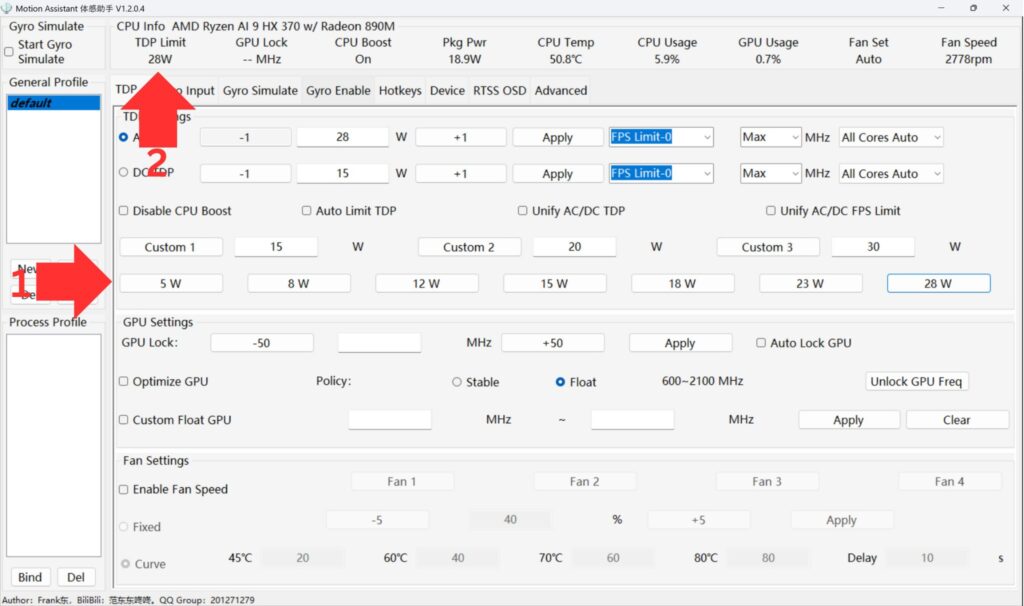
Below you can find the latest version of the GPD Motion Assistant software which is available in portable and installable versions. You can find the latest Motion Assistant Power Mod version (more user friendly GUI frontend version) on the Github page here.
NOTE: Recently, Windows Security began flagging the “Winring0” driver as malicious and blocking it. MotionAssistant relies on this specific file to adjust TDP, monitor hardware, and control fan speeds. If you cannot use these features, Windows has likely quarantined the driver by mistake.
If you are unfamiliar with using the GPD Motion Assistant Software, please check our overview guide on Changing the TDP here.
Popular right now
What people are buying this month
Prices as listed on each store


GPD WIN 5 (AI Max HX 385 – 32GB_RAM/1TB_NVME) (Raven Black)



 on 15 stores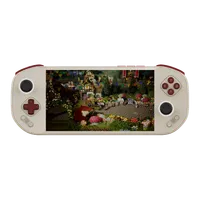

MANGMI Pocket Max (Snapdragon 865 – 8GB_RAM/128GB_STORAGE) (Retro GB)
 on 14 stores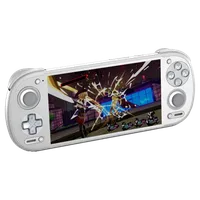

Latest GPD Motion Assistant Software Downloads
GPD Motion Assistant Software v1.2.0.9 Installable Version
GPD Motion Assistant Software v1.2.0.9 Portable Version
Changes for version 1.2.0.9
- Added support for the Legion Go 2 built-in gyroscope. Controller gyroscope and fan control are not supported yet.
- Added support for various AMD rebranded models (recent releases).
- Added a “Disable Tablet Mode” option in Advanced Settings. When disabled, tablet mode will be automatically turned off the next time Motion Assistant starts.
- Added an OSD toggle hotkey to RTSS OSD settings. Temperature display is now included in the simplified mode.
- Added a 30-second TDP reapply loop. When abnormal TDP drops occur, the current TDP will be reset. Added TDP ±5 hotkeys.
- Optimized Win5 keyboard logic: press once to bring up the on-screen keyboard, press again to close it.
- Optimized the “Optimize CPU Frequency” option’s control over the CPU frequency limit; canceling it now restores the maximum frequency.
- Improved the display of some controls in dark mode; the title bar is now dark.
- Optimized the gyroscope emulation flow after sleep/wake, fixing an issue where emulation failed to work properly on some models after waking.
- Optimized hotkey detection and reduced the detection interval. Brightness hotkeys are now ±10 per step.
- Fixed the ze_loader.dll version to 1.11.0. If Intel models cannot lock GPU frequency, please install Intel iGPU driver version 6647 first, then update to the latest version (available in the group).
- Fixed an issue on GPD Win5 where the power limit was locked at 65W when powered via the USB-C port and could not be restored.
- Corrected some text display issues. Fixed incorrect OSD display when hardware monitoring is disabled.
- Fixed an issue where LT/RT could not be properly recorded as hotkeys.
- Fixed a potential system freeze when setting TDP repeatedly.
- Fixed an issue where some options (such as CPU frequency limits) in per-profile configurations were not applied automatically.
- Fixed an issue where frame rate limiting did not work properly in some game-specific profiles. Updated the frame-limiting strategy: no longer uses global settings, now applies RTSS per-process frame limiting instead.
- Fixed a crash caused by errors when refreshing the system tray icon.Added support for the Legion Go 2 built-in gyroscope. Controller gyroscope and fan control are not supported yet.
Questions & answers