




Replacing the fan on the GPD Pocket 4 is very easy to do. We have a video showing the full process as well as a step by step guide in text below.
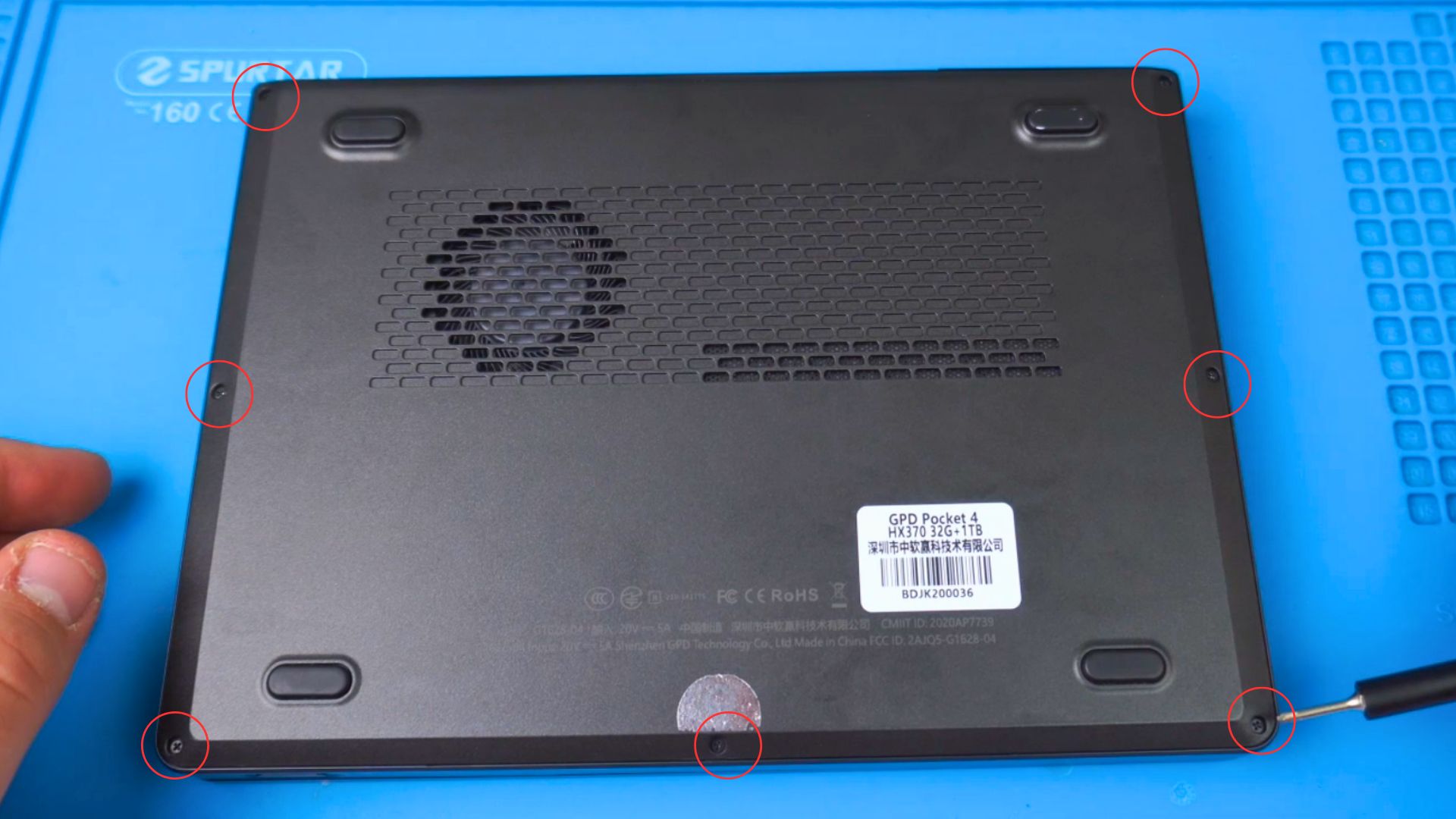
Remove the seven screws on the bottom of the GPD Pocket 4
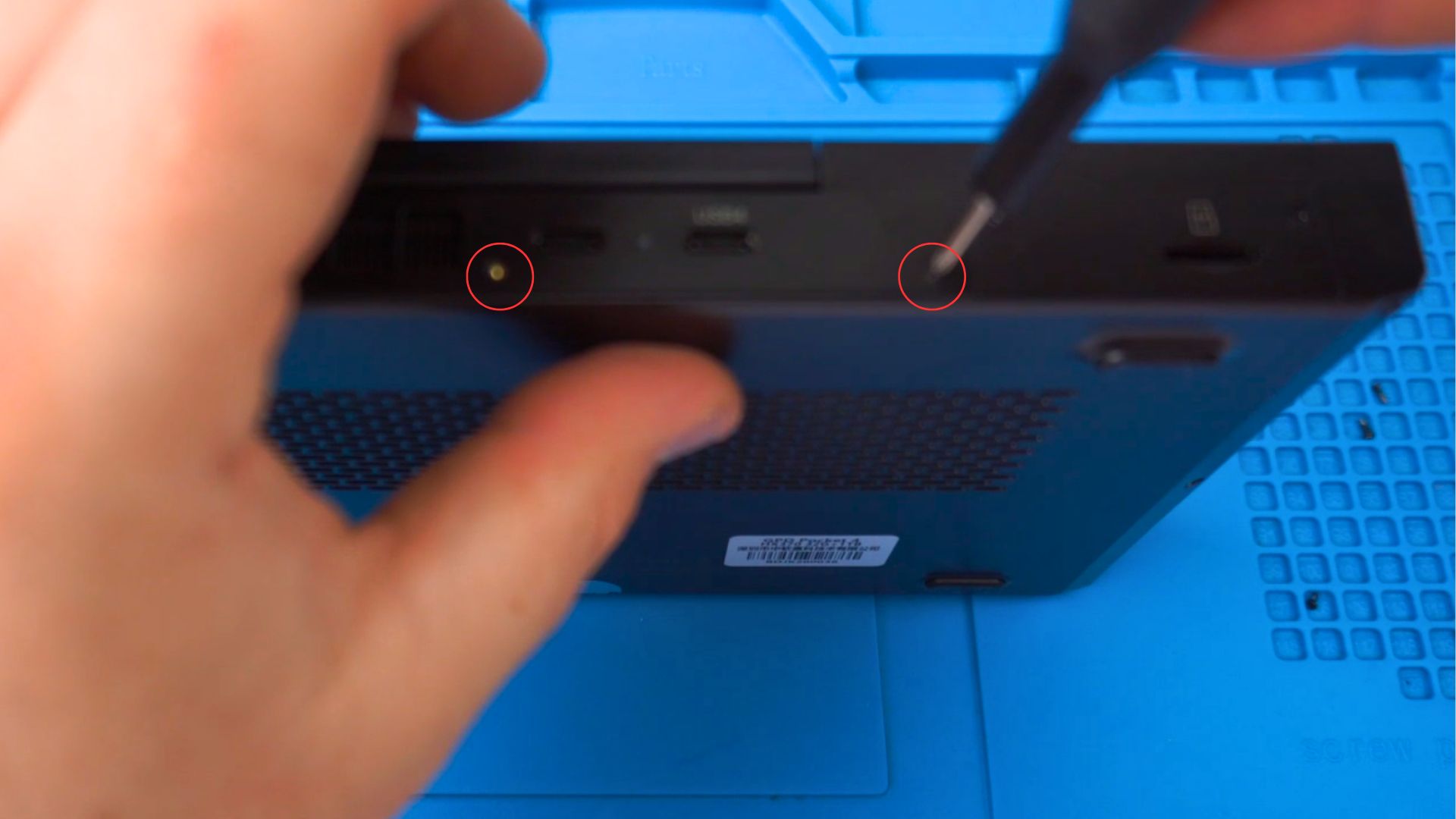
Remove the two screws on the back side of the mini laptop case.
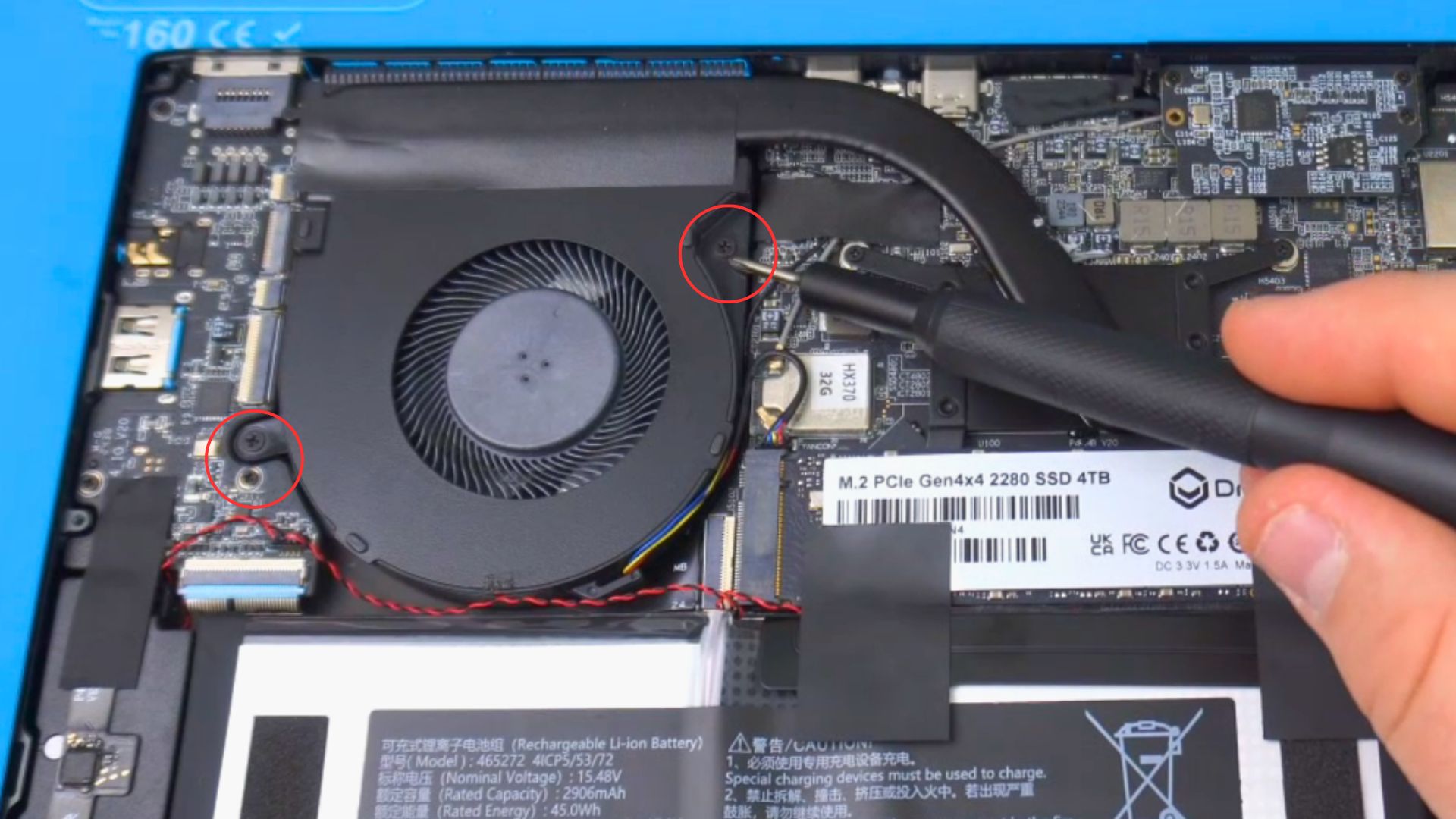
Remove the two screws holding the fan in place
We recommend using some warm air to warm up and soften the glue to make it easier to peel back the tape.
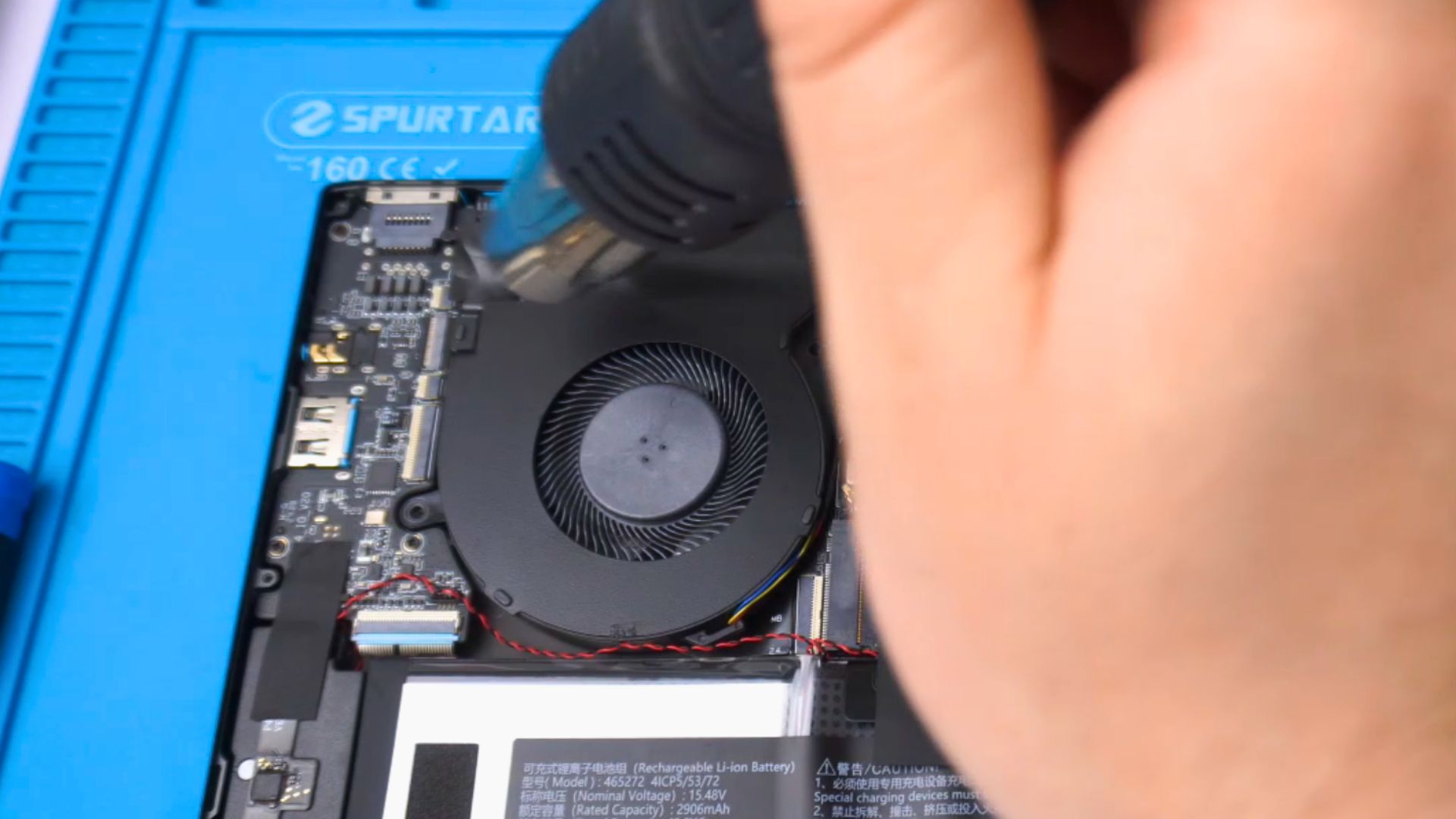
Peel back the tape on top of the fan
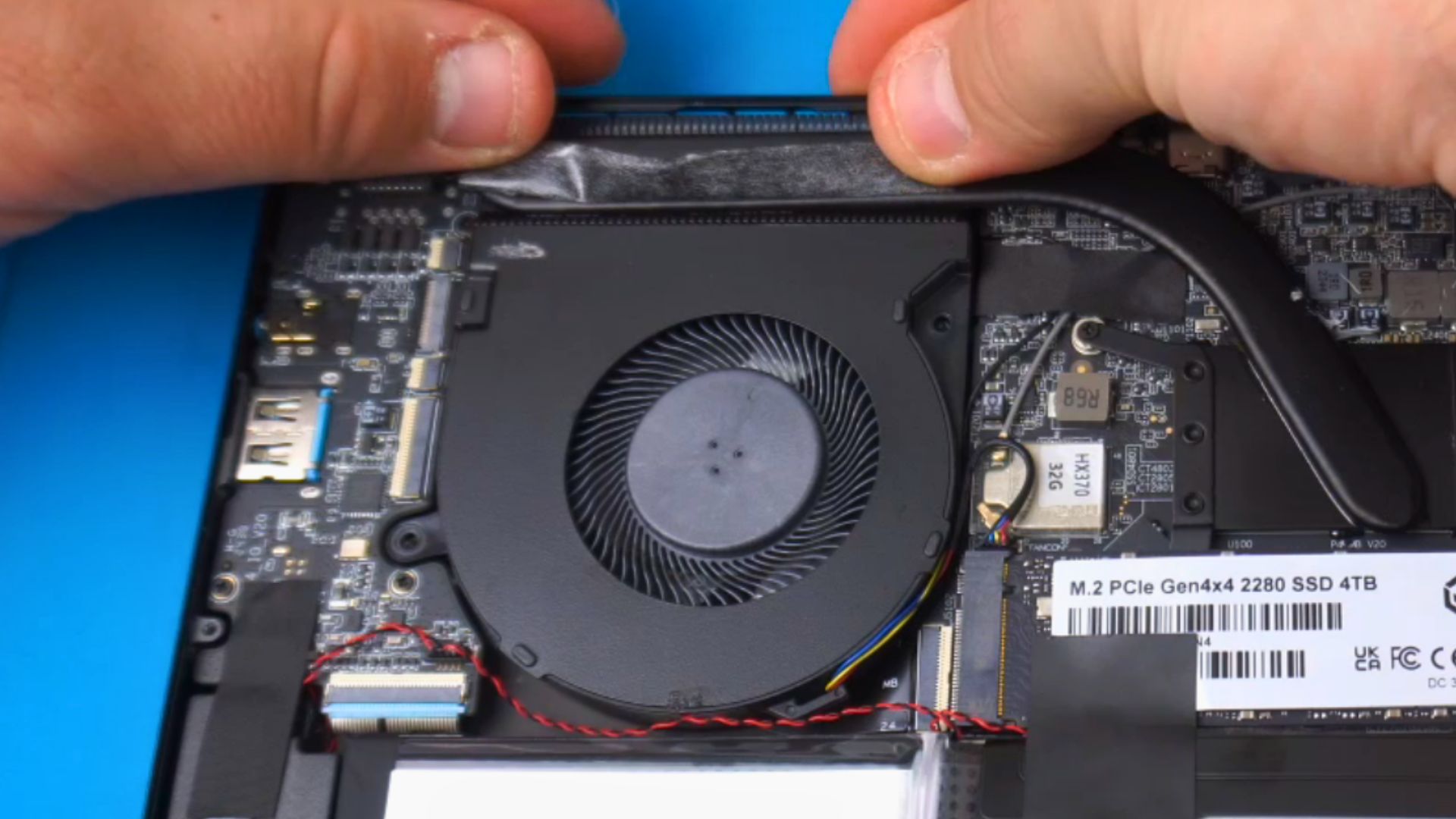
Use tweezers to disconnect the fan cable from the board
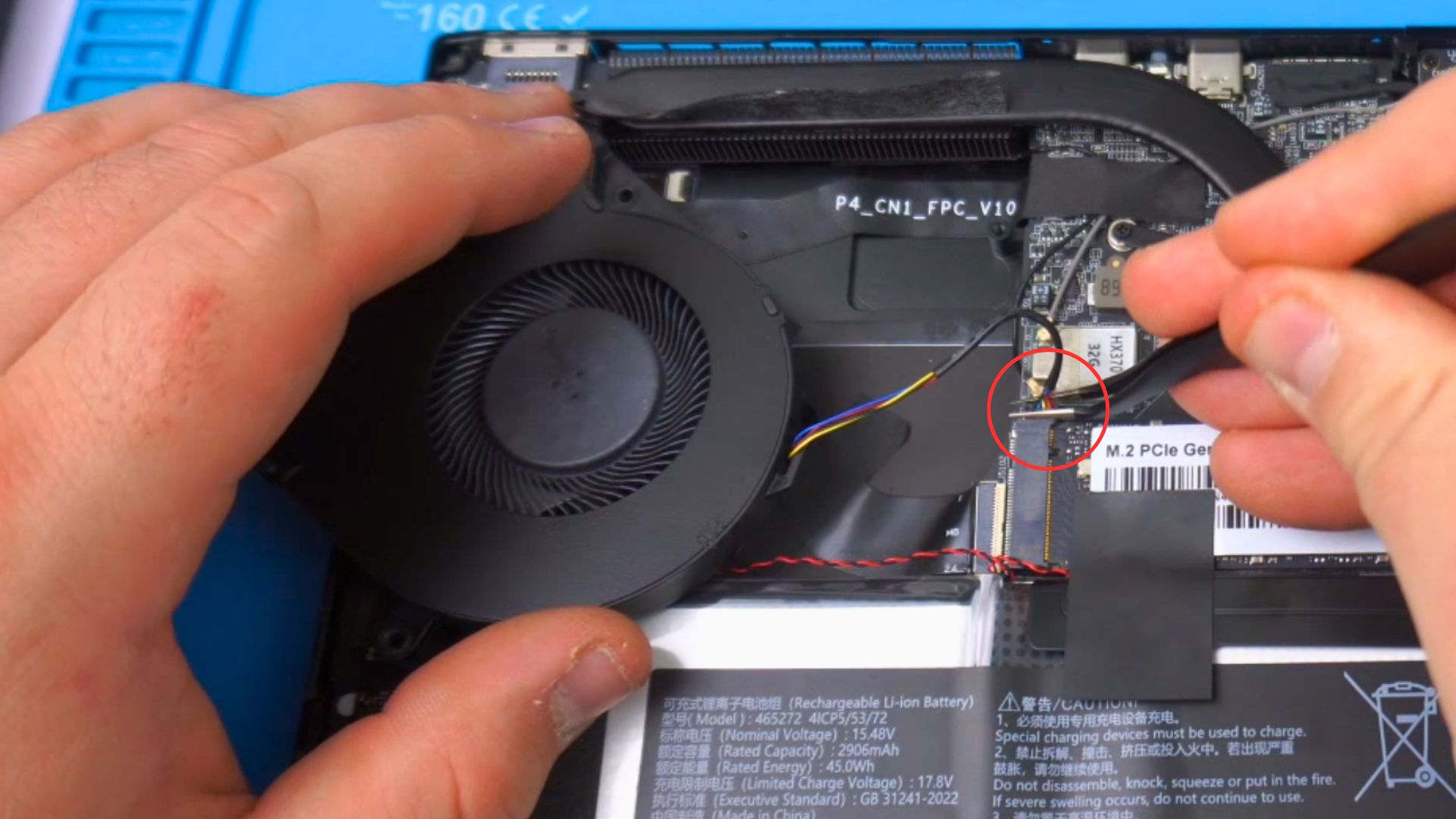
You can now fit the replacement fan, connect the cable, stick the tape back down, fit the fan screws. Then fit the case and fit the screws on the back and bottom.
Popular right now
What people are buying this month
Prices as listed on each store


GPD WIN 5 (AI Max HX 385 – 32GB_RAM/1TB_NVME) (Raven Black)
£1,555.95No longer available



 on 15 stores

MANGMI Pocket Max (Snapdragon 865 – 8GB_RAM/128GB_STORAGE) (Retro GB)
£190.07£240.95In stock
 on 14 stores

Was this article helpful?
From the blog
Visit the blog GPD MicroPC 2 vs GPD Pocket 4: Which UMPC is Right for Your Workflow?
4 September 2025
GPD MicroPC 2 vs GPD Pocket 4: Which UMPC is Right for Your Workflow?
4 September 2025
 GPD Pocket 4 Review: The Ultimate Ultra-Portable Notebook
5 December 2024
GPD Pocket 4 Review: The Ultimate Ultra-Portable Notebook
5 December 2024
 GPD Pocket 4 Review – The mini laptop you have been waiting for!
5 December 2024
GPD Pocket 4 Review – The mini laptop you have been waiting for!
5 December 2024
 Maximizing Productivity on the Go: How the GPD Pocket 4 Fits into Your Workflow.
1 November 2024
Maximizing Productivity on the Go: How the GPD Pocket 4 Fits into Your Workflow.
1 November 2024
Questions & answers 2
how to remove the battery of gps pocket 4?
We do not have a specific guide for the battery, but you can use the keyboard replacement as a rough guide of what is required for the battery. https://droix.net/knowledge-base/article/how-to-replace-the-gpd-pocket-4-keyboard/