




Files used in this guide
Versions (6)
- Assigned from the R2 bucket browser.
- Source guide: How To Reinstall the Retroid Pocket Flip Firmware
- Source guide: How To Reinstall the Retroid Pocket Flip Firmware
- Source guide: How To Reinstall the Retroid Pocket Flip Firmware
Older versions stay downloadable for rollbacks — every version keeps its own verified file.
If your Retroid Pocket Flip is not fully booting or performing a factory reset through Android is not fixing an issue, you can try reinstalling the firmware. Please only perform this if your device has an issue, it is not an updated firmware with any new features etc.
You will need
- Drivers
- Burn Tool
- Firmware file
- Either a USB-C to USB-C or USB-A to USB-C cable
We have included all the necessary files here: Flip V1.0.1.9.zip and ResearchDownload_R24.0.0001.7z.
Installing drivers and software
Extract the files contents on your PC. Navigate to the USB folder and run the 64install.exe (or 32install.exe file if your Windows is 32bit version) to install the USB drivers.
The Flashing Software
Navigate to the folder ResearchDownload_R24.0.0001 > Bin – then run the “ResearchDownload.exe” to load the firmware flashing software.
Click the single Cog icon in the top left area, and find/load the firmware update “RP35Flip_user_20230705.pac” file that you extracted earlier.
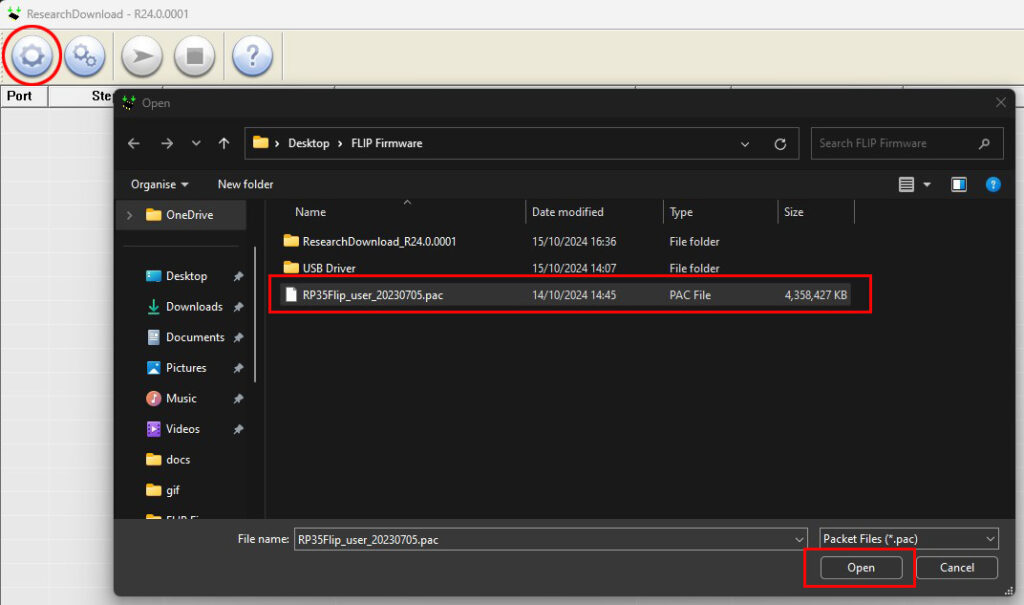
It will take a few moments for the firmware to load into the software. Once completed, the firmware details will be displayed in the top area of the window.

Click the Double Cog icon (2nd icon), select the Flash Operations tab, then tick the “Erase All Flash“. Press OK to confirm.
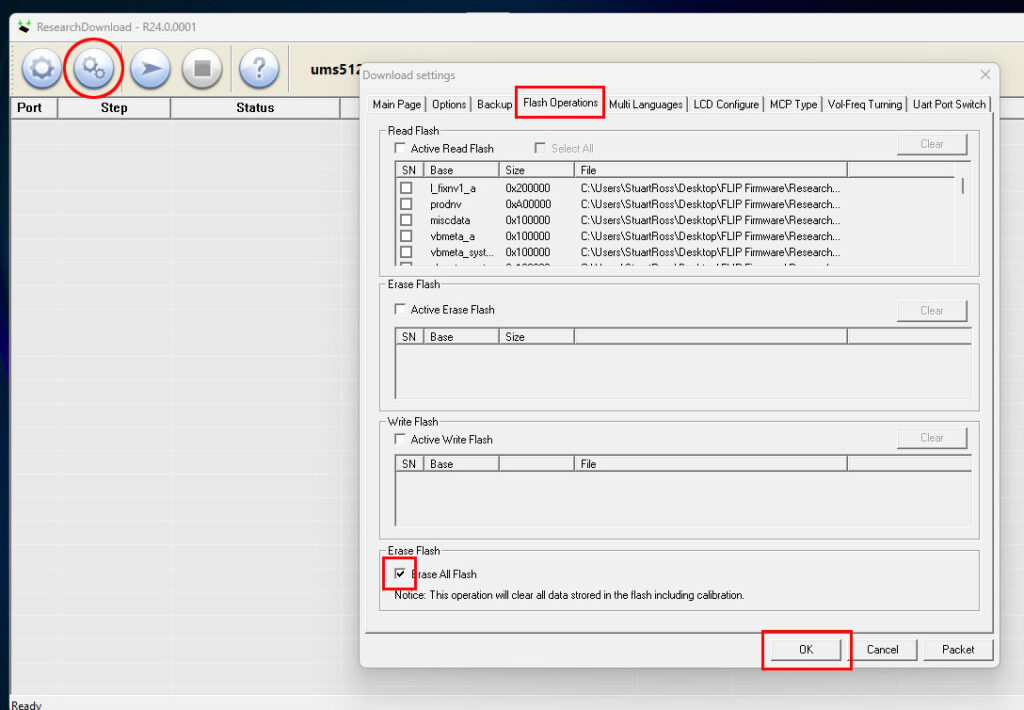
Press the Play/action button (3rd icon) on the menu. You will be prompted to continue, choose Yes.
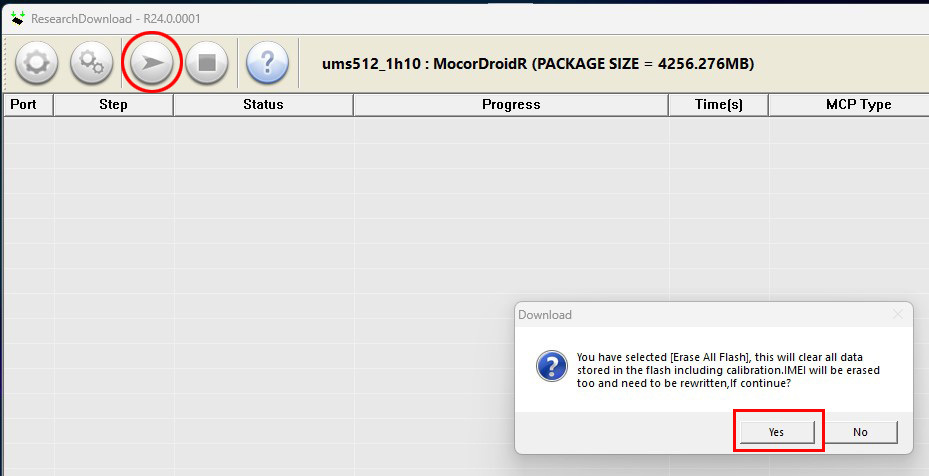
Starting the flashing on the Retroid Pocket Flip
On the Retroid Pocket Flip, hold down the Power button and Volume Down button together for around 7 seconds until the screen goes black and the flash starts on the programme.
If you get the recovery menu or “dead Android” screen, press and hold the Power button and Volume Down button again for several seconds. It will start to flash the firmware on to the Retroid Pocket Flip.
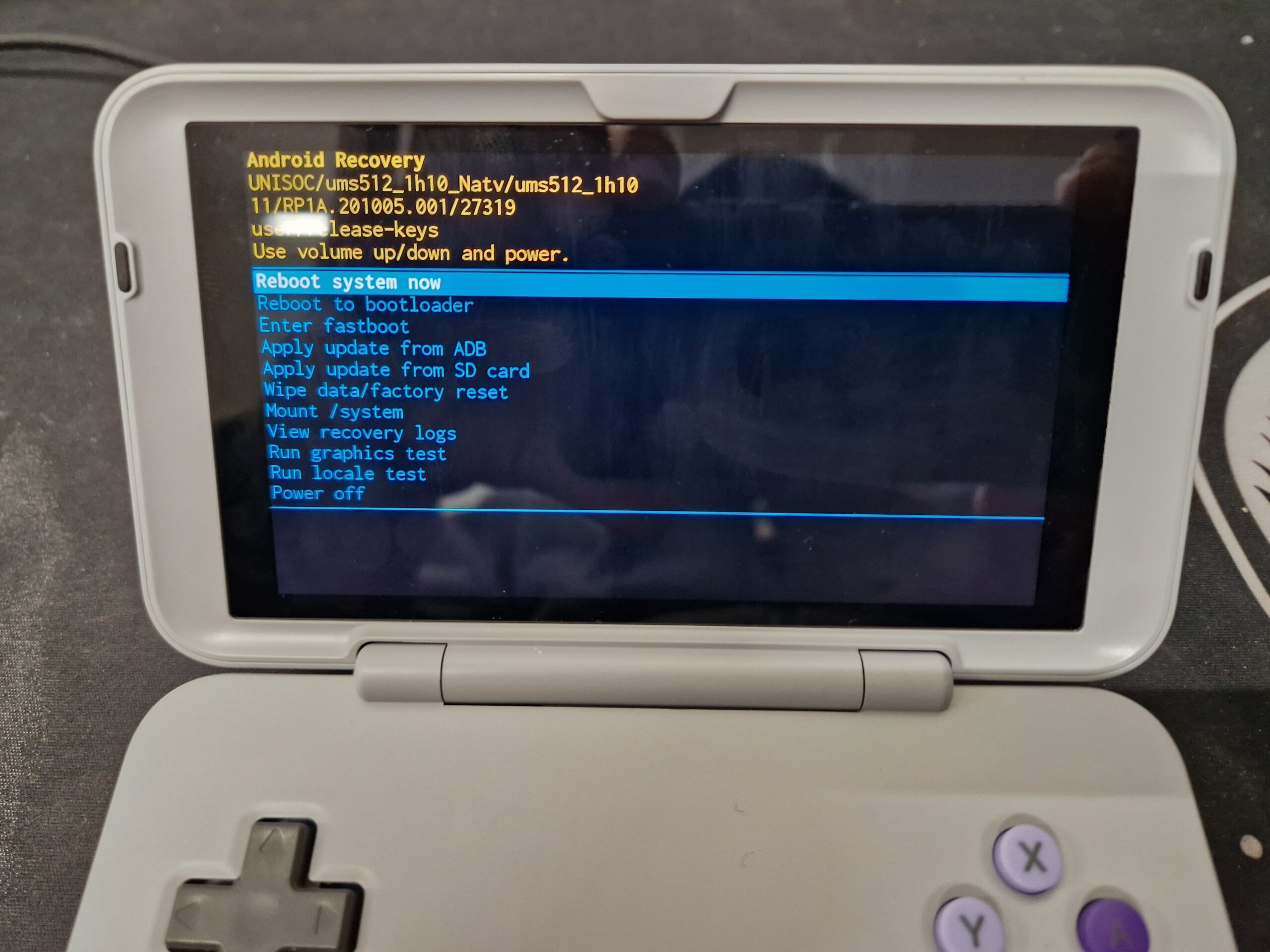
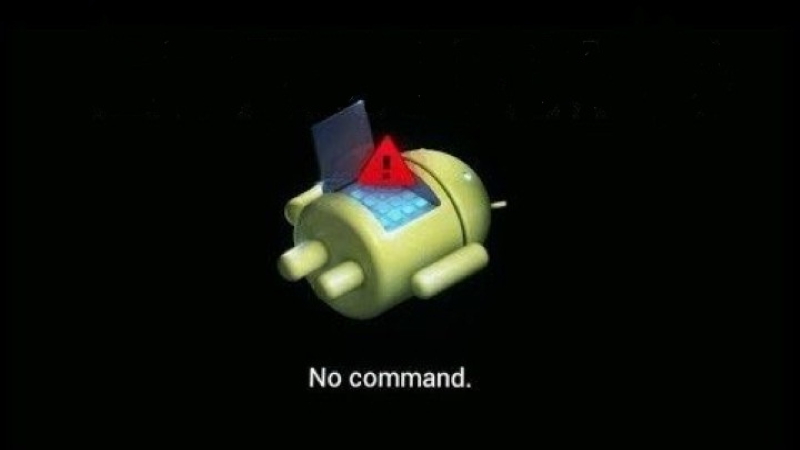
This process will take around 30 minutes to flash the firmware. During this period of time, do NOT remove the USB cable, switch off the Flip or shut down the flashing software.
Once the firmware has been flashed and tested, the software will show the Progress has Passed.

You can now use your Retroid Pocket Flip. NOTE: The first boot may take a little longer than usual as it sets up the operating system for first use.
Latest from the blog
Visit the blog EPOMAKER Carbon X Review – 46 g Carbon-Fibre 8K Wireless Mouse for Competitive FPS
2 November 2026
EPOMAKER Carbon X Review – 46 g Carbon-Fibre 8K Wireless Mouse for Competitive FPS
2 November 2026
 GPD WIN Mini Ultra – A Bigger 8-inch 120Hz Screen, Intel Arc G3 Extreme and Dual USB4 v2.0
27 October 2026
GPD WIN Mini Ultra – A Bigger 8-inch 120Hz Screen, Intel Arc G3 Extreme and Dual USB4 v2.0
27 October 2026
 RockTek PJ500 Ultra Review – A 1080p Home Cinema Projector for Streaming and Gaming
27 October 2026
RockTek PJ500 Ultra Review – A 1080p Home Cinema Projector for Streaming and Gaming
27 October 2026
 EPOMAKER RT75 and TH26 Review – Retro 75% Keyboard with Detachable Screen and 5-Key Macro Numpad
26 October 2026
EPOMAKER RT75 and TH26 Review – Retro 75% Keyboard with Detachable Screen and 5-Key Macro Numpad
26 October 2026
Questions & answers 6
download link is broken
Our storage server for the download is currently offline for upgrades. It should be back online next week.
RP35Flip_user_20230705.pac file and the driver folder is missing from the upload?
Also Flip V1.0.1.9.zip is re-sign apk?
Will you please re-upload these?
Thanks 🙂
We are awaiting new files from Retroid and will update them as soon as possible. Thanks.
Es posible hacer esto para la pocket 4 pro?
No, esto es solo para el modelo Flip. No intentes instalarlo en ningún otro dispositivo, ya que podría bloquearlo.