



في هذه المقالة
🌟🎉Hold onto your keyboards, folks! You’re about to dive into the magical world of Mini PCs with DroiX, the Mini PC wizards! 🧙♂️
🤔What’s a Mini PC? Think of your bulky old computer, but shrink it to the size of your lunchbox – or even as tiny as a Rubik’s Cube! 🎲 Poof Magic! These little wonders are perfect for movies, games, or boring office stuff if you’re into that. 🎬🎮
🔥DroiX has got your back with Mini PCs for every need. And guess what? They’re super energy efficient, so you can save some bucks on your electricity bill! 🌱💰
✨To pick your magic wand (aka Mini PC), consider:
- Size Matters! 📏 Want a teeny-tiny PC that’s barely visible? Go for the ones like Intel’s NUC. If you’re a gaming or video editing wizard, a bit bigger might be better.
- Power Consumption! ⚡ More compact = less electricity. These lil’ beasts are gentle on your wallet and the environment. 🌳
- Your Wizardly Needs! 🧙 What’s your quest? Streaming movies, dominating games, browsing the depths of the internet? Your choice depends on your adventure!
- Shape and Size! 🌈 From pocket-sized wonders to compact towers, there’s a shape for every space.
- Configuration and Upgrades! 🛠 Choose the right mix of storage, processing power, and graphics. Some Mini PCs let you upgrade in the future; others are a sealed deal.
⚠️ Remember, Mini PCs can be a bit pricier and harder to upgrade than their big siblings. If you’re not tight on space or planning to carry it around, a regular PC could be your trusty steed. 🐴
🌍 Most Mini PCs run on Windows or Linux, but hey, Apple lovers, the Mac Mini is also in the league!
💡So, wizard, before you conjure your Mini PC, think about your epic quest! 💥 Happy adventuring with your mighty Mini PC! 🚀
The Best Mini PCs
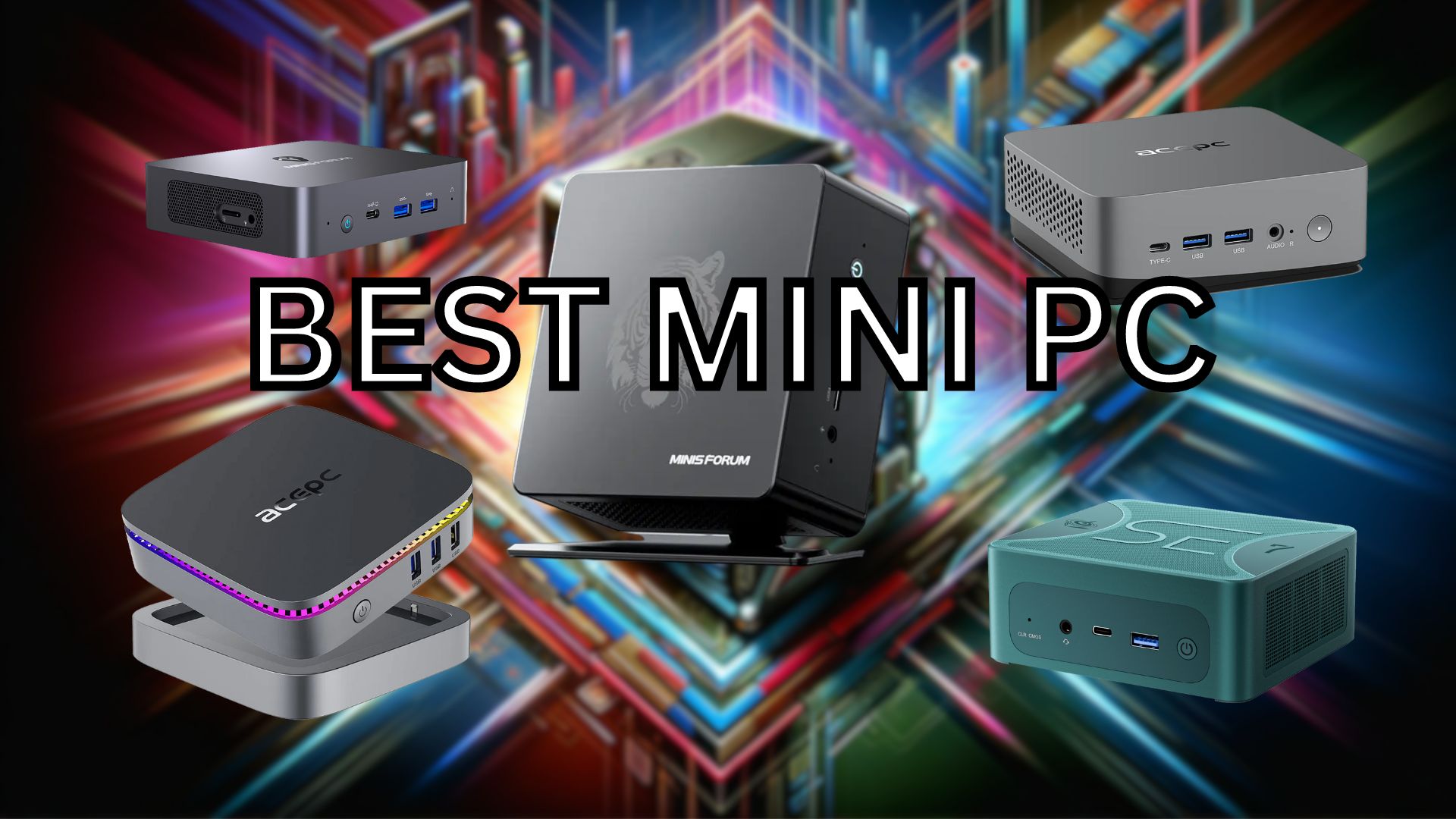
We’re going to be taking a look at the best Mini PCs money can buy. Naturally, one size does not fit all that’s why we’re going to be looking at a couple different categories of PC. Firstly, comparing apples to apples, red to blue, we’ll be looking at the best Ryzen Mini PC and the best Intel Mini PC. After that we’ll be going into different categories, best for Gaming, Budget-conscious buyers, Entertainment, Workstation and Size. No matter what there’s an option for you.
Best AMD mini PC Minisforum EliteMini UM780 XTX
Technical Specifications
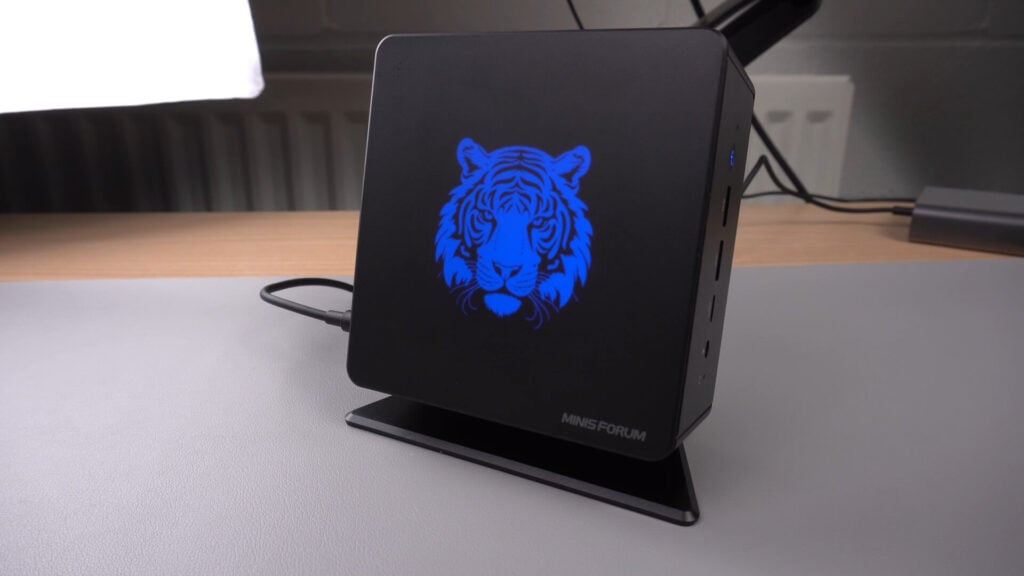
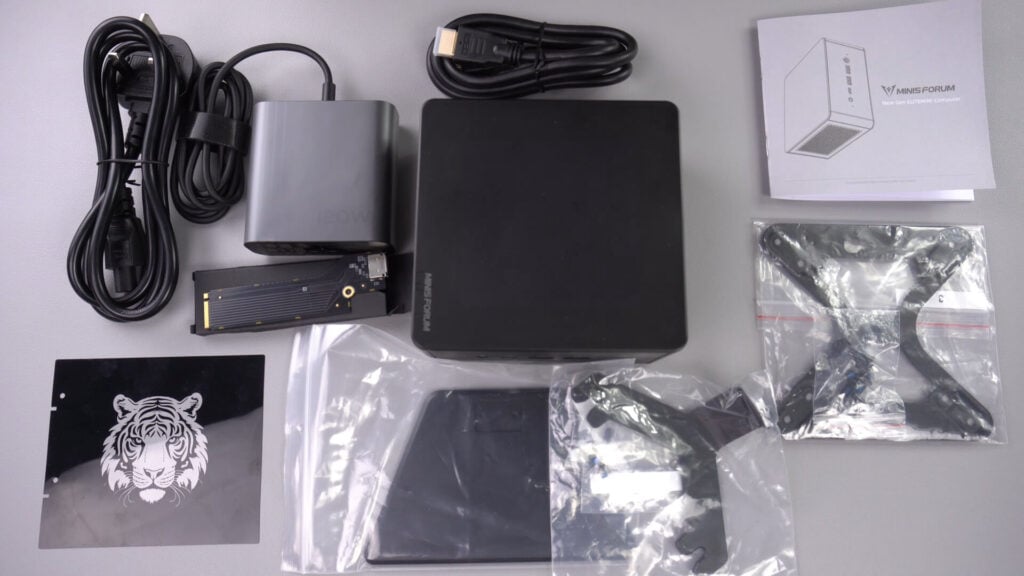
The Minisforum UM780 XTX is a compact and powerful mini PC designed for gaming and for high demanding software. It has a small footprint, measuring approximately 5.11 x 5.11 x 2.3 inches and weighing around 740g, making it highly portable. It is equipped with an AMD Ryzen 7 7840HS processor, offering 8 cores and 16 threads with up to 5.1 GHz speed, and an integrated AMD Radeon 780M GPU. The system supports DDR5 dual-channel memory, with two SODIMM slots at a maximum of 5600MHz.
Storage options include two M.2 2280 PCIe 4.0 SSD slots. For connectivity, it includes M.2 2230 WIFI support (Wi-Fi 6E, Bluetooth 5), and two 2.5Gbps Ethernet ports. Video output is handled through HDMI 2.1, DP 1.4, and USB4 ports, while audio output includes HDMI, DP, and an audio jack. The unit is powered by a DC 19V adapter and comes with Windows 11 pre-installed.
Performance and Benchmarks
In terms of performance, the Minisforum UM780 XTX excels in various benchmarks. It achieved a score of 8136.7 in PassMark, 10,838 in PCMark, and showed impressive results in 3DMark tests, particularly for an integrated GPU setup. Its Cinebench scores were the highest among tested miniature gaming desktops, with 1790 in single-core and 16682 in multi-core tests.
Gaming benchmarks revealed strong performance at resolutions up to 1440P on integrated graphics, and even better results when paired with the GPD G1 eGPU docking station via the Oculink port. The mini PC demonstrated its capabilities across various games, including Forza Horizon 5, Shadow of the Tomb Raider, and Call of Duty Modern Warfare III, maintaining above 60 FPS at 720P and 1080P. Read our full Minisforum UM780 XTX review here for more in depth benchmarks and comparisons.
Why You Should Consider the Minisforum UM780 XTX
The Minisforum UM780 XTX stands out as the fastest mini PC with integrated graphics currently reviewed. It is an ideal choice for both work and gaming, blending power, and versatility in a compact size. The inclusion of Oculink allows for significant performance boosts, especially in demanding tasks or games when used with an eGPU. Its small size, combined with the option to lay flat, stand, or mount behind a monitor, makes it suitable for various setups and easy to transport.
Despite some aesthetic drawbacks like the singular tiger design etching and LED lighting, which may not appeal to all users, these are minor compared to its overall performance and capability. The Minisforum UM780 XTX is a top contender as the best Mini PC for those seeking a high-performing, versatile solution, especially for users prioritising integrated graphics with the option for enhanced eGPU performance.
Runner up best AMD mini PC Beelink SER7
Technical Specifications
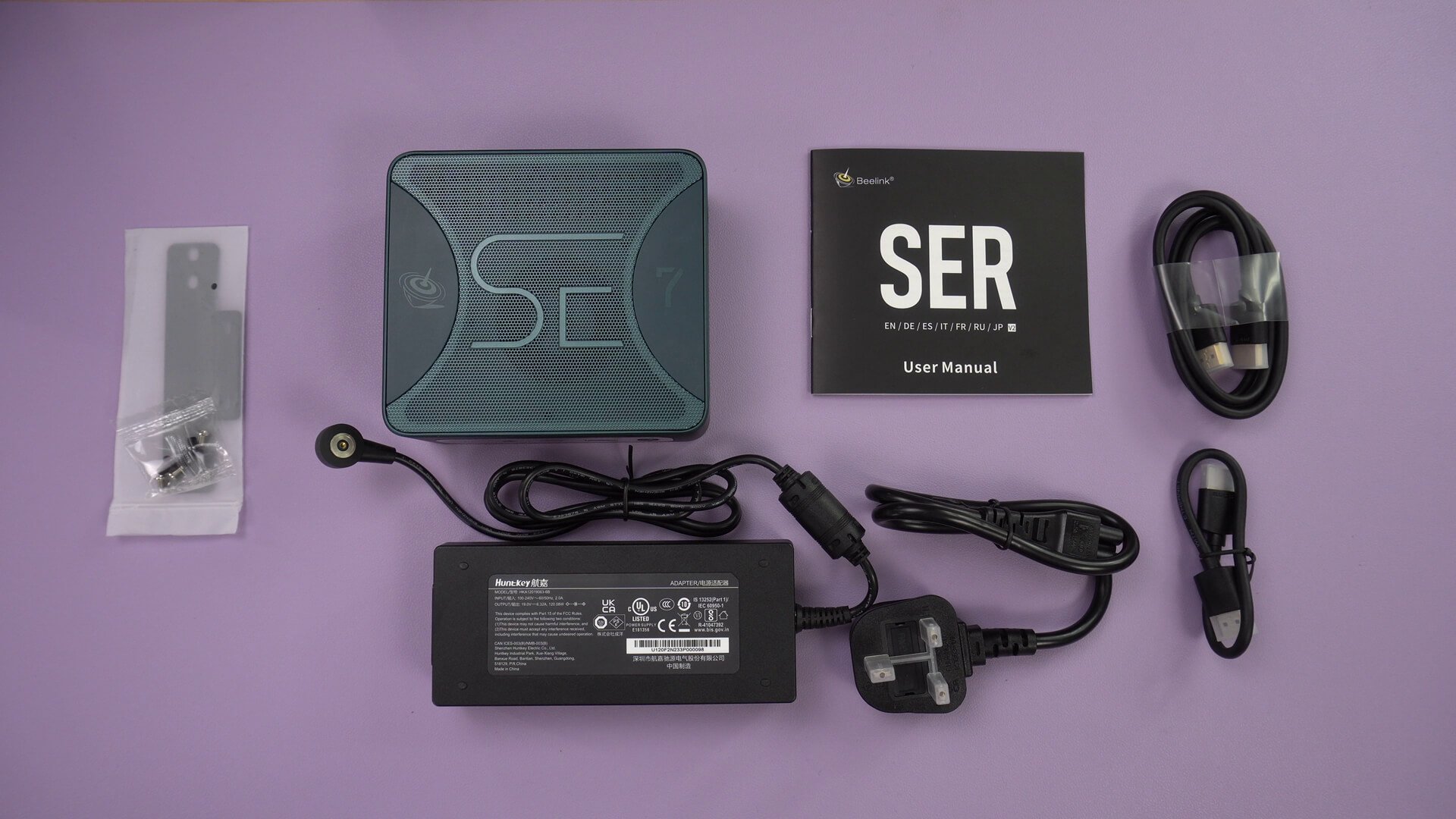
The Beelink SER7 is a small form factor mini PC, boasting a compact size of approximately 4.9 x 4.4 x 1.9 inches and a weight of around 652g. It is equipped with an AMD Ryzen 7 7840HS processor, featuring 8 cores and 16 threads, with a base frequency of 3.80 GHz and a boost up to 5.10 GHz. The GPU is an AMD Radeon 780M with 12 cores operating at 2700 MHz.
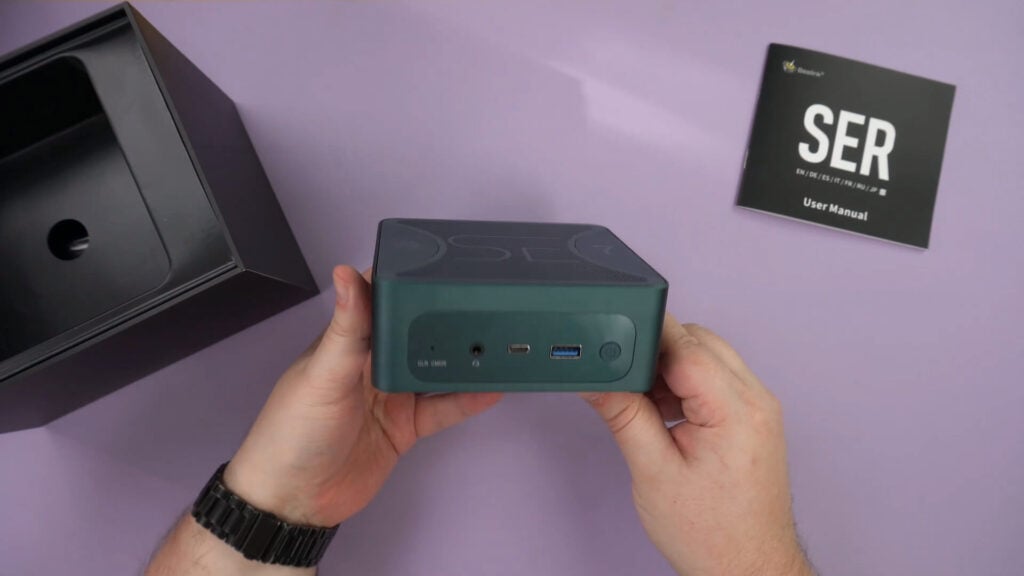
The system includes 32GB of DDR5 Dual SO-DIMM RAM and a substantial 1TB M.2 2280 PCIe 4.0 SSD for storage. For connectivity, it offers WiFi 6, Bluetooth 5.2, and a 2.5Gbps Ethernet port. The SER7 supports up to quad displays via HDMI, DisplayPort, and 2x USB 4, with capabilities of up to 4K at 144Hz. It features a unique magnetic power connector for easy connection.
Performance and Benchmarks
In system benchmarks, the Beelink SER7 scored slightly lower than the Minisforum UM780, with 7,814 in PassMark and 7,489 in PCMark. However, it demonstrated comparable Cinebench scores of 1,764 (single-core) and 15,376 (multi-core). In 3DMark gaming performance tests, it achieved scores of 3,290 in Time Spy, 7,650 in Fire Strike, and 28,690 in Night Raid, showing higher 3D performance in two of the three tests compared to the UM780.
Gaming benchmarks revealed impressive frame rates across various resolutions in games like Forza Horizon 5 and Call of Duty Modern Warfare III, with performance nearly identical to the UM780. The SER7 also excels in emulation, efficiently handling up to PlayStation 2 era games with high-quality visuals and good performance on newer systems like PS3 using Yuzu and Ryujinx emulators. Read our full Beelink SER7 review here for detailed comparisons with other models.
Why You Should Consider the Beelink SER7
Despite initial lower scores in system benchmarks, the Beelink SER7 shines in gaming benchmarks and emulation, offering performance on par with the Minisforum UM780. It manages to play modern games and emulate current devices effectively, often reaching full speed in challenging emulation scenarios. While it lacks the Oculink port of the UM780 for an external GPU, it still supports eGPU connections via USB 4, albeit with some performance loss.
The Beelink SER7 stands out as a well-priced, high-performing best mini PC contender, suitable for a range of tasks from daily productivity to intensive gaming. Its compact size and quad-display support make it a versatile choice for users looking for a powerful yet space-efficient gaming mini PC.
Best mid range mini PC ACEPC Powerbox Mini
Technical Specifications
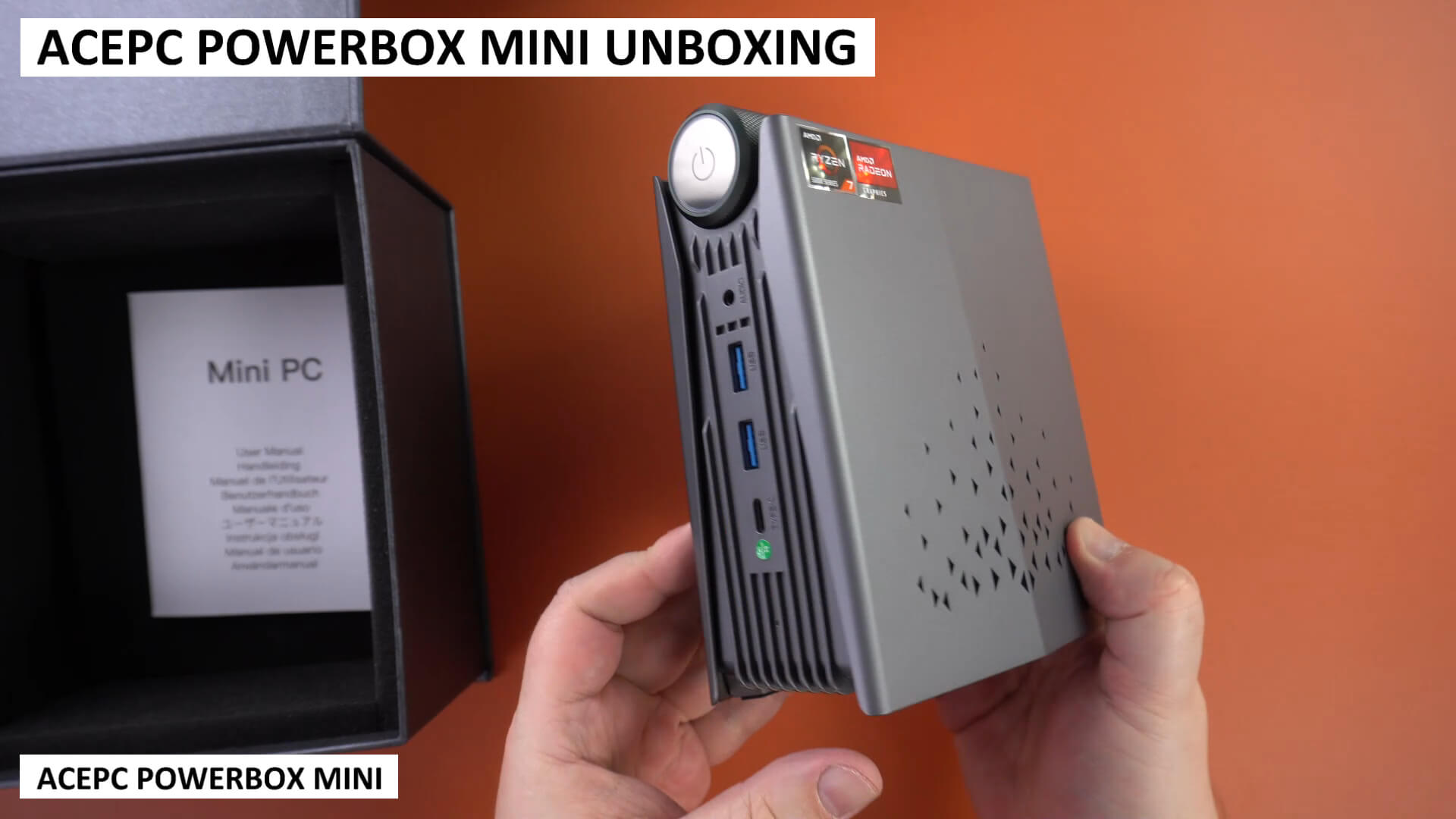
The ACEPC Powerbox Mini is a compact AMD Ryzen-powered desktop PC, measuring approximately 6.15 x 5.22 x 2.83 inches and weighing 581g. This mini PC features a unique power button dial that allows users to switch between three performance settings: Smart, Auto, and Performance. The front panel includes a 3.5mm audio port, two USB 3 ports, and a USB Type-C port, while the back houses two additional USB 3 ports, a DisplayPort, HDMI port (supporting up to triple monitor setup), an ethernet port, and a power port.
The Powerbox Mini is equipped with an AMD Ryzen 7 5700U processor (8 cores, 16 threads, max frequency 4.3GHz), AMD Radeon Graphics (8 cores at 1900MHz), 32GB SO-DIMM DDR4 RAM, and a 512GB M.2 2280 SSD, expandable up to 4TB. It supports Wi-Fi 6 and Bluetooth 5.2. In terms of cooling and noise, the device reaches up to 68 dB of fan noise and a temperature of 55 °C in Performance mode, while Auto and Smart modes are quieter at 50 dB and 48 dB, respectively.
Performance and Benchmarks
The ACEPC Powerbox Mini shows varied performance based on the selected power mode. In Cinebench, scores ranged from 6272 (Smart mode) to 8498 (Performance mode), corresponding to CPU frequencies from approximately 2.12 GHz to 3.20 GHz. The device scored 3679 in Passmark, surpassing the Powerbox Pro model, and achieved 5282 in PCMark, indicating strong performance for daily tasks and content creation.
For 3D gaming performance, the Powerbox Mini attained scores of 1481 in Time Spy, 3718 in Fire Storm, and 14671 in Night Raid on 3DMark, showcasing decent performance for a mini PC with an AMD Ryzen processor. Read our full ACEPC Powerbox Mini review here for more in-depth performance comparisons.
Why You Should Consider the ACEPC Powerbox Mini
The ACEPC Powerbox Mini is a versatile and high-performing mid-range mini PC, suitable for a variety of uses from everyday productivity to light and medium gaming. Its adjustable power settings allow users to balance performance, noise, and thermal management according to their needs. Despite its compact size, it offers solid gaming performance, with the capability to handle recent lower-demanding games and older titles at up to 4K with good graphics settings.
Its vertical orientation and RGB lighting make it visually distinctive, although the inability to turn off the lighting may not suit all environments. Overall, the ACEPC Powerbox Mini stands out for its performance, offering a compelling option for those seeking a compact and capable best mini PC for work, gaming, and entertainment.
Best mini PC for office and business ACEPC Powerbox Pro
Technical Specifications
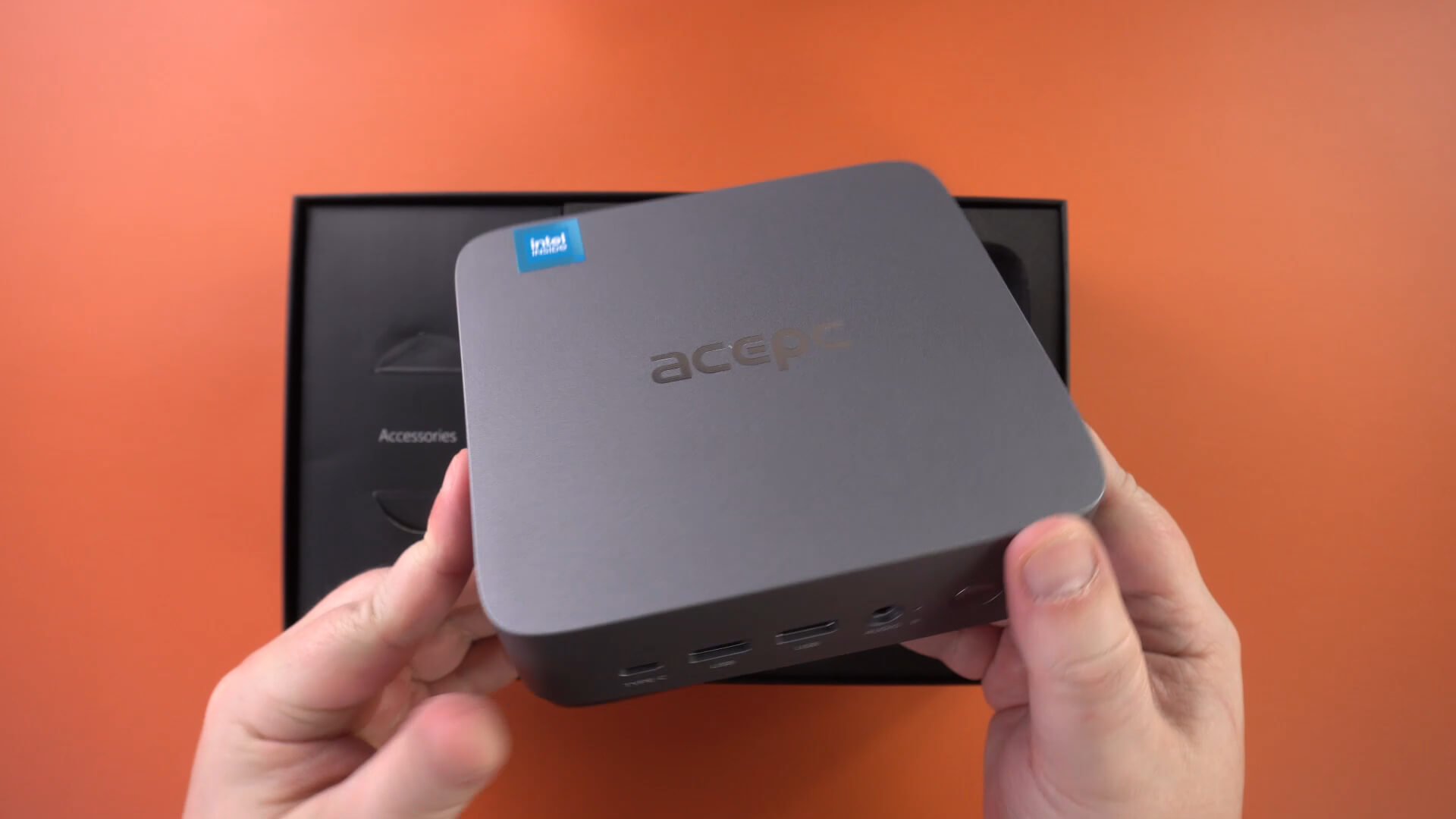
The ACEPC Powerbox Pro is a compact and versatile mini PC designed for home office use, measuring about 5.45 x 4.96 x 1.96 inches and weighing 540g. The front panel includes a USB Type-C port, two USB 3 ports, a 3.5mm audio port, and a power button. The rear panel features two additional USB 3.0 ports, two HDMI ports, a gigabit ethernet port, and a power port. Notably, the Powerbox Pro offers space for an internal 2.5” HDD/SSD, allowing for expandable storage.
The technical specifications are robust, with an Intel i5-12450H Processor, Intel UHD Graphics, 32GB DDR4 RAM (upgradeable to 64GB), and storage options ranging from 500GB to 4TB. Communication is facilitated by Wi-Fi 6 and Bluetooth 5.2. Power consumption tests showed an idle usage of 11.8 W and 48W during Cinebench benchmarks, with a maximum fan noise of 49 dB and a peak temperature of 58°C.
Performance and Benchmarks
The ACEPC Powerbox Pro’s system benchmarks indicate solid performance for its class. In Passmark, it scored 3082, which is decent but lower than the Powerbox Mini model. The PCMark score of 5153 suggests that it’s well-suited for day-to-day tasks like web browsing and light image editing. Cinebench results showed a single-core score of 1667 and a multi-core score of 6263, demonstrating superior single-core performance but lower multi-core efficiency compared to the Mini model.Read our full ACEPC Powerbox Pro review here for benchmarks and comparisons with other models.
Why You Should Consider the ACEPC Powerbox Pro
The ACEPC Powerbox Pro is an excellent option for those seeking a compact, efficient, and versatile mini PC for office environments. Its traditional flat form factor and subtle design make it a discreet addition to any workspace. While it may not excel in high-performance gaming, it is more than capable of handling everyday workloads, light gaming, and emulation tasks.
Its quiet operation, even under load, is a significant advantage for office settings. Additionally, the Powerbox Pro’s ability to play 4K content and support for an internal 2.5” storage drive enhances its appeal as a best mini PC contender for streaming and additional storage needs. Overall, the ACEPC Powerbox Pro stands out as a balanced choice for users who value a combination of performance, aesthetics, and quiet operation in a mini PC.
Best budget mini PC ACEPC Picobox Mini
Technical Specifications
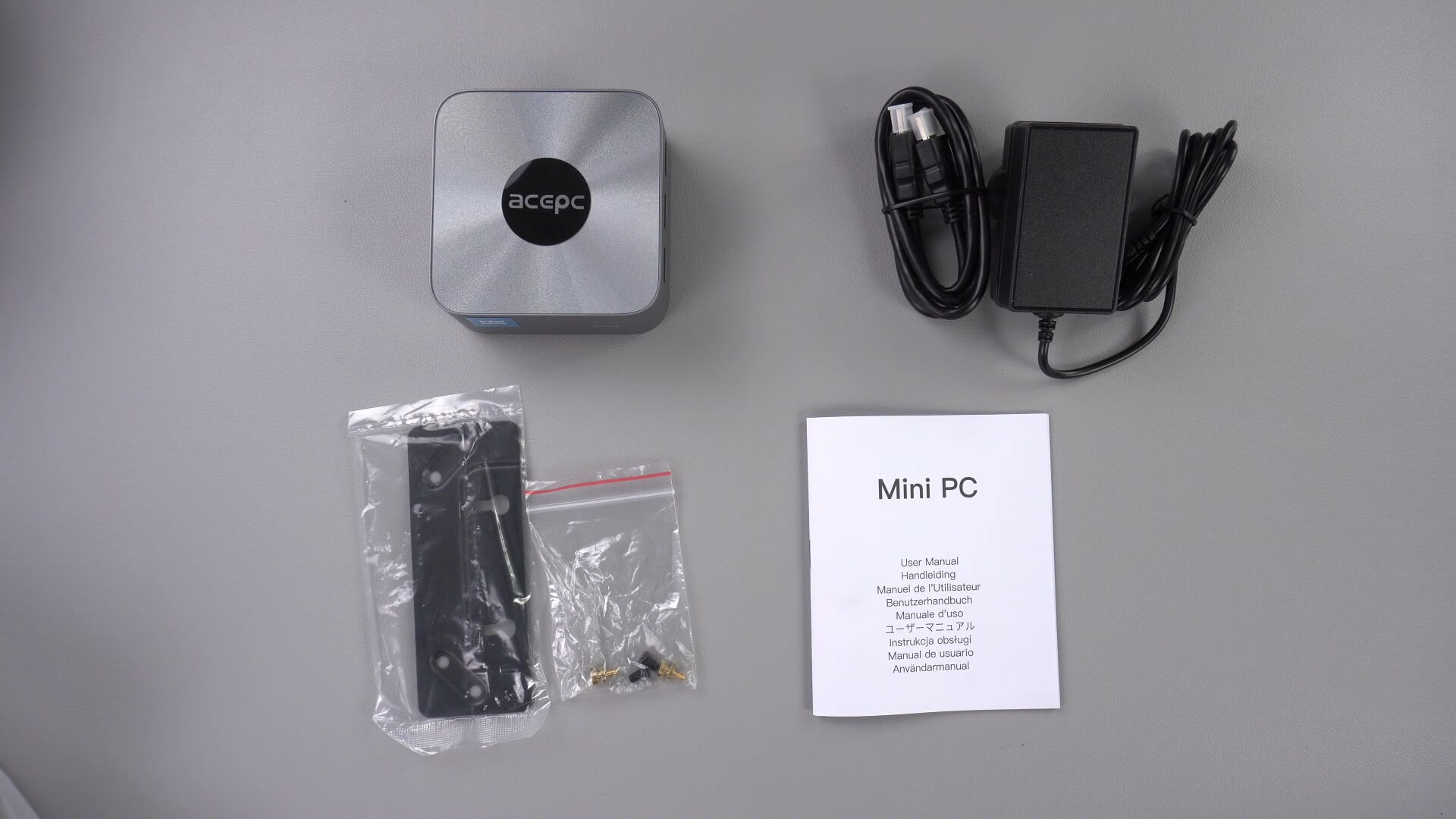
The ACEPC Picobox Mini is an ultra-compact and lightweight mini PC, measuring just 3.52 x 3.52 x 1.71 inches and weighing 204g, making it ideal for space-saving setups. The device’s design is simple yet functional, with the front sporting only a power button and LED. It offers three HDMI ports on the left side for triple monitor display support, three USB 3 ports on the right side for peripherals, two gigabit ethernet ports, and a 3.5mm headphone port on the back.
Under the hood, it’s powered by an Intel N100 processor (4 cores, 4 threads, up to 3.4GHz, 6W TDP), paired with Intel UHD Graphics at 750Mhz. The Picobox Mini offers two RAM options, 8GB or 16GB LDPPR5, and a 512GB m.2 2280 SSD, expandable up to 1TB. It also boasts Wi-Fi 6, Bluetooth 5.2, and efficient power usage with very low peak noise (53 decibels) and temperature (54°C).
Performance and Benchmarks
In terms of performance, the ACEPC Picobox Mini shines in its class. In the PCMark benchmark, it scored 3087, topping the budget range of best mini PCs and slightly outperforming the Pro model. Cinebench results were impressive, with scores of 911 (single-core) and 2948 (multi-core), surpassing other lower-cost mini PCs. The Picobox Mini effortlessly handles 4K video playback on YouTube without any frame drops, demonstrating its adequacy for media consumption. Read our full ACEPC Picobox Mini review here for detailed benchmark and comparisons.
Why You Should Consider the ACEPC Picobox Mini
The ACEPC Picobox Mini stands out as an excellent choice for those seeking a budget-friendly, highly efficient mini PC for home or office use. Its small footprint makes it ideal for tight spaces, and its quiet operation ensures it won’t be a distraction. While not designed for intensive gaming, it’s suitable for light gaming, handling titles like Double Dragon at 4K and Oceanhorn 2 at 720P with ease.
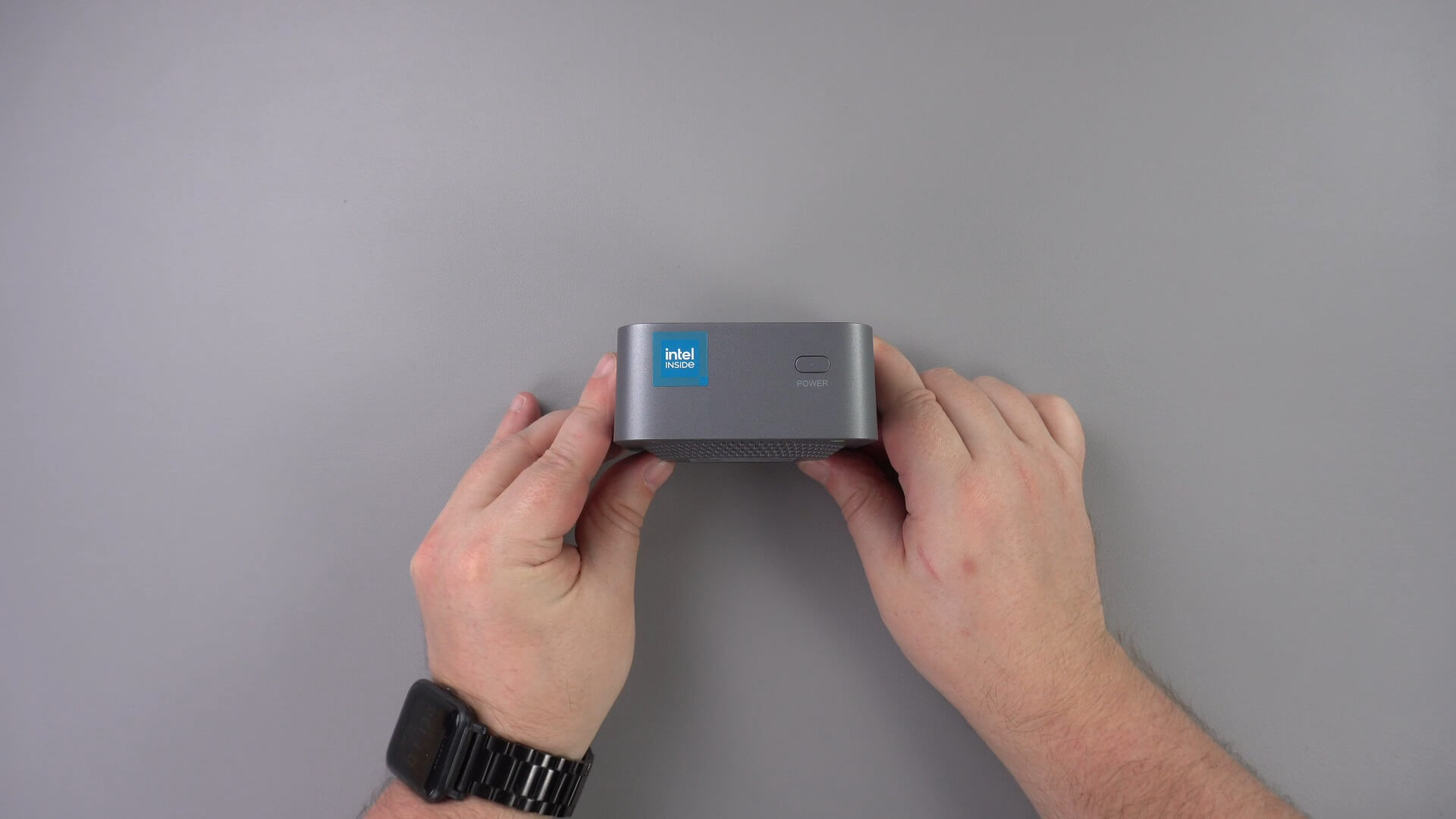
The device excels in emulation, capable of running PlayStation 1 games with 4K upscaled graphics, and delivering good performance on the Dolphin emulator and PSP with PPSSPP. It also serves as an ideal media player, being small, unobtrusive, and quiet. Additionally, its low power consumption makes it an economical choice, potentially reducing electricity bills. The ACEPC Picobox Mini is a compelling option for anyone looking for a versatile, efficient, and cost-effective mini PC.
Best budget gaming mini PC ACEPC Picobox Pro
Technical Specifications
The ACEPC Picobox Pro is a compact mini PC designed for home or office use, measuring approximately 5.04 x 5.04 x 2.03 inches and weighing around 386g. The device features a functional design with the power button, two USB 3, and one USB 2 ports on the right side for connecting peripherals. The back of the unit houses a USB 2 port, two HDMI ports supporting up to 4K dual display, a gigabit ethernet port, and a 3.5mm headphone jack. Additionally, the Picobox Pro includes space for a 2.5” SATA hard drive or SSD, enhancing its storage capabilities.
It’s equipped with an Intel N100 processor (4 cores, 4 threads, up to 3.4GHz, 6W TDP), Intel UHD Graphics at 750Mhz, 16GB DDR4 SO-DIMM RAM, a 512GB m.2 2280 SSD (expandable up to 2TB), Wi-Fi 6, and Bluetooth 5.2. The device also features configurable LED lighting. In terms of efficiency, the Picobox Pro boasts a low power usage of 23.7W, a peak noise level of 41 decibels, and a peak temperature of 36°C.
Performance and Benchmarks
In benchmark testing, the ACEPC Picobox Pro shows strong performance, particularly for its size and class. In the PCMark benchmark, it scored closely to the Picobox Mini, with only an 87-point difference, indicating comparable performance for day-to-day tasks. The Picobox Pro also excels in 4K video playback, handling YouTube 4K content without any frame drops, making it suitable for media consumption. Read our full ACEPC Picobox Pro review here for benchmark comparisons with other models.
Why You Should Consider the ACEPC Picobox Pro
The ACEPC Picobox Pro is a versatile and cost-effective mini PC that is well-suited for both home and office environments. While it’s not built for high-end gaming, it’s capable of handling light gaming tasks, demonstrating solid performance with games like Double Dragon and Oceanhorn 2 at lower settings. Its emulation capabilities are notable, running older console systems smoothly and offering good performance with emulators like DuckStation and PPSSPP.
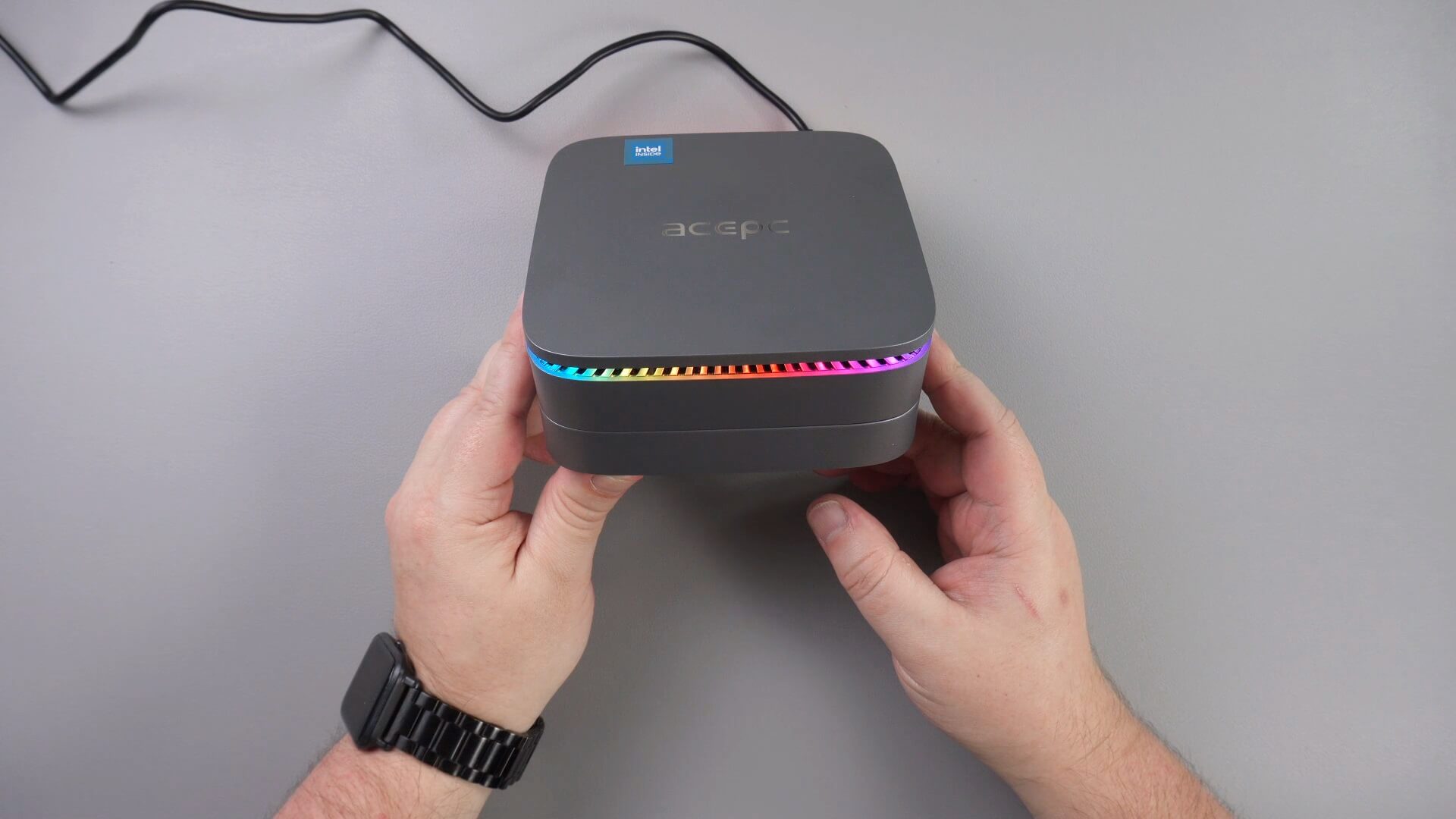
This best mini PC option is also an excellent choice for media streaming, with flawless 4K playback and quiet operation. Additionally, its ability to house a 2.5” drive provides extra storage flexibility. The ACEPC Picobox Pro is a strong contender for those seeking a budget-friendly, efficient mini PC with good connectivity, suitable for a range of tasks from office work to light gaming and media streaming.
Best home office mini PC Minisforum UN100
The Minisforum UN100 is a compact and efficient mini PC designed to deliver solid performance in a small form factor. Equipped with an Intel N100 Processor with 4 cores and 4 threads, capable of reaching up to 3.4 GHz, and a low thermal design power (TDP) of 6W, it offers a balance between performance and energy efficiency. The system includes Intel UHD Graphics with up to 750 MHz, 16GB of LPDDR5 dual-channel RAM, and options for either 256GB or 512GB M.2 2280 SATA SSD for storage, with additional expansion available via a micro SD card slot and a 2.5″ HDD/SSD bay. Connectivity is well-catered for with Wi-Fi 5, Bluetooth 4.2, two gigabit Ethernet ports, two HDMI ports for video output, and a USB Type-C port supporting video output and PD charging, all running on Windows 11 Pro.
In benchmark testing, the Minisforum UN100 has shown its competence by often ranking first or second among its peers equipped with the same Intel N100 processor. In power consumption tests, it demonstrated low energy usage with 7.7 W at idle and up to 23.5 W under load, maintaining a relatively quiet operation with fan noise reaching 60 db at peak. Performance benchmarks such as PassMark, PCMark, Cinebench, and 3DMark highlight its ability to handle a variety of tasks efficiently, from everyday computing to more demanding applications, showing only a marginal difference in performance compared to similar models. Its capability to smoothly playback 4K video content without lag or frame drops further emphasises its multimedia prowess.
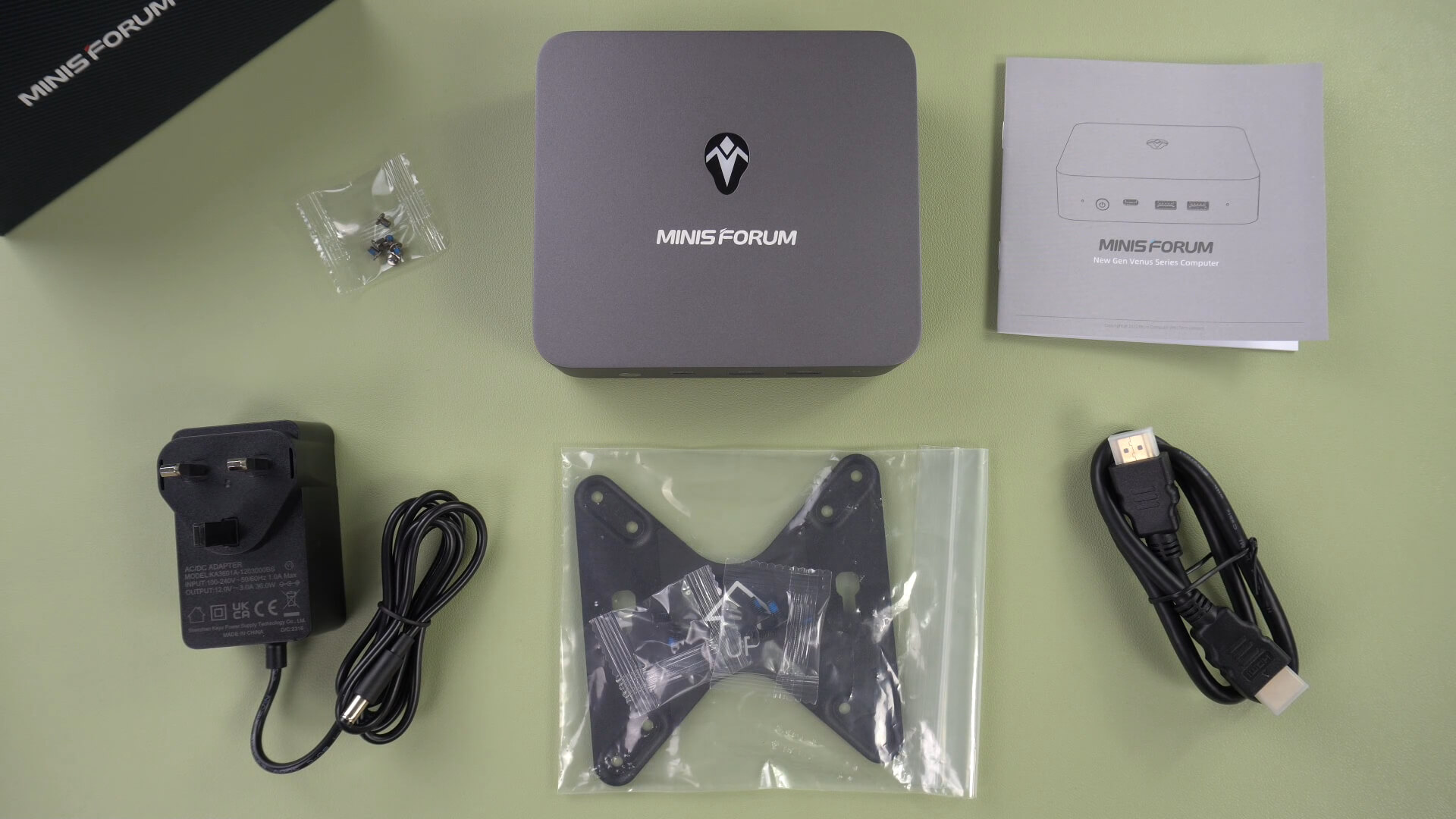
The Minisforum UN100 stands out as a compelling option for users seeking a mini PC that combines low cost, high performance, and energy efficiency. Its portability, alongside support for triple monitors and ample storage options, makes it suitable for a wide range of applications, from office work to media streaming. The inclusion of dual Ethernet ports and a 2.5″ drive bay enhances its functionality as a home office PC or a media server.
For those prioritising space-saving design without compromising on performance or connectivity, the Minisforum UN100 offers an excellent blend of features that cater to both professional and personal computing needs, making it a valuable addition to any setup.
Beelink SER5 5800H
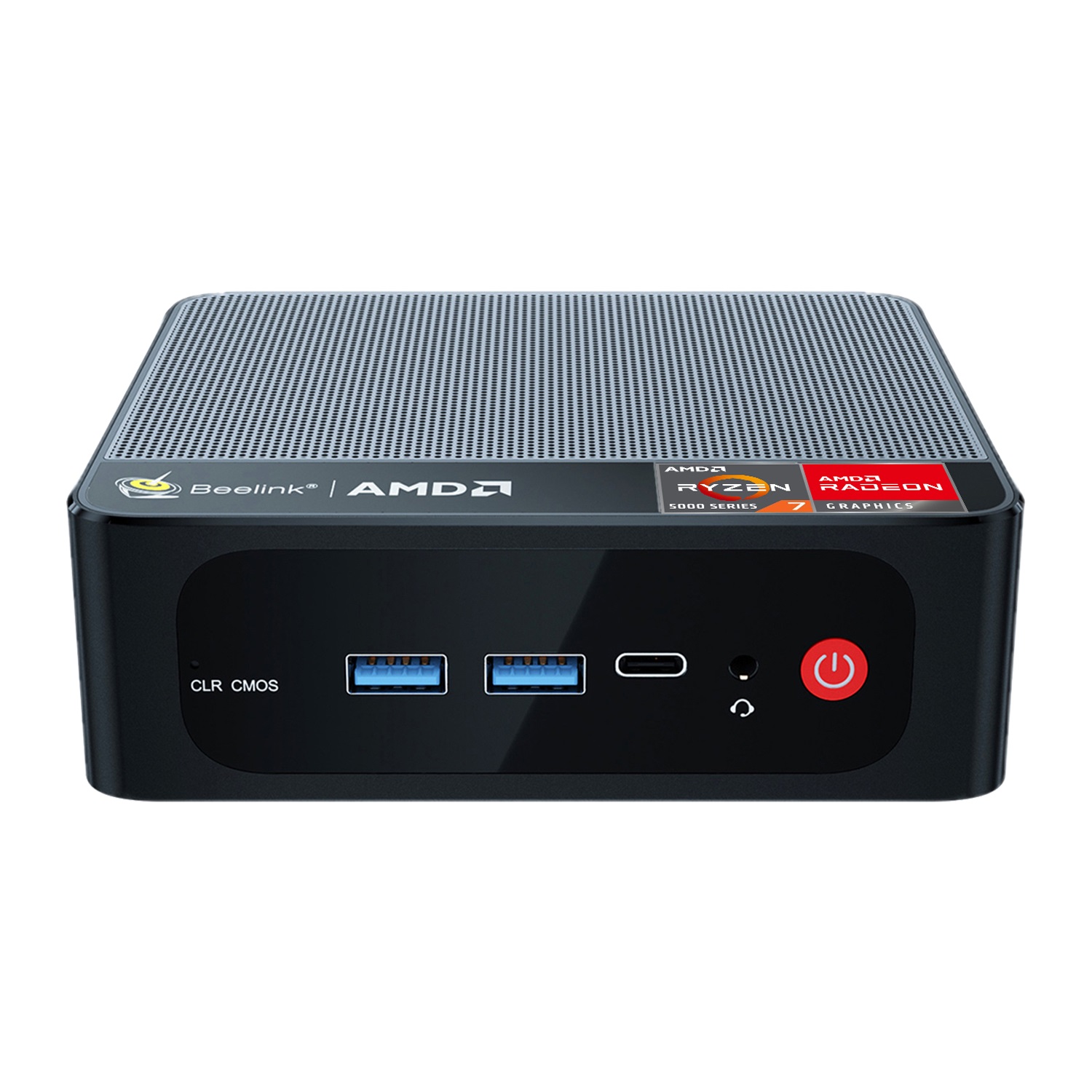
The Beelink SER5 5800H gaming mini PC is a compact powerhouse designed for gaming enthusiasts looking for a small form factor solution without compromising on performance. It is equipped with an AMD Ryzen 7 5800H processor, boasting 8 cores and 16 threads with a maximum clock speed of 4.4GHz and a 45W TDP, ensuring robust performance for demanding applications and games. The integrated AMD Radeon graphics with 8 cores up to 2000MHz further enhances its gaming capabilities. For memory and storage, the SER5 5800H offers up to 64GB DDR4 RAM and up to 2TB of m.2 2280 NVMe SSD, providing ample space and speed for gaming, multitasking, and extensive data storage. Additionally, it includes space for a 2.5” HDD or SSD for even more storage options. The device runs on Windows 11, offering the latest in operating system efficiency and compatibility.
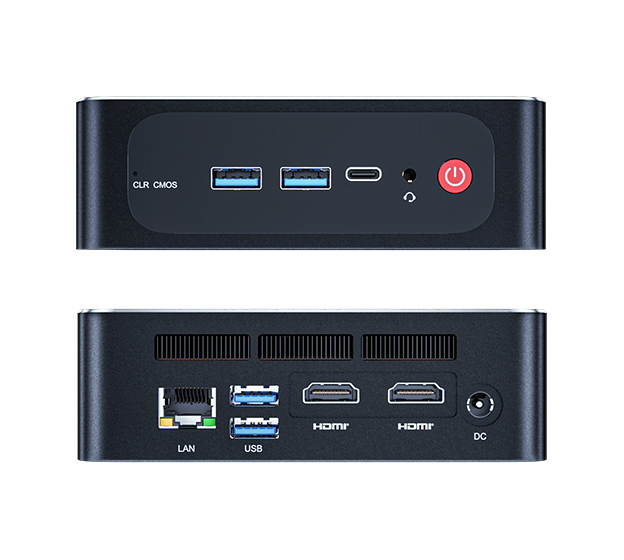
Performance-wise, the Beelink SER5 5800H is built to impress, with its high-end components ensuring smooth gameplay and efficient handling of multiple software applications. The generous RAM and fast NVMe SSD work in tandem to deliver rapid loading times and seamless performance across a wide range of games and programs. Its connectivity options, including three USB 3.2 Gen 2 ports, a USB 2.0 port, dual HDMI outputs, and a USB Type-C port, support a versatile setup that can accommodate triple monitor displays for an immersive gaming experience. Fast and reliable network connectivity is assured with gigabit ethernet and WiFi 6 (802.11ax), alongside Bluetooth 5.2 for connecting a wide array of wireless peripherals.
The Beelink SER5 5800H stands out as an excellent entry point into PC gaming or a great addition for seasoned gamers looking for a space-saving option. Its compact dimensions and light weight make it highly portable, perfect for gamers on the go or those with limited desk space. With its powerful AMD Ryzen processor, ample RAM and storage, and comprehensive connectivity features, it offers a full-fledged gaming experience in a mini PC format. Whether you’re traveling frequently or need a versatile gaming setup at home, the Beelink SER5 5800H provides a compelling blend of performance, convenience, and portability, making it a smart investment for gamers at entry level for the best mini PC
Beelink SER5 5560U
The Beelink SER5 mini PC, equipped with Windows 11, presents itself as a versatile computing solution, catering to the needs of productivity-focused users whether at home or in the office. It is powered by the AMD Ryzen 5 5560U processor, featuring six cores and twelve threads, capable of reaching speeds up to 4.0GHz, with a thermal design power (TDP) of 15W. This efficient use of power does not compromise its performance, thanks to the integration of Radeon Graphics with six cores reaching up to 1600MHz. The device comes standard with 16GB DDR4 RAM, expandable up to 64GB, and includes a 500GB NVMe SSD, with the capability for expansion up to 2TB, ensuring ample storage for all types of media and documents.
Connectivity on the Beelink SER5 is robust, offering two USB 3.0 ports and a USB Type-C port at the front for quick peripheral connections, and additional two USB 2.0 ports at the back for essential devices like keyboards and mice. Supporting up to triple monitor setups with two HDMI ports capable of delivering 4K resolution at 60Hz, it ensures a broad and flexible display setup. For data communications, it features a gigabit Ethernet port for wired connections, alongside 802.11ax WiFi 6E and Bluetooth 5.0 for reliable and fast wireless connectivity. This ensures seamless large file transfers between home and office environments without any lag or connectivity issues.
Compact and lightweight, the Beelink SER5 measures just 4.9 x 4.4 x 1.6 inches and weighs around 430g, making it an ideal choice for users with limited space or those in need of a portable computing solution. Its small footprint allows it to be discreetly placed on a desktop or TV stand, while its portability means it can easily be transported in a jacket pocket or bag. Although not primarily a gaming PC, the SER5’s specifications make it capable of handling light gaming sessions. With its powerful processor, upgradeable memory and storage, and comprehensive connectivity options, the Beelink SER5 stands out as an efficient and versatile mini PC suitable for a wide range of computing tasks, from handling large office documents to enjoying multimedia content.
Best Mini PC Technical Specifications
| CPU & GPU | RAM & STORAGE | 2.5″ HDD SUPPORT | WHERE TO BUY | |
| MINISFORUM UM780 XTX | AMD Ryzen 7 7840HS Processor, 8 Cores/16 Threads(16M Cache, up to 5.1 GHz) AMD Radeon 780M | Up to 96GB DDR5 Dual channel (SODIMM Slots×2, Up to 5600MHz) 2×M.2 2280 PCIe4.0 SSD | NO | BUY HERE |
| BEELINK SER7 | AMD Ryzen 7 7840HS Processor, 8 Cores/16 Threads(16M Cache, up to 5.1 GHz) AMD Radeon 780M | Up to 64GB DDR5 Dual SO-DIMM 1TB M.2 2280 PCIe 4.0 SSD | YES | BUY HERE |
| ACEPC POWERBOX PRO | Intel i5-12450H Processor, ensuring swift and reliable performance. Intel UHD Graphics | 32GB DDR4 RAM, upgradable to 64GB Up to 4TB PCI-e 22*80 NVMe | YES | BUY HERE |
| ACEPC POWERBOX MINI | AMD Ryzen 7 5700U (8 Cores, 16 Threads, Max frequency 4.3GHz) AMD Radeon Graphics, 8 cores @ 1900MHz | 32GB SO-DIMM DDR4 RAM Up to 4TB M.2 2280 SSD | YES | BUY HERE |
| ACEPC PICOBOX PRO | Intel N100 4 cores and 4 threads running up to 3.4GHz at 6W TDP. Intel UHD Graphics @ 750Mhz | 32GB RAM DDR4 SO-DIMM Up to 2TB m.2 2280 SS | YES | BUY HERE |
| ACEPC PICOBOX MINI | Intel N100 4 cores and 4 threads running up to 3.4GHz at 6W TDP. Intel UHD Graphics @ 750Mhz | 8GB or 16GB LPDDR5 Up to 1TB m.2 2280 SSD | YES | BUY HERE |
| MINISFORUM UN100 | Intel N100 Processor, 4 Cores/4 Threads (6M Cache, up to 3.4 GHz), 6W TDP Intel UHD Graphics | 16GB LPDDR5 Dual channel (OnBoard) 256GB or 512GB M.2 2280 SATA SSD | YES | BUY HERE |

Bringer of videos, text and images! AKA the social media guy at DROIX. Massive retro gaming fan and collector, with a far too large collection of consoles and computers from 1970's to modern. Contact me at [email protected]
الأسئلة والتعليقات
0
تحصل كل سؤال على إجابة. اسأل قبل الشراء — DaveC والفريق يرد في غضون يوم عمل واحد، والإجابات تبقى عامة لمساعدة القارئ التالي.