




Files used in this guide
Changelog
- WinControls (current) | v2.08 | 2025-11-10 | WIN 5 Controller Customization Tool
Older versions stay downloadable for rollbacks — every version keeps its own verified file.
Versions (3)
- Updated HID data reporting for third-party software button status.
- Fixed controller calibration issues.
- Update MotionAssistant alongside this firmware.
- Modified HID data reporting to support third-party software reading real-time button status.
- Update MotionAssistant simultaneously for full compatibility.
- Switch to controller mode first, then upgrade.
Older versions stay downloadable for rollbacks — every version keeps its own verified file.
Changelog
- Optical Finger Navigation (OFN) mouse firmware — resolves the optical finger mouse drift issue.
Older versions stay downloadable for rollbacks — every version keeps its own verified file.
Changelog
- GamePad Test Calibration Tool | V1.04 | 2025-11-10 | Tool for WIN 5 grip back button mapping, programming, and vibration adjustment
Older versions stay downloadable for rollbacks — every version keeps its own verified file.
You may have noticed that the GPD WIN 5 Optical Finger Mouse is a bit too sensitive and picks up movement when you are not directly touching it. This firmware update improves the sensitivity and will reduce the chances of it happening.
As always when updating the firmware, please ensure your device is connected to the charger before running any updates. Do NOT switch off the device during the update process. This should only be used on the GPD WIN 5 and no other devices. DROIX accepts no responsibility for failed updates or misuse.
Download and extract the GPD WIN 5 Optical Finger Mouse firmware update here.
Run the WIN5_OFN_20251127A.exe, the software will check the hardware status for a few moments, then begin the update process. This should take around 20-30 seconds.
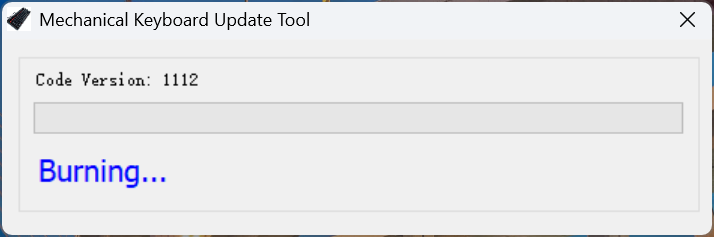
Once completed, it will check the status and PASS will be displayed.
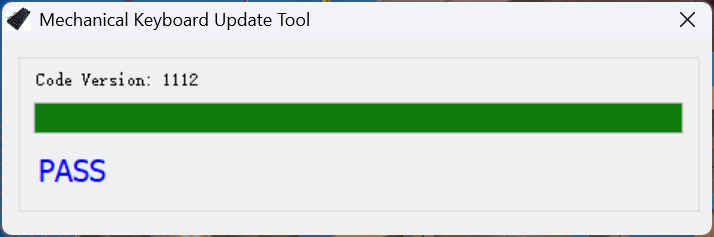
You can close the software and reboot the GPD WIN 5 for the update to complete. Once rebooted you can use your GPD WIN 5 as normal.





From the blog
Visit the blog The Best Handheld Gaming PCs: Your Ultimate 2026 Buying Guide
19 May 2026
The Best Handheld Gaming PCs: Your Ultimate 2026 Buying Guide
19 May 2026
 GPD WIN 5: Ryzen AI Max 385 vs 395 (Strix Halo) Performance Guide
10 December 2025
GPD WIN 5: Ryzen AI Max 385 vs 395 (Strix Halo) Performance Guide
10 December 2025
 GPD WIN 5 385 vs 395: The Ultimate Benchmark & Performance Guide
10 December 2025
GPD WIN 5 385 vs 395: The Ultimate Benchmark & Performance Guide
10 December 2025
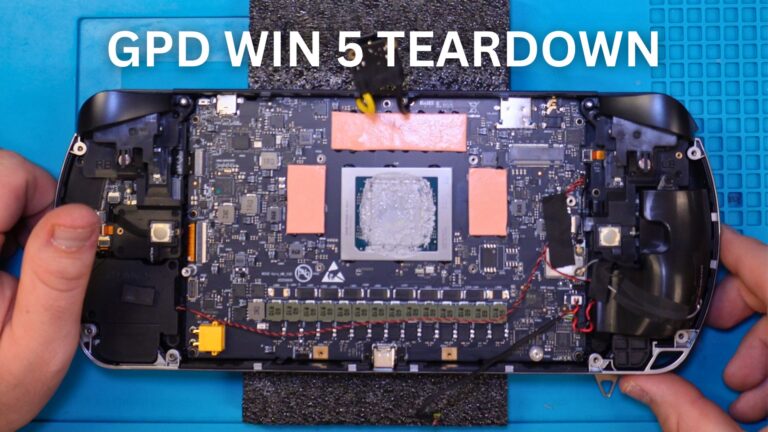 GPD WIN 5 Teardown – A Deep Dive Inside the Latest Handheld Gaming PC
4 November 2025
GPD WIN 5 Teardown – A Deep Dive Inside the Latest Handheld Gaming PC
4 November 2025
Questions & answers