



في هذه المقالة
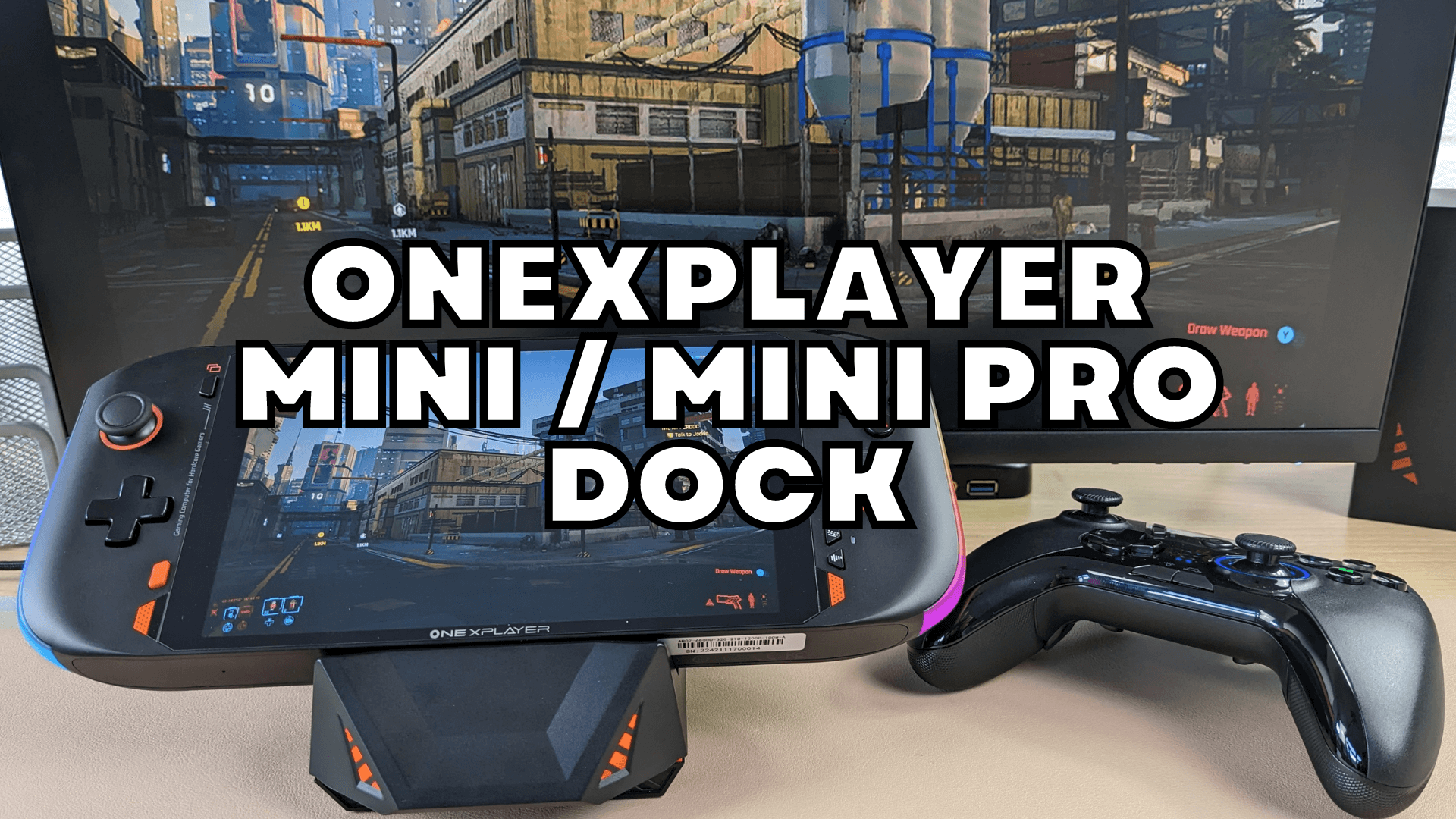
In our ONEXPLAYER docking station review for the Mini and Mini Pro models we will be taking a look at the features and testing it with HDMI output.
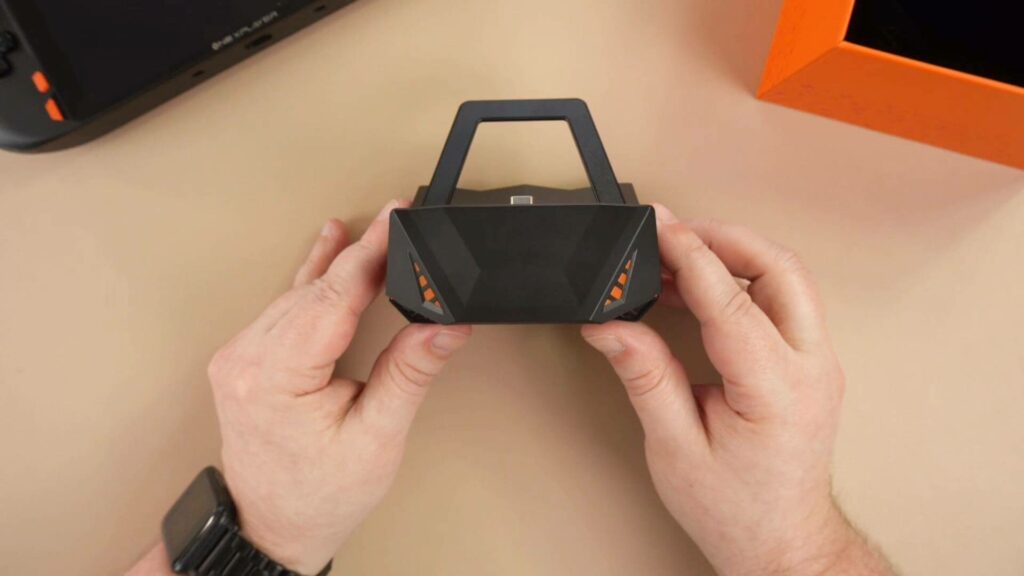
The ONEXPLAYER Mini dock measures 3.9 x 3.8 x 2.8 inches (10 x 9.8 x 7.2cm) and weighs 122g. So it’s quite small and takes up minimal desktop space when not in use. It is available in just the one colour which is black with orange LED lighting on the front and sides which we will show shortly. It’s a nice design, it reminds me of a snake’s head.
All of the expansion ports are on the back of the dock. From left to right we have a USB Type-C port for power and peripherals. There are three USB-A ports which you can use for keyboard and mouse as well as high speed peripherals such as an external hard drive. There is a HDMI 2.0 port which you can output to your TV or monitor and last but not least is a gigabit ethernet for wired connectivity.
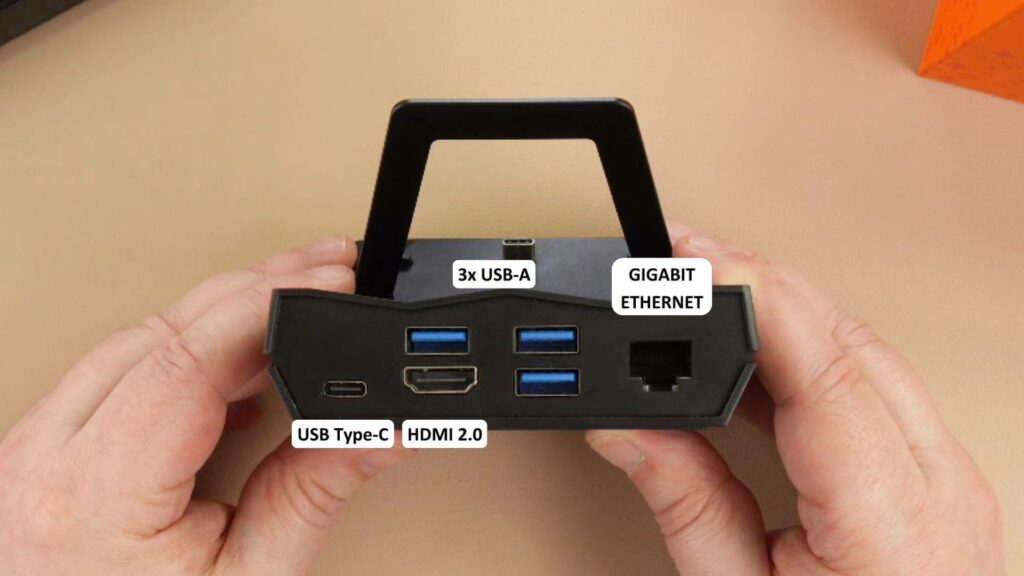
We would not have minded seeing a built-in SD or micro SD card reader as the Mini Pro does not have one. But you can always use a card reader on a USB port.
Your ONEXPLAYER Mini or ONEXPLAYER Mini Pro simply slides into the dock. It can be powered by the ONEXPLAYER itself or via the Type-C port on the back. Once docked the orange LED lighting will show on the front and sides of the dock.
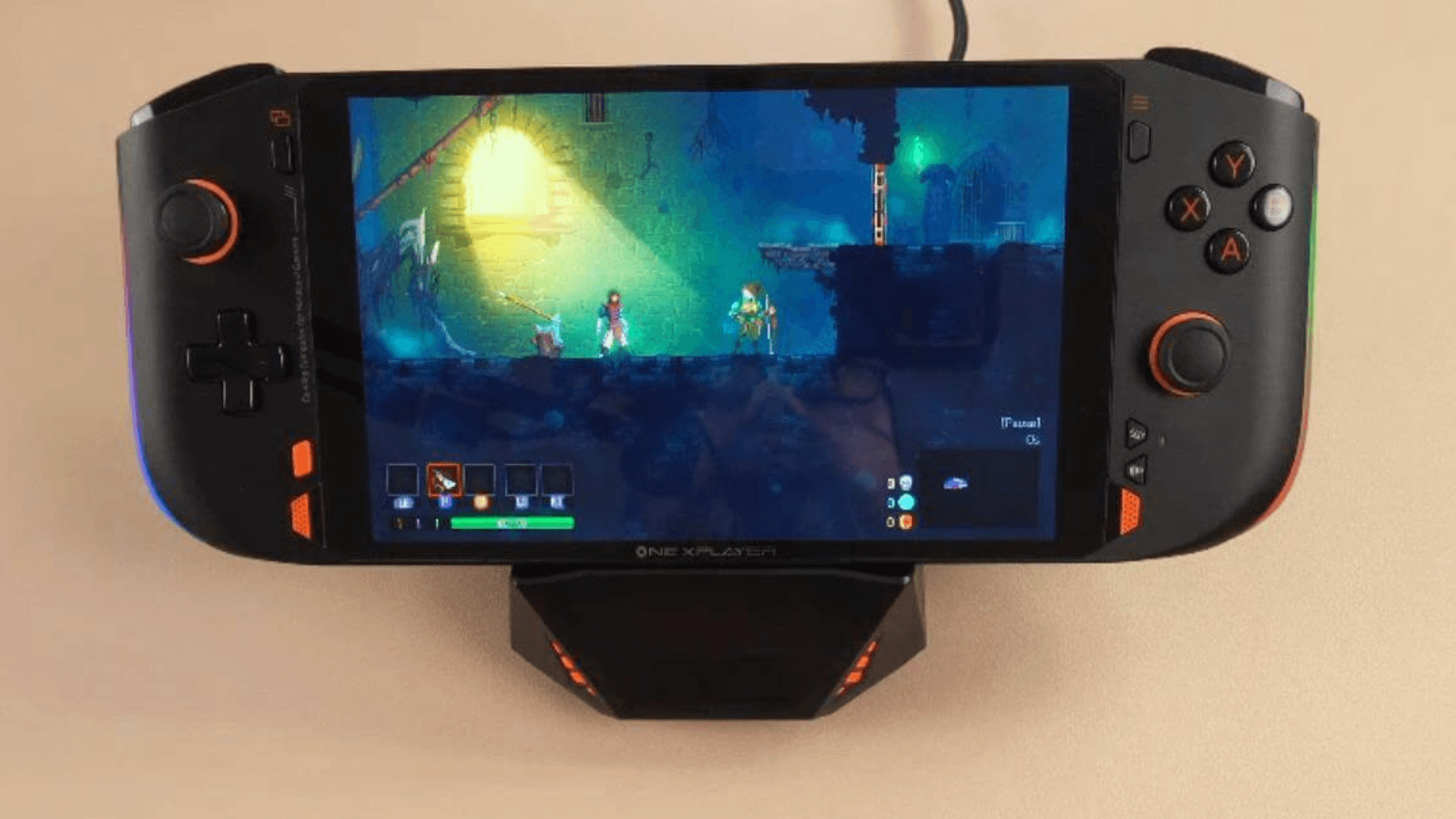
The angle of the ONEXPLAYER when docked is 140 degrees and is quite laid back when compared to other docks. For comparison below is the AYANEO multi station dock which is more upright. We got a few peoples thoughts in the office on the different viewing angles and we could not decide which was best. It depends how you are sitting and how close you have the docking station to you.
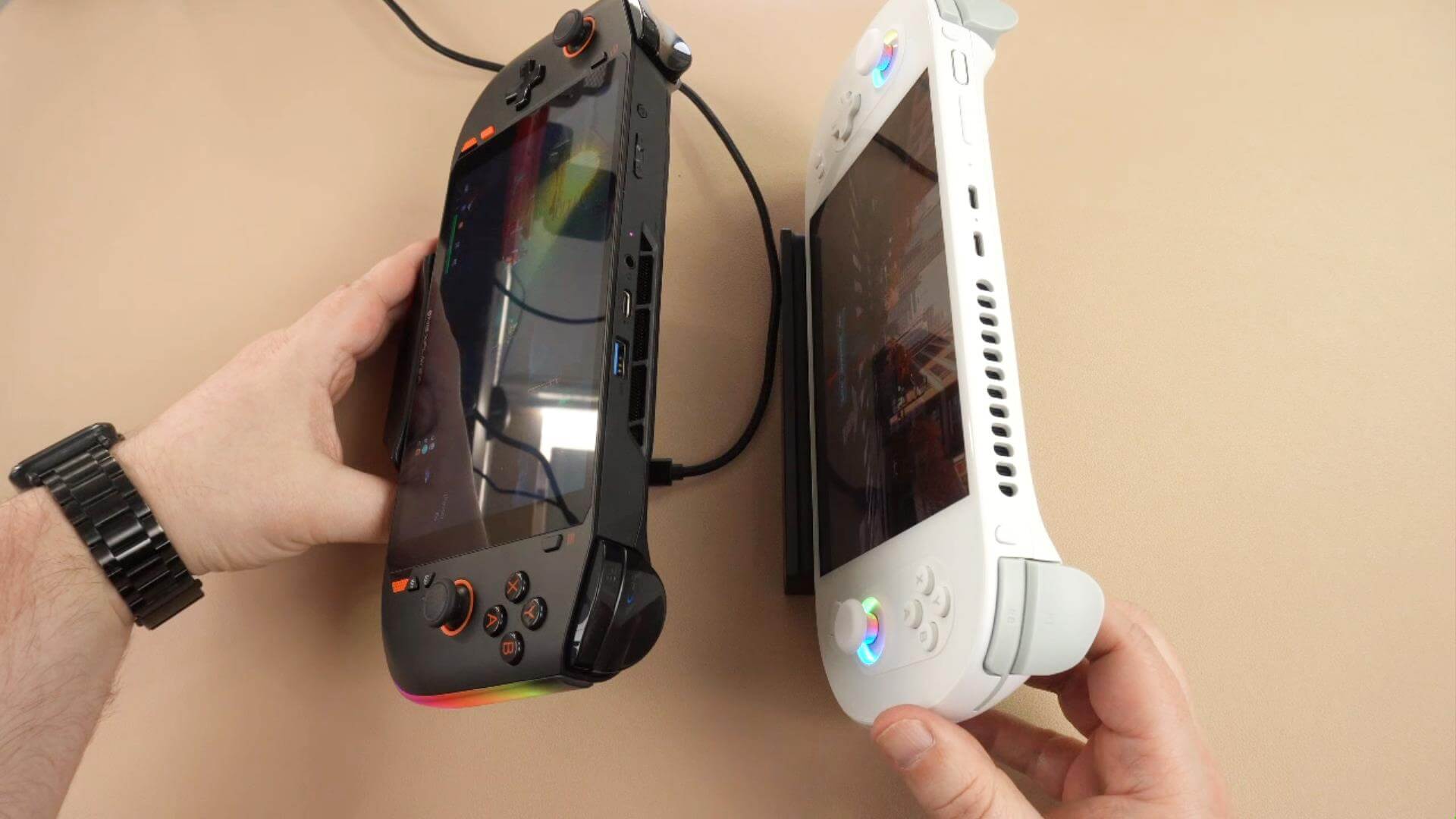
Anyhow, once connected you have full use of the ports on the ONEXPLAYER Mini Pro dock. There’s video output either mirrored or dual screen to your TV or monitor for some big screen gaming. You can even connect a wireless gamepad and sit back and relax. When you have finished, simply remove the ONEXPLAYER and it is ready to go.
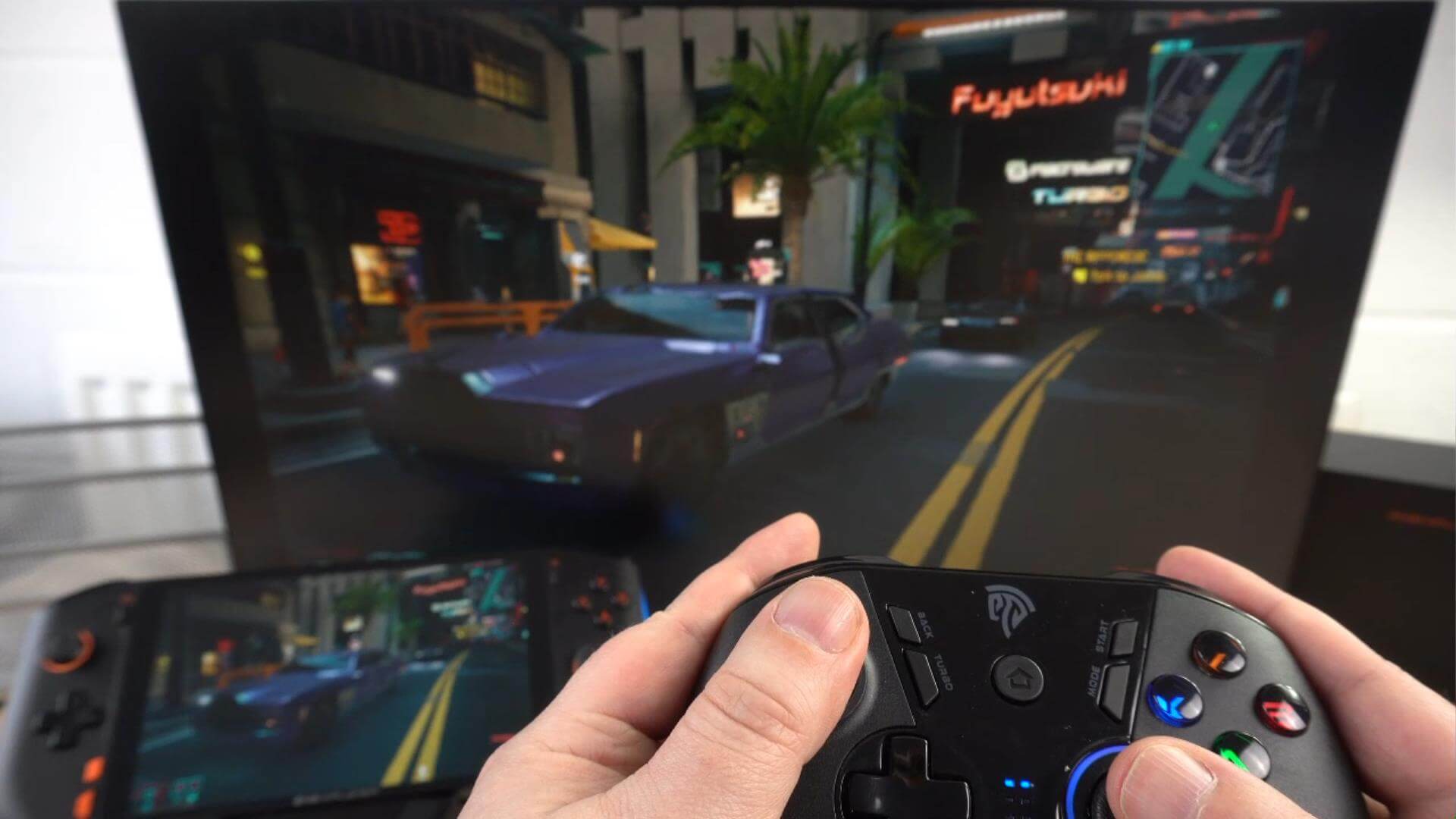
You can learn more about the ONEXPLAYER docking station and buy yours here. If you have any questions please feel free to ask in the comments.
ممتاز
The ONEXPLAYER mini dock provides plenty of connectivity for USB, HDMI and ethernet. But it is missing a SD card slot which would have been useful.
ما أعجبنا
- Three USB Type-A ports
- HDMI output
- Gigabit Ethernet
- LED lighting
- Small desktop footprint when not in use
يمكن أن يكون أفضل
- Doesn't have SD or micro SD card slot

Bringer of videos, text and images! AKA the social media guy at DROIX. Massive retro gaming fan and collector, with a far too large collection of consoles and computers from 1970's to modern. Contact me at [email protected]
الأسئلة والتعليقات
0
تحصل كل سؤال على إجابة. اسأل قبل الشراء — DaveC والفريق يرد في غضون يوم عمل واحد، والإجابات تبقى عامة لمساعدة القارئ التالي.