





EPOMAKER Carbon X Review
The EPOMAKER Carbon X is a 46 g carbon-fibre wireless esports mouse. Its PAW3950 sensor, 8,000 Hz polling and tri-mode connectivity cost just $79.99.
What we liked
- Ultra-light 46 g body
- Carbon-fibre honeycomb shell
- Flagship PAW3950 sensor
- True 8,000 Hz polling
- Very low 2.4 GHz latency
- Tri-mode connectivity
Could be better
- Honeycomb shell can collect dust and debris
In this article
What is the EPOMAKER Carbon X?
The EPOMAKER Carbon X is a right-handed wireless esports mouse with a perforated carbon-fibre honeycomb shell and a PixArt PAW3950 sensor. It weighs around 46 g, supports 400 to 30,000 DPI and polls at up to 8,000 Hz over 2.4 GHz or USB. It costs $79.99.
EPOMAKER has been steadily building out a gaming-mouse range alongside its keyboards, and the EPOMAKER Carbon X sits near the top of its Carbon series. It follows a familiar formula: a flagship-grade sensor, an extremely light shell, high-speed wireless and a price below many established competitors.
At $79.99, the EPOMAKER Carbon X is aimed squarely at competitive players who want a light, responsive mouse without paying flagship-brand prices. This review covers its design, sensor, polling, connectivity, battery and software, so you can decide whether it is worth buying. It is particularly interesting if you liked the idea of the EPOMAKER Carbonis but prefer a simpler, display-free design focused purely on weight, tracking and wireless performance.
Unlike the EPOMAKER NEX Pro, this is not a mouse trying to be an all-round desk companion with a charging dock, RGB lighting and a larger ergonomic shell. The Carbon X is much more focused. It wants to be light, quick and precise, and most of its design decisions follow from that goal.
Design and Build
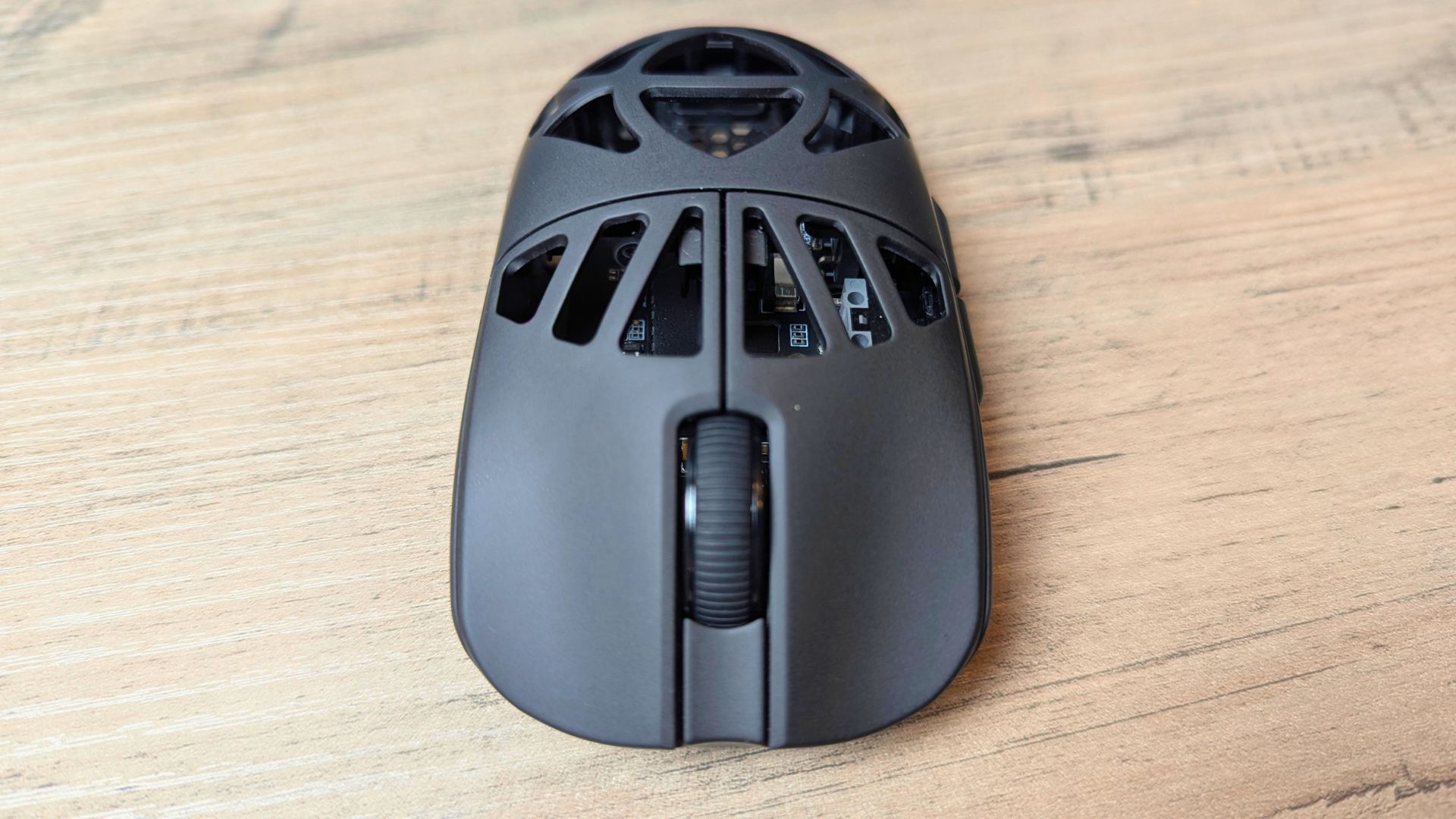
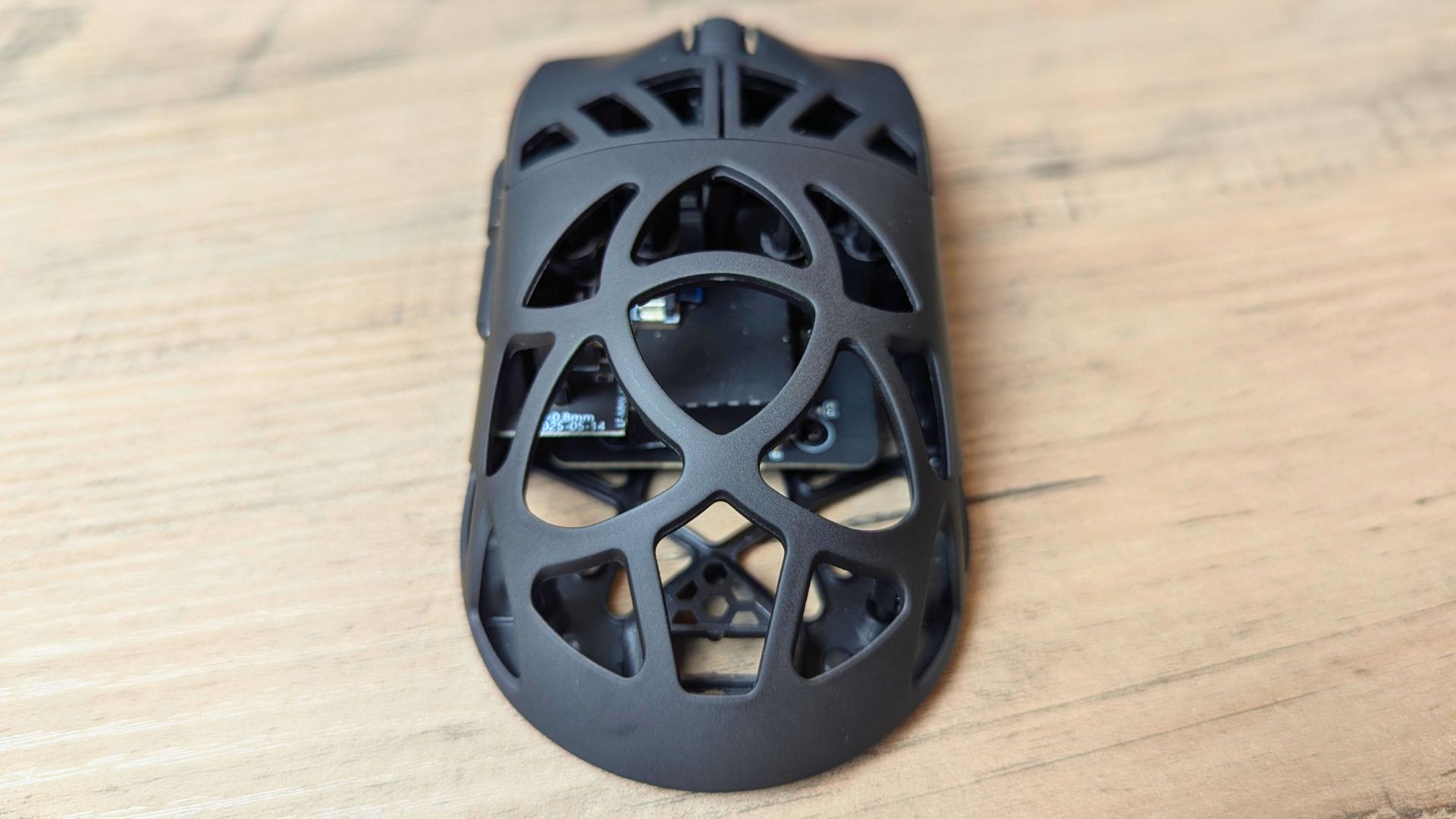
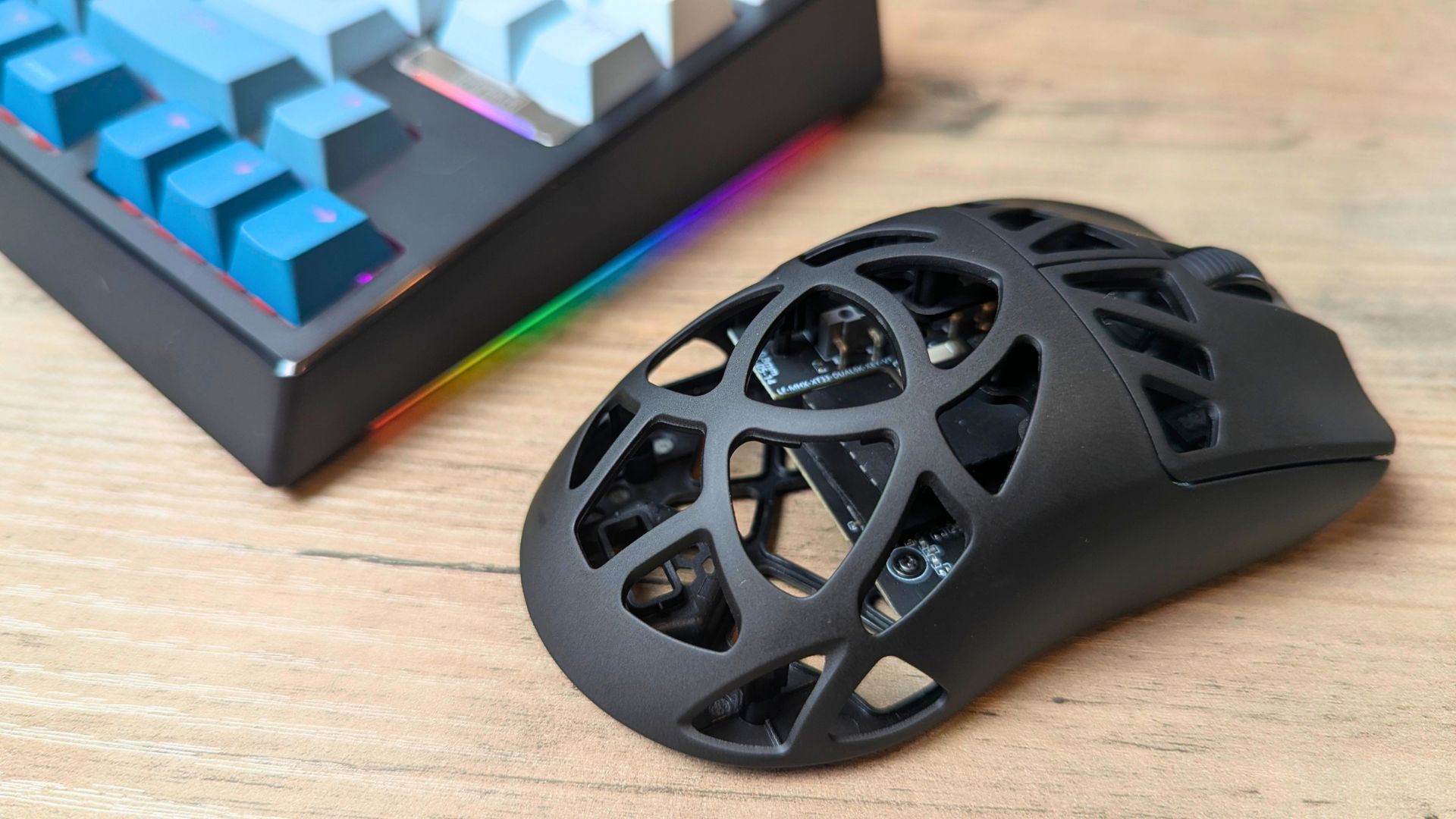
The EPOMAKER Carbon X uses a symmetrical carbon-fibre honeycomb shell that measures 118 × 62.2 × 39.6 mm and weighs around 46 g. The perforated design is central to its ultra-light build, while the carbon-fibre material keeps the body sturdy despite the many openings.
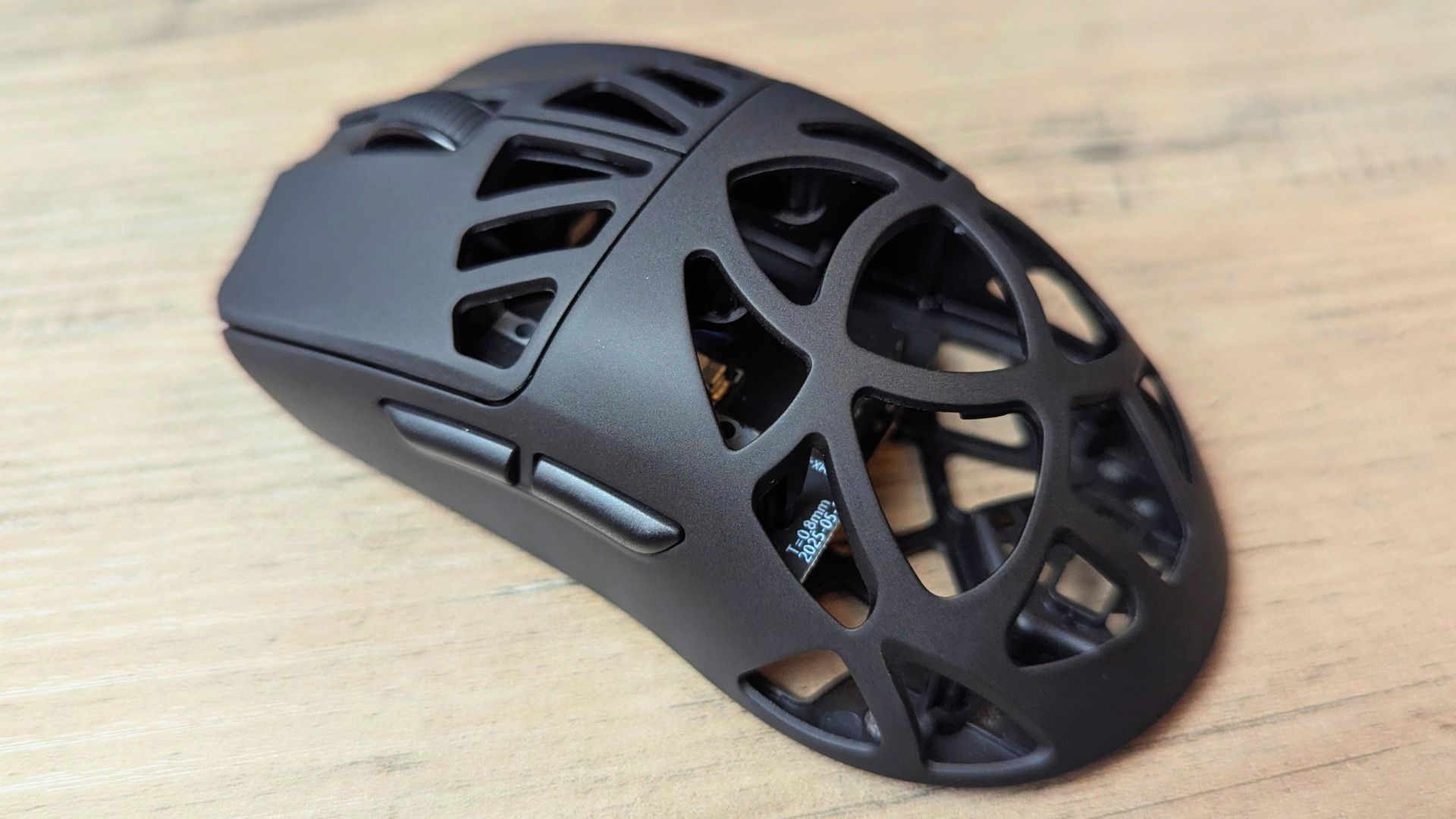
Although the shell is symmetrical, the Carbon X is effectively a right-handed mouse because both side buttons sit on the left. Right-handed players get easy access to them, but left-handed users will not benefit in the same way.
The honeycomb openings make the mouse easy to grip and reposition, and the surface offers good traction during fast movements. The trade-off is that dust, hair and debris can collect inside the shell, so it needs occasional cleaning.
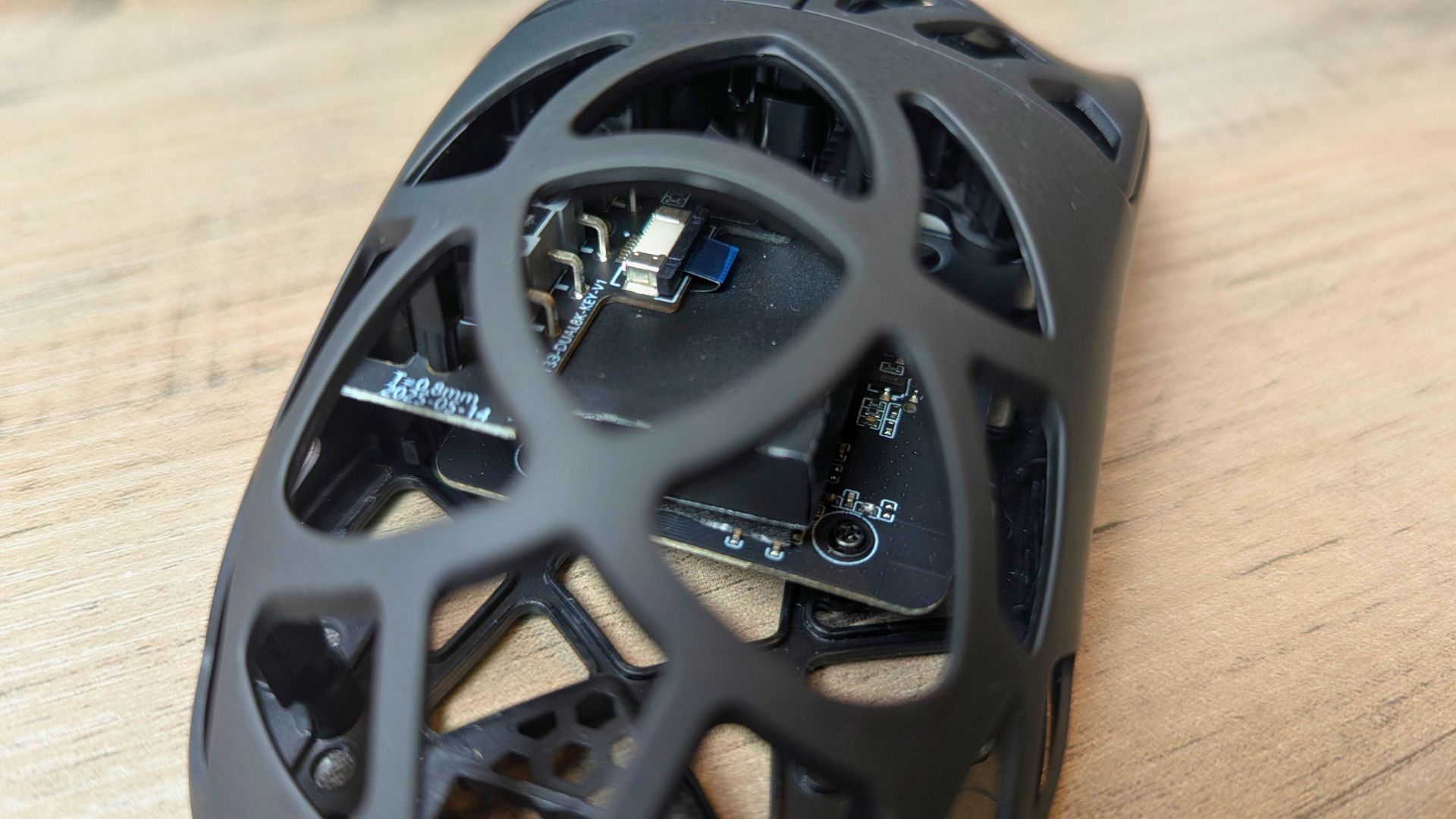
At around 46 g, the EPOMAKER Carbon X is exceptionally light. The weight feels well balanced around the middle of the mouse and the sensor, which keeps it controlled during quick flicks and repositioning. Despite the perforated construction, the shell feels solid under pressure rather than flimsy.
The carbon-fibre finish gives the Carbon X a distinctive look, and the lack of RGB lighting reinforces its performance-first approach. It is designed around agility, precision and low weight rather than desk-side visual effects.
Tech Specs
The EPOMAKER Carbon X combines a PAW3950 sensor, a 46 g carbon-fibre shell and tri-mode connectivity for $79.99.
| Specification | EPOMAKER Carbon X |
|---|---|
| Brand | EPOMAKER |
| Model | Carbon X |
| Type | Wireless esports gaming mouse |
| Price | $79.99 |
| Shell material | Carbon fibre |
| Shell design | Honeycomb / perforated |
| Shape | Symmetrical shell, right-handed button layout |
| Dimensions | 118 × 62.2 × 39.6 mm |
| Weight | Approximately 46 g (EPOMAKER’s listing rounds this to about 50 g) |
| Sensor | PixArt PAW3950 |
| DPI / CPI | 400 to 30,000 |
| DPI stages | 400, 800, 1,600, 2,400, 3,200, 5,000, 30,000 |
| Tracking speed | 750 IPS |
| Acceleration | 50 g |
| Frame rate | 20,000 FPS |
| Lift-off distance | 0.7 mm, 1 mm or 2 mm |
| Connection modes | 2.4 GHz wireless, Bluetooth, USB-A to USB-C wired |
| Polling rate (2.4 GHz / wired) | 125 Hz to 8,000 Hz |
| Default polling rate | 1,000 Hz |
| Polling rate (Bluetooth) | 125 Hz |
| Wired latency | 0.35 ms |
| 2.4 GHz wireless latency | 0.4 ms |
| Bluetooth latency | 10 ms |
| Buttons | Four programmable buttons; left button not remappable |
| Battery | 300 mAh rechargeable |
| Battery life in testing | More than two weeks in mixed everyday use |
| Charging / wired connection | USB-A to USB-C |
| Software | Browser-based online software |
| Recommended browser | Chrome-based browser |
| Operating systems | Windows, macOS, Linux |
| Console compatibility | PS4/5, Xbox and Switch (per EPOMAKER) |
| In the box | Mouse, 2.4 GHz dongle, detachable USB-A to USB-C cable, user manual |
Specifications are based on EPOMAKER’s official Carbon X product listing, with battery life and hands-on observations based on our testing.
Sensor and Performance
EPOMAKER has equipped the Carbon X with PixArt’s PAW3950 optical sensor, one of the most capable sensors currently found in gaming mice. It supports 400 to 30,000 DPI across seven preset stages: 400, 800, 1,600, 2,400, 3,200, 5,000 and 30,000 DPI.
The sensor is rated for 750 IPS, 50 g acceleration and 20,000 FPS, which is more than enough for fast-paced FPS games and high-sensitivity desktop use. Lift-off distance can also be set to 0.7 mm, 1 mm or 2 mm, giving you control over how the sensor behaves when you reposition the mouse.
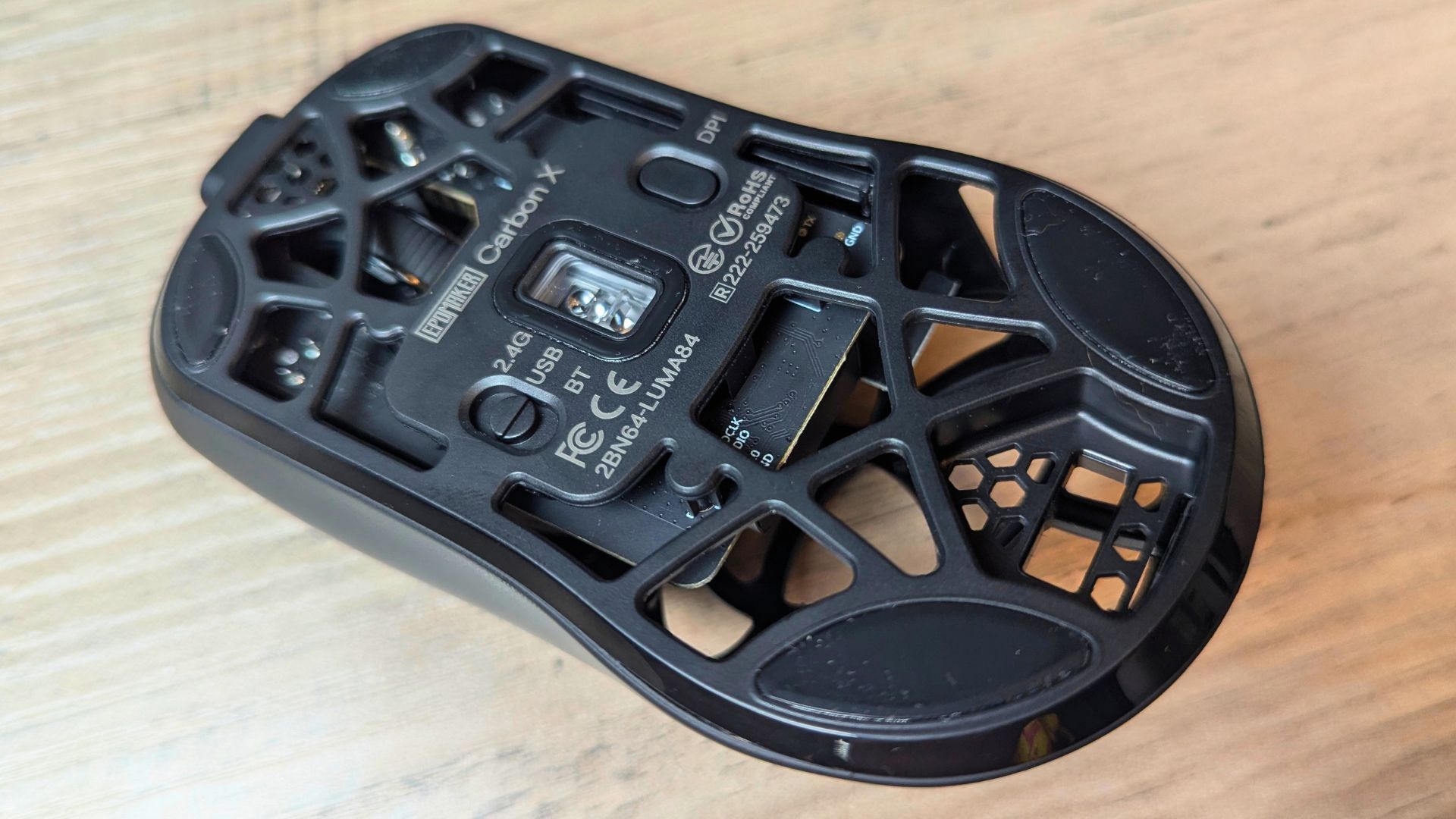
In testing, tracking felt smooth and consistent across fast flicks, controlled tracking movements and rapid direction changes. There was no obvious sign of angle snapping, prediction or unwanted acceleration during normal use.
For most gamers, the useful range sits well below the headline 30,000 DPI. Competitive FPS players will often prefer 400, 800 or 1,600 DPI, while higher settings suit quick desktop navigation, strategy games or very high-resolution displays.
The PAW3950 gives the EPOMAKER Carbon Xtracking hardware that can compete with far more expensive mice. The main question is whether EPOMAKER’s shape, build quality and software make the most of it, and in normal gaming use the answer is largely yes.
Polling and Latency
The EPOMAKER Carbon X supports polling rates from 125 Hz up to 8,000 Hz in 2.4 GHz wireless or USB wired mode. The default is 1,000 Hz, with seven selectable stages: 125, 250, 500, 1,000, 2,000, 4,000 and 8,000 Hz.
| Connection mode | Polling rate | Latency | Best use |
|---|---|---|---|
| 2.4 GHz wireless | 125 Hz to 8,000 Hz (default 1,000 Hz) | 0.4 ms | Competitive gaming |
| Wired USB-A to USB-C | 125 Hz to 8,000 Hz | 0.35 ms | Charging and fallback use |
| Bluetooth | 125 Hz | 10 ms | Secondary devices and travel |
EPOMAKER lists wired latency at 0.35 ms, 2.4 GHz wireless latency at 0.4 ms and Bluetooth latency at 10 ms. Those figures put the 2.4 GHz connection extremely close to wired performance, which is exactly what a competitive wireless mouse needs.
In practical terms, 8,000 Hz means the mouse reports its position up to eight times more often than a conventional 1,000 Hz mouse. That can make fast flicks and rapid direction changes feel slightly more immediate, particularly on high-refresh-rate monitors.
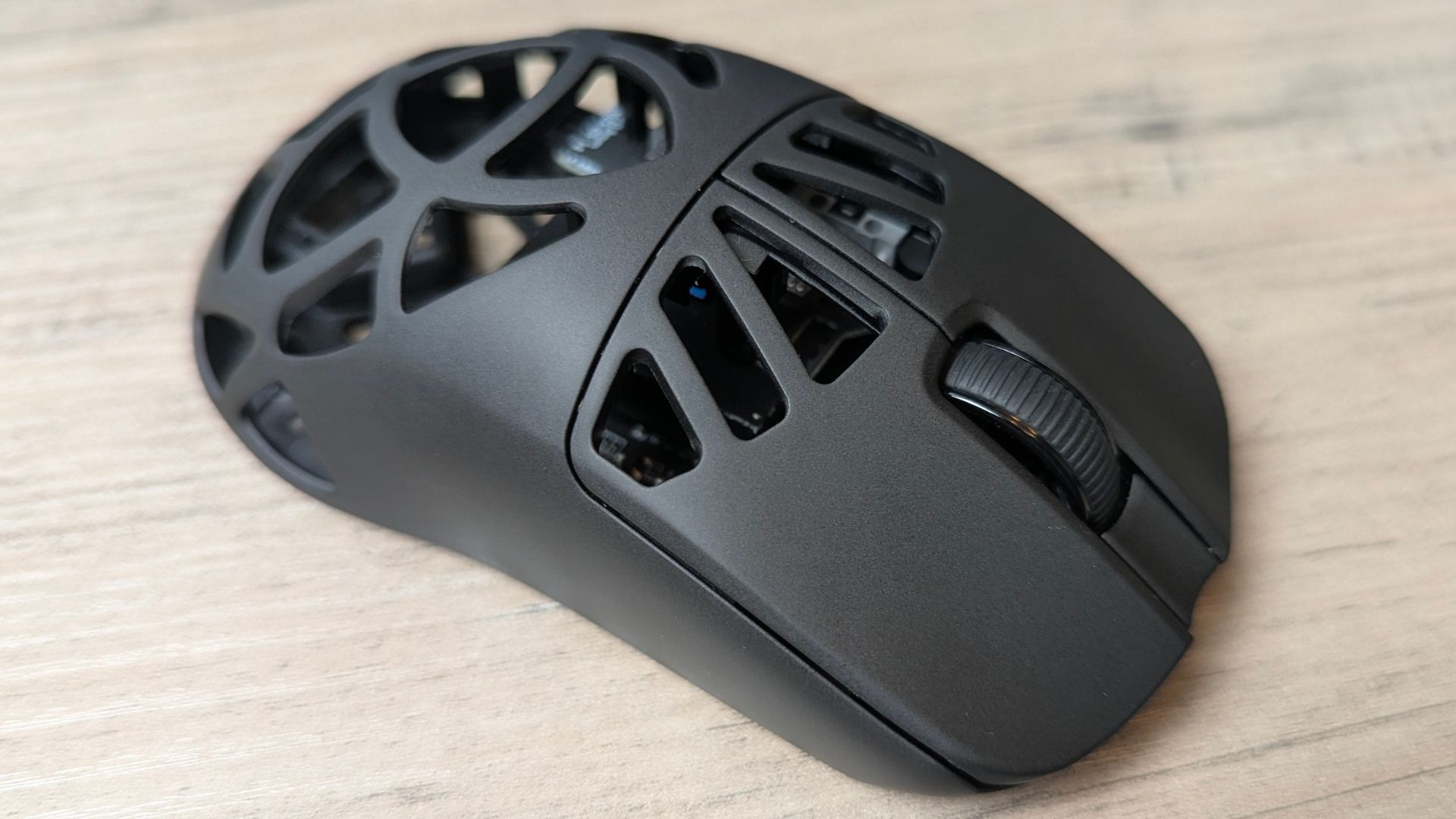
During testing, we noticed no perceptible difference in input lag between wired and 2.4 GHz wireless use in normal gameplay. The 2.4 GHz connection is the one to use for competitive gaming, while Bluetooth is better reserved for secondary devices or travel.
The benefit of 8,000 Hz is most noticeable in competitive scenarios and on systems that can handle the higher polling load. For everyday work, browsing and less demanding games, 1,000 Hz remains the sensible default because it balances responsiveness with battery life and system overhead.
Popular right now
What people are buying this month
Prices as listed on each store


GPD WIN 5 (AI Max HX 385 – 32GB_RAM/1TB_NVME) (Raven Black)



 on 15 stores


MANGMI Pocket Max (Snapdragon 865 – 8GB_RAM/128GB_STORAGE) (Retro GB)
 on 12 stores

Connectivity and Battery
The Carbon X offers tri-mode connectivity: 2.4 GHz wireless, Bluetooth and a USB-A to USB-C cable. EPOMAKER says this lets it work with PS4/5, Xbox and Switch as well as Windows, macOS and Linux.
Bluetooth is limited to a 125 Hz polling rate and around 10 ms latency, so it works best as a convenience mode for tablets, secondary devices or travel. For gaming, the supplied 2.4 GHz dongle or a wired USB-C connection is the better choice.
The built-in battery is 300 mAh, which sounds small for a wireless gaming mouse. In our mixed everyday use, however, the EPOMAKER Carbon X lasted more than two weeks before needing a charge, so it is more practical than the capacity alone suggests.
Battery life will vary with polling rate, connection mode and how intensively the mouse is used. At 8,000 Hz, expect noticeably shorter endurance than at the default 1,000 Hz, but the two-week result is a promising sign for normal desktop and gaming use.
The detachable USB-A to USB-C cable means you can keep using the Carbon X while it charges. The supplied braided cable is not especially flexible and can drag slightly when attached, so wired use is best treated as a charging or fallback option rather than the main way to use the mouse.
Buttons and Software
The EPOMAKER Carbon X includes four programmable buttons, although the left mouse button cannot be reassigned. That is enough for common gaming shortcuts, DPI switching, media controls or macros, without turning the mouse into a cluttered MMO-style device.
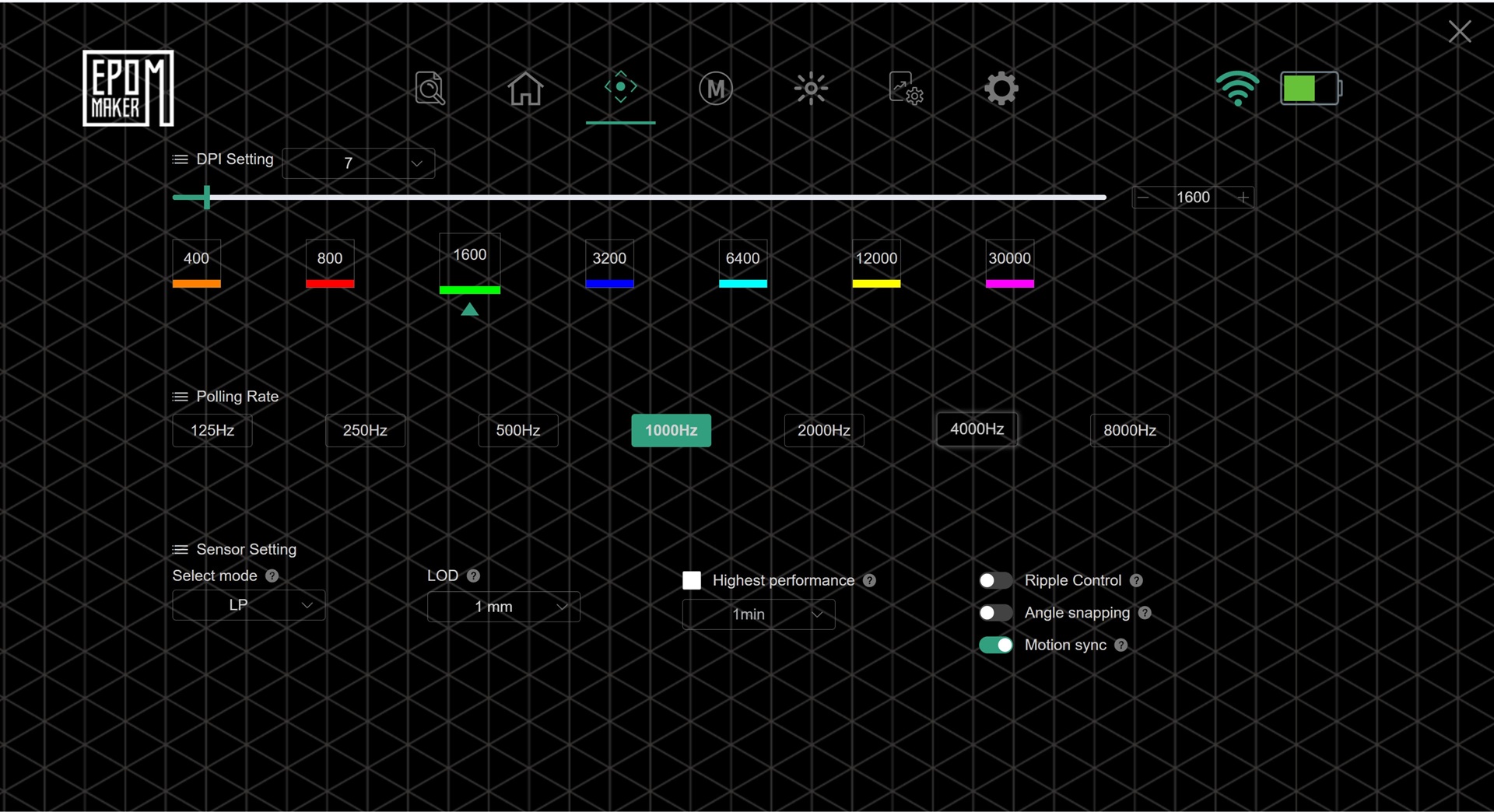
The two side buttons are positioned for right-handed use and offer a crisp, tactile press. They are easy to reach without accidental presses during normal gaming, although their placement may take a little adjustment if you are used to a different button layout.
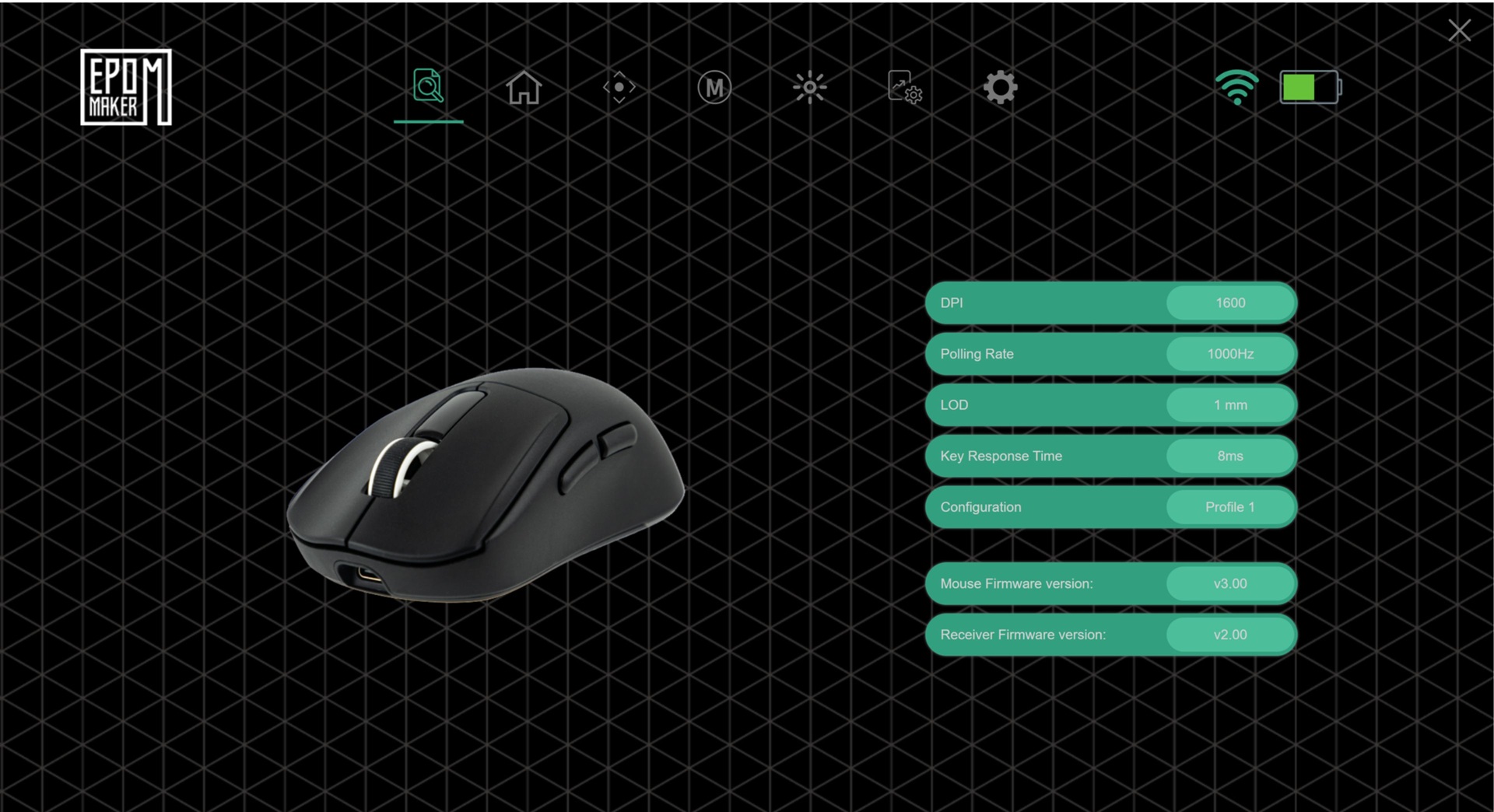
Customisation is handled through EPOMAKER’s browser-based online software rather than a traditional downloadable application. EPOMAKER recommends a Chrome-based browser, as other browsers may have compatibility issues.
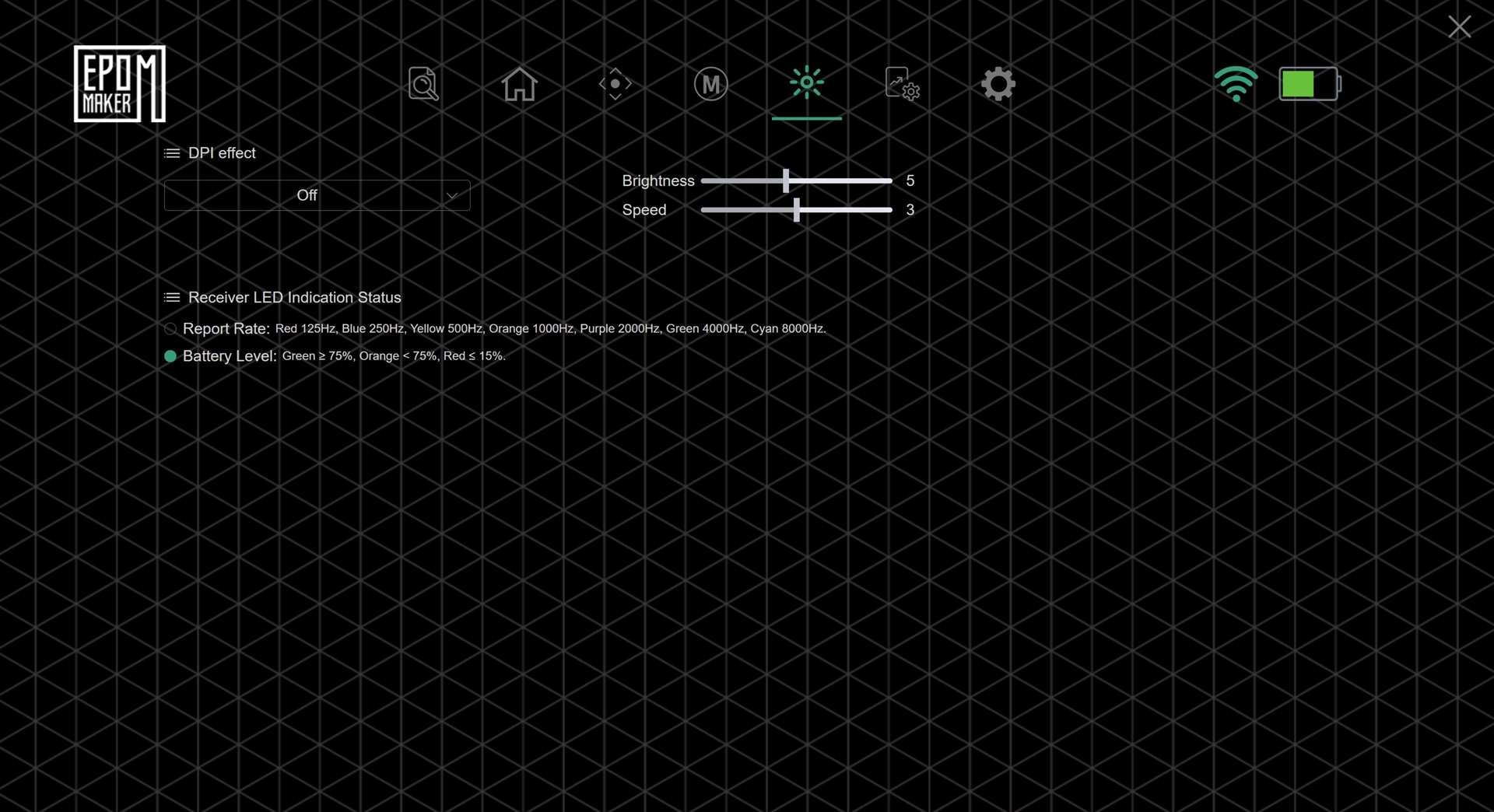
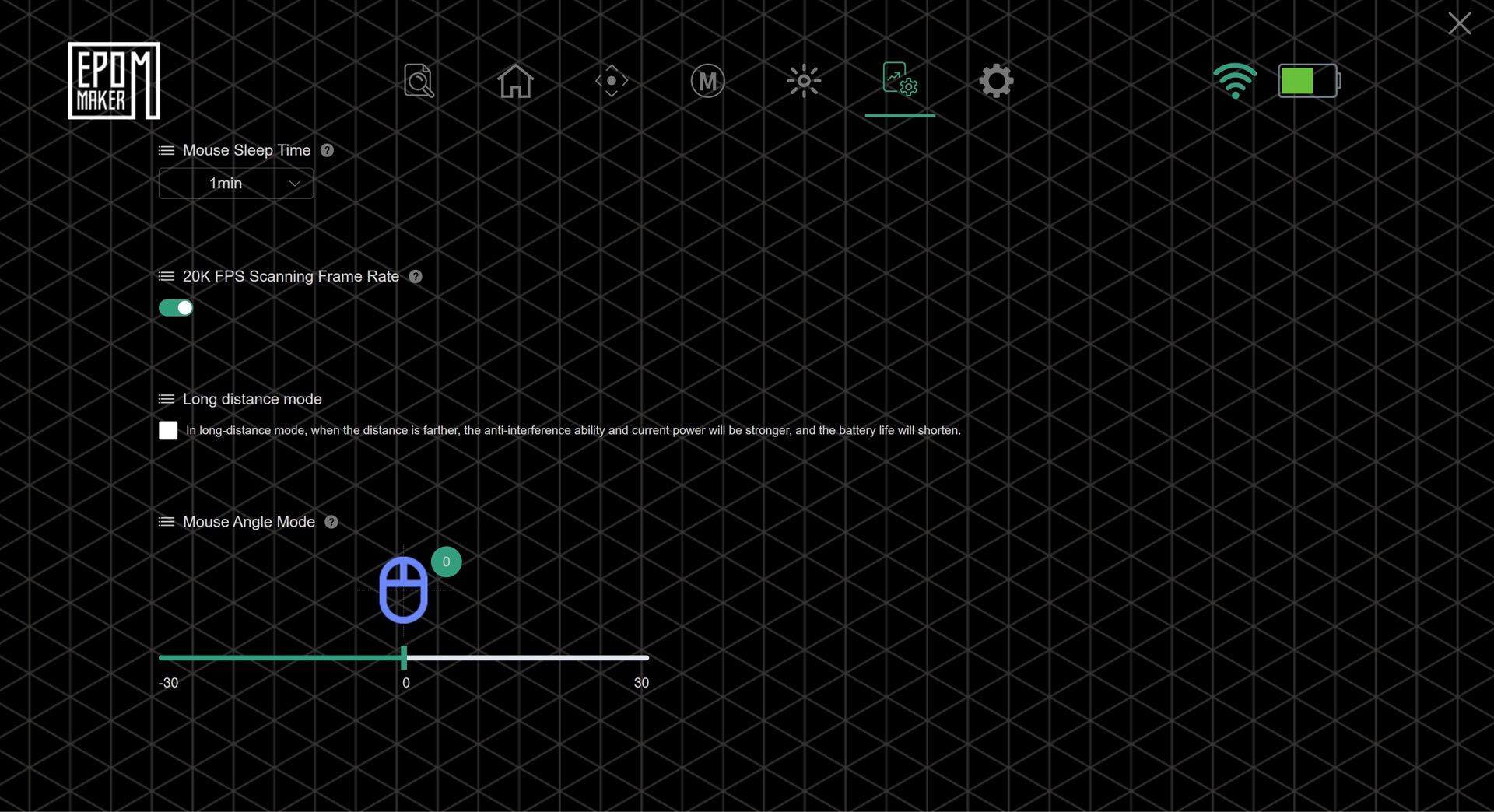
The online approach is convenient because there is nothing to install, but it may feel less polished than established desktop software suites. In our opinion there should be a desktop software option in case the website is unavailable for any reason.
For a performance-focused mouse, the lack of a dedicated desktop app is one of the more notable compromises. The hardware specifications are excellent, but the software experience matters just as much for anyone who wants to fine-tune the mouse regularly.
What’s in the Box
EPOMAKER includes the EPOMAKER Carbon X mouse, a 2.4 GHz wireless dongle, a detachable USB-A to USB-C cable and a multilingual user manual.
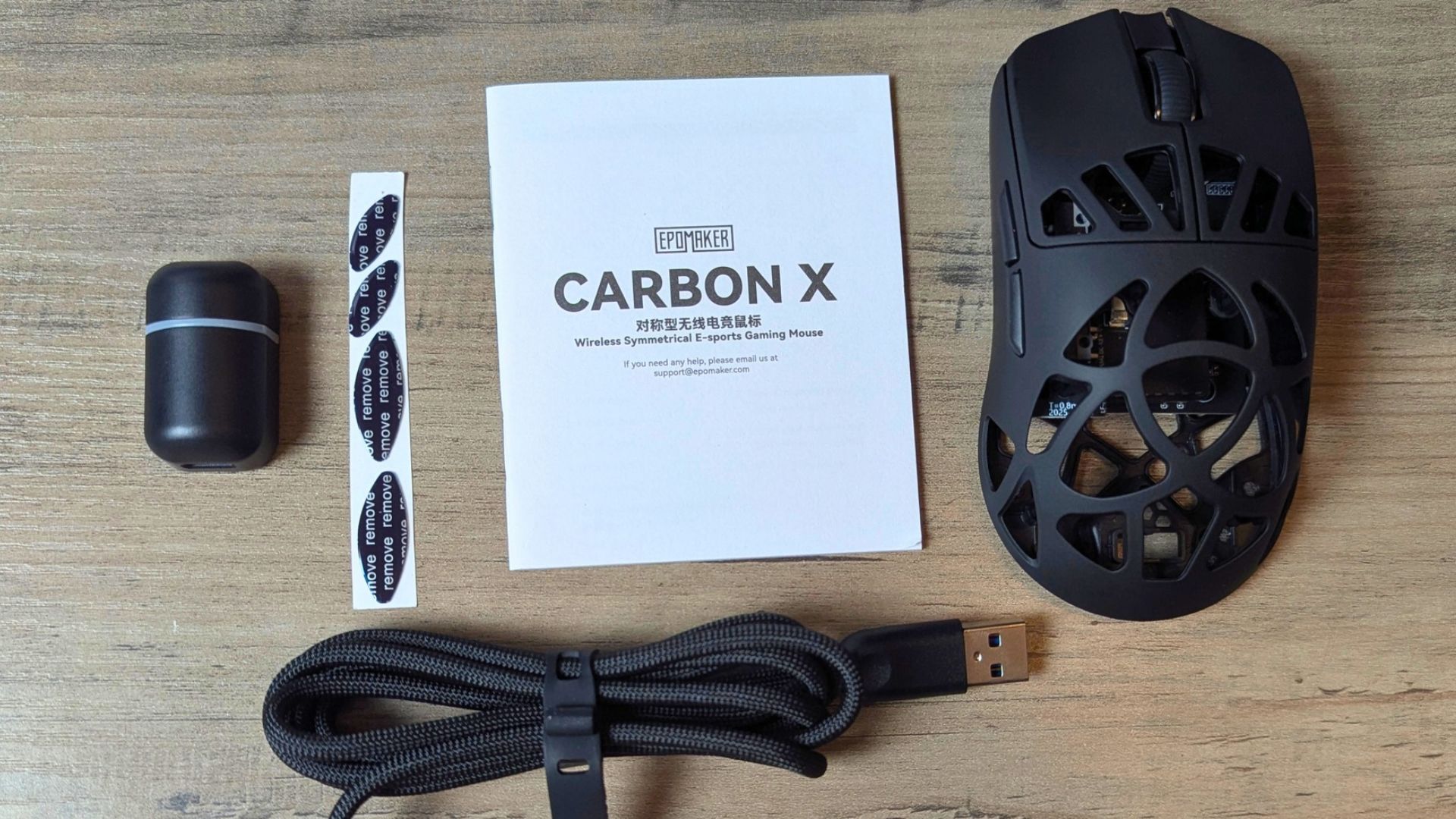
The detachable cable is useful for both charging and wired mode. However, there is no onboard dongle storage, so the USB receiver is another small accessory to keep track of when travelling.
How It Compares
The EPOMAKER Carbon X is the lightest of three EPOMAKER mice that share the PAW3950 sensor and 8,000 Hz polling.
| Mouse | Weight | Sensor | Max polling | Display | Charging dock | Best for |
|---|---|---|---|---|---|---|
| EPOMAKER Carbon X | ~46 g | PAW3950 | 8,000 Hz | No | No | Ultra-light competitive gaming |
| EPOMAKER Carbonis | ~50 g | PAW3950 | 8,000 Hz | Yes | No | Lightweight gaming with on-mouse stats |
| EPOMAKER NEX Pro | ~65 g | PAW3950 | 8,000 Hz | No | Yes | Comfortable ergonomic daily driver |
The EPOMAKER Carbon X is closest to the Carbonis in sensor and wireless performance, but it is lighter, removes the LCD and uses a carbon-fibre honeycomb shell to prioritise agility. Compared with the NEX Pro, it is much more esports-oriented: lighter and faster-feeling, but less suited to users who want a larger ergonomic shape, a dock or longer battery capacity.
If you mostly play competitive shooters and value low weight above everything else, the Carbon X makes the most sense. If you want to see DPI, polling rate, connection mode and battery status without opening software, the Carbonis is the better choice. If you want a more comfortable mouse for long sessions and a cleaner charging setup, the NEX Pro remains the more practical all-rounder, and the wider gaming accessories range has further options to pair with it
Our verdict – Is the EPOMAKER Carbon X worth buying?
Short answer: Yes, if you want a light, fast wireless esports mouse and can live with browser-only software.
Best for: Right-handed, medium-handed FPS players who want a lightweight mouse with 8,000 Hz polling
Not ideal for: Left-handed users, players who want a dock, an on-mouse display or a fully enclosed shell, and anyone who needs a desktop app
Current status: Retail model, listed at $79.99
Rating: 8.5/10
The EPOMAKER Carbon X is a focused, ultra-light wireless esports mouse that gets the important things right. It weighs around 46 g, uses a flagship PAW3950 sensor, supports 8,000 Hz polling and keeps 2.4 GHz latency extremely low. Its carbon-fibre honeycomb shell is central to that appeal, keeping the mouse light while still feeling sturdy in use.
It is best suited to medium-handed players who want a lightweight mouse for FPS games and do not mind an open-shell design. Our testing found battery life to be better than the small 300 mAh capacity suggests, with the mouse lasting more than two weeks in mixed everyday use.
If you want more comfort, a dock or a fully enclosed shell, the NEX Pro remains the better all-round option. If you want on-mouse status information, the Carbonis is the more feature-rich alternative. But if your priority is a light, fast, no-nonsense esports mouse, the EPOMAKER Carbon X is a very compelling option in EPOMAKER’s range.
Frequently Asked Questions
How much does the EPOMAKER Carbon X weigh?
The EPOMAKER Carbon X weighs around 46 g in our review, while EPOMAKER’s own listing rounds the figure to about 50 g. The weight is balanced around the middle of the mouse and sensor, and the carbon-fibre honeycomb shell still feels solid under pressure.
Does the EPOMAKER Carbon X support 8,000 Hz polling wirelessly?
Yes, the EPOMAKER Carbon X supports up to 8,000 Hz polling over its 2.4 GHz wireless connection and over a wired USB connection. The default is 1,000 Hz, and Bluetooth is limited to 125 Hz.
How long does the EPOMAKER Carbon X battery last?
The EPOMAKER Carbon X lasted more than two weeks on a single charge in our mixed everyday use. Endurance will be noticeably shorter at 8,000 Hz than at the default 1,000 Hz, so battery life varies with polling rate and connection mode.
Is the EPOMAKER Carbon X worth buying for FPS gaming?
Yes, the EPOMAKER Carbon X is a strong choice for FPS players who want a light mouse, because it pairs a 46 g shell with the PAW3950 sensor, 8,000 Hz polling and 0.4 ms 2.4 GHz latency for $79.99. Its main compromises are the dust-prone honeycomb shell, the stiff braided cable and browser-only software.
Should I buy the EPOMAKER Carbon X, Carbonis or NEX Pro?
Buy the EPOMAKER Carbon X if low weight matters most, the Carbonis if you want an on-mouse display, and the NEX Pro if you want a more comfortable ergonomic shape and a charging dock. All three use the PAW3950 sensor and support 8,000 Hz polling, so the choice comes down to weight, features and hand comfort.


Questions & comments
0
Every question gets an answer. Ask before you buy — DaveC and the team reply within one working day, and answers stay public so they help the next reader too.


