




Ta vodnik bo prikazal postopek namestitve adapterja PCIe na Oculink na igralnem mini računalniku Minisforum UM780 XTX.
Odstranite zgornji pokrov, ki ga držijo magneti in se bo snemal z malo sile.

V kotih so štirje vijaki, ki držijo komponento LED na mestu, odstranite te vijake.
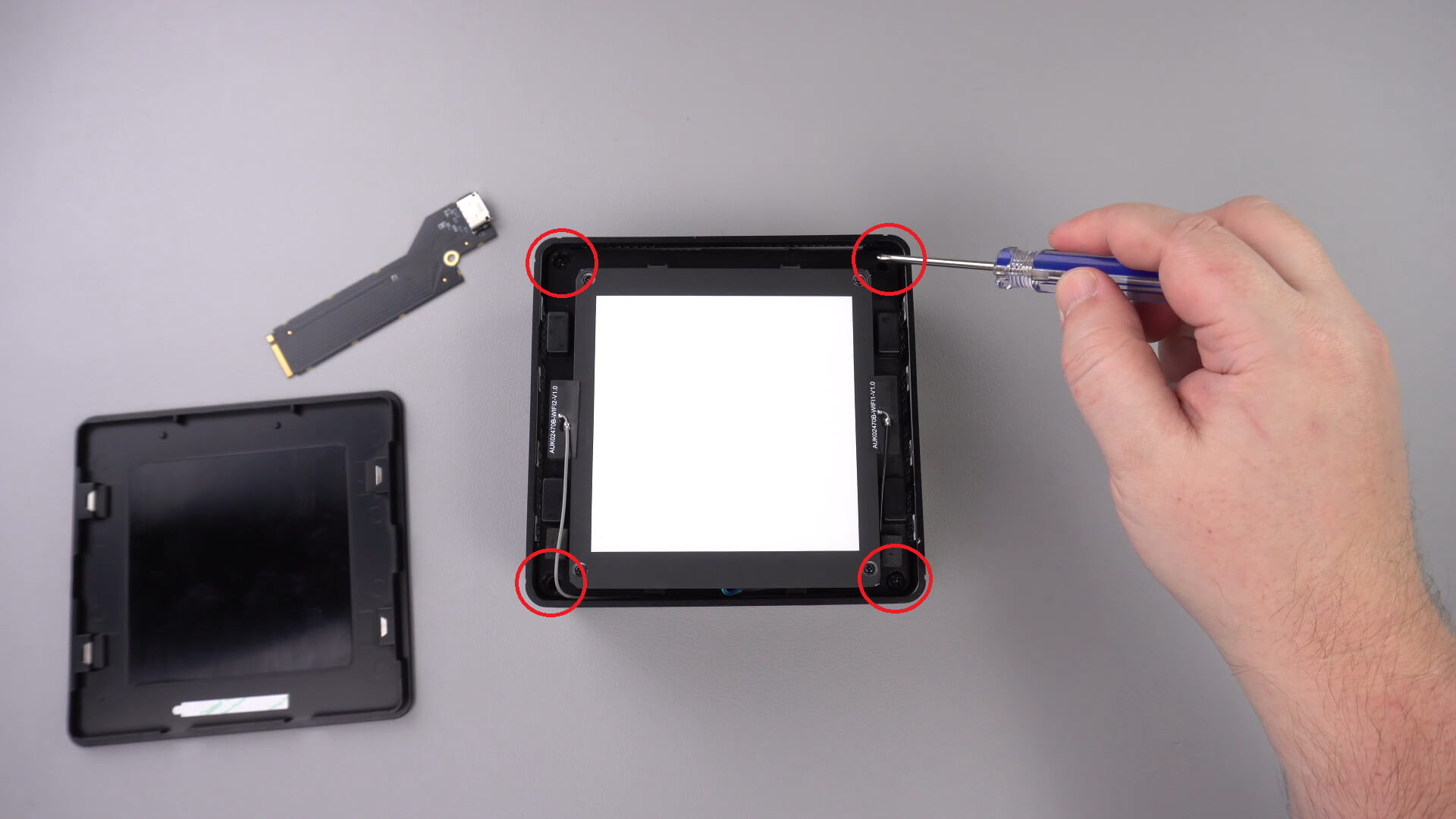
Zdaj lahko previdno dvignete komponento LED iz ohišja. Kot je prikazano spodaj, je na voljo kratek kabel, ki ga boste morali odklopiti.
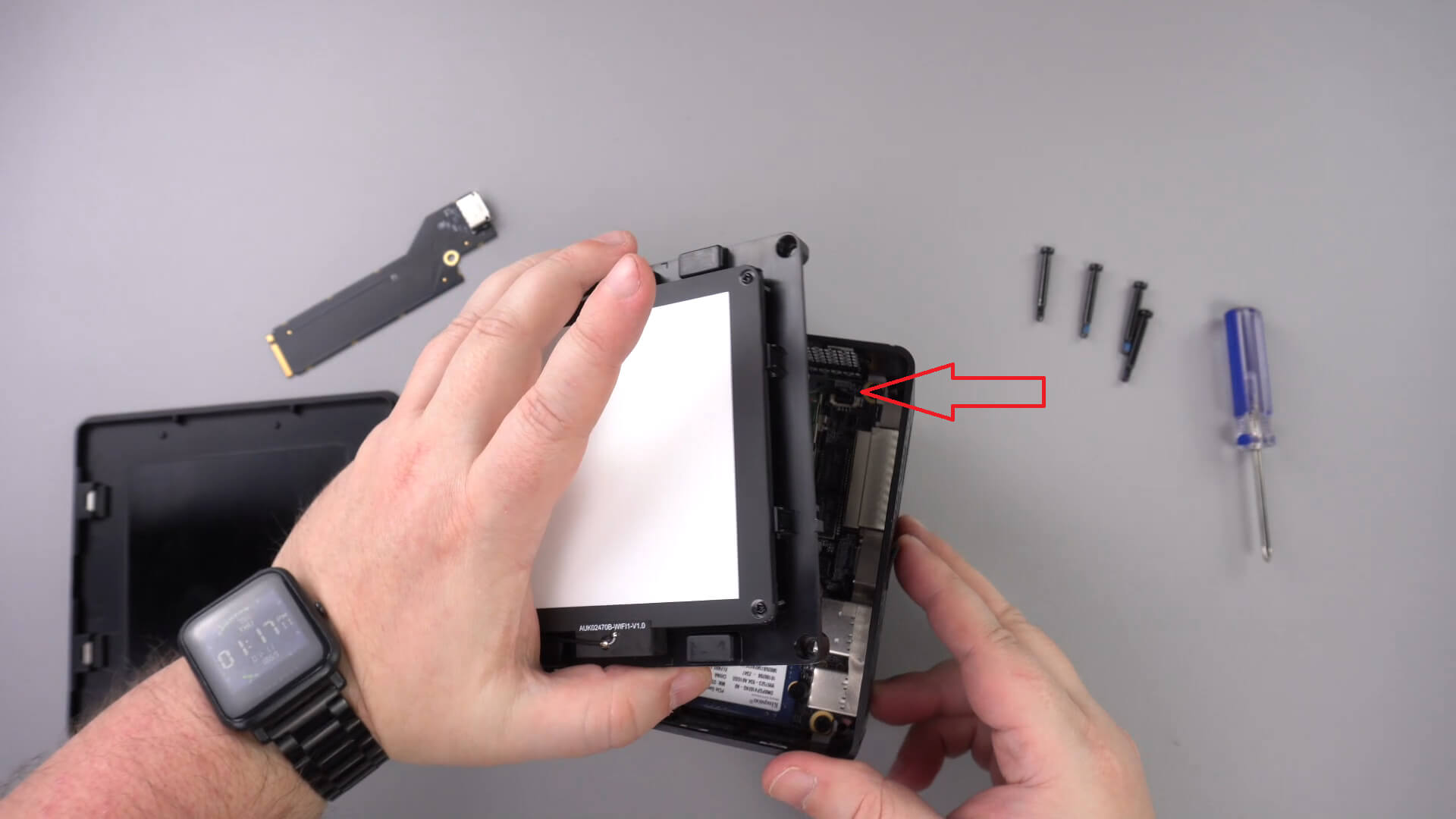
Premaknite komponento LED na stran, drugih kablov vam ne bo treba odstraniti.
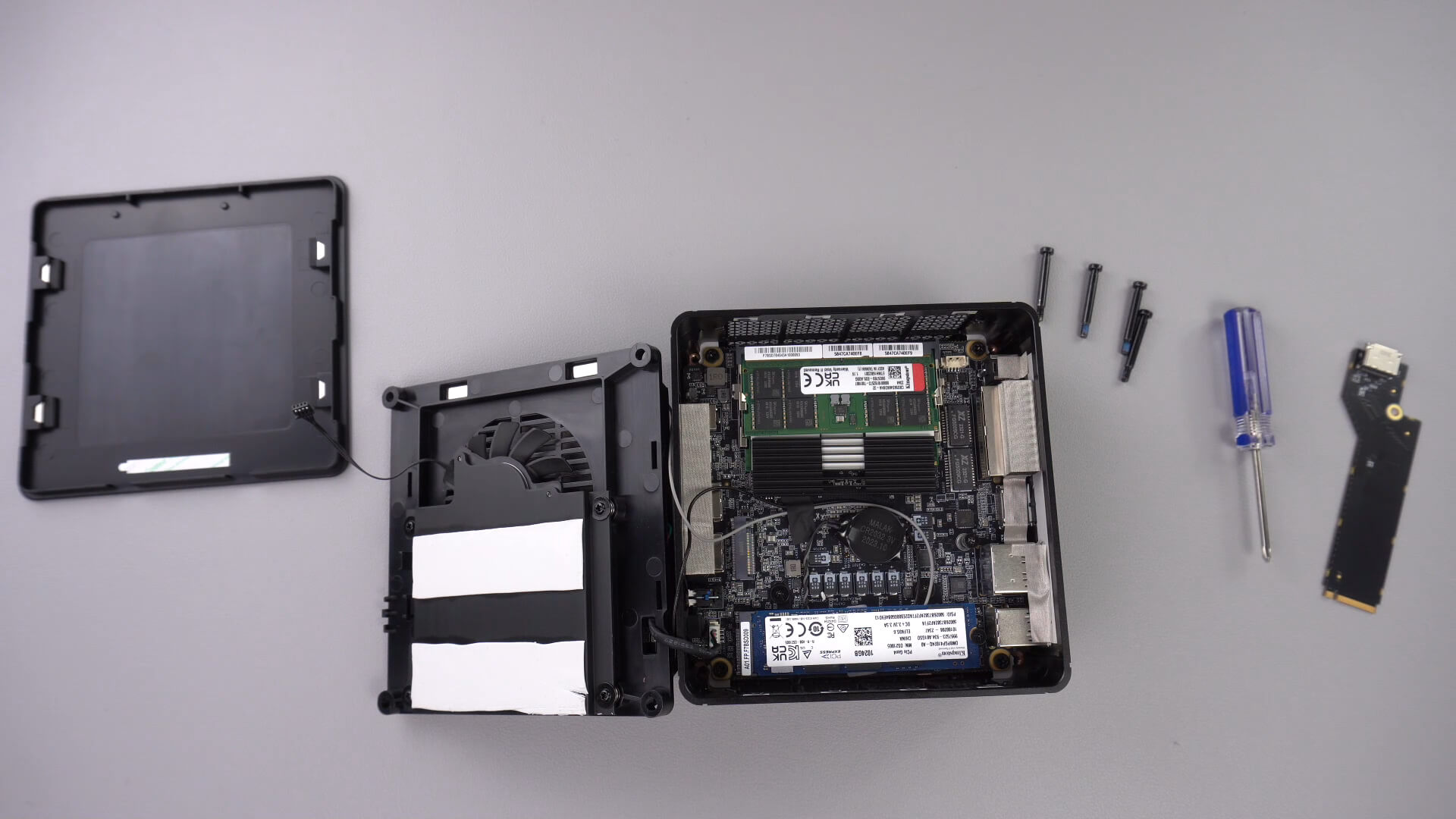
Odvijte vijak, prikazan spodaj, ta vijak bo držal adapter PCIe na Oculink varno.

Vstavite adapter PCIe na OcuLink v režo PCIe. V režo ga je mogoče vstaviti le na en način.

Ponovno privijte vijak PCIe, da bo adapter varno pritrjen

Zdaj lahko ponovno sestavite mini računalnik.
Vprašanja in odgovori 3
I have installed this Oculink adaptor and tried using it with both my GPD G1 and OneXGPU using Oculink. However, when I boot up my machine, the external GPU is not detected. I alraedy have the latest AMD drivers installed on my machine, and I have tried establishing the connection using the official Oculink cables from OneXPlayer and GPD, but to no avail.
To establish the connection, I turn off both the miniPC and the eGPU, then I connect the Oculink cable at both ends of the spectrum, and then I power on the eGPU, followed by the miniPC.
However, none of these settings have worked.
Could you kindly suggest what I may be doing incorrectly?
Muchas gracias. Por desgracia compre un Minisforum de este modelo y no me entregaron el adaptador de Oculink, es posible por favor compartirme la referencia para adquirirlo, muchas gracias.
Si lo compró en DroiX, envíe un correo electrónico a [email protected] con su número de pedido para que podamos analizarlo. Si lo compró en otro lugar, deberá comunicarse con el vendedor.