




Šis vadovas parodys, kaip įdiegti PCIe į Oculink adapterio plokštę Minisforum UM780 XTX žaidimų mini kompiuteryje.
Nuimkite viršutinį dangtį, jis laikomas magnetų ir nusims su nedidele jėga.

Kampuose yra keturi varžtai, kurie laiko LED komponentą vietoje, išsukite šiuos varžtus.
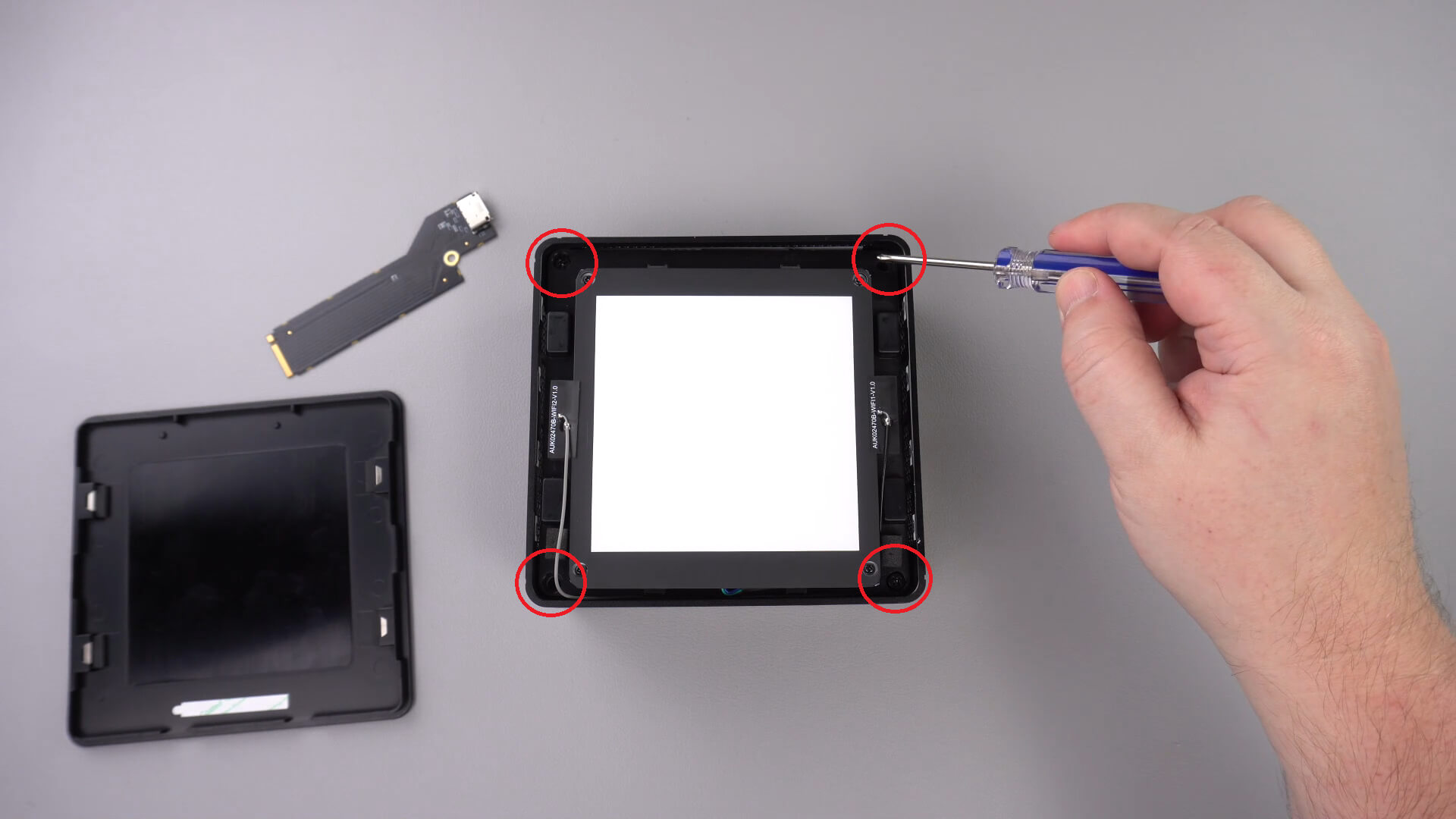
Dabar galite atsargiai išimti LED komponentą iš korpuso. Yra trumpas kabelis, kaip parodyta žemiau, kurį turėsite atjungti.
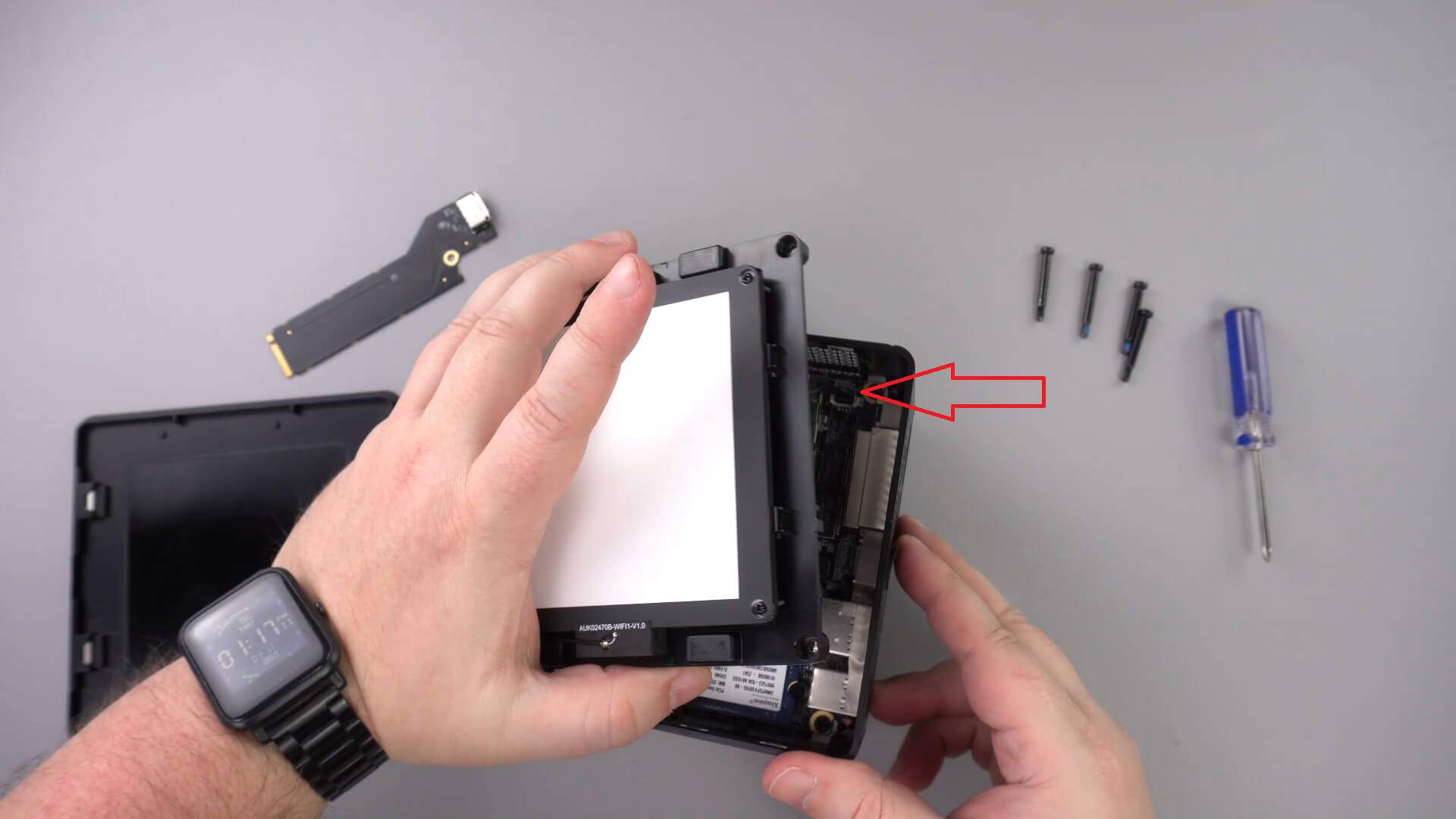
Pastumkite LED komponentą į šalį, kitų kabelių nereikės išimti.
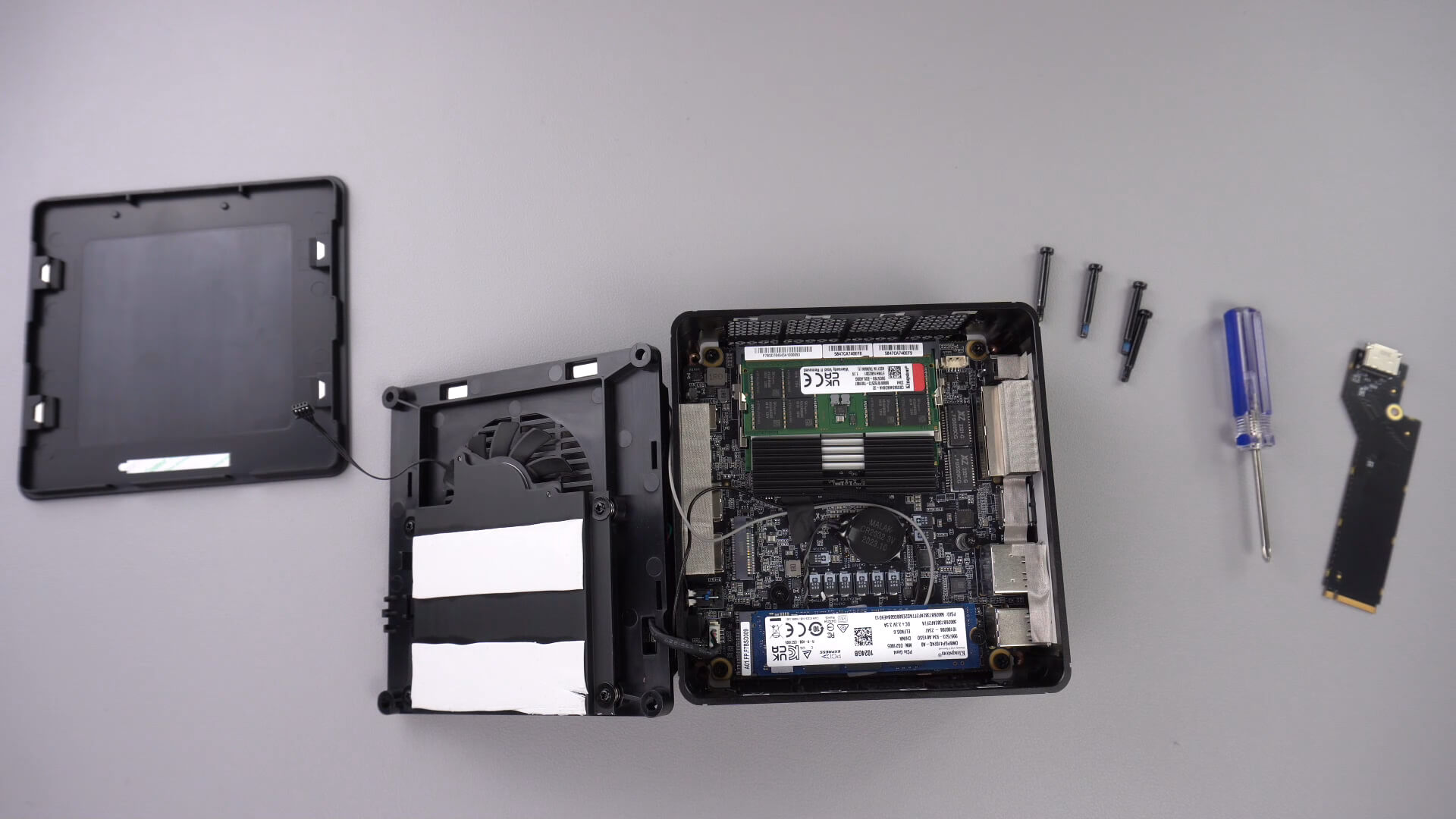
Išsukite žemiau nurodytą varžtą, šis varžtas laikys PCIe į Oculink adapterį saugiai.

Įstatykite PCIe į OcuLink adapterį į PCIe lizdą. Jis gali būti įstatytas tik vienu būdu į lizdą.

Įsukite PCIe varžtą atgal, kad adapteris būtų saugiai laikomas

Dabar galite vėl surinkti mini kompiuterį.
Ar šis straipsnis buvo naudingas?
Latest from the blog
Visit the blog RockTek G2 Next apžvalga – greitesnis „Android TV 14“ transliavimas su „Wi-Fi 6“ ir „Gigabit Ethernet“
2026 5 lapkričio
 EPOMAKER Carbon X apžvalga – 46 g anglies pluošto belaidė 8K pelė konkurenciniams FPS žaidimams
2026 2 lapkričio
 GPD WIN Mini Ultra – didesnis 8 colių 120 Hz ekranas, Intel Arc G3 Extreme ir dvigubas USB4 v2.0
2026 27 spalio
 „RockTek PJ500 Ultra“ apžvalga – 1080p namų kino projektorius, skirtas transliacijoms ir žaidimams
2026 27 spalio
Klausimai ir atsakymai 3
I have installed this Oculink adaptor and tried using it with both my GPD G1 and OneXGPU using Oculink. However, when I boot up my machine, the external GPU is not detected. I alraedy have the latest AMD drivers installed on my machine, and I have tried establishing the connection using the official Oculink cables from OneXPlayer and GPD, but to no avail.
To establish the connection, I turn off both the miniPC and the eGPU, then I connect the Oculink cable at both ends of the spectrum, and then I power on the eGPU, followed by the miniPC.
However, none of these settings have worked.
Could you kindly suggest what I may be doing incorrectly?
Muchas gracias. Por desgracia compre un Minisforum de este modelo y no me entregaron el adaptador de Oculink, es posible por favor compartirme la referencia para adquirirlo, muchas gracias.
Si lo compró en DroiX, envíe un correo electrónico a [email protected] con su número de pedido para que podamos analizarlo. Si lo compró en otro lugar, deberá comunicarse con el vendedor.