




Niniejszy przewodnik przedstawia proces instalacji adaptera PCIe do Oculink na minikomputerze do gier Minisforum UM780 XTX.
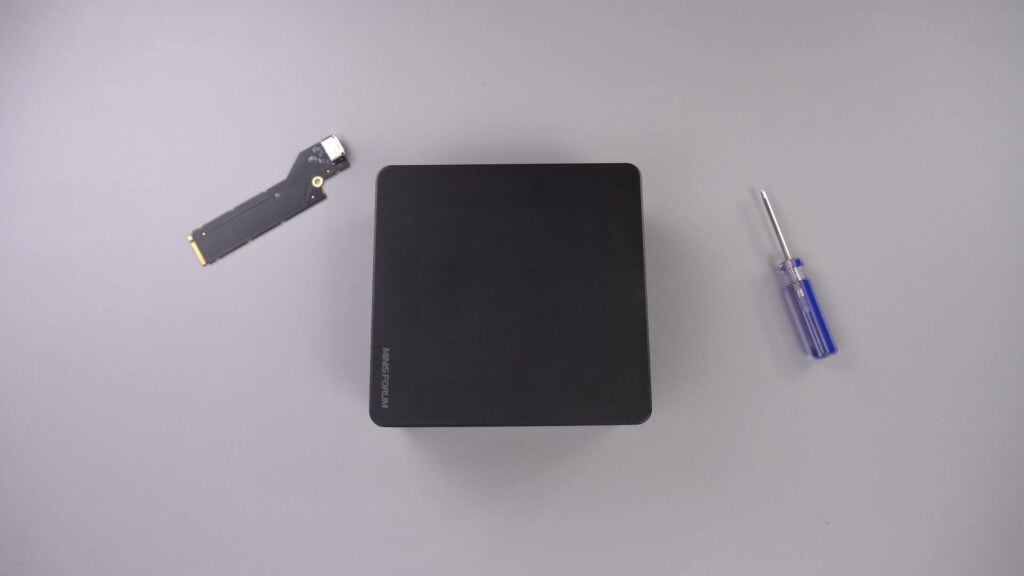
Zdejmij górną pokrywę, jest ona mocowana za pomocą magnesów i odpadnie przy użyciu niewielkiej siły.
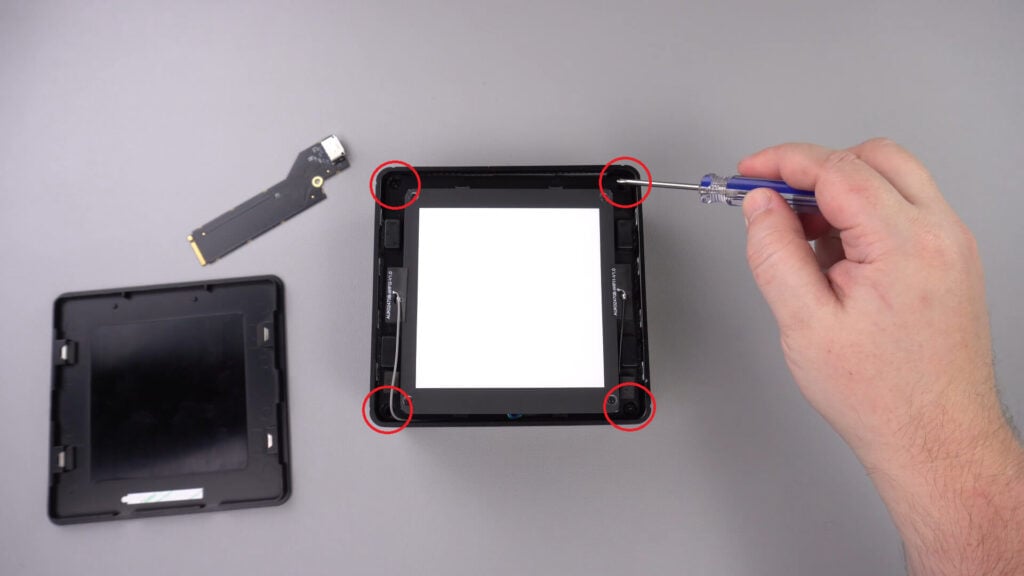
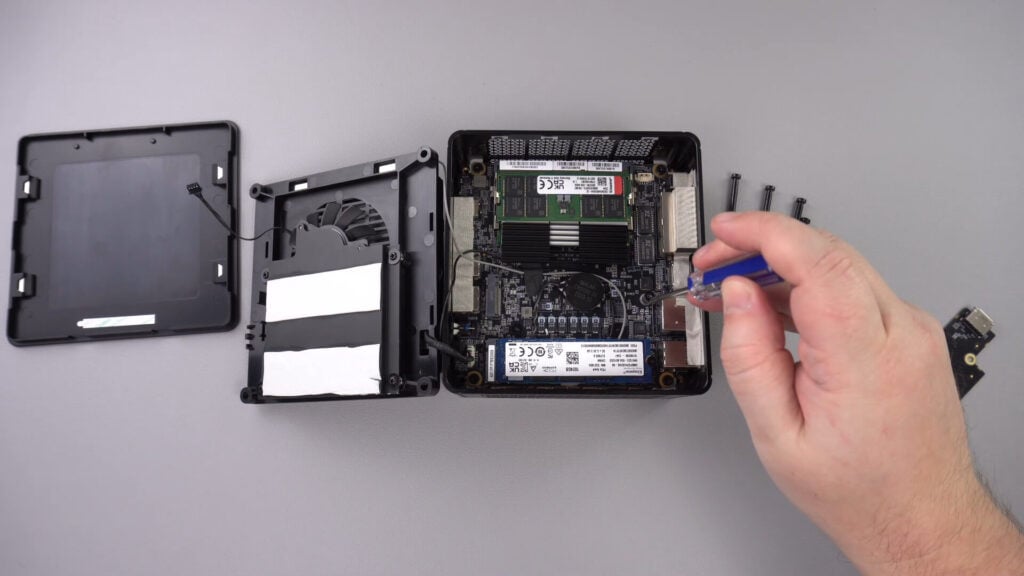
W rogu znajdują się cztery śruby, które przytrzymują element LED na miejscu, należy je wykręcić.
Teraz można ostrożnie wyjąć komponent LED z obudowy. Istnieje krótki kabel wskazany poniżej, który należy odłączyć.
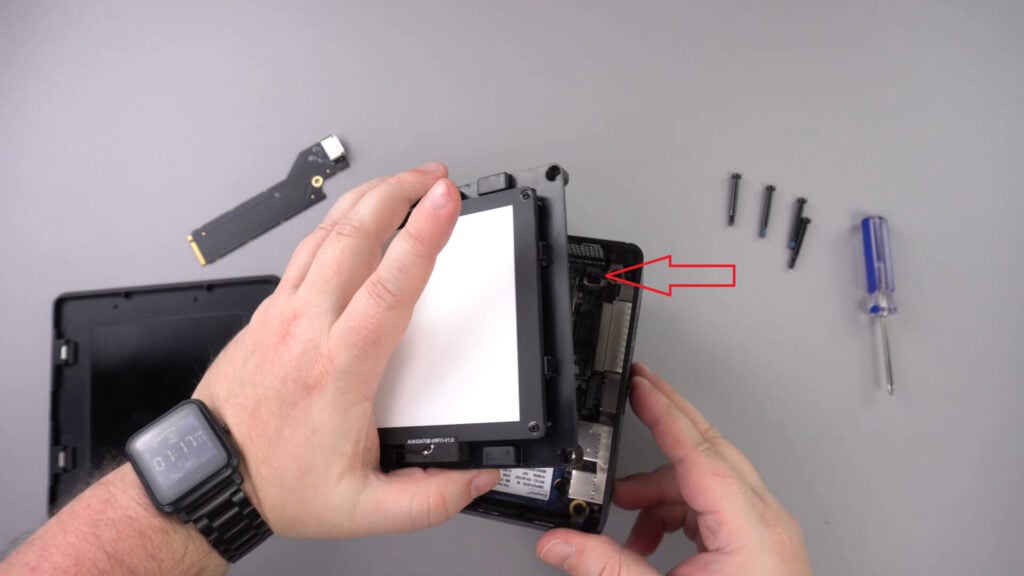
Przesuń komponent LED na bok, nie powinieneś musieć odłączać innych kabli.
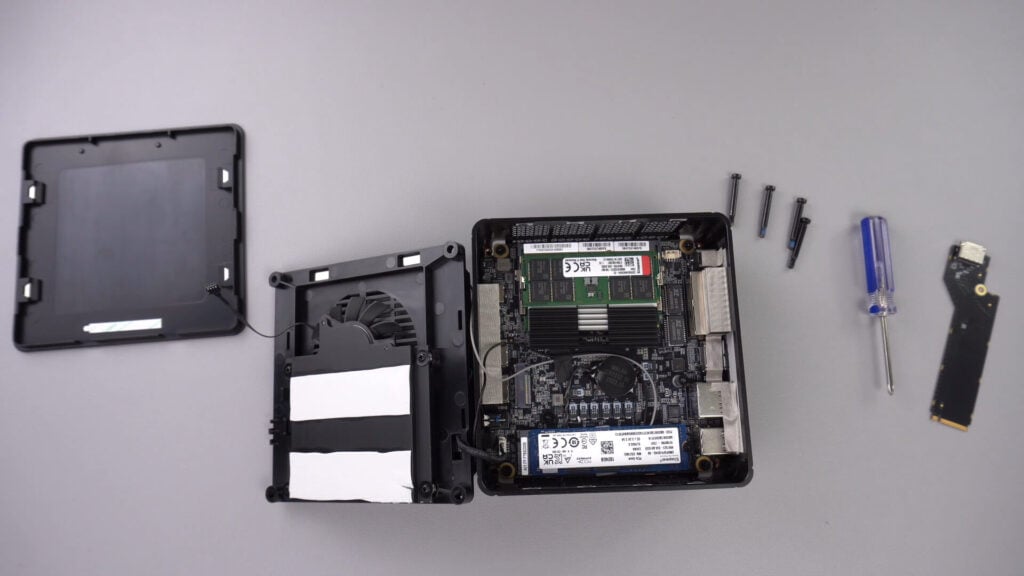
Odkręć wskazaną poniżej śrubę, która utrzyma adapter PCIe do Oculink w bezpiecznym położeniu.
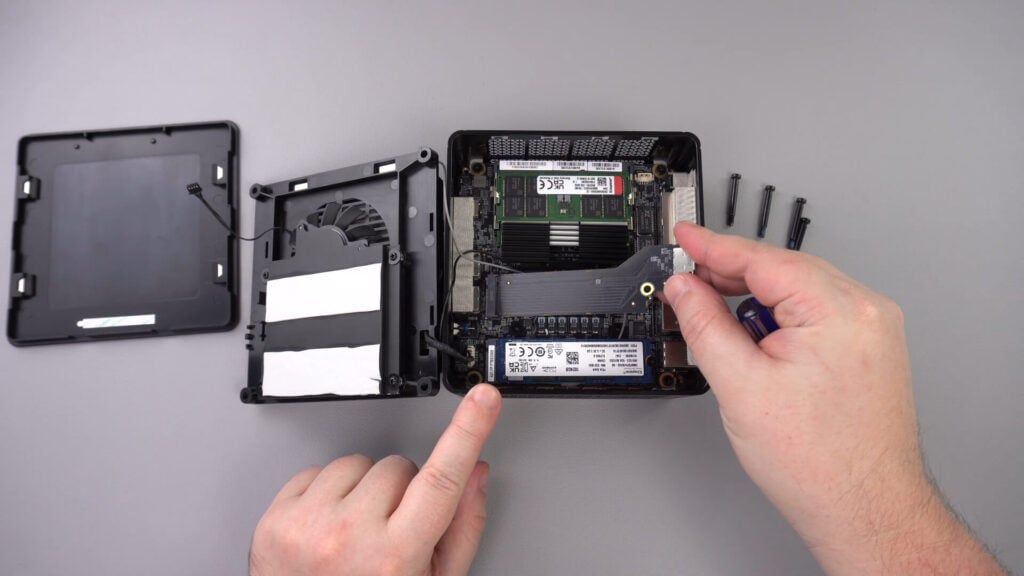
Włóż adapter PCIe do OcuLink do gniazda PCIe. Można go włożyć do gniazda tylko w jeden sposób.
Zamontuj śrubę PCIe z powrotem, aby zabezpieczyć adapter
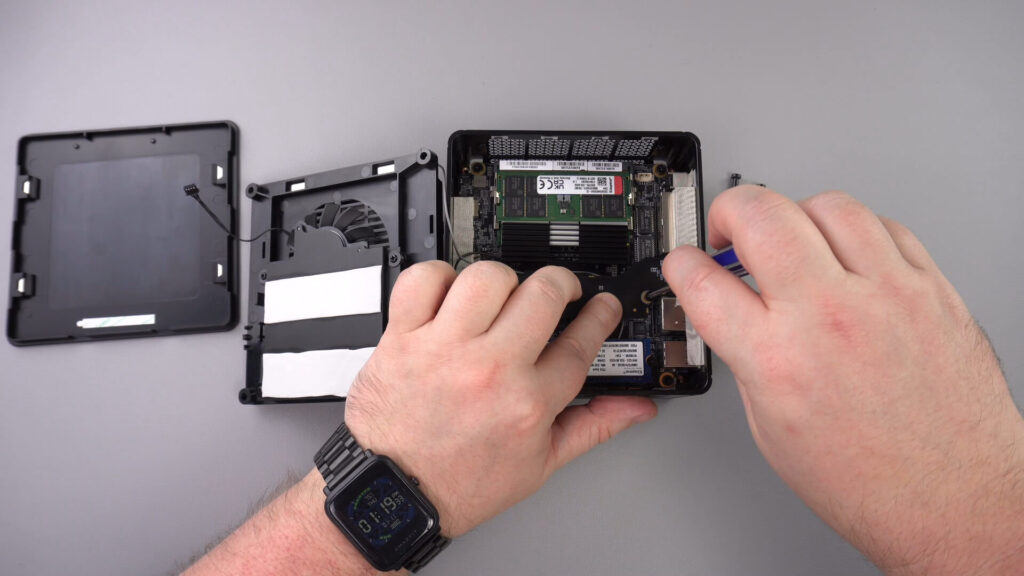
Teraz można ponownie złożyć mini PC.
Latest from the blog
Visit the blog GPD WIN Mini Ultra – większy 8-calowy ekran 120 Hz, Intel Arc G3 Extreme i dwa porty USB4 v2.0
2026-10-27
GPD WIN Mini Ultra – większy 8-calowy ekran 120 Hz, Intel Arc G3 Extreme i dwa porty USB4 v2.0
2026-10-27
 RockTek PJ500 Ultra – recenzja. Projektor kina domowego 1080p do streamingu i gier
2026-10-27
RockTek PJ500 Ultra – recenzja. Projektor kina domowego 1080p do streamingu i gier
2026-10-27
 Recenzja EPOMAKER RT75 i TH26 – retro klawiatura 75% z odłączanym ekranem i 5-klawiszowym numpadem macro
2026-10-26
Recenzja EPOMAKER RT75 i TH26 – retro klawiatura 75% z odłączanym ekranem i 5-klawiszowym numpadem macro
2026-10-26
 EPOMAKER HE65 V2 TMR – recenzja. Bezprzewodowe 8K i hybrydowe przełączniki w kompaktowej klawiaturze gamingowej
2026-10-19
EPOMAKER HE65 V2 TMR – recenzja. Bezprzewodowe 8K i hybrydowe przełączniki w kompaktowej klawiaturze gamingowej
2026-10-19
Pytania i odpowiedzi 3
I have installed this Oculink adaptor and tried using it with both my GPD G1 and OneXGPU using Oculink. However, when I boot up my machine, the external GPU is not detected. I alraedy have the latest AMD drivers installed on my machine, and I have tried establishing the connection using the official Oculink cables from OneXPlayer and GPD, but to no avail.
To establish the connection, I turn off both the miniPC and the eGPU, then I connect the Oculink cable at both ends of the spectrum, and then I power on the eGPU, followed by the miniPC.
However, none of these settings have worked.
Could you kindly suggest what I may be doing incorrectly?
Muchas gracias. Por desgracia compre un Minisforum de este modelo y no me entregaron el adaptador de Oculink, es posible por favor compartirme la referencia para adquirirlo, muchas gracias.
Si lo compró en DroiX, envíe un correo electrónico a [email protected] con su número de pedido para que podamos analizarlo. Si lo compró en otro lugar, deberá comunicarse con el vendedor.