




이 가이드는 Minisforum UM780 XTX 게이밍 미니 PC에 PCIe to Oculink 어댑터 보드를 설치하는 과정을 보여줍니다.
상단 덮개를 제거하세요. 덮개는 자석으로 고정되어 있어 약간의 힘으로 분리됩니다.

모서리에 LED 구성 요소를 고정하는 나사 네 개가 있습니다. 이 나사들을 제거하세요.
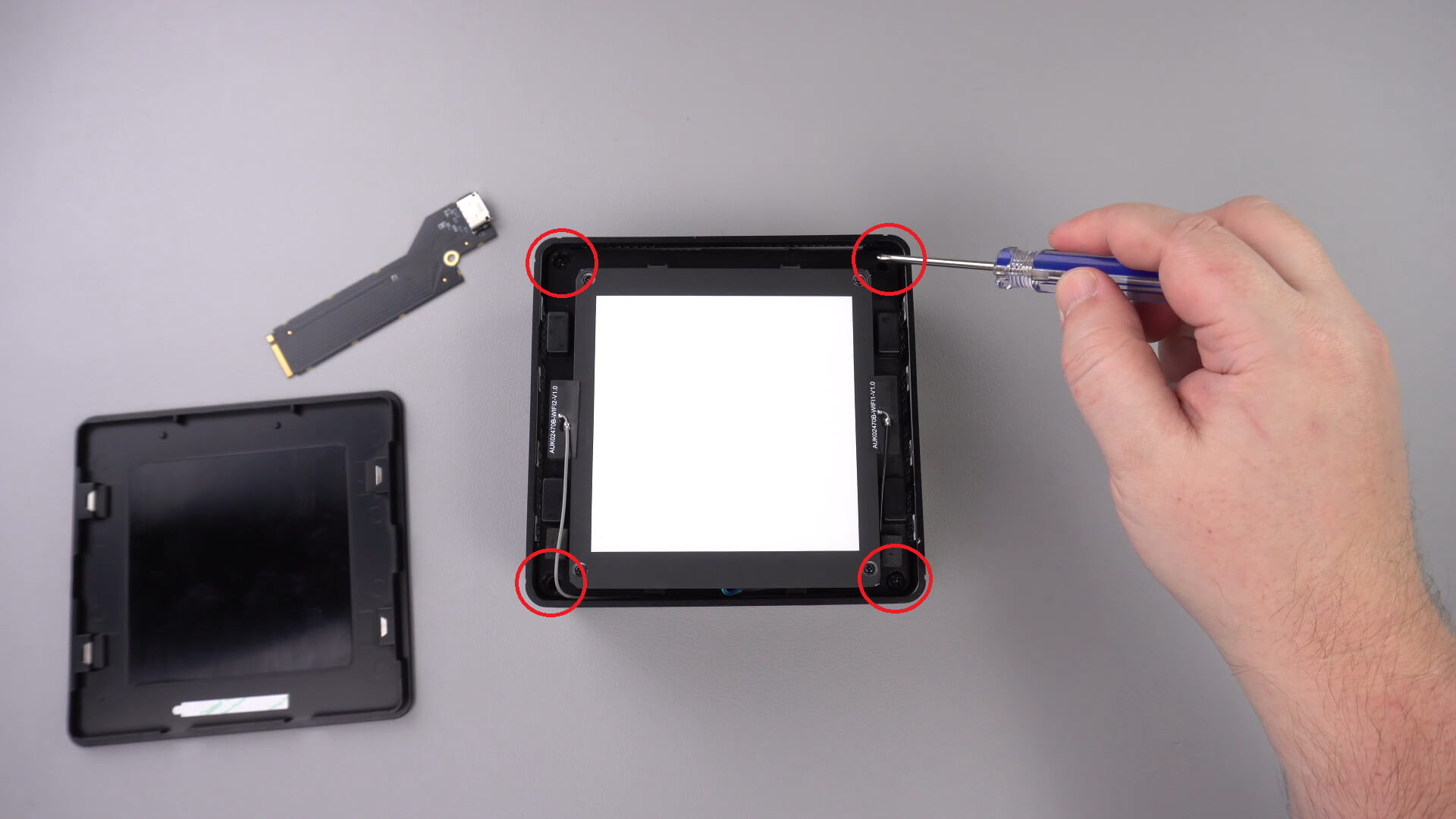
이제 케이스에서 LED 구성 요소를 조심스럽게 들어낼 수 있습니다. 아래 표시된 것처럼 분리해야 하는 짧은 케이블이 있습니다.
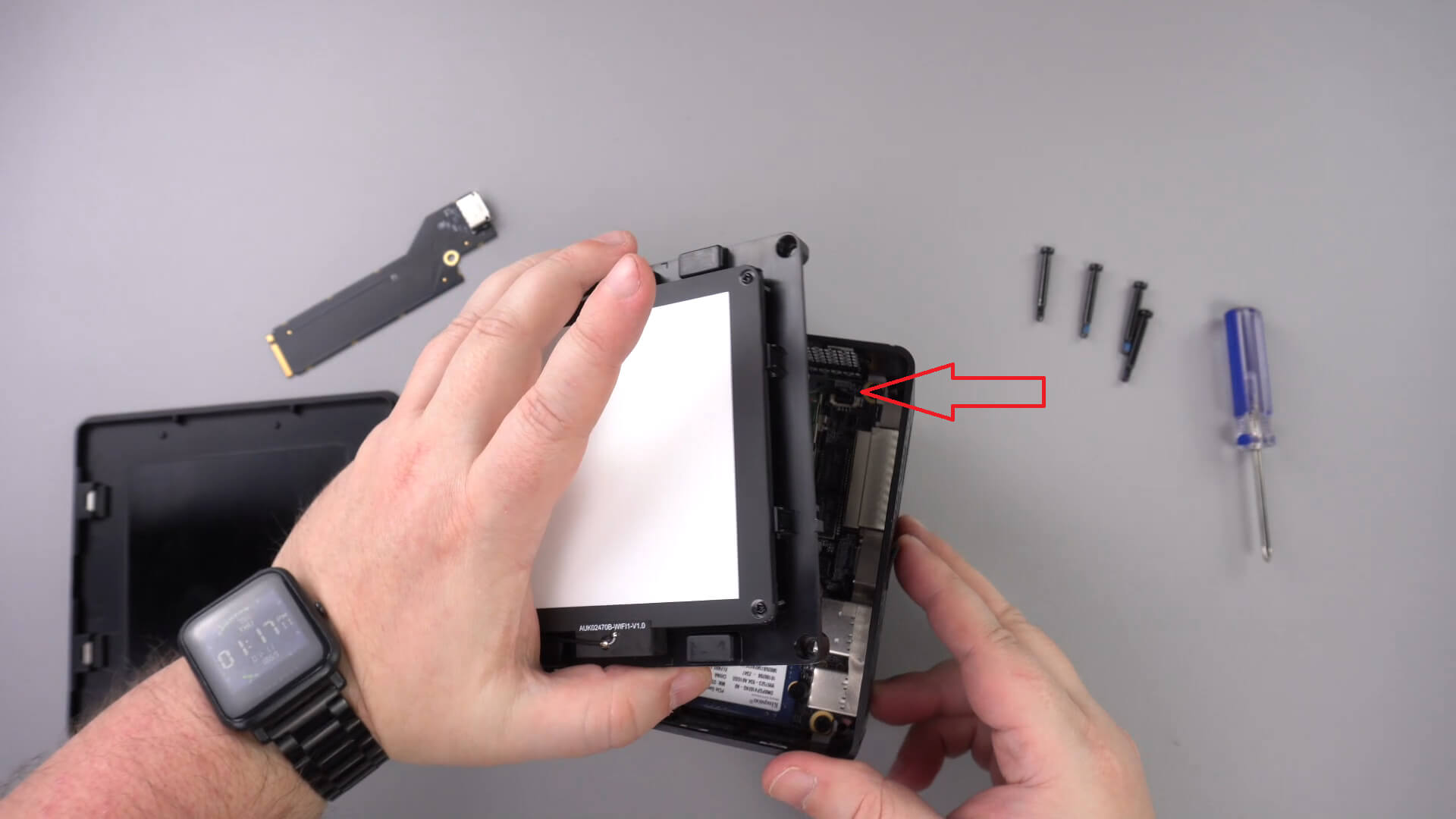
LED 구성 요소를 한쪽으로 옮기세요. 다른 케이블은 제거할 필요가 없습니다.
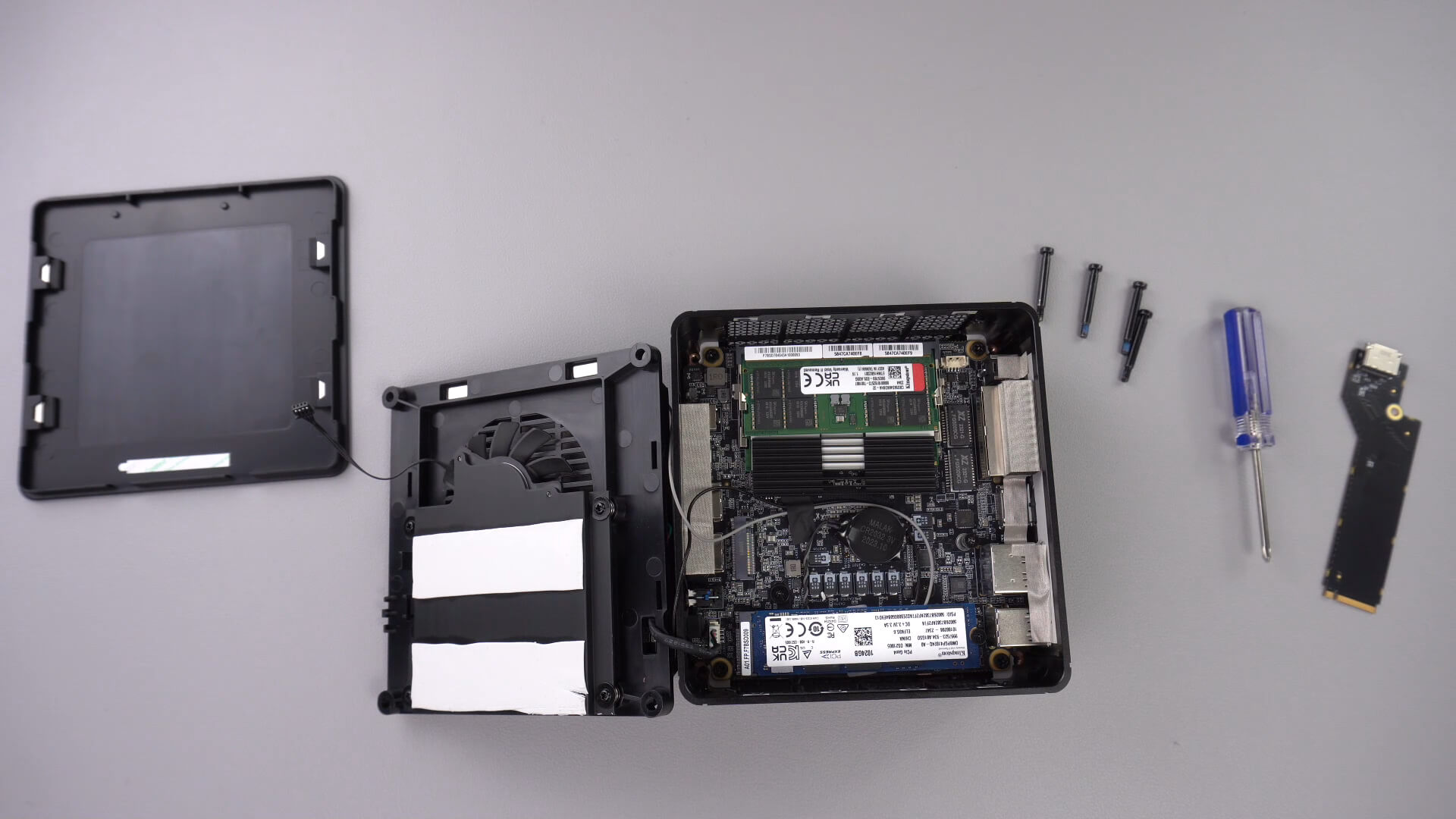
아래 표시된 나사를 풀어주세요. 이 나사는 PCIe to Oculink 어댑터를 단단히 고정합니다.

PCIe to OcuLink 어댑터를 PCIe 슬롯에 삽입하세요. 슬롯에는 한 방향으로만 들어갑니다.

어댑터를 단단히 고정하기 위해 PCIe 나사를 다시 조립하세요

이제 미니 PC를 다시 조립할 수 있습니다.
이 기사가 도움이 되었나요?
질문과 답변 3
I have installed this Oculink adaptor and tried using it with both my GPD G1 and OneXGPU using Oculink. However, when I boot up my machine, the external GPU is not detected. I alraedy have the latest AMD drivers installed on my machine, and I have tried establishing the connection using the official Oculink cables from OneXPlayer and GPD, but to no avail.
To establish the connection, I turn off both the miniPC and the eGPU, then I connect the Oculink cable at both ends of the spectrum, and then I power on the eGPU, followed by the miniPC.
However, none of these settings have worked.
Could you kindly suggest what I may be doing incorrectly?
Muchas gracias. Por desgracia compre un Minisforum de este modelo y no me entregaron el adaptador de Oculink, es posible por favor compartirme la referencia para adquirirlo, muchas gracias.
Si lo compró en DroiX, envíe un correo electrónico a [email protected] con su número de pedido para que podamos analizarlo. Si lo compró en otro lugar, deberá comunicarse con el vendedor.