




このガイドでは、Minisforum UM780 XTXゲーミングミニPCにPCIe to Oculinkアダプターボードを取り付ける手順を説明します。
トップリッドを取り外します。マグネットで固定されているため、わずかな力で外れます。

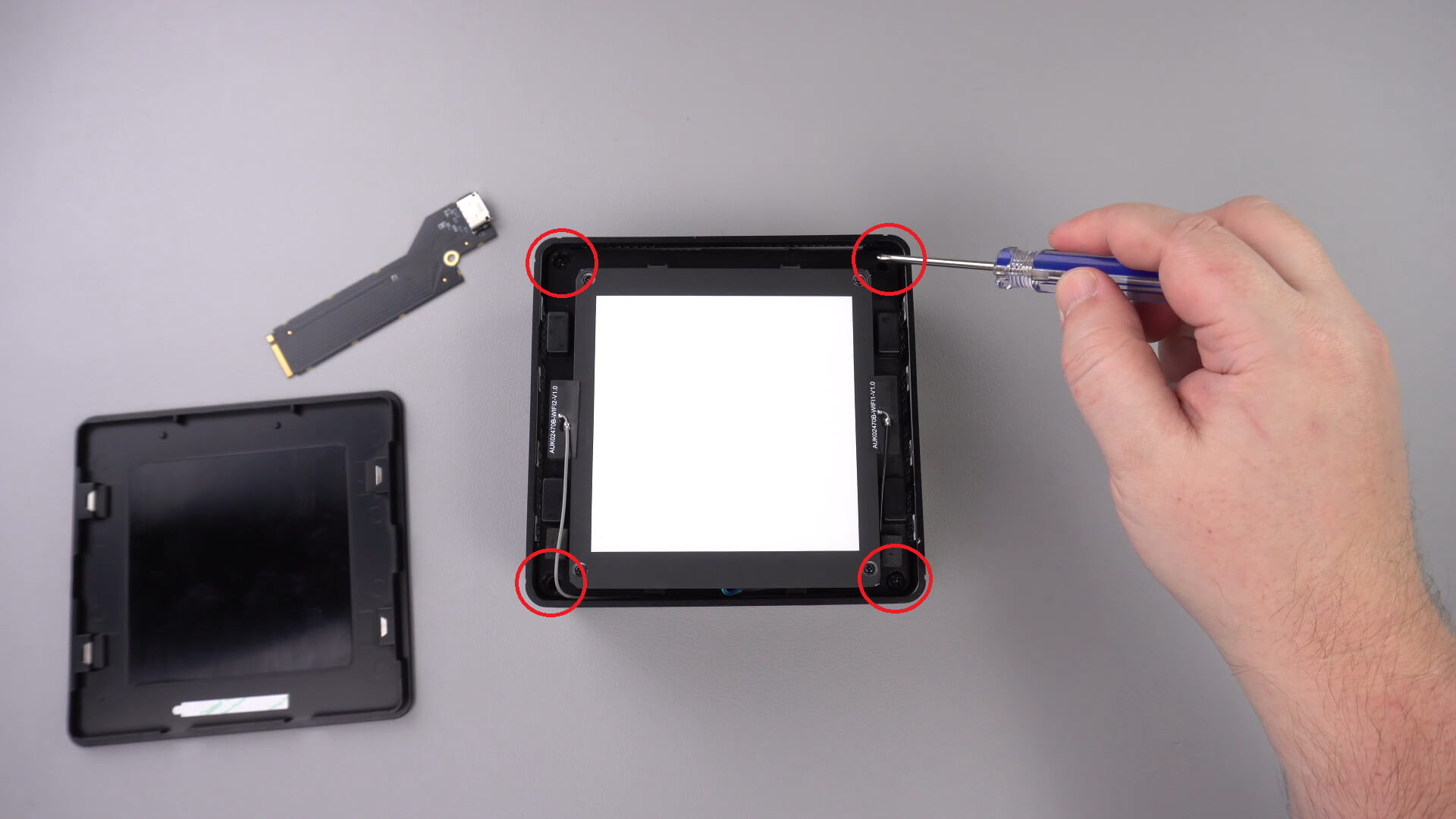
四隅にLEDコンポーネントを固定しているネジが4本あります。これらのネジを取り外します。
これでLEDコンポーネントを慎重にケースから持ち上げることができます。以下に示すように短いケーブルがあり、これを取り外す必要があります。
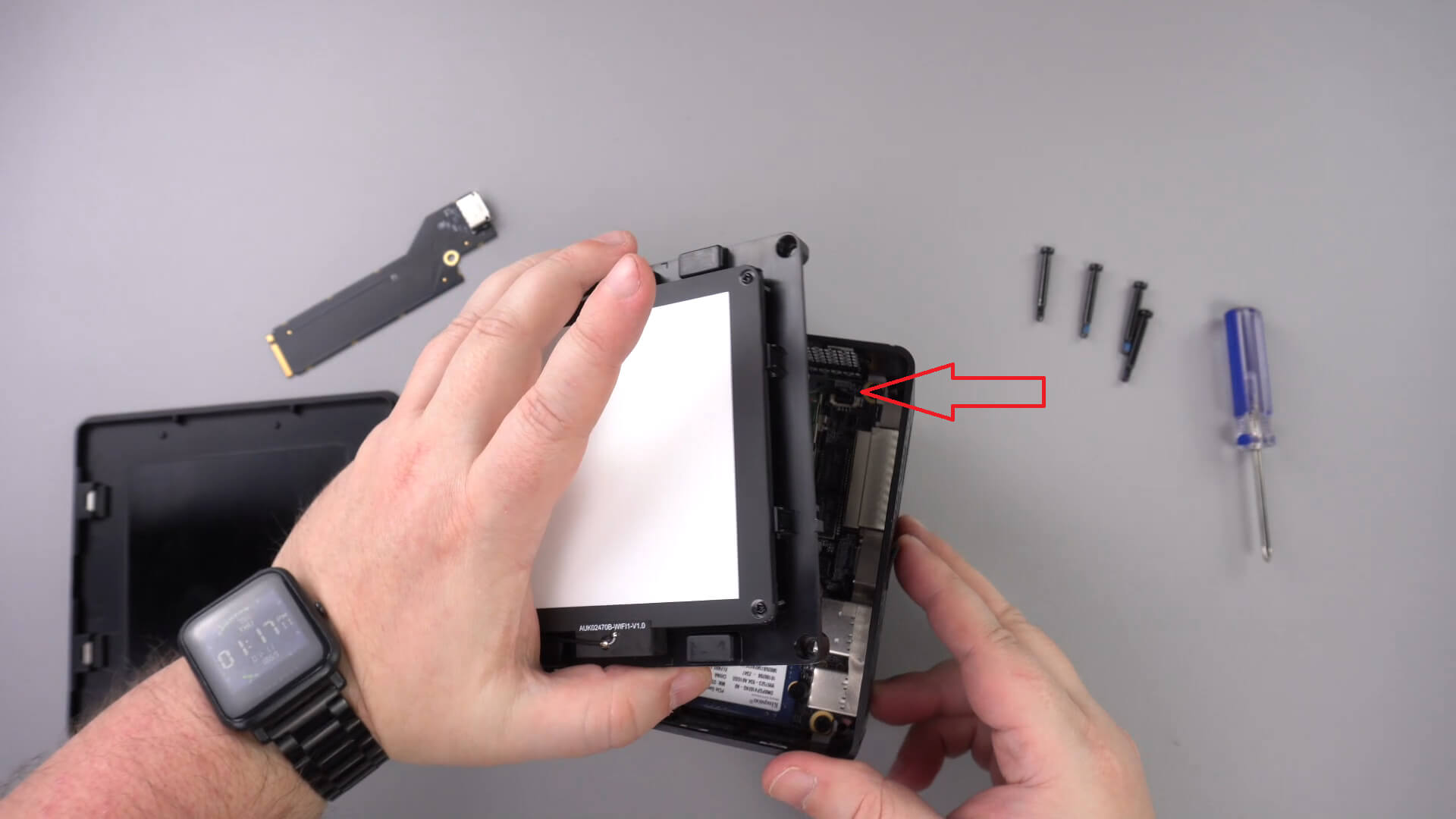
LEDコンポーネントを脇に移動します。他のケーブルを取り外す必要はありません。
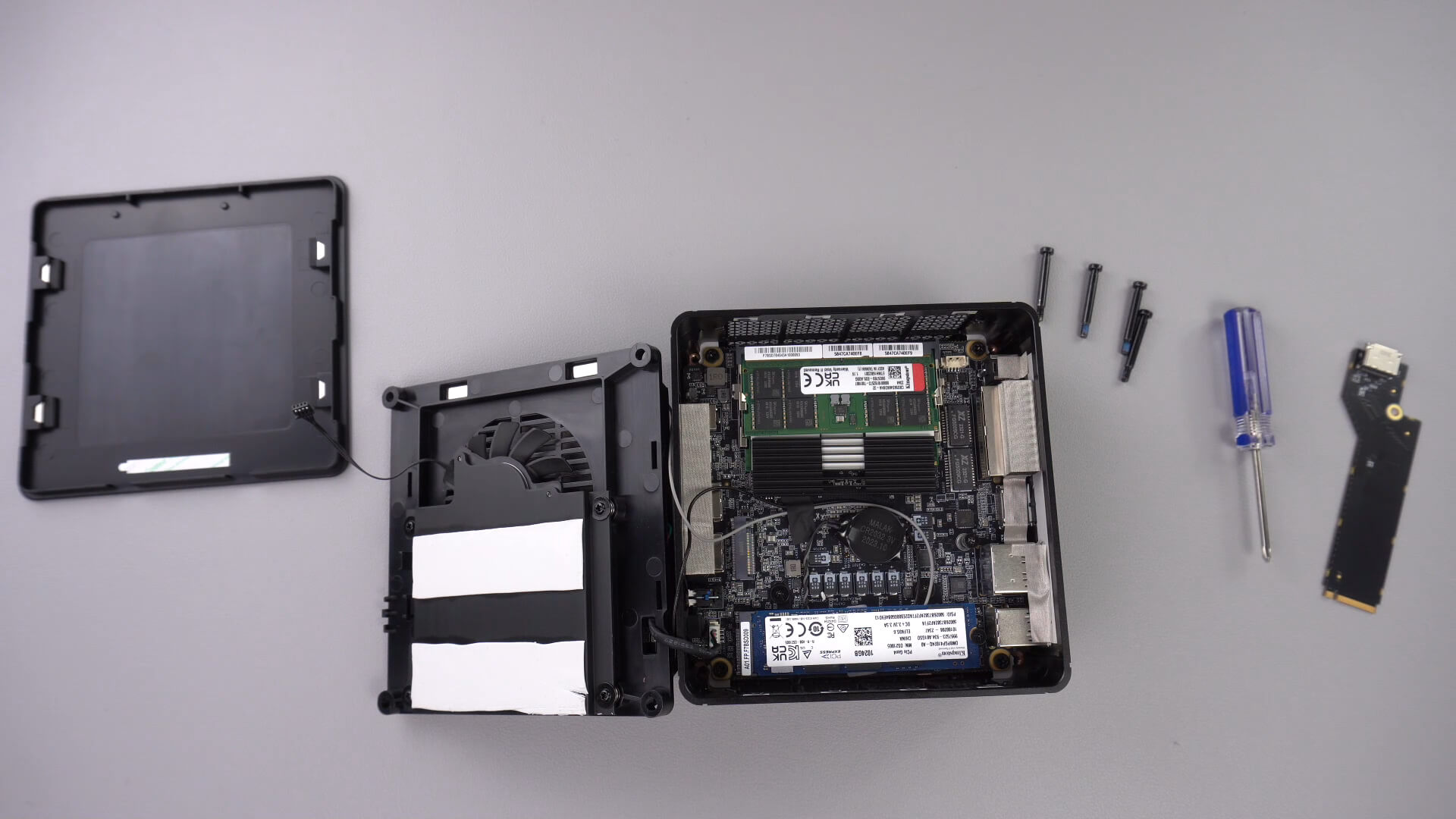
以下に示すネジを緩めます。このネジはPCIe to Oculinkアダプターを固定します。

PCIe to OcuLinkアダプターをPCIeスロットに挿入します。スロットには一方向にしか挿入できません。

PCIeネジを元に戻してアダプターを固定します

これでミニPCを再組み立てできます。
この記事は役に立ちましたか?
質疑応答 3
I have installed this Oculink adaptor and tried using it with both my GPD G1 and OneXGPU using Oculink. However, when I boot up my machine, the external GPU is not detected. I alraedy have the latest AMD drivers installed on my machine, and I have tried establishing the connection using the official Oculink cables from OneXPlayer and GPD, but to no avail.
To establish the connection, I turn off both the miniPC and the eGPU, then I connect the Oculink cable at both ends of the spectrum, and then I power on the eGPU, followed by the miniPC.
However, none of these settings have worked.
Could you kindly suggest what I may be doing incorrectly?
Muchas gracias. Por desgracia compre un Minisforum de este modelo y no me entregaron el adaptador de Oculink, es posible por favor compartirme la referencia para adquirirlo, muchas gracias.
Si lo compró en DroiX, envíe un correo electrónico a [email protected] con su número de pedido para que podamos analizarlo. Si lo compró en otro lugar, deberá comunicarse con el vendedor.