




यह मार्गदर्शिका Minisforum UM780 XTX गेमिंग मिनी पीसी पर PCIe से Oculink एडाप्टर बोर्ड स्थापित करने की प्रक्रिया दिखाएगी।
ऊपरी ढक्कन हटाएँ, यह चुम्बकों से लगा हुआ है और थोड़े बल से हट जाएगा।

कोनों में चार स्क्रू हैं जो LED घटक को स्थान पर रखते हैं, इन स्क्रू को हटाएँ।
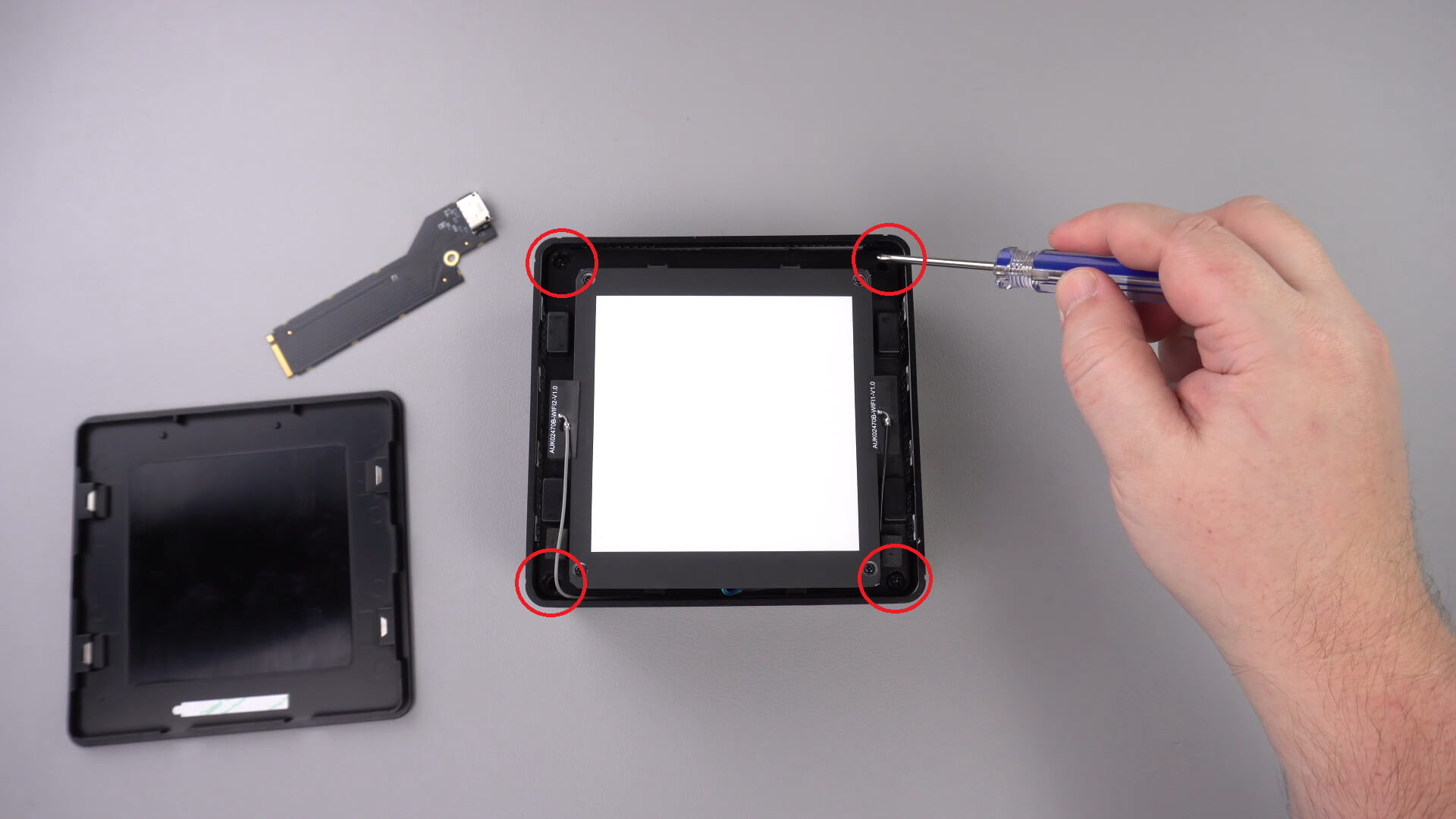
अब आप सावधानीपूर्वक LED घटक को केस से बाहर निकाल सकते हैं। नीचे दर्शाए अनुसार एक छोटा केबल है जिसे आपको डिस्कनेक्ट करना होगा।
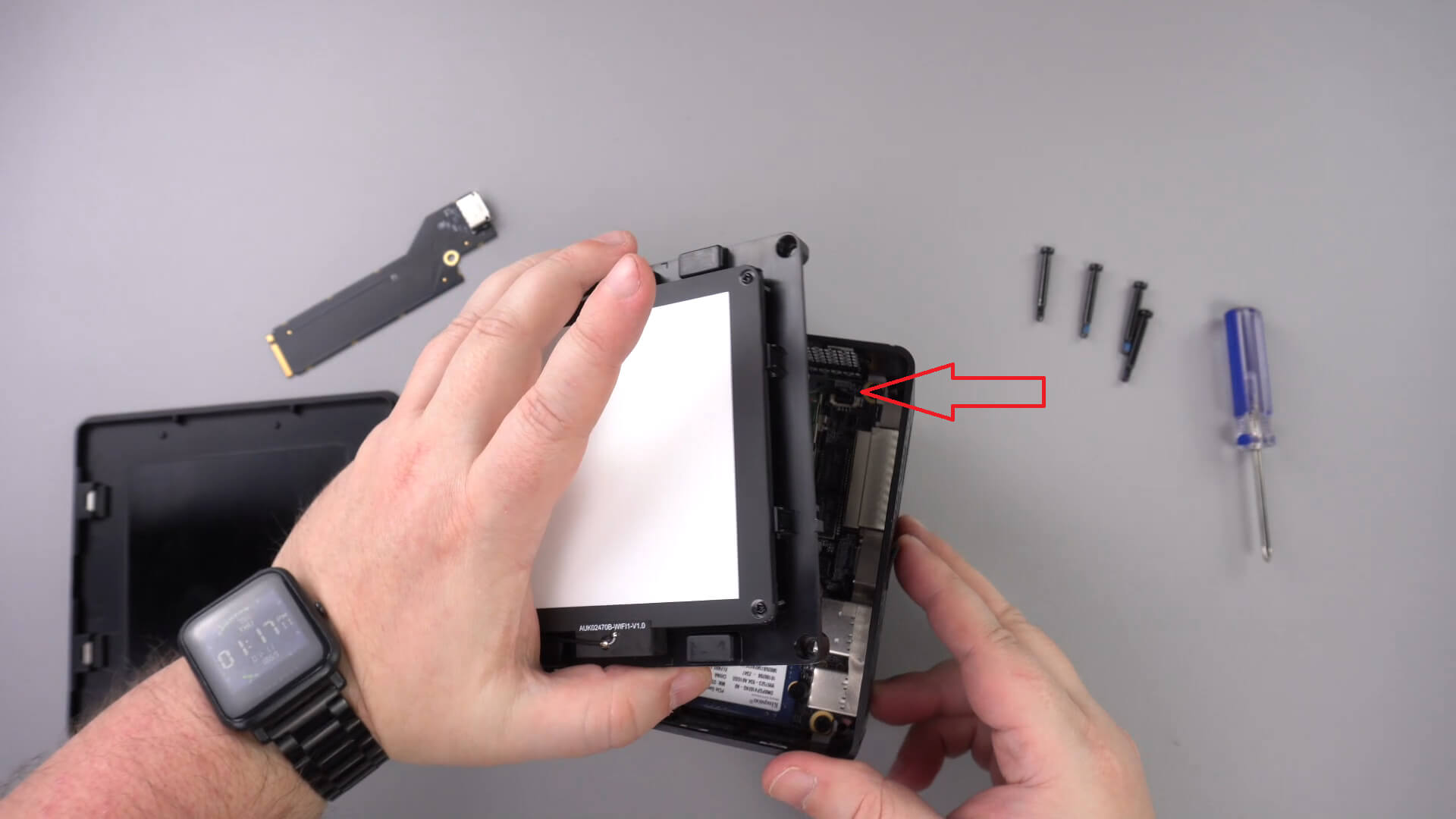
LED घटक को एक तरफ करें, आपको अन्य केबल हटाने की आवश्यकता नहीं होनी चाहिए।
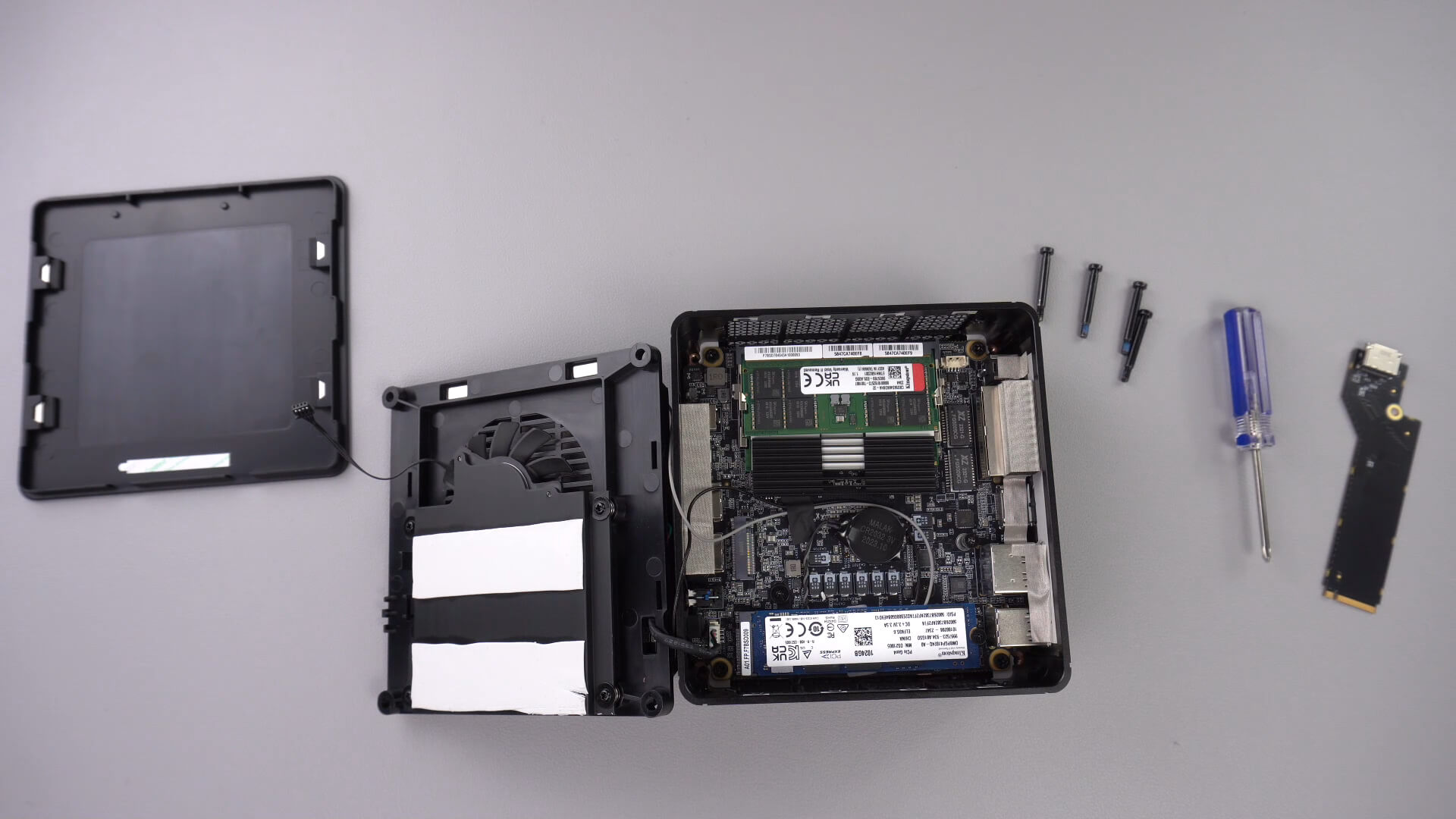
नीचे दर्शाए स्क्रू को खोलें, यह स्क्रू PCIe से Oculink एडाप्टर को सुरक्षित रखेगा।

PCIe से OcuLink एडाप्टर को PCIe स्लॉट में डालें। यह स्लॉट में केवल एक ही तरह से जा सकता है।

एडाप्टर को सुरक्षित रखने के लिए PCIe स्क्रू को वापस लगाएँ

अब आप मिनी पीसी को पुनः असेंबल कर सकते हैं।
क्या यह लेख मददगार था?
प्रश्न और उत्तर 3
I have installed this Oculink adaptor and tried using it with both my GPD G1 and OneXGPU using Oculink. However, when I boot up my machine, the external GPU is not detected. I alraedy have the latest AMD drivers installed on my machine, and I have tried establishing the connection using the official Oculink cables from OneXPlayer and GPD, but to no avail.
To establish the connection, I turn off both the miniPC and the eGPU, then I connect the Oculink cable at both ends of the spectrum, and then I power on the eGPU, followed by the miniPC.
However, none of these settings have worked.
Could you kindly suggest what I may be doing incorrectly?
Muchas gracias. Por desgracia compre un Minisforum de este modelo y no me entregaron el adaptador de Oculink, es posible por favor compartirme la referencia para adquirirlo, muchas gracias.
Si lo compró en DroiX, envíe un correo electrónico a [email protected] con su número de pedido para que podamos analizarlo. Si lo compró en otro lugar, deberá comunicarse con el vendedor.