





GEEKOM A5 2027 Review
The GEEKOM A5 2027 is a compact, upgradeable mini PC with 8-core Ryzen 7 power, 2.5GbE and flexible storage, which makes it a strong home lab server.
What we liked
- Powerful 8-core Ryzen 7
- Up to 64GB RAM
- Flexible multi-drive storage
- 2.5Gbps Ethernet
- Compact, always-on friendly
Could be better
- Only 16GB RAM supplied
In this article
The GEEKOM A5 2027 is a strong compact home lab upgrade for anyone moving beyond a Raspberry Pi 5 and needing more CPU, RAM, storage flexibility and network bandwidth. In my setup, it runs OpenMediaVault, Docker and Docker Compose alongside Home Assistant, ESPHome, Jellyfin, RomM, Immich, AdGuard Home, Ollama and Open WebUI. The supplied 16GB/512GB configuration is usable today, while two SO-DIMM slots and three internal storage positions leave room to grow.
In short: the GEEKOM A5 2027 is best suited to a small-to-medium, single-node home lab running multiple self-hosted services. This is not a benchmark-led server review; the conclusions are based on my migration, configuration and day-to-day use.
Introduction
My Raspberry Pi 5 started life as a fairly modest home server, but over time it gradually became much more than that. What began as a way of running a few services turned into a growing home lab running Home Assistant, ESPHome, media streaming, ROM management, downloads, local AI and a whole collection of Docker containers. This first-person review explains how I turned the GEEKOM A5 2027 into a compact home lab server, replacing a Raspberry Pi 5 with an x86-64 platform for Docker, Home Assistant, media, ROM management and local AI.
The problem with a Raspberry Pi is that it is very easy to keep adding things until you eventually start running into the limitations of the hardware. My Raspberry Pi 5 had 8GB of RAM, and while it handled a surprising amount of work, I wanted more headroom for running multiple services at the same time. That is where the GEEKOM A5 2027 came in.
GEEKOM got in touch to ask if I would like to try the A5 2027 as an upgrade to my existing setup. Rather than simply testing it as a conventional Windows mini PC, I decided to use it for something that has become increasingly important to me: moving my existing Raspberry Pi-based setup to a proper x86 home lab. The GEEKOM A5 2027 is a practical candidate for a 24/7 home server because it combines a compact chassis with upgradeable memory, multiple storage positions and 2.5Gbps Ethernet.
The aim wasn’t just to install a few applications and call it a server. I wanted to migrate my existing environment, install OpenMediaVault, rebuild my Docker setup and use the additional CPU, memory, storage and networking capabilities of the A5 to create a more capable foundation for everything I already run. This is a real mini PC home lab migration rather than a theoretical server test.
GEEKOM A5 2027 Overview: A Compact Mini PC for Home Lab Services
The GEEKOM A5 2027 is a compact mini PC powered by an AMD Ryzen 7 7730U. It has 8 cores and 16 threads, integrated AMD Radeon graphics and, in the configuration GEEKOM supplied for this review, 16GB of DDR4 memory and a 512GB M.2 2280 NVMe SSD. For this GEEKOM A5 2027 review, the supplied configuration is the reference system for the hardware and home lab experience described below.

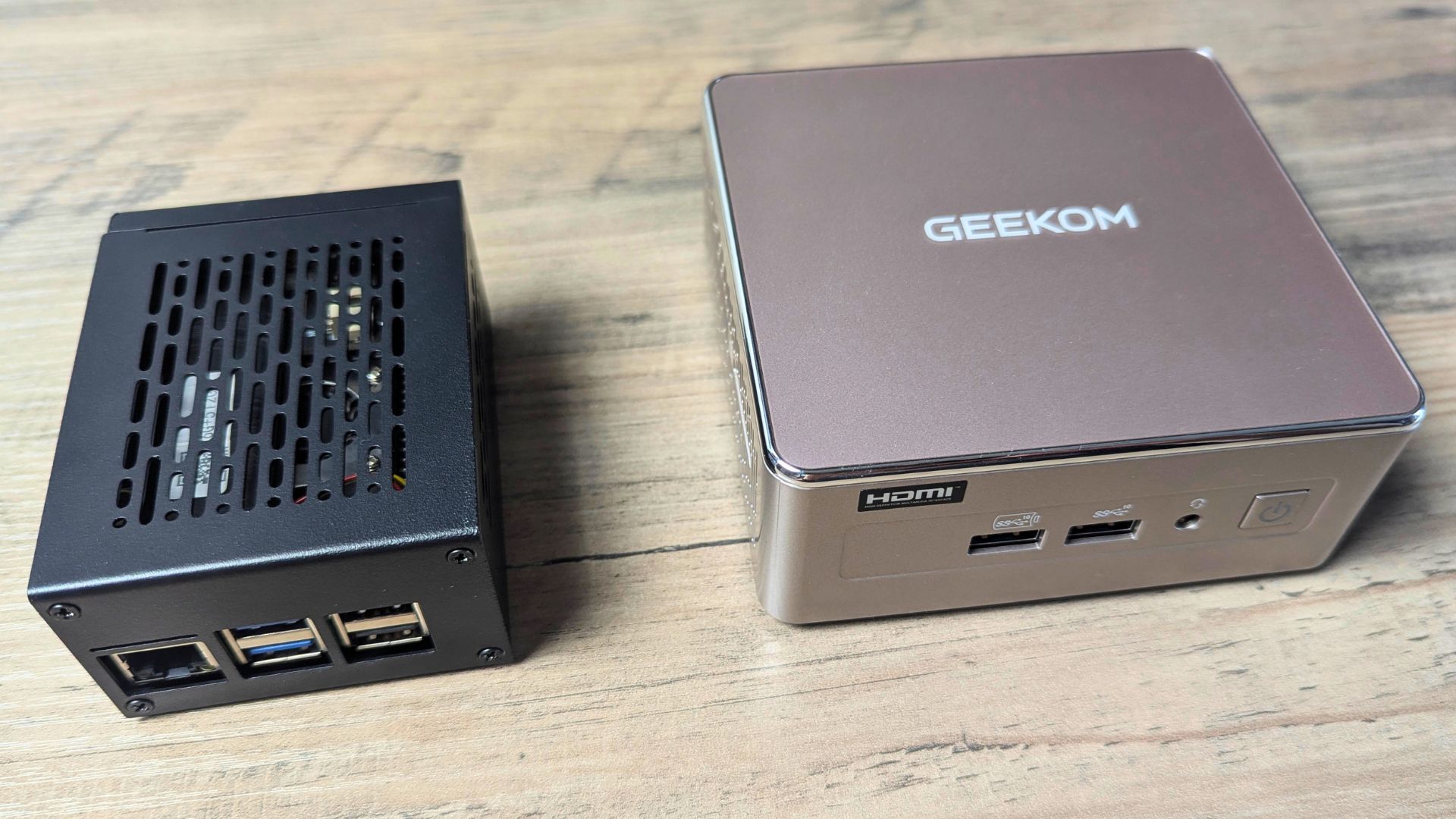
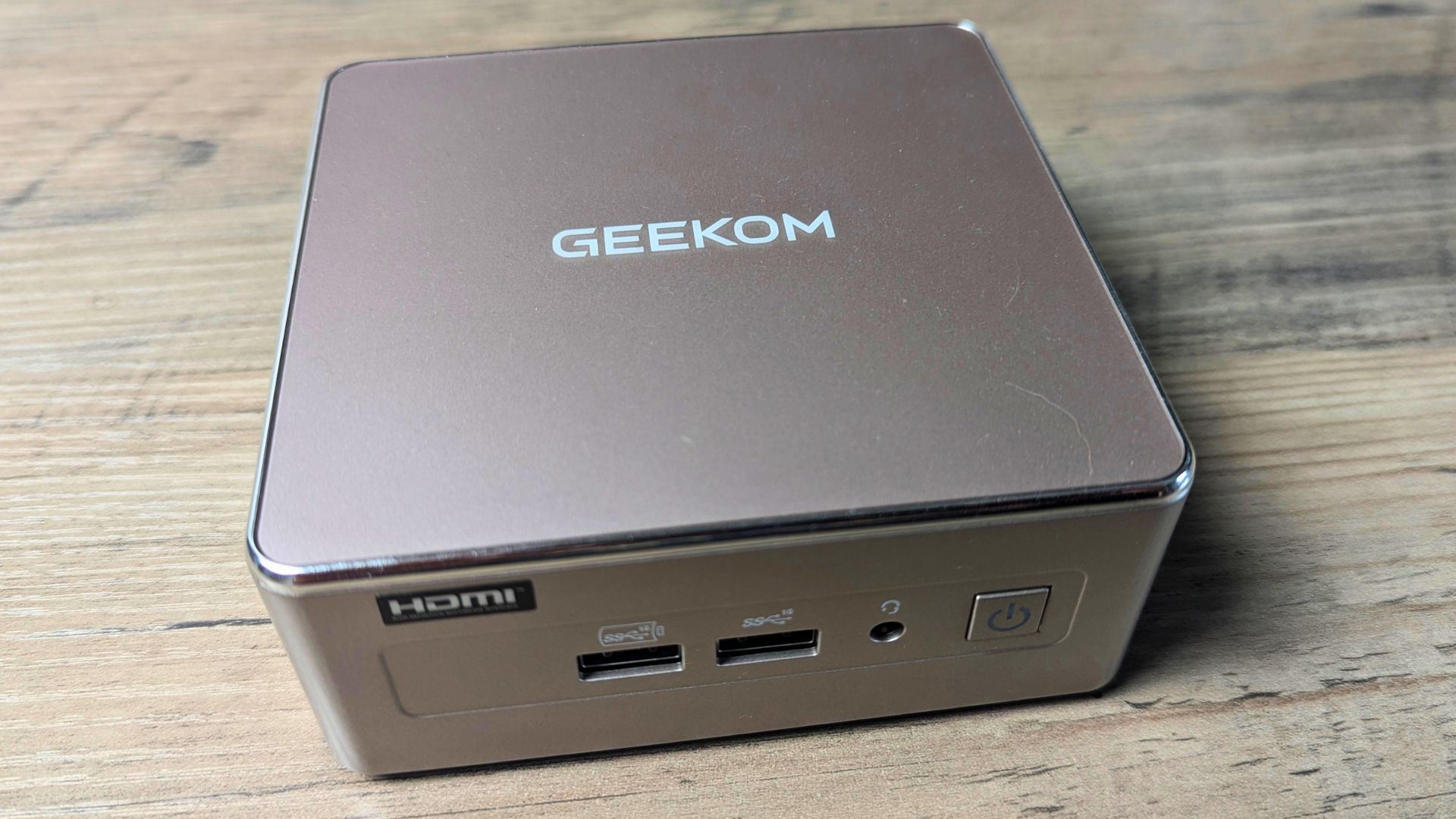
Despite being a conventional PC internally, the GEEKOM A5 2027 is remarkably small at just 117 × 112 × 49mm and weighs approximately 652g. Cooling is handled by GEEKOM’s IceBlast 3.0 system, which is designed to keep the processor under control inside the compact chassis. For a home lab, the physical size is particularly appealing. It takes up very little space compared with a traditional desktop PC while still providing the connectivity and expandability I would expect from a much larger system.
The front of the GEEKOM A5 2027 provides two USB 3.2 Gen 2 Type-A ports, with one supporting S5 power delivery, along with a 3.5mm audio jack and the power button. On the left side there is an SD Card 4.0 slot, which is useful for transferring files or working with removable storage.

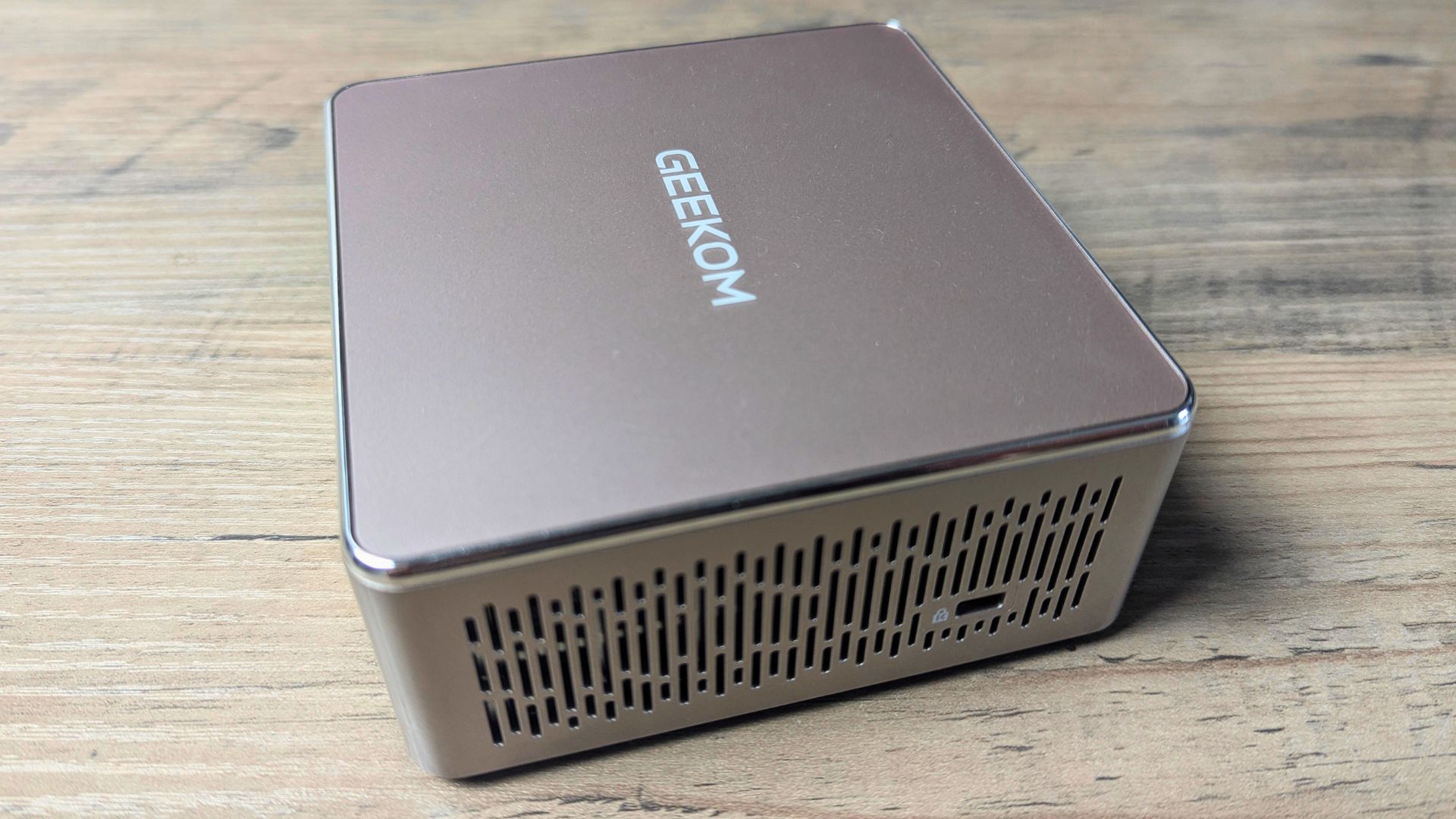
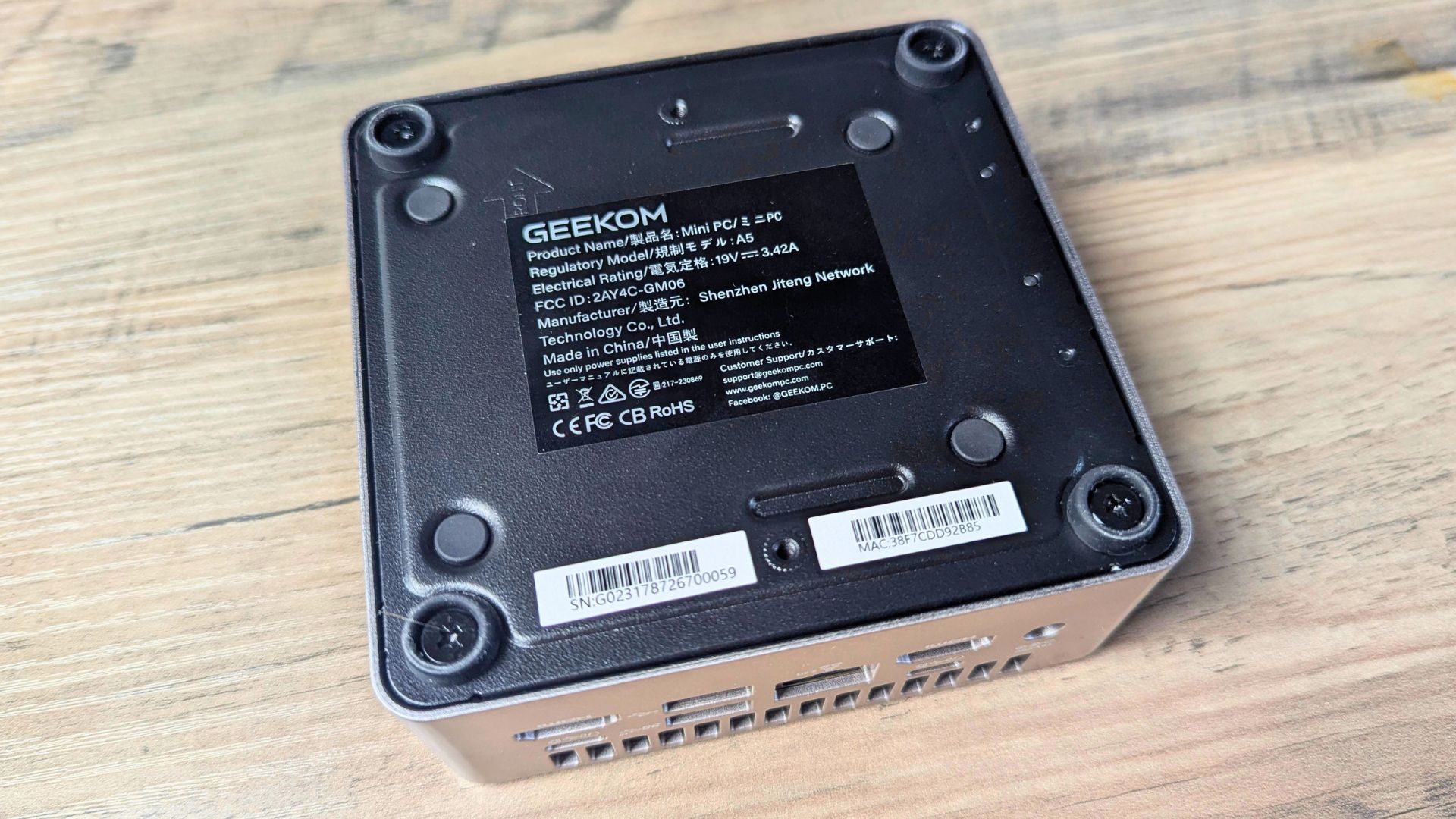
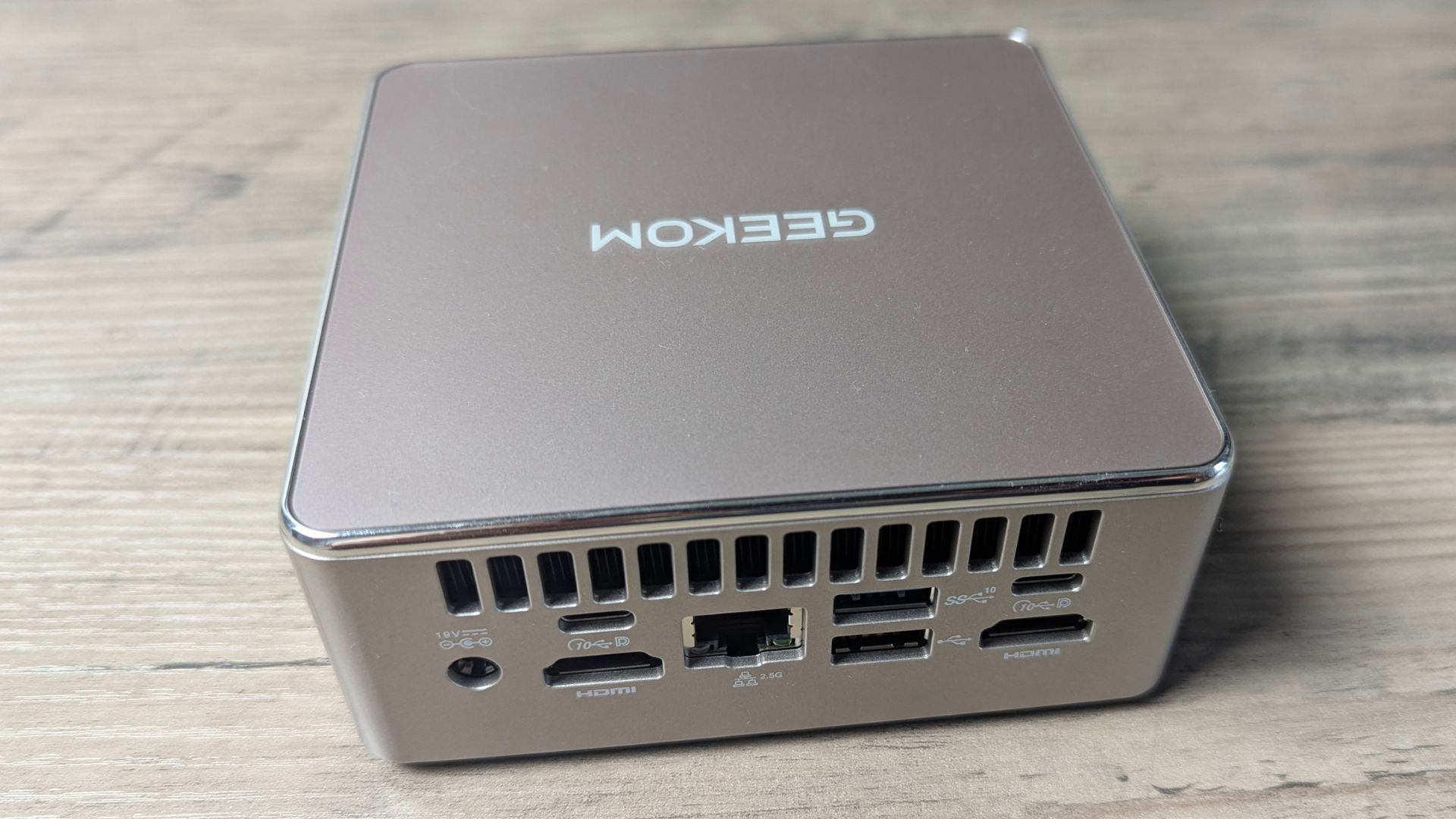
Around the back is where most of the connectivity is located. There is the DC power input, two USB 3.2 Gen 2 Type-C ports, another USB 3.2 Gen 2 Type-A port, a USB 2.0 Type-A port, 2.5Gbps Ethernet and two HDMI 2.0 outputs. That makes the GEEKOM A5 2027 a credible Docker home lab host for storage-heavy and networked services.
The 2.5Gbps Ethernet connection is particularly relevant to this review because the GEEKOM A5 2027 isn’t being used as an ordinary desktop PC. It is becoming the central server on my network, so fast wired networking is considerably more useful here than it would be on a typical office mini PC.
Wireless connectivity is also provided through Wi-Fi 6 and Bluetooth 5.4, while the HDMI and USB-C connectivity allows the A5 to support up to four 4K displays. The A5 also includes a VESA mount, so it can be attached behind a compatible monitor if required. For a home lab, that makes it possible to keep the computer almost completely out of sight while still having access to it locally when needed.
GEEKOM A5 2027 Technical Specifications for a Home Lab Server
At the heart of the GEEKOM A5 2027 is AMD’s Ryzen 7 7730U, an 8-core, 16-thread processor with a 2.0GHz base clock and boost speeds of up to 4.5GHz. It also has 16MB of cache and integrated AMD Radeon graphics. This gives the A5 considerably more processing capability to work with than the Raspberry Pi 5 I was replacing, particularly when several workloads are running simultaneously. This CPU headroom makes a self-hosted services stack more comfortable than it was on my previous single-board computer.
The review system supplied by GEEKOM came with 16GB of DDR4 SO-DIMM memory and a 512GB M.2 2280 NVMe SSD. The memory is upgradeable to 64GB using the two SO-DIMM slots, while storage is considerably more flexible than the single-drive setup of a typical mini PC. There is an M.2 2280 PCIe 3.0 ×4 slot supporting drives up to 4TB, an additional M.2 2242 SATA slot supporting up to 1TB, and a 2.5-inch 7mm SATA bay supporting drives up to 2TB. GEEKOM lists total possible storage of up to 7TB.
| Specification | GEEKOM A5 2027 |
|---|---|
| Processor | AMD Ryzen 7 7730U |
| CPU cores / threads | 8 / 16 |
| Base / boost clock | 2.0GHz / up to 4.5GHz |
| Cache | 16MB |
| Graphics | AMD Radeon Graphics |
| Review / maximum memory | 16GB DDR4 SO-DIMM / 64GB dual-channel DDR4 |
| Review storage | 512GB M.2 2280 NVMe SSD |
| M.2 2280 storage | PCIe 3.0 ×4, up to 4TB |
| M.2 2242 storage | SATA 3.0, up to 1TB |
| 2.5-inch storage | 7mm SATA, up to 2TB |
| Maximum total storage | Up to 7TB |
| Ethernet | 2.5Gbps |
| Wireless / Bluetooth | Wi-Fi 6 / 5.4 |
| HDMI / display support | 2 × HDMI 2.0 / up to four 4K displays |
| Cooling | IceBlast 3.0 |
| Dimensions / weight | 117 × 112 × 49mm / approximately 652g |
| Power adapter | 65W |
| Operating system | Windows 11 Pro |
| VESA mounting | Included |
Installing the GEEKOM A5 2027 Home Lab Setup
Moving from the Raspberry Pi 5 to the A5 wasn’t simply a case of moving the SD card or SSD across and switching it on. The Raspberry Pi uses an ARM-based architecture, while the Ryzen-powered GEEKOM A5 2027 is an x86-64 PC. That meant I was effectively rebuilding the server rather than performing a direct hardware migration. Anyone planning a similar mini PC home lab should treat this as a rebuild, not a plug-and-play operating-system transfer.
I used OpenMediaVault as the foundation for the new system. This gives me the operating system and management layer for the server while allowing Docker and Docker Compose to handle the applications running on top of it. In this configuration, the GEEKOM A5 2027 became an OpenMediaVault server with Docker and Docker Compose providing the application layer.
The 512GB NVMe SSD in the A5 became the system and application storage, while my larger storage was kept separate. I moved the active data and ROM collection onto an 18TB drive, while deliberately leaving two existing 6TB drives untouched. This also gave me the opportunity to rethink where data was stored rather than simply reproducing the old Raspberry Pi arrangement.
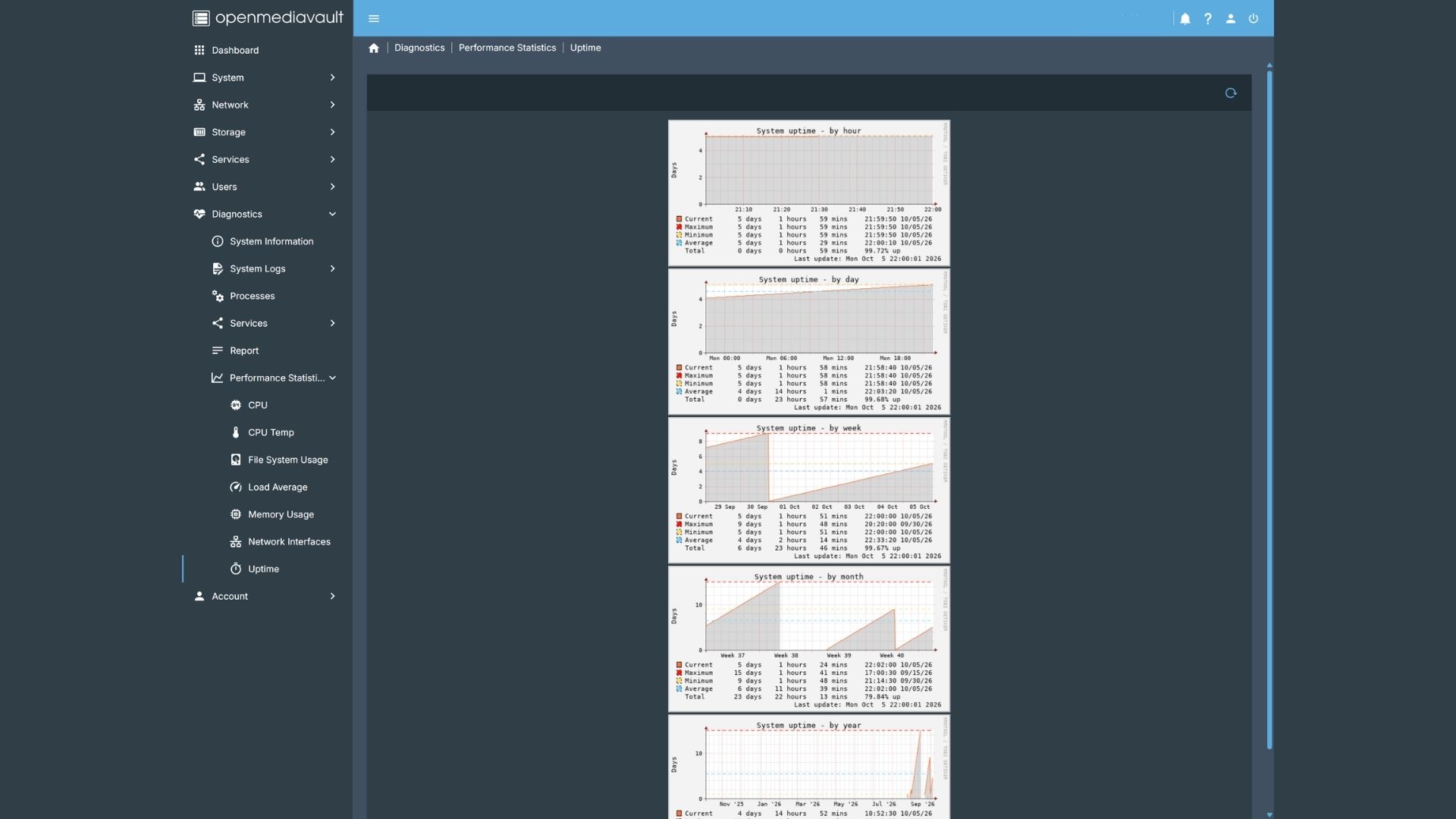
Once OpenMediaVault was running, I recreated the Docker environment using my existing Compose configuration. Rather than trying to copy the Raspberry Pi’s Docker installation itself, I recreated the containers on the new system and pointed them towards the appropriate data locations.
This was actually a useful part of the migration because it forced me to clean up some of the configuration and make sure I knew exactly where each service stored its data. Containers such as Jellyfin, RomM, Home Assistant and the various supporting services could then be brought back online individually.
There were also some architecture and networking considerations during the migration. Some containers that had originally been running on the ARM-based Raspberry Pi needed to use appropriate x86-64 images, while my qBittorrent setup continued to use Gluetun to route its traffic through my VPN connection.
Once the core services were running, I could reconnect the rest of the home lab. Home Assistant regained access to the Zigbee network, ESPHome devices could communicate with it again, and the various Docker containers could report their information back into Home Assistant.
The end result is much more like a conventional home server than my original Raspberry Pi setup, while still retaining the flexibility of Docker. Rather than having a separate machine for every job, the A5 provides a single compact platform on which I can run the majority of my home infrastructure. The GEEKOM A5 2027 therefore works as a general-purpose home server rather than a single-use appliance.
Benefits of Using a Mini PC as a Home Lab and Docker Host
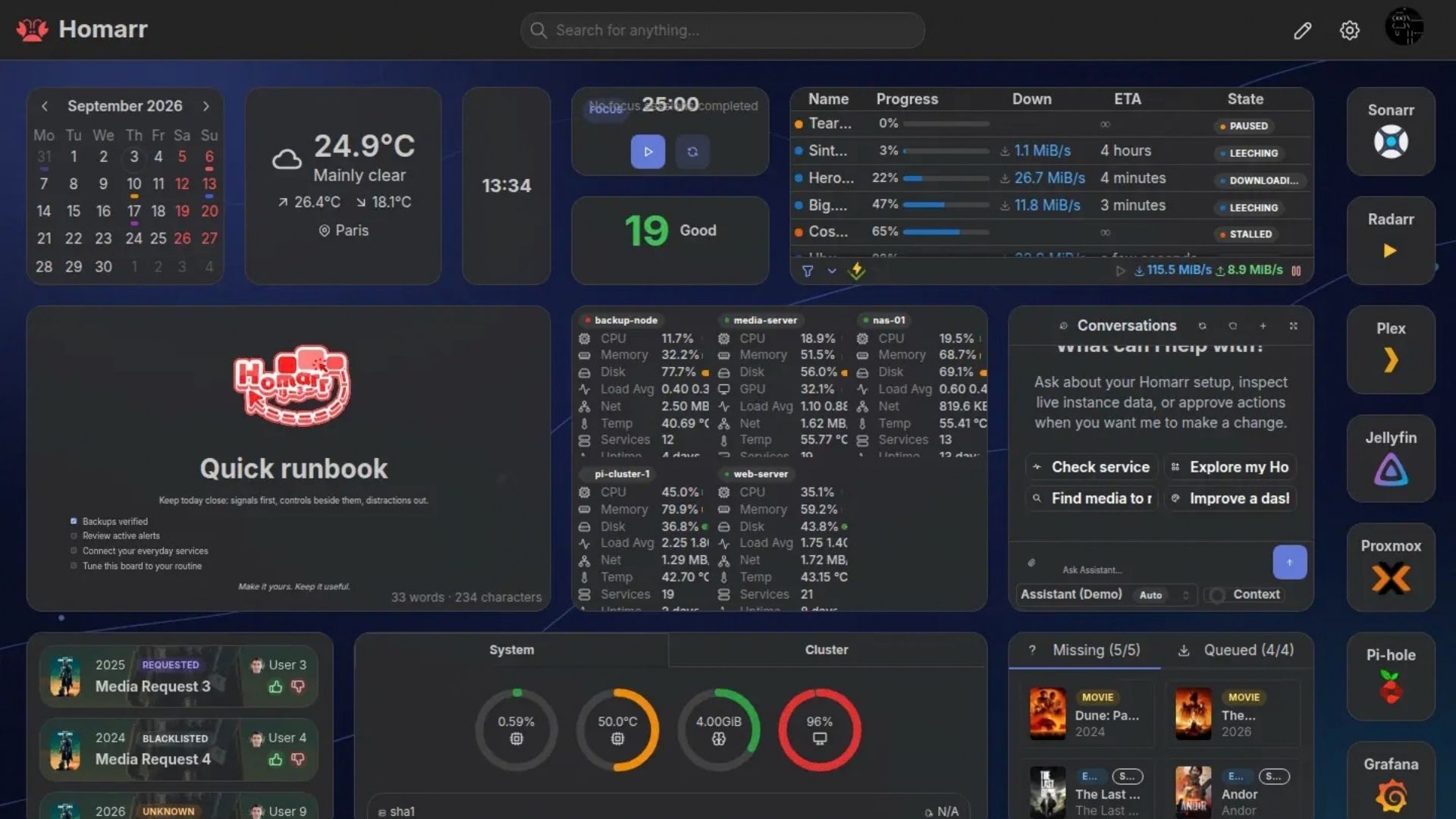
The biggest improvement over the Raspberry Pi 5 isn’t simply raw performance; it’s the additional headroom. My Raspberry Pi 5 had 8GB of RAM, whereas the A5 has 16GB in the review configuration and can be upgraded to 64GB. Combined with the Ryzen 7 7730U’s 8 cores and 16 threads, this gives me considerably more room to run multiple services at the same time. For a Docker home lab, that extra memory capacity is as important as the processor because several containers can be active at once.
The GEEKOM A5 2027 is also better suited to workloads such as compiling ESPHome firmware and running local AI alongside the rest of the server. Storage is more flexible too, with the 512GB M.2 2280 NVMe drive providing fast system storage and additional internal storage options available if I need them. This gives the GEEKOM A5 2027 a useful upgrade path for a growing self-hosted services stack.
The 2.5Gbps Ethernet connection is another useful upgrade for a server, particularly when moving large media files or accessing services across the network. For this home lab, 2.5Gbps Ethernet is more useful than wireless networking for large transfers and always-on services.
Most importantly, all of this comes in a machine measuring just 117 × 112 × 49mm. Instead of building a large dedicated server, I have a small, relatively low-power PC that can sit quietly in the home and provide the foundation for a surprisingly large number of services. The individual services are where the GEEKOM A5 2027 really starts to demonstrate what that additional headroom can be used for.
Popular right now
What people are buying this month
Prices as listed on each store


GPD WIN 5 (AI Max HX 385 – 32GB_RAM/1TB_NVME) (Raven Black)



 on 15 stores

MANGMI Pocket Max (Snapdragon 865 – 8GB_RAM/128GB_STORAGE) (Retro GB)
 on 14 stores

Some of the Docker Containers Running on My GEEKOM A5 2027 Home Lab
One of the biggest advantages of using Docker is that I don’t have to treat the GEEKOM A5 2027 as a machine for one specific purpose. It can run a collection of completely different applications at the same time, each isolated in its own container. These are some of the services that have become particularly useful in my setup.
Home Assistant
Home Assistant is effectively the brains of my smart home and, increasingly, the central hub for information coming from the wider home lab. The GEEKOM A5 2027 is connected directly to my home network over Ethernet, but it also has a USB Zigbee adapter plugged directly into one of its USB ports. This gives Home Assistant a direct Zigbee connection and allows it to communicate with more than 30 Zigbee devices distributed around the home.
These include smart lights, power switches, temperature sensors, water leak sensors and various other smart-home devices. Having the Zigbee adapter connected directly to the home lab means Home Assistant can manage these devices without relying on a separate Zigbee hub. With the ESPHome devices connected as well, Home Assistant brings together several different types of smart-home technology in one place. The ESPHome devices provide microphones and speakers for voice interaction, while the Zigbee network handles many of the sensors, switches and lights around the house.
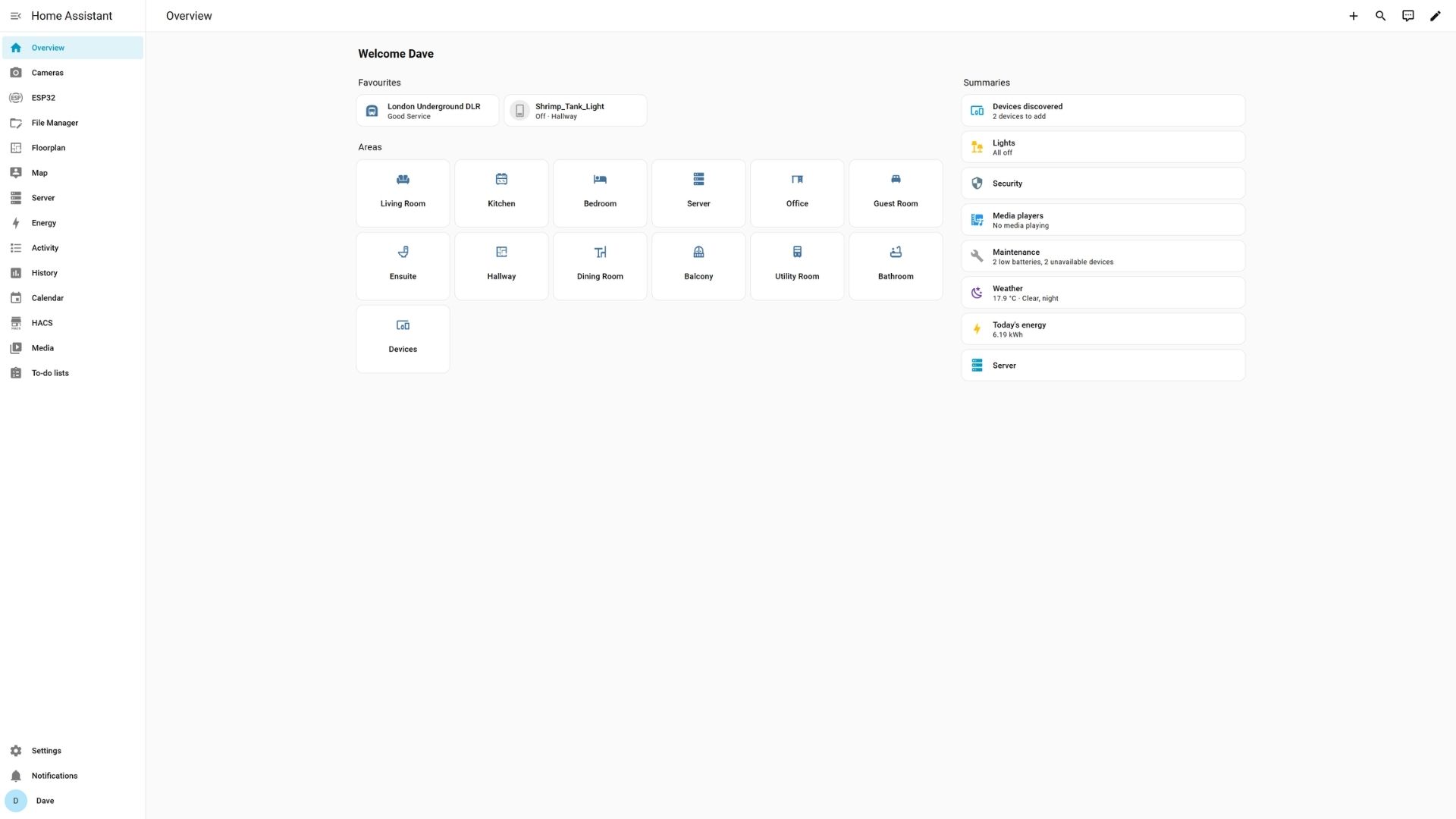
Home Assistant also isn’t isolated from the other Docker services running on the GEEKOM A5 2027. Several of the containers report information back to Home Assistant. Frigate can provide camera and detection information, qBittorrent can report download activity and status, and Watchtower can provide information about Docker container updates.
This turns Home Assistant into something more than a smart-home controller. It becomes a central dashboard and notification system for the wider home lab, taking information from both the physical devices around my home and the software running on the server. For example, a water leak detected by a Zigbee sensor can trigger a notification on my phone or an alert through one of the ESPHome devices. Information from Docker services can also be displayed through Home Assistant dashboards or used as part of automations.
I can use voice commands to perform everyday tasks such as switching lights on and off, checking door and window status, checking temperatures, controlling power switches and monitoring water leaks. This is one of the areas where having the GEEKOM A5 2027 as the central home lab really makes sense. Home Assistant isn’t running on a machine dedicated solely to smart-home duties; it is sharing the same server with my media, ROM management, ESPHome, networking and AI services.
ESPHome
ESPHome is another important part of my setup. I use it to develop and manage firmware for a number of ESP-based projects, including my various ‘Bob’ devices. Why are they called bob? It’s funny saying “Hi Bob”, a nod to For All Mankind. Some of these devices have microphones and speakers, effectively turning them into voice-enabled interfaces for Home Assistant. They can listen for commands, interact with Home Assistant and provide spoken responses or notifications.
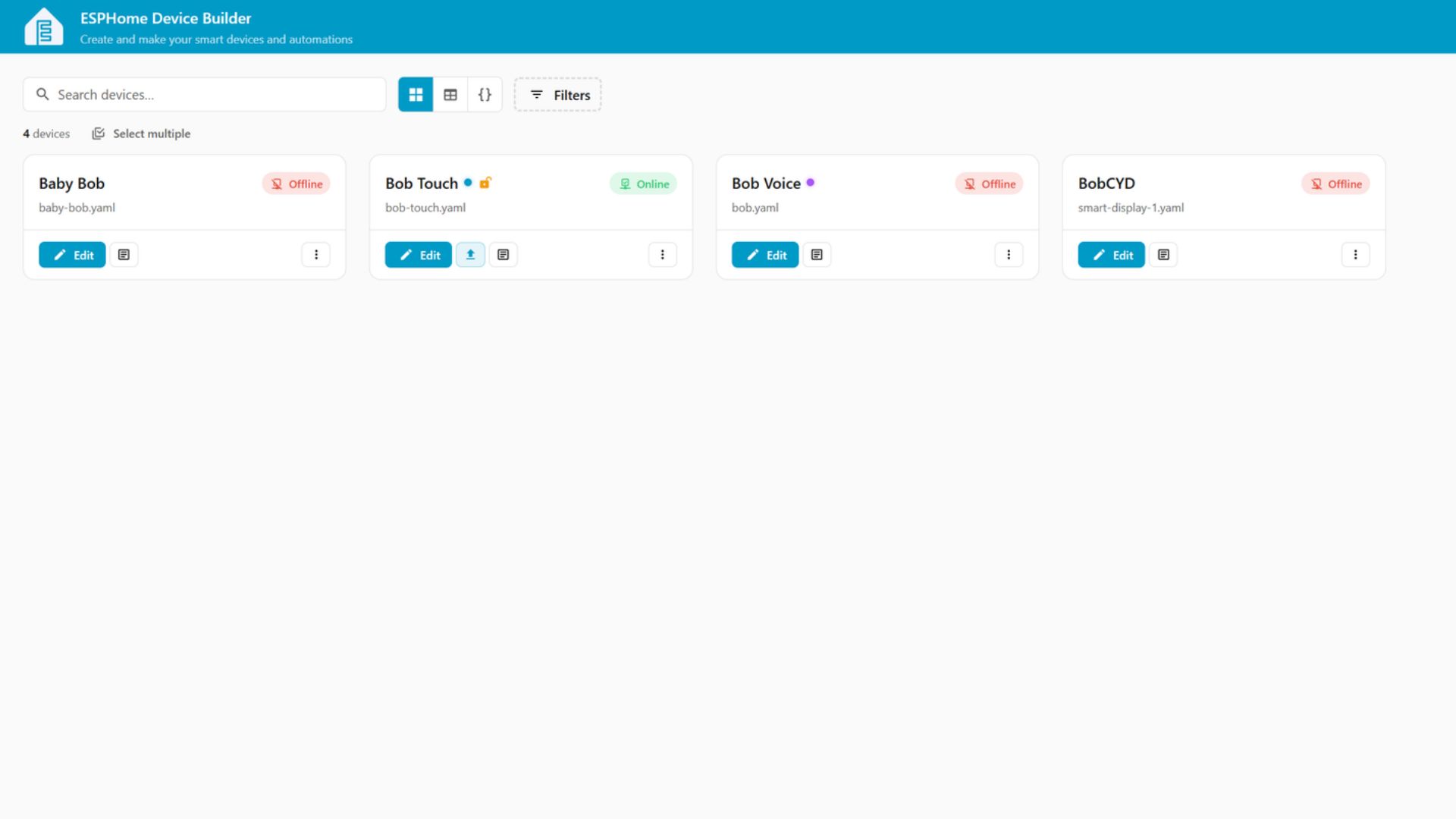
The GEEKOM A5 2027 also handles the ESPHome compilation workload. This is an area where moving away from the Raspberry Pi is particularly useful, because compiling firmware is exactly the kind of task where having a faster multi-core processor makes the server more comfortable to use while other services continue running.
The resulting ESPHome devices then become another layer of the home lab, providing physical interfaces around the house rather than simply being software running on the server.
Ollama and Open WebUI
The GEEKOM A5 2027 also runs Ollama and Open WebUI, although I’m using local AI in a slightly different way from someone building a dedicated AI server. My main reason for running a local LLM is to enhance the voice functionality of my Home Assistant setup. The ESPHome devices provide microphones and speakers, Home Assistant handles the smart-home side, and the local AI provides the language-processing component that makes it possible to interact with the system more naturally. In this role, the GEEKOM A5 2027 is a local AI server as well as a Docker host, but the model size is deliberately matched to the available resources.
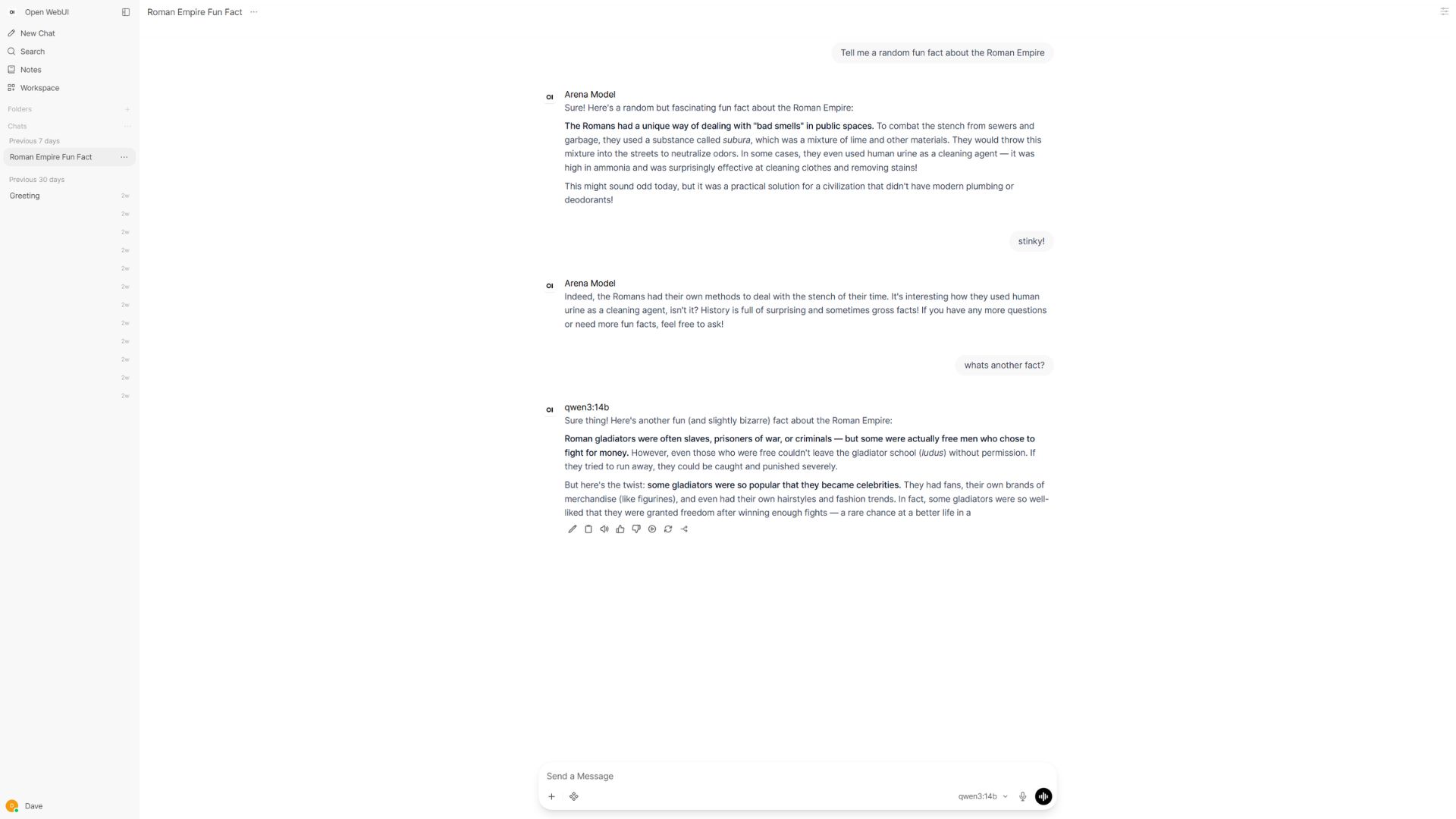
The model I’m using is deliberately fairly lightweight. I don’t need a huge model to perform complicated research or write code for this particular application. Most of the tasks involve things such as turning lights on or off, checking the state of devices, asking for temperatures or querying information available through Home Assistant. Keeping the model relatively small also means it doesn’t consume an excessive amount of the system’s memory, leaving plenty available for the other Docker containers.
That doesn’t mean Ollama and Open WebUI are limited to Home Assistant, though. They can also be accessed from other devices on my network for general AI use. The upgrade path is particularly interesting here. The GEEKOM A5 2027 can take up to 64GB of RAM, so if I decide that I want to run substantially larger models in the future, I have the option of upgrading the hardware rather than replacing the entire home lab.
RomM
RomM has become one of the most useful services on my home lab because it solves a problem I regularly encounter when testing handheld gaming devices. I have a sizeable ROM collection, and keeping it organised and available across different handhelds can otherwise involve a lot of manual copying and file management. That makes the GEEKOM A5 2027 more adaptable than a fixed-memory mini PC if my local AI requirements increase.
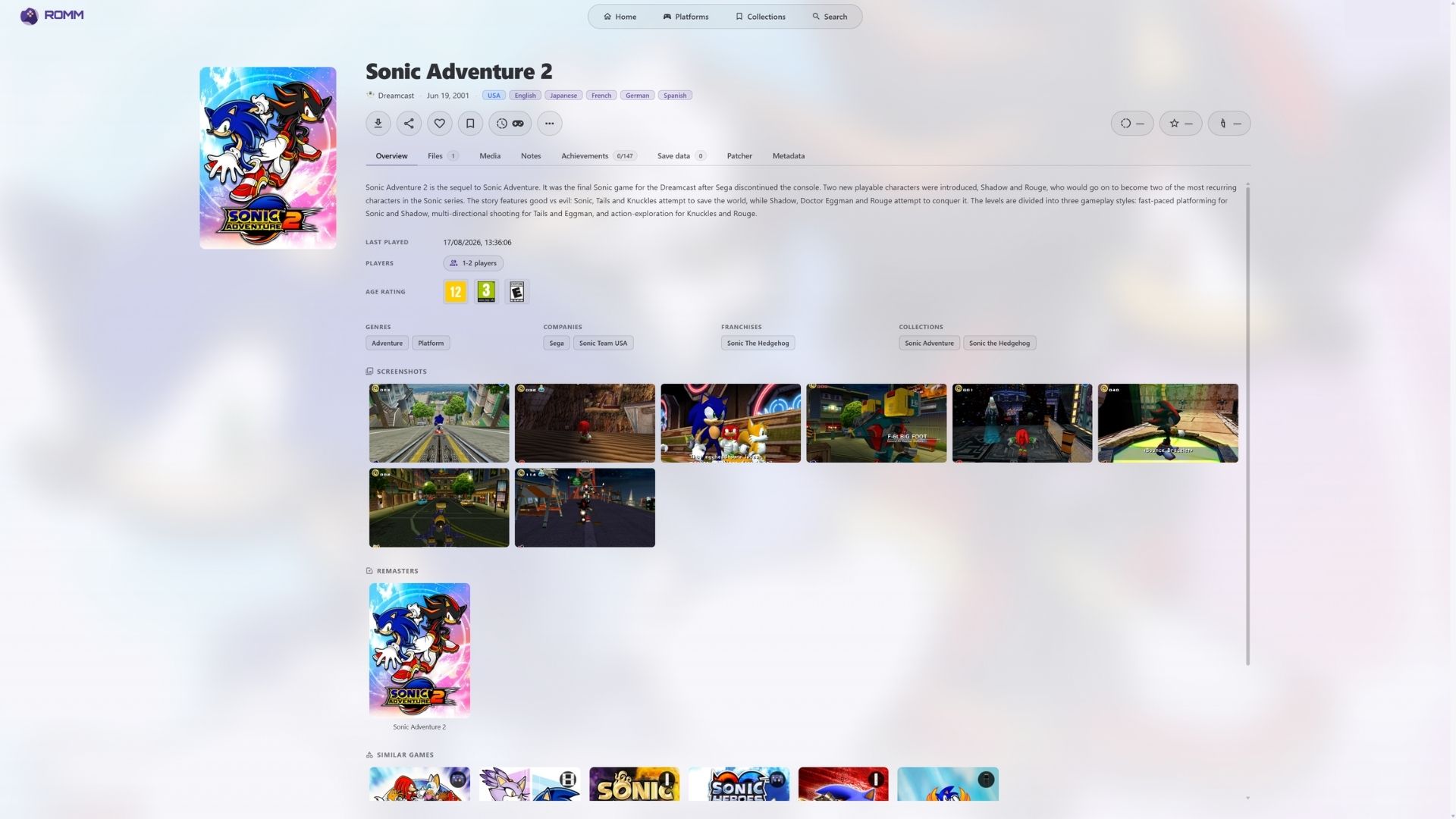
My regular handhelds include the MANGMI Pocket MAX and MANGMI Air X, but when I receive another handheld for review, RomM makes setting it up considerably easier. Instead of manually searching through my collection and copying files to each device, I can synchronise the new handheld with my RomM frontend. The collection is then available to browse, allowing me to select and download the games I want to test.
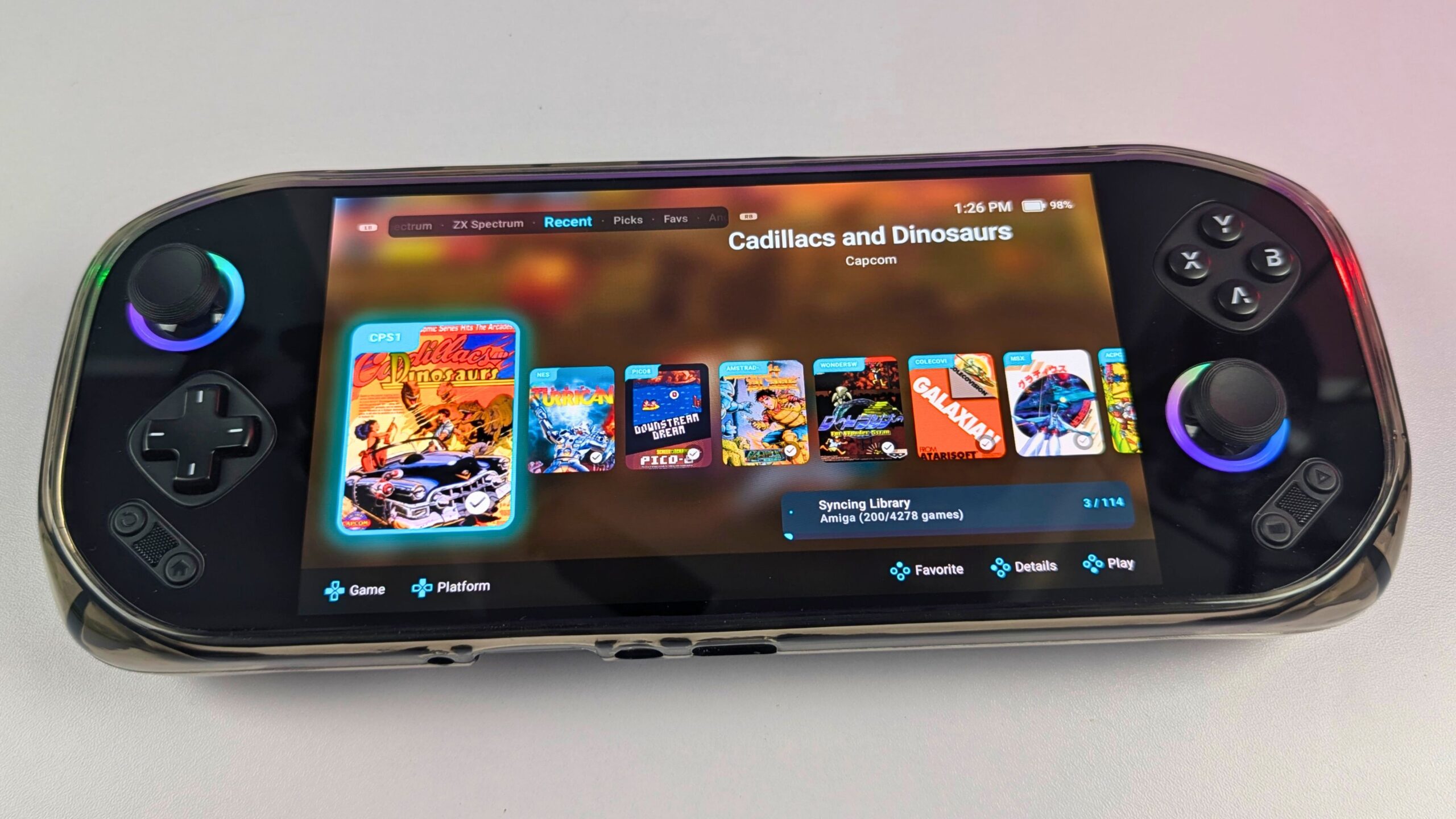
RomM also supports save synchronisation, which is particularly useful when moving between devices. I don’t have to keep manually copying save files whenever I switch hardware. For someone who regularly reviews handheld gaming devices, having the ROM collection managed centrally makes the whole process much more convenient.
Jellyfin
Jellyfin provides the media-server side of my home lab, giving me a local alternative to commercial streaming services. I use it to manage my movies, TV shows and music, with everyone in the house having their own Jellyfin account. This means each person gets their own watch history, watchlist and playback position, so I can pick up a film or TV show exactly where I left off. It is one reason the GEEKOM A5 2027 can replace several separate always-on machines in my setup.

Jellyfin automatically handles much of the library organisation, including metadata and artwork, while also supporting subtitles, individual profiles and playback across different devices. The result feels much like having my own private streaming service, except that the server and media library are under my control.
The GEEKOM A5 2027 is also a good fit for this workload because of its combination of fast NVMe storage, expandable storage and 2.5Gbps networking. The server can handle media management while also running the other services on the home lab.
Other Docker Services
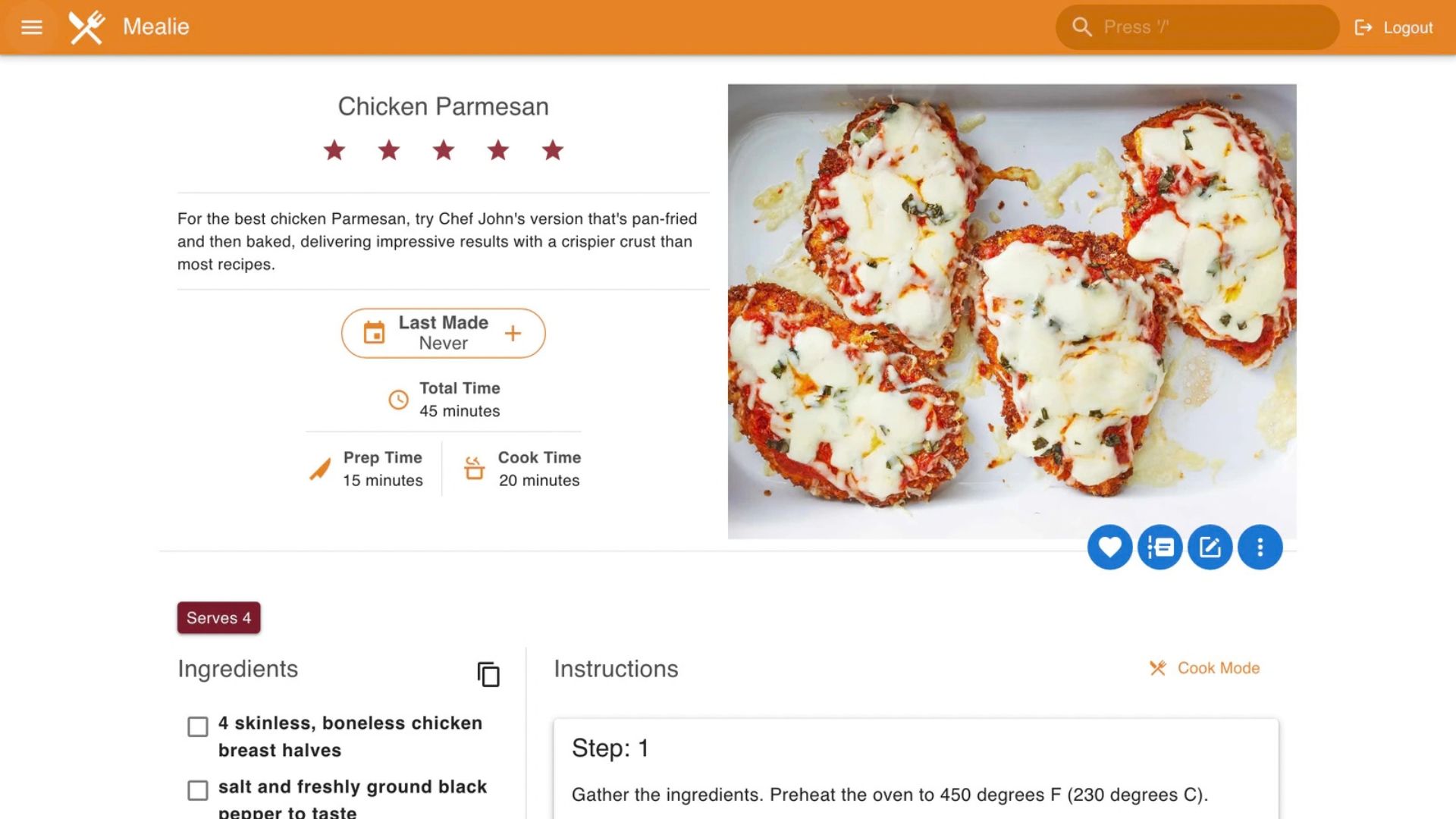
Those are the services I use most heavily, but they are only part of the Docker environment running on the GEEKOM A5 2027. Immich provides photo management and backup, giving me a central place for my photographs. Mealie handles recipes and meal planning, while AdGuard Home provides network-level ad and tracker blocking.
Watchtower helps keep the Docker environment maintained by checking for updated container images, while other supporting containers provide databases, caching, monitoring and the infrastructure required by the main applications.
This is really the key benefit of Docker for my setup. None of these applications needs its own physical computer. They can all coexist on the same small A5, with OpenMediaVault providing the underlying server environment.
Final Thoughts
Moving my home lab from a Raspberry Pi 5 to the GEEKOM A5 2027 has turned what started as a small single-board computer project into a much more capable home server. The Raspberry Pi 5 did an impressive job and was more than capable of getting me started, but my requirements had gradually grown. Once I was running Home Assistant, ESPHome, Jellyfin, RomM, local AI and numerous other Docker services, having more CPU and memory headroom became increasingly useful. As a mini PC home lab upgrade, it has provided a more flexible base for the services I actually use.
The GEEKOM A5 2027 provides that headroom without turning the home lab into a large, noisy server. The Ryzen 7 7730U gives me 8 cores and 16 threads, the review system has 16GB of RAM with the option to upgrade to 64GB, and the 512GB NVMe SSD provides a fast base for the operating system and applications. There are also plenty of options for expanding storage later.
The move to x86-64 did mean rebuilding the Docker environment rather than simply transferring the Raspberry Pi installation, but that also gave me an opportunity to reorganise the server and clean up the way storage and containers were configured.
What I particularly like about the GEEKOM A5 2027 in this role is that it isn’t tied to one particular job. It can be my Home Assistant server, Docker host, media server, ROM management system, ESPHome development machine and local AI platform all at the same time.
And that is ultimately what I wanted from this upgrade. Rather than replacing one Raspberry Pi with another device that would eventually become constrained as I added more services, the GEEKOM A5 2027 gives me a much more flexible foundation that I can continue expanding.
For my home lab, the GEEKOM A5 2027 has effectively become the central computer connecting the physical smart home, my media and gaming collections, local AI and the many other services I use every day. For anyone asking whether the GEEKOM A5 2027 is suitable for a home lab, my experience is that it is a strong fit for a compact Docker-based setup when storage and memory are planned sensibly.
Verdict: should you use the GEEKOM A5 2027 as a home lab?
Buy/use it for: a compact Docker home lab, an OpenMediaVault server, Home Assistant, Jellyfin, ROM management, ESPHome compilation and lightweight local AI. The combination of 8 cores, 16 threads, upgradeable DDR4 memory, NVMe plus additional storage bays and 2.5Gbps Ethernet gives it useful room for several services.
Plan around: the 16GB starting configuration if you expect many containers or larger local AI models. Storage should also be separated sensibly: I used the NVMe drive for the system and applications and kept larger data on an 18TB drive.
My conclusion: the GEEKOM A5 2027 has become a capable central computer for my home lab without the physical size and noise of a traditional server. It is a practical step up from the Raspberry Pi 5 for my workload, provided you understand that moving from ARM to x86-64 involves rebuilding the software environment.
Where to buy the GEEKOM A5 2027?
You can learn more about and buy the GEEKOM A5 2027 from the below stores. Use the Discount Code: DRA527FF for 13% off on all GEEKOM stores, and 10% off on all Amazon stores. The code expires December 31st 2026.
GEEKOM: US | UK | FR | DE | IT
AMAZON: US | UK | FR | DE | IT
Frequently asked questions
Is the GEEKOM A5 2027 good for a home lab?
Yes. In my experience, it is well suited to a compact home lab running OpenMediaVault, Docker, Home Assistant, Jellyfin and other self-hosted services. Its upgradeable memory, internal storage options and 2.5Gbps Ethernet are particularly useful.
Can the GEEKOM A5 2027 replace a Raspberry Pi 5 home server?
It can replace many workloads, but the ARM installation must be rebuilt for theGEEKOM A5 2027 x86-64 platform. Containers and operating-system services may need compatible images.
How much RAM does the GEEKOM A5 2027 support?
It supports up to 64GB of dual-channel DDR4 memory across two SO-DIMM slots. The review configuration used 16GB.
What can you run on a GEEKOM A5 2027 home lab?
This setup runs Home Assistant, ESPHome, Ollama, Open WebUI, RomM, Jellyfin, Immich, Mealie, AdGuard Home, Watchtower and qBittorrent with Gluetun. The practical limit depends on memory, storage and workload.
Does the GEEKOM A5 2027 support multiple storage drives?
Yes. It supports an M.2 2280 PCIe 3.0 ×4 drive, an M.2 2242 SATA drive and a 2.5-inch SATA drive, with up to 7TB listed total capacity.


Bringer of videos, text and images! AKA the social media guy at DROIX. Massive retro gaming fan and collector, with a far too large collection of consoles and computers from 1970's to modern. Contact me at [email protected]
Questions & comments
0
Every question gets an answer. Ask before you buy — DaveC and the team reply within one working day, and answers stay public so they help the next reader too.


