In this article
V. Legal and Ethical Considerations: Playing by the Rules
The world of emulation exists in a complex legal and ethical landscape. While the technology itself is fascinating and offers incredible access to gaming history, it’s crucial to understand the rules surrounding copyrighted content. This section aims to provide clarity and promote responsible emulation practices, a vital component of any credible ultimate Android handheld emulation guide.
Read Page 1 for Introduction and Choosing your Android handheld
Read Page 2 for Downloading, Installing and Setting up Emulators
Read Page 4 for a round up of everything we have covered in this guide
Copyright Law is Paramount
Video games, just like films, music, and books, are creative works protected by copyright law. This protection covers the game’s code, artwork, sound effects, music, and even the console’s firmware (BIOS). These rights belong to the developers and publishers who created and distributed the games.
Understanding ROMs, ISOs, and Emulators
ROMs (Read-Only Memory)
These are digital files containing the data copied from game cartridges like those used by NES, SNES, Mega Drive/Genesis, Game Boy and as modern as the Switch.
ISOs
These are digital files containing the data copied from optical discs like those used by PS1, Dreamcast, GameCube and PS2.
Other formats
Many other formats exist such as cassette tapes transferred digitally to a file like those used by the Amstrad CPC, C64 and Spectrum. And the same for disk images used by Famicom Disk System, Commodore Amiga and Atari ST.
BIOS
Many consoles and computers have a BIOS which controls how the device works. Some emulators require a copy of the original copyrighted BIOS, while some are emulated within the emulator itself.
Emulators
These are programs designed to simulate the hardware of a specific console or computer, allowing software (the ROMs/ISOs) designed for that original hardware to run on a different platform like your Android handheld.
The Legality Question
Emulators
Generally, emulators themselves are considered legal software. They are typically original creations developed through reverse engineering and do not contain copyrighted code from the original hardware manufacturers. Legal precedents, such as Sony Computer Entertainment, Inc. v. Connectix Corp., have supported the legality of emulators developed through clean-room reverse engineering for the purpose of interoperability. Even Microsoft, Nintendo and Sony uses different methods of emulation to run their back catalogue of games on newer consoles.
ROMs/ISOs
This is where the primary legal issue lies. Downloading ROMs or ISOs from the internet for games you do not physically own is copyright infringement and illegal in most jurisdictions. These files are unauthorized copies of copyrighted works. Websites distributing vast libraries of ROMs are facilitating copyright infringement. Reputable emulation communities and guides explicitly condemn ROM piracy and will not provide links to such sites.
BIOS Files
As mentioned previously, BIOS files are copyrighted firmware from the original console manufacturers. Downloading BIOS files from the internet carries the same legal risks as downloading ROMs. The only clearly legitimate method to obtain them is by extracting (dumping) them from your own physical console hardware. Methods like extracting PS2 BIOS from specific PS3 firmware are legal workarounds if you own the necessary PS3 hardware.
The “Personal Backup” Gray Area
A common argument revolves around “fair use” or specific backup allowances in copyright law. Some argue that making a digital copy (ROM/ISO) of a game you legally purchased and physically own, solely for personal use as a backup or for playing on different hardware via emulation, might be permissible. However, this is a complex and legally ambiguous area that varies significantly by country and has not been definitively tested in court for all scenarios. Crucially, even if making a personal backup is deemed legal in your region, this right does not extend to downloading copies made by others, nor does it permit sharing your backups with anyone else.
Ethical Emulation Practices
Beyond the strict letter of the law, consider the ethical implications:
- Support Creators: Whenever possible, support the original game creators and rights holders by purchasing official rereleases of classic games. Many titles are available digitally on modern platforms (like Steam, GOG, Nintendo Store) or via official classic compilations and mini-consoles.
- Preservation and Access: Emulation plays a vital role in preserving gaming history, making titles playable long after the original hardware has degraded or become inaccessible for many. It allows access to games that are no longer commercially available. Framing emulation within this context, especially when using legally obtained copies of games you own, aligns with ethical considerations.
Disclaimer
This information is provided for educational purposes only and does not constitute legal advice. Users are solely responsible for understanding and complying with the copyright laws applicable in their specific country or region before downloading or using any emulators, ROMs, ISOs, or BIOS files. Always strive to use legally obtained software and game files. The careful stance taken by reputable resources reflects a broader community effort towards legitimizing emulation by promoting responsible, legally defensible practices. This responsible approach is essential for the long-term health and acceptance of the emulation scene.
VI. Expanding Your Emulation Experience
Once you’ve mastered the basics of choosing a handheld, installing emulators, and optimizing settings, a whole new layer of customization and features awaits. These advanced options can significantly enhance your retro gaming setup, transforming it from functional to truly exceptional.
Mastering Frontends for Organization and Flair
As mentioned in Section III, frontends like ES-DE, Daijisho, and Beacon are invaluable organizational tools. But their utility goes beyond simple launching:
- Media Scraping: Most frontends include a “scraper” function. This tool connects to online databases (like ScreenScraper or TheGamesDB) to automatically download metadata and media for your games. This includes box art (2D and 3D), screenshots, video previews or marquees, game descriptions, release dates, genres, ratings, and more. Populating your library with this media transforms a simple list of filenames into a rich, visually engaging browsing experience reminiscent of modern digital storefronts.
- Theme Customization: Many frontends, particularly ES-DE, support extensive theming. Users can download and apply different themes created by the community, completely changing the look and feel of the interface – perhaps mimicking the menu system of a classic console or adopting a sleek, modern aesthetic. This allows for deep personalization of the user experience.
Leveraging Essential Emulator Features
Modern emulators offer powerful features that go far beyond simply running the game, often providing quality-of-life improvements unavailable on the original hardware:
Save States
Unlike the limited in-game save systems of many retro titles (or the complete lack thereof in older arcade games), save states allow you to instantly save the exact current state of the game at any point. You can then load that state later to resume precisely where you left off. This is incredibly convenient for difficult passages, playing in short bursts, or avoiding lengthy unskippable cutscenes.
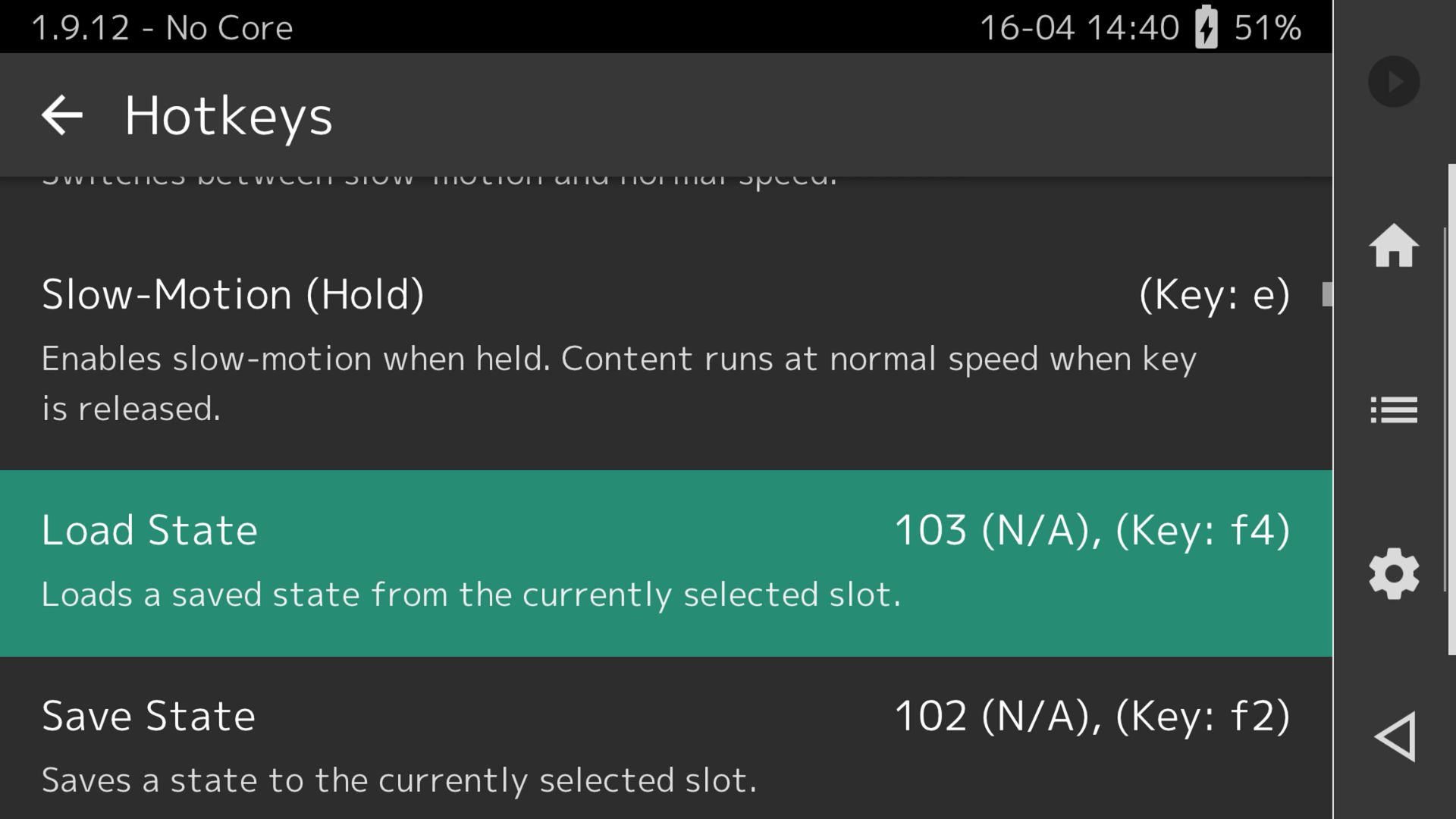
Most emulators provide multiple save state slots per game. Access methods vary, often involving hotkey combinations or on-screen menus triggered by gestures (like Mupen64Plus FZ’s swipe menu) or button presses. Note that occasional compatibility issues can arise, such as potential crashes noted with auto-save states in RetroArch’s Saturn core. Dolphin also requires enabling save states in its settings.
Rewind
A feature popularized by RetroArch (and available in some standalone emulators), rewind allows you to literally rewind gameplay by several seconds or more, typically by holding down a hotkey. Made a fatal mistake in a platformer? Missed a crucial item? Rewind lets you instantly undo the error without reloading a save state.
Fast Forward
Useful for speeding through slow or repetitive sections of games, such as grinding in RPGs, lengthy dialogue sequences, or loading screens. Usually toggled via a hotkey.
Cheats
Many emulators have built-in support for cheat code systems (like Game Genie, Action Replay, or native cheat databases). While using cheats can alter the intended game experience, they can be fun for experimentation or overcoming particularly frustrating challenges.
Netplay
This feature allows you to play multiplayer retro games online with friends, even if the original game only supported local multiplayer. Emulators like Mupen64Plus FZ Pro and RetroArch have robust netplay capabilities, synchronizing the game state between players over the internet. Setup can sometimes be complex, requiring players to use the exact same emulator version and game ROM.
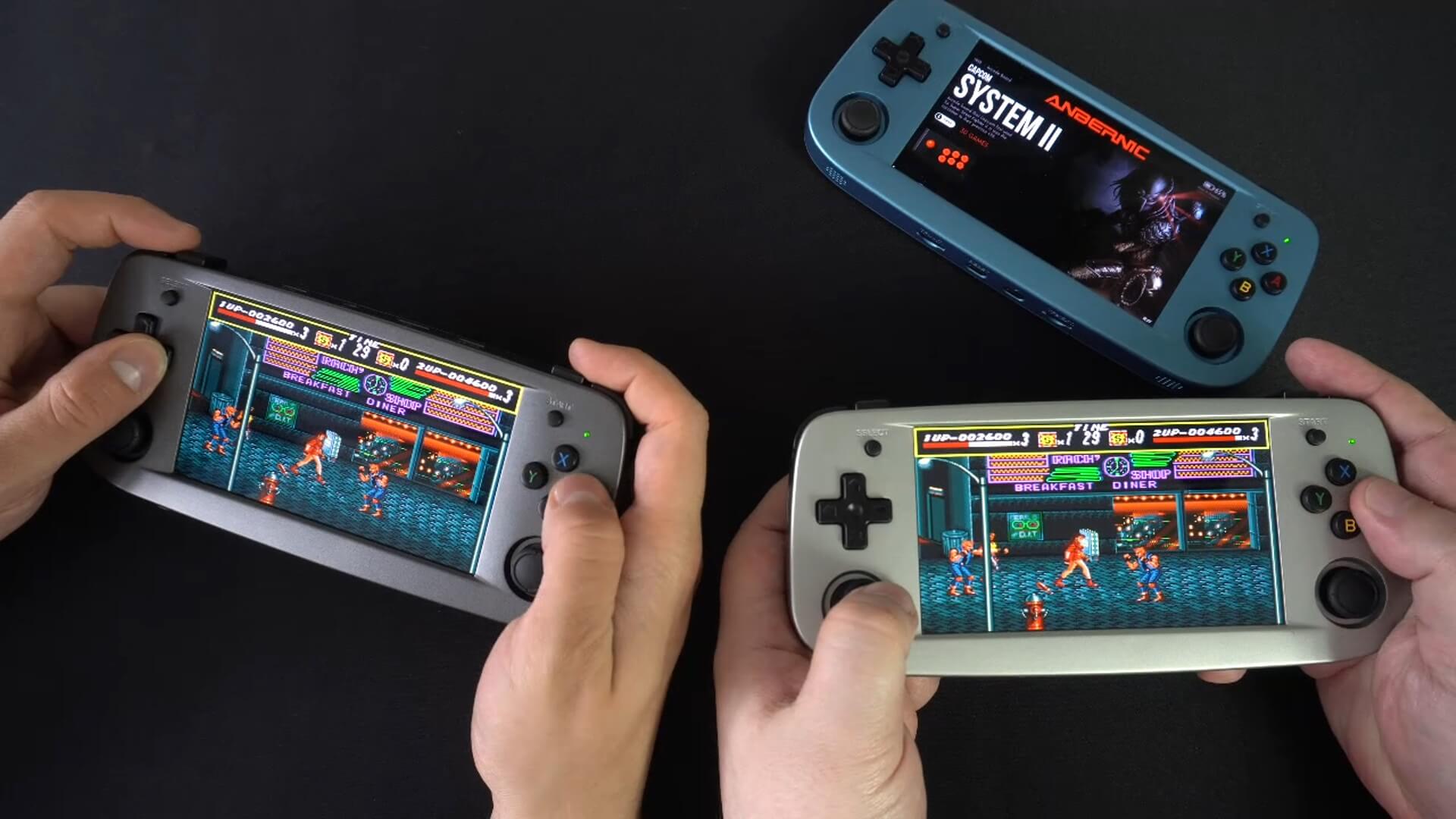
The availability of these features demonstrates that emulation is often not just about perfectly replicating the past, but also about enhancing it with modern conveniences, broadening its appeal to both purists and contemporary gamers.
Keeping Things Organized and Synced
ROM Management
As your library grows, maintaining organization is key. Adopting a consistent folder structure (e.g., creating separate folders for each console within a main ‘ROMs’ directory) makes it easier for both you and your frontend to manage your games. Tools exist for verifying and renaming ROM sets (especially important for MAME/Arcade).
Save Game Syncing
Many enthusiasts play emulated games across multiple devices – perhaps an Android handheld on the go, a mini PC at home, or even an Android Gadget TV box. Keeping save files and save states synchronized between these devices is highly desirable. Tools like Syncthing-Fork (an open-source peer-to-peer syncing tool) can be configured to automatically sync specific save folders between devices over your local network or the internet.
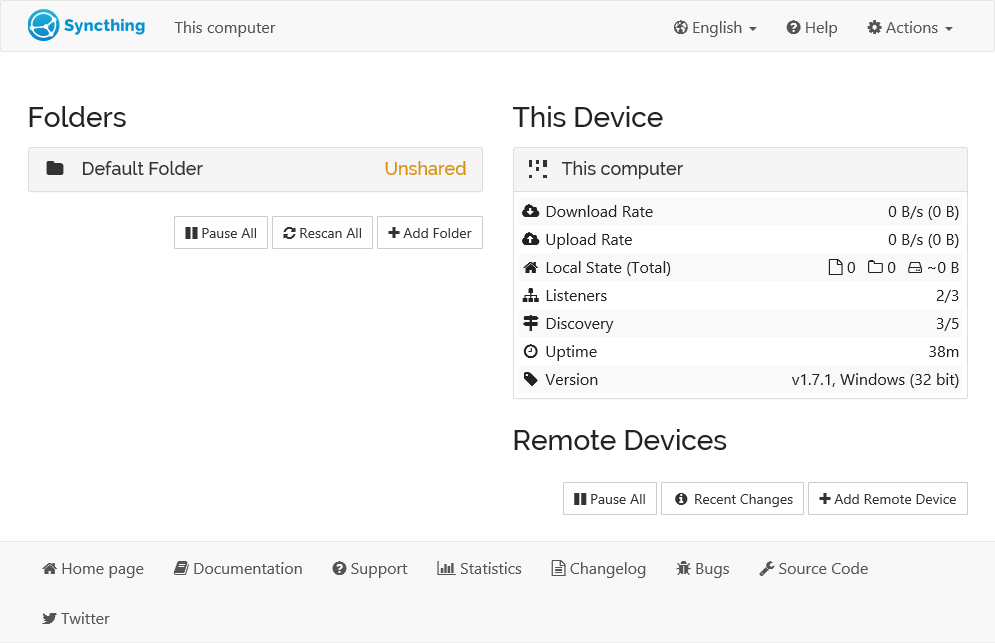
Some cloud storage services might also be usable if emulators/frontends support custom save paths, though direct peer-to-peer syncing is often more efficient. This need for syncing highlights that Android handhelds often fit into a broader personal gaming ecosystem, and solutions that bridge these platforms add significant value.
Check out page 4 for a round up of everything we have covered in this guide

Bringer of videos, text and images! AKA the social media guy at DROIX. Massive retro gaming fan and collector, with a far too large collection of consoles and computers from 1970's to modern. Contact me at [email protected]
Questions & comments
0
Every question gets an answer. Ask before you buy — DaveC and the team reply within one working day, and answers stay public so they help the next reader too.