




Това ръководство ще покаже процеса за инсталиране на PCIe към Oculink адаптерната платка на Minisforum UM780 XTX геймърски мини компютър.
Свалете горния капак; той се държи с магнити и ще се отдели с малко усилие.

В ъглите има четири винта, които задържат LED компонента на място; отстранете тези винтове.
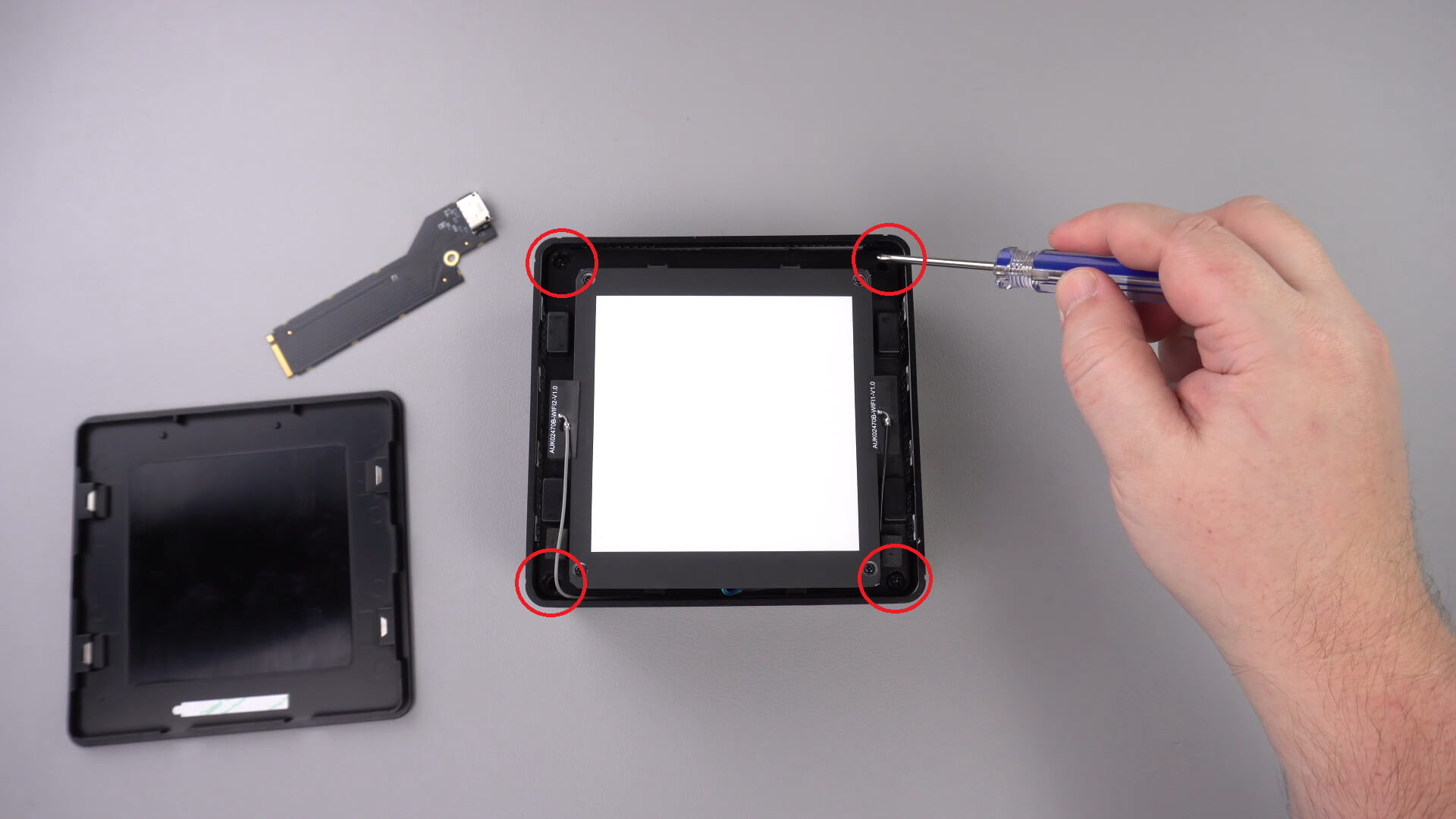
Сега можете внимателно да извадите LED компонента от корпуса. Има къс кабел, както е показано по-долу, който ще трябва да изключите.
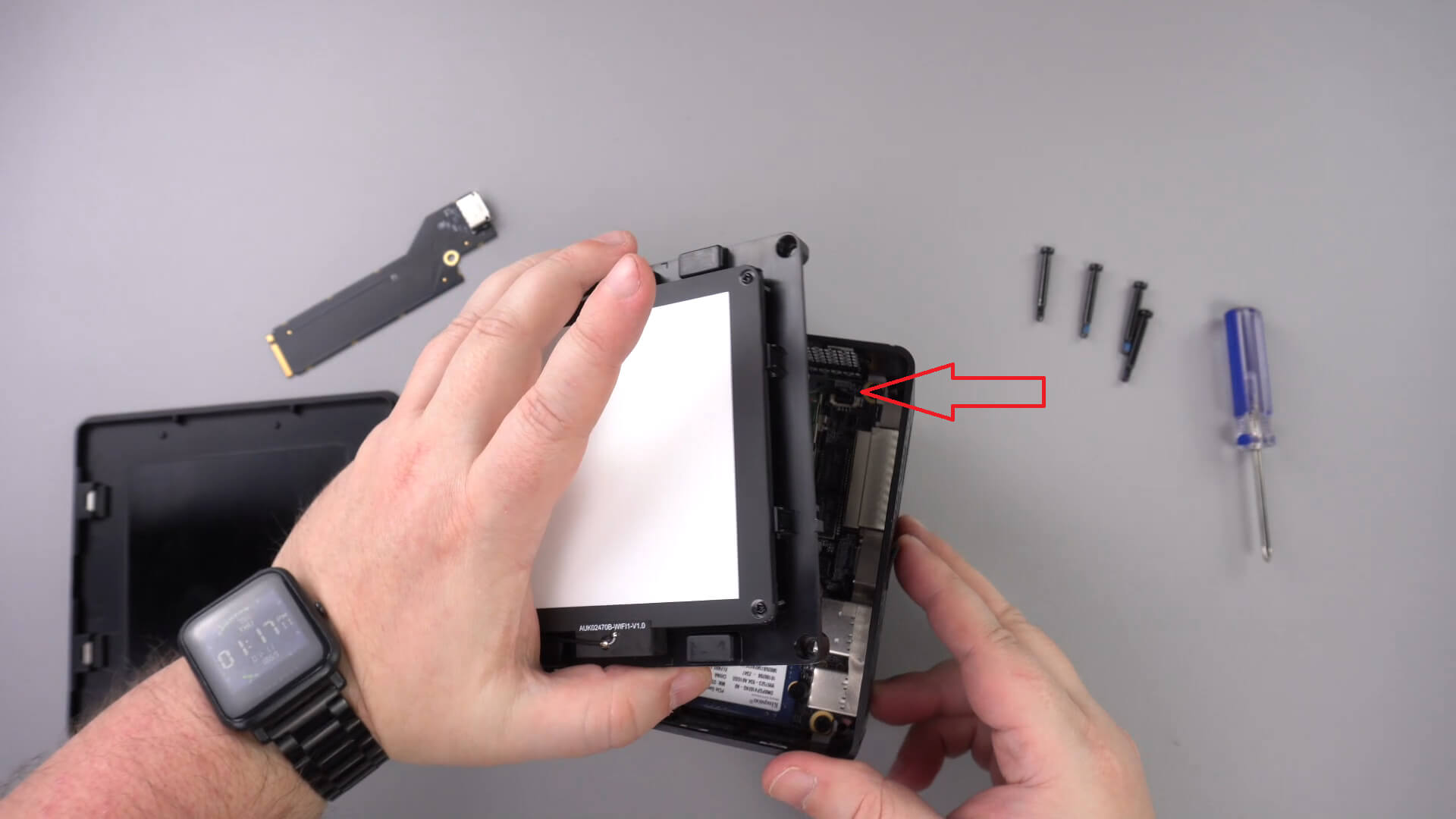
Преместете LED компонента настрани; не би трябвало да се налага да отстранявате другите кабели.
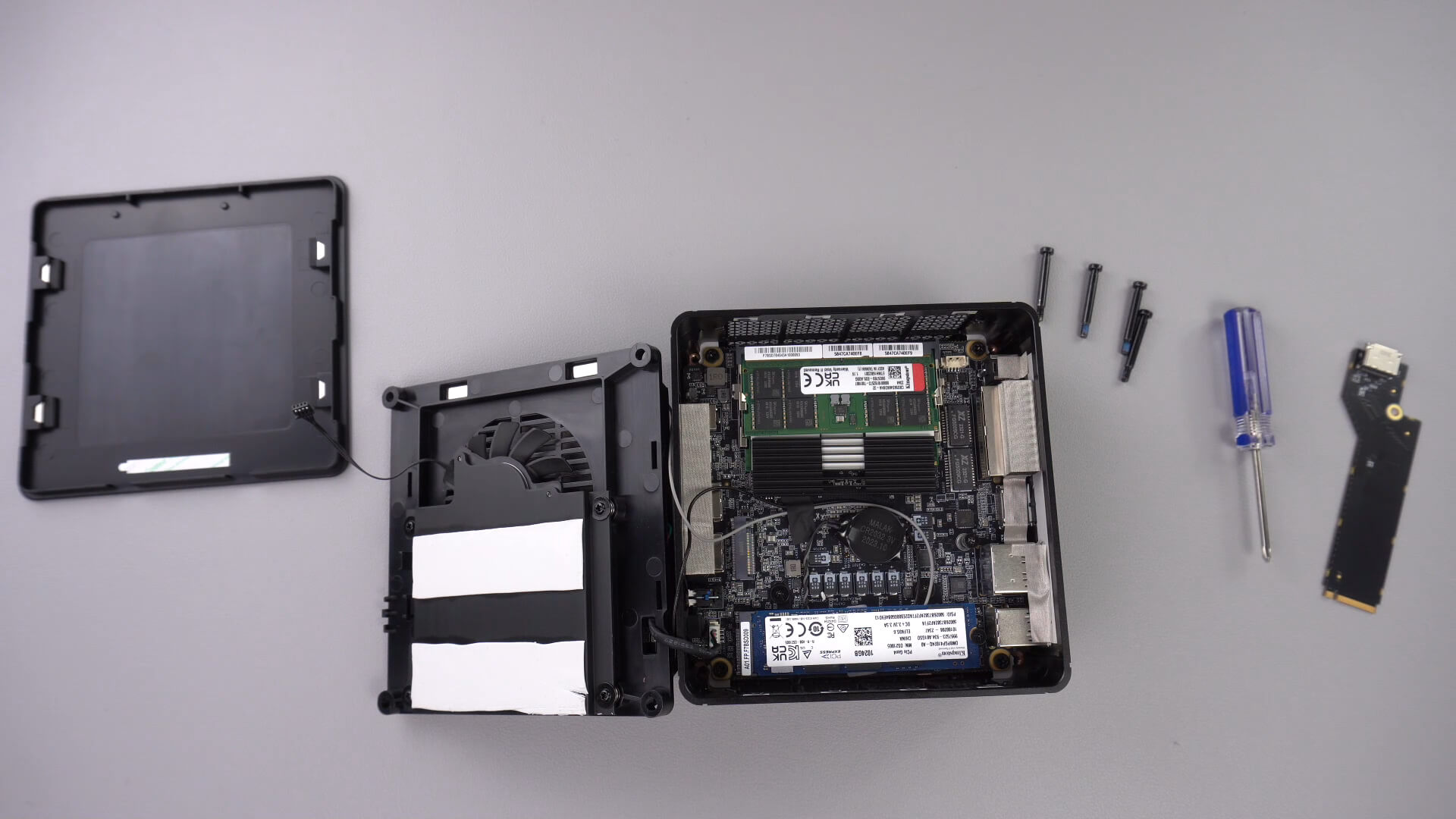
Развийте винта, показан по-долу; този винт ще задържи PCIe към Oculink адаптера стабилно.

Поставете PCIe към OcuLink адаптера в PCIe слота. Той може да влезе в слота само по един начин.

Завийте PCIe винта обратно, за да задържите адаптера стабилно

Сега можете да сглобите мини компютъра отново.
Latest from the blog
Visit the blog GPD WIN Mini Ultra – по-голям 8-инчов 120Hz екран, Intel Arc G3 Extreme и два USB4 v2.0 порта
27.10.2026
GPD WIN Mini Ultra – по-голям 8-инчов 120Hz екран, Intel Arc G3 Extreme и два USB4 v2.0 порта
27.10.2026
 RockTek PJ500 Ultra – ревю на 1080p домашен кино проектор за стрийминг и игри
27.10.2026
RockTek PJ500 Ultra – ревю на 1080p домашен кино проектор за стрийминг и игри
27.10.2026
 Ревю на EPOMAKER RT75 и TH26 – Ретро 75% клавиатура с отделящ се екран и макро нъмпад с 5 клавиша
26.10.2026
Ревю на EPOMAKER RT75 и TH26 – Ретро 75% клавиатура с отделящ се екран и макро нъмпад с 5 клавиша
26.10.2026
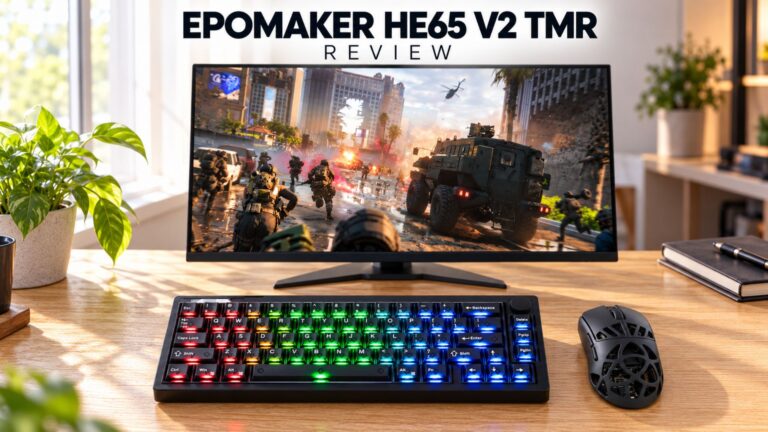 Ревю на EPOMAKER HE65 V2 TMR – 8K безжична скорост и хибридни суичове за компактни геймърски клавиатури
19.10.2026
Ревю на EPOMAKER HE65 V2 TMR – 8K безжична скорост и хибридни суичове за компактни геймърски клавиатури
19.10.2026
Въпроси и отговори 3
I have installed this Oculink adaptor and tried using it with both my GPD G1 and OneXGPU using Oculink. However, when I boot up my machine, the external GPU is not detected. I alraedy have the latest AMD drivers installed on my machine, and I have tried establishing the connection using the official Oculink cables from OneXPlayer and GPD, but to no avail.
To establish the connection, I turn off both the miniPC and the eGPU, then I connect the Oculink cable at both ends of the spectrum, and then I power on the eGPU, followed by the miniPC.
However, none of these settings have worked.
Could you kindly suggest what I may be doing incorrectly?
Muchas gracias. Por desgracia compre un Minisforum de este modelo y no me entregaron el adaptador de Oculink, es posible por favor compartirme la referencia para adquirirlo, muchas gracias.
Si lo compró en DroiX, envíe un correo electrónico a [email protected] con su número de pedido para que podamos analizarlo. Si lo compró en otro lugar, deberá comunicarse con el vendedor.