





ONEXPLAYER 3 Review
The ONEXPLAYER 3 combines an 8.8-inch 144 Hz AMOLED display, Intel Arc gaming performance, detachable controllers and an 85 Wh battery in a versatile Windows handheld.
What we liked
- Large 8.8" 144 Hz AMOLED display
- Strong 15 W gaming results
- Built-in 85 Wh battery
- Detachable controllers
- Mini SSD expansion
Could be better
- Not as powerful as its (more expensive) AMD counterparts at higher Wattage
In this article
What is the ONEXPLAYER 3?
The ONEXPLAYER 3 is a Windows 11 handheld gaming PC with an Intel Arc G3 Extreme processor, Arc B390 graphics, an 8.8-inch AMOLED display and detachable controllers. It has an internal 85 Wh battery, a built-in stand and optional keyboard and controller accessories. This ONEXPLAYER 3 review examines hands-on gaming, benchmarks, battery life and everyday usability.
The ONEXPLAYER 3 review is based on our own measurements and play sessions, not just a specification sheet. If you are choosing a handheld gaming PC for both PC games and desktop tasks, the large screen and modular design are the immediate attractions. The questions are how well it plays at realistic power settings and whether its size and detachable controls suit you.
The large AMOLED screen gives games room to breathe, while the keyboard and controller connector offer different ways to use the same machine. Below, we look at what worked, where the compromises lay and which buyers will get the most from the ONEXPLAYER 3.
Testing conditions
| Item | Review basis |
|---|---|
| Device | ONEXPLAYER 3 with Intel Arc G3 Extreme and Arc B390 graphics |
| Maximum tested TDP | 35 W |
| Standard comparative game resolution | 1920 × 1080; settings listed with each game |
| Battery stress run | Cinebench loop at maximum TDP and brightness |
| Idle battery run | Windows desktop idle |
| Other hands-on testing | Display, controls, keyboard and controller accessories, gaming and emulators |
ONEXPLAYER 3 Review Video
ONEXPLAYER 3 overview
The ONEXPLAYER 3 measures approximately 12.3 x 5.4 x 0.8 inches (313 × 138 × 22 mm) and weighs about 779g (1.7 lbs) without controllers, and 939g (2.0 lbs) with them. This is a sizeable portable gaming PC rather than a pocketable device. Even so, I found it comfortable to hold; the larger and heavier ONEXPLAYER ONEXFLY APEX and GPD WIN 5 form part of my recent frame of reference.
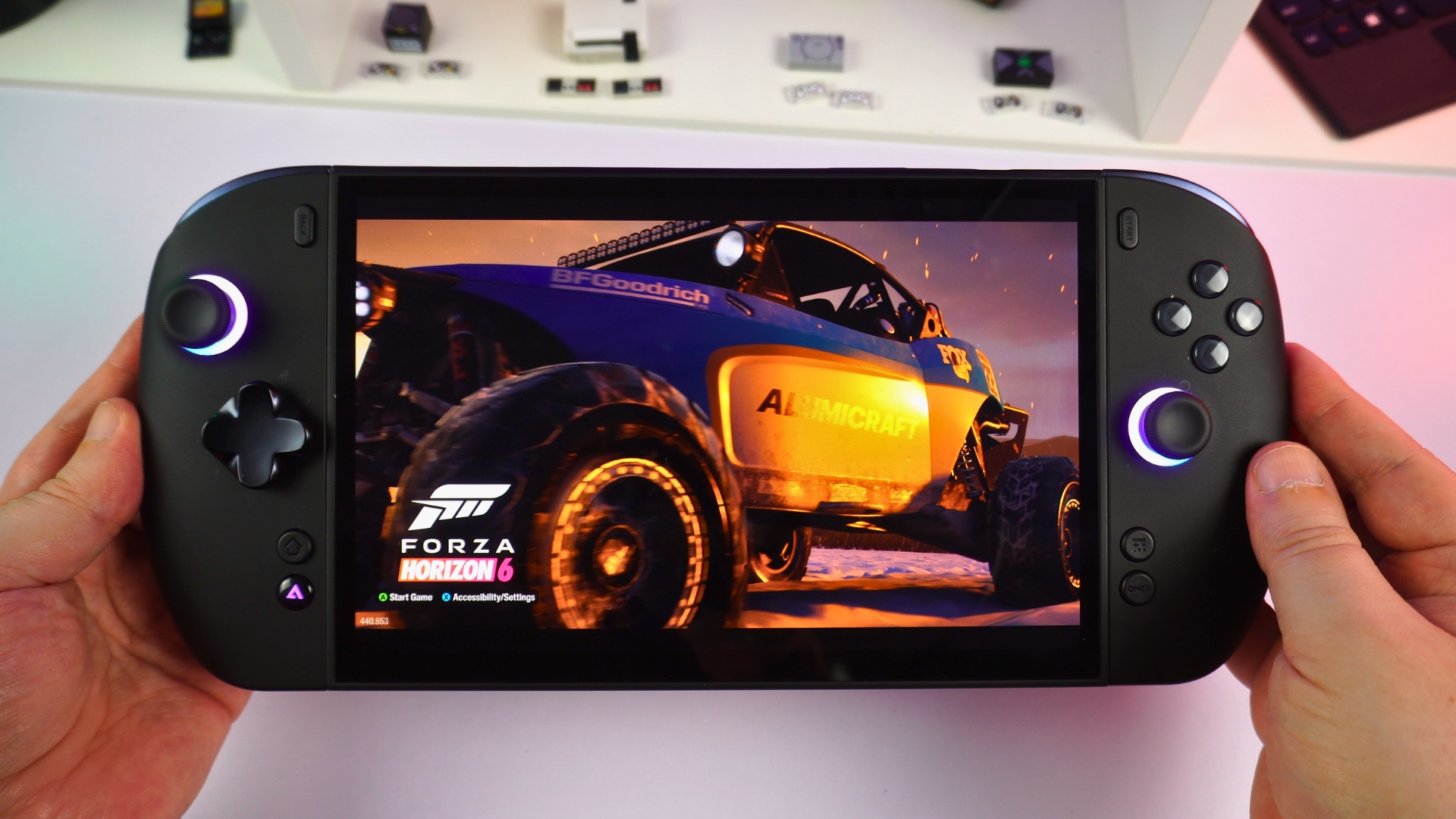
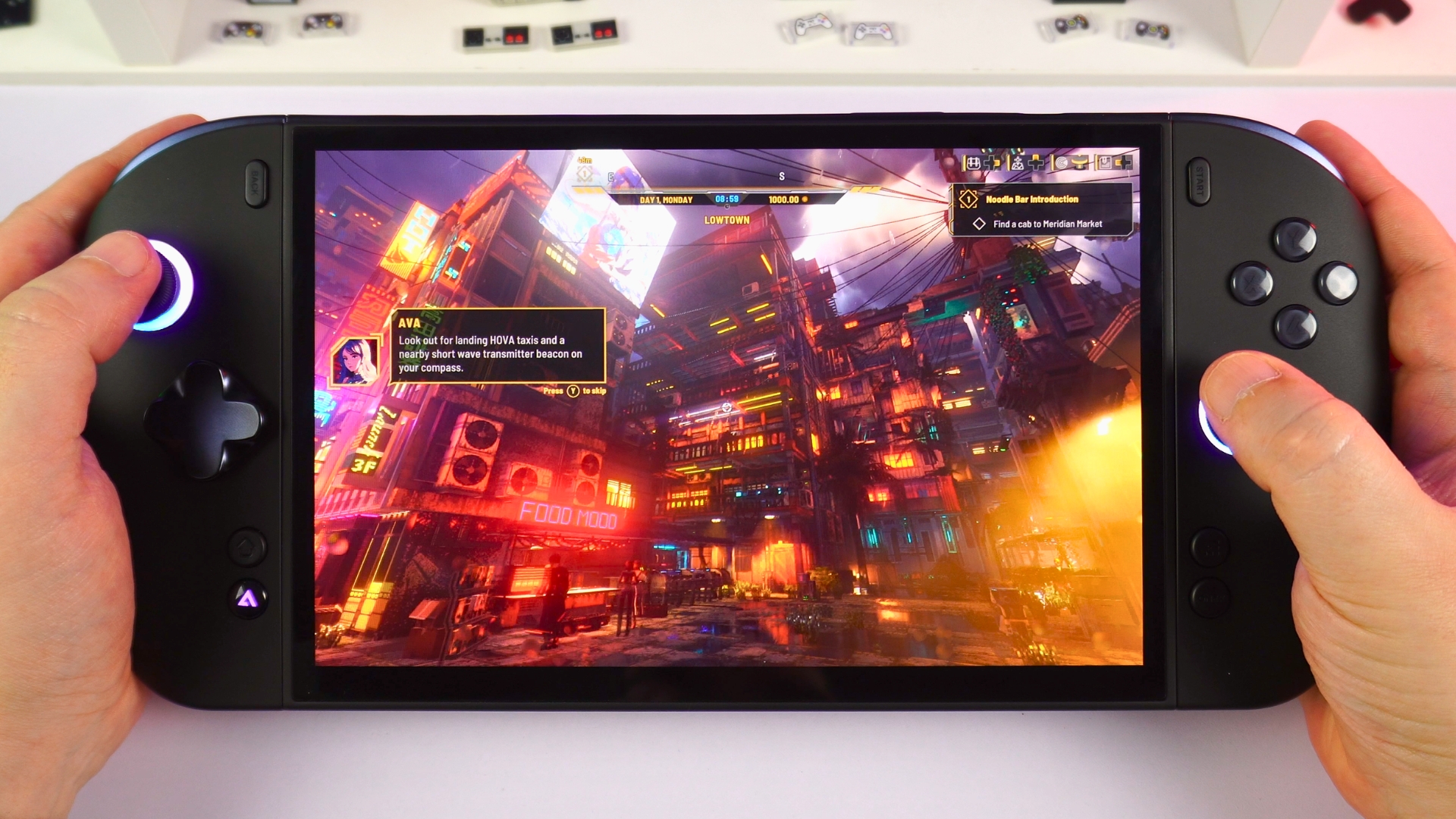
The 8.8-inch AMOLED touchscreen has a 1920 × 1200 resolution, HDR support and a variable refresh range of 30–144 Hz. As an 8.8-inch AMOLED gaming handheld, it gives Windows and games plenty of space; the screen is the part of the ONEXPLAYER 3 review experience I noticed most while playing.
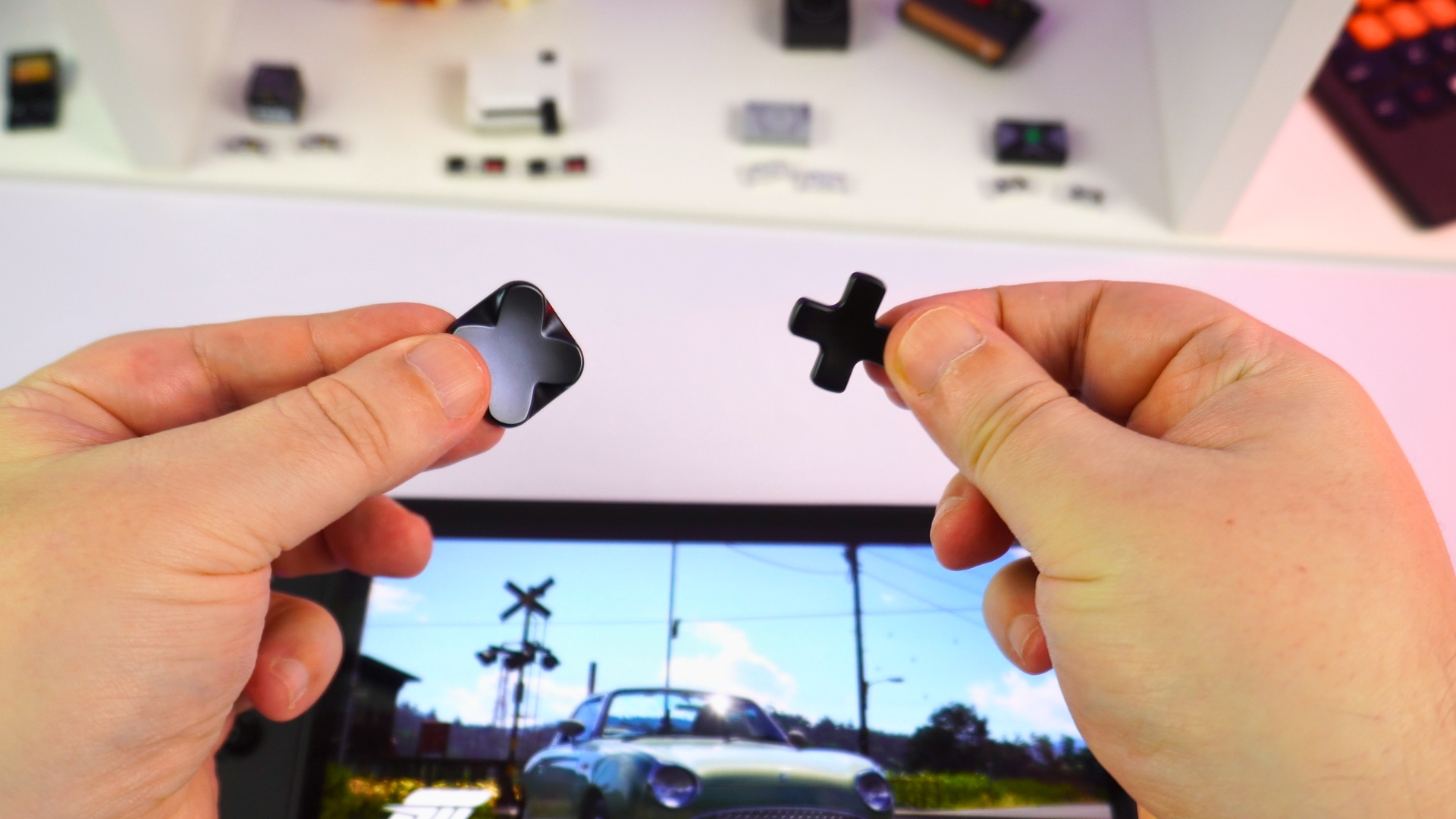
The detachable controllers carry capacitive analogue sticks and microswitch buttons. You can swap the D-pad between four-way and eight-way layouts. Two switches on the back adjust the trigger action; there are also controller release buttons, two software-configurable macro buttons and a built-in stand for desk use.
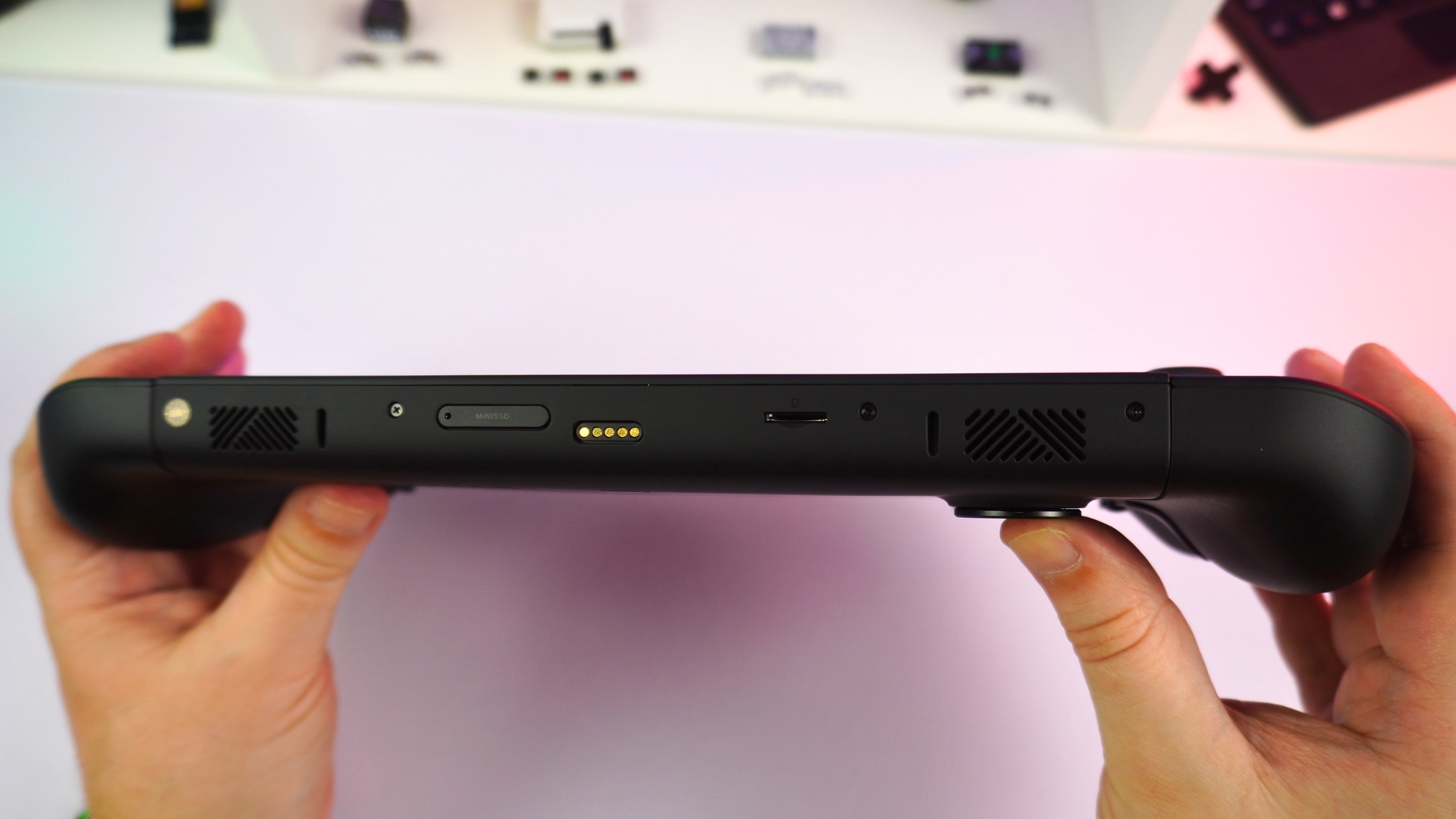
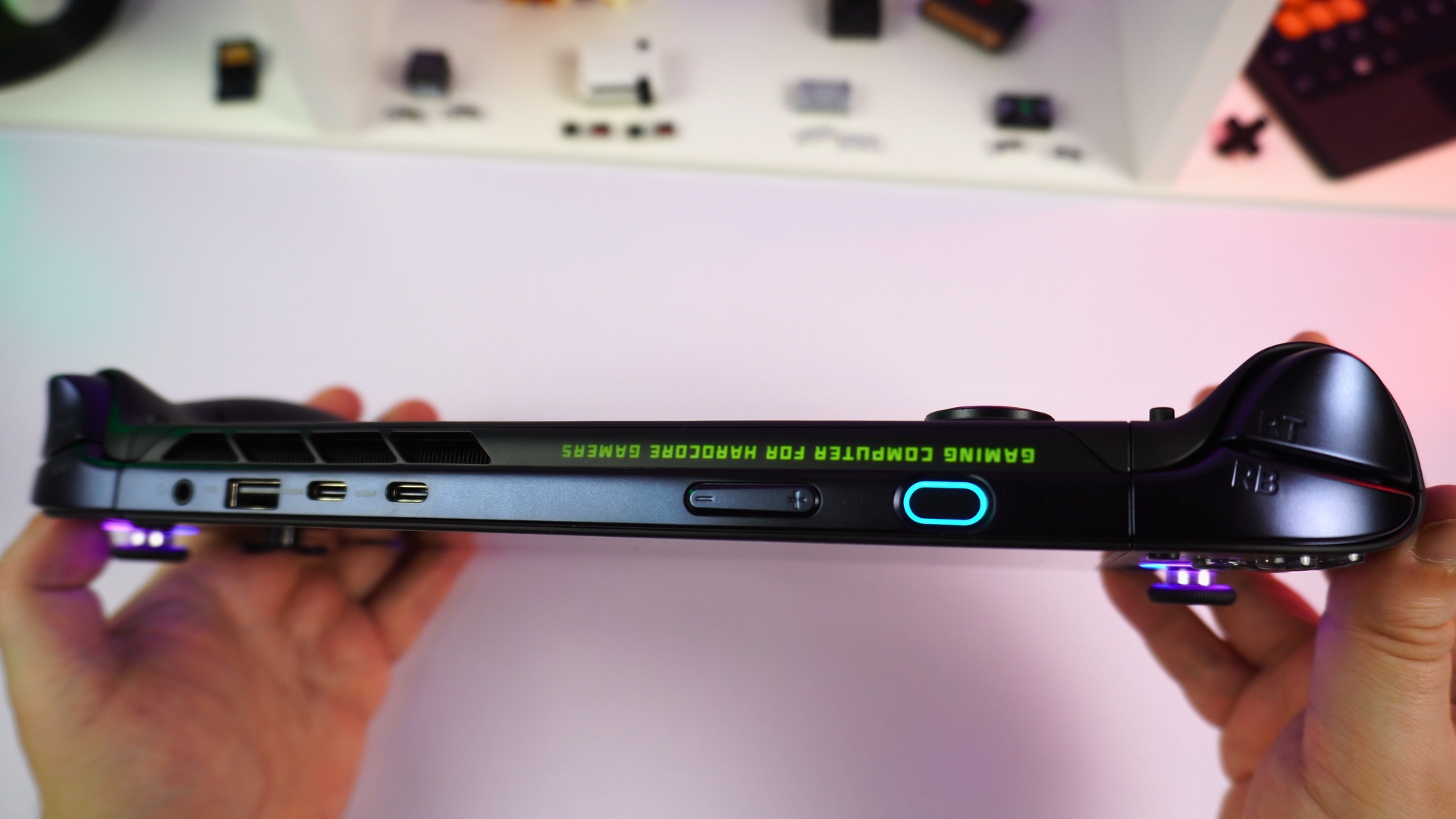
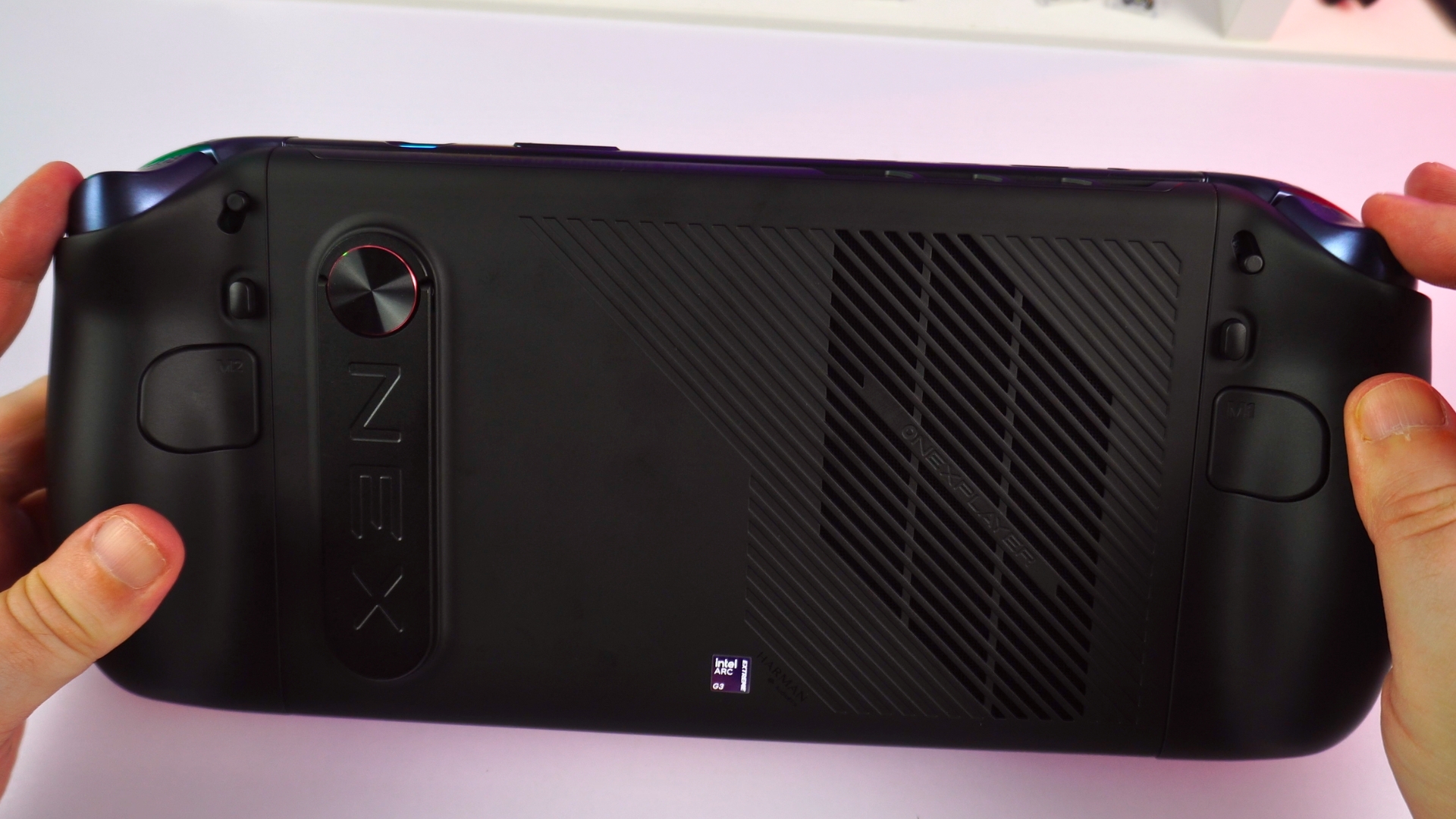
On the bottom are the Mini SSD slot, magnetic keyboard connector and microSD reader. Along the top sit a 3.5 mm audio jack, two USB4 Type-C ports, the volume controls and a power button with an integrated fingerprint reader. There is also a USB 3.2 Type-A port. The speakers are adequate for a handheld, though a recorded demonstration will not fully convey how they sound in person.
Keyboard and controller module
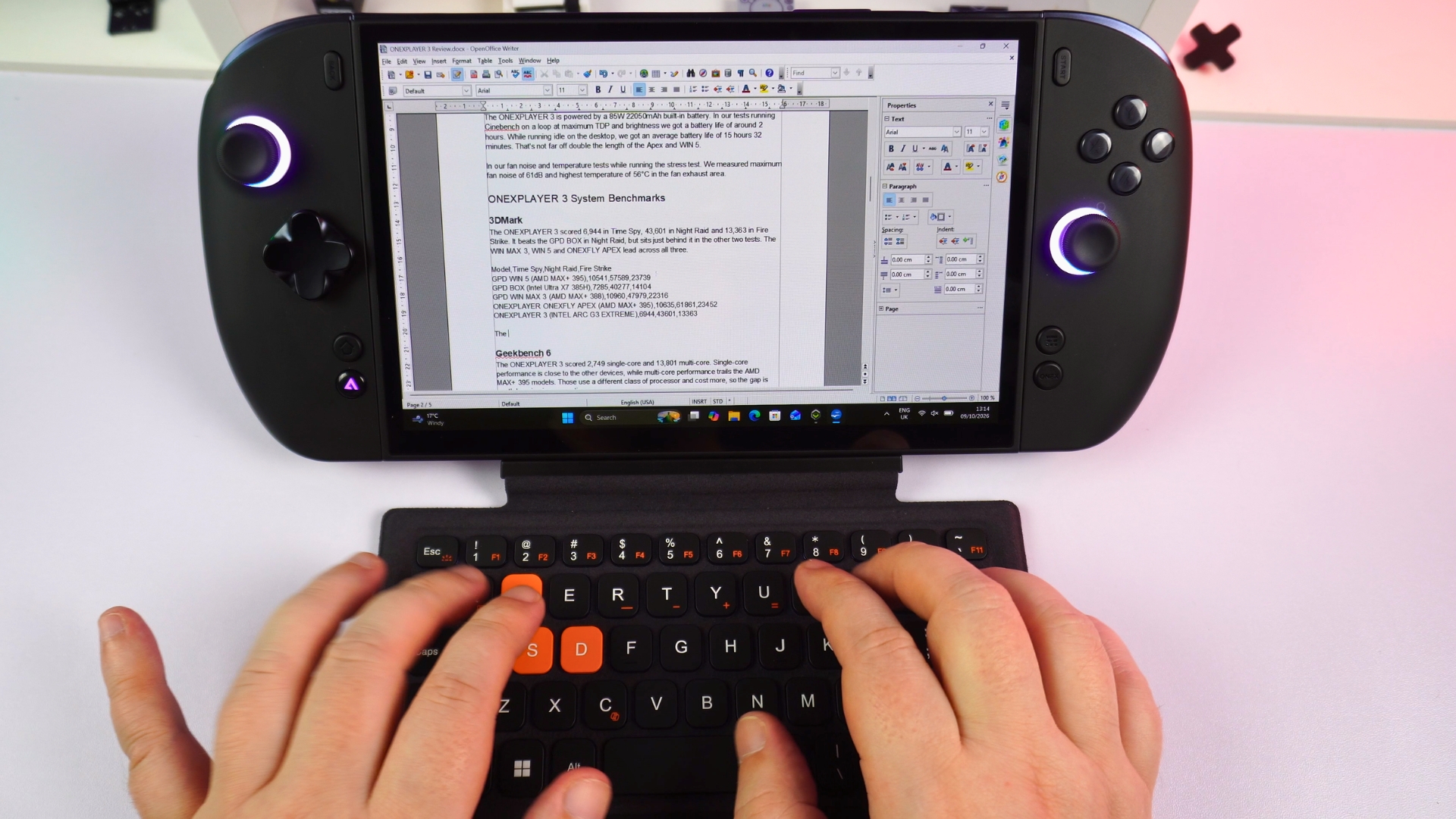
The separately sold magnetic ONEXPLAYER 3 keyboard turns this mobile gaming PC into a more practical small Windows workstation. Its keys are smaller than those on a standard keyboard but usable, and it can stay attached as a cover for the display. It is a useful option if you want to type or work at a desk rather than rely on the touchscreen.
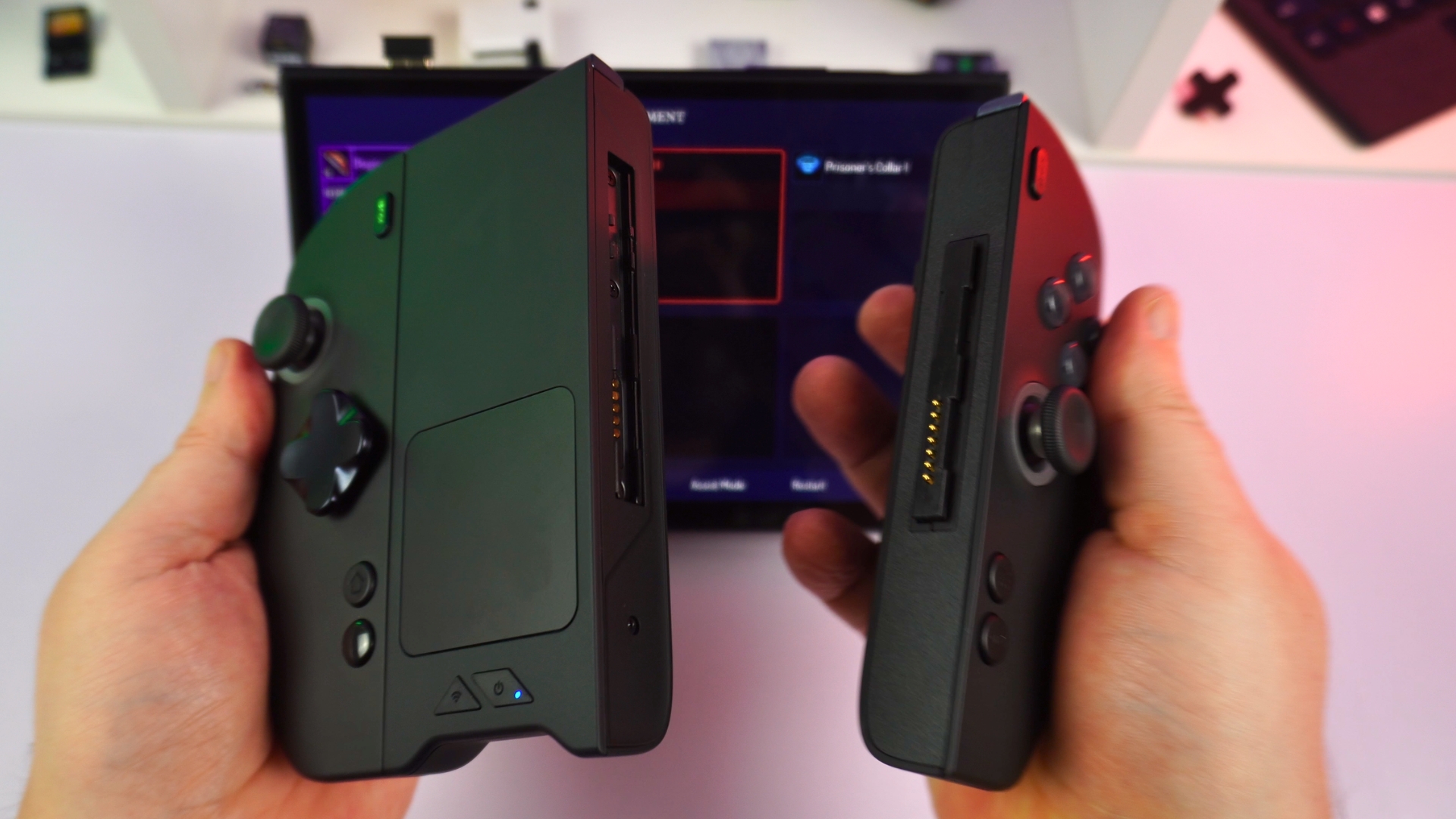
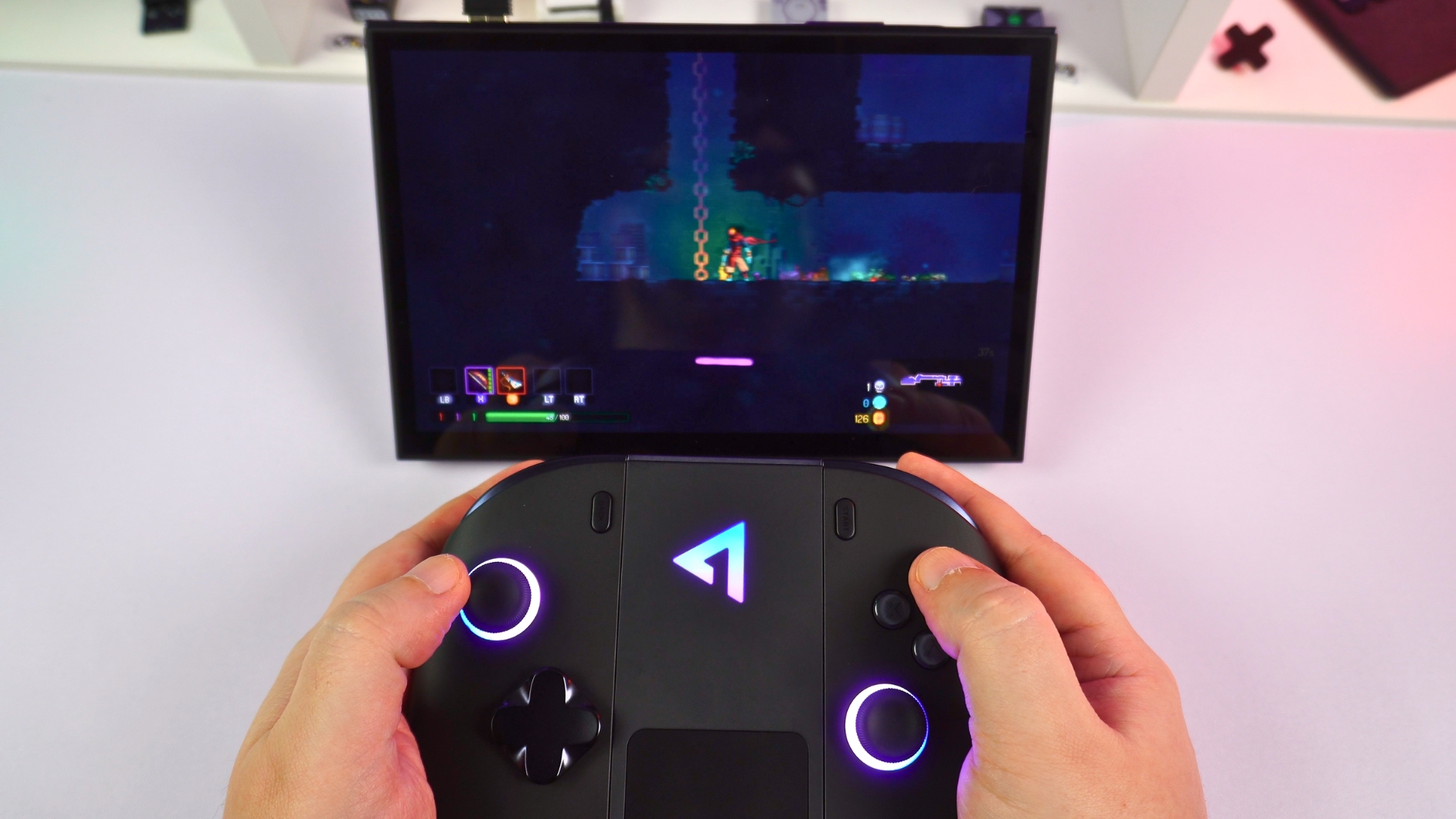
The separate ONEXPLAYER 3 controller connector joins the detached controls into a gamepad. The RF dongle stores in the back of the module and plugs into the device you want to control, so not just the ONEXPLAYER 3. Its touchpad is particularly handy for navigating Windows between games.
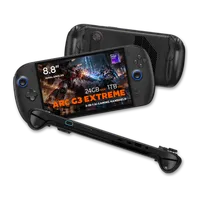

ONEXPLAYER 3
Windows Handhelds
3 variations — pick yours



 on 14 stores
ONEXPLAYER 3 tech specs and battery life
The Intel Arc G3 Extreme combines 14 CPU cores and 14 threads, with a turbo clock up to 4.7 GHz. This Intel Arc G3 Extreme handheld uses Arc B390 integrated graphics with 12 Xe-cores running up to 2300 MHz. The ONEXPLAYER 3 review unit was tested up to its 35W limit power setting; our comparison devices have higher-power runs that should not be mistaken for matched-power results.
| Specification | ONEXPLAYER 3 |
|---|---|
| CPU | Intel Arc G3 Extreme – 14 cores / 14 threads: 2 performance cores, 8 efficient cores and 4 low-power efficient cores. Up to 4.7 GHz turbo; 12 MB Intel Smart Cache; 35 W TDP; Intel 18A process. |
| GPU | Intel Arc B390 integrated graphics. 12 Xe-cores; up to 2300 MHz |
| NPU | Intel AI Boost NPU; up to 46 TOPS AI performance. |
| Display | 8.8-inch AMOLED touchscreen; 1920 × 1200; 16:10, 30–144 Hz variable refresh; 475 nits typical; 700 cd/m² peak (HBM), 1100 cd/m² peak (HDR); 100% DCI-P3 and 100% sRGB; 16:10 aspect ratio; |
| Memory choices | 32 GB LPDDR5X 8533 MT/s or 24 GB LPDDR5X 7467 MT/s. |
| Internal storage options | 512 GB to 4 TB M.2 2280 PCIe 4.0 ×4 SSD, depending on configuration |
| Expansion | Mini SSD slot and microSD reader |
| Wireless | Wi-Fi 7 and Bluetooth 5.4 |
| Ports | Two USB4 Type-C, one USB 3.2 Type-A, 3.5 mm audio |
| Battery | Built-in 85 Wh, 22050mAh |
| Size and weight | Approx. 313 × 138 × 22 mm; 779 g without controllers; 939 g with controllers |
| Software | Windows 11 and OneXConsole control utility |
The Mini SSD expansion slot offers a faster storage path than a conventional microSD card, with 512 GB–2 TB options and stated transfer rates up to 3.7 GB/s. Wi-Fi 7 and Bluetooth cover wireless connectivity.
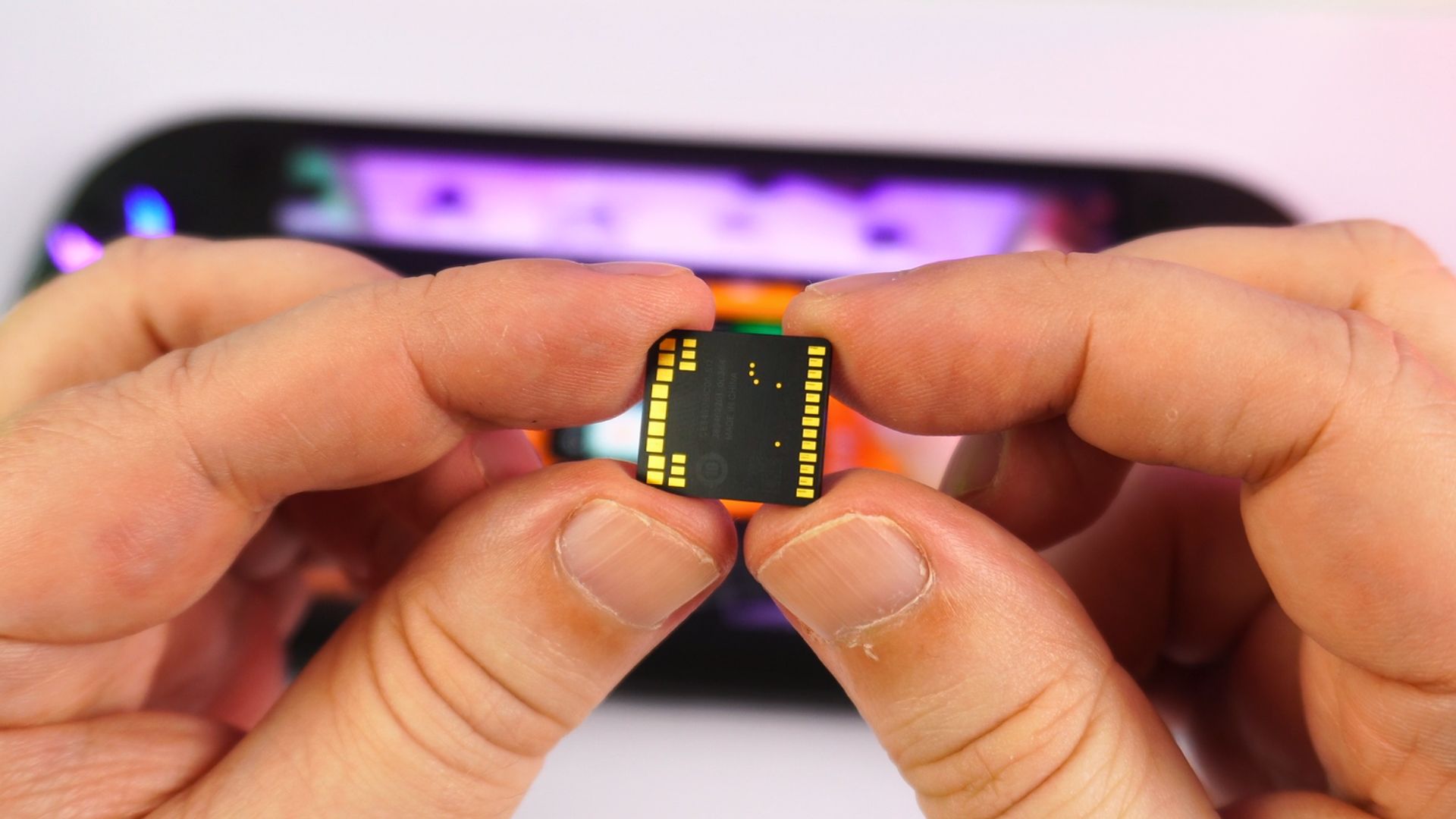
The internal 85 Wh battery lasted around two hours in our Cinebench loop at maximum TDP and screen brightness. At idle on the Windows desktop, we measured an average of 15 hours 32 minutes, a very different workload, not an estimate of gaming runtime. That idle figure was nearly twice what we measured from the APEX and WIN 5; actual gaming endurance will depend on the game and power setting.
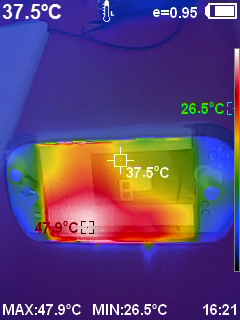
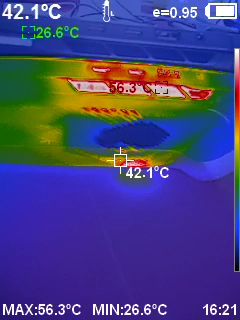
During the stress test we measured a maximum fan reading of 61 dB and 56°C at the fan exhaust. The exhaust measurement is not the grip temperature. These numbers help explain the cooling and noise trade-off at high load, but they do not describe what every game will sound or feel like.
System benchmarks
The GPD WIN 5, GPD WIN MAX 3, GPD BOX and ONEXFLY APEX have different processor classes, cooling and power envelopes. A dash in the game tables indicates a setting without a measured result, not a zero-point score.
3DMark
In the 3DMark portion of our ONEXPLAYER 3 review, it scored 6,944 in Time Spy, 43,601 in Night Raid and 13,363 in Fire Strike. It passed the GPD BOX in Night Raid but sat slightly behind it in the other two tests. The WIN MAX 3, WIN 5 and ONEXFLY APEX led in all three.
| Model | Time Spy | Night Raid | Fire Strike |
|---|---|---|---|
| GPD WIN 5 (AMD MAX+ 395) | 10,541 | 57,589 | 23,739 |
| GPD BOX (Intel Ultra X7 385H) | 7,285 | 40,277 | 14,104 |
| GPD WIN MAX 3 (AMD MAX+ 388) | 10,960 | 47,979 | 22,316 |
| ONEXPLAYER ONEXFLY APEX (AMD MAX+ 395) | 10,635 | 61,861 | 23,452 |
| ONEXPLAYER 3 (Intel Arc G3 Extreme) | 6,944 | 43,601 | 13,363 |
Geekbench 6
In Geekbench 6, the ONEXPLAYER 3 review unit returned 2,749 single-core and 13,801 multi-core. Single-core performance was close to the other devices, while multi-core performance trailed the AMD MAX+ 395 machines. Those use a different processor class and cost more in the comparison set, which matters when weighing the results.
| Model | Single-core | Multi-core |
|---|---|---|
| GPD WIN 5 (AMD MAX+ 395) | 2,809 | 17,996 |
| GPD BOX (Intel Ultra X7 385H) | 2,873 | 16,462 |
| GPD WIN MAX 3 (AMD MAX+ 388) | 2,853 | 14,620 |
| ONEXPLAYER ONEXFLY APEX (AMD MAX+ 395) | 2,909 | 18,859 |
| ONEXPLAYER 3 (Intel Arc G3 Extreme) | 2,749 | 13,801 |
Game benchmarks at 1080p
We ran the comparative games at 1920 × 1080 at several power settings. The ONEXPLAYER 3 review results stop at its 35W maximum, whereas the other devices also have 55W results (they have higher TDP limits). Different processors and different maximum settings mean the 55W figures are context, not direct like-for-like scores.
Forza Horizon 6
At Very Low settings without FSR, Forza Horizon 6 reached 102 FPS at 35W on the ONEXPLAYER 3. At the common 28W and 15W settings, it led both rivals with 95 FPS and 64 FPS respectively. It is the lower-cost device in this comparison, but cannot run at their 55W setting.
| Model | 55 W | 35 W | 28 W | 15 W | 4 W |
|---|---|---|---|---|---|
| GPD BOX (Intel Ultra X7 385H) | 104 | — | 87 | 50 | 8 |
| GPD WIN MAX 3 (AMD MAX+ 388) | 139 | — | 90 | 48 | 23 |
| ONEXPLAYER 3 (Intel Arc G3 Extreme) | — | 102 | 95 | 64 | 3 |
Cyberpunk 2077
With no FSR, the ONEXPLAYER 3 recorded 79.31 FPS at 35 W. At the shared 28W setting, its 66.17 FPS trailed the three AMD comparison devices. At 15W it moved ahead of them all with 47.26 FPS.
| Model | 55 W | 35 W | 28 W | 15 W | 4 W |
|---|---|---|---|---|---|
| GPD WIN 5 (AMD MAX+ 395) | 118.6 | — | 72.11 | 36.15 | 23.34 |
| ONEXPLAYER ONEXFLY APEX (AMD MAX+ 395) | 117.77 | — | 78.43 | 36.65 | — |
| GPD WIN MAX 3 (AMD MAX+ 388) | 116.17 | — | 71.86 | 35.68 | 22.96 |
| ONEXPLAYER 3 (Intel Arc G3 Extreme) | — | 79.31 | 66.17 | 47.26 | 9.29 |
DOOM: The Dark Ages
With 1080p Low settings and FSR Balanced, the ONEXPLAYER 3 reached 67 FPS at 35W and 61.30 FPS at 28 W. It fell to 38.38 FPS at 15W and 6.44 FPS at 4 W. We do not have matching results from other devices for this test.
| Setting | 35 W | 28 W | 15 W | 4 W |
|---|---|---|---|---|
| 1080p Low, FSR Balanced (FPS) | 67 | 61.30 | 38.38 | 6.44 |
Real-world game performance
The benchmark presets above are not the only useful way to play. For this ONEXPLAYER 3 review, we also looked for practical settings that held above 60 FPS in our play sessions. Those results reflect our sessions rather than promising the same frame rate in every part of a game.
Forza Horizon 6
Forza Horizon 6 ran above 60 FPS at 1920 × 1200 on Medium graphics with XeSS-SR Balanced. There may be room to mix in some High settings, but the documented above-60-FPS result is for Medium, not that untested adjustment.
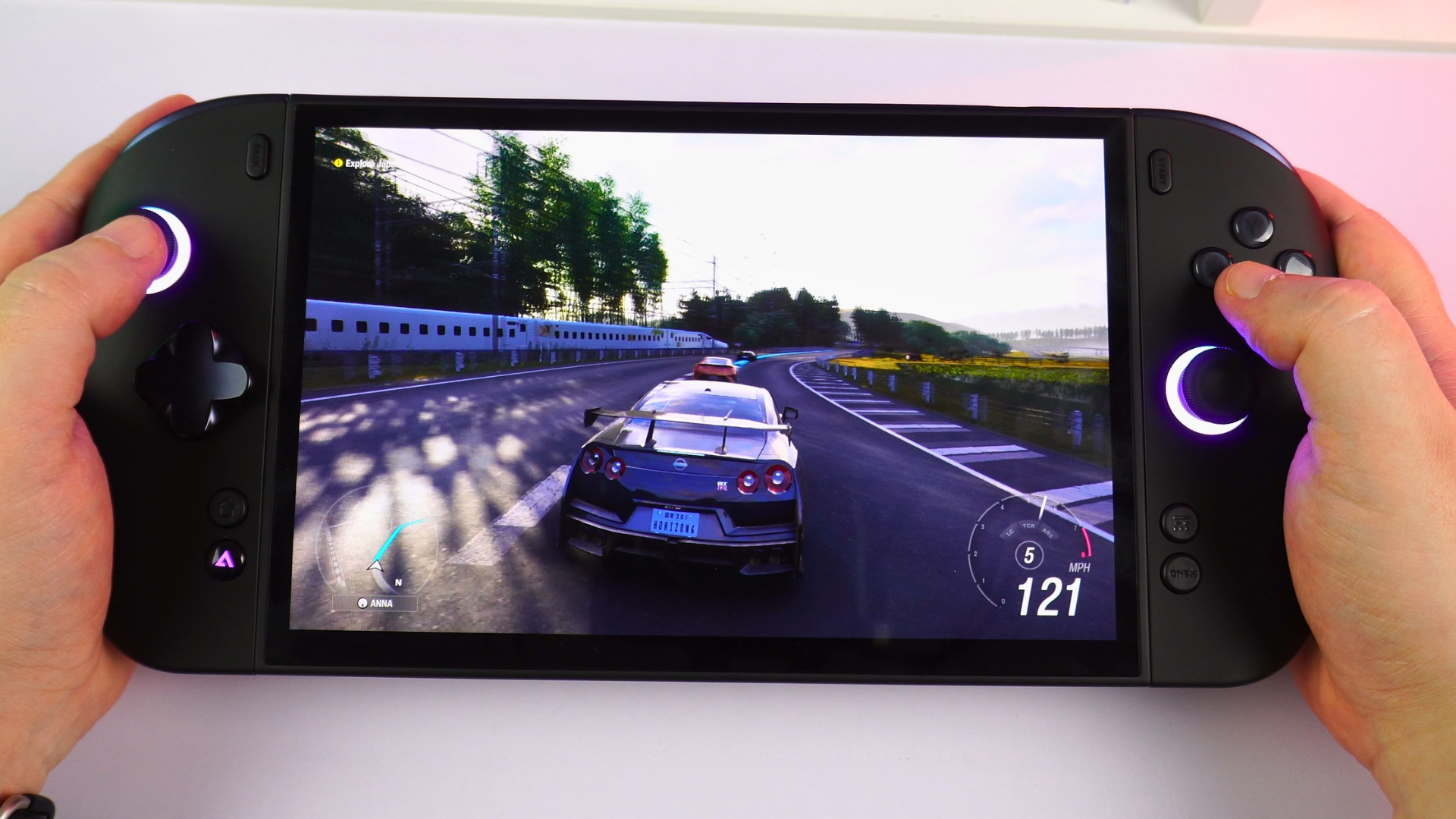
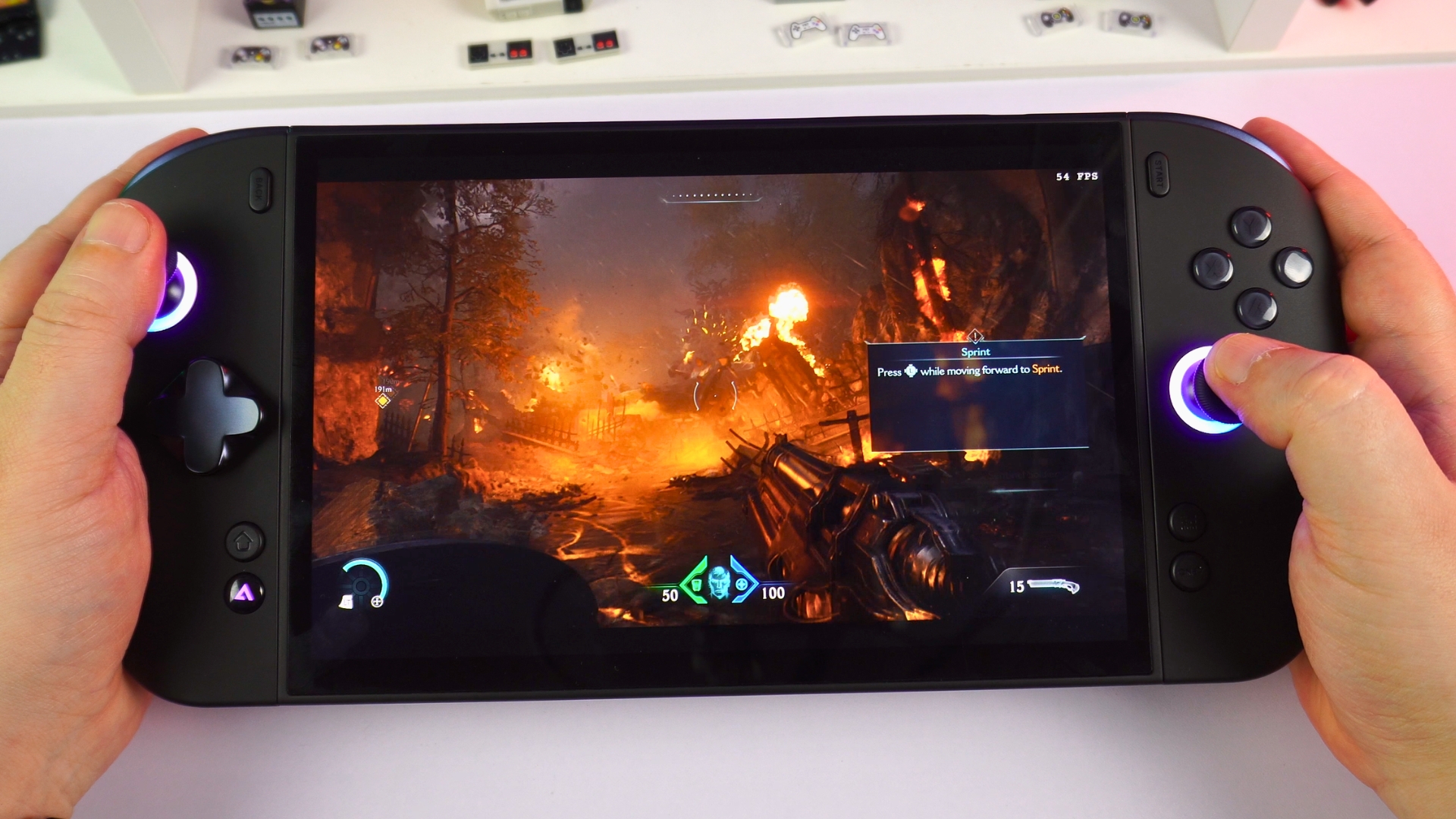
DOOM: The Dark Ages
The first-person shooter ran above 60 FPS at 1920 × 1080 with custom Low settings and TXAA upscaling. This hands-on setup differs from the FSR Balanced benchmark above.
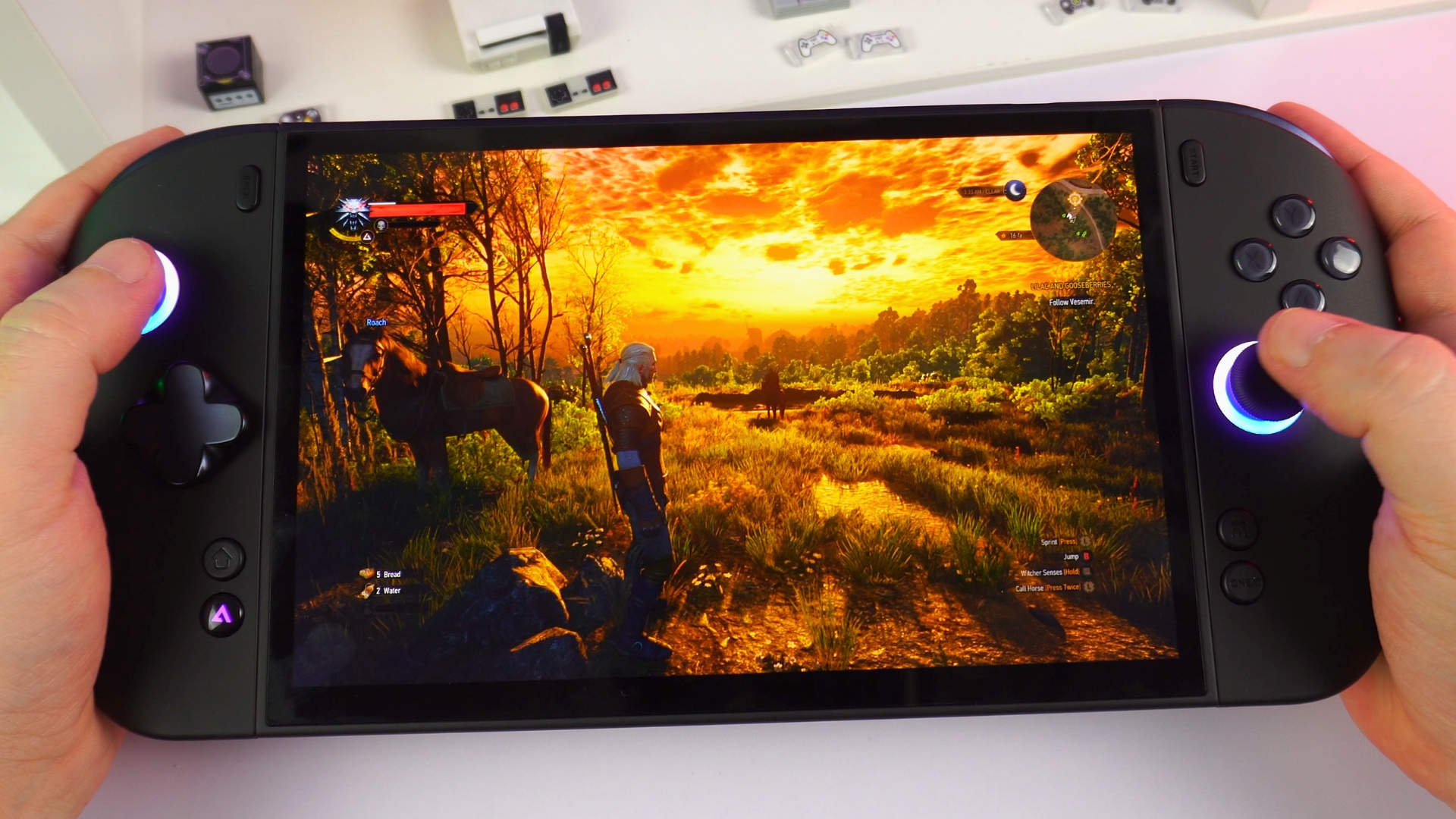
The Witcher 3 Remastered
Our RPG session in The Witcher 3 Remastered stayed above 60 FPS at 1920 × 1200 with Ultra graphics settings. The game makes good use of the larger AMOLED panel.
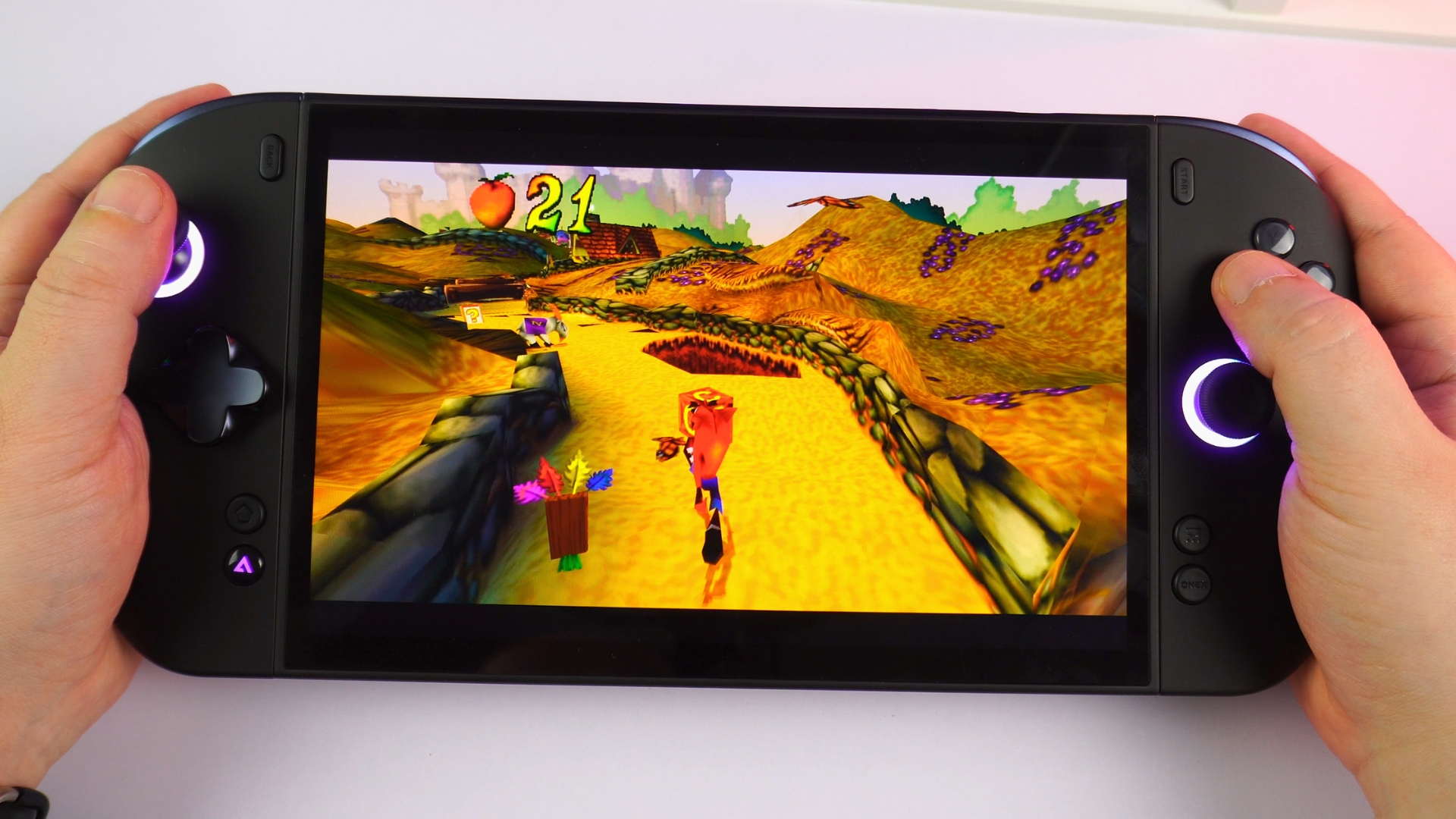
Emulator performance
The ONEXPLAYER 3 review testing covered PlayStation 1 and 2 emulation as well as selected PlayStation 3, Vita and Eden emulator titles. Older systems ran well in our sessions; emulator compatibility still varies by title and emulator version. For emulation fans, the ONEXPLAYER 3 review results show room to raise output resolution up to the PS2 era, including on an external display up to 4K.
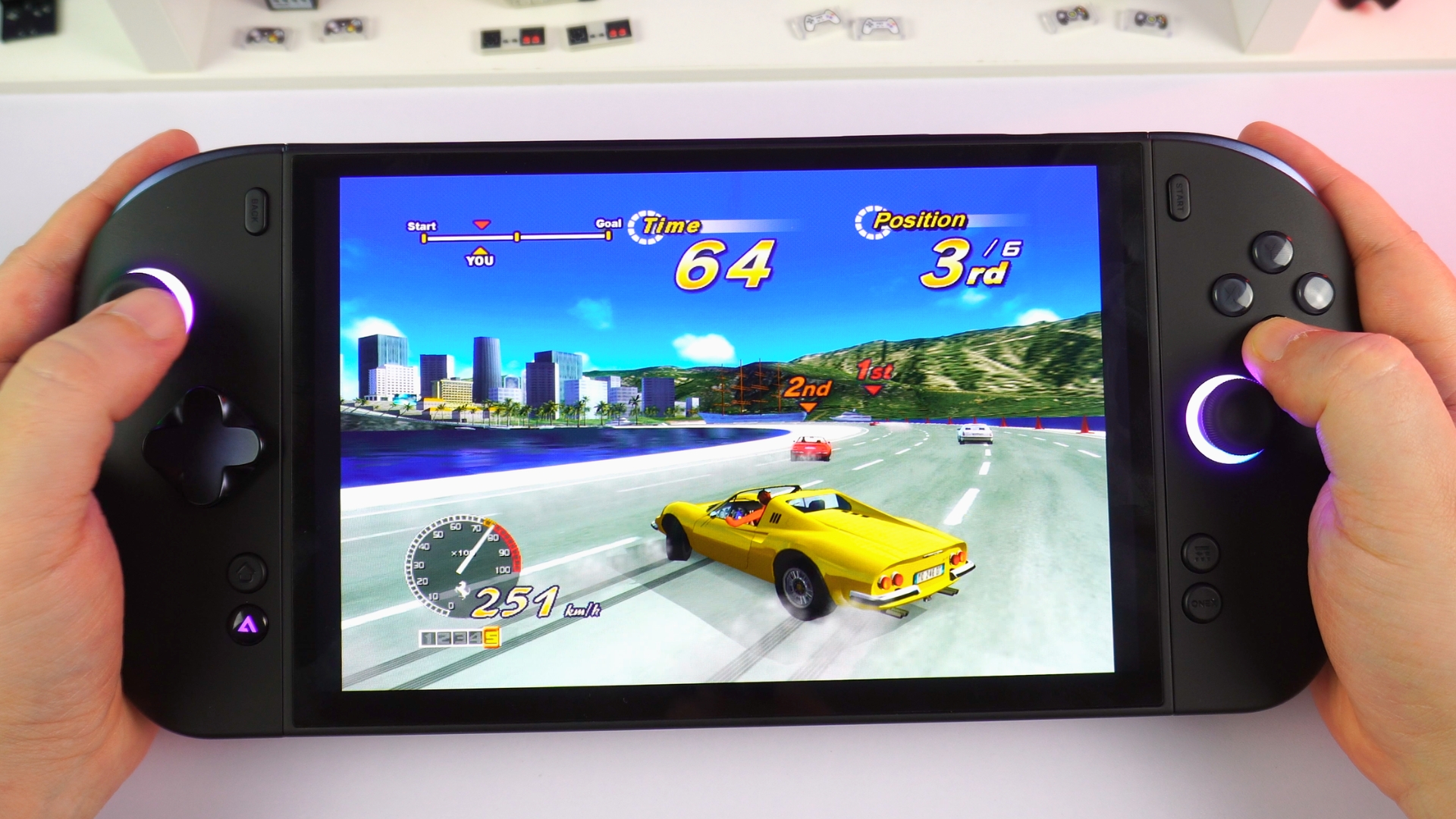
RPCS3
Compatible PlayStation 3 games ran smoothly in our tests, without noticeable slowdown in the titles tried. We used 1080p and could apply some upscaling. Performance still depends on the game and compatibility.
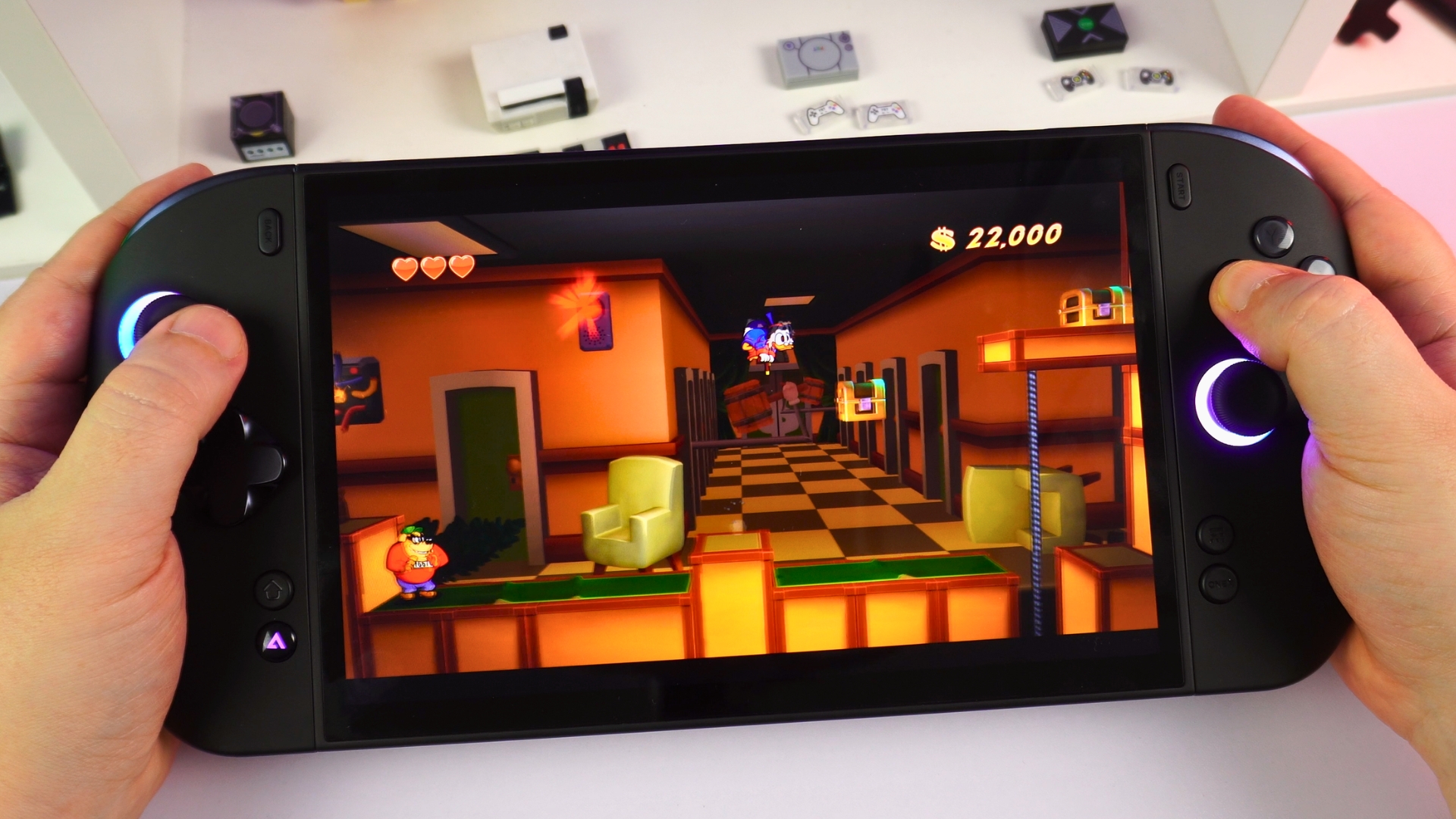
Vita3K
Compatible Vita games ran well in Vita3K, with many tested at 2× rendering resolution for approximately 1080p output. Occasional shader-generation pauses appeared, but they were not game-breaking in our sessions.
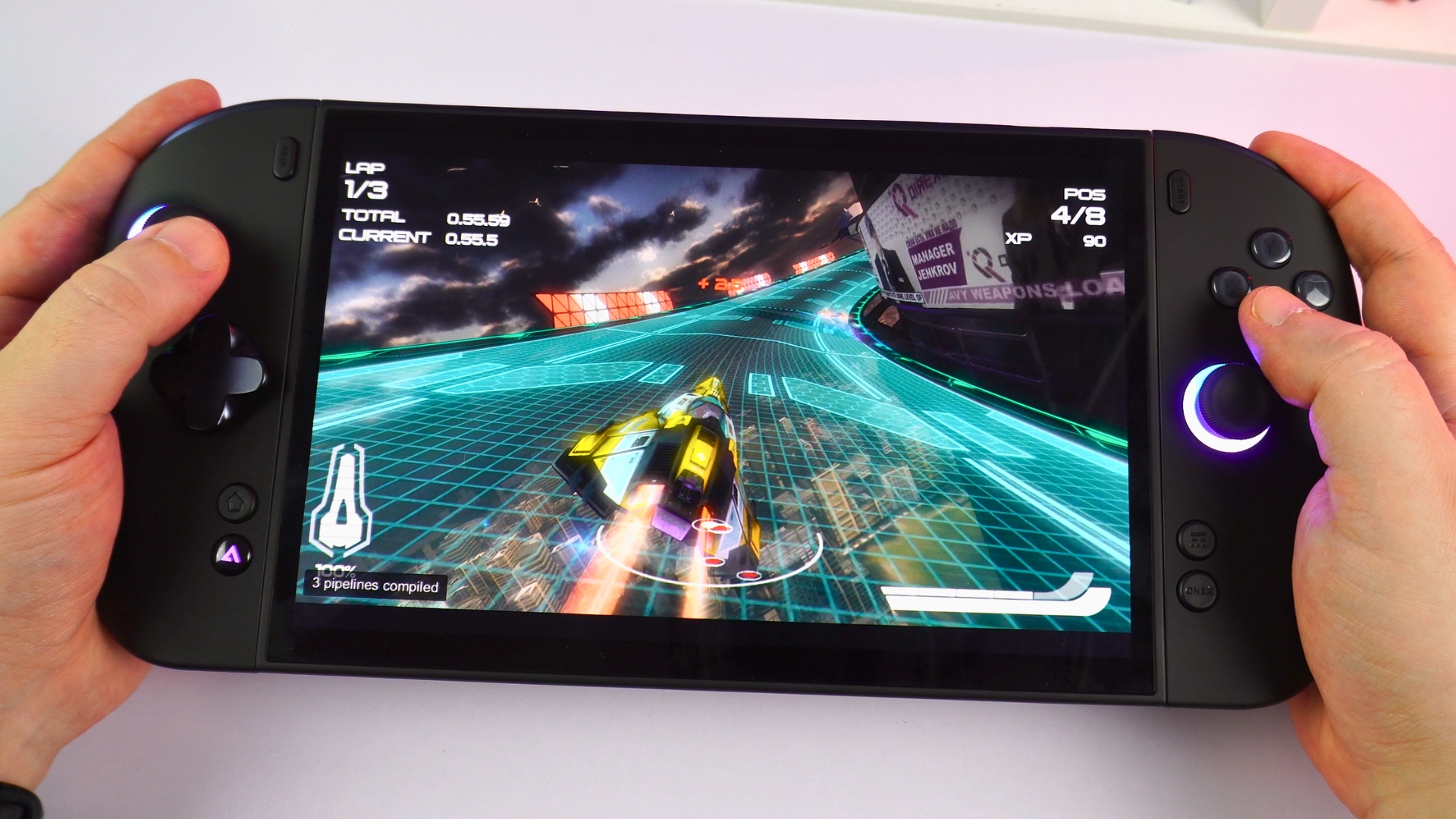
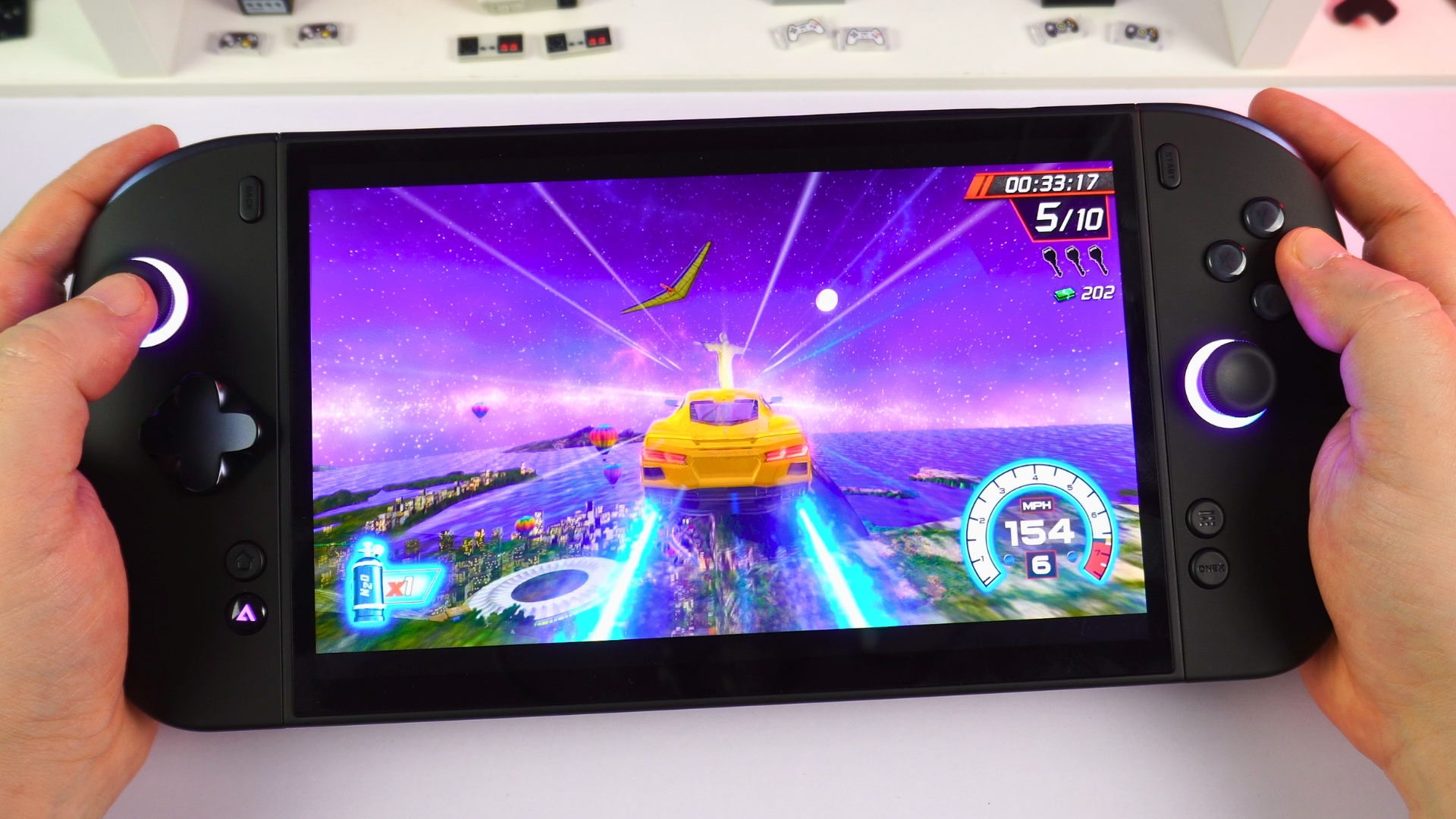
Eden
Eden handled our usual selection, including Cruis’n Blast, and lighter-to-medium-demand games played well. More demanding and first-party games were less consistent, so check title-by-title compatibility rather than assuming every game will work.
Final thoughts
The ONEXPLAYER 3 review leaves me most impressed by the combination of an 8.8-inch AMOLED display, comfortable handheld feel and a genuinely flexible design. Its built-in 85 Wh battery avoids the external-battery arrangement of some rivals; the Mini SSD slot adds convenient expansion, and the optional magnetic keyboard and controller connector extend the device beyond handheld play.
The ONEXPLAYER 3 review benchmarks tell a more interesting story than a simple flagship ranking. It is behind the higher-tier AMD systems in the 3DMark tests and at 28W in Cyberpunk, yet it performs particularly well at the shared 15W settings in Forza and Cyberpunk. Its 35W ceiling and lower cost relative to the higher-end comparison devices make power-matched tests especially useful. Battery endurance ranged from about two hours under a demanding maximum-power loop to 15 hours 32 minutes at desktop idle; actual gaming will sit somewhere between those very different workloads.
Choose the ONEXPLAYER 3 if you want a large-screen Windows handheld gaming computer with detachable controls and the option to work with a small keyboard, rather than simply chasing the highest 55W+ benchmark score on more expensive devices. It offers an appealing mix of measured gaming performance, display quality and modularity.
ONEXPLAYER 3
Windows Handhelds
3 variations — pick yours
on 14 storesOur verdict – is the ONEXPLAYER 3 worth buying?
- Short answer: Yes, if you value its screen, built-in battery and modular controls more than the highest-power flagship scores.
- Best for: Players who want a portable gaming computer for Windows titles and occasional keyboard-based use.
- Not ideal for: Anyone who needs the smallest handheld, effortless controller removal or the fastest 55W+ gaming results.
- Current status: Available in multiple configurations; verify regional stock, accessories and price at checkout.
If you are weighing different sizes and power classes, browse DROIX’s handheld gaming PC range alongside this ONEXPLAYER 3 review.
ONEXPLAYER 3 FAQ
What display does the ONEXPLAYER 3 have?
The ONEXPLAYER 3 has an 8.8-inch 1920 × 1200 AMOLED touchscreen with HDR support and a 30–144 Hz variable refresh range. The large display is a key reason to consider it over a smaller handheld.
How long does the ONEXPLAYER 3 battery last?
Our ONEXPLAYER 3 review unit ran for around two hours in a Cinebench loop at maximum TDP and brightness, and averaged 15 hours 32 minutes at desktop idle. Neither result should be treated as a measured runtime for a specific game.
Can the ONEXPLAYER 3 be used like a small laptop?
Yes. The separately sold magnetic keyboard and built-in stand make the ONEXPLAYER 3 usable for light Windows work at a desk. Its controllers can also be joined with an optional connector, although removing them took more effort than expected in our testing.
Is the ONEXPLAYER 3 good for emulation?
The ONEXPLAYER 3 handled the compatible PlayStation, Vita3K, RPCS3 and Eden titles we tried, with the greatest variation in more demanding games. Check compatibility for the specific titles you want to play.


Questions & comments
0
Every question gets an answer. Ask before you buy — DaveC and the team reply within one working day, and answers stay public so they help the next reader too.


